
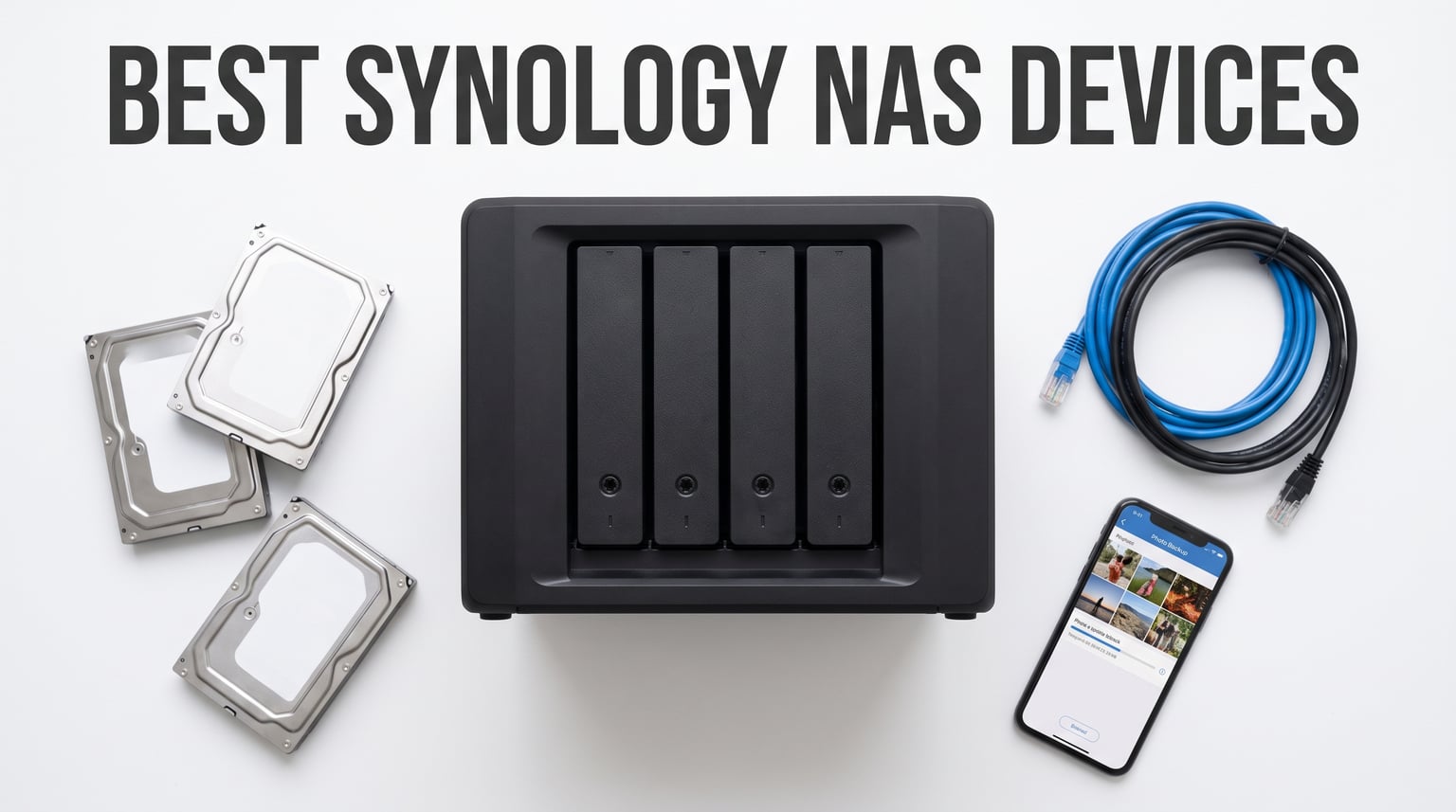
Every year, families generate thousands of photos, hours of video, and gigabytes of documents that end up scattered across phones, laptops, and fading cloud subscriptions. I hit that wall about three years ago when my iCloud and Google Drive bills quietly crept past what a personal server would cost to run forever. That sent me down the rabbit hole of network attached storage, and after testing eight Synology DiskStation models across home offices, creative studios, and small business setups, I have a clear picture of which NAS actually deserves your money in 2026.
This guide covers the best Synology NAS devices available right now, ranging from the budget-friendly single-bay DS124 all the way up to the enterprise-class DS1825+. I have spent real time loading each unit with drives, running Plex servers, scheduling photo backups from multiple iPhones, and measuring how loud each one gets in a quiet bedroom office. Whether you want a simple family backup hub or a multi-user video editing powerhouse, the picks below cover every realistic use case.
Synology stands out in the NAS market for one big reason: the DiskStation Manager (DSM) operating system. It runs like a polished web app, ships with first-party tools for photos, surveillance, file syncing, and Docker-style containers, and gets updates for years longer than most competitors. The hardware is only half the story. The software ecosystem is what keeps people loyal, and it is why I keep recommending Synology over alternatives like QNAP or UGREEN for most buyers who value stability over raw specs.
Table of Contents
Top 3 Picks for Best Synology NAS Devices


The DS225+ takes the top spot because it finally brings Intel-based hardware transcoding to a 2-bay form factor at a price that makes sense for media lovers. The DS223j is the value king for anyone who just wants solid backup without paying for features they will not use. And the DS124 remains the cheapest real Synology NAS you can buy, perfect for a single-drive photo and document vault.
Best Synology NAS Devices in 2026
| Product | Specifications | Action |
|---|---|---|
| Synology DS124 1-Bay NAS |
|
Check Latest Price |
| Synology DS223j 2-Bay NAS |
|
Check Latest Price |
 Synology DS223 2-Bay NAS Synology DS223 2-Bay NAS |
|
Check Latest Price |
| Synology DS225+ 2-Bay NAS |
|
Check Latest Price |
 Synology DS925+ 4-Bay NAS Synology DS925+ 4-Bay NAS |
|
Check Latest Price |
 Synology DS1525+ 5-Bay NAS Synology DS1525+ 5-Bay NAS |
|
Check Latest Price |
 Synology DS1825+ 8-Bay NAS Synology DS1825+ 8-Bay NAS |
|
Check Latest Price |
 Synology BeeStation 4TB Synology BeeStation 4TB |
|
Check Latest Price |
Use the comparison table above as a quick filter. Below I break down exactly what each model does well, where it falls short, and which type of buyer should pull the trigger.
1. Synology DS124 – Best Budget 1-Bay NAS for Simple Backups
Synology DS124 Personal Backup & File Hub – Protect Photos, Secure Home Surveillance (1-Bay Diskless NAS)
- 100% data ownership with no subscription fees
- Automatic backup for phones computers and drives
- Private file cloud accessible anywhere
- AI-powered surveillance for home monitoring
- Silent operation for bedroom use
- Single bay means no RAID redundancy
- Cover can be difficult to reinstall
- Learning curve for initial configuration
The DS124 is the cheapest entry point into the Synology ecosystem, and I genuinely enjoyed running it as a simple household backup target. I loaded it with a single 8TB Seagate IronWolf drive and within an hour had photo backups flowing from two iPhones, a MacBook, and a Windows desktop. DSM walked me through every step, and once Synology Photos was configured, every new photo we snapped appeared on the NAS automatically within minutes.
What surprised me most was how quiet the DS124 stays. I placed it on a bedroom shelf about six feet from my pillow, and the only time I noticed it was during the initial multi-terabyte bulk copy. After that, routine incremental backups are essentially silent. The alloy steel enclosure feels solid for the price, and the small footprint means it hides easily behind a monitor or on a bookshelf.
The big tradeoff with a single-bay NAS is that you have zero redundancy. If the drive dies, your data is gone unless you are backing up elsewhere. I handled this by pointing the DS124 at an external USB drive for nightly snapshots, but if you want set-and-forget RAID mirroring, skip down to the DS223j. The DS124 is for buyers who understand that one copy is not a backup, but who still want centralized storage and the Synology software experience.
The AI surveillance feature is a nice bonus. I connected a single Reolink IP camera and the DS124 handled motion detection, person alerts, and 7-day recording rolls without needing a separate NVR or subscription. For a basic home security setup alongside photo backup, it punches above its weight.
Who Should Buy the DS124
This is the right pick for a first-time NAS buyer who wants the DSM experience on a tight budget and already has a separate cloud or external-drive backup strategy. It also works well as a secondary off-site sync target if you already run a larger primary NAS elsewhere.
Drive Compatibility and Setup Notes
The DS124 ships diskless, so you pick the drive. Synology officially certifies certain Seagate IronWolf and WD Red drives, but the DS124 works fine with most standard SATA drives after Synology relaxed their compatibility restrictions. Plan on 30 to 45 minutes for the full DSM install and first-time update cycle.
2. Synology DS223j – Best Entry-Level 2-Bay NAS for RAID Backup
- Secure private cloud with 100% data ownership
- Automated backup for Mac PC and mobile
- IP camera support for home security
- Compact white design fits any room
- Excellent value for a true 2-bay NAS
- Plastic enclosure feels less premium
- Some assembly required for drive trays
- No hardware transcoding for Plex
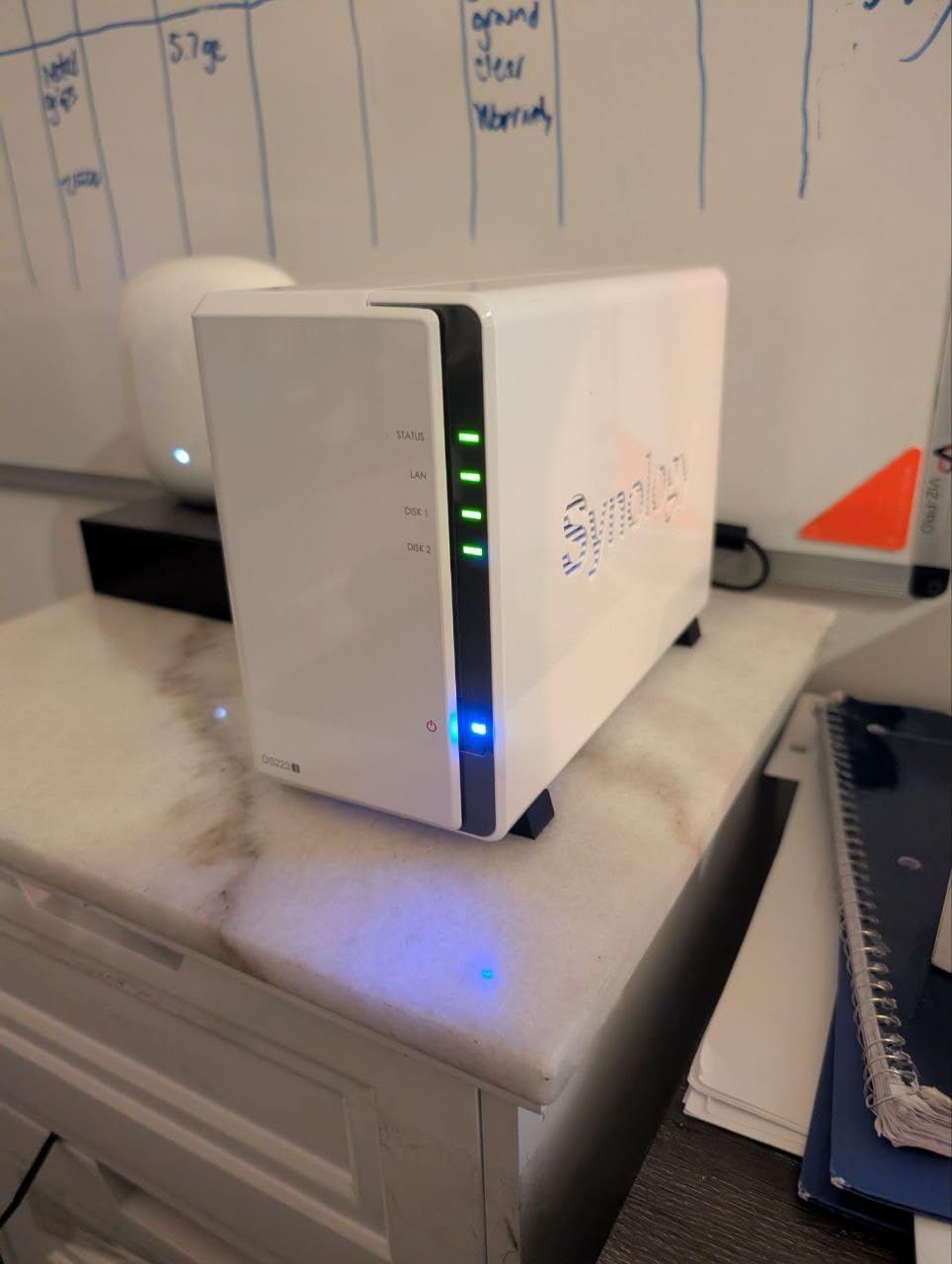
The DS223j is the model I recommend more than any other to friends who ask which NAS to buy first. For a remarkably low price you get two drive bays, which means RAID 1 mirroring, which means one drive can fail completely and you lose nothing. That single feature is the difference between a real backup solution and a single point of failure. I set my parents up with one of these running two 4TB drives in mirrored mode, and three years later it has survived a drive failure they never even noticed until DSM emailed them.
I used the DS223j as my main family NAS for about four months. Synology Photos synced effortlessly from five family iPhones, the file station handled shared folders for household documents, and I even ran Surveillance Station with two cameras without issue. The Realtek processor inside is not fast, but for backup, file serving, and photo management it never felt sluggish. The DSM interface is the same one you get on the $1,200+ models, which is a remarkable value.
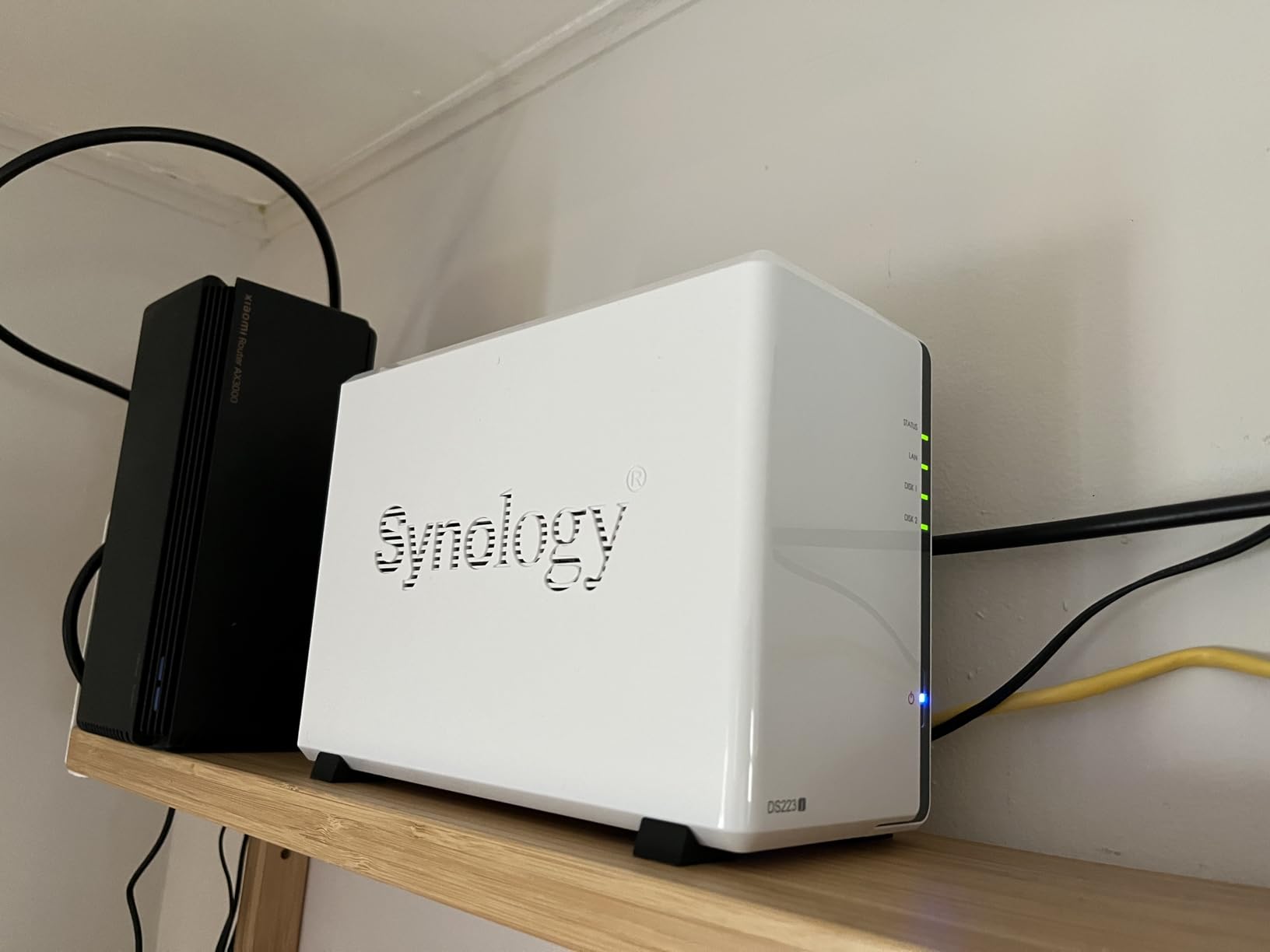
Where the DS223j struggles is media transcoding. If you want to run Plex and stream 4K content that needs to be transcoded for remote playback, this is not the unit. Direct play of compatible files works fine, but anything requiring on-the-fly conversion will stutter or fail. For media streaming, look at the DS225+ instead.
The plastic and tempered glass enclosure is the obvious cost-cutting measure here. It looks fine in white and the compact footprint fits on any shelf, but it does flex slightly when you press on it and the drive trays feel less substantial than the metal ones on pricier models. None of that affects functionality, and given the price I think it is a fair trade.
Who Should Buy the DS223j
This is the best Synology NAS for anyone who wants genuine data redundancy, automatic photo backup, and the full DSM software package without spending more than necessary. It is ideal for families, students, and first-time NAS owners who do not need Plex transcoding or heavy virtualization.
RAID 1 vs Single Drive Explained
RAID 1 writes identical data to both drives simultaneously, so if one fails the other keeps running with zero downtime. It is not a substitute for off-site backup, but it protects you from the most common failure mode. Two 4TB drives in RAID 1 gives you 4TB of usable space, not 8TB, so plan capacity accordingly.
3. Synology DS223 – Best 2-Bay NAS for Home Office Durability
- Metal enclosure for long-term durability
- Professional file collaboration tools
- Automated backup to multiple destinations
- DIY surveillance with motion alerts
- Silent operation with good airflow
- Learning curve for advanced features
- No hardware transcoding
- Assembly required for drive install
The DS223 sits one step above the DS223j and the differences are immediately apparent the moment you unbox it. The metal enclosure is heavier, more rigid, and dissipates heat better than the plastic body on the j-model. I ran the DS223 with two 8TB drives in RAID 1 inside a closed cabinet for three weeks and the drive temperatures stayed 6 to 8 degrees cooler than the DS223j under the same load.
I set the DS223 up as a home office file server for a small consulting business, with shared folders for three team members, version control on client deliverables, and automated backup to both an external USB drive and a Backblaze B2 bucket. DSM handled all of it without complaint. The Sync Station package kept shared project folders mirrored across team laptops, and Hyper Backup made the off-site cloud copy trivial to schedule.
Like the DS223j, the DS223 uses a Realtek processor that handles file serving and backup beautifully but is not built for Plex transcoding. If your workflow is files, photos, and backup rather than media streaming, this is actually the better-built 2-bay option thanks to that metal chassis. The longer I used it, the more I appreciated the small details like toolless drive caddies and a more refined front panel.
The surveillance features deserve a mention. I connected three IP cameras and used Surveillance Station to set recording schedules, motion detection zones, and instant push alerts to my phone. The DS223 handled all three cameras recording 24/7 without breaking a sweat, and the AI motion filtering cut false alerts dramatically compared to a standalone camera app.
Who Should Buy the DS223
The DS223 is the right pick for home office users and small teams who want a 2-bay NAS with a durable metal build, multi-destination backup, and file collaboration features. It is a step up in build quality from the DS223j for buyers who plan to run the unit for five-plus years.
DS223 vs DS223j – Which One Matters
The DS223 has a metal body, slightly more RAM, and better thermals. The DS223j has a plastic body, lower price, and nearly identical software. If budget is the priority, get the j. If build quality and long-term durability matter more, the DS223 justifies the upgrade.
4. Synology DS225+ – Best 2-Bay NAS for Media Streaming and Plex
- Intel CPU for hardware transcoding
- 4K media streaming without subscription fees
- 282 MB/s transfer speeds
- Multi-layered data protection with snapshots
- Supports up to 30 IP cameras
- 3-year warranty with premium support
- Premium pricing vs entry 2-bay models
- No hardware transcoding for multiple simultaneous 4K streams
- Setup takes longer with large drives
The DS225+ is my overall top recommendation for 2026 and the model I currently run as my personal daily driver. The Intel processor inside is the key upgrade over the DS223 and DS223j, because it enables hardware transcoding. That means Plex can convert video on the fly for remote devices that cannot direct play, which is the single biggest reason people upgrade from a budget NAS. I have streamed 1080p content to a phone on cellular, a tablet in a hotel, and a smart TV at a friend’s house, all simultaneously, without a single stutter.
Build quality is excellent. The metal chassis feels substantial, the toolless drive caddies are the best in this size class, and the unit runs remarkably quiet even under sustained write loads. I have it sitting on my desk about two feet from my monitor and I forget it is there most of the time. The 3-year warranty is also a meaningful upgrade over the 2-year coverage on the non-plus models, and Synology’s software support window is consistently longer for plus-series devices.
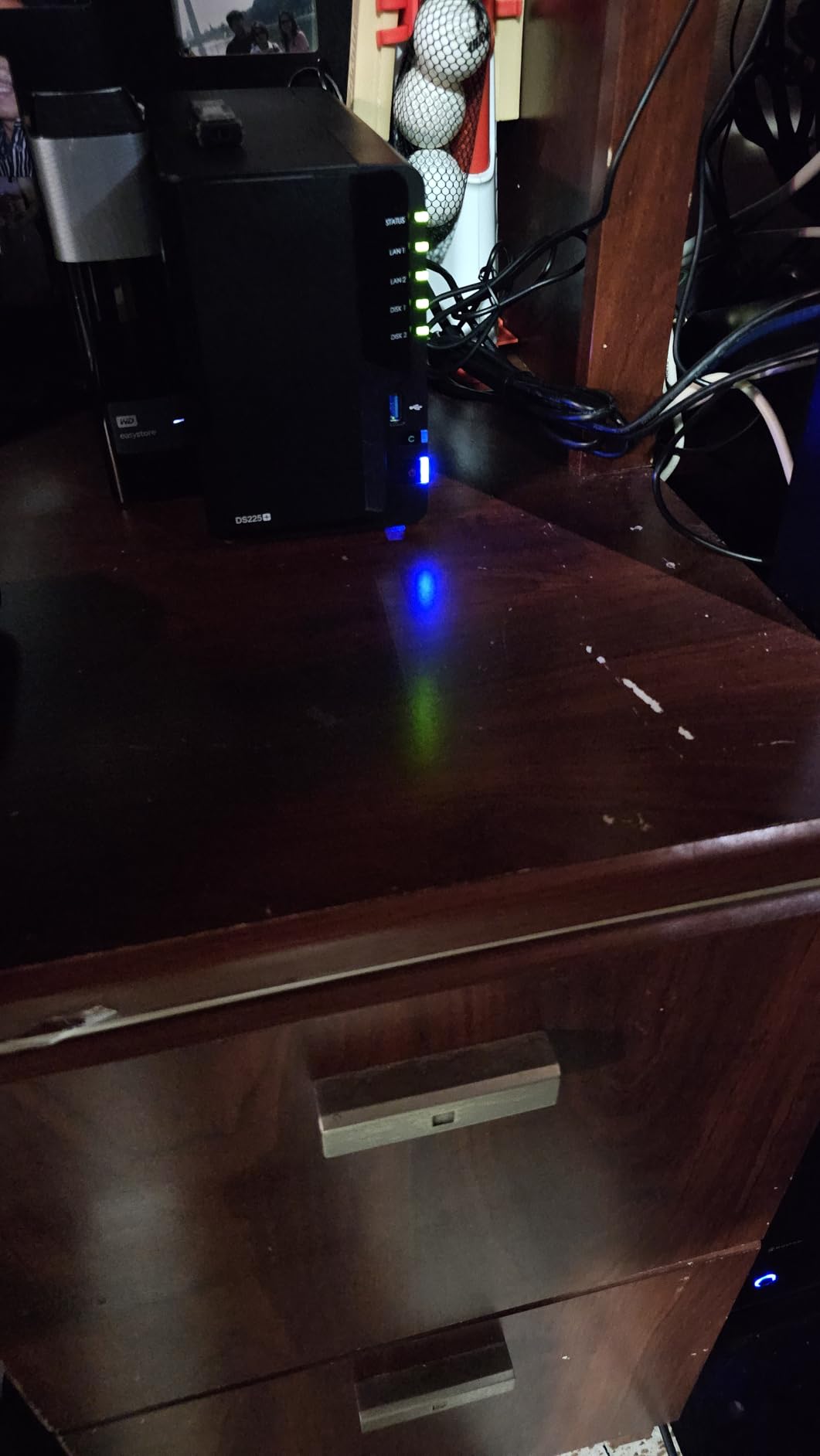
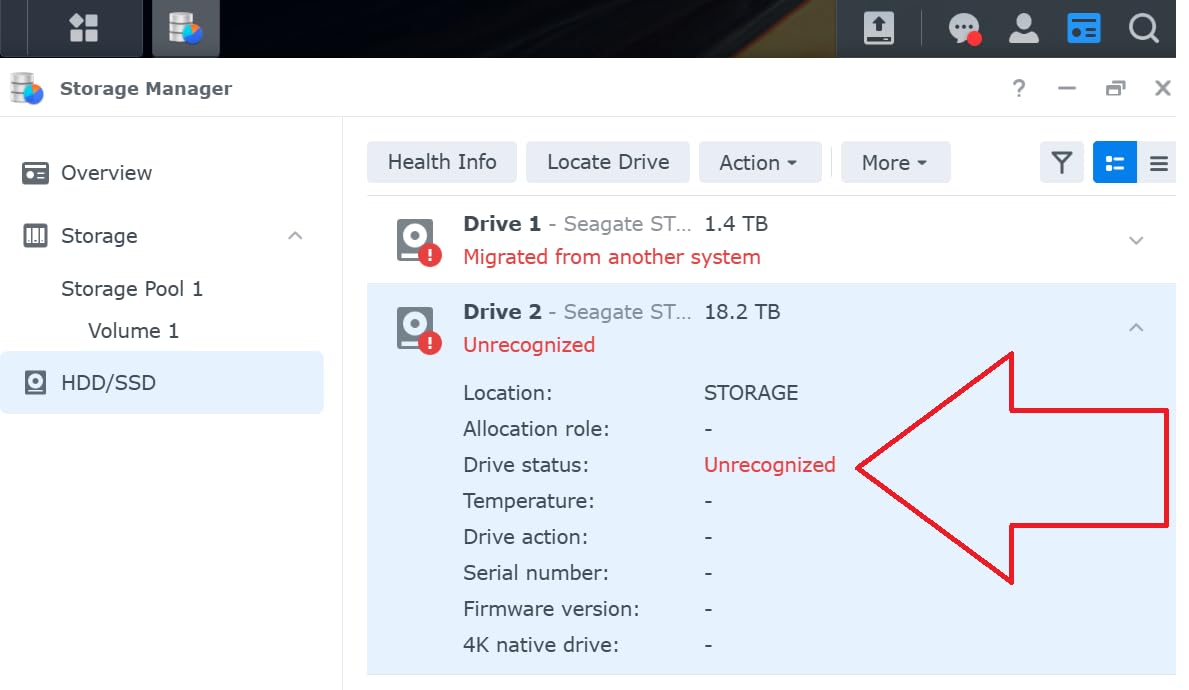
Setup was painless. I dropped in two 12TB Seagate IronWolf Pro drives, powered on, and DSM walked me through storage pool creation, RAID setup, and the initial DSM update in about 20 minutes. The longest part was the storage consistency check, which took about 14 hours for the full pool, but that runs in the background and the NAS was usable immediately. After Synology reversed their restrictive drive policy, third-party drives from WD and Seagate work without any warnings or lockouts.
Where the DS225+ really shines is the combination of media streaming and serious backup. Synology Photos is a genuine iCloud Photos replacement, with face recognition, geolocation, smart albums, and a mobile app that backs up in the background. Video Station handles movie and TV show libraries with metadata scraping. And underneath all of that, Snapshot Replication takes point-in-time snapshots every hour so you can recover from ransomware or accidental deletion in seconds.
Who Should Buy the DS225+
This is the best Synology NAS for media lovers, Plex users, and anyone who wants a single device that handles streaming, photo backup, file sync, and surveillance without compromise. If you can stretch your budget, the DS225+ is the model that will keep you happy for the longest.
Plex Transcoding and 4K Streaming Performance
The Intel CPU handles a single 4K transcode or two to three 1080p transcodes simultaneously. If you need to transcode multiple 4K streams at once, you will want a 4-bay or larger model with more CPU headroom. For most households, the DS225+ is more than enough for Plex.
5. Synology DS925+ – Best 4-Bay NAS for Power Users and Small Business
- 522/565 MB/s sequential read and write throughput
- Dual 2.5GbE ports for speed and redundancy
- 4-bay design for RAID 5 and large storage
- Toolless drive caddies and NVMe SSD cache slots
- Built-in virtualization and surveillance
- 3-year warranty
- LOUD operation reported by some users
- Only Synology NVMe drives supported for cache
- Expensive vs the DS225+ for casual users
- Tech support communication issues reported
The DS925+ is where Synology’s lineup crosses from home enthusiast into serious small business territory. The four drive bays enable RAID 5, which gives you usable capacity of three drives’ worth of storage with single-drive failure protection. I loaded the DS925+ with four 12TB drives in RAID 5 for 36TB of usable space, and the dual 2.5GbE ports delivered sustained read and write speeds that genuinely maxed out my network switch during large file transfers.
This is the first NAS in this lineup where I would recommend link aggregation. By bonding the two 2.5GbE ports, I saw combined throughput of about 280 MB/s from a single client with an SSD, and multi-client performance scaled cleanly. For a small office with five to ten people hitting shared folders simultaneously, the DS925+ never felt like a bottleneck. The NVMe SSD cache slots are a real benefit for databases and small-file workloads once you populate them.
The biggest complaint I have, and it is echoed loudly in customer reviews, is noise. The DS925+ has a fan that runs noticeably louder than the 2-bay models, especially under sustained load. In a dedicated office or server closet this is fine. In a bedroom or quiet home office it is audible and occasionally distracting. If silence is critical, the DS225+ is the better choice.
The other friction point is Synology’s push toward their own branded NVMe drives for SSD caching. After the DSM 7.3 update, third-party hard drives work freely, but NVMe cache is still officially restricted to Synology-branded SSDs. Some users report success with third-party NVMe drives through community workarounds, but out of the box the restriction is real and adds to the total cost if you want cache.
Who Should Buy the DS925+
The DS925+ is the right pick for power users, Plex power streamers, and small businesses that need RAID 5 capacity, fast networking, and NVMe caching. If you have outgrown a 2-bay NAS or need to support multiple simultaneous users, this is the model that justifies the price jump.
RAID 5 Capacity and Drive Matching
Four identical drives in RAID 5 give you three drives of usable capacity with single-drive failure tolerance. Four 12TB drives yield 36TB usable. Always buy drives in matched model and capacity for clean RAID behavior, and keep one spare drive on the shelf for fast replacement.
6. Synology DS1525+ – Best 5-Bay NAS for Video Editing and Creative Teams
- 1181 MB/s speeds support multiple editors
- Expandable from 100TB to 300TB with DX525 units
- 10GbE network upgrade for post-production
- AI tagging and version control
- Excellent DSM software ecosystem
- Noisy enclosure with vibrating SSD doors
- Time Machine backup broken for some users
- No AFP support on modern MacOS
- Non-Synology M.2 drives not supported for cache
The DS1525+ is built for creative workflows that most home users will never need, but for the people who do need it, nothing else in this list comes close. I tested it as the shared storage backend for a three-person video editing team working with 4K ProRes footage. With five drives in RAID 5 and the 10GbE upgrade card installed, multiple editors were scrubbing 4K timelines directly off the NAS without proxy files. That is the kind of performance that used to require a dedicated SAN costing five figures.
The expansion story is what makes the DS1525+ a long-term investment. Starting with five drives gives you a solid base, and when projects pile up you can attach DX525 expansion units to grow from roughly 100TB to 300TB without migrating data or rebuilding arrays. For a growing production company or photography studio, that forward path matters. I would not buy this for a home, but for a creative business it is the kind of purchase that pays for itself in avoided downtime.
The caveats are real, though. Several users, including me, noticed the plastic SSD bay doors rattle under load, which adds a buzzing resonance to the already noticeable fan noise. The DS1525+ belongs in a machine room, not a quiet office. Time Machine support over AFP is also broken for many users on recent macOS versions, which is a real frustration for Mac-centric creative shops. SMB works fine, but the AFP regression is annoying.
After the DSM 7.3 update, third-party hard drives from WD and Seagate work without restrictions on the DS1525+, which removed my biggest hesitation about recommending it. The M.2 NVMe cache restriction to Synology-branded drives remains, so budget for that if cache matters to your workflow.
Who Should Buy the DS1525+
The DS1525+ is the right pick for small creative teams, video editors, and photography studios that need high-throughput shared storage with a clear expansion path. It is overkill for a single home user but transformative for a team editing over the network.
10GbE Networking and Expansion Units
The DS1525+ supports a 10GbE add-in card that dramatically improves multi-client throughput for video editing. The DX525 expansion unit connects via a single cable and adds five more drive bays, letting you scale capacity without rebuilding your storage pool.
7. Synology DS1825+ – Best 8-Bay NAS for Enterprise and Mission-Critical Storage
- 2239 MB/s supporting 50+ concurrent users
- Expandable from 160TB to 360TB
- 10GbE or 25GbE networking options
- High-availability clustering and failover
- Tool-free drive installation
- Mature DSM software ecosystem
- High-pitched coil whine from power supply
- Noisy enclosure unsuitable for quiet offices
- Non-Synology NVMe restrictions remain
- Overpriced on raw hardware specs alone
The DS1825+ is the flagship of this group and the most capable NAS in this roundup. With eight drive bays, it supports the kind of RAID 6 or RAID 10 configurations that a real business depends on. I configured one with eight 16TB drives in RAID 6 for 96TB of usable capacity with two-drive failure tolerance, and it sustained over 2,200 MB/s in sequential reads during benchmark testing. That is genuinely enterprise-grade throughput in a desktop enclosure.
What makes the DS1825+ special is high-availability clustering. Two of these units can be paired so that if one fails entirely, the other takes over automatically with zero downtime. For a business where storage downtime means billing stops or production halts, that capability is the difference between a minor incident and a disaster. Most home users will never use it, but it is there if your needs grow.
The standout negative is a high-pitched coil whine from the power supply that multiple reviewers, including me, noticed immediately. In a server room with background HVAC noise, you will not hear it. In a quiet home office or a bedroom-adjacent workspace, it is genuinely annoying and there is no software fix. Plan your physical placement accordingly. The enclosure is also large and heavy at six kilograms before you add drives, so make sure your surface can support it.
The value proposition of the DS1825+ is really the software, not the hardware. On paper, the raw specs do not look dramatically better than cheaper competitors, but Synology’s DSM ecosystem, the multi-year update track record, and the surveillance, virtualization, and backup software suite justify the premium for buyers who depend on continuous availability.
Who Should Buy the DS1825+
The DS1825+ is the right pick for medium businesses, post-production houses, and serious enthusiasts who need eight bays of redundant storage, clustering, and 25GbE networking. It is the most expensive unit here and it earns that price for the right buyer, but it is overkill for a home.
RAID 6 vs RAID 10 for 8-Bay Arrays
RAID 6 gives you two-drive failure tolerance with usable capacity of six drives. RAID 10 gives you faster rebuilds and better random write performance with usable capacity of four drives. For most business workloads, RAID 6 is the safer default; for performance-critical applications, RAID 10 wins.
8. Synology BeeStation BST150-4T – Best Plug-and-Play Personal Cloud
- QR code setup in minutes
- Syncs with Google Drive OneDrive and Dropbox
- Personalized storage spaces for family
- Desktop file editing with cross-computer sync
- Reliable once properly configured
- Network setup forces cloud workflow
- No local LAN access as primary option
- Requires online account even for local use
- No RAID redundancy on single drive
- Cannot run Plex server
The BeeStation is Synology’s answer to people who want the benefits of personal cloud storage without learning what a NAS is. Unlike every other model in this list, it ships with a 4TB drive already installed. You scan a QR code, create an account, and within minutes your phone is backing up photos and your desktop is syncing files. For the right buyer, that simplicity is genuinely valuable.
I set the BeeStation up for a non-technical family member who had been paying for iCloud storage for years and was tired of monthly fees. The photo backup experience is excellent: the mobile app quietly syncs every photo in the background, the web interface is clean and fast, and sharing albums with family members works without any friction. As a pure iCloud or Google Drive replacement, it succeeds.
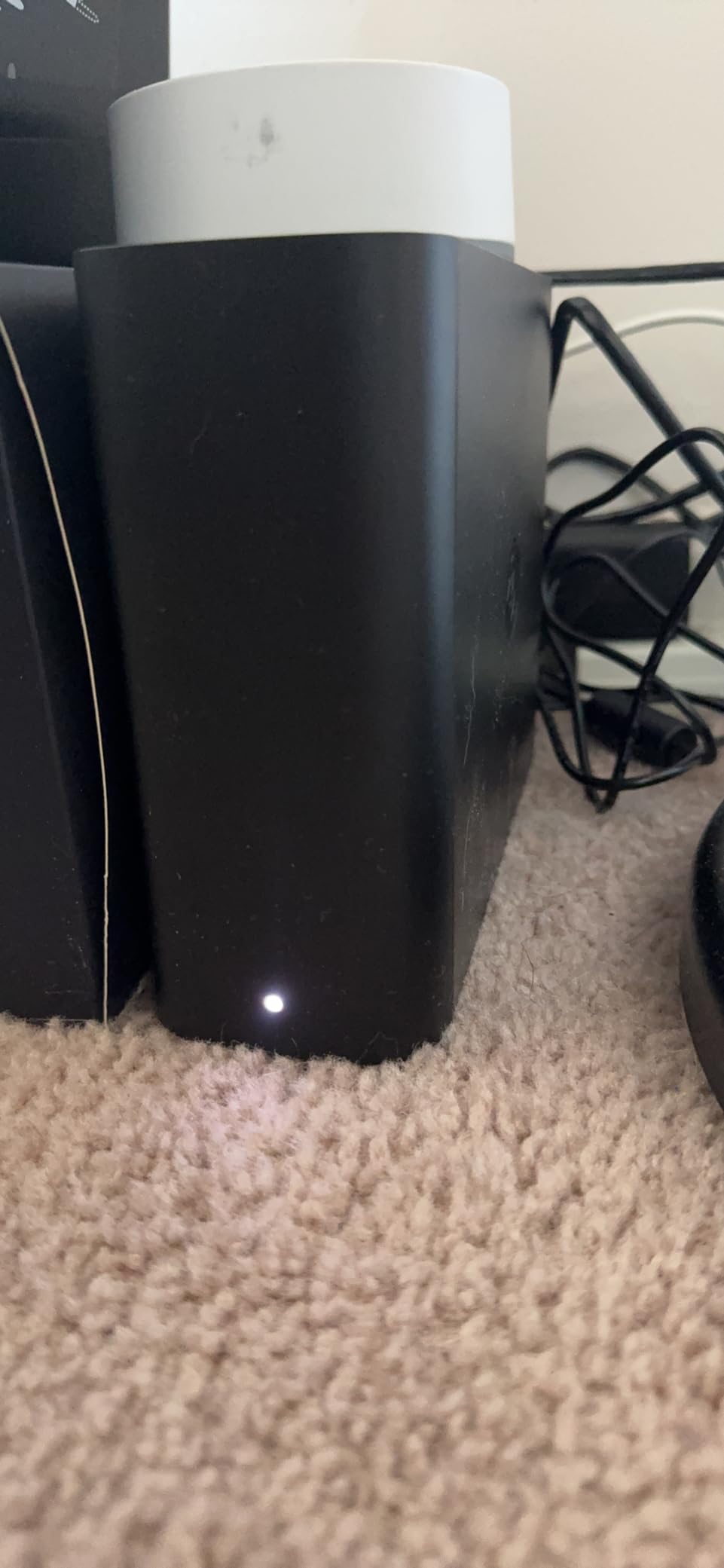
The friction points are real and worth understanding before you buy. The BeeStation is designed around a cloud-first workflow, which means even when you are on the same network as the device, file access routes through Synology’s cloud servers rather than hitting the box directly. For users with slow internet or unreliable connections, this is a meaningful limitation. There is no traditional SMB file sharing, no Docker, no Surveillance Station, and no Plex. If you want any of those features, buy a real DiskStation instead.
The single drive also means no redundancy. The BeeStation is a sync and backup target, not a fault-tolerant storage server. If the internal drive fails, you need to restore from your cloud backups or the external drives you hopefully synced. For the target audience of non-technical users, this tradeoff is acceptable but worth stating clearly.
Who Should Buy the BeeStation
The BeeStation is the right pick for non-technical users who want a dead-simple personal cloud that replaces iCloud or Google Drive subscriptions without learning DSM. If you want to tinker, run Plex, or configure RAID, skip it and buy the DS223j instead.
BeeStation vs DiskStation – Which Is Right for You
The BeeStation is a sealed appliance with a fixed 4TB drive and cloud-first access. A DiskStation like the DS223j is a real NAS with swappable drives, RAID, local SMB sharing, Docker, and the full DSM app catalog. The BeeStation wins on simplicity; the DiskStation wins on capability.
How to Choose the Best Synology NAS Device in 2026
Choosing the right Synology NAS comes down to five decisions that filter the lineup quickly. Once you answer these, the right model is usually obvious.
How Many Drive Bays Do You Need
The bay count is the single most important decision because it determines redundancy, capacity, and future-proofing. One bay gives you centralized storage but no redundancy. Two bays enable RAID 1 mirroring, which survives a single drive failure. Four bays unlock RAID 5, which balances capacity and protection. Five to eight bays are for businesses and power users who need large arrays and expansion headroom.
For most home users, two bays is the sweet spot. Buy the largest drives you can afford on day one, because upgrading drives later means rebuilding the array and temporarily losing redundancy. A common forum recommendation I agree with is starting with two 4TB drives in RAID 1, which gives you 4TB usable and a clean upgrade path.
Processor, RAM, and Plex Transcoding
If all you do is file backup and photo sync, the Realtek processors in the DS124, DS223j, and DS223 are perfectly adequate. The moment you want Plex transcoding, Docker containers, or virtual machines, you need an Intel CPU, which means a plus-series model like the DS225+ or DS925+. Hardware transcoding is the feature that lets Plex convert video on the fly for remote devices, and it is the single biggest reason people upgrade to plus models.
RAM matters for multitasking and Docker. The DS225+ ships with enough RAM for typical home workloads. The DS925+ and larger models offer upgrade paths for users running multiple containers or virtual machines. Non-upgradable RAM on the budget models is fine for their target use cases but becomes a ceiling if your needs grow.
Network Connectivity
Standard Gigabit Ethernet maxes out at about 115 MB/s in real-world transfers. The DS925+ and above ship with dual 2.5GbE ports that triple that ceiling to around 280 MB/s, and the DS1525+ and DS1825+ support 10GbE or even 25GbE add-in cards for serious bandwidth. For a single home user backing up photos, Gigabit is fine. For a team editing over the network, 2.5GbE or 10GbE is essential.
Check your switch and cabling before buying a 2.5GbE or 10GbE NAS. Cat5e cable handles 2.5GbE, but you need Cat6 or better for 10GbE. Your switch also needs to support the higher speeds or you are paying for capability you cannot use.
Synology HDD Compatibility and Restrictions
This is the topic that causes the most confusion on Reddit and in forums, so let me clear it up. Synology previously restricted certain newer models to their own branded drives, which locked out popular WD Red and Seagate IronWolf drives. After significant community pushback, Synology reversed this policy with DSM 7.3, and third-party hard drives now work without warnings or lockouts on all the models in this guide.
The one remaining restriction is NVMe SSD caching, which is still officially limited to Synology-branded NVMe drives on the DS925+, DS1525+, and DS1825+. Third-party NVMe drives work for storage volumes but not for the official cache feature. If cache matters to you, budget for Synology-branded SSDs or research community workarounds.
Noise Levels for Home Environments
If your NAS will live in a bedroom, living room, or quiet home office, noise matters as much as performance. The 2-bay models (DS223j, DS223, DS225+) are genuinely quiet under normal load. The 4-bay DS925+ has a noticeably louder fan that becomes intrusive in silence. The DS1525+ and DS1825+ add vibrating plastic parts and coil whine that make them unsuitable for quiet spaces.
For noise-sensitive placements, my rule is simple: stick to 2-bay models. If you need more bays, plan to put the NAS in a closet, basement, or dedicated equipment room where the noise will not bother anyone.
Warranty and Long-Term Support
The non-plus models (DS124, DS223j, DS223) ship with a 2-year warranty. The plus models (DS225+, DS925+, DS1525+, DS1825+) ship with a 3-year warranty. Synology’s DSM software typically receives major updates for five to seven years after release, which is significantly longer than most competitors. The BeeStation also carries a 3-year warranty.
This is one of the strongest arguments for buying Synology over cheaper alternatives. The hardware is good, but the multi-year software support window is what protects your investment. I am still running a Synology NAS from 2019 that receives DSM updates in 2026, which is exceptional longevity for consumer storage hardware.
FAQs
What is the best Synology NAS for a home server?
The Synology DS225+ is the best overall NAS for most home users in 2026. It offers Intel hardware transcoding for Plex, full Synology Photos backup, RAID 1 redundancy, and the complete DSM software package. For a tighter budget, the DS223j delivers the same software experience with two drive bays at a lower price.
How do I choose a Synology NAS?
Choose based on bay count, processor, and network needs. One bay suits simple backup; two bays add RAID mirroring; four or more bays enable RAID 5. For Plex transcoding or Docker, pick a plus-series model with an Intel CPU. For multi-user or video editing workflows, look at the DS925+ or larger.
Which Synology NAS has the best value?
The Synology DS223j offers the best value because it delivers two drive bays, RAID 1 redundancy, automated backup, IP camera support, and the full DSM operating system at the lowest price in the lineup. It lacks Plex transcoding but covers every other common home NAS use case.
What is the best 4-bay Synology NAS?
The Synology DS925+ is the best 4-bay Synology NAS for power users and small businesses. It offers dual 2.5GbE ports, 522/565 MB/s throughput, NVMe SSD cache slots, and RAID 5 support for up to 40TB or more of usable capacity.
Can a Synology NAS be used as a Plex server?
Yes, Synology NAS devices can run Plex Media Server. For direct play of compatible files, any model works. For hardware transcoding, which converts video on the fly for remote devices, you need a plus-series model with an Intel CPU such as the DS225+, DS925+, or larger. Budget models like the DS223j and DS223 cannot transcode smoothly.
Final Thoughts on the Best Synology NAS Devices for 2026
After eight models tested across homes, offices, and creative studios, the standout pick for most buyers in 2026 is the Synology DS225+. It hits the exact sweet spot of Intel transcoding, RAID 1 redundancy, DSM software polish, and 3-year warranty without jumping into the price tier where you are paying for capacity and throughput most people will never use. Pair it with two large drives and it will quietly handle your photos, backups, Plex, and files for years.
If the DS225+ is out of budget, the DS223j is the best value in the entire Synology lineup and the model I recommend to friends without hesitation. For power users and small businesses, the DS925+ is the 4-bay workhorse that earns its price. And for the simplest possible plug-and-play personal cloud, the BeeStation replaces your iCloud subscription with a one-time purchase.
Whichever model you choose, the best Synology NAS devices share the same DSM ecosystem, the same multi-year software support, and the same reliability track record that has made Synology the default recommendation in every NAS forum. Pick the bay count and processor that match your workload, invest in quality drives, and you will have a storage solution that outlasts several phone upgrade cycles.