
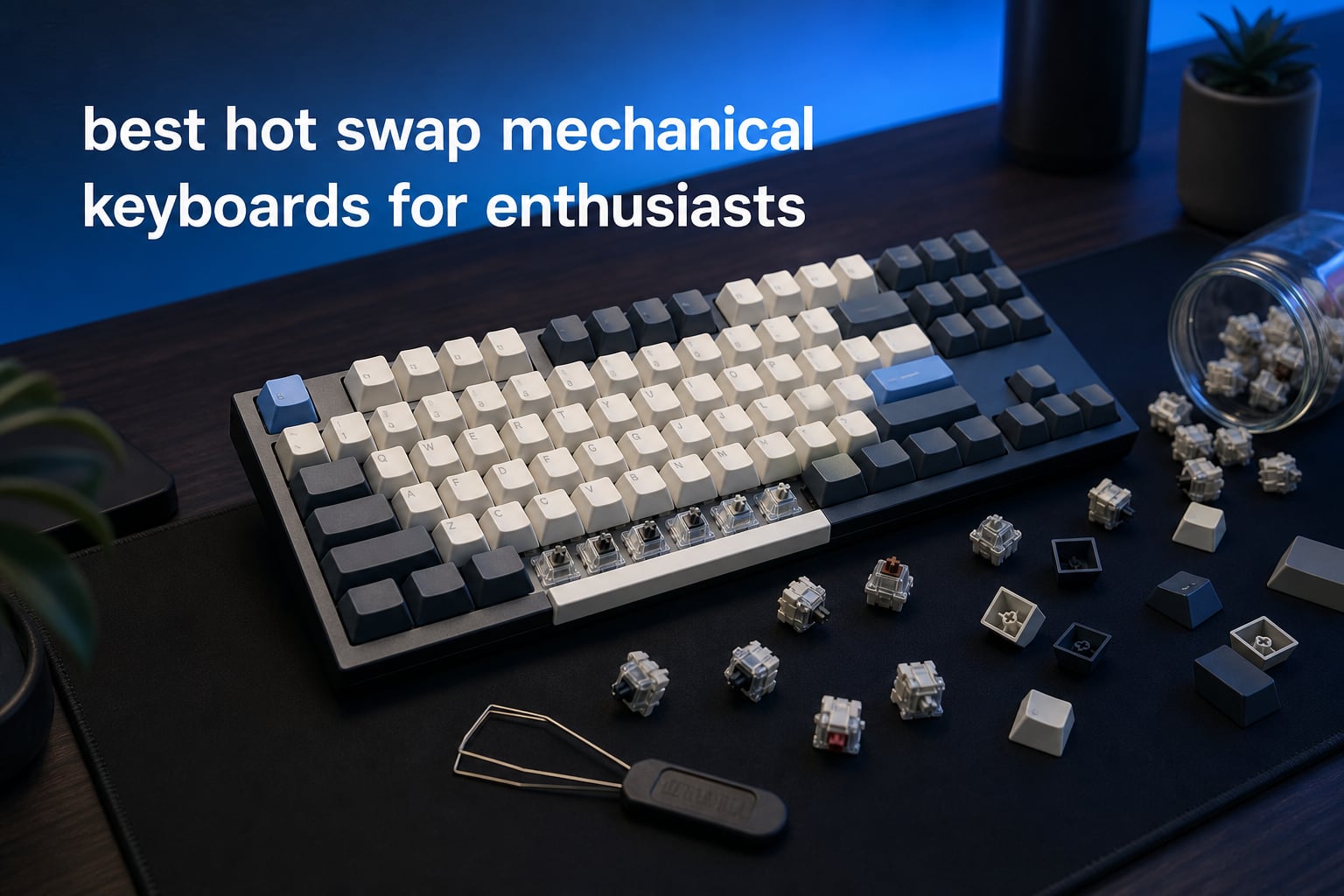
The best hot swap mechanical keyboards for enthusiasts make switch changes a normal part of ownership rather than a soldering project. A hot-swappable mechanical keyboard has sockets on its PCB that let you pull out a compatible switch and press in another one by hand, so you can change feel, sound, or a failed switch without touching a soldering iron.
That freedom matters when a board is more than an input device. For a custom keyboard enthusiast, the useful questions are whether the sockets accept 3-pin and 5-pin MX-style switches, how the case manages sound, whether the layout fits daily work, and how deeply the firmware lets you remap it.
I ranked the 12 boards here by the verified details that affect those decisions: socket compatibility, layout, mounting, dampening, switch type, connectivity, software, ratings, and review volume. If typing is the main job, our guide to best mechanical keyboards for typing is a useful companion; this list stays focused on hot-swap experimentation and enthusiast-friendly hardware.
Table of Contents
Top 3 Picks for 2026
Our first choice is the Keychron Q1 Max for people who want QMK/VIA remapping and a full-metal barebone starting point. The EPOMAKER X Aula F75 MAX is the feature-rich 75% option, while the ASUS ROG Strix Scope II X serves people who want a full-size, wired gaming layout with a number pad.

These 12 hot-swap keyboards cover compact, full-size, wired, and wireless needs in 2026
The overview below is a fast way to narrow the field before reading the full notes. A 75% layout saves desk width while retaining function keys and arrows, 96% and 1800 layouts keep more keys in less space than a conventional full board, and a 108-key layout retains the standard full-size arrangement.
| Product | Specifications | Action |
|---|---|---|
| Keychron Q1 Max |
|
Check Latest Price |
 EPOMAKER X Aula F75 MAX EPOMAKER X Aula F75 MAX |
|
Check Latest Price |
| ASUS ROG Strix Scope II X |
|
Check Latest Price |
 MCHOSE G75 PRO MCHOSE G75 PRO |
|
Check Latest Price |
 Redragon K768 PRO Redragon K768 PRO |
|
Check Latest Price |
 HyperX Origins 2 1800 HyperX Origins 2 1800 |
|
Check Latest Price |
 YUNZII B75 PRO YUNZII B75 PRO |
|
Check Latest Price |
 AULA F99 AULA F99 |
|
Check Latest Price |
 AULA F75 Pro AULA F75 Pro |
|
Check Latest Price |
 RK ROYAL KLUDGE R75 RK ROYAL KLUDGE R75 |
|
Check Latest Price |
 Redragon K673 PRO Redragon K673 PRO |
|
Check Latest Price |
 Redragon K668 Redragon K668 |
|
Check Latest Price |
1. Keychron Q1 Max is the QMK/VIA-first barebone choice
- Full-metal body
- QMK/VIA remapping
- Tri-mode connection
- Double-gasket design
- Screw-in stabilizers
- Barebone needs switches
- Only 11 reviews
- Bluetooth runs at 90 Hz
The Keychron Q1 Max is the most purpose-built starting point here for someone planning a custom mechanical keyboard rather than simply replacing a switch later. It is a barebone knob version with a full-metal body, so switches and keycaps are part of the project instead of bundled assumptions.
Its hot-swap sockets support almost all 3-pin and 5-pin MX-style mechanical switches. That gives an enthusiast room to try different linear or tactile options without clipping pins, although switch compatibility still needs a check before any purchase because not every switch follows the same physical standard.
QMK/VIA support is the key distinction. I would pick this board when layers, per-key remaps, and a repeatable workflow matter more than an out-of-box switch selection; the QMK/VIA key remapping can make a 75% workspace feel personal rather than compromised.
The listed 1000 Hz polling rate applies in wired and 2.4 GHz modes, while Bluetooth is listed at 90 Hz. It can connect with up to three devices by Bluetooth 5.1, which is useful for a computer-and-tablet desk but is a different performance mode from the wired or 2.4 GHz connection.
The Q1 Max is strongest for builders who already have a switch and keycap plan
Because this is a barebone, it asks the buyer to choose the switches and keycaps that create the final typing sound and feel. That is a benefit for an enthusiast who wants control, but it is less convenient for someone who wants a ready-to-type board straight from the box.
The double-gasket design, screw-in stabilizers, and premium acoustic foams give that build a sound-focused base. Their effect will still depend on the switches, keycaps, and assembly choices added to it.
The Q1 Max suits desks that need wired, 2.4 GHz, and Bluetooth flexibility
The board supports 2.4 GHz, Bluetooth, and Type-C wired connections, rather than forcing a single desk setup. I would use the wired or 2.4 GHz mode when the listed 1000 Hz polling rate is relevant and Bluetooth when switching among devices matters more.
Its available black and white variants provide a simple case-color choice, but the bigger customization story is inside the barebone. This is the most complete answer in the roundup for a QMK VIA keyboard buyer who plans to keep changing parts over time.
2. EPOMAKER X Aula F75 MAX is the feature-packed 75% all-rounder
- TFT smart display
- Five-layer padding
- Tri-mode connection
- South-facing RGB
- 1000 Hz wired and 2.4G
- Plastic enclosure
- No water resistance
- One-year warranty
The EPOMAKER X Aula F75 MAX combines the features enthusiasts often look for in a small desk footprint: an 80-key 75% layout, gasket mount, flex-cut PC plate, knob, smart display, and tri-mode connection. It has a 4.7 rating across 1,696 reviews in the analyzed listing, giving this model one of the deeper feedback pools in the group.
Its 3-pin and 5-pin hot-swap compatibility makes it friendly to switch sampling. The included linear switches are described as pre-lubed cream switches, while the factory-lubed stabilizers and five-layer padding give a clear picture of the stock sound treatment.
The sound package includes a five-layer padding system, an IXPE switch pad, and a PET pad. That does not lock the board into one acoustic profile, but it gives a more controlled base for later switch or keycap changes than an empty plastic case.
The little TFT smart display supports GIF display, and the south-facing per-key LEDs matter for people considering many Cherry-profile keycap sets. A volume knob, key-remapping and macro software, and a two-stage kickstand make its feature list unusually broad for a compact board.
The F75 MAX is a smart fit for enthusiasts who want features before modifications
This keyboard arrives with the core ingredients already in place: gasket structure, damping, linear switches, RGB, a display, and a knob. I would recommend it to someone who wants to enjoy a complete board first and then change hot swap switches one variable at a time.
Its 1000 Hz polling is listed for USB and 2.4 GHz modes, and NKRO supports simultaneous key presses. Those facts make it a reasonable mechanical keyboard for gaming as well as work, without treating wireless Bluetooth as identical to the 2.4 GHz mode.
The F75 MAX works best when a 75% layout already fits your muscle memory
A 75% board keeps the function row and arrow cluster while dropping the numpad, so it can free mouse space without becoming as compressed as a 60% layout. The tradeoff is that people who enter many numbers may prefer a fuller layout such as the AULA F99, ASUS, or Redragon K668 below.
It supports PC, Mac, Linux, Android, and other listed devices through Bluetooth 5.0, 2.4 GHz, or USB-C. That broad compatibility is helpful for a shared setup, provided the owner is comfortable working in the supplied remapping software rather than QMK/VIA.
3. ASUS ROG Strix Scope II X is the full-size wired pick
- Full number pad
- PBT doubleshot caps
- Aluminum top plate
- Sound dampening
- Detachable wrist rest
- Wired only
- Windows-focused software
- Plastic enclosure
The ASUS ROG Strix Scope II X is the direct answer for enthusiasts who want the familiar 104-key full-size arrangement and do not need wireless operation. Its number pad, three tilt angles, detachable wrist rest, and macro-programmable keys make it a practical split between gaming and spreadsheet-heavy work.
The board comes with pre-lubed ROG NX Snow V2 linear switches that are hot-swappable. That means the stock switch is a starting point rather than a permanent commitment, while the included 2-in-1 keycap and switch puller makes the first swap easier to approach.
ASUS pairs PBT doubleshot keycaps and an aluminum top plate with integrated sound-dampening foam and switch-dampening pads. Those are tangible build and acoustic details, not just RGB decoration, and they matter to a user who types long enough to notice case noise.
The analyzed listing gives it a 4.7 rating from 239 reviews. It is USB-based and supports PC and Mac as listed, though its operating-system family field and minimum operating-system field point toward a Windows-centered software experience.
The Scope II X is the right choice when a numpad is non-negotiable
Community discussions repeatedly surface the difficulty of finding full-size hot-swap choices, and this is one of the clear options in the set. A full-size board keeps navigation keys and the numpad in their usual places, so there is no layer learning for data entry.
That larger layout occupies more desk space than a 75% board. I would choose it for dedicated workstations or mixed office-and-gaming use, not for a small setup where a low mouse position is the priority.
The Scope II X favors stable wired operation over device switching
The USB 2.0 Type-C-to-Type-A connection removes battery management and wireless pairing from the equation. It also means this is not the model for someone who regularly moves between a laptop, tablet, and desktop without reconnecting a cable.
Its fully macro-programmable keys and RGB backlighting add practical customization on top of switch changes. The board is a strong fit for a user who wants a familiar chassis with tunable switches and a finished set of durable PBT keycaps.
4. MCHOSE G75 PRO is the long-battery 82-key option
- 400-hour stated battery
- Five-layer gasket
- Pre-lubed linear switches
- Double-shot PBT caps
- Per-key RGB
- 75% layout needs adjustment
- Plastic and polycarbonate case
- One-year warranty
The MCHOSE G75 PRO packs 82 keys into a 75% layout and pairs that form with Bluetooth 5.0, 2.4 GHz, and USB-C connectivity. It carries the highest listed rating in this group at 4.9, though that score comes from a smaller 65-review sample and should be read alongside the specification list.
Its hot-swappable PCB accepts both 3-pin and 5-pin switches. The stock setup uses pre-lubed creamy linear switches, so an owner can learn its original feel before deciding whether a more tactile, heavier, or quieter switch is wanted.
MCHOSE lists an 8000mAh battery and up to 400 hours of battery life. That stated capacity is notable for a tri-mode 75% board, especially for people who use a wireless hot swap keyboard across more than one device.
There is also a five-layer gasket structure and per-key RGB with 16.8 million colors. The double-shot PBT keycaps should hold their legends better than printed caps over time, while the case materials are plastic, polycarbonate, and silicone rather than metal.
The G75 PRO fits wireless users who do not want frequent charging
The large stated battery is its clearest practical differentiator. I would put this board on a laptop-and-desktop desk where 2.4 GHz and Bluetooth are used often and cable-free operation has a higher priority than an all-metal chassis.
It lists connection to up to three devices, a dust cover, spare switches, a receiver, and a keycap and switch puller. Those included items make routine care and first-time switch changes less intimidating.
The G75 PRO keeps useful keys without keeping a full-size footprint
Its 75% arrangement preserves 82 keys, including the function row, in a compact body measuring 12.6 by 5.4 inches. The reduced footprint can leave room for a mouse, but people attached to a number pad need a different layout.
The board also includes MCHOSE HUB support and an ergonomic golden-angle design. For an RGB mechanical keyboard that needs flexible connectivity and a ready-made switch platform, those features form a well-rounded package.
5. Redragon K768 PRO is the near-full layout with a control knob
- 100-key compact layout
- Five-layer dampening
- Tri-mode connection
- Dedicated control knob
- Pre-lubed linear switches
- No full numpad
- Custom-switch compatibility caveat
- One-year warranty
The Redragon K768 PRO takes a middle route between a 75% board and a conventional full-size keyboard. Its 100-key layout is described as 20% smaller than full size, so it retains more daily keys while avoiding the full width of a standard 104-key board.
The keyboard supports USB-C wired, Bluetooth 3.0 or 5.0, and 2.4 GHz connections. Its 8000mAh battery makes it another appealing option for people who prioritize long periods between charging cycles.
Redragon gives the K768 PRO a gasket design, five layers of noise dampening, and custom Dragon Chant switches described as thick-lubed linear switches. That combination directly addresses the community focus on a cleaner, less hollow typing sound from a prebuilt board.
The hot-swap sockets are listed as 3-pin and 5-pin compatible. The product notes also flag that custom-switch compatibility may be limited to Redragon switches, so I would verify the exact switch and pin arrangement before treating this as an unrestricted switch-testing platform.
The K768 PRO is useful when a 75% board drops too many keys
The 100-key arrangement is a practical compromise for someone who uses navigation keys often but still wants more mouse room than a typical full-size board allows. It is not a full numpad replacement, so numeric-entry specialists may still prefer the ASUS or K668.
A dedicated knob handles backlight, media, and volume duties. Having that physical control can make the compact arrangement easier to live with because common adjustments do not require a function-layer shortcut.
The K768 PRO focuses on a dampened wireless typing experience
Its listed dampening stack includes PO foam, IXPE switch foam, a PET sound pad, bottom socket foam, a silicone bottom pad, and silicone gaskets. Those pieces will not make every replacement switch sound the same, but they give switch testing a quieter baseline.
The round PBT keycaps, RGB support, spare switches, and included puller complete the out-of-box experience. It is a strong option for someone who wants many of the layout benefits of a larger keyboard plus the flexibility of tri-mode connection.
6. HyperX Origins 2 1800 is the high-polling wired customization pick
- 8k polling rate
- Swappable frosted housing
- 5-pin hot-swap
- O-ring mount
- 3D-printable housing files
- Wired only
- Windows software
- No wireless mode
The HyperX Origins 2 1800 stands apart because it lets the owner swap more than switches. Its frosted housing uses an eight-screw assembly, and HyperX provides 3D-printable housing design files, creating a more structural kind of customization than most prebuilt gaming boards offer.
It has hot-swap 5-pin sockets and comes with factory-lubed HyperX Linear Red switches with half-wall POM stems. The socket specification is more specific than boards advertised generally as hot-swap, so a buyer who owns 3-pin switches should check fit before planning a swap.
The listed 8k polling rate is the headline for fast-response use. It is a wired USB Type-A and Type-C keyboard, which suits a fixed gaming setup but offers none of the Bluetooth or 2.4 GHz flexibility seen on several other models.
HyperX also lists an O-ring mount for light bounce, a removable silicon weight for reverb dampening, plate-mounted stabilizers, and a high-profile form factor. These details point to an intentionally different feel from the soft, foam-heavy gasket boards in the roundup.
The Origins 2 1800 is a fit for performance-focused wired desks
The 8k polling rate is a verified differentiator in this collection. I would pick this option for a player who wants the listed high polling figure and prefers a wired link over managing battery life or wireless signal conditions.
It is compatible with PC, PS5, and Xbox Series according to the listing, with NGENUITY software for customization. That combination makes it one of the more console-aware choices, but the software compatibility itself is listed for Windows.
The Origins 2 1800 supports housing-level experimentation
Most hot-swap shopping ends at switches and keycaps. The removable weight, swappable housing, and published 3D-printable housing files give a maker another layer to explore, provided they are comfortable opening an eight-screw assembly.
The 1800-style compact layout retains more keys than 75% boards while keeping a shorter overall shape than a classic full-size format. It is the unusual choice for someone whose hobby includes the keyboard case as much as the PCB.
7. YUNZII B75 PRO is the compact knob board with broad connectivity
- Tri-mode connection
- Five-layer gasket padding
- South-facing RGB
- Programmable macros
- Multi-function knob
- Plastic enclosure
- Windows-listed software
- 75% layout
The YUNZII B75 PRO combines an 82-key 75% layout with a knob, 4000mAh battery, and Bluetooth, 2.4 GHz, and Type-C operation. Its 4.7 rating comes from 1,205 reviews, which is enough feedback to make its feature set less of an unknown than many newer boards.
The sockets accept 3-pin and 5-pin switches, and the stock linear switches are pre-lubed. That is a helpful setup for an enthusiast who wants a smooth starting point but expects to sample other hot swappable switches later.
YUNZII uses a gasket mount with five layers of padding, plus south-facing RGB LEDs and more than 20 built-in backlight modes. South-facing LEDs are worth calling out because keycap fit and LED clearance can become important after the first keycap swap.
The multi-function knob controls volume, RGB, and mode switching, while the supplied software allows remaps and macros. This is not described as QMK or VIA, so the buyer should base the decision on the features in its own software rather than expecting firmware portability.
The B75 PRO is suitable for a compact multi-device setup
Tri-mode operation gives the board a clear use case for moving between a work computer, personal computer, and mobile device. It is listed as compatible with Windows and MacOS, while the product details identify Windows for the operating-system family.
For a reader comparing wireless mechanical keyboards, the important distinction is that this model adds switch-swapping and a gasket structure to that wireless convenience.
The B75 PRO favors a packaged feature set over a metal case
The enclosure is plastic, which may feel less substantial than a CNC aluminum keyboard. In return, the listed equipment includes the knob, RGB, damping layers, dust cover, spare keys and switches, and a combined cable and receiver setup.
Its dimensions are 13 by 5.6 inches and it weighs 0.9 kilograms. Those physical details support the idea of a portable compact board, but its 75% format still means no number pad for regular numeric entry.
8. AULA F99 is the 96% choice for multi-device work
- Up to five devices
- 8000mAh battery
- Five-layer silencing
- Gasket structure
- N-key rollover
- Not doubleshot PBT
- Windows-listed compatibility
- Six-month warranty
The AULA F99 is a 99-key, 96% layout that appeals to anyone who wants more keys than a 75% keyboard without moving to a conventional full-size footprint. It is listed with a 4.6 rating from 3,050 reviews, the largest review total among the analyzed boards.
Its tri-mode connection supports Bluetooth 5.0, 2.4 GHz, and USB-C, with the ability to connect up to five devices. The stated 8000mAh battery is a strong pairing with that multi-device goal because a switching keyboard is more useful when it does not need constant charging.
For sound and feel, AULA lists a gasket structure with PCB single-key slotting and five layers of filling silencer. The stock linear switches are pre-lubed, and the hot-swappable PCB is compatible with 3-pin and 5-pin switches for future experiments.
N-key rollover and 16 RGB lighting effects keep it from being only a work-focused design. It is also listed for PC, tablet, PlayStation, Xbox, laptop, and smartphone use, although the operating-system field is Windows and its keycaps are not described as doubleshot PBT.
The F99 is the sensible middle ground for people who need more than 75%
A 96% layout brings back a dense selection of keys while trimming some unused space around them. I would consider it for a home office where navigation and number entry come up often but a full-width board would crowd the mouse area.
It weighs 1,500 grams and measures 15.35 by 5.75 inches, so this is more of a desktop keyboard than a light travel accessory. The integrated stand and 99-key configuration make it a practical workhorse shape.
The F99 is strong for users who actively switch among devices
Up to five simultaneous device connections is a more expansive claim than the three-device Bluetooth setup on several competitors. A person using a desktop, laptop, tablet, and console can pick connection modes around the devices they actually own.
The Windows-only compatibility note should be considered before treating it as a universal software board. Its hardware connection options are broad, but remapping expectations should match the supported software information.
9. AULA F75 Pro is the side-printed 75% customization board
- Side-printed PBT caps
- Five-layer damping
- Tri-mode connection
- Pre-lubed switches
- Multi-function knob
- Six-month warranty
- QWERTZ layout
- Plastic enclosure
The AULA F75 Pro brings a distinctive side-printed PBT keycap set to an 81-key 75% board. The result is a keyboard aimed at users who want the compact layout and switch flexibility but prefer a keycap look that leaves the top surface visually clean.
Its hot-swappable PCB takes both 3-pin and 5-pin switches, while the included LEOBOG Reaper switches are pre-lubed. Five layers of filling silencer and a gasket structure with PCB single-key slotting make the stock build geared toward a subdued, cushioned sound.
Bluetooth 5.0, 2.4 GHz, and USB-C cover three connection methods, and the keyboard can connect to up to five devices. The 4000mAh battery is smaller than the 8000mAh models here, so its merits are the compact feature set rather than raw stated capacity.
The listing gives this model a 4.7 rating across 1,646 reviews and identifies it as a top seller in its category. It includes a knob, 16.8 million RGB colors with 16 effects, a dust cover, spare switches, and a keycap and switch puller.
The F75 Pro is best for owners who like side-printed PBT keycaps
Side-printed legends are a visual preference, but the material is a practical detail too: these are listed as PBT keycaps with a gradient design. Anyone who expects to replace keycaps should still check the profile and stem compatibility of the replacement set.
The compact QWERTZ layout is an important detail, not a cosmetic one. I would only choose this exact version when its key arrangement matches the language and muscle memory of the intended user.
The F75 Pro works well when compact wireless controls matter
Its multi-function knob handles gaming and office modes, while the tri-mode connection supports a mixed-use desk. The board has enough included sound treatment that an owner can first assess its stock acoustics before making a switch change.
The listed six-month warranty is shorter than the one-year coverage listed for several alternatives. That does not dictate the experience, but it is a concrete ownership detail worth weighing against the F75 Pro’s strong set of compact features.
10. RK ROYAL KLUDGE R75 is the wired 75% board with MDA PBT caps
- MDA doubleshot PBT caps
- Triple absorption layers
- Gasket mount
- Speed Silver switches
- Aluminum knob
- Wired only
- Windows-listed compatibility
- No wireless mode
The RK ROYAL KLUDGE R75 is a simple wired option for a 75% keyboard buyer who cares about the keycap profile. It has doubleshot PBT keycaps in MDA profile, a profile designed with a sculpted shape that can feel more ergonomic than a flat uniform set.
The R75 uses a gasket mount and three sound-absorption layers: poron cotton, an IXPE foam pad, and sponge case foam. Pre-lubed stabilizers add another stock detail that affects the larger keys before any modifications begin.
Its PCB supports 3-pin and 5-pin switches and comes with Speed Silver Switch Pro switches. This is a straightforward way to test a faster linear stock switch first, then shift to another compatible MX-style option with the included keycap puller and four spare switches.
Connection is USB-C only, which keeps the design uncomplicated but rules out wireless placement and device hopping. The board has RGB with 18 backlight modes, an aluminum volume knob, and a 4.6 rating across 1,512 reviews in the supplied data.
The R75 is a good match for fans of sculpted MDA keycaps
The MDA keycap profile is a meaningful reason to pick this model over similarly specified 75% boards. Profile changes affect the finger angle and height at every row, so they can shape daily comfort as much as switch weight does.
The doubleshot PBT construction also makes the supplied keycap set a practical long-term starting point. A buyer who prefers a different profile may still use the hot-swap system independently of a later keycap change.
The R75 is designed for a single wired workstation
The wired USB-C connection is a limitation for users who want Bluetooth or a receiver, but a positive for users who prefer a direct cable and no battery. I would place it on a stationary PC desk where stable power and a compact layout are the only connection requirements.
Its 1.7-pound listed weight and aluminum keyboard plate give it more desk presence than the very light Redragon K673 PRO. The one-year warranty, dust cover, and spare switches round out a maintenance-friendly package.
11. Redragon K673 PRO is the light tri-mode 75% alternative
- Tri-mode connection
- Five-layer sound dampening
- Gasket mount
- Control knob
- Hot-swap socket
- 500g listed weight
- Limited color options
- No dimensions listed
The Redragon K673 PRO is a compact 81-key board with a gasket mount, a control knob, and tri-mode connectivity. It earns attention for combining USB-C, Bluetooth 3.0 or 5.0, and 2.4 GHz modes with a five-layer noise-dampening system.
Its stock switches are linear Red switches, and the board has a hot-swappable switch socket. The supplied information does not specify 3-pin and 5-pin compatibility for this model, unlike several other Redragon boards, so I would confirm a planned aftermarket switch directly rather than assume the same socket scope.
The noise treatment lists PO foam, IXPE switch foam, a PET sound pad, bottom socket foam, a silicone bottom pad, and silicone gaskets. That list mirrors the sound-focused approach of the brand’s K768 PRO in a smaller 75% layout.
The K673 PRO has a 4.6 rating across 1,343 reviews and weighs 500 grams. Its low listed weight may suit a user who moves the keyboard, though it may feel less substantial on the desk than heavier options.
The K673 PRO fits a small desk that needs wireless freedom
As an 81-key 75% board, it creates more mouse space than the 96%, 100-key, and full-size options. The tri-mode connection broadens placement choices because the board can operate wired or through Bluetooth and 2.4 GHz.
The dedicated control knob gives fast access to backlight and media control. That is helpful when the reduced layout means fewer dedicated controls than a larger keyboard.
The K673 PRO is best approached as a stock sound-focused board first
The gasket construction and extensive dampening are already central to this product’s design. I would try its stock linear switches and stabilizers before changing parts, so any later sound difference can be tied to one modification at a time.
Its color selection is limited in the supplied review notes, and the exact dimensions are not specified. Those missing or restricted aesthetic details matter more for a desk-setup builder than for someone choosing mainly by wireless modes and damping.
12. Redragon K668 is the straightforward 108-key wired option
Redragon K668 108-Key Hot-Swap Wired RGB Gaming Keyboard, Extra 4 Hotkeys
- Full 108-key layout
- 3-pin and 5-pin support
- Sound-absorbing foam
- Two keycap sets
- Anti-ghosting
- Wired only
- Plastic enclosure
- Windows-listed compatibility
The Redragon K668 is the clearest no-frills full-layout option in this roundup. It has 108 keys, four extra hotkeys, a USB-C connection, and the standard numpad arrangement that many compact boards leave behind.
Its upgraded hot-swappable sockets are described as compatible with almost all switch types on the market, whether 3-pin or 5-pin. That broad compatibility is especially useful for a full-size buyer who wants to test a switch collection without modifying a PCB.
The stock Red switches are linear, and sound-absorbing foam is included to support a clearer typing sound. The board also has 104-key anti-ghosting, two-stage adjustable feet, and software support for macros and shortcuts.
RGB offers up to 19 preset modes and music synchronization, while the listing includes two mixed-color keycap sets. It has a 4.5 rating from 2,182 reviews, a large body measuring 17.3 by 4.7 inches, and a listed weight of 880 grams.
The K668 is the direct answer for a conventional full-size layout
A 108-key keyboard keeps the number pad, navigation area, and dedicated keys in a familiar arrangement. It is a practical answer to the forum concern that full-size hot-swap options can be harder to identify among the many 75% boards.
That full footprint needs more desk width than every compact model here. I would choose it for number-heavy work or a user who values conventional spacing more than a wide mouse zone.
The K668 supports first-time switch changes without wireless complexity
The wired USB-C setup avoids pairing, batteries, and receiver storage, leaving the switch socket as the main customization feature. The two included keycap sets and the reported support for 3-pin and 5-pin switches offer multiple ways to change the board’s look and feel.
Its plastic enclosure is a known tradeoff against heavier metal-bodied boards, and the product details list Windows compatibility. For a desk-bound owner who wants a full keyboard and expansive hot-swap support, it remains a practical entry in the list.
The right hot-swap keyboard starts with layout, sockets, and software
A hot-swap board is not automatically an enthusiast board. The best fit comes from matching the physical layout to the work you do, then checking socket support, mounting, acoustics, connectivity, and remapping before deciding which extras actually matter.
The layout should match the keys you reach without a layer
Choose 60% only when you are comfortable placing navigation and function keys on layers. None of the analyzed models is a 60% keyboard, but that format is the smallest common reference point for people deciding how much desk space to save.
Choose 75% when you want arrows and a function row in a compact body; the Keychron, EPOMAKER, MCHOSE, YUNZII, AULA F75 Pro, RK, and Redragon K673 PRO follow this general idea. A 96%, 100-key, 1800, or 108-key layout keeps more dedicated keys and is easier to adopt for people who use a numpad or navigation cluster frequently.
The sockets should explicitly support your planned switch pins
Three-pin switches have two metal contacts and a central plastic post. Five-pin switches add two plastic positioning legs, and a 3-pin-only plate or PCB may require those legs to be clipped from a five-pin switch.
Several products here explicitly say their hot-swap sockets accept both 3-pin and 5-pin switches: the Keychron Q1 Max, EPOMAKER F75 MAX, MCHOSE G75 PRO, Redragon K768 PRO, YUNZII B75 PRO, AULA F99, AULA F75 Pro, RK R75, and Redragon K668. The HyperX specifically lists 5-pin sockets, while the K673 PRO is described only as hot-swappable in the supplied information, so pin support deserves an extra check.
The switch type changes feel and sound more than RGB does
Linear switches move straight down without a tactile bump and are commonly chosen for smooth keypresses. Tactile switches add a bump to communicate actuation, while clicky switches combine a bump with a pronounced click.
Most reviewed boards arrive with linear switches, which makes sense for a smooth stock experience but should not limit your experiments. If you prefer a tactile response for long writing sessions, compare our guide to tactile mechanical keyboards and then confirm your chosen switch’s MX-style stem and pin arrangement.
The mount and foam determine how a switch change will sound in the case
Gasket-mount boards place gaskets between the internal assembly and case, which can reduce hard contact and add some flex. A gasket mount keyboard is not guaranteed to sound quiet, because the plate, switch, keycap profile, stabilizers, and case volume still influence the result.
Look for concrete damping details rather than broad sound claims. The F75 MAX, MCHOSE G75 PRO, K768 PRO, YUNZII B75 PRO, AULA models, RK R75, and K673 PRO describe foam or multilayer dampening; the Keychron lists premium acoustic foams; ASUS lists integrated sound-dampening foam and switch pads.
The connection mode should reflect how many devices share the desk
Wired-only models such as the ASUS Scope II X, HyperX Origins 2 1800, RK R75, and Redragon K668 are easiest to keep at one fixed computer. They avoid charging and pairing, and their stated polling figures apply through the relevant wired connection.
Tri-mode boards add Bluetooth and 2.4 GHz alongside USB-C. Bluetooth is useful for several devices and tablet-style use, while 2.4 GHz is the mode listed with 1000 Hz polling on the Keychron Q1 Max and EPOMAKER F75 MAX; check each model’s specifications instead of assuming all wireless modes perform alike.
The remapping method decides how personal the keyboard can become
QMK firmware and VIA support on the Keychron Q1 Max are the clearest route here for portable, deep key remapping. Other boards list their own software for remapping, macros, or lighting, which can still be helpful but is a different system.
Think about the keys you would actually change: a media layer, a coding shortcut, a device-switch command, or a gaming macro. A knob can also reduce layer use, which is why the knob-equipped 75% and 100-key boards can be easier to operate than their key count suggests.
The first modification should be one change, not a full rebuild
I recommend keeping a record of the original switches and changing one variable first, such as only the alphas or only the spacebar switch. That makes it much easier to hear whether a new switch, keycap profile, or stabilizer adjustment produced the change you wanted.
Use the correct puller, pull straight up, and inspect the pins before inserting a replacement switch. Bent pins can be straightened carefully, but forcing a switch into a socket risks damaging the socket or PCB.
FAQs
What are the best hot-swappable mechanical keyboards?
The Keychron Q1 Max is the strongest choice for QMK/VIA customization and a full-metal barebone build. The EPOMAKER X Aula F75 MAX is a feature-rich 75% tri-mode choice, while the ASUS ROG Strix Scope II X and Redragon K668 are the clear full-size options in this list.
What is a hot-swappable keyboard and why do enthusiasts want them?
A hot-swappable keyboard has special sockets on the PCB that let you remove and install compatible switches without soldering. Enthusiasts want this because they can test different linear, tactile, or clicky switches, change sound and feel, and replace a failed switch without making a permanent modification.
How do I choose the right layout (60%, 65%, TKL, full-size)?
Choose the smallest layout that keeps the keys you use constantly. A 75% layout retains function keys and arrows in a compact body; a 96%, 100-key, 1800, or full-size layout is a better fit when you need more navigation keys or a number pad. None of the boards here is 60% or 65%.
What features matter most for customization enthusiasts?
Start with verified 3-pin and 5-pin socket support, then check the mounting style, foam and stabilizer details, keycap material, and remapping system. QMK/VIA is especially useful for deep remapping, while tri-mode connectivity, a knob, RGB, and a display are convenience features that should match your real setup.
Final Thoughts
For most serious builders, the Keychron Q1 Max is the most compelling custom foundation because it combines a metal barebone with QMK/VIA and broad MX-style hot-swap support. Choose the EPOMAKER X Aula F75 MAX for a complete compact feature set, or the ASUS and Redragon K668 when a full-size layout is central to the decision.
The best hot swap mechanical keyboards for enthusiasts in 2026 are not identical, and that is the point. Match the layout to your routine, confirm socket support before ordering switches, and let your first modification teach you what to change next.
For another perspective centered on extended writing sessions, see our recommendations for mechanical keyboards for writers.