
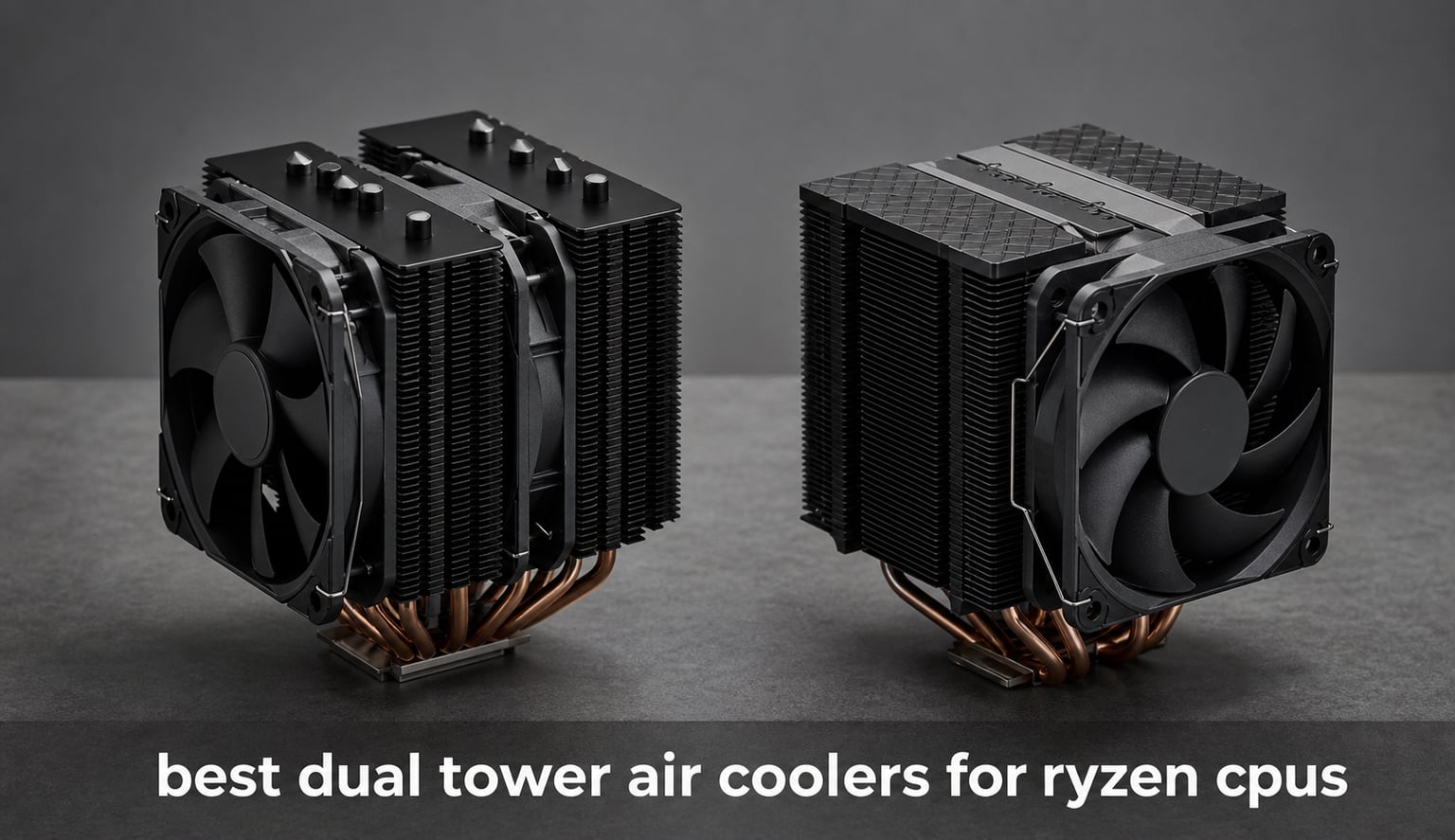
A big Ryzen build does not automatically need liquid cooling. A dual tower air cooler moves heat from the CPU through several heat pipes into two fin stacks, then uses PWM fans to push that heat toward the case exhaust. That extra fin area is why the best dual tower air coolers for Ryzen CPUs are a sensible match for gaming systems, AM5 workstations, and quiet PCs.
I approached this list as a specification-and-owner-feedback comparison, not a laboratory temperature shootout. The supplied listings provide dimensions, fan speeds, listed noise figures, socket support, ratings, and review counts, but they do not provide results from one controlled test bench. Where a number is manufacturer-listed, I call it that rather than presenting it as a measured CPU temperature.
The short version is simple: the Noctua NH-D15 G2 chromax.Black has the strongest all-round published feature set, the Thermalright Peerless Assassin 120 SE has an unusually deep review history, and the Scythe Fuma 3 is the clearest fit-first option when tall memory is part of the plan. Before choosing any of them, compare the cooler height with your case specification and check the front-fan position against your RAM height.
Table of Contents
Top 3 Picks for 2026
The best dual tower CPU cooler here is the Noctua NH-D15 G2 chromax.Black for builders who want eight heat pipes, two 140 mm fans, a six-year warranty, and a stated 24.8 dB noise figure. The Thermalright Peerless Assassin 120 SE is my value-focused alternative because it combines six heat pipes, dual PWM fans, a 4.7 rating, and more than 3k reviews. Choose the Scythe Fuma 3 first when published RAM clearance and a 154 mm height are the deciding checks.


The best dual tower air coolers for Ryzen CPUs in September 2026 at a glance
All ten models below list AM5 support, so socket compatibility is not the only decision point. Height ranges from 154 mm to 168 mm among listings that supply a height, and front-fan adjustment can change the installed height when tall memory is involved. The comparison is a fast shortlist; each review explains the trade-off behind the specification line.
| Product | Specifications | Action |
|---|---|---|
| Noctua NH-D15 G2 chromax.Black |
|
Check Latest Price |
| Thermalright Peerless Assassin 120 SE |
|
Check Latest Price |
 Thermalright Phantom Spirit 120 SE ARGB Thermalright Phantom Spirit 120 SE ARGB |
|
Check Latest Price |
 Scythe Fuma 3 Scythe Fuma 3 |
|
Check Latest Price |
 be quiet! Pure Rock Pro 3 be quiet! Pure Rock Pro 3 |
|
Check Latest Price |
 SAMA A60B SAMA A60B |
|
Check Latest Price |
 Jonsbo CA90 Black Jonsbo CA90 Black |
|
Check Latest Price |
 MONTECH NX600 MONTECH NX600 |
|
Check Latest Price |
 upHere Dual Tower upHere Dual Tower |
|
Check Latest Price |
 kalemax B60T kalemax B60T |
|
Check Latest Price |
1. The Noctua NH-D15 G2 chromax.Black is the premium all-round answer
- 8 heatpipes
- 20% more surface area
- 59mm RAM clearance single fan
- 6 year warranty
- 1810g weight
- 168mm listed height
The NH-D15 G2 earns the first slot because its listing gives the fullest high-end hardware picture: eight heat pipes, 20% more surface area than the preceding design, and a pair of NF-A14x25r G2 140 mm fans. Its stated airflow is 155.6 cubic metres per hour, while the listing calls out a 24.8 dB noise level and a 1,500 RPM maximum speed.
I also like that Noctua states the practical extras rather than leaving them vague. The package includes NT-H2 thermal compound, low-noise adaptors, a screwdriver, and SecuFirm2+ mounting hardware, with AM5 and AM4 support listed alongside current Intel sockets.
The trade-off is physical size. It weighs 1,810 g and the listed height is 6.61 inches, so a case with limited CPU-cooler clearance is an immediate stop sign; do not assume a mid-tower is tall enough without checking its manual.
The NH-D15 G2 fits builders who want documented clearance and warranty support
In single-fan mode, Noctua specifies 59 mm of RAM clearance. That figure matters more than a generic claim that a cooler is memory-friendly, since it lets you compare your module height with a stated limit before parts arrive.
Its offset design is also listed as clearing the PCIe x16 slot. For a Ryzen gaming system with a large graphics card and a long expected service life, those stated layout details make this cooler easier for me to recommend than an equally large design with fewer fit notes.
The NH-D15 G2 is less suited to compact cases and weight-sensitive builds
A 168 mm-class cooler and 1.81 kg of mass ask a lot from a small chassis and from anyone who moves a PC frequently. The size is not a flaw, but it makes the case specification and secure mounting steps non-negotiable.
The rating is 4.8 from 216 reviews, which is encouraging but not the same breadth of owner feedback as the leading Thermalright models. I would choose this one for its published construction, accessories, and six-year warranty rather than expecting a specific temperature result not supplied in the data.
2. The Thermalright Peerless Assassin 120 SE is the proven-review value pick
- 3k+ reviews
- 6 copper heat pipes
- dual PWM fans
- 25.6 dB listed
- Basic feature set
- 155mm class height
The Peerless Assassin 120 SE is the model I would start with when review depth matters. It carries a 4.7 rating from more than 3k reviews and is listed as the number-one best seller in its CPU-cooler category, giving it a far larger owner-feedback base than several newer entries here.
Its hardware is straightforward: six 6 mm heat pipes, a pure copper base with electroplating reflow welding, and two TL-C12C PWM fans. The listing specifies 66.17 CFM, 1,550 RPM maximum fan speed, and a 25.6 dB noise level.
Thermalright also calls out AGHP technology, designed to address orientation effects in vertical or horizontal installation. That does not replace testing in your particular case, but it is a useful stated design feature for builders whose motherboard orientation is not typical.
The Peerless Assassin 120 SE fits Ryzen builders who want broad owner feedback
AM4 and AM5 are both in the compatibility list, and the 4-pin PWM fans can respond to a motherboard fan curve. For a Ryzen 5, Ryzen 7, or a carefully configured X3D gaming build, I see this as the sensible baseline when you want a familiar dual-tower layout without lighting or accessory extras driving the decision.
The 907 g listed weight is also notably lower than the Noctua above. That does not remove the need to follow the mounting instructions, yet it is a relevant difference for a system that may be transported.
The Peerless Assassin 120 SE is less suited to builders wanting lighting or extra clearance data
The supplied feature set is deliberately basic: no ARGB lighting mode is listed, and the supplied data does not give a RAM-clearance measurement. If your memory uses tall heat spreaders, measure it and plan for front-fan adjustment rather than treating compatibility as automatic.
The published height is 6.1 inches, or roughly the 155 mm class. I would leave a sensible clearance margin between the fan top and the side panel instead of treating a case limit equal to the cooler height as a comfortable fit.
3. The Thermalright Phantom Spirit 120 SE ARGB is the feature-rich lighting choice
- 7 heat pipes
- ARGB with 17 modes
- 20k hour bearing claim
- 154mm height
- Lower RAM clearance
- limited clearance data
The Phantom Spirit 120 SE ARGB adds a seventh 6 mm heat pipe to the dual-tower formula and pairs it with dual TL-C12B-S V2 PWM fans. Its listing gives a 1,500 RPM fan maximum, 66.17 CFM airflow figure, 25.6 dB noise figure, and 154 mm height.
For a visible build, the 5 V three-pin ARGB connection and 17 listed lighting modes are the clear reason to select it over the more understated Peerless Assassin. The supplied data also names S-FDB bearings with a 20,000-hour industrial service-life claim.
It has a 4.7 rating from 970 reviews, which is a useful middle ground between a very new listing and a model with thousands of ratings. I would treat that as evidence of substantial buyer feedback, not as proof that it will produce a particular temperature on every AM5 board.
The Phantom Spirit 120 SE ARGB fits builders who want seven heat pipes and synchronized lighting
AM4 and AM5 support are listed, as are a broad range of Intel sockets. Its 154 mm stated height helps the first case-fit check, and the lower listed mass of 454 g may appeal to builders who prefer a lighter cooler assembly.
If your motherboard offers a compatible 5 V three-pin ARGB header, the lighting feature is ready to use as stated. I would still trace the fan and lighting cables before installing the second fan, since a crowded top edge is easier to manage before the cooler is in place.
The Phantom Spirit 120 SE ARGB is less suited to tall-memory configurations
Thermalright identifies lower RAM clearance as the main compromise, so this is not the model I would buy first for tall RGB DIMMs without a measurement. Raising the front fan can solve a conflict, but it also increases the installed height.
The listed dimensions are 4.92 by 5.31 by 6.06 inches. Check both the side-panel clearance and the space above the first memory slot; a cooler can clear the case and still make a memory upgrade awkward.
4. The Scythe Fuma 3 is the clearest RAM-clearance recommendation
- 54mm RAM clearance
- 154mm height
- opposite-rotation fans
- easy HPMS V mount
- 2 year warranty
- large 1.63kg listed weight
The Fuma 3 makes a strong case on fit information alone. Scythe specifies an asymmetrical layout with unrestricted 54 mm RAM clearance and a 154 mm height, two numbers that address the clearance problem forum users raise most often with dual-tower coolers.
Its cooling hardware includes six 6 mm heat pipes, a copper base plate, and two Kaze Flex II 120 mm fans using fluid dynamic bearings. The two fans are configured for opposite-direction rotation, and the listing says a third fan can be added.
The published noise figure is 14 dB and the maximum speed is 1,500 RPM. Those are listing specifications rather than a standardized system-noise test, but they point to a quiet-focused fan design worth considering for a silent PC build.
The Fuma 3 fits AM5 builds where memory height is decided before cooler choice
A stated 54 mm RAM clearance gives the Fuma 3 a practical advantage over products that merely say they are RAM compatible. I would match that number with the manufacturer height of your memory modules, then leave a little room for the fan frame rather than relying on a close visual estimate.
AM5 and AM4 support are listed, and Scythe says the cooler fits most Mini-ITX motherboards. That claim does not override motherboard-specific heatsink shapes, but the asymmetric approach is a sound starting point for compact Ryzen builds.
The Fuma 3 is less suited to buyers seeking a long stated warranty
Scythe lists a two-year warranty, while the Noctua includes six years. For a build intended to run unchanged for a long time, that published coverage difference is worth weighing beside the physical-fit strengths.
The listed weight is 1.63 kg, so this is still a substantial cooler even though it is only 154 mm tall. Take the same care with mounting pressure and transport that you would with any large dual-tower heatsink.
5. The be quiet! Pure Rock Pro 3 favors offset mounting and a compact profile
- AM5 offset option
- adjustable front fan
- offset RAM design
- easy mounting kit
- 34.8 dB listed
- 1400g listed weight
The Pure Rock Pro 3 is the choice I would inspect closely for an AM5 motherboard because it specifically lists an AMD AM5 offset mounting option. It combines six black nickel-plated copper heat pipes and a nickel-plated base with a Pure Wings 3 120 mm PWM fan.
Its compact offset double-tower form is intended to support RAM and VRM compatibility, while the front fan height is adjustable. The funnel-shaped outlet is also listed as part of the airflow path, directing air from the fan through the fin structure.
The stated maximum fan speed is 2,000 RPM and the listing quotes 34.8 dB. That is higher than several other published figures in this roundup, so I would set a measured fan curve in BIOS after installation instead of leaving any cooler at an aggressive default curve.
The Pure Rock Pro 3 fits AM5 builders who want an offset mounting option
The AM5 offset mount is the distinguishing feature here. When a cooler provides a mounting approach made for the socket rather than only generic support, I consider it a meaningful reason to put it on an AM5 shortlist.
It also lists included thermal paste and a mounting kit, and its self-explanatory mounting design should reduce setup friction. Follow the manual’s tightening sequence, especially with a 1,400 g listed cooler, so the base contacts the CPU evenly.
The Pure Rock Pro 3 is less suited to those chasing the lowest published noise figure
The 34.8 dB listing is not directly comparable to every competitor’s test method, yet it is the highest stated figure among the models that provide a similar number here. A fan curve with a lower idle duty cycle may matter more than the top speed for daily acoustic comfort.
Its 6.1-inch listed height still requires a case check. The adjustable fan helps solve some RAM conflicts, but moving it upward can change the overall clearance needed below the side panel.
6. The SAMA A60B puts stated zero RAM interference first
- Zero RAM interference stated
- 265W rating
- soldered copper base
- 29 dBA listed
- 15 reviews
- limited long-term feedback
The SAMA A60B is unusually direct about its intended fit: the listing states zero RAM interference. That makes it appealing for a Ryzen system where tall DIMMs are already purchased and you do not want front-fan adjustment to become part of the build plan.
Its published hardware includes six heat pipes, a soldered copper base, two 120 mm PWM guide-ring fans, and a 265 W cooling rating. The listing gives a 29 dBA noise figure and describes the fan design as reducing vibration.
The dimensions are 4.88 by 5.61 by 6.16 inches. I would verify the 6.16-inch height against the case limit, then check motherboard diagrams for unusually tall top-side VRM covers even though the product states broad socket support.
The SAMA A60B fits builders whose memory clearance is already non-negotiable
“Zero RAM interference” is the most useful stated feature in this product’s data, and it speaks directly to a common dual-tower concern. This may be the simpler choice for a build with four populated memory slots, provided the actual case can accept its height.
AM5 and AM4 support are listed with modern Intel sockets. The all-black metal finish and guide-ring fans suit builders who prefer a restrained look without requiring a lighting header.
The SAMA A60B is less suited to buyers who rely on a large review record
The 4.7 rating is based on 15 reviews. That is positive feedback, but I would not rank it above a similarly specified model with thousands of reviews solely from that average.
The 265 W figure is a manufacturer cooling rating, not a promise that every CPU will run at a certain temperature. Case airflow, thermal compound application, room temperature, motherboard limits, and fan tuning all still matter.
7. The Jonsbo CA90 Black is the 159 mm ARGB and 270 W-rated option
- 270W rating
- 6 copper heat pipes
- ARGB effects
- 159mm height
- 13 reviews
- 3-pin connector listed
The Jonsbo CA90 Black combines a 120 mm front fan with a 130 mm middle fan, rather than using two matching 120 mm fans. Its listing also specifies six copper heat pipes, a D-TDP 270 W rating, a 159 mm height, and up to 1,800 RPM.
For builders who want lighting, the CA90 supports 5 V ARGB effects with 16 million listed colors. Jonsbo calls it part of its Mute Series and quotes a 32.6 dB noise level, which should be read as a published product figure rather than a system-wide sound measurement.
The through-hole metal fastener is described as improving thermal conductivity. More important for installation, the 6.26-inch stated height means this cooler needs a case specification comfortably beyond the 159 mm class.
The CA90 Black fits builders who want a mixed fan layout and ARGB control
The mixed 120 mm and 130 mm arrangement is the feature that separates the CA90 from standard twin-120 designs. I would select it for a system where its lighting support and 270 W-rated specification match the build priorities, not merely because a higher rating is printed on the box.
AM5 and AM4 support are both listed, along with several Intel sockets. Its all-black body offers a consistent visual base when ARGB is switched off or when a motherboard header is unavailable.
The CA90 Black is less suited to buyers needing established review depth
The five-star average comes from 13 reviews. I would treat the score as an early positive sign but give more weight to the limited number of owner reports when comparing it with mature models.
The product data lists a 3-pin power connector while also identifying PWM fan hardware in the title. Verify the connector and control arrangement in the package documentation against your motherboard headers before purchase, because precise fan control depends on that connection.
8. The MONTECH NX600 prioritizes fin area and a soldered copper base
- 52 by 2 fin stacks
- soldered copper base
- 6 heat pipes
- premium top cover
- 34.17 dBA listed
- limited 72-review record
The MONTECH NX600 is built around two 52-fin stacks and six heat pipes. A flat copper base soldered to the heat pipes is listed as the heat-transfer path, a construction detail that is more informative than a generic claim of high cooling capacity.
It uses E28 PWM fans with a listed 2,000 RPM maximum, and its published noise figure is 34.17 dBA. The cooler is 6.29 inches tall, so it belongs on a shortlist only after you compare that measurement with the actual CPU-clearance figure for your case.
The premium top cover gives this cooler a more finished appearance than exposed fin edges. That can matter in a windowed Ryzen build, though it should remain secondary to socket, memory, and chassis clearance.
The NX600 fits builders who value its stated fin-stack and base construction
Two 52-fin towers and a soldered copper base describe a conventional but purposeful air-cooling layout. I would look at the NX600 for a standard AM5 desktop with room around the socket and a fan curve planned through the motherboard’s 4-pin header.
It lists AMD AM5 and AM4 alongside current Intel sockets. The 4.6 rating from 72 reviews suggests good buyer response, although that feedback pool is still far smaller than the Peerless Assassin’s.
The NX600 is less suited to tight cases or noise-first part lists
At 6.29 inches tall, clearance is the central concern. Do not forget that the usable case limit can be reduced by a bulging side panel, cable routing, or a fan that must sit higher to clear memory.
The 34.17 dBA listed figure is close to the be quiet! model’s 34.8 dB figure and higher than several other listed values. It may suit users comfortable with higher fan speeds under sustained load, but it is not my first pick for a quiet CPU cooler based on the supplied specification.
9. The upHere Dual Tower emphasizes broad socket support and simple installation
- Broad AMD support
- RAM-compatible design
- 25 dB listed
- easy installation
- Aluminum construction
- no published dimensions
The upHere Dual Tower is the broad-compatibility entry. Its listing includes AMD AM5, AM4, AM3, and older AMD platforms, plus a long list of Intel sockets, so it may be useful when a builder is carrying a cooler plan between generations.
It has six heat pipes, dual 120 mm PWM fans, and a stated maximum speed of 1,650 RPM. The listing puts maximum noise at 25 dB and specifically calls the design RAM compatible.
What I cannot verify from the supplied data is the external height or weight, because neither is provided. That missing information matters for a dual-tower unit; before ordering, obtain the manufacturer dimension drawing or retailer package specification and compare it with the case limit.
The upHere Dual Tower fits builders needing support across several AMD socket generations
Its support list extends beyond AM5 and AM4 to AM3, AM2, and related AMD platforms. For a household with multiple systems or an older build receiving a cooler replacement, that breadth is a practical feature rather than marketing filler.
The listing says installation can be completed without removing the existing fan. Its 4-pin PWM connection also supports motherboard-based fan-speed adjustment, which I would set after confirming temperatures and acoustics in the finished case.
The upHere Dual Tower is less suited to builds that require published size data upfront
Without a supplied height, I cannot call this a safe pick for a restricted-width case. RAM compatibility alone does not answer whether the side panel will close.
Its 4.5 rating from 368 reviews is solid, and the low stated noise figure is attractive. Still, the aluminum construction and missing dimensions leave more questions than the fully specified products higher in this list.
10. The kalemax B60T is the high-speed ARGB entry for basic AM5 builds
- 6 copper heat pipes
- 265W rating
- dual ARGB fans
- 74.9 CFM listed
- Aluminum build
- 2000 RPM may need fan tuning
The kalemax B60T completes the list as a straightforward dual-tower design with six pure copper heat pipes, a copper base, dual 120 mm ARGB PWM fans, and a 265 W cooling rating. The fans are listed at 2,000 RPM and 74.9 CFM, making it the highest stated fan-speed option in this group.
It supports AM5 and AM4, and its listed dimensions are 5.39 by 4.92 by 6.18 inches. The 4.6 rating from 111 reviews gives it a larger feedback base than the SAMA and Jonsbo, though it remains a newer-looking choice beside the well-established Thermalright model.
The listing quotes 25.6 dBA and offers 16 ARGB modes. A fan capable of 2,000 RPM can be useful when airflow demand rises, but I would set an appropriate PWM curve rather than allowing maximum speed to dictate everyday noise.
The kalemax B60T fits builders who want ARGB and high stated fan speed
This is the pick I would consider when a basic AM5 gaming PC needs a twin-tower layout, visible lighting, and a complete copper heat-pipe path without complex extra features. The 5 V ARGB feature should be matched to the correct motherboard lighting header before installation.
The 265 W figure should be read as the maker’s cooling-capacity rating. It is useful for comparing the product’s intended class, but it does not substitute for checking case intake, exhaust, thermal compound, and motherboard power limits.
The kalemax B60T is less suited to builders prioritizing low-speed acoustics or premium materials
The product lists aluminum as its material, and a 2,000 RPM ceiling can make fan tuning more important than it is on slower designs. I would favor a quieter published specification or a broader review record if low acoustic output is the main objective.
At 6.18 inches tall, it remains a large cooler. Confirm case height clearance, RAM position, and the room around the top motherboard edge before treating it as a drop-in AM5 air cooler.
Choose a Ryzen dual tower cooler by fit, fan control, and stated hardware
Dual-tower coolers are a good match for Ryzen systems because two fin stacks provide more surface area than a typical single-tower cooler. The correct choice is not simply the one with the largest TDP number; it is the one that fits your socket, memory, case, and noise preference while giving the features you will actually use.
Check case height before choosing any dual-tower cooler
First, find the case maker’s maximum CPU-cooler height. Compare it with the cooler’s listed installed height, not just a photo, and leave practical room for the side panel; tall examples here include the Noctua at 6.61 inches and the MONTECH at 6.29 inches.
If a front fan must be raised to clear memory, the installed height rises too. That is why a cooler that appears to meet a case limit on paper can still fail at final assembly.
Match RAM clearance to the cooler’s actual stated layout
RAM clearance is the most repeated real-world pain point in the forum research. The Scythe Fuma 3 states 54 mm clearance, the NH-D15 G2 states 59 mm in single-fan mode, and the SAMA A60B states zero RAM interference; these are stronger starting points than an unspecified “compatible” label.
Measure the memory module from the motherboard surface to its tallest point, including light bars. If a product provides no RAM-clearance number, such as the Peerless Assassin data supplied here, plan the fan location cautiously and verify with the manufacturer diagram.
Use AM5 support as a start, then inspect the mounting details
Every product in this comparison lists AM5 support, and many also list AM4. That means an AM5 air cooler is available across the whole set, but the mounting experience and board clearance are not identical.
The be quiet! Pure Rock Pro 3 specifically includes an AM5 offset mounting option, while the Noctua includes SecuFirm2+ hardware and an installation screwdriver. For an X3D-focused build, I would favor clear mounting information and solid case airflow over guessing from a generic wattage claim.
Set a PWM curve instead of judging noise by one published dB number
Listed noise figures vary from 14 dB for the Fuma 3 to 34.8 dB for the Pure Rock Pro 3. They come from product listings, not a shared test environment, so they cannot tell us exactly which assembled PC will be quieter.
Use the 4-pin PWM connection where listed and set a gradual motherboard fan curve after the system is running. A slower idle speed and a controlled ramp under a sustained workload are usually more useful than a fan that constantly jumps to its maximum RPM.
Improve Ryzen temperatures with five basic installation checks
1. Remove old compound fully and apply fresh thermal compound according to the cooler manual. 2. Tighten the mounting hardware evenly in the stated order so the contact plate sits flat. 3. Aim the cooler fans toward the rear exhaust of the case.
4. Confirm that front intake and rear or top exhaust fans are not obstructed by cables. 5. Check temperatures and fan behavior after installation, then adjust the BIOS fan curve if noise or heat is not where you want it. This sequence answers how to cool down a Ryzen CPU without pretending that one cooler fits every room temperature and load profile.
FAQs
What is the best dual tower CPU cooler?
The Noctua NH-D15 G2 chromax.Black is the best all-round dual tower CPU cooler in this comparison because its listing combines eight heat pipes, dual 140 mm fans, a stated 24.8 dB noise figure, 59 mm RAM clearance in single-fan mode, and a six-year warranty. Choose the Thermalright Peerless Assassin 120 SE when a much larger review base is your priority.
Is an air cooler enough for the Ryzen 7 9800X3D?
A compatible dual-tower air cooler can be enough for a Ryzen 7 9800X3D build when the case has good airflow, the cooler is mounted correctly, and the fan curve is set sensibly. Choose an AM5-listed model, verify case height and RAM clearance, and assess temperatures in your own system rather than relying on a generic TDP claim.
What is the best CPU cooler for AMD?
For AMD AM5 and AM4 systems, the best choice depends on fit and priorities. The Noctua NH-D15 G2 is the feature-rich premium choice, the Thermalright Peerless Assassin 120 SE has the deepest review history, and the Scythe Fuma 3 offers stated 54 mm RAM clearance and a 154 mm height.
How do you cool down a Ryzen CPU?
Clean the CPU, apply fresh thermal compound, mount the cooler evenly, direct its fans toward the rear case exhaust, and keep front intake paths open. Then monitor the completed PC and tune the motherboard PWM fan curve. Proper case clearance and RAM clearance matter as much as the cooler’s published heat-pipe count.
Final Thoughts
For the best dual tower air coolers for Ryzen CPUs in 2026, I would choose the Noctua NH-D15 G2 chromax.Black for its published premium hardware and six-year warranty, the Thermalright Peerless Assassin 120 SE for its broad owner-feedback base, or the Scythe Fuma 3 when stated memory clearance is the deciding factor. Pick the model only after matching its installed height, fan position, and socket kit to the exact parts in your Ryzen system.