
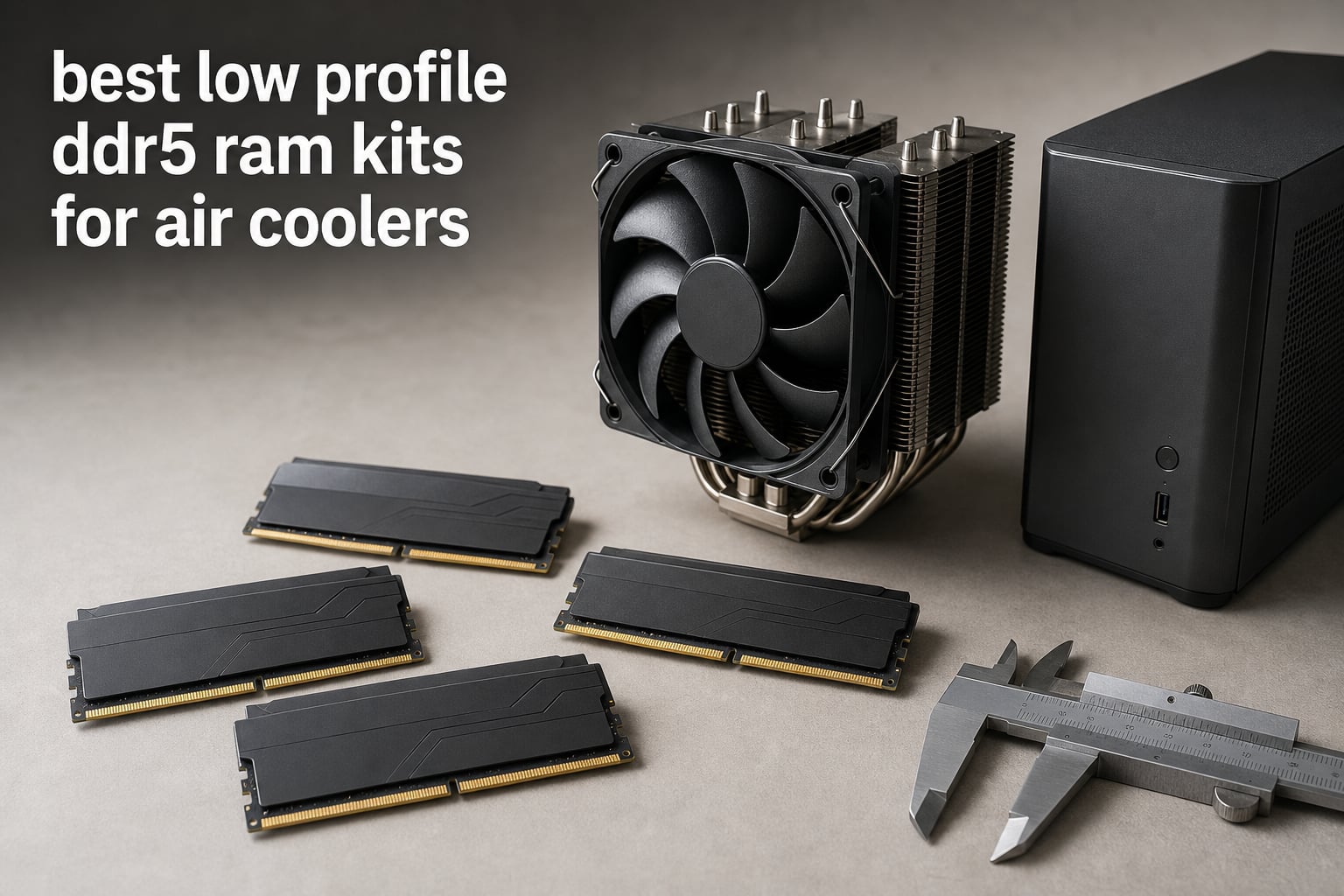
A tower CPU cooler can turn an otherwise simple memory choice into a fitment problem. The best low profile DDR5 RAM kits for air coolers pair the performance your platform needs with a heat-spreader shape that leaves room for the front fan, but the clearance number on the cooler is the deciding measurement.
I reviewed the eight supplied 32GB DDR5 kits with that rule in mind. The KLEVV FIT V is the only listing here that supplies a numerical module height, 33.2mm; Kingston calls its heat spreader low profile but does not list a height, while the other supplied listings do not publish a module height.
That distinction matters more than a familiar product name. Community discussions repeatedly describe builders discovering the conflict only after a tower cooler or its second fan will not mount, and the reported default RAM clearance for an NH-D15 is 32mm.
So this guide does not promise an air-cooler fit where the supplied data cannot prove one. Instead, I call out the published DDR5 speed, CAS latency, voltage, XMP 3.0 and AMD EXPO support, then show exactly how to compare the kit with your cooler and case in 2026.
Table of Contents
Top 3 Picks for 2026
My editor’s choice is the Corsair Vengeance DDR5-6000 CL30 because its listing combines tight timings, 32GB capacity, 1.4V operation, and both AMD EXPO and Intel XMP 3.0 profiles. It is a performance-first selection, not a verified-height selection, so measure it against your cooler before ordering.
Kingston FURY Beast has the clearest low-profile design claim after KLEVV, with a listed low-profile heat spreader plus DDR5-6000 CL30 at 1.35V. KLEVV FIT V earns the clearance-focused spot because its 33.2mm height is actually stated, along with CL30 timing and 1.25V operation.
These eight low profile DDR5 RAM candidates cover the main air-cooler needs in 2026
Every kit below is a dual-channel 32GB configuration with two 16GB modules. The quick comparison captures the specifications that are documented, but a speed and timing match does not substitute for a physical RAM-height check.
| Product | Specifications | Action |
|---|---|---|
 Corsair Vengeance DDR5 32GB Corsair Vengeance DDR5 32GB |
|
View Details |
 Kingston FURY Beast 32GB Kingston FURY Beast 32GB |
|
View Details |
 Silicon Power Value Gaming 32GB Silicon Power Value Gaming 32GB |
|
View Details |
 G.SKILL Flare X5 DDR5 32GB G.SKILL Flare X5 DDR5 32GB |
|
View Details |
 G.SKILL Ripjaws S5 DDR5 32GB G.SKILL Ripjaws S5 DDR5 32GB |
|
View Details |
 TEAMGROUP T-Force Vulcan 32GB TEAMGROUP T-Force Vulcan 32GB |
|
View Details |
 Crucial Pro DDR5 32GB Crucial Pro DDR5 32GB |
|
View Details |
 KLEVV FIT V DDR5 32GB KLEVV FIT V DDR5 32GB |
|
View Details |
Use the table as a short list, then read the fit notes rather than treating every module as equally short. Published height is the most useful fact for a DDR5 RAM air cooler decision, and it is missing from six of these listings.
1. Corsair Vengeance DDR5 is the strongest 6000MHz CL30 performance-first pick
- 6000MHz CL30 performance
- AMD EXPO and Intel XMP 3.0
- iCUE voltage controls
- Lifetime warranty
- Profile needs BIOS setup
- 1.4V operation
I would begin with this Corsair Vengeance kit when a 32GB DDR5-6000 CL30 specification is the goal. Its supplied listing pairs the 6000MHz data rate with 30-36-36-76 timings and both profile systems, which makes it relevant to either an AMD or Intel desktop plan.
The reported 4.8 rating from 3.3k+ reviews gives this kit the deepest buyer-feedback base in this group. That is useful context for a component that needs to train reliably, though it does not establish physical clearance under a particular cooler.
The listed 1.4V operating point is higher than the 1.35V figures shown on several alternatives here. Corsair also lists onboard voltage regulation and iCUE control for fine-tuning, so this is the kit I would reserve for a builder who intends to check settings rather than leave every firmware option untouched.
Its supplied feature list does not state module height or call the heat spreader low profile. For a low profile DDR5 RAM build, I would get the current physical measurement from the manufacturer and compare it with the cooler’s fan-side clearance before making the memory the first installed part.
The platform support makes this a flexible DDR5-6000 choice
AMD EXPO and Intel XMP 3.0 are both listed, so the same kit can suit a build centered on either profile ecosystem. The appropriate profile still depends on the motherboard’s memory support list and its BIOS version.
For a gaming PC or a productivity desktop, the 2x16GB layout fills the usual dual-channel arrangement without requiring four modules. I like that practical configuration because it keeps later troubleshooting simpler than starting with a mixed collection of sticks.
The unlisted height means cooler fit must be verified separately
Do not infer a millimeter measurement from the word Vengeance or from the low-spread profile of a photo. The data supplied for this exact part number does not include height, and a front fan can become the limiting part of a dual-tower cooler.
If your cooler clears only 32mm in its default position, compare the current module drawing or manufacturer support answer with that limit. Raising a fan can work in some cases, but it can also collide with the case side panel.
2. Kingston FURY Beast is a documented low-profile-heat-spreader alternative at 6000MT/s CL30
- CL30 at 6000MT/s
- Low-profile heat spreader
- EXPO and XMP support
- 1.35V operation
- No numerical height listed
- Smaller review base
Kingston FURY Beast is the straightforward option when you want a listing that explicitly says low-profile heat spreader without giving up DDR5-6000 CL30. I see its combination of 1.35V, AMD EXPO, and Intel XMP 3.0 as a balanced spec set for current desktop platforms.
The listing’s 4.8 average comes from 302 reviews, which is a much smaller set than the Corsair’s but still a strong reported score. Review feedback specifically praises the auto-overclocking behavior and the compact-oriented heat-spreader design.
Kingston lists auto-overclocking technology and improved stability for overclocking. That does not mean every motherboard will automatically choose the advertised profile, so I would still enter firmware after the first boot and confirm the running transfer rate and capacity.
This is one of only two listings in the group that directly describes the spreader as low profile. The missing millimeter figure keeps it from being a guaranteed low profile DDR5 RAM fit for an unusually tight tower cooler, but it is a more evidence-backed shape claim than an unmeasured standard DIMM.
The 1.35V CL30 specification suits profile-based setup
At 6000MT/s and CL30, this Kingston kit shares the fast, tight headline configuration found on several of the group’s strongest kits. AMD EXPO and Intel XMP 3.0 give you an advertised profile route instead of asking you to enter primary timing values manually.
I would confirm the exact KF560C30BBEK2-32 part number on the motherboard QVL when the build has a recent platform or a memory-sensitive BIOS. Manufacturer validation is more useful than assuming that a brand match alone proves support.
The absence of a height figure requires one more fit check
“Low profile” describes the heat-spreader design, not a clearance number. Ask Kingston for the physical DIMM height or check the current technical drawing, then compare that value to the clearance stated by the CPU cooler maker.
This step also matters for SFF PC RAM planning, where a side panel and a top-mounted fan may restrict the build from more than one direction. I would measure with the cooler fan in its final mounting position, not only the heatsink body.
3. Silicon Power Value Gaming is a CL30 kit with an aluminum heatsink and power-management support
- 6000MT/s CL30
- Aluminum heatsink
- EXPO and XMP support
- Lifetime warranty
- Only 13 reviews
- Height not supplied
I would consider the Silicon Power Value Gaming kit when the desired baseline is DDR5-6000 with CL30 timing and a conventional aluminum heatsink. Its part number SP032GXLWU60AFDJ is listed as a 32GB UDIMM kit at 1.35V with support for Intel XMP 3.0 and AMD EXPO.
The listing reports a 4.8 average from 13 reviews. That rating is encouraging, but the small review total means I would put more weight on the exact part number, motherboard support, and confirmed physical dimensions than on broad user-feedback conclusions.
The supplied features identify a PMIC for stable power delivery and an aluminum heatsink for thermal management. Those are relevant design details for sustained work or gaming sessions, though the listing does not provide measured temperature results under a tower cooler.
Silicon Power does not publish a module height in the supplied data. I would not label it air-cooler compatible without checking the current manufacturer dimension, especially if the cooler has a fan that overhangs the memory slots.
The listed PMIC and aluminum heatsink target stable daily operation
DDR5 moves memory power management onto the module, and this listing specifically calls out its PMIC. In practical buying terms, that gives you a documented stability-oriented feature alongside the familiar 6000MT/s CL30 specification.
The aluminum heatsink is also a real hardware feature, rather than a claim that bare chips are enough for every workload. What the supplied data cannot tell us is how much extra space that heatsink adds above the DIMM board.
The light review history makes part-number verification more important
A 13-review sample is not equivalent to a sample in the thousands. I would verify the full SP032GXLWU60AFDJ identifier in the motherboard QVL and read the module-height documentation before treating this as one of the best low profile DDR5 RAM kits for air coolers.
Its timing string is 30-38-38-96, which is looser beyond the first CL value than the Corsair’s 30-36-36-76 listing. That does not make it unsuitable; it simply means the full timing set is worth comparing when two kits otherwise look alike.
4. G.SKILL Flare X5 is a broadly validated DDR5-6000 kit for AMD and Intel profiles
- Broad platform validation
- AMD EXPO and Intel XMP 3.0
- 1.35V operation
- Lifetime warranty
- CL36 timing
- Height not supplied
The G.SKILL Flare X5 is the kit I would inspect first when motherboard validation is the priority. The supplied product data identifies compatibility validation for Intel Z890, Z790, and Z690 platforms as well as AMD X870, X670, B850, and B650 platforms.
It is a 32GB DDR5-6000 kit with CL36-36-36-96 timings at 1.35V, and it carries both EXPO and XMP 3.0 profiles. The listed 4.7 rating is based on 1.2k+ reviews, which is a substantial feedback record for this comparison.
I appreciate the dual-profile approach because it makes the F5-6000J3636F16GX2-FX5 less tied to one CPU choice. It remains important to select the profile intended for the platform rather than treating any overclock profile as a universal setting.
No module height appears in the supplied Flare X5 specifications. A familiar choice for AMD systems can still be the wrong physical choice for a low-clearance fan position, so I would request the actual height before calling it air cooler compatible RAM.
The QVL scope offers the clearest motherboard-checking path
Look for the full product code rather than only “Flare X5” when using a motherboard memory list. The supplied validation coverage gives useful starting platforms, while the board maker’s list can confirm the exact capacity and speed pairing.
This is especially helpful after a BIOS update or a CPU-platform change. I would also keep the two matched modules in the motherboard slots the manual identifies for a two-DIMM configuration.
The CL36 profile trades tighter timing for platform coverage
Its CL36-36-36-96 timing is not as tight on paper as the CL30 kits in this guide. In return, the supplied listing emphasizes broad current-platform validation and dual profile support, which can matter more than a single latency number for a builder who wants a documented setup path.
Because height is unavailable, pair this memory decision with a cooler decision instead of making them independently. That simple order avoids the common forum complaint of discovering a front-fan conflict late in the build.
5. G.SKILL Ripjaws S5 is another 6000MT/s CL36 option with dual overclock profiles
- EXPO and XMP support
- Broad platform validation
- Dual OC profiles
- Lifetime warranty
- CL36 timing
- Height not supplied
I see the G.SKILL Ripjaws S5 as the comparable alternative to Flare X5 when you want the same listed 6000MT/s, 1.35V, CL36-36-36-96 specification. The full F5-6000J3636F16GX2-RS5K part number is a 32GB, two-module UDIMM kit with both Intel XMP 3.0 and AMD EXPO.
Its reported 4.7 average is drawn from 1.2k+ reviews. User feedback in the supplied data points to the brand’s established reliability and the flexible profile support, but I would still prioritize the exact motherboard and CPU pairing over a general series reputation.
G.SKILL lists the same Intel and AMD platform families for validation that it lists for the Flare X5. The matte-black appearance is mentioned in the source data, which may help a builder who wants an understated look under a cooler fan rather than RGB lighting.
The supplied listing does not state a physical height or use the phrase low profile. That prevents a direct clearance conclusion for an NH-D15, a be quiet! cooler, or any other tower model without an additional dimensional check.
The dual-profile support works across current desktop platforms
Intel XMP 3.0 and AMD EXPO are both named in the specifications, and the product is validated for a long list of Intel Z-series and AMD X-series and B-series boards. That is the main reason I would keep Ripjaws S5 on a cross-platform shortlist.
Before enabling either profile, update the motherboard BIOS where the maker recommends it and confirm the kit is installed as a matched pair. The advertised profile describes a target setting, not a promise that every board revision behaves identically.
The physical measurement is still the deciding air-cooler fact
Low profile memory DDR5 cannot be identified from speed or color. I would obtain the actual Ripjaws S5 height, compare it with the cooler’s stated clearance, and account for the front fan if the cooler extends over the DIMM slots.
That process is also relevant in a small form factor build. An ITX motherboard may add tight cable routing or side-panel limits even when the CPU heatsink itself appears to clear the RAM.
6. TEAMGROUP T-Force Vulcan is a 6000MHz CL30 kit with both major profile standards
- 6000MHz CL30
- Intel XMP and AMD EXPO
- 1.35V operation
- Lifetime warranty
- Height not supplied
- No supplied cooler-fit measurement
The TEAMGROUP T-Force Vulcan kit brings the attractive 6000MHz CL30 combination to a 32GB dual-channel configuration. The listed data rate is 48 Gigabits Per Second, with 1.35V operation and direct support for Intel XMP 3.0 and AMD EXPO.
I would put it on the list for a builder who wants the same headline speed and primary latency as the Corsair and Kingston kits. Its reported 4.7 average across 220 reviews provides a moderate feedback sample, and the lifetime warranty is listed as well.
The product data describes it as a desktop DIMM and identifies its 288-pin layout. Those facts confirm the basic platform category, but they say nothing about the vertical space a particular heat spreader requires below a fan.
TEAMGROUP does not give a height value in the supplied specifications. That missing measurement means this kit should be treated as performance-qualified rather than clearance-qualified in a low profile DDR5 RAM search.
The 6000MHz CL30 profile is the central reason to consider it
CAS latency 30 at 6000MHz is a strong paper specification for a current gaming PC or productivity system. The dual profile support makes the kit more practical for either an AMD EXPO build or an Intel XMP 3.0 build.
I would check that the motherboard manual’s recommended two-DIMM slots are used, then confirm 32GB capacity and the intended transfer rate in firmware. A kit can boot at a default speed until its profile is enabled.
The cooler decision needs a separate height specification
Do not substitute the phrase “Vulcan” for a dimension. Get the module height from TEAMGROUP’s current technical material and compare it with the exact cooler configuration, including any fan moved upward to clear a taller module.
Builders on forums repeatedly point to the second fan as the surprise obstruction. Measuring the fan edge to the motherboard rather than only the heatsink gives a more useful DDR5 RAM clearance result.
7. Crucial Pro DDR5 is the fastest listed kit at 6400MHz with CL32 timing
- 6400MHz speed
- CL32 latency
- EXPO and XMP support
- Auto-overclocking
- Height not supplied
- CL32 instead of CL30
Crucial Pro DDR5 has the highest listed transfer rate in this eight-kit group: 6400MHz. I would consider it when the platform is verified for that speed and the supplied CL32-40-40-103 timing set fits the performance goal.
This CP2K16G64C32U5B package is a 32GB kit using two 16GB DIMMs at 1.35V. The listing reports a 4.6 average based on 493 reviews and identifies Intel XMP 3.0, AMD EXPO, and an auto-overclocking feature.
More MHz does not by itself prove this is the better match for every PC. Memory controller behavior, motherboard support, profile stability, and the application workload all influence whether a DDR5-6400 target is the sensible choice over a 6000MHz CL30 kit.
The supplied data does not state a module height. Even though the product name includes “Pro,” I would not assume short stature DDR5 RAM dimensions; confirm the physical measurement before matching it to a front-overhang tower cooler.
The 6400MHz specification favors a verified high-speed platform
The key differentiator is its 6400MHz data rate, paired with CL32 rather than the CL30 found on several 6000MHz kits. That gives a clear technical reason to compare it, but it also calls for checking the motherboard support documentation for the exact kit.
Crucial lists support for both XMP 3.0 and EXPO, so profile availability is not tied to one CPU camp. I would enable the intended profile only after confirming the BIOS recognizes the full 32GB kit correctly.
The unlisted height keeps clearance separate from speed
High-speed specifications cannot show whether the DIMMs sit below a cooler fan. Ask for the current DIMM height, then compare it with the cooler maker’s stated RAM clearance and your case’s side-panel space.
This extra step is brief but prevents a mistake that no benchmark chart can solve. If the front fan must be raised, measure the finished fan height against the case rather than assuming there is spare room.
8. KLEVV FIT V is the only kit here with a published 33.2mm low-profile height
- Published 33.2mm height
- CL30 timing
- SK Hynix A-Die
- 1.25V operation
- 5600MHz speed
- Smaller review base
KLEVV FIT V is my clearest evidence-based recommendation when RAM height is the first constraint. The listing explicitly gives a 33.2mm low-profile height, which is the decisive fact none of the other listings supplies, and it pairs that shape with a 32GB 5600MHz CL30 kit.
I also like the unusually low listed voltage of 1.25V and the stated SK Hynix A-Die ICs. XMP 3.0 and AMD EXPO support are included, while the supplied review data reports a 4.5 average from 61 reviews.
The trade-off is straightforward: 5600MHz is below the 6000MHz and 6400MHz options in this roundup. For a system in which physical clearance is non-negotiable, a known 33.2mm dimension can be more actionable than a faster kit with no stated height.
There is an important limit to the recommendation. A community-reported NH-D15 default clearance of 32mm is 1.2mm lower than KLEVV’s listed 33.2mm, so this kit should not be called a default-config NH-D15 fit without a different fan arrangement or a cooler-specific confirmation.
The documented 33.2mm height makes this the best measurement-led choice
For low profile RAM 32mm clearance questions, a published 33.2mm height lets you calculate the gap instead of guessing from images. It is also above the forum-reported 31.7mm figure for some be quiet! coolers, so it needs the same careful comparison there.
I would record the RAM height, cooler clearance, and case-side-panel room on the same build note. That three-measurement check is much more reliable than treating “low profile” as a universal guarantee.
The 5600MHz CL30 profile suits clearance-led builds with supported boards
CL30 keeps the primary latency tight for a 5600MHz kit, and the 1.25V rating is lower than every other voltage listed in this comparison. The source also says the module is QVL tested and approved, though the individual motherboard QVL remains the correct place to verify your board.
Choose it when documented module stature is worth more to your build than the group’s highest transfer rate. For a low profile DDR5 RAM kit in a constrained SFF PC, that evidence can make the KLEVV easier to plan around than an unmeasured alternative.
The right low profile DDR5 RAM kit starts with a measured clearance plan
Low profile DDR5 RAM means memory modules with shorter heat spreaders intended for tighter spaces, commonly under roughly 35mm according to the supplied research definition. A tower cooler often has only 32mm to 45mm of room over the DIMM area, but the exact clearance depends on the cooler, fan position, motherboard, and case.
I would make the physical check before choosing between CL30, CL32, or CL36. A memory kit that is technically appealing but cannot coexist with the cooler or case does not solve the build.
Measure the fan-side clearance before choosing a memory kit
First, look up the CPU cooler maker’s stated RAM clearance for the exact cooler and fan configuration. Then compare that number with the DIMM height from the memory maker’s current specification, not a retailer photo or an assumption based on the series name.
Next, install or position the front fan as it will sit in the finished build and measure from the motherboard surface to the underside of the fan. If you raise the fan to clear taller RAM, measure the new overall cooler height against the case side-panel limit.
The forum research supplies two useful warning figures: the NH-D15 is reported at 32mm in its default configuration, and some be quiet! coolers are reported at 31.7mm. These are not universal specifications for every revision, but they show why even a 33.2mm module needs cooler-specific confirmation.
KLEVV FIT V has a documented 33.2mm height, making it 1.2mm taller than the reported 32mm default NH-D15 clearance and 1.5mm taller than the reported 31.7mm figure. That is the kind of direct comparison you should make for every kit, including listings that only say low profile.
Confirm the motherboard and CPU profile before chasing transfer rate
Intel XMP 3.0 and AMD EXPO are stored performance profiles that let a compatible motherboard apply the advertised memory settings. They are not interchangeable promises that every board, BIOS, and CPU memory controller will run every kit at its stated transfer rate.
Check the motherboard QVL for the exact part number, capacity, and kit configuration whenever possible. The G.SKILL Flare X5 and Ripjaws S5 listings specifically name wide Intel and AMD validation, while the KLEVV listing says it is QVL tested and approved.
After installation, verify that the BIOS sees 32GB and that both sticks are in the slots recommended for a two-DIMM kit. Then select the profile appropriate to your platform and confirm the transfer rate after rebooting.
I would not mix a second kit into any of these matched 2x16GB packages simply because the brand name matches. A matched kit is designed and sold to work together, whereas mixed capacities, timings, and ICs add another variable to memory training.
Read speed and CAS latency together rather than as separate winners
DDR5-6000 describes the transfer rate, while CL30, CL32, and CL36 describe the first-column access latency in clock cycles. Neither number alone is a complete performance verdict, which is why the full timing strings in the product data deserve attention.
Corsair lists 6000MHz at 30-36-36-76, Silicon Power lists 6000MT/s at 30-38-38-96, and the G.SKILL kits list 6000MT/s at 36-36-36-96. TEAMGROUP also lists 6000MHz CL30, while Crucial moves to 6400MHz CL32-40-40-103 and KLEVV uses 5600MHz CL30.
For most builders, choose the speed and profile your motherboard and CPU are known to support, then give clearance the final vote. A few extra headline megahertz are less useful than a system that boots reliably with the CPU cooler fan in its proper position.
I would keep the choice simple when the system has no measured workload need for the top listed transfer rate. DDR5-6000 CL30 is a recurring configuration in this group, while KLEVV’s 5600MHz CL30 provides a documented-height alternative for constrained builds.
Use thermal claims carefully because the supplied data has no load-temperature results
Low profile memory does not automatically mean poor performance or poor thermal behavior. Shorter heat spreaders are primarily about available space, and the supplied product data includes thermal-management hardware on Silicon Power but no comparable under-load temperature measurements for these eight kits.
Silicon Power lists an aluminum heatsink, while Kingston identifies a low-profile heat spreader. Those are valid construction details, but they do not provide a direct temperature ranking between kits under the same CPU cooler and workload.
If you are asking how hot is too hot for DDR5, use the installed module maker’s specifications and monitoring guidance because this research set provides no universal temperature limit. Do not invent a thermal threshold from another kit or treat a low-profile label as a thermal test result.
Good case airflow and a correctly mounted cooler still matter. They improve the whole system environment, but they cannot correct a mechanical collision between tall memory and an overhanging fan.
Choose 32GB as a practical matched-kit baseline when it fits the workload
All eight products in this guide are 32GB kits made from two 16GB modules. That is a practical capacity for many gaming PCs and everyday productivity builds, but the supplied research does not support a universal claim that 32GB is required or excessive for every workload.
Check the capacity you actually use before deciding whether 32GB is overkill. Browser-heavy multitasking, content creation, virtual machines, and large projects can use more memory than a lighter system, while unused capacity does not create a clearance benefit.
When air cooler compatibility is the key concern, the two-stick layout has another advantage: it avoids turning all four DIMM slots into a fit and memory-training project at once. I would start with the matched kit and leave future expansion to a verified motherboard configuration.
FAQs
How to know if an air cooler will fit with RAM?
Compare the CPU cooler maker’s stated RAM clearance with the exact memory module height, then account for the front fan and case side panel. Do not rely on product photos. The supplied data lists KLEVV FIT V at 33.2mm, while several other kits here need a manufacturer height check.
How to check DDR5 compatibility?
Match the exact kit part number, capacity, and profile with the motherboard’s memory support list, then confirm the board supports DDR5. Install the two matched modules in the manual’s recommended slots and select the appropriate XMP 3.0 or AMD EXPO profile after confirming a stable first boot.
How hot is too hot for DDR5 RAM?
This product data does not provide a universal DDR5 temperature ceiling or comparable load-temperature testing. Use the installed memory maker’s specification and monitoring guidance instead of applying a number from another module. A low-profile heat spreader helps physical fit, but it is not a published thermal result.
Is 32 GB DDR5 RAM overkill?
32GB is not automatically overkill; it depends on what the computer runs. All eight kits here use two 16GB modules, a practical starting configuration for many gaming and productivity systems. Check your actual memory use for multitasking, creative workloads, or virtual machines before deciding whether more capacity is useful.
Can you mix and match DDR5 RAM brands?
You can sometimes combine DDR5 modules, but a matched kit is the safer choice because mixed sticks can differ in capacity, timings, profiles, and memory chips. For the cleanest setup, use the two modules supplied together, follow the motherboard slot guide, and verify stability after enabling XMP or EXPO.
Final Thoughts
If I were choosing for an air cooler with very little known room, I would start with KLEVV FIT V because its 33.2mm module height is published. That number still exceeds the forum-reported 32mm default NH-D15 clearance, so even the most transparent candidate calls for a final cooler-and-case measurement.
Corsair Vengeance, Kingston FURY Beast, and TEAMGROUP T-Force Vulcan stand out for 6000MHz CL30 specifications, while Crucial Pro is the group’s listed 6400MHz option. For the best low profile DDR5 RAM kits for air coolers in 2026, measure first, verify the exact part number and profile second, and choose performance only after the hardware will physically coexist.