
The best RTX 5090 graphics cards for 4K gaming pair NVIDIA’s flagship Blackwell GPU with a cooler, physical layout, and connection setup that suit the rest of your PC. Every card here has 32GB of GDDR7 memory and a 512-bit interface, so the meaningful differences are the board design around that common GPU.
An RTX 5090 is more than enough for 4K gaming when the aim is high refresh play, demanding ray tracing, or DLSS 4 multi-frame generation. NVIDIA’s platform combines 21,760 CUDA cores, 32GB VRAM, and a 512-bit memory bus; the cards below add different boost clocks, cooling hardware, port layouts, warranty terms, and case demands.
My ordering favors complete, verifiable listing details rather than invented frame-rate, temperature, or noise figures. That matters because community discussions repeatedly point to the same practical questions: will the card fit, can the power cable sit without pressure, and is an RTX 4090 upgrade actually meaningful for a gaming-only PC?
For a first answer, the ASUS ROG Astral is the strongest air-cooled all-round pick from this set, the ASUS TUF is the durability-focused alternative, and the MSI SUPRIM Liquid SOC is for a build that specifically accommodates a water-cooling radiator. Read the individual notes before deciding, because a 14-inch card that cannot clear a front radiator is not the right card regardless of its clock speed.
Table of Contents
The Top 3 Picks for RTX 5090 4K Gaming Are These Cards in 2026
These three cards separate the choices by cooling approach and physical design. The visual comparison below is a fast starting point; the complete overview and individual reviews cover all ten verified listings.

These Are the Best RTX 5090 Graphics Cards for 4K Gaming in 2026
Use this overview to narrow the field by the feature you actually need. It lists all ten cards, but do not treat a higher listed clock as an automatic winner: case clearance, airflow, display connections, and the power-cable path deserve equal attention in a flagship GPU build.
| Product | Specifications | Action |
|---|---|---|
 MSI RTX 5090 SUPRIM Liquid SOC MSI RTX 5090 SUPRIM Liquid SOC |
|
Check Latest Price |
 ASUS ROG Astral RTX 5090 OC ASUS ROG Astral RTX 5090 OC |
|
Check Latest Price |
| ASUS TUF Gaming RTX 5090 OC |
|
Check Latest Price |
 MSI RTX 5090 Gaming Trio OC MSI RTX 5090 Gaming Trio OC |
|
Check Latest Price |
 ZOTAC RTX 5090 Solid OC ZOTAC RTX 5090 Solid OC |
|
Check Latest Price |
 MSI RTX 5090 Ventus 3X OC MSI RTX 5090 Ventus 3X OC |
|
Check Latest Price |
 ASUS ROG Astral RTX 5090 BTF OC ASUS ROG Astral RTX 5090 BTF OC |
|
Check Latest Price |
 GIGABYTE RTX 5090 Gaming OC GIGABYTE RTX 5090 Gaming OC |
|
Check Latest Price |
 GIGABYTE AORUS RTX 5090 Master ICE GIGABYTE AORUS RTX 5090 Master ICE |
|
Check Latest Price |
 PNY RTX 5090 32GB PNY RTX 5090 32GB |
|
Check Latest Price |
1. MSI SUPRIM Liquid SOC Is the Water-Cooled RTX 5090 Choice
- Water cooling
- 2565MHz boost
- DLSS 4
- 32GB GDDR7
- 2 year guarantee
- Needs 1000W PSU
- 4kg card
The MSI GeForce RTX 5090 32G SUPRIM Liquid SOC is the clear pick here for builders who already want liquid cooling. MSI lists a 2,565MHz boost clock, 32GB of GDDR7, a 512-bit interface, PCIe 5.0, and water cooling under its SUPRIM design.
I would not buy this model merely because it is water cooled; I would choose it when the case has a planned radiator location and routing space. The listing gives a 4kg product weight but no card dimensions, so clearance must be confirmed with the case documentation before ordering.
Its common RTX 5090 strengths are NVIDIA Blackwell architecture, complete ray tracing support, and DLSS 4. The listing specifically calls for a minimum 1000W power supply and current drivers, which makes power planning a stated requirement rather than a suggestion.
The 2-year manufacturer guarantee is also shorter than several three-year listings in this group. That does not make the card a poor choice, but it belongs in the decision beside the water loop and the system’s maintenance preferences.
The Water-Cooling Layout Suits a Planned High-End Build
A radiator-mounted GPU can move heat handling away from a giant open-air cooler, but it adds hoses and radiator placement to the install. Measure the intended radiator position, front-fan clearance, and CPU cooler layout before treating this as an easy swap.
This is a sensible route for someone building around water cooling from the start. It is less compelling for a conventional air-cooled case where the extra hardware complicates an otherwise direct installation.
The Power Requirement Calls for a Full System Check
MSI recommends at least a 1000W PSU for this card. Check the power supply’s graphics-card connection method and capacity alongside the CPU, storage, pumps, fans, and any planned overclocking.
During installation, insert the 16-pin graphics connection fully, confirm its retention clip is engaged, and avoid a hard bend immediately at the connector. Forum concerns about 12V-2×6 connections are a good reason to inspect the seated plug after the side panel is back on.
2. ASUS ROG Astral OC Is the Strongest All-Round Air-Cooled Pick
ASUS ROG Astral GeForce RTX 5090 32GB GDDR7 OC Edition Gaming Graphics Card
- Quad-fan airflow
- Vapor chamber
- Phase-change pad
- 3 year warranty
- Five display outputs
- 3.8-slot size
- Not Prime eligible
The ASUS ROG Astral RTX 5090 OC is my top air-cooled recommendation because its listing gives unusually clear thermal and physical details. ASUS specifies a quad-fan layout, a patented vapor chamber, a milled heatspreader, a phase-change GPU thermal pad, and a 3.8-slot heatsink.
That cooler is paired with a listed 2,512MHz GPU clock, 32GB of GDDR7, and PCIe 5.0. ASUS says the four-fan design raises airflow and pressure by up to 20%, a manufacturer claim that explains the card’s emphasis on thermal headroom rather than a guaranteed in-case result.
For displays, it has two HDMI 2.1b ports and three native DisplayPort 2.1a ports. That is a practical advantage for a multi-monitor desk, a living-room display plus monitors, or a 4K 144Hz setup where connection choice can matter as much as GPU speed.
The card measures 14.1 inches long and 5.9 inches wide, so it needs a serious clearance check. Its included holder is welcome, yet I would still verify both horizontal length and the side-panel gap for the power cable in the specific chassis.
The Cooler Fits Builders Who Prioritize Airflow Capacity
The Astral’s four Axial-tech fans and large fin array make the most sense in a case with a clean front-to-back or bottom-to-top airflow path. A restricted front intake or a blocked bottom intake can limit the benefit of any elaborate GPU cooler.
The phase-change pad and vapor chamber are two listed parts of its heat-transfer system. They are more useful buying details than an unverified decibel claim, since fan sound changes with the case, room, curve settings, and workload.
The 3.8-Slot Form Factor Demands Careful Clearance Measurements
Start with the case maker’s supported GPU length, then subtract any front radiator or fan intrusion. Next, compare the 5.9-inch listed width with the space from the PCIe slot to the side panel, allowing room for the cable without sharp pressure.
This is the best rtx 5090 graphics cards for 4k gaming choice for a builder who wants air cooling, abundant display outputs, and a three-year warranty, provided the case can accommodate its large body.
3. ASUS TUF Gaming OC Is the Durable Conventional Air-Cooled Option
ASUS TUF Gaming GeForce RTX 5090 32GB GDDR7 OC Edition Gaming Graphics Card
- Protective PCB coating
- Military-grade components
- Vapor chamber
- Phase-change pad
- 3 year warranty
- 3.6-slot size
- 5 lb weight
The ASUS TUF Gaming RTX 5090 OC answers a different need from the Astral: it puts its identity around component protection and a sturdy air-cooled layout. ASUS lists military-grade components and a protective PCB coating intended to help guard against short circuits caused by moisture, dust, or debris.
Its listed GPU clock is 2,580MHz, and it carries the same 32GB GDDR7 capacity, PCIe 5.0 connection, and DLSS 4 platform expected of this class. The 3.6-slot cooler uses three Axial-tech fans, a vapor chamber, a large fin array, and a phase-change thermal pad.
ASUS lists it at 13.7 inches long and 5.7 inches wide, making it slightly shorter and narrower on paper than the Astral. That small difference can decide a build with a front-mounted radiator, though it remains a large graphics card by any normal case standard.
It also offers three DisplayPort 2.1a outputs and two HDMI 2.1b outputs, plus a three-year warranty. I see this as the straightforward pick for a user who values a documented protection package and does not need the Astral’s fourth fan.
The Protective Design Helps in Less-Than-Perfect PC Environments
A protective PCB coating does not replace regular dust cleaning or careful installation, but it is a useful listed detail for a PC that lives in a busier room. Keep case filters clean and preserve open intake space so the three-fan cooler can do its job.
The TUF card includes a graphics-card holder, which is sensible given its 3.6-slot form. Use it rather than relying only on the PCIe slot when assembling or moving the finished computer.
The Port Layout Supports Complex Display Setups
Five total listed display outputs give this card flexibility for a main 4K panel, secondary displays, or a VR-related setup. Confirm the inputs on the displays and the cables required for their target refresh rates before deciding which port arrangement is most useful.
The card’s display maximum is listed as 7680 by 4320 pixels. That specification describes connection capability, not a promise that every game will run at a preferred setting at 8K.
4. MSI Gaming Trio OC Is the Familiar Triple-Display Air-Cooled Card
- Three DisplayPort outputs
- 32GB GDDR7
- 512-bit interface
- 8K support
- 3 year warranty
- 14.1 inch length
- 5.9 inch width
The MSI RTX 5090 Gaming Trio OC is a conventional triple-fan option with an unusually clear connection list. MSI specifies three DisplayPort 2.1a connections and one HDMI 2.1b connection, with a listed digital maximum resolution of 7680 by 4320.
Its RTX 5090 configuration is 32GB of GDDR7 across a 512-bit memory interface, with a listed 2,497MHz GPU clock. That gives the core platform expected for 4K and high-resolution work while the Gaming Trio’s choice comes down to its physical fit and output mix.
At 14.1 inches long and 5.9 inches wide, it occupies the same broad clearance territory as the ROG Astral. The 6.2-pound listed weight is another prompt to install a support bracket carefully and avoid transporting the system with the GPU unsupported.
The listing has a three-year warranty and includes a quick setup guide. I would put this card on the short list when three DisplayPort connections answer a real monitor need and the case has ample side-panel clearance.
The Three DisplayPort Outputs Favor Multi-Monitor Desks
Three listed DisplayPort 2.1a ports make connection planning easy for users whose primary 4K gaming screen is joined by two desktop displays. The single HDMI 2.1b port then remains available for a compatible television, monitor, or capture-oriented arrangement.
Do not select an output layout by count alone. Check the exact ports on each display and confirm which cable standard supports the resolution and refresh target you want to use.
The Long Card Fits Best in Roomy ATX Cases
The 14.1-inch length is the number to test against front-mounted cooling hardware, drive cages, and front fans. Measure from the rear expansion slots to the nearest obstruction, not merely the case maker’s headline GPU claim.
Also inspect the width path before closing the side panel. A card can technically fit in length while leaving too little room for the 16-pin cable to rest naturally.
5. ZOTAC Solid OC Is the Feature-Rich Cooling and Support-Stand Option
- Vapor chamber
- Dual BIOS
- Support stand
- Triple 100mm fans
- Metal backplate
- 7 lb weight
- Not Prime eligible
The ZOTAC RTX 5090 Solid OC packs a broad set of cooling and structural features into a listed 13-inch length. It has 32GB of 28Gbps GDDR7 on a 512-bit interface, PCIe 5.0, a listed 2,422MHz boost clock, and DLSS 4 support.
ZOTAC calls its cooler IceStorm 3.0 and lists three 100mm BladeLink fans, a vapor chamber, composite heatpipes, a pass-through airflow design, fan stop, and active fan control. Those specifics make it one of the more fully described thermal packages in this group.
The frame is reinforced, the backplate is metal, and a GPU support stand is included. At a listed 7 pounds, use that stand and verify that the PCIe slot area has sufficient room for the support hardware.
ZOTAC also lists dual BIOS, SPECTRA 2.0 ARGB lighting, three DisplayPort 2.1b ports, and one HDMI 2.1b port. This is the option I would examine when a shorter listed length, selectable BIOS behavior, and included anti-sag support are all priorities.
The Dual BIOS Gives Builders a Useful Operating Choice
A dual-BIOS design can give an owner an alternate operating profile, but read the manufacturer documentation before changing modes. It is not a reason to skip normal airflow checks, driver updates, or a sensible power limit for the rest of the system.
Its fan-stop function is another listed convenience for low-load use. Gaming thermals and sound should still be evaluated in the finished case rather than assumed from component features.
The 13-Inch Length Can Simplify a Tight Front Clearance
At 13 inches long, the Solid OC is listed shorter than several 14.1-inch alternatives here. Its 2.7-inch width is also worth comparing with slot spacing and the side-panel cable path, especially in compact mid-towers.
A shorter card does not remove the need for a clearance plan. Include the connector, the bend radius allowed by its cable maker, intake fans, and any radiator when measuring the available volume.
6. MSI Ventus 3X OC Is the Shorter Listed Air-Cooled MSI Option
- 12.8 inch length
- Three DisplayPort outputs
- 32GB GDDR7
- 3 year warranty
- 512-bit interface
- 4.3 rating
- Not Prime eligible
The MSI RTX 5090 Ventus 3X OC is the MSI air-cooled choice to inspect when case length is the first constraint. Its listed dimensions are 12.8 inches long and 5.5 inches wide, which is less demanding than MSI’s 14.1-inch Gaming Trio listing.
The platform is still familiar: 32GB GDDR7, a 512-bit memory interface, a listed 2,452MHz GPU clock, three DisplayPort 2.1a outputs, one HDMI 2.1b output, and PCIe x16. It also carries a three-year warranty.
MSI provides fewer cooling specifics for this product page than ZOTAC or ASUS do for their named thermal systems. I would not invent a thermal advantage from the Ventus 3X name; instead, treat its compact listed dimensions as the verified reason to consider it.
Its displayed rating is 4.3 from 38 reviews, lower than many other cards in this collection. Ratings are a starting signal rather than a diagnosis, but the smaller review base makes it sensible to read recent owner feedback for issues that matter to your exact build.
The Compact Listed Length Helps With Case Planning
The 12.8-inch figure is useful where a front radiator, fan stack, or drive arrangement reduces GPU room. Measure the installed configuration, because a case’s empty-chassis GPU capacity can differ sharply from the capacity after cooling hardware is installed.
The 5.5-inch width still calls for side-panel and connector clearance. Keep the cable path gentle rather than forcing the panel to press against the plug.
The Simple Output Layout Covers Most Gaming Desks
Three DisplayPort outputs and one HDMI output are enough for many multi-display gaming arrangements. The listed 7680 by 4320 maximum resolution describes its output ceiling, while game performance will vary with settings, rendering mode, and the display target.
Choose the Ventus 3X when its listed size resolves a measured fit problem, not on an assumption that its smaller dimensions make it the smallest card in every direction.
7. ASUS ROG Astral BTF OC Is the Cable-Managed Build Specialist
- BTF compatibility
- 2610MHz OC mode
- 3593 AI TOPS
- Five display outputs
- 3 year warranty
- 3.8-slot size
- 14.1 inch length
The ASUS ROG Astral RTX 5090 BTF OC is the specialized recommendation for a compatible BTF-oriented build. ASUS lists a detachable GC-HPWR adapter that works with standard and BTF motherboards, with the adapter rated to withstand up to 1000W.
It lists a 2,580MHz default clock and a 2,610MHz OC-mode clock, plus 3,593 AI TOPS. The GPU maintains the expected RTX 5090 foundations: GDDR7 memory, Blackwell architecture, DLSS 4, and a 3.8-slot physical design.
BTF does not mean any motherboard can hide the GPU power connection. I would verify the exact motherboard, case, adapter direction, and graphics-card compatibility rather than assuming the word BTF makes the installation cable-free.
The card is listed at 14.1 inches by 5.9 inches, with three DisplayPort 2.1b outputs and two HDMI 2.1b outputs. It has a three-year warranty, but its 4.2 rating from 28 reviews represents a smaller feedback sample than the standard Astral listing.
The BTF Feature Works Best With a Fully Compatible Parts List
Build the compatibility check from the motherboard outward: confirm the board supports the relevant BTF connection, the case supports its layout, and the GPU adapter can be installed without conflict. The detachable adapter is useful because ASUS says it supports both standard and BTF motherboards.
A tidier visible chamber may be the goal, but service access still matters. Leave a practical route for inspection and avoid creating tension on the power hardware behind a panel.
The AI Rating Helps Identify the Intended Broader Workload
The listed 3,593 AI TOPS is a useful capability marker for people considering AI-focused local workloads alongside gaming. The 32GB GDDR7 memory shared by every card here is also relevant when large models or high-resolution assets strain smaller GPU memory pools.
For a gaming-only build, select this BTF version because the physical connection approach fits your compatible system. The underlying RTX 5090 gaming platform is shared with the other models in this guide.
8. GIGABYTE Gaming OC Is the Dual-BIOS RGB-Halo Choice
- WINDFORCE cooling
- Dual BIOS
- RGB Halo
- Reinforced structure
- 4 year warranty
- Limited stock listed
- Not Prime eligible
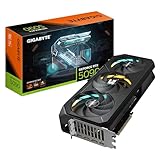
The GIGABYTE RTX 5090 Gaming OC 32G brings a 2,550MHz listed core clock, 32GB of GDDR7 on a 512-bit interface, and PCIe 5.0. Its product details name the WINDFORCE cooling system, RGB Halo lighting, a reinforced structure, and a versatile VGA holder.
GIGABYTE also lists dual BIOS with Performance and Silent modes. That gives it a clear feature identity for a builder who wants a selectable mode and visible lighting without moving to the AORUS Master ICE model.
The listing does not state dimensions, so do not assume it fits because the product name says Gaming OC. Contact the seller or check GIGABYTE’s current technical page for the complete physical specification before pairing it with a tight chassis.
A four-year warranty is listed with online registration required. The listed rating is 4.1 across 84 reviews, so I would read the registration conditions and recent reviews before making warranty length the deciding feature.
The Dual-BIOS Design Lets You Choose Between Listed Modes
Performance and Silent BIOS modes give a user a stated choice, but they are not a substitute for setting a suitable case fan curve. Start with the stock profile, monitor system behavior during your normal games, and change one variable at a time if needed.
Keep the VGA holder installed as directed. A reinforced card structure and support hardware are sensible details when handling a large, heavy graphics card.
The Missing Dimensions Require an Extra Compatibility Step
Without listed length, width, and thickness in the supplied product data, a case-fit claim would be guesswork. Verify the physical measurements from a current manufacturer source before clicking through, particularly with front radiators or narrow tempered-glass cases.
The display outputs are listed as three DisplayPort 2.1a and one HDMI 2.1b. That is a familiar arrangement for a desktop with several DisplayPort monitors and one HDMI display.
9. GIGABYTE AORUS Master ICE Is the White-Build Clock-Speed Pick
- 2655MHz clock
- WINDFORCE cooling
- Hawk Fan
- 32GB GDDR7
- 3 year warranty
- 14.17 inch length
- 4.0 rating
The GIGABYTE AORUS RTX 5090 Master ICE 32G is the obvious white-build candidate in this list, and it also has the highest listed GPU clock at 2,655MHz. Its product data names 32GB of 512-bit GDDR7 memory, PCIe 5.0, WINDFORCE cooling, and a Hawk Fan.
A high factory clock is a real listing difference, but it should not outweigh fit and support needs. The card measures 14.17 inches long and 5.91 inches wide, making it among the largest choices here and a poor match for cases with tight front clearance.
The card’s listed weight is 8.82 pounds, which makes thoughtful support especially important. Use a compatible GPU brace if the supplied contents do not provide the support approach your case needs, and keep the system level while working inside it.
It carries a three-year manufacturer warranty. The displayed rating is 4.0 from 87 reviews, with the supplied data reporting 19% one-star reviews, so I would give more attention to recent owner reports and warranty process than I would for a higher-rated model with similar specs.
The White Finish Fits a Coordinated Showcase Build
The Master ICE name identifies a white-themed version, which can matter in a visible build. Color alone should be the last compatibility filter, not the first: the case, motherboard layout, cable room, and support plan need to work before appearance enters the decision.
Its listed WINDFORCE cooling and Hawk Fan provide the cooling designation in the product data. Real in-case acoustics still depend on intake, exhaust, ambient temperature, and the fan curve chosen by the owner.
The Large Weight and Length Need a Support Plan
Measure 14.17 inches from the expansion-slot plane to all front obstructions and inspect the 5.91-inch width against side-panel clearance. Add room for the connector and avoid resting the side panel against the plug.
The 8.82-pound listed weight is not a minor detail. A properly mounted support device can reduce sag concerns and makes the completed system more sensible to move carefully.
10. PNY RTX 5090 32GB Is the Availability-First Basic Listing
PNY Technology VCG509032TFXPB1 Ge Force RTX 5090 32GB GDDR7 512 Bit PCI-E Graphics Card
- 32GB GDDR7
- 512-bit interface
- Listed in stock
- 8K maximum resolution
- 3 year warranty
- 3.8 rating
- 15 reviews
The PNY RTX 5090 32GB belongs on the list because its supplied listing shows it in stock and confirms 32GB GDDR7 memory with a 512-bit interface. It is a simpler product page than the others, with far fewer board, cooling, and port details to compare.
The product details list a 2,017MHz GPU clock, HDMI output, PCIe x16, and a 7680 by 4320 display maximum. One field identifies the graphics coprocessor as NVIDIA Quadro RTX 5000 despite the product title identifying an RTX 5090, so that conflicting field should be verified before purchase.
That mismatch is exactly why I would not rank this card ahead of more thoroughly specified listings. Its 3.8 rating from 15 reviews is the lowest in the group, and the supplied review distribution reports 20% one-star reviews.
It has a listed three-year warranty and a 5-pound weight, but no dimensions are supplied. This is the availability-first option only after the seller confirms the actual RTX 5090 model, the complete port configuration, cooling design, and full physical measurements.
The Listing Needs Verification Before It Can Be Compared Fairly
Product titles and individual specification fields should agree for a technical purchase of this size. Here, the GPU name conflict means a buyer should confirm the model number VCG509032TFXPB1 and the intended GPU through a current official source or the seller.
Ask for dimensions and the cooling layout as well. A graphics card cannot be cleared for a case when the listing does not state its length, width, or thickness.
The Small Review Base Calls for Extra Caution
Fifteen reviews give less evidence than the larger pools attached to some other cards in this roundup. Read recent reviews for repeated installation, fit, stability, or support issues, rather than drawing a conclusion from the average alone.
The 32GB GDDR7 and 512-bit interface are meaningful platform traits, yet the listing’s missing detail makes direct comparison harder. I would choose a more fully specified model whenever those design details are available for the same build plan.
The Right RTX 5090 Choice Starts With Fit, Power, and Workload
The GPU silicon is shared across these RTX 5090 variants, so buying well means matching the board to your enclosure, display arrangement, and work. The following checks are more useful than treating factory-clock differences as the whole decision.
A 4K 144Hz Display Benefits From the RTX 5090’s Platform Headroom
An RTX 5090 is a strong fit for a 4K 144Hz target, advanced ray tracing, path tracing, VR, or a multi-monitor setup where graphics load is high. DLSS 4 multi-frame generation is part of the platform and can help in supported games, while its result depends on the game, settings, display target, and individual tolerance for generated frames.
The 32GB VRAM capacity is also relevant beyond games. Forum feedback gathered for this topic consistently identifies VR users, 4K triple-screen users, creators, and AI-focused users as the people most likely to find a flagship GPU’s headroom meaningful.
For an RTX 4090 owner who mainly plays conventional rasterized games at 4K, forum feedback also warns that the move may not feel night-and-day in every title. Decide based on the workloads that are currently constrained, not just a desire for the newest model number.
A Case-Fit Check Must Include the Cable and Cooling Hardware
Write down the GPU’s listed length, width, thickness, and weight, then compare them with the case in its final configuration. Front radiators, fans, drive cages, bottom fans, and vertical mounting hardware can change the usable room.
Length is only the first measurement. A wide 3.6- or 3.8-slot card can meet the manufacturer’s length limit but still collide with a side panel or leave too little room for its power lead.
For the models with no dimensions in the supplied data, pause and verify the measurements from a current manufacturer source. Guessing makes an expensive component fit test unnecessarily risky.
A 1000W Power Supply Is the Stated Baseline for the MSI Liquid Model
MSI explicitly recommends a minimum 1000W PSU for its SUPRIM Liquid SOC. That is the firm power figure in this supplied product data, and it is a sensible prompt to check the full system’s CPU, pump, storage, fan, and peripheral demand before settling on a supply.
Choose a quality PSU with the correct graphics-card cable or a manufacturer-approved connection approach. Do not make a compatibility decision from wattage alone; cable type, cable length, and available connector clearance are part of the install.
Do not use a cable with visible damage, a loose terminal, or an adapter arrangement that the PSU maker does not approve. Turn the system off and inspect the connection any time you change cables or move the PC.
A Fully Seated 12V-2×6 Connection Reduces Avoidable Installation Risk
Insert the graphics power connector straight and fully until its retention mechanism is engaged, then give it a gentle visual and physical check without pulling on the wire. Leave room so the first bend is gradual rather than forced directly at the plug.
After closing the case, reopen it if the side panel pushes the cable into a hard angle. Community concern around 12VHPWR and 12V-2×6 connections makes this basic install discipline worth more than a rushed build.
Do not obscure the connector with decorative cable work that makes later inspection difficult. A tidy build is useful only if it also lets you see that the plug remains fully seated.
A BTF GPU Needs Motherboard and Case Compatibility, Not Just a Matching Name
The ASUS ROG Astral BTF OC has a detachable GC-HPWR adapter listed for both standard and BTF motherboards. That can offer a cleaner visible setup, but the exact board, case, and component layout must all support the planned route.
Confirm compatibility before purchase rather than after the card arrives. Standard cards remain the simpler choice for a conventional motherboard and case, while the BTF version is for a build designed around that connection system.
Display Ports Should Match the Screens You Already Own
Several cards here list three DisplayPort 2.1a or 2.1b outputs and one HDMI 2.1b output, while the two ASUS Astral variants list two HDMI outputs and three DisplayPort outputs. Map every screen to its actual input before choosing, including any television or VR hardware.
Native display maximums up to 7680 by 4320 are listed for multiple models, but a maximum output resolution is not a gaming benchmark. A good 4K gaming choice starts with the refresh rate, panel features, cables, and settings you will actually use.
Cooling Features Matter Most When the Case Can Feed Them Air
Vapor chambers, phase-change pads, liquid cooling, triple fans, quad fans, and WINDFORCE or IceStorm systems are all useful design details. Their result changes with ambient room temperature, intake restriction, exhaust capacity, fan curves, and whether the card recirculates warm air inside the case.
That is why this guide does not invent temperature or noise rankings from feature lists. Install sufficient intake and exhaust, remove shipping film where applicable, maintain dust filters, and check real behavior in your own completed build.
FAQs
Is the RTX 5090 enough for 4K gaming?
Yes. The RTX 5090 is NVIDIA’s flagship consumer GPU platform with 32GB of GDDR7 memory, a 512-bit memory bus, 21,760 CUDA cores, ray tracing support, and DLSS 4. It is suited to demanding 4K gaming, high-refresh displays, VR, and workloads that benefit from large VRAM capacity.
Which version of RTX 5090 is best?
The ASUS ROG Astral OC is the strongest all-round air-cooled choice in this group because its listing combines a quad-fan cooler, vapor chamber, phase-change thermal pad, five display outputs, and a three-year warranty. It is 14.1 inches long and 3.8 slots wide, so case fit remains mandatory.
Which GPU is best for 4K gaming?
For maximum 4K gaming headroom, the RTX 5090 is the flagship option covered here. The right board version depends on your case clearance, power setup, display ports, cooling plan, and whether you also need 32GB VRAM for creation, AI, VR, or multi-monitor use.
What is the most powerful 5090 GPU?
All RTX 5090 cards use the same NVIDIA Blackwell RTX 5090 GPU and 32GB GDDR7 platform. The GIGABYTE AORUS Master ICE has the highest listed clock in this collection at 2,655MHz, but physical fit, cooling design, power connection clearance, and warranty are more useful buying differences than clock speed alone.
The Final RTX 5090 Choice Depends on Your Build
The ASUS ROG Astral OC is the balanced air-cooled recommendation, the ASUS TUF Gaming OC is the protection-focused alternative, and the MSI SUPRIM Liquid SOC is the purpose-built liquid option. The ZOTAC Solid OC deserves close attention for its 13-inch listed length, dual BIOS, and included support stand.
For the best rtx 5090 graphics cards for 4k gaming in 2026, measure first, plan power and cable clearance second, then select the cooler and port layout that match your actual setup. That order gives you a flagship GPU that works in the PC you own rather than a feature list that only looks good on paper.