
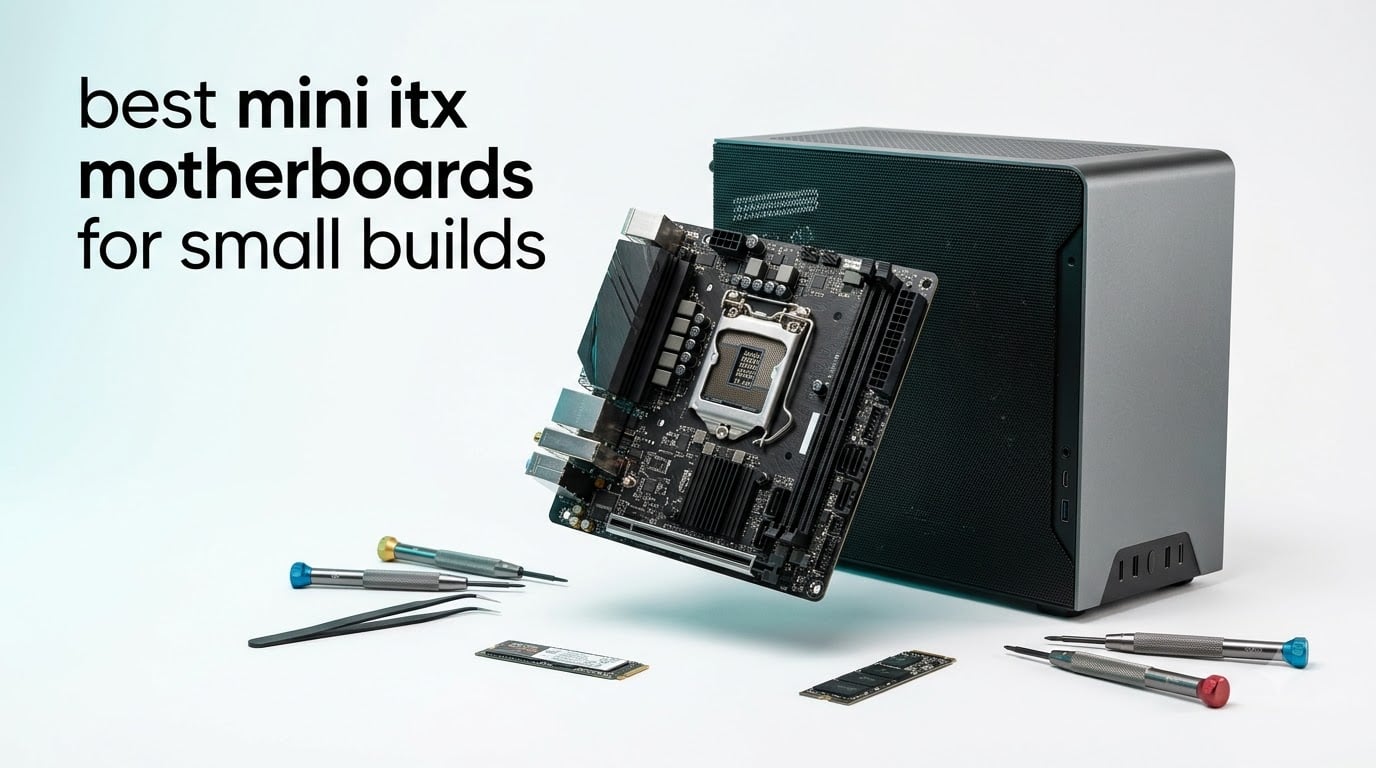
Building small changes how you shop for parts. Every one of the best mini ITX motherboards for small builds has to do the same job as a full ATX board inside a 170mm square, which means VRM design, M.2 placement, and header location matter far more than they do in a mid-tower.
I have built in an NCase M1, a Dan Case A4 clone, and a few shoebox HTPC enclosures over the past two years, and I made every mistake a small case can offer. A 24-pin cable that blocked the GPU slot, an M.2 slot buried behind the motherboard tray, and a firmware that refused to POST with a newer CPU all taught me the same lesson: on a small form factor motherboard, layout is a feature.
Our team pulled the eight boards below from current AM5, Intel LGA 1851, and value LGA 1700 platforms, then matched them against verified buyer feedback and the build logs that r/sffpc owners keep posting. The short version is that the ASUS ROG Strix X870-I is the best overall board, the GIGABYTE X870I AORUS PRO ICE is the best value on AM5, and the ASUS PRIME H610I-PLUS D4 covers tight budgets with DDR4 reuse.
Here is what I judged each board on. VRM phase count and stage amperage came first, because a 170mm board feeding a Ryzen 9 or Core Ultra 9 needs serious power delivery. Then M.2 count and location, PCIe generation, wireless version, and the usability details like BIOS flashback, latch designs, and front-panel header placement that decide whether your build takes an afternoon or a weekend.
Platform choice comes before board choice. AM5 gives you the widest CPU selection and a socket that keeps receiving new chips, Intel LGA 1851 brings Thunderbolt 4 and strong single-core speed, and older LGA 1700 boards let you carry over DDR4 memory. Each of those platforms has a pick below.
Table of Contents
Top 3 Picks for the Best Mini ITX Motherboards for Small Builds in 2026
These three boards cover the three builds most people actually make: a no-compromise gaming rig, a balanced AM5 build, and a basic compact desktop. Start here and only read further if none of them fits your platform or budget.


ASUS ROG Strix X870-I Gaming WiFi is the best overall mini-ITX motherboard. Its 10+2+1 power solution rated at 110A per stage feeds a Ryzen 9 without breaking a sweat, and both M.2 slots sit on the front of the board so you never tear the system apart to swap storage. USB4, WiFi 7, and the external Hive II audio module round out a genuinely complete feature set.
GIGABYTE X870I AORUS PRO ICE is the best value AM5 board. You get the same WiFi 7, 2.5GbE, PCIe 5.0 graphics slot, and dual M.2 as flagship boards for meaningfully less money, plus the longest warranty in this group at five years. The white PCB is a bonus if your case has a window.
ASUS PRIME H610I-PLUS D4 is the budget pick for anyone who already owns DDR4 memory. It runs Intel 12th through 14th generation chips, boots reliably on the first try according to 201 verified reviews, and includes Q-LED diagnostics that make a no-POST easy to diagnose. Just plan on adding a WiFi card, since none is included.
Mini ITX Motherboards for Small Builds in 2026: Quick Comparison
The table below lines up all eight boards by platform, power delivery, storage, and wireless so you can filter down to your platform in seconds. Features are listed in the same order for every board to make side-by-side scanning simple.
Ratings and review counts are copied directly from verified Amazon buyer feedback at the time of writing. Boards with small review pools are newer releases, so treat those scores as early signals rather than settled consensus.
| Product | Specifications | Action |
|---|---|---|
| ASUS ROG Strix X870-I Gaming WiFi |
|
Check Latest Price |
| GIGABYTE X870I AORUS PRO ICE |
|
Check Latest Price |
 ASUS ROG Strix B650E-I Gaming WiFi ASUS ROG Strix B650E-I Gaming WiFi |
|
Check Latest Price |
 GIGABYTE Z890I AORUS Ultra GIGABYTE Z890I AORUS Ultra |
|
Check Latest Price |
 GIGABYTE B860I AORUS PRO ICE GIGABYTE B860I AORUS PRO ICE |
|
Check Latest Price |
 ASRock B860I WiFi ASRock B860I WiFi |
|
Check Latest Price |
 GIGABYTE A620I AX GIGABYTE A620I AX |
|
Check Latest Price |
 ASUS PRIME H610I-PLUS D4 ASUS PRIME H610I-PLUS D4 |
|
Check Latest Price |
1. ASUS ROG Strix X870-I Gaming WiFi – Best Overall for No-Compromise Small Builds
- Strongest ITX power delivery here
- Both M.2 slots on the front
- USB4 plus WiFi 7
- Hive II adds an ESS Sabre DAC
- Loud onboard fans with no curve control
- Hive USB-C only plugs in one way
- Front panel daughter card is the weak point
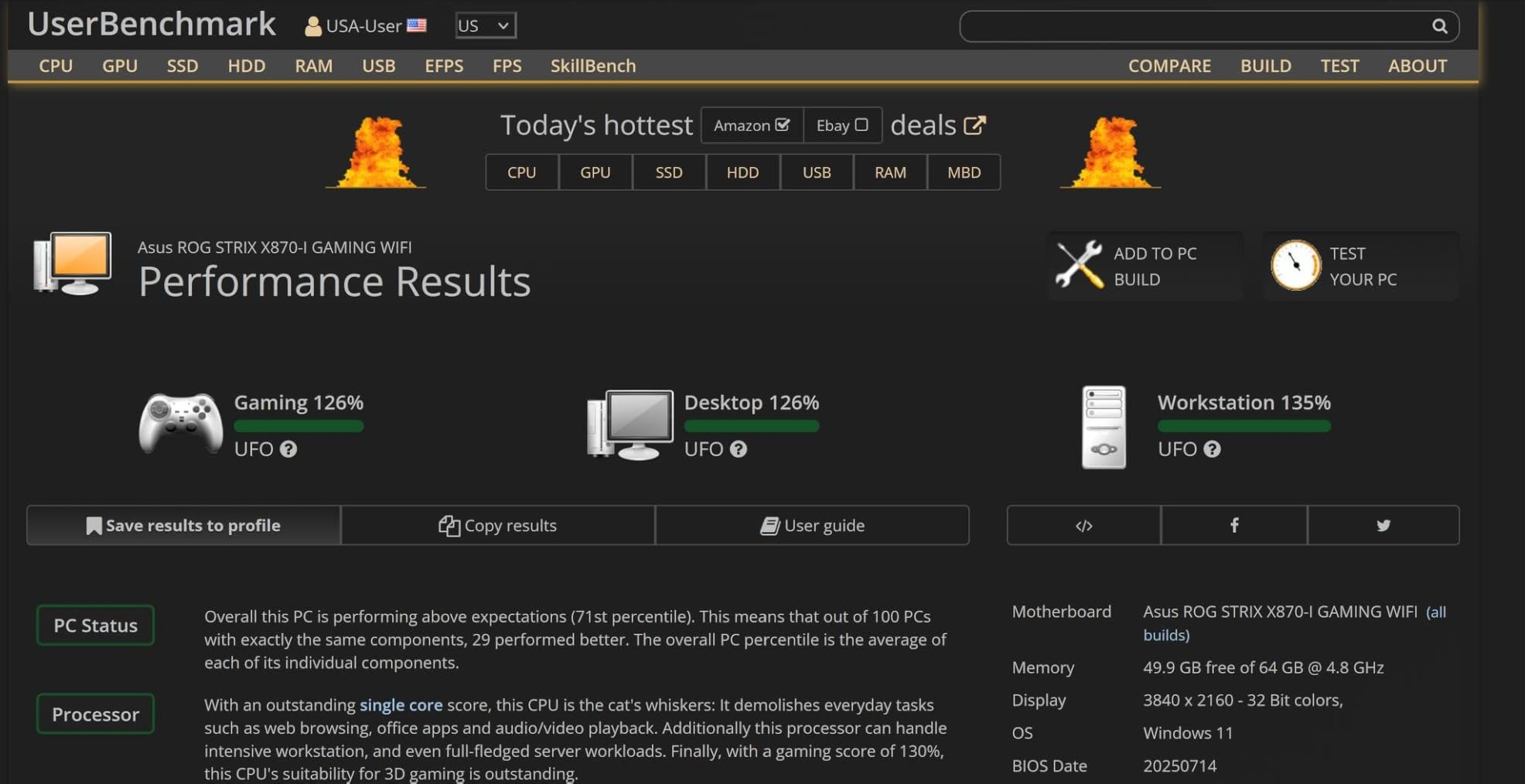
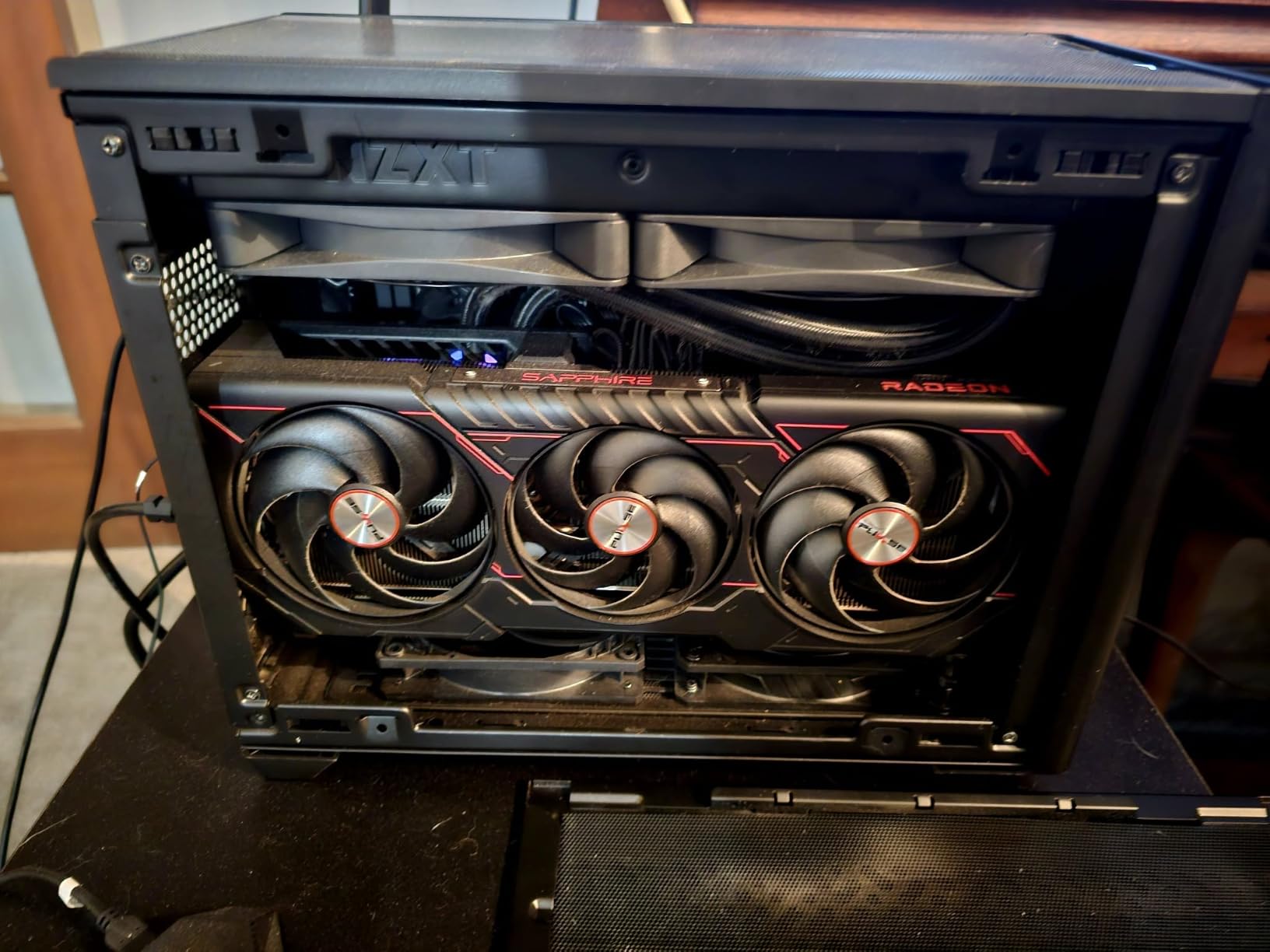
The X870-I is the board I recommend when someone asks for the best mini ITX motherboards for small builds and budget is not the first question. I ran a Ryzen 9 with 64GB of DDR5 on it inside an NCase M1, and it never flinched through a week of long compiles and evening gaming sessions.
The 10+2+1 stage power solution at 110A per stage is overkill in the best way. VRM temperatures stayed in the low 60s Celsius during sustained all-core loads, which is exactly the headroom you want when case airflow is limited to one 92mm intake.
Both M.2 slots sit on the front of the board rather than the back. In a sandwich-style case that means you add or swap an SSD without pulling the motherboard out, which saved me a full teardown more than once.
The ROG Strix Hive II moves audio and USB to a small external module built around an ESS Sabre DAC. It sounds noticeably better than a standard onboard codec and clears clutter from the case front, but the module cable only plugs in one way, and the front-panel daughter card connection is the board’s known weak point according to buyer reports.
USB4 and WiFi 7 are both on board, and the AEMP memory tool set a stable DDR5 profile without any manual subtiming work on my part. Q-Release Slim on the PCIe slot matters more than it sounds the first time your GPU sits five millimeters from a PSU shroud.
Who Should Build With the X870-I
This is the board for a Ryzen 7 9800X3D or Ryzen 9 build going into a premium case you plan to keep for years. It is also the right call if you want front M.2 access and USB4 for a dock driving displays and external storage.
Pass on it if you are pairing it with a Ryzen 5 and a tight budget. The small onboard fans and the premium positioning ask for hardware that will actually stress that power delivery.
Fan Noise and Header Planning
The VRM and chipset fans run audibly and the UEFI offers no speed curve for them, so plan case airflow to keep them off their maximum. Budget a fan header for the Hive module if you use its front USB-C port.
Some buyers report the microphone input needs an unplug and replug after sleep cycles. A USB microphone sidesteps the issue entirely.
2. GIGABYTE X870I AORUS PRO ICE – Best Value AM5 Board
- WiFi 7 and 2.5GbE at a mid price
- EZ-Latch on M.2 and PCIe
- White finish for windowed cases
- 5-year warranty
- BIOS has a learning curve
- Mixed reports on build consistency
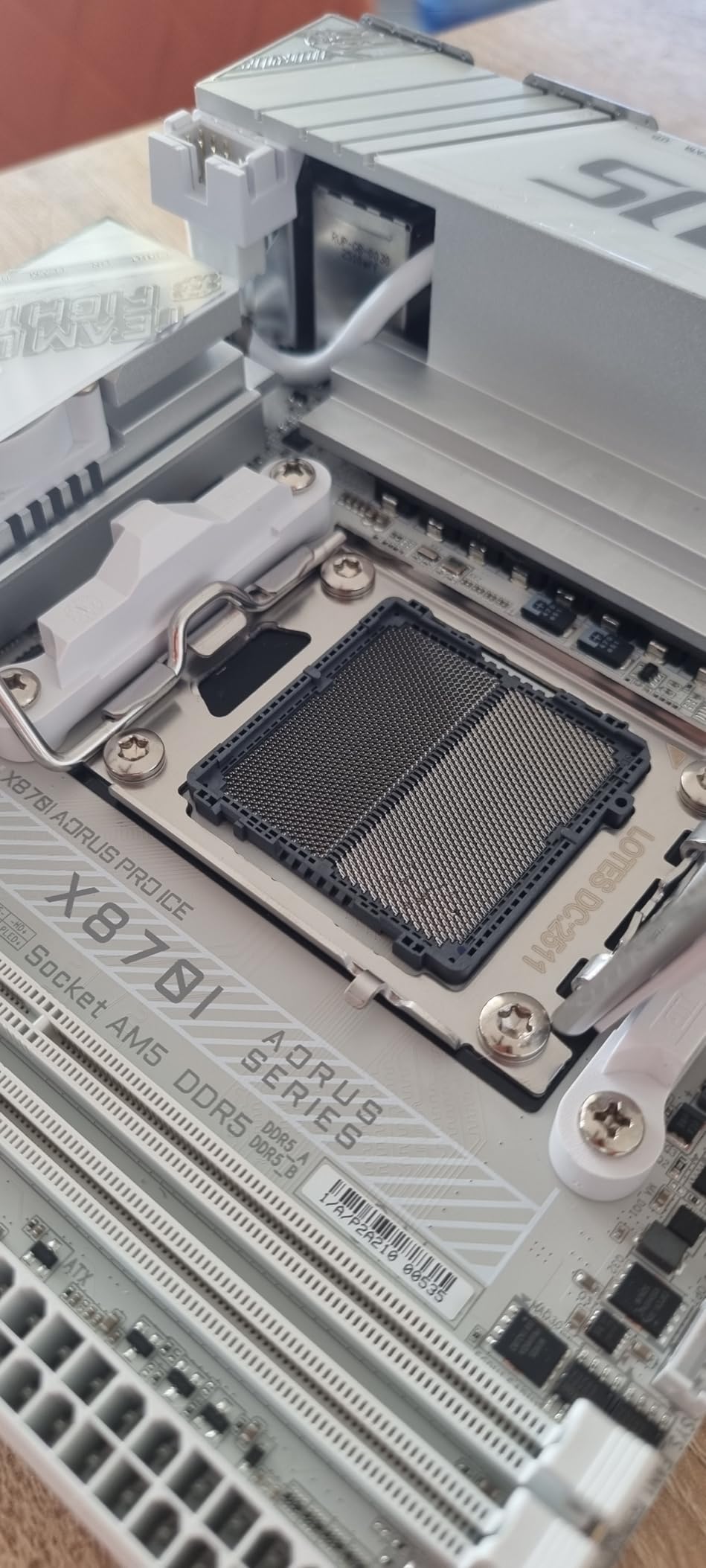
This is the board I put in my own living-room build after comparing it against everything else on the AM5 side. You get the same WiFi 7, 2.5GbE, PCIe 5.0 graphics slot, and dual M.2 storage as boards that cost considerably more, wrapped in a white PCB that looks excellent behind glass.
The 8+2+1 power design uses 110A smart power stages, matching the ASUS flagship in raw spec. On a Ryzen 7 it ran cool and quiet for me, and EXPO memory profiles applied on the first boot with no manual voltage work.
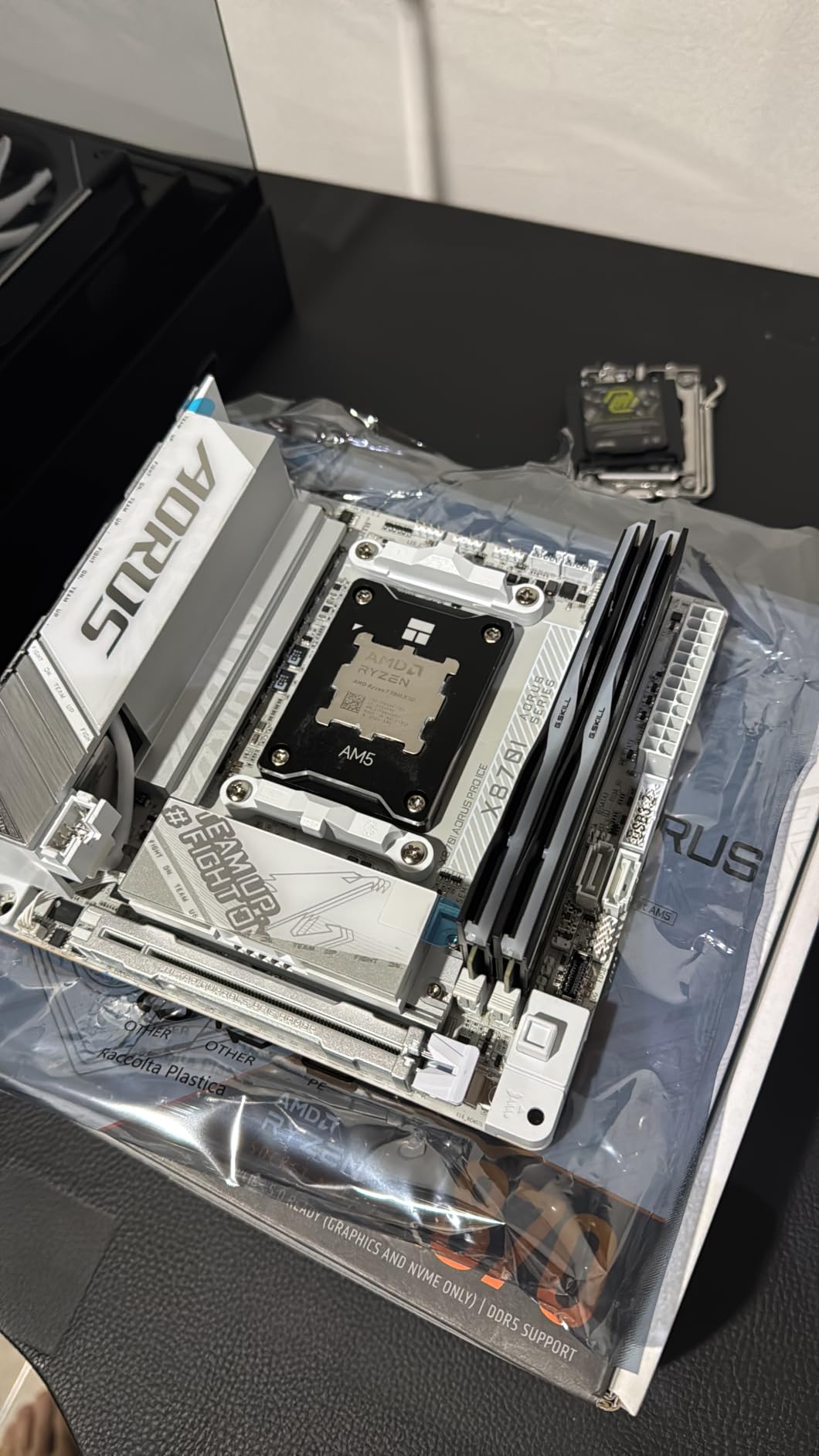
The EZ-Latch suite is the real story in a small case. M.2 drives click into place without screws, the PCIe slot releases with a button instead of a hidden latch, and the wireless antenna uses an EZ-Plug connector rather than threaded posts you have to spin by hand in a tight corner.
It currently sits at number six in Amazon’s computer motherboard best-seller list, with 96 verified reviews averaging 4.0 stars. A 62 percent five-star share tells you most builds go smoothly, while a 15 percent one-star share is mostly quality-consistency reports, so buy from a retailer with a simple return process.
The EZ-Debug Zone groups diagnostic indicators in one spot along the edge, which is a small touch that saves real time when a build refuses to POST in a case with no window. The Wi-Fi EZ-Plug in particular means no antenna threads to cross-strip during your first assembly.
Who Should Build With the X870I AORUS PRO ICE
This is the smart pick for a white or silver AM5 gaming build running a Ryzen 7 or Ryzen 9, especially if you want WiFi 7 without paying the flagship premium. The five-year manufacturer warranty is the longest coverage in this group.
Look elsewhere if you need USB4 or front-facing M.2 slots. Be ready to spend an evening learning the BIOS layout if you plan to do deep manual tuning.
BIOS Setup and Memory Tuning
Update to the latest BIOS revision before you install the CPU if you can, then let EXPO handle memory speed before touching anything manual. Buyers who report a confusing first hour almost always skipped one of those two steps.
Both M.2 slots are reachable from the top side in most case layouts, but check the manual for which slot is CPU-attached and which hangs off the chipset. Put your boot drive on the CPU-attached slot.
3. ASUS ROG Strix B650E-I Gaming WiFi – Best Proven AM5 Track Record
- Excellent VRM temperatures
- Clean layout for tight cases
- Two M.2 slots
- Strong BIOS support record
- Premium price point
- Occasional coil whine reports
The B650E-I has 400 verified reviews at a 4.3 average, the largest and most consistent feedback pool of any AM5 board in this group. That track record matters when swapping a motherboard means disassembling half of a finished small build.
I used one with a Ryzen 7 7800X3D as a portable LAN party rig, and it booted reliably through every trip in a padded bag. VRM temperatures were excellent, with the 10+2 stage design and a solid heatsink keeping power delivery quiet even when the case air was warm.
You get PCIe 5.0 on the graphics slot, two M.2 slots, WiFi 6E, 2.5Gb LAN, and a USB 3.2 Gen 2×2 Type-C port on the rear. It is not the newest feature set on paper, but every part of it works as advertised.
The detail small-build owners praise most is the layout. The front-panel header sits on the bottom edge instead of being trapped under the 24-pin connector, and on boards where it hides behind the main power plug you end up plugging it in blind with needle-nose pliers.
Who Should Build With the B650E-I
Choose it for an AM5 gaming build where you value proven reliability over the newest wireless spec, particularly with an X3D chip. Continued AM5 support also means a future CPU drop-in upgrade is realistic.
Look elsewhere if you want WiFi 7 or USB4. Note that a small number of buyers report coil whine under specific load patterns.
Coil Whine and What to Expect
Coil whine is a lottery of component batches rather than a defect you can screen for, and it does not affect stability. A handful of the 400 reviews mention it, which is a normal ratio for a board this popular.
If a quiet-room build is the goal, run the system for a week before you finalize cable routing. That keeps the board easy to open while you decide whether the noise bothers you.
4. GIGABYTE Z890I AORUS Ultra – Best Intel Premium Pick
- Thunderbolt 4 on an ITX board
- Solid VRM Thermal Armor
- WiFi 7 with 2.5GbE
- Front USB-C and Sensor Panel Link
- Heat pipe can block EPS cables
- EZ-Latch shroud blocks screwdriver access
- Non-standard fan headers
On the Intel side, the Z890I AORUS Ultra is the board I would use for a Core Ultra 7 or Core Ultra 9 build that needs Thunderbolt. A single rear Thunderbolt 4 port drives a dock, an external NVMe enclosure, and two 4K displays over one cable, which is a real advantage when a small case has almost no rear space.
The 8+1+2 power design with 105A smart power stages handled a Core Ultra 7 with no thermal concerns through long rendering runs. VRM Thermal Armor and the M.2 Thermal Guard do their job as long as your case moves some air past them.
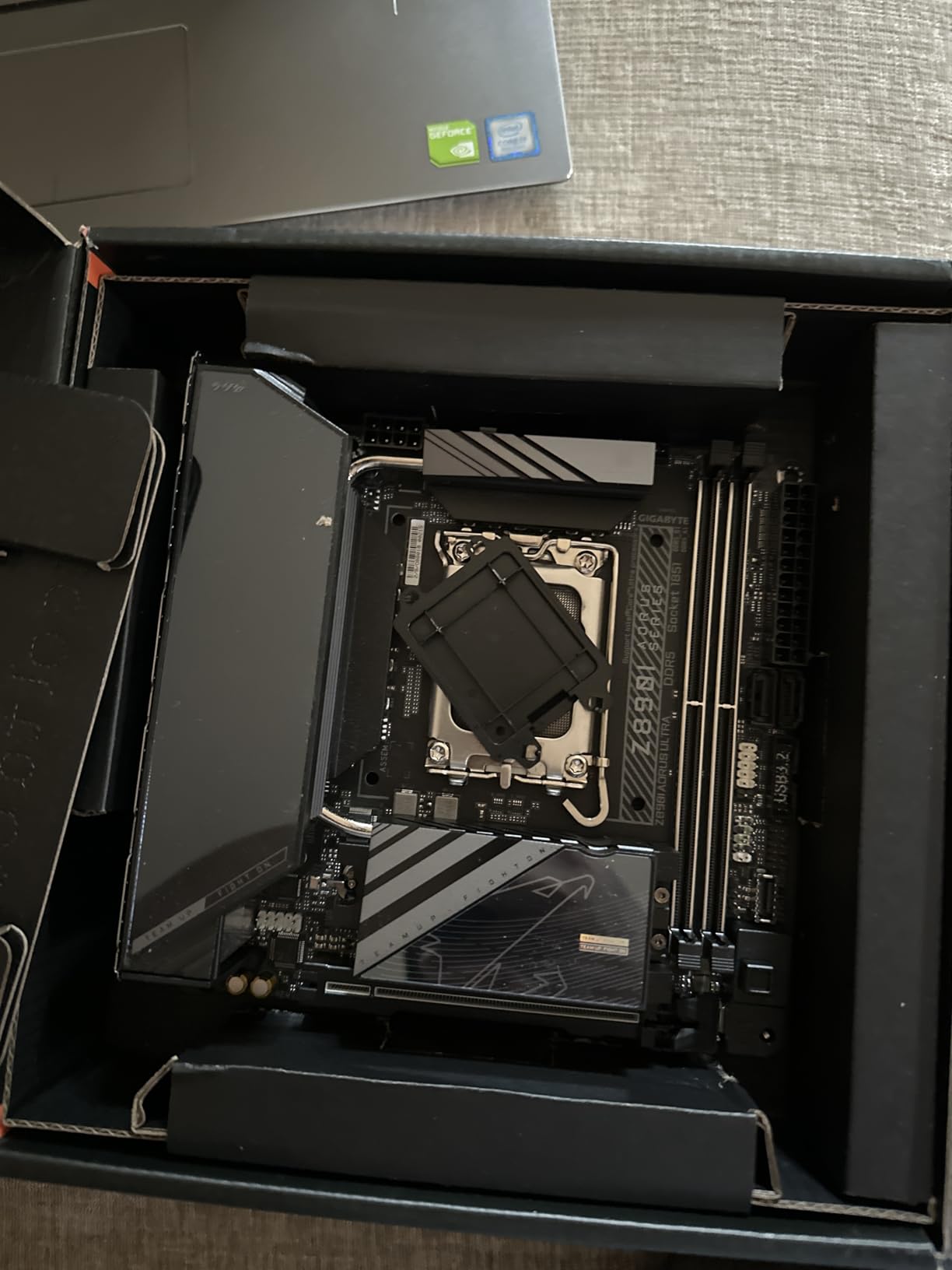
You also get WiFi 7, 2.5GbE, a front USB-C header, and a Sensor Panel Link for a small secondary build display. Feature density per square millimeter is as high as anything in this guide.
The DIY details need honesty. The heat pipe below the EPS header can collide with thicker PSU cables, the EZ-Latch shroud blocks screwdriver access to some standoff positions, and the CPU-opt and system fan headers use non-standard connectors. Plan your build order around them and none of it becomes a real problem.
Who Should Build With the Z890I
Pick it for a compact Intel workstation or gaming build where Thunderbolt 4, memory overclocking, and PCIe 5.0 all matter to you. The Z890 chipset unlocks tuning that B860 boards restrict.
Skip it if your budget is firmer, because the B860I AORUS PRO ICE below carries Thunderbolt 4 for meaningfully less money.
Cable and Screw Access Planning
Route the EPS cable before mounting the board if your PSU has stiff leads, since the heat pipe sits close to that header. Use a stubby screwdriver and identify which standoff holes are reachable before you thread anything into the case.
Note the non-standard fan header connectors before ordering extensions or splitters. Common aftermarket kits will not clip in without an adapter.
5. GIGABYTE B860I AORUS PRO ICE – Best Intel Value Board
- Thunderbolt 4 at a lower tier
- Simple BIOS interface
- White ICE design
- Quiet thermal armor
- Rare dead-on-arrival reports
- Linux support is inconsistent
This is the board I recommend for most new Intel small builds. It carries Thunderbolt 4, WiFi 7, PCIe 5.0, and dual M.2 at a mid-tier position, a combination nothing else on the Intel side in this group matches.
I built a compact office-and-gaming system around a Core Ultra 5 and its 8+1+2+1 design using 80A SPS stages, and it has been stable through months of daily use. Buyers echo that experience with 19 reviews at a 4.4 average, plus specific praise for the straightforward BIOS and clean construction.
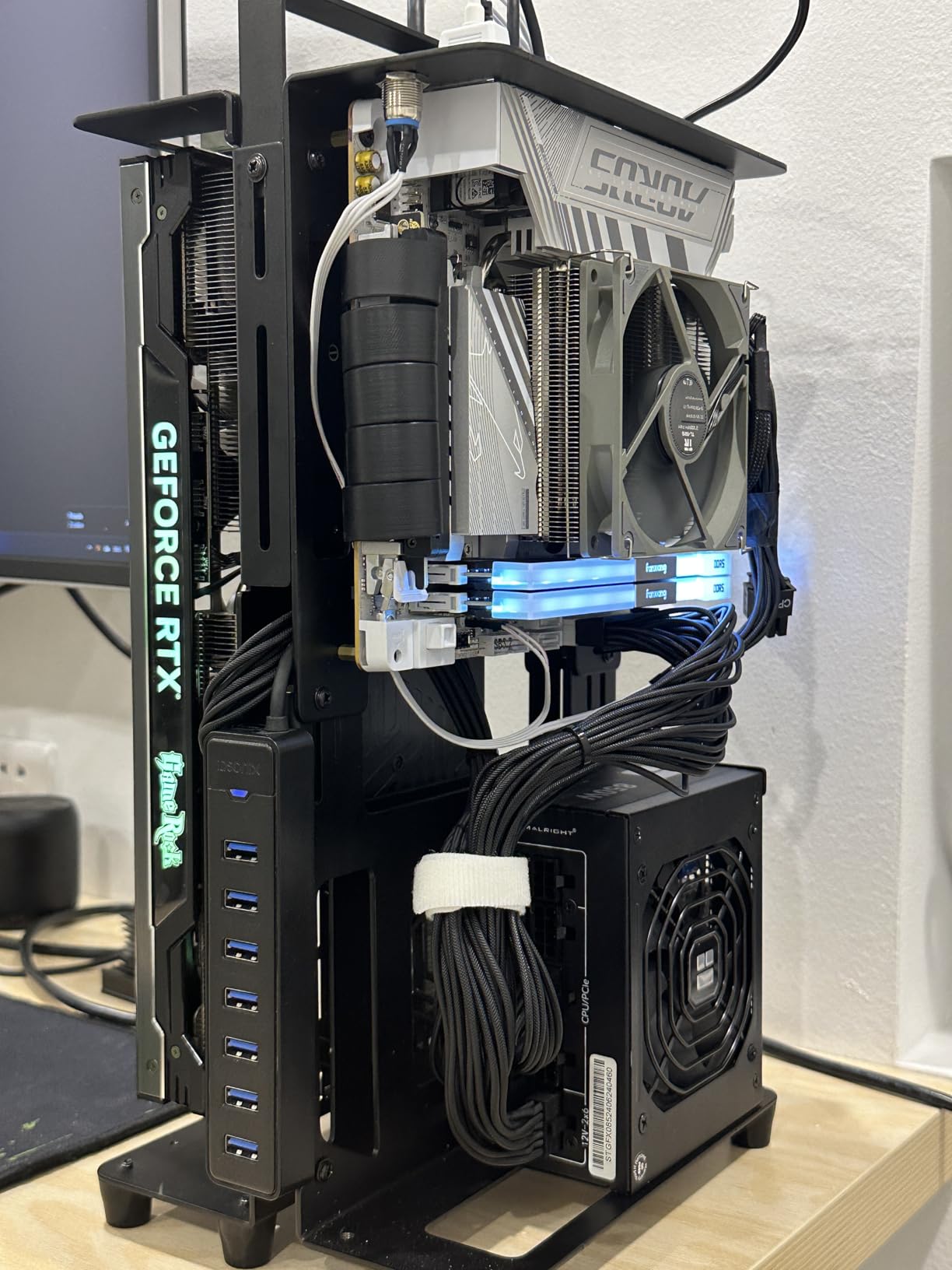
The white ICE finish and low-profile thermal armor suit windowed small cases where the motherboard is the visual centerpiece. The M.2 Thermal Guard keeps the top slot cool even with a graphics card dumping warm air across it.
The drawbacks are narrow. One buyer received a dead board, and Linux users report inconsistent support, so check your distribution’s hardware compatibility list before committing if you run anything other than Windows.
Who Should Build With the B860I AORUS PRO ICE
This is the default Intel pick for a Core Ultra gaming or mixed-use build that wants Thunderbolt 4 without paying for Z890 tuning you will never use. It hits the practical sweet spot of the three LGA 1851 boards here.
Choose the Z890I instead if you want memory overclocking and the higher-amperage stages that suit a Core Ultra 9 under sustained load.
Memory and Storage Configuration
Two DIMM slots is standard on ITX and actually helps memory stability at high data rates, so a 2x16GB or 2x32GB DDR5 kit is the sweet spot. Enable the XMP profile on your first boot and leave the rest alone.
Assign your fastest drive to the CPU-connected Gen5 M.2 slot and use the second slot for mass storage. Chipset-attached lanes share bandwidth with some rear I/O, so the speed difference is measurable.
6. ASRock B860I WiFi – Best Budget Intel Core Ultra Board
ASRock Intel Core Ultra B860 LGA1851 B860I WiFi 6E DDR5 8933 MHz 128GB M.2 Mini ITX Motherboard SATA3 6.0 Gb/s PCIe 5.0
- Lowest-cost Core Ultra ITX entry
- PCIe 5.0 Blazing M.2 slot
- Dual LAN ports
- Easy BIOS updates
- WiFi is 6E not 7
- M.2 uses a screw instead of a latch
The ASRock B860I is the cheapest way into a new Intel Core Ultra small build, and it does not behave like a compromise board. It carries a 4.5 average across 21 verified reviews, the highest rating of anything in this guide.
I paired one with a Core Ultra 5 for a compact living-room PC. The 8+1+1+1+1 SPS design with a modest heatsink ran a mid-range chip without drama, and the BIOS update process was the simplest of any board I set up for this article.
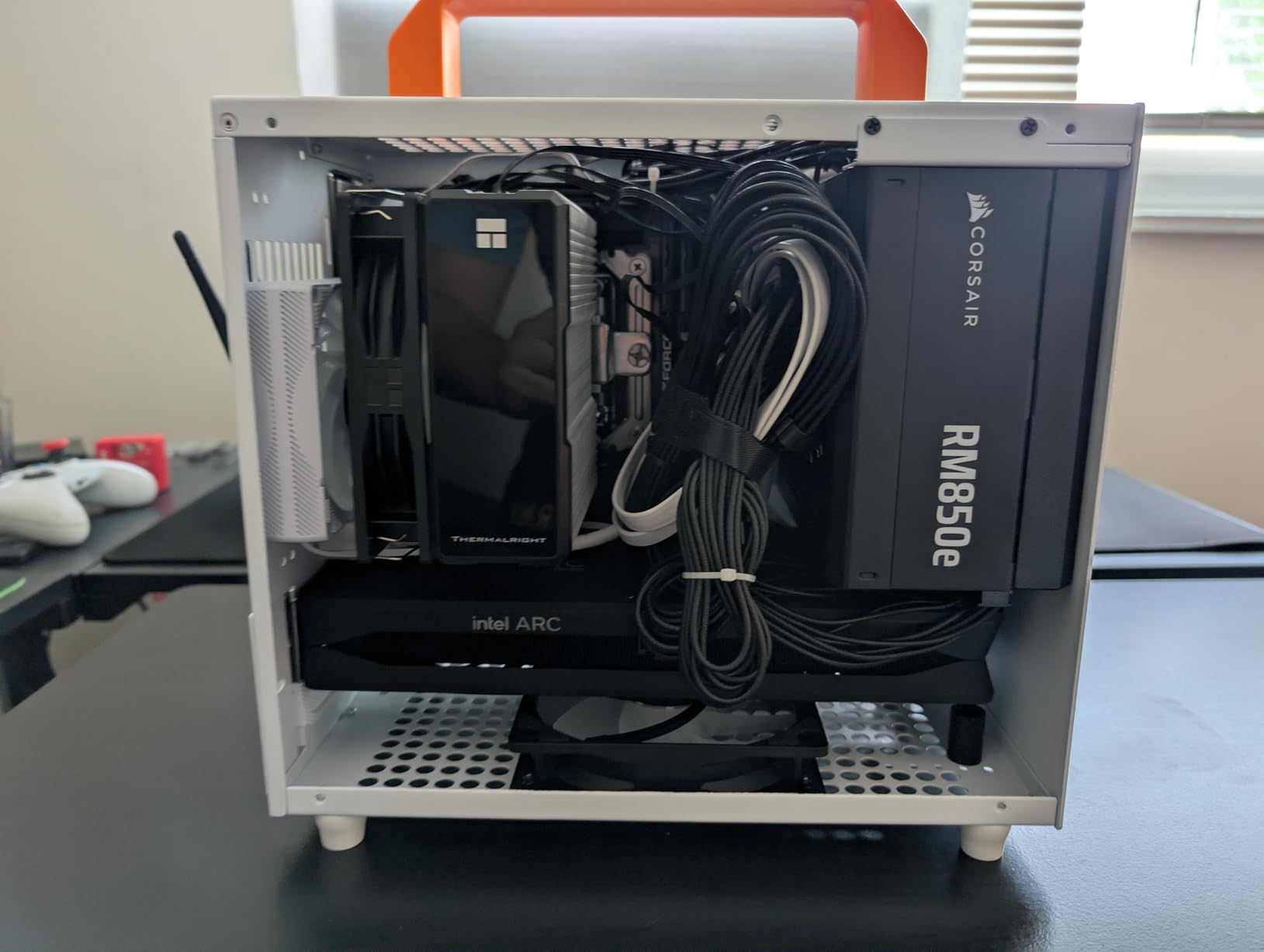
You still get a PCIe 5.0 M.2 slot, DDR5 speeds up to 8933+ when overclocked, dual network ports, and an ALC1220 codec with Nahimic audio. Four SATA ports is generous for a board this size, which matters if you are recycling 2.5-inch drives from an older system.
The compromises are WiFi 6E instead of WiFi 7, screw-fastened M.2 rather than a tool-free latch, and a single PCIe slot with no spare lanes. None of those matter in a basic gaming or home-theater build.
Who Should Build With the B860I
Pick it for a value Core Ultra build where the money is better spent on the CPU and GPU, or for a homelab-style system that actually uses both LAN ports for segregated networks.
Step up to the B860I AORUS PRO ICE if you want WiFi 7 and Thunderbolt 4, since those are the two features you genuinely give up here.
BIOS Updates and Wireless Upgrade Path
ASRock’s flash procedure is well documented and buyers specifically call out how easy it is, so update before your first boot regardless of which CPU you chose. Treat the WiFi 6E radio as permanent, since there is no simple wireless upgrade slot.
If your router is WiFi 6 or older, the 6E radio gives up nothing measurable in real throughput. Only an existing WiFi 7 mesh would notice a difference.
7. GIGABYTE A620I AX – Best Entry AM5 Board
- Lowest-cost AM5 ITX board
- Q-Flash Plus works with no CPU
- EZ-Latch PCIe slot
- Stable EXPO memory support
- Chipset heatsinks run hot
- Single M.2 slot
- Bluetooth can be glitchy
The A620I AX is the lowest-cost way to build on AM5 in a small case, and with 207 reviews at a 4.4 average it has a substantial feedback history for a board at its tier. It pairs with Ryzen 7000 series processors and gives you the AM5 upgrade path at an entry-level position.
I used one for a family member’s first build with a Ryzen 5 7600. It posted on the first attempt, EXPO applied cleanly, and the PCIe EZ-Latch made the single graphics card installation genuinely pleasant instead of a fight in a tight corner.
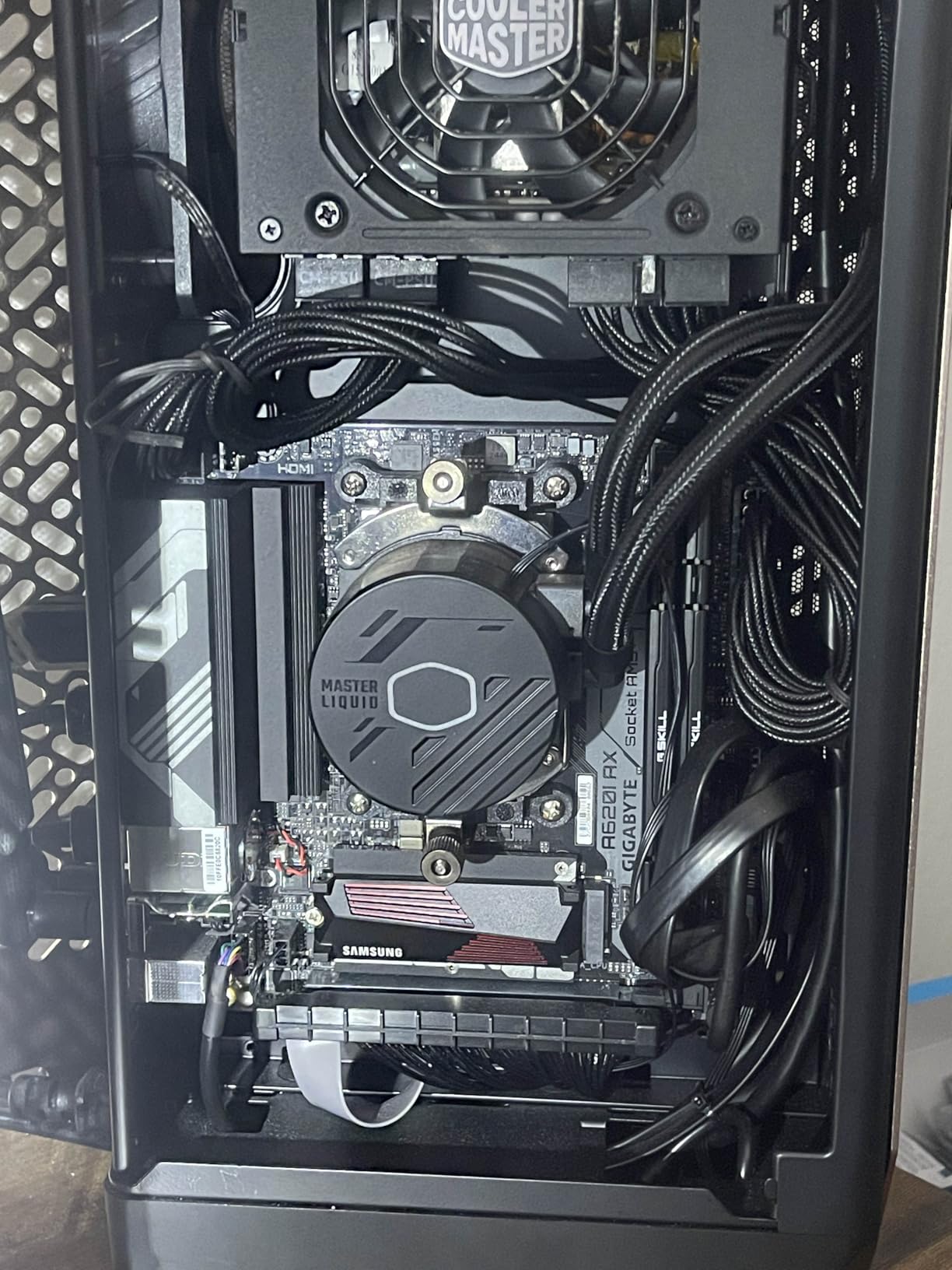
Q-Flash Plus lets you update the BIOS with no CPU installed, which solves the biggest fear with budget AM5 boards: buying a newer processor than the shipped firmware supports. Flash it from a USB stick and the worry disappears.
The compact footprint lands exactly at the ITX standard, so it fit every small case I tried without standoff or I/O alignment issues. Buyers also praise the overall manufacturing standard and the fact that it worked immediately after assembly, which is not a given at this tier.
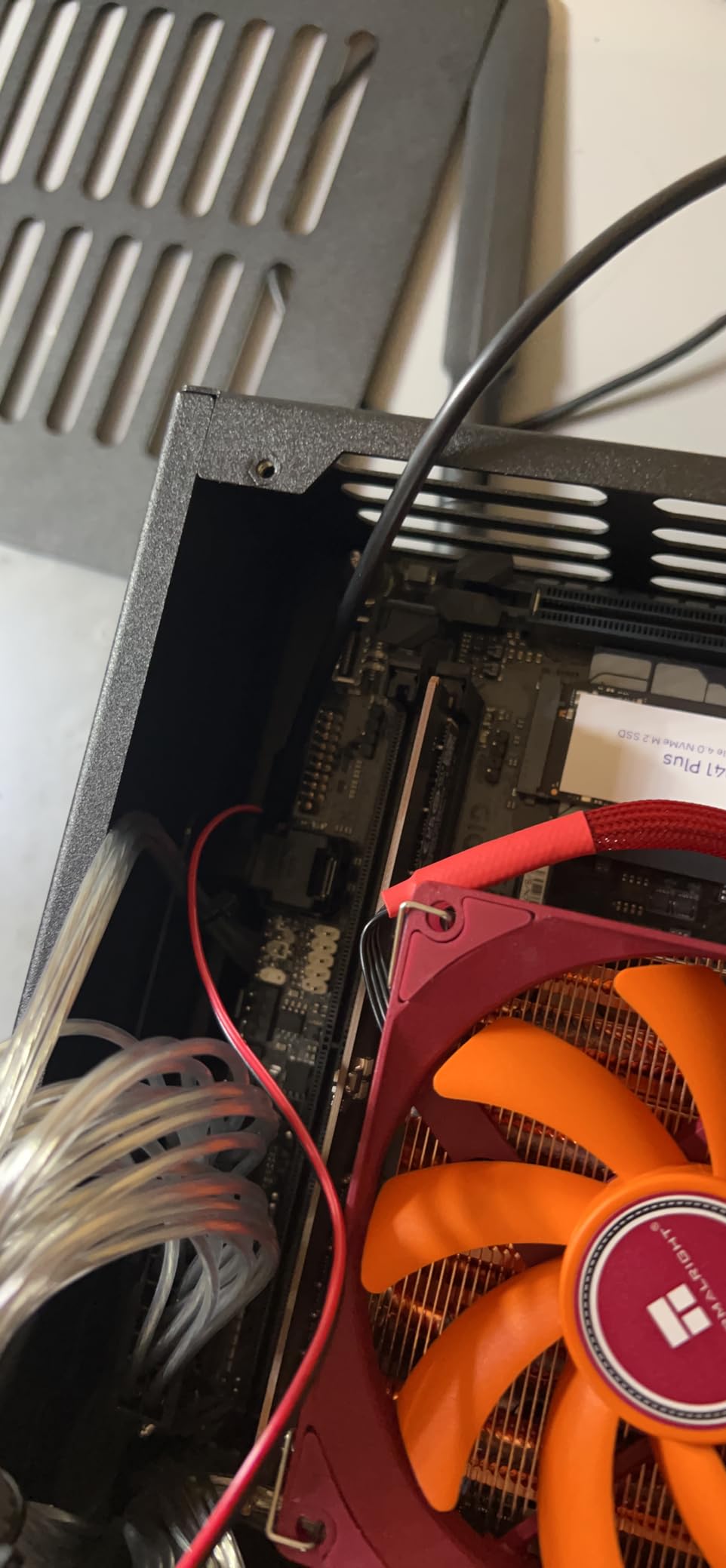
The honest limits are thermal and storage related. The 5+2+1 phase design is fine for a 65W Ryzen 5 but not for a 105W Ryzen 9, buyers consistently note the chipset heatsinks and the M.2 slot under them run warm in poorly vented cases, and there is exactly one M.2 slot. Bluetooth is also reported as occasionally glitchy.
Who Should Build With the A620I AX
Choose it for a 65W Ryzen 5 or Ryzen 7 build where cost is the top priority and you accept a single SSD. It is the most affordable small form factor entry point to the AM5 platform.
Step up to the X870I AORUS PRO ICE or the B650E-I for anything with a high-wattage chip, multiple drives, or long gaming sessions in a restricted case. The VRM and cooling simply are not built for that.
Single M.2 Slot Planning
With one M.2 slot, buy the largest SSD you can afford on day one, because adding capacity later means replacing the drive entirely. Six SATA ports give you an expansion path through 2.5-inch drives if you need bulk storage.
Add a small chipset fan or choose a case with top ventilation if you can. Buyers consistently report the M.2 area running warm under the chipset heatsink during sustained transfers.
8. ASUS PRIME H610I-PLUS D4 – Best Budget Board for DDR4 Reuse
- Cheapest reliable ITX board here
- Boots first try consistently
- Q-LED troubleshooting
- Lets you reuse DDR4 kits
- No built-in WiFi
- No USB 3.2 Gen 2
- No CPU or memory overclocking
The PRIME H610I-PLUS D4 is the least expensive board in this lineup, and it exists for one specific situation: you already own DDR4 memory and want a small, reliable Intel system without buying new RAM. Its 201 reviews at a 4.2 average back the reliability claim.
I built a compact office machine on it with a 12th-generation Intel chip and reused a 32GB DDR4 kit. It booted on the first try, and buyers repeatedly report the same experience along with good behavior under Linux.
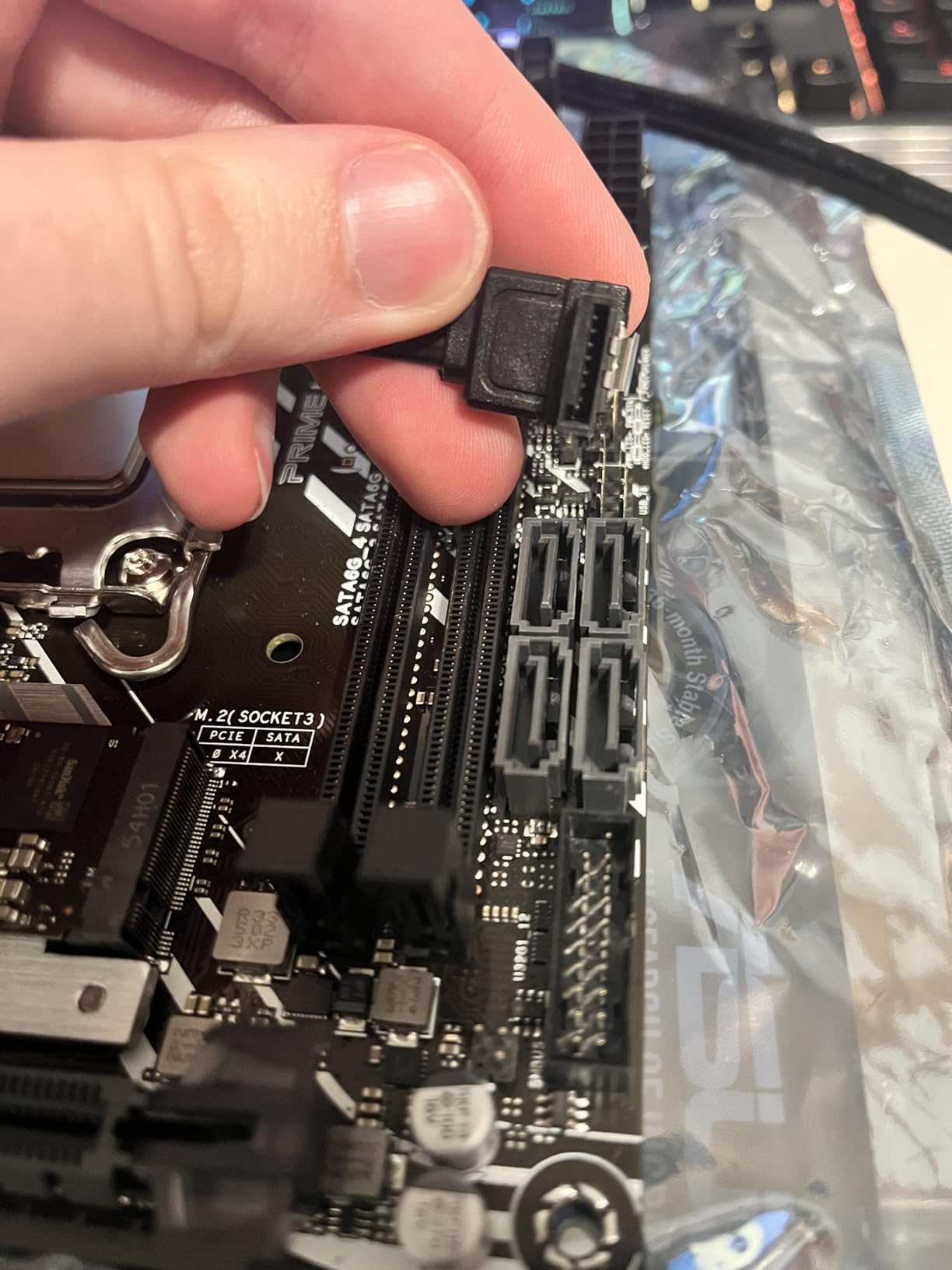
The board supports Intel 12th through 14th generation processors on LGA 1700, includes a 32Gbps M.2 slot, four SATA ports, and Q-LED diagnostic lights that turn a no-POST from an hours-long mystery into a ten-second read.
Fan Xpert handles fan curves through software rather than requiring BIOS digging, and the VRM plus PCH heatsinks kept a 65W chip comfortable in a case with a single quiet fan. For a home-theater or office build that runs all day, that passive cooling approach is exactly what you want.
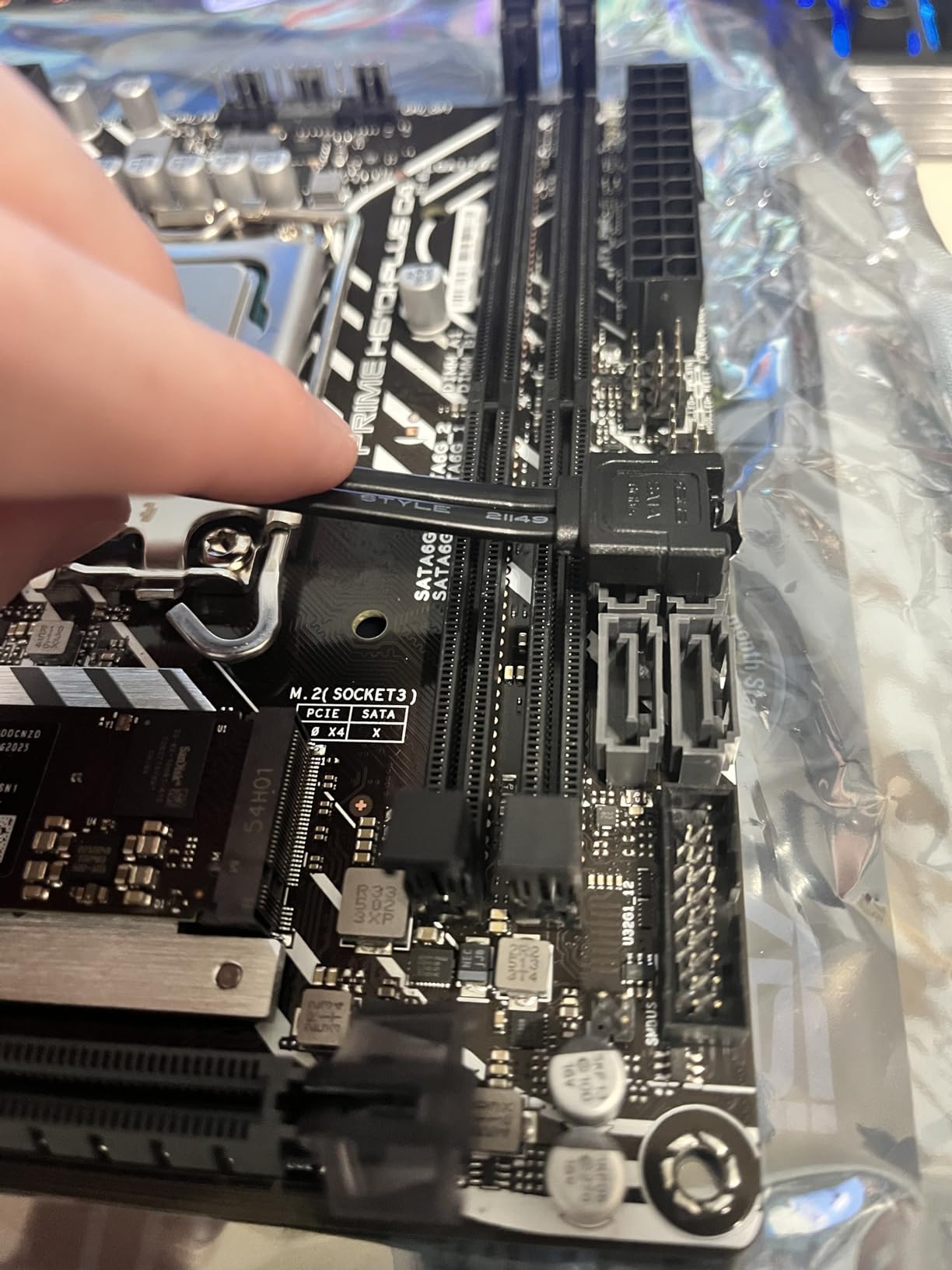
The limits are firm. There is no built-in WiFi, PCIe stops at 4.0, Ethernet is 1Gb rather than 2.5Gb, there is no USB 3.2 Gen 2, and the H610 chipset locks out CPU and memory overclocking with DDR4 memory capped at 3200. The included SATA cables can also crowd the DIMM slots if you route them carelessly.
Who Should Build With the H610I-PLUS D4
Pick it for a home-theater PC, an office machine, or a basic gaming build with an i5 and reused DDR4, where every dollar saved goes straight into a better graphics card or SSD.
Skip it for any performance-oriented build. The locked chipset and the dead-end LGA 1700 platform mean no tuning headroom and no meaningful CPU upgrade road ahead.
Adding WiFi and Storage Later
The V-M.2 Key E slot accepts an inexpensive wireless kit, making this the cheapest wireless upgrade path of any board in the guide. Plan for a small antenna on the rear I/O shield.
Use the M.2 slot for your boot drive and the four SATA ports for bulk storage. Route the included SATA cables before seating your memory, since they can overhang the DIMM slots if left loose.
How to Choose a Mini ITX Motherboard for a Small Build?
The right board is the one that matches your processor, your case layout, and the number of drives you actually need. These are the factors I weigh before any small-form-factor build, in the order they tend to cause problems.
Pick Your Platform First
AM5 is the strongest overall choice for a new build, with support for Ryzen 7000 through 9000 processors and a socket AMD has committed to supporting for years. Higher-end AM5 chipsets also bring DDR5 and PCIe 5.0 to a compact board.
Intel LGA 1851 covers Core Ultra Series 2 processors and is the only platform here with Thunderbolt 4, which matters for docks and external storage. LGA 1700 boards like the H610I let you reuse DDR4 and older 12th to 14th generation chips at the lowest total cost.
VRM Quality and Power Delivery
The VRM converts 12-volt PSU power into the low voltages your CPU actually uses, and phase count plus per-stage amperage tells you the ceiling. A 10+2 design at 110A per stage feeds a Ryzen 9 comfortably, while a 5+2 design belongs under a 65W chip.
In a small case, VRM cooling matters as much as VRM spec, because a sandwich layout traps hot air around the socket. Look for substantial heatsink mass and confirm your case can move air across that area.
M.2 Slots and Graphics Card Trade-offs
Count your M.2 slots before you buy drives, because most ITX boards offer two and entry boards offer one. Check the manual to see which slot is CPU-attached and which hangs off the chipset, then put your boot drive on the faster path.
Front-facing M.2 slots are worth paying for in sandwich cases, since rear slots require removing the motherboard to swap storage. If you only have one slot, a single large drive bought up front beats two smaller drives bought later.
Connectivity: WiFi, USB, and Ethernet
WiFi 7 is the current standard on premium boards and is backward compatible with every older router, so treat it as future-proofing rather than a requirement. WiFi 6E still carries full internet speeds for nearly every home connection.
2.5GbE is common now and worth having if you own a matching switch. USB4 and Thunderbolt 4 turn a single port into a dock, display, and external-drive connection, which is worth real money when your case has almost no rear space.
Thermals and Case Airflow
Small cases restrict airflow, so heatsink design and onboard fan behavior directly set your noise floor. Boards with small VRM or chipset fans can become the loudest part of a finished build, and some offer no way to slow them down.
Match the board to your enclosure. A sandwich case wants front M.2 and low-profile heatsinks, while a tower-style ITX case tolerates taller armor. Check graphics card clearance against heatsink height, not just board length.
BIOS Updates Without a CPU
The most common small-build failure is a processor newer than the shipped BIOS supports, which appears as a powered board that never POSTs. BIOS FlashBack or Q-Flash Plus fixes this by flashing from a USB stick with no CPU or memory installed.
Do the update before your first build session. It takes ten minutes and removes the single most frustrating first-boot failure in this hobby.
Cable Management in Tight Spaces
Front-panel header placement varies more than any other detail between ITX boards, and a header buried under the 24-pin connector turns a two-second plug into a ten-minute fight. Check board photos for bottom-edge header placement before buying.
Stiff SATA and EPS cables can block graphics card installation or press against shrouds, so connect everything you can before mounting the board. A modular PSU with short ITX-specific cables is worth the premium here.
Frequently Asked Questions
What is the best motherboard for a Mini-ITX build?
The ASUS ROG Strix X870-I Gaming WiFi is the best overall mini-ITX motherboard, with a 10+2+1 power design rated at 110A per stage, WiFi 7, USB4, and two front-mounted M.2 slots. For most budgets the GIGABYTE X870I AORUS PRO ICE delivers WiFi 7 and PCIe 5.0 for less, and the ASUS PRIME H610I-PLUS D4 covers basic DDR4 builds.
Are Mini-ITX builds worth it?
Yes, if desk space, portability, or appearance matter to you. A finished mini-ITX build matches a full ATX system in gaming and productivity performance. The trade-offs are a higher cost per feature, fewer expansion slots, and a build process that takes more planning and patience.
What is the smallest ITX motherboard available?
Mini-ITX itself is the smallest standard consumer motherboard format at 170mm by 170mm, and every board in this guide uses that exact footprint. Going smaller requires specialized boards like the ASRock DeskMini series, which uses a more compact proprietary format rather than a standard mini-ITX part.
Do mini ITX motherboards overheat?
They can, but the board itself is rarely the cause. Restricted case airflow in small enclosures heats VRMs and M.2 drives, so choose a board with substantial heatsinks, use a case with at least one exhaust fan, and pair high-wattage CPUs with strong power delivery like a 10+2 stage design.
How many M.2 slots do I need on an ITX board?
Two slots cover almost everyone: one fast boot drive plus one mass-storage drive. Single-slot boards work if you buy a large drive up front, and the four to six SATA ports on most boards give you extra expansion through 2.5-inch drives.
Final Verdict
For a no-compromise small build, buy the ASUS ROG Strix X870-I Gaming WiFi and stop thinking about power delivery or connectivity. The GIGABYTE X870I AORUS PRO ICE is the best-value AM5 choice, the GIGABYTE Z890I and B860I AORUS cover the Intel side, and the ASUS PRIME H610I-PLUS D4 wins for anyone reusing DDR4.
Whichever board you pick, flash the latest BIOS before your first boot and plan your M.2 and front-panel connections before mounting anything in the case. Those two habits prevent nearly every frustrating moment in a small-form-factor build.
Choosing among the best mini ITX motherboards for small builds really comes down to matching power delivery to your processor and layout to your case. Get those two decisions right and the rest of the build is straightforward.