
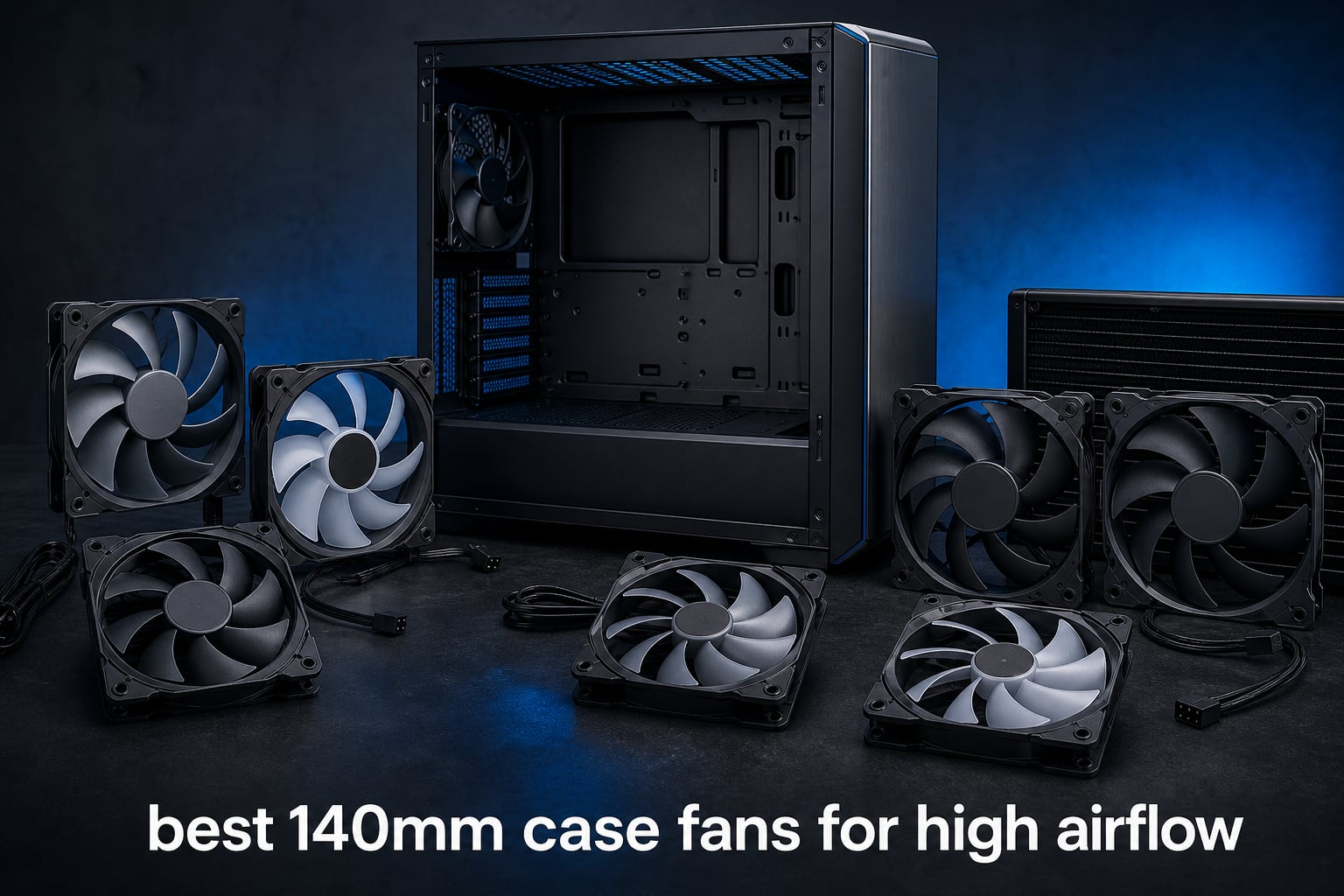
The best 140mm case fans for high airflow pair a large blade area with PWM control, so a PC can move a useful volume of air without spending every minute at maximum RPM. For most air-cooled gaming PCs and workstations, I would start with the Noctua NF-A14x25 G2 PWM for its well-documented bearing and accessory package, then compare it with the be quiet! Pure Wings 3 if a 72.2 CFM published rating and 1,800 RPM ceiling fit the build.
A 140mm case fan is not automatically better simply because it is larger. Intake mesh, dust filters, radiator fins, fan placement, and the motherboard curve all affect the temperature-and-noise result, so I have treated CFM, static pressure, maximum RPM, and dBA as separate clues rather than one winner-takes-all number.
This 2026 guide covers all eight supplied fans, from straightforward PWM models to RGB units with linked wiring. The short answer is that Phanteks M25-140 Gen2 has the largest published airflow figure here at 101.78 CFM, while be quiet! Silent Wings Pro 4 is the hard-pushing choice for radiators and heat sinks with a 2,400 RPM maximum.
Table of Contents
Top 3 Picks for 2026
The three cards below make the quickest starting point. They do not replace checking connector support and physical clearance, especially in a small-form-factor case where a 140mm mounting position may be limited by a radiator, front panel, or cable channel.
These 140mm case fans in 2026 show where airflow, noise, and wiring differ
The overview is deliberately specification-led. CFM describes the manufacturer’s stated free-air volume, while static pressure matters more when air must pass through a radiator or restrictive filter; a fan with a lower CFM number can still be the better installed choice in that situation.
| Product | Specifications | Action |
|---|---|---|
 Noctua NF-A14x25 G2 PWM Noctua NF-A14x25 G2 PWM |
|
View Product Details |
 be quiet! Pure Wings 3 be quiet! Pure Wings 3 |
|
View Product Details |
 be quiet! Silent Wings Pro 4 be quiet! Silent Wings Pro 4 |
|
View Product Details |
 be quiet! Silent Wings 4 White be quiet! Silent Wings 4 White |
|
View Product Details |
 Corsair iCUE Link LX140 RGB Corsair iCUE Link LX140 RGB |
|
View Product Details |
 Thermalright TL-C14C Thermalright TL-C14C |
|
View Product Details |
 Lian Li UNI Fan SL-Infinity 140 Lian Li UNI Fan SL-Infinity 140 |
|
View Product Details |
 Phanteks M25-140 Gen2 Phanteks M25-140 Gen2 |
|
View Product Details |
1. Noctua NF-A14x25 G2 PWM is the balanced choice for quiet high-performance cooling
- 300-1500 RPM PWM
- 24.8 dBA rating
- SSO2 bearing
- Full accessory set
- No supplied CFM figure
- No supplied static-pressure figure
Noctua’s NF-A14x25 G2 PWM is my balanced pick because its supplied data speaks to both installation flexibility and long service expectations. Its PWM range is 300 to 1,500 RPM, its listed noise level is 24.8 dBA, and its SSO2 bearing carries an MTTF claim above 150,000 hours.
The design details are unusually specific: a Sterrox LCP impeller, Progressive-Bend blades with winglets, a Centrifugal Turbulator, Flow Acceleration Channels, and an AAO frame. Those features are aimed at airflow and pressure work, so it makes sense for a filtered intake, tower cooler area, or radiator when the builder wants one fan model across several locations.
I also put real weight on the included anti-vibration mounts, 140mm radiator gasket, screws, low-noise adaptor, extension cable, and splitter cable. A cable or gasket that is already in the box can prevent a small but irritating installation stop, particularly when a case has recessed fan mounts.
The fit is strongest when quiet control and radiator sealing matter
The G2 is suited to a PC where the motherboard can run a 4-pin PWM curve and where a smooth low-speed idle matters. The supplied gasket is relevant for a radiator position because it helps close the gap around the fan frame instead of letting air bypass the fins.
Community discussions in our research repeatedly favor measured noise behavior over a maximum-airflow claim alone. The listed 24.8 dBA and 300 RPM minimum give this model a strong paper case for that kind of build, though the supplied record does not provide a CFM figure for direct ranking.
The limitation is that published airflow and pressure figures are absent from the supplied record
Buyers comparing only numerical CFM or static pressure should recognize that those measurements are not included in the available product data for this fan. I would not invent a ranking from design language when a competing listing supplies a direct CFM value.
The brown Noctua color scheme also remains a visible design decision. Anyone building behind clear glass should consider the appearance before filling several visible mounting positions.
2. be quiet! Pure Wings 3 is the simple high-airflow PWM choice for common case mounts
- 72.2 CFM airflow
- 1800 RPM ceiling
- Low minimum RPM
- Radiator-ready outlet
- Rifle bearing
- No supplied static-pressure figure
The be quiet! Pure Wings 3 140mm PWM High-Speed puts several useful headline figures on the page: 72.2 CFM, 1,800 RPM, and 30.5 dBA. That makes it easier to compare on paper than fans with only descriptive claims, and its standard 4-pin connection keeps motherboard setup simple.
Its seven airflow-focused blades and frame outlet are designed for demanding configurations and radiator use. be quiet! also states that the motor can run at a very low minimum RPM, which matters when an intake fan should remain present at idle without becoming the part of the system you hear first.
The long-life rifle bearing has an 80,000-hour operating-life claim. That is a meaningful durability data point, but it is different from a fluid dynamic bearing; bearing type is one of the details I would decide before committing to a full case set.
The fit is strongest for standard PWM builds that need known CFM data
This is a sensible option for a conventional desktop or server build with normal 140mm screw mounts and motherboard PWM headers. It has a published airflow number, a high-speed ceiling for a warm gaming session, and the ability to settle at lower speed afterward.
For the best 140mm case fans for high airflow, the appeal here is practical rather than flashy. There is no proprietary hub requirement in the supplied specifications, and the 4-pin cable fits the usual motherboard fan-control approach.
The trade-off is a rifle bearing and no supplied pressure measurement
The supplied research calls out the rifle bearing as less quiet than fluid dynamic bearings. That does not mean it will be loud in every system, since fan curve and mounting surface matter, but it is a valid distinction for a silent-build shortlist.
No static-pressure number is supplied, so I would not make a radiator comparison against the Corsair LX140 or Thermalright TL-C14C by assumption. A thick radiator, dense filter, or tight front panel rewards verifying pressure data where it is available.
3. Phanteks M25-140 Gen2 is the maximum-CFM pick for an ARGB build with linked wiring
- 101.78 CFM rating
- Daisy-chain fan frame
- Single-cable connection
- Regular or reverse airflow
- 36.4 dBA at maximum
- Limited review base
Phanteks M25-140 Gen2 has the largest supplied airflow rating in this guide at 101.78 CFM. It pairs that figure with a 1,800 RPM maximum and an ARGB infinity-mirror hub, so it is the direct answer for builders asking which listed 140mm fan moves the most air here regardless of noise.
The unified daisy-chain frame and Linq6 single-cable approach address a common multi-fan frustration: routing separate power and lighting cables from every position. The product data also lists regular and reverse airflow options, useful when a builder wants the attractive face of several fans to point toward the glass panel while preserving the intended intake or exhaust direction.
Its 6-pin power connector is a planning point, not a small footnote. Check the case layout and the required compatible connection path before purchase, because it is not described as a standard 4-pin motherboard connection.
The fit is strongest when maximum stated airflow and clean ARGB routing lead the brief
The M25-140 Gen2 makes the most sense in an RGB-centered gaming PC that needs several matched fans and values reduced cable clutter. Screw covers and a unified frame also suit visible mounts where the finish matters as much as the airflow direction.
I would use the 101.78 CFM figure as a starting point for an open or well-vented case, then tune the speed curve according to CPU and GPU temperature. A high advertised maximum does not require operating there during light work.
The trade-off is maximum-speed noise and a small review sample
The listed 36.4 dBA at maximum speed is among the louder figures in this group. That is the expected cost of chasing the biggest stated airflow number, and it makes PWM tuning especially important if the PC sits close to the listener.
The supplied listing has 12 reviews and a 4.5 rating, far fewer reviews than several alternatives here. I would treat the specification as useful but give that smaller feedback base less confidence than a larger body of owner reports.
4. be quiet! Silent Wings Pro 4 is the high-speed choice for restrictive radiators and heat sinks
be quiet! Silent Wings Pro 4 140mm PWM High Speed 2400 RPM Premium Low Noise Cooling Fan | 4-Pin | BL099
- 97.4 CFM airflow
- 2400 RPM ceiling
- Speed selector
- Fluid dynamic bearing
- 36.8 dBA at maximum
- No supplied static-pressure figure
The be quiet! Silent Wings Pro 4 is the forceful radiator-oriented option in this list. It has a stated 97.4 CFM airflow capacity, a 2,400 RPM maximum, and a physical speed switch that selects medium-speed, high-speed, or ultra-high-speed operation.
Its small tip clearance and funnel-shaped outlet target high air pressure, while the blade design is specified for radiators and heat sinks. That combination matters when a fan is pushing through resistance rather than simply exchanging air through an open rear exhaust grille.
The six-pole motor and fluid dynamic bearing are called out for smooth, low-vibration operation. With a 4-pin PWM connector, the speed switch can establish the ceiling and the motherboard curve can handle the minute-to-minute behavior below it.
The fit is strongest for radiators, tower coolers, and high heat loads
I would choose this model when the PC has a dense radiator, a restrictive heatsink, or a workload that can generate sustained heat. The 2,400 RPM maximum supplies headroom that a lower-speed fan cannot provide when temperatures rise.
It also suits users who prefer a hardware-defined cap rather than trusting a software profile alone. Set the switch to the mode the system actually needs, then use PWM to keep ordinary desktop operation calmer.
The trade-off is a 36.8 dBA maximum-speed figure
The supplied 36.8 dBA rating is the highest maximum-noise figure among the fans with a listed dBA value here. A user who sets every fan to full speed will hear that behavior, so I would not pair it with a flat 100% curve unless the cooling demand truly calls for it.
No numerical static-pressure figure is supplied despite the radiator-focused construction. The design is persuasive for that task, but direct pressure comparisons still need a common independent test method before a precise ranking is claimed.
5. be quiet! Silent Wings 4 White is the quiet-looking high-speed choice for a light-colored build
be quiet! Silent Wings 4 Cooling Fan | 140mm PWM high-Speed | White | BL117
- 78.4 CFM airflow
- 29.3 dBA rating
- Fluid dynamic bearing
- Anti-vibration mounts
- White frame can show dust
- No supplied static-pressure figure
The white be quiet! Silent Wings 4 gives a high-speed 140mm PC fan a cleaner visual direction without skipping performance data. Its listing states 78.4 CFM, a 1,900 RPM maximum, and 29.3 dBA, figures that place it between quieter low-speed options and the most aggressive 2,400 RPM model.
The model uses optimized blades, a tight tip clearance, and funnel-shaped air outlets for high-pressure situations such as radiators and heat sinks. Its six-pole motor and fluid dynamic bearing target smooth motion, while push pins and screwed installation provide two mounting methods.
Longevity is a standout part of the supplied specification: up to 300,000 hours and a five-year manufacturer warranty are both listed. Those claims are not a substitute for a long-term independent test, but they are concrete signals for someone planning to keep a PC through several upgrades.
The fit is strongest for a white silent build with useful airflow headroom
This fan suits a white case or a visible all-white interior where matching hardware matters, yet a 1,900 RPM ceiling is still wanted for a warm GPU exhaust or filtered front intake. The stated 29.3 dBA is materially lower than the two 36 dBA-class high-output options at their stated peaks.
The anti-vibration mounting choices are welcome for thin case panels. I would use the screws for a firm radiator or bracket installation and consider the push-pin option where fast installation and vibration isolation are the priority.
The limitation is that the white finish needs cleaning and pressure is not quantified
A white frame makes accumulated dust easier to notice, so it rewards a case with accessible filters and a routine cleaning schedule. This is cosmetic rather than a cooling flaw, but it matters for the build this fan is likely to serve.
As with other models in this roundup, the listing describes high-pressure intent without a numeric static-pressure result. Buyers focused on a restrictive radiator should compare verified pressure measurements in addition to the 78.4 CFM claim.
6. Corsair iCUE Link LX140 RGB is the connected RGB pick for radiator-capable airflow
- 84.6 CFM airflow
- 4.82 mm H2O pressure
- 18 LEDs
- iCUE LINK bridges
- Requires iCUE LINK hub
- 36 dBA at maximum
Corsair’s iCUE Link LX140 RGB is the data-rich lighting option, listing 84.6 CFM, 2,000 RPM, 36 dBA, and 4.82 mm H2O static pressure. The published pressure figure is particularly helpful for a radiator installation, where airflow must travel through fins instead of moving freely through open case space.
Each fan has 18 LEDs distributed across inner and outer light loops, plus AirGuide anti-vortex vanes intended to direct air toward hotter components. The Magnetic Dome bearing is specified for lower friction and longer service, and the listed manufacturer warranty is five years.
The iCUE Link bridge connectors can physically join adjacent fans, reducing the separate leads visible in a multi-fan build. The important requirement is clear: this single-pack fan needs an iCUE Link System Hub, which is sold separately.
The fit is strongest for an iCUE Link build with RGB and radiator needs
This is the easy call for a builder already committed to the iCUE Link system and fitting several adjacent fans or a radiator. The bridges make the wire plan tidier, and 4.82 mm H2O gives a direct published pressure number for a restriction-heavy mount.
I would position it as a high-performance RGB case fan rather than a universal recommendation. Its wiring benefit depends on using the matching ecosystem, so it becomes less compelling if the rest of the system uses ordinary PWM and ARGB headers.
The limitation is the required hub and the 36 dBA peak
The system hub requirement should be checked before ordering the fan. A build without that hub cannot treat this as a drop-in conventional 4-pin replacement, even though the product data lists a 4-pin power connector.
Its 36 dBA maximum is a high-output figure, close to the Phanteks M25-140 Gen2 and Silent Wings Pro 4 peaks. A sensible PWM profile can keep normal workload noise lower, but the maximum specification remains important for a desk-side PC.
7. Thermalright TL-C14C is the straightforward PWM choice with 75.8 CFM and modest stated noise
- 75.8 CFM airflow
- 26.4 dBA rating
- S-FDB bearing
- Silicone corner pads
- Single fan only
- No controller included
The Thermalright TL-C14C presents a clean combination of claimed airflow and noise: 75.8 CFM at up to 1,500 RPM with a listed 26.4 dBA noise level. It uses a standard 4-pin PWM connection, an S-FDB bearing, and silicone corner pads to reduce vibration transmission to the case.
A listed air-pressure rating of 1.93 mm H2O makes this one of the few entries with a number for both airflow and pressure. The 55cm PWM cable is also practical in a large chassis where the nearest fan header may be some distance from the front intake.
The product data says it can serve cases, CPU coolers, and radiators. I would still match the 1,500 RPM ceiling to the actual restriction and heat load; a high-density radiator may favor the extra speed headroom of the Silent Wings Pro 4 or Corsair LX140.
The fit is strongest for standard motherboard PWM control and low-vibration mounting
The TL-C14C works well for a builder who wants a normal 4-pin installation without a software ecosystem or proprietary joining method. Its silicone pads are relevant for a side panel or light front bracket that can turn minor motor vibration into an audible rattle.
At 75.8 CFM and 26.4 dBA on its listing, it is a strong data-led candidate for an intake or exhaust position. The combination should appeal to users whose forum concern is balancing case fan airflow against noise rather than adding decorative lighting.
The limitation is that a single fan and no controller are supplied
The listing is for one fan, and it does not include a controller. Plan the number of available motherboard headers, splitters, or a separate powered hub before scaling the same model across a large case.
Its PWM control means the motherboard can do the speed management, provided the board offers enough headers and adequate current handling for any splitter chain. Checking the manual is safer than assuming every header supports the same load.
8. Lian Li UNI Fan SL-Infinity 140 is the ARGB choice for cable-minimal visible fan banks
- 40 ARGB LEDs
- Daisy-chain up to four
- One cable connection
- Start-stop mode
- Controller not included
- Single fan only
The Lian Li UNI Fan SL-Infinity 140 makes visual presentation and cable management its main case. It lists 72.7 CFM, a 2,100 RPM maximum, a 28 dBA noise level, 40 LEDs, a Magnetic Fluid Dynamic Bearing, and a daisy-chain arrangement for up to four fans.
The infinity-mirror ARGB face is intended to be seen, while the pin-to-pad contact system and one-cable connection reduce the tangle associated with several independent RGB fans. A removable keylock helps accommodate radiator installations, and a reversible cable module gives more routing flexibility.
It also has start-stop mode for silent operation when the control system supports the desired behavior. That makes it interesting for a display-focused build that does not need every fan spinning during light desktop use.
The fit is strongest for an ARGB show build with several adjacent 140mm mounts
This fan is a natural fit for a tempered-glass case where a bank of matched fans is part of the overall design. Joining up to four fans with one cable can simplify both cable routing and cleanup around a side-mounted or front-mounted radiator.
The supplied 72.7 CFM specification is adequate for general case ventilation, while the 2,100 RPM ceiling gives some response room when component temperatures rise. The 40-LED design is the deciding feature, not a need for the largest stated airflow total.
The limitation is the missing controller and single-pack planning requirement
No controller is included with this single pack. Check what is needed for the lighting and fan-control plan before building a linked array, because the convenient physical interconnection does not remove the need for compatible control hardware.
This is also a single-fan product, so a multi-position case needs a deliberate count of fans, connections, and mounting orientation. The forum concern about daisy-chain limits is relevant here: know how many units are supported in one chain and leave room for cable routing.
The right buying guide starts with airflow path, restriction, and the noise you can live with
Start by mapping the case rather than buying fans by CFM alone. A front intake behind a dense dust filter, a top radiator exhaust, and an open rear exhaust present different resistance, so they may need different fan behavior even when they use the same 140mm mounting holes.
CFM is the free-airflow clue, while static pressure is the restriction clue
CFM means cubic feet per minute, a volume-of-air measurement. It is useful for an unobstructed intake or exhaust, but the rating is typically gathered under a maker-defined condition, so it does not predict every installed result by itself.
Static pressure describes the fan’s ability to keep pushing against resistance. For a radiator, heatsink, fine mesh filter, or narrow front-panel opening, I would give pressure extra weight; Corsair lists 4.82 mm H2O and Thermalright lists 1.93 mm H2O, while several other supplied listings describe pressure-focused geometry without a number.
Noise-normalized performance means comparing useful cooling at comparable sound
Noise-normalized thermals ask a more practical question than “which fan wins at full speed?”: at a similar audible level, which setup keeps components cooler? A 2,400 RPM fan can deliver more peak headroom, but it may not be the best daily setting for a system that spends most of its time browsing, writing, or streaming.
Use the listed dBA values as a starting point rather than a promise for your room. Mounting resonance, case panels, fan distance, room noise, and the shape of a PWM curve can change what you actually hear; this is why community discussions emphasize real-world measurements rather than marketing numbers alone.
PWM control is the practical default when your motherboard has 4-pin headers
PWM, short for pulse width modulation, lets a compatible motherboard vary fan speed by signal while maintaining the appropriate power delivery. All eight selected products list a 4-pin power connector except the Phanteks M25-140 Gen2, which lists a 6-pin connector and therefore needs extra compatibility checking.
Build a gradual curve: low speed at idle, a moderate rise through normal gaming temperatures, and the highest range reserved for sustained heat. Sudden aggressive jumps can make a quiet case fan feel louder than its dBA figure suggests because the ear notices rapid changes.
Bearings and anti-vibration mounting affect the sound character over time
The models here include SSO2, rifle, fluid dynamic, S-FDB, and Magnetic Fluid Dynamic bearings. No single label guarantees a result in every PC, but the supplied longevity claims differ sharply: Noctua lists more than 150,000 hours, Pure Wings 3 lists 80,000 hours, and Silent Wings 4 lists up to 300,000 hours.
Anti-vibration details matter as well. Noctua includes mounts and a gasket, Silent Wings 4 has push pins and screws, and Thermalright uses silicone corner pads; these features can reduce the chance that a good fan becomes annoying through a resonant panel.
140mm clearance and connector planning decide whether the fan can actually work in your case
A small-form-factor case may support only one or two 140mm positions, or it may lose one when a radiator or thick front panel is installed. Check the case manual for fan dimensions, radiator clearance, and the side of the mount that faces the panel before selecting a normal or reverse-airflow version.
Also count headers and ecosystem hardware. Standard 4-pin PWM fans can share a compatible splitter or powered hub when the electrical load is within the manual’s limit, whereas Corsair iCUE Link needs its system hub and Phanteks uses a Linq6 single-cable design with a 6-pin connection.
RGB and linked wiring should serve the cooling plan rather than dictate it
RGB can be a good fit when the case puts fans on display, but lighting systems introduce connection decisions. Corsair supplies 18 LEDs over two loops and linked bridges, Lian Li lists 40 LEDs plus chaining for four fans, and Phanteks combines an infinity-mirror hub with its unified frame.
I would decide the intended airflow direction first, then choose a fan whose visible side and connection method suit that direction. This prevents the common disappointment of a beautiful fan bank that is mounted in the wrong orientation for the system’s intake-and-exhaust path.
FAQs
What are the best 140mm case fans for high airflow?
Noctua NF-A14x25 G2 PWM is the balanced choice for quiet PWM cooling, Phanteks M25-140 Gen2 has the highest supplied airflow figure at 101.78 CFM, and be quiet! Silent Wings Pro 4 is built for high-speed radiator and heatsink work. Choose by the case restriction, noise tolerance, connector plan, and whether RGB is wanted.
Which 140mm fan has the best noise-normalized thermals?
No single supplied listing proves a noise-normalized thermal winner because that requires the same test setup and sound level for every fan. Noctua NF-A14x25 G2 PWM is the strongest paper candidate for quiet-focused use with its 24.8 dBA listing, 300-1500 RPM PWM range, and SSO2 bearing, but installed results depend on the case, restriction, and fan curve.
What are the best silent static pressure 140mm fans?
Corsair iCUE Link LX140 RGB lists 4.82 mm H2O static pressure and 84.6 CFM for radiator use, while Thermalright TL-C14C lists 1.93 mm H2O with 75.8 CFM and 26.4 dBA. Noctua NF-A14x25 G2 PWM and both be quiet! Silent Wings models are also designed for pressure-oriented work, though the supplied data does not give a pressure number for them.
Are 140mm fans better than 120mm for airflow?
A 140mm fan can move substantial air at a lower RPM than a smaller fan because it has a larger blade area, which can help noise. It is only better when the case supports 140mm mounting and the fan has enough pressure for filters, radiators, or other restrictions; a well-matched 120mm fan can still be the better fit in a constrained case.
Final Thoughts
The Noctua NF-A14x25 G2 PWM is the balanced recommendation for a quiet, flexible 140mm setup, while the Phanteks M25-140 Gen2 leads this set in supplied CFM and the Silent Wings Pro 4 provides the highest RPM headroom. For the best 140mm case fans for high airflow in 2026, choose the fan whose connector, mounting space, noise profile, and pressure capability fit the exact position in your case.
Before installing any of these, confirm the case supports 140mm hardware at that location, set airflow direction intentionally, and create a gradual PWM curve. Those three steps have more impact on the finished experience than choosing by one headline number alone.