
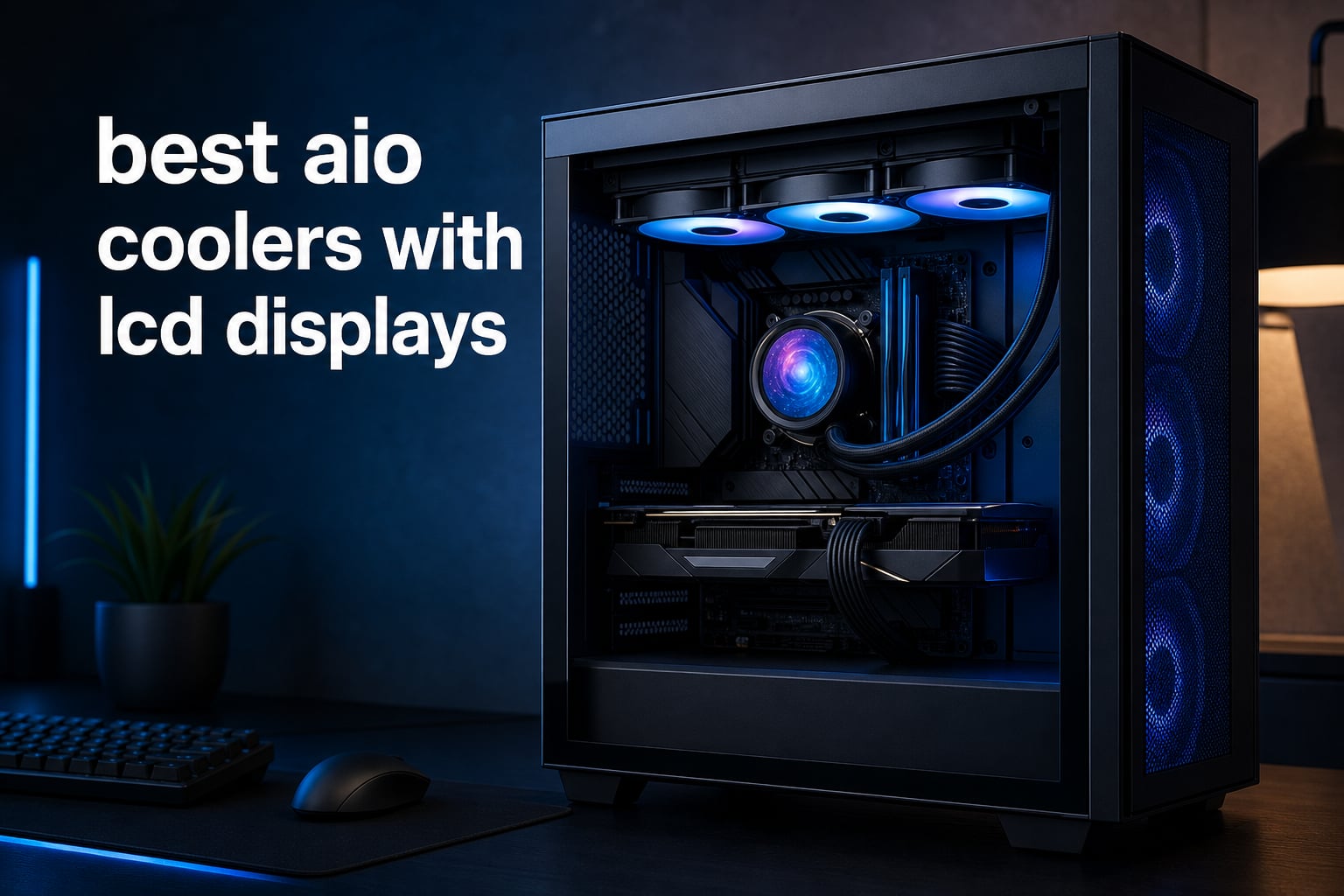
The best AIO coolers with LCD displays do two jobs at once: they move heat away from a modern CPU and put temperatures, animated graphics, or a favorite image at eye level inside the case. That second job sounds simple, but screen size, resolution, brightness, software, cables, fan design, radiator clearance, and socket mounting can make two similar-looking 360mm units feel very different in a finished PC.
I approached this guide as a specification-led shortlist rather than a lab benchmark. The supplied product data gives us useful, checkable details such as pump and fan speeds, reported noise, display dimensions, resolution, socket support, warranty details, and review feedback; it does not give controlled temperature charts, so I do not claim one cooler beats another by a made-up number.
For 2026, an LCD screen CPU cooler makes the most sense for a glass-panel gaming PC or workstation where the pump head stays visible. I would first confirm that the case accepts the radiator size and thickness, then choose the screen experience: a large sharp panel for graphics, a smaller panel for quick system data, or a layout with fewer fan cables.
Table of Contents
Top 3 Picks for 2026
NZXT’s Kraken Elite 360 RGB leads when the display is the main event, thanks to its 2.72-inch, 640×640, 60Hz IPS panel and listed app integrations. Thermalright’s FW360 SE ARGB V2 is the practical 360mm choice if animated GIF support, daisy-chained fans, and a 3000 RPM pump matter more than a large screen, while the Peerless Vision 360 gives viewers a notably larger 3.95-inch 480×480 IPS display.


These 12 AIO coolers with LCD displays make the main differences easy to scan in September 2026
A 360mm radiator dominates this list, so clearance is the first filter. The outliers are useful: Lian Li’s Galahad II LCD uses a 280mm radiator with two 140mm fans, while the screen size ranges from NZXT’s compact 1.54-inch square display to Thermalright’s 3.95-inch IPS panel.
1. NZXT Kraken Elite 360 RGB is the best overall LCD-focused AIO for a showpiece build
- Large sharp IPS screen
- 60Hz refresh
- App integrations
- Pre-applied thermal paste
- 2-year warranty
- 33.88 dBA listed noise
The Kraken Elite 360 RGB has the clearest display-first specification set in this group. Its 2.72-inch IPS screen runs at 640×640 and 60Hz, with a listed 690 cd/m² brightness figure, so it has both the pixel density and motion headroom that make animated monitoring layouts and images more readable through a side panel.
I would pick it for a build where the pump block will remain front and center rather than tucked beneath a top-mounted radiator. NZXT lists system stats, GIFs, and image display options, plus Google Photos, Spotify, and YouTube integration, which makes the screen feel more like a personal dashboard than a temperature-only readout.
Cooling hardware is equally modern on paper: the 360mm radiator uses an NZXT Turbine pump described as having a 10% performance boost, and the F360 RGB Core fan uses a single-frame format. The listing reports fan speed up to 2800 RPM and 33.88 dBA noise, so I would plan a sensible fan curve instead of leaving maximum speed as the everyday default.
The 526-review record shows a 4.4 average rating, with 79% five-star feedback in the product data. That is solid evidence of broad ownership, though the stated two-year warranty is shorter than several other options here and deserves consideration for a long-lived build.
The Elite’s display is its strongest reason to buy
The 640×640 panel is materially more detailed than 320×320 and 480×480 options in this list. If the intent is a crisp custom graphic, album art, a moving loop, or several monitoring widgets at once, screen resolution and 60Hz motion make a visible difference beyond a basic sensor number.
The Elite needs a 360mm-compatible case and an app-first mindset
Check top or front clearance for a 360mm radiator before committing, then plan to use NZXT CAM for the display. Builders who want a minimal software footprint or a longer listed warranty may find the Kraken Plus or Corsair alternatives more comfortable.
2. Thermalright Peerless Vision 360 is the best choice for the largest display in this list
- Very large IPS screen
- 480x480 resolution
- Magnetic pump head
- Wireless splicing fans
- AMD uses original backplate
The Peerless Vision 360 makes a simple case for itself: its magnetic 3.95-inch IPS screen is far larger than the usual round 2-inch-class pump display. With 480×480 resolution and a listed 60Hz refresh rate, it is designed for video, animation, and screen projection rather than just a small CPU-temperature badge.
I would shortlist this model for anyone who has struggled to find a square-ish, large-format screen without moving to a specialist design. The narrow-bezel panel gives more usable viewing area, and the magnetic attachment should make alignment and removal less fussy during installation or cleaning.
Under the screen, Thermalright specifies three TL-M12Q PWM fans with wireless splicing and infinity-mirror lighting. The 360mm cooler has reported fan speed up to 2000 RPM, 68.9 CFM airflow, and 28.2 dBA noise, a combination that favors a clean-looking build without claiming laboratory thermal results that were not supplied.
The available review record is smaller than the big-brand models at 59 reviews, yet its 4.7 average and 85% five-star share are encouraging. I would treat that as useful owner sentiment, not the same depth of long-term evidence provided by products with hundreds or thousands of reviews.
The 3.95-inch panel favors visible graphics over tiny widgets
A larger panel is easier to read from across a desk and leaves room for a temperature, CPU load, and graphic without squeezing every element. Its 480×480 resolution is not as dense as NZXT’s 640×640 Elite panel, but the substantially bigger physical area is the point.
The AMD mounting note matters before installation
Thermalright says AMD users need their original motherboard backplate because one is not included. Confirm that part is still available before pulling the stock cooler, and verify 360mm radiator clearance as carefully as you would with any other long radiator.
3. Corsair Titan 360 RX LCD is the best fit for builders already committed to iCUE LINK

- iCUE LINK wiring
- 6-year warranty
- 480x480 LCD
- Pre-mounted RGB fans
- 36 dBA listed noise
- Small display area
Corsair’s Titan 360 RX LCD is aimed at the builder who values a coordinated component ecosystem as much as the screen itself. The 2.1-inch IPS LCD is specified at 480×480, 30 FPS, and 600 cd/m², which is a sharp panel for sensor data and compact graphics even though it lacks the sheer physical size of the Peerless Vision.
I would place this high on a Corsair-centered parts list because iCUE LINK is meant to simplify connections, while the included System Hub and pre-mounted RX RGB fans reduce the number of separate pieces to route. Fewer cables can matter a lot in a case with limited rear-panel depth.
The FlowDrive cooling engine uses a three-phase motor pump, and the RX120 RGB fans use Magnetic Dome bearings. Its listed airflow is 73.5 CFM and top fan speed is 2100 RPM; the reported 36 dBA noise figure means quiet-build shoppers should use software fan control rather than judge it by the word “low-noise” alone.
This is one of the deeper review pools here, with 1,245 reviews and a 4.6 average rating. The stated six-year manufacturer warranty is also the longest clear warranty figure in this roundup, a meaningful counterweight to a design that has more ecosystem-specific hardware.
The iCUE LINK layout reduces cable-management work
For builders already using compatible Corsair fans or controllers, a linked setup can keep the finished system neater and centralize configuration. I would still map out USB-header and controller space first, because a tidier visible cable run does not remove the need for internal connections.
The smaller screen favors monitoring layouts over large art
A 2.1-inch display is enough for temperatures, load, pump speed, and a small image, especially at 480×480. Choose the Titan for its integrated Corsair approach and warranty record, not if a large animated display is the main goal.
4. Corsair Nautilus 360 RS LCD is the quietest listed pump option for a restrained LCD build

- 20 dBA listed pump
- Pre-applied paste
- Daisy-chain fan wiring
- 5-year warranty
- Small 2.1 inch screen
The Nautilus 360 RS LCD has a more restrained screen proposition than Corsair’s Titan, but its reported pump noise is the feature that stands out. Corsair lists the pump at 20 dBA, and the cooler pairs that claim with a 2.1-inch IPS LCD, a 360mm radiator, and three RS120 fans.
I would consider it for a PC that needs useful display customization without turning the cooler into the visual center of the build. A small IPS panel works well for temperature readouts or a clean logo, and the rest of the design favors practical setup choices such as a convex cold plate and pre-applied thermal paste.
The RS120 fans use AirGuide technology and Magnetic Dome bearings, while the fan connections can daisy-chain for a cleaner route to the motherboard or controller. Reported maximum fan speed is 2100 RPM, so the full acoustic character will still depend on the curve, case airflow, CPU load, and how the radiator is mounted.
The 467-review, 4.6-average record offers a useful amount of owner feedback, and the listed five-year warranty supports the long-term case. For a system where low background sound matters, the 20 dBA pump specification is more actionable than RGB claims.
The Nautilus prioritizes calm operation and simple installation
The pre-applied thermal paste and daisy-chain wiring remove two common sources of small build frustrations. That makes the Nautilus especially sensible for a first liquid-cooler installation, provided the case has a real 360mm mounting position rather than just three fan slots.
The 2.1-inch screen works best as a clean information panel
Its screen is suitable for live sensors, a logo, or a straightforward custom graphic. Builders who want high-detail animation should choose a larger or higher-resolution panel, while those wanting a quieter claimed pump may prefer the Nautilus balance.
5. Thermalright FW360 SE ARGB V2 is the best 360mm LCD option for GIF support and uncluttered fans

- GIF support
- 3000 RPM pump
- Daisy-chain fans
- Wide socket support
- 2 inch display
- 3-year listed warranty
The FW360 SE ARGB V2 targets builders who want the LCD AIO experience without making screen size the only buying criterion. Its 2-inch LCD supports customizable images and animated GIFs, while the core hardware includes a 3000 RPM pump and a 397x120x27mm aluminum radiator.
I would put it near the top of a practical gaming-PC shortlist because the display covers the common use case—temperature data plus a personal image or loop—while the TL-M12Q 120mm fans daisy-chain. That fan arrangement can make a visible side-panel build look much less busy than three fully separate fan leads.
Thermalright lists 68.9 CFM airflow, 2.21 mmH2O static pressure, 2000 RPM fan speed, and 28.2 dBA noise. Those figures suggest checking the static-pressure number and radiator placement together, especially if the build uses a restrictive front panel or a dust filter.
The supplied record has 296 reviews at a 4.6 average, with 79% five-star feedback. It supports AM4, AM5, Intel LGA1851, LGA1700, LGA1200, and older 115X sockets, which is broad coverage for a cooler that may move between more than one platform over its life.
The FW360 SE provides the customization most LCD buyers actually use
Images, GIFs, and real-time temperature monitoring are the main reasons most people ask for an LCD display AIO. This model supplies those basics in a smaller screen, so I would spend the saved panel area on a readable layout rather than attempt tiny detailed artwork.
The radiator dimensions must be checked against case specifications
The radiator is listed at 397x120x27mm before allowing space for the fans. A case page should state radiator clearance, not merely support for three 120mm fans, because thickness near memory, a top panel, or a front drive cage can decide the installation.
6. PCCOOLER DS360 Display is the best match for a high airflow specification and a 2.4-inch IPS panel
- 315W TDP listing
- 2.4 inch IPS
- 90.56 CFM fans
- 15 dBA pump
- 39.8 dBA listed noise
- Small review pool
The PCCOOLER DS360 Display combines a 2.4-inch IPS screen with a stated 315W TDP support figure, a 27mm aluminum radiator, and three F5 R120 ARGB fans. Its screen is a step up in physical size from the 2-inch options, giving monitoring numbers and simple art more breathing room without demanding a large block.
I would look at it for a high-core-count workstation or gaming PC where airflow and static pressure are part of the selection conversation. PCCOOLER lists 90.56 CFM airflow and 4.07 mmH2O static pressure from the fans, figures worth considering when a radiator faces a filter or denser case intake.
The product data describes a 2600 RPM pump at 15 dBA, but the cooler’s listed overall noise is 39.8 dBA. That distinction matters: a quiet pump does not automatically mean silent fans at their maximum setting, so a custom fan curve is the sensible plan for day-to-day use.
Its 34-review record and 4.6 average rating are positive but limited. The quoted 400mm sleeved tubing may help with front radiator routing in taller cases, though I would measure the full run from CPU socket to radiator ports instead of treating tube length as a universal fit guarantee.
The DS360’s fan specification suits restrictive airflow paths
Static pressure is especially relevant when fans push air through a radiator and a front filter at the same time. The 4.07 mmH2O figure is a data point in its favor, but case airflow, fan curve, and ambient room temperature still shape real cooling results.
The review count calls for a careful long-term check
Thirty-four reviews provide an early signal rather than a large reliability sample. I would read the newest feedback for installation and software notes, then compare the socket kit and warranty information on the current listing before a purchase decision.
7. Lian Li HydroShift II-C 360CL is the cleanest choice for wireless fan control and tube alignment

- Wireless fan control
- 480x480 IPS
- Sliding tube clamp
- Three control modes
- No listed warranty
- 30 dBA noise
The HydroShift II-C 360CL focuses on how the entire cooler looks after installation. Its 2.1-inch round IPS LCD has 480×480 resolution, but the distinctive physical features are its three CL Wireless RGB fans and sliding tube clamp, both intended to reduce the visual clutter that can distract from an otherwise polished build.
I would choose this Lian Li model for a white-themed or carefully arranged side-panel system where tube direction is as noticeable as the screen. The sliding clamp gives the builder an adjustment point for tubing alignment, while the server-grade corrugated tubing is presented as the durability-minded part of the design.
Lian Li lists three display and control modes: Offline, Wireless, and Streaming. That flexibility is useful because it lets a builder decide whether the cooler should operate with a direct device connection, a wireless configuration, or a streaming-oriented setup; it also means software and controller placement should be planned before cable management is final.
The 499-review record has a 4.5 average and 79% five-star share. The data also lists 30 dBA noise and no warranty, so I would verify current warranty terms with the seller or manufacturer instead of assuming coverage from a similar Lian Li product.
The tube clamp gives this cooler a visual-placement advantage
Tube routing is easy to overlook in a parts list, yet it is one of the first things visible through tempered glass. The adjustable clamp can help keep the lines intentional rather than letting them cross the screen or compete with memory lighting.
The screen is sharp enough for status data but not the largest option
The round 480×480 panel has the resolution for clean system information and custom images, though its 2.1-inch size is more compact than the large-screen Thermalright and NZXT choices. Pick this design when presentation, wireless fan control, and tubing layout rank higher than maximal screen area.
8. NZXT Kraken Plus 360 RGB is the best NZXT option when a compact square LCD is enough

- Square customizable LCD
- 6-year warranty
- Pre-applied paste
- Single-frame RGB fan
- Small 1.54 inch screen
- 31.9 dBA listed noise
The Kraken Plus 360 RGB keeps the NZXT Turbine pump and 360mm form factor while using a compact 1.54-inch square LCD. It is the choice for builders who want a custom temperature readout or small image through NZXT CAM but do not need the much larger, higher-resolution screen in the Kraken Elite.
I see it as a sensible middle ground for an NZXT-focused build. The square shape is useful for a compact stat layout or icon, and the F360 RGB Core single-frame fan supports a tidier appearance with fewer separate fan frames to install and align.
NZXT lists the Turbine pump as engineered for high flow and head pressure, and the cooler arrives with thermal paste already applied. The product data reports 31.9 dBA noise and compatibility with AMD AM5 and AM4 plus Intel LGA1851, LGA1700, LGA1200, and 115X platforms, making it flexible for current mainstream sockets.
The 281-review sample sits at a 4.5 average, with an 82% five-star share. The listed six-year manufacturer warranty is a strong practical point, particularly for a component that has a pump, display, fans, and software all working together over many years.
The Plus works best for a compact status display
A 1.54-inch square panel has limited room, so I would keep the screen design simple: one large temperature, a modest CPU-load figure, or a single image. Complex dashboards are better suited to the Elite’s larger 640×640 panel.
The six-year warranty makes long ownership easier to justify
Warranty is not a performance metric, but it belongs in an AIO decision because pumps and displays add components beyond an air cooler. The Kraken Plus pairs that listed coverage with broad socket support and pre-applied paste for a straightforward mainstream installation.
9. PCCOOLER DC360 is the best choice for a 2.4-inch panel and a quiet listed pump

- 2.4 inch IPS
- 15 dBA listed pump
- 90.56 CFM airflow
- ARGB motherboard sync
- 39.8 dBA listed overall noise
The PCCOOLER DC360 uses the same useful 2.4-inch IPS screen class as the DS360 but takes a slightly different hardware description. It has a 2600 RPM next-generation pump claimed at 15 dBA, three F5 ARGB fans, 400mm sleeved tubes, and a CNC aluminum waterblock housing.
I would compare it directly with the DS360 if a readable IPS display and ARGB synchronization are top priorities. A 2.4-inch screen gives more room for a temperature graph, pump speed, or custom image than compact 1.54-inch and 2-inch panels, while still keeping the pump block fairly conventional in size.
PCCOOLER lists 90.56 CFM airflow from the fans, which can be useful for radiator airflow, but it also reports 39.8 dBA overall noise at maximum speed. That is the number I would keep in mind when configuring the PC: set the fan curve around CPU temperature and test it at the actual desk distance.
The DC360 has 276 reviews, a 4.5 average rating, and a 74% five-star share in the supplied record. It supports motherboard ARGB synchronization and broad Intel and AMD platform compatibility, so it makes sense for builders who want the screen and surrounding lighting to follow a unified theme.
The 2.4-inch IPS screen gives monitoring layouts usable space
There is enough panel area to make text legible instead of filling it with miniature widgets. I would use a high-contrast layout with one primary temperature and one secondary stat, which stays readable when the system is viewed from an angle.
The reported maximum-noise figure makes fan tuning important
High airflow can come with audible fan speed at full load. A PWM curve that keeps everyday tasks below maximum RPM can preserve the display-focused experience without letting fan noise become the dominant trait of the computer.
10. PCCOOLER GT360M is the best option here for a 2.8-inch display and ceramic-bearing pump

- 2.8 inch LCD
- Ceramic bearing pump
- Copper cold plate
- AM5 support
- 4.1 rating
- 36 dBA listed noise
The GT360M puts a 2.8-inch LCD on its waterblock, making it one of the larger physical displays in the lineup. Its listed 320×240 resolution is lower than the square 480×480 and 640×640 panels above, so I would treat it as a screen that favors big, clear sensor text and simple graphics over intricate artwork.
I would consider it for an AMD AM5 build where the stated copper micro-channel cold plate’s AMD focus is appealing. The cooler also uses a ceramic-bearing pump, a construction detail associated in the listing with quiet operation and a long service life, plus an aluminum 360mm radiator.
The three 120mm ARGB PWM fans are listed at 75.8 CFM airflow, while the product details state 2100 RPM and 36 dBA. These are respectable paper specifications, but the display and cooling decision should be accompanied by a realistic view of the rating record rather than only feature claims.
It has 84 reviews and a 4.1 average, with a reported 12% one-star share. That does not dismiss the product, but it means I would read current owner feedback about installation, fan behavior, and software before choosing it over one of the models with a more consistently positive review distribution.
The 2.8-inch screen favors large text and simple visual designs
Physical screen size and pixel count are separate considerations. The GT360M has more visible area than a 2.1-inch display, but its 320×240 format means clean type, bold icons, and an uncluttered sensor layout will look better than fine detail.
The review distribution calls for extra due diligence
A 4.1 average can still suit the right build, yet the one-star percentage is higher than on the top selections. Verify support channels, current compatibility, and the return process before installation, especially if this is the only cooler being considered for a new system.
11. Lian Li Galahad II LCD 280 is the best 280mm alternative for cases that cannot fit 360mm radiators

- Large 2.88 inch IPS
- Asetek 8th Gen pump
- Wireless 140mm fans
- Rotating tube connectors
- No listed warranty
- Limited review sample
The Galahad II LCD 280 answers a common fit problem: not every mid-tower accepts a 360mm radiator, but many provide a 280mm mounting point. This model uses two pre-installed 140mm TL Wireless RGB fans alongside a 2.88-inch 480×480 IPS LCD, so it gives up radiator length without giving up a substantial display.
I would start with this one when a case supports 280mm in the top or front but has no safe 360mm position. Two 140mm fans can move a good amount of air at lower rotational speeds than smaller fans in some scenarios, though the supplied listing does not provide controlled cooling and acoustic charts for a direct comparison.
The cooler’s Asetek eighth-generation pump is listed up to 3600 RPM, and the tube connectors rotate through 45 degrees for more flexible routing. Lian Li also includes 2.4 GHz wireless control and a USB controller for L-Connect 3, so controller and USB-header planning are part of the setup.
The data reports only 17 reviews with a 4.1 average and 15% one-star feedback, plus no warranty listed. Its technical detail field includes a 123-decibel noise entry that is unusual enough that I would not use it as an acoustic comparison point; confirm current manufacturer specifications instead.
The 280mm radiator solves real case-compatibility constraints
Radiator size is not a contest where bigger always fits better. A well-installed 280mm cooler with clean airflow is a much better outcome than forcing a 360mm radiator into an incompatible case, pinching tubes, or blocking memory and motherboard heatsinks.
The large 480×480 screen remains the visual attraction
The 2.88-inch IPS display gives this cooler a screen presence beyond most 2.1-inch models. If the case only supports 280mm, it is one of the few ways to retain a sharp, sizable LCD and wireless 140mm fan arrangement.
12. Thermalright FW PRO 360 ARGB MEW is the best option for a removable 2.73-inch 320×320 screen

- Removable magnetic display
- 450 nits brightness
- 29.8 dBA listed noise
- Broad socket support
- Small review sample
- No Prime listing
The Thermalright FW PRO 360 ARGB MEW has an appealing combination of screen area and a removable magnetic design. Its 2.73-inch IPS LCD is specified at 320×320, 450 nits peak brightness, and 24-bit color, making it a larger physical display than several compact competitors even though its resolution is more modest.
I would consider it for a builder who wants the convenience of removing the display during installation or adjustment. A magnetic screen can make it easier to reach mounting hardware or align the display after the tubes are settled, and the stated brightness should help it remain visible in a normally lit room.
Its cooling specification includes 2000 RPM PWM fans, 70.84 CFM airflow, S-FDB bearings with an up-to-20,000-hour industrial service-life claim, and 29.8 dBA listed noise. The socket list is extensive, covering AMD AM4 and AM5 plus Intel LGA1851, LGA1700, LGA2066, LGA2011, LGA1200, and several earlier sockets.
The record is very small at 16 reviews, though the listed rating is 4.8 with 96% five-star feedback. That is a promising early signal, but I would put more weight on the verifiable design details and current support information than on a high average drawn from a small sample.
The removable display makes physical setup less awkward
Most pump-head displays are fixed into the assembly, so the ability to take this one off is practical rather than cosmetic. It can simplify access during installation, then allow a careful final orientation once the tubing and radiator are in their intended positions.
The 320×320 panel favors a bold, readable layout
The panel has enough area for a clear temperature display, logo, or simple animation, but it has fewer pixels than 480×480 and 640×640 alternatives. Use larger type and uncomplicated imagery to get the most from its 2.73-inch diagonal.
The right LCD AIO starts with case fit, then screen priorities, then control software
The buying order matters because an incompatible radiator cannot be fixed by a better screen. Start with the case manual and measure the intended mounting location, including radiator length, radiator thickness, fan thickness, motherboard heatsinks, RAM height, top-panel clearance, front-drive cages, and the path the tubes must take to the CPU block.
A 360mm radiator is not automatically needed for every gaming CPU
A 360mm AIO offers a large radiator area and is a natural pairing for a high-heat CPU or a build that wants lower fan speed under sustained work. For a Ryzen 9800X3D, it is not automatically overkill: select it when the case supports it, the processor sees long gaming or production loads, or the system’s visual plan calls for a 360mm radiator.
A 240mm or 280mm model can be more appropriate in a compact case or with a CPU that has moderate sustained heat. The Galahad II LCD 280 illustrates why radiator compatibility is a feature, not a compromise; a cooler that installs cleanly with good airflow is the sensible choice.
An IPS LCD is the practical display type in this product set
Every display type explicitly identified in the supplied product data is IPS LCD, not OLED. IPS is a familiar choice for full-color graphics and wide viewing angles, while the listed panels vary widely in brightness, resolution, refresh rate, and physical size.
OLED can offer very deep contrast in products that use it, but no featured record here identifies an OLED screen. I would avoid treating “LCD” and “OLED” as interchangeable: check the panel specification, then choose between high pixel density, large physical area, brightness, and refresh rate based on the display content you actually want.
A larger screen and a sharper screen answer different needs
Screen size is measured diagonally; resolution describes the grid of pixels within that space. The Peerless Vision’s 3.95-inch 480×480 panel is the large-screen pick, while the Kraken Elite’s 2.72-inch 640×640 panel offers the finest stated pixel grid in this roundup.
For temperatures and load, even a 1.54-inch or 2-inch display can work well if the font is large. For animated art, detailed icons, or multiple data sources on one page, I would prioritize at least 480×480 resolution, then select the largest display that suits the physical appearance of the build.
Software should be treated as part of the cooler, not an afterthought
LCD customization depends on software to select images, GIFs, sensor layouts, and lighting behavior. NZXT uses CAM, Corsair centers its linked setup around iCUE, and Lian Li provides L-Connect 3 for its Galahad II LCD; read current compatibility notes before mixing multiple RGB ecosystems.
Forum discussions repeatedly flag unreliable software and limited display customization as real ownership pain points. I would install the necessary control app, update it carefully, create a simple fallback display, and save any preferred profile so a software update does not turn a carefully tuned display into a blank or distracting panel.
A fan curve matters more than a maximum-RPM number
Maximum RPM, airflow, and a listed decibel figure are useful comparisons, but they are not a universal noise test. Case panels, radiator direction, CPU load, room noise, fan control, and a person’s distance from the desk all alter the result.
Set a gradual PWM fan curve after installation and watch real CPU temperatures during the applications you actually run. AIOs such as the Nautilus list a quiet 20 dBA pump, while other models list high airflow alongside higher overall noise; each can be pleasant when tuned for the workload instead of locked at maximum speed.
Socket support and warranty wording deserve a final check
AM5 and Intel LGA1700 or LGA1851 support are common across this list, but mounting kits change over time and older stock can differ. Verify the exact included hardware, especially when a record calls out a dependence on the motherboard’s original AMD backplate.
Warranty entries in the available data range from explicit multi-year coverage to “no warranty” or no stated coverage. Confirm the current written terms for the precise model before buying, and retain the proof of purchase along with any controller, cable, or mounting accessories.
FAQs
What is the best CPU cooler with a screen?
The NZXT Kraken Elite 360 RGB is the strongest all-around screen-first pick in this group because it combines a 2.72-inch 640×640 60Hz IPS display with a 360mm radiator, NZXT Turbine pump, GIF and system-stat support, and app integrations. Choose the Thermalright Peerless Vision 360 instead if the biggest physical display is more important than pixel density.
Is a 360mm AIO overkill for a 9800X3D?
A 360mm AIO is not automatically overkill for a Ryzen 9800X3D. It is a sensible choice when the case has proper 360mm clearance, the PC sees sustained gaming or creation loads, or the build calls for a large radiator and LCD presentation. A 280mm or smaller cooler may be a better fit when space is limited.
What CPU cooler has a screen on it?
An LCD AIO cooler has a display mounted on the pump head. The models in this guide include NZXT Kraken, Corsair Titan and Nautilus, Thermalright FW and Peerless Vision, PCCOOLER DS, DC, and GT, plus Lian Li HydroShift and Galahad II designs. Their screens show temperatures, load, images, or animations through software.
What is currently the best AIO?
For an LCD-focused 360mm AIO, the NZXT Kraken Elite 360 RGB is the leading overall choice from the supplied data because its 2.72-inch 640×640 60Hz IPS screen is the sharpest stated panel here and its cooling hardware is paired with a mature customization feature set. Case clearance, software preference, and warranty needs can still make another model a better personal match.
Conclusion
The Kraken Elite 360 RGB wins this guide for readers who want their cooler screen to be a real part of the build, not a token add-on. Its 640×640, 60Hz panel has the strongest stated display specification here, while the Peerless Vision 360 is the clear alternative for a much larger physical screen and the FW360 SE ARGB V2 is a compelling practical choice for GIF support and daisy-chained fans.
The best AIO coolers with LCD displays are the ones that fit the case, support the motherboard socket, and have software you are willing to run. Before choosing, verify radiator clearance, decide whether the screen will show sensor data or graphics, and compare the current support and warranty terms for the exact model.