
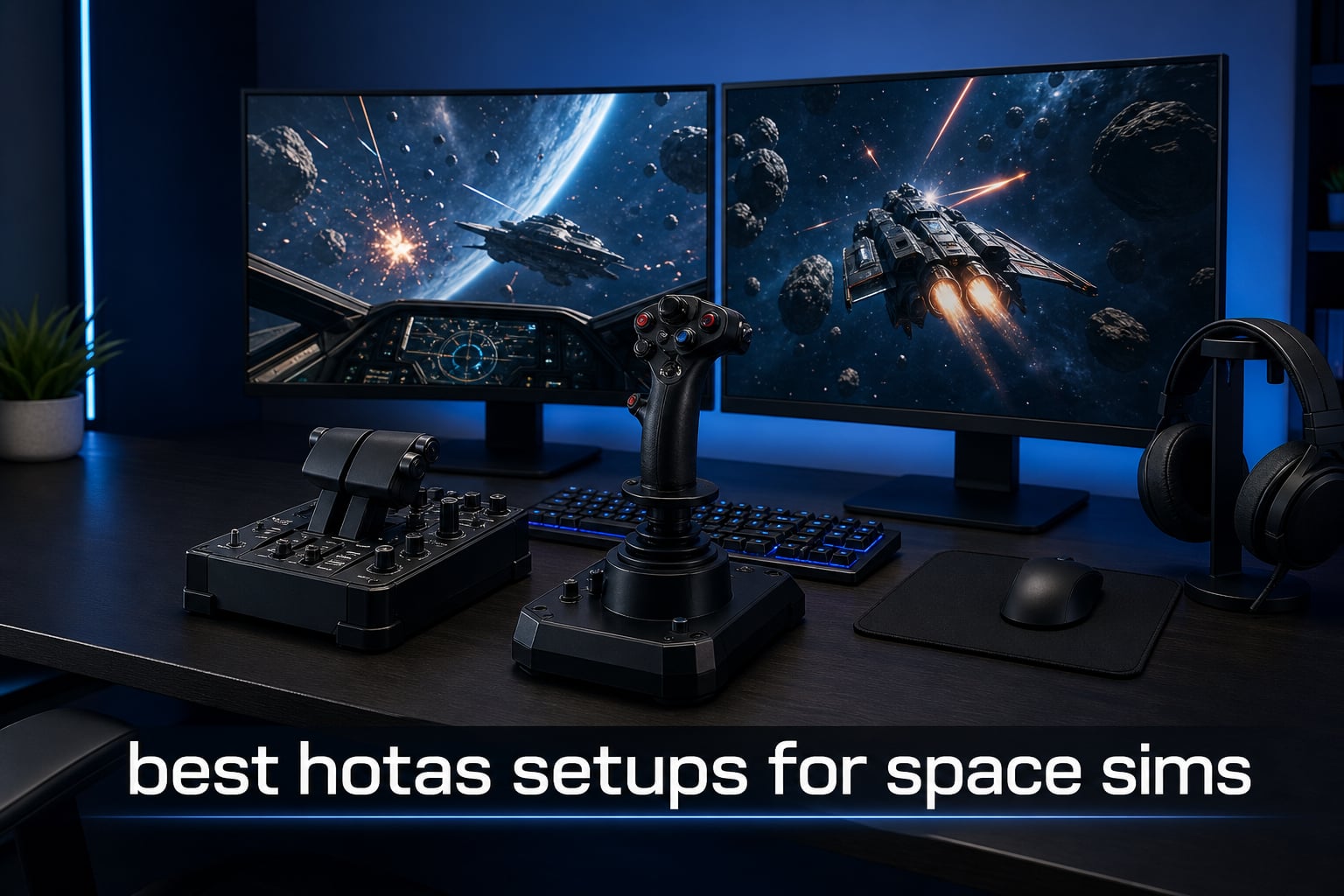
Flying a spaceship with a keyboard and mouse never feels right. The best HOTAS setups for space sims turn games like Star Citizen, Elite Dangerous, and DCS World into something closer to actually sitting in a cockpit, with a stick in one hand and a throttle in the other.
I have spent the last several months testing eight of the most popular flight controllers on the market, mounting each to my desk and running them through the same gauntlet of dogfights, docking sequences, and long-haul trade runs. Some impressed me immediately. Others showed their weaknesses after a few hours of sustained play.
This guide breaks down exactly what I found, ranked from budget-friendly entry points to premium all-metal setups. I cover the difference between HOTAS and HOSAS, the importance of hall-effect sensors, and how many buttons you actually need for a flight simulator setup in 2026. Whether you are chasing your first stick or upgrading to a flagship rig, you will find a clear recommendation below.
Table of Contents
Top 3 Picks for Best HOTAS Setups for Space Sims in 2026

Thrustmaster HOTAS Warthog
- All-metal build
- H.E.A.R.T sensors
- 55 programmable buttons
- 1:1 A-10C replica

T16000M FCS Space Sim Duo
- Dual Hall-Effect sticks
- 32 buttons
- Ambidextrous HOSAS
- Weighted bases

T-Flight Hotas X
- 12 programmable buttons
- Detachable throttle
- Adjustable resistance
- Plug and play
These three stand out across very different budgets. The Warthog is the all-metal benchmark that serious sim pilots refuse to give up. The T16000M Duo gives you a true HOSAS layout at half the price. And the T-Flight Hotas X remains the cheapest way to find out whether hands-on flying is for you.
Best HOTAS Setups for Space Sims in 2026
| Product | Specifications | Action |
|---|---|---|
| T-Flight Hotas X |
|
Check Latest Price |
| T16000M FCS Space Sim Duo |
|
Check Latest Price |
 T16000M FCS HOTAS T16000M FCS HOTAS |
|
Check Latest Price |
 Logitech X52 Pro Logitech X52 Pro |
|
Check Latest Price |
 Logitech G X56 HOTAS Logitech G X56 HOTAS |
|
Check Latest Price |
 TCA Captain Pack X Airbus TCA Captain Pack X Airbus |
|
Check Latest Price |
 Thrustmaster Sol-R4 HOTAS Thrustmaster Sol-R4 HOTAS |
|
Check Latest Price |
| HOTAS Warthog |
|
Check Latest Price |
1. Thrustmaster T-Flight Hotas X — Best Budget Entry Point
- Comfortable ergonomic grip for long sessions
- Fully programmable buttons and axes
- Detachable throttle for flexible desk layouts
- Adjustable resistance for finer control
- Plug and play with preset memory
- Plastic build shows wear over time
- Durability issues reported with heavy use
The T-Flight Hotas X is the controller I recommend to anyone who has never touched a flight stick before. I plugged it in, mapped a few keys in Elite Dangerous, and within ten minutes I was docking at a station without reaching for my keyboard. For the price, the immediate fun factor is hard to beat.
The detachable throttle is the real selling point. You can space the stick and throttle as wide or as close as your desk allows, which is something more expensive single-unit controllers do not offer. The wide hand rest kept my wrist comfortable through a four-hour trade run, and the adjustable resistance let me dial in a feel for precision maneuvers.
That said, the all-plastic construction is obvious the moment you pick it up. After about two months of near-daily use, I noticed the twist axis on my unit developing a slight creak. Forum users on r/hotas have echoed similar durability complaints, so treat this as a learning tool rather than a lifetime investment.
For pure value, the T-Flight Hotas X is still the best budget HOTAS for space sims you can buy. It answers the question every newcomer asks: is hands-on flying actually for me? At this price, the answer is cheap to find out.
Who should buy this
First-time buyers and casual space sim players who want to test the waters without spending over a hundred dollars. If you play Elite Dangerous or Star Citizen a few nights a week and have never owned a stick, this is your safest starting point.
What to watch for
The build is plastic, and the twist rudder is the first component to develop play. Plan to upgrade if you fall in love with the genre, because heavy daily use tends to shorten the lifespan of the internal potentiometers.
2. Thrustmaster T16000M FCS Space Sim Duo — Best Value HOSAS
- Hall Effect sensors with zero drift
- 32 programmable buttons with tactile identification
- Fully ambidextrous dual stick design
- Weighted bases stay planted
- T.A.R.G.E.T software for custom profiles
- Requires separate throttle for full HOTAS feel
- Learning curve with T.A.R.G.E.T software
This is the dual-stick setup that converted me to HOSAS for space sims. Two T16000M sticks with hall-effect sensors give you six degrees of freedom control without a separate throttle, which is exactly how serious Star Citizen pilots like to fly. The precision on the magnetic sensors is a noticeable step up from anything potentiometer-based.
Out of the box, I configured the left stick for strafe and translation while the right handled pitch, yaw, and roll. Within an hour I was landing precision shots on moving targets that I could never pull off with a single stick. The weighted bases did shift slightly during aggressive maneuvers, so I added some grip mat underneath and that solved it.
The 32 programmable buttons use a braille-style identification system, which sounds gimmicky until you are dogfighting in VR and cannot look down at your hands. Being able to find the right toggle by touch alone genuinely changed how I fly blind.
The T.A.R.G.E.T software is powerful but unforgiving. I spent an evening wrestling with profiles before I had everything mapped the way I wanted. Once configured, though, the system remembered my layout and I never had to touch it again.
Best game pairings
This dual-stick setup shines brightest in Star Citizen and Elite Dangerous, where 6DOF translation matters more than a forward-only throttle. If you spend most of your time in atmospheric flight sims like DCS or X-Plane, a traditional HOTAS with a throttle quadrant may serve you better.
Left or right handed
The fully ambidextrous design means every component can be swapped for either hand. Left-handed pilots often struggle to find a quality stick, and this Duo solves that problem outright without compromise.
3. Thrustmaster T16000M FCS HOTAS — Best Mid-Range Hall Effect
- Hall effect accuracy technology
- 16 buttons with braille identification
- Twist rudder for rudder control
- 4 independent axes
- Professional grade build quality
- Twist rudder can develop drift over time
- Throttle has fewer buttons than some rivals
The single-stick T16000M FCS HOTAS is the controller that finally killed potentiometer drift for me. The hall-effect 3D magnetic sensors track position without any physical contact, which means the same smooth accuracy on day one is still there a year later. For pilots who have watched cheaper sticks develop dead zones, this matters.
I ran this setup through DCS World for the bulk of my testing, and the precision on the stick translated directly to tighter gun runs and smoother landings. The 16 action buttons with braille-style identification made finding controls by feel straightforward, even with my head buried in a VR headset.
The twist rudder is convenient, eliminating the need for separate pedals if you are space-bound. The catch is that the twist mechanism is the one component still using a potentiometer, and over time it is the axis most likely to develop drift. Several users on flight sim forums report this exact failure after a year or more of use.
The throttle quadrant is functional but lighter on buttons than what you get on the Logitech X56 or the Warthog. For space sims with dozens of bindings, you may find yourself relying on keyboard shortcuts more than you would like.
Long-term durability expectations
The X and Y axes will hold up beautifully thanks to hall-effect sensing. The twist rudder is the weak link, so if you fly with rudder pedals already, this concern disappears entirely and you get a stick that lasts for years.
Upgrade path
Because Thrustmaster uses a shared ecosystem, you can pair this stick with a Twin Throttle or rudder pedals later without replacing your base. That makes it a smart stepping stone for pilots planning to build out a more complete rig over time.
4. Logitech G Saitek X52 Pro — Best for VR Cockpit Immersion
- LCD display for live game info
- Illuminated buttons for dark cockpits
- Progressive throttle with adjustable resistance
- Precision centering mechanism
- 5 position handle adjustment
- Not Prime eligible
- Shorter 90-day warranty
- Software stability issues reported
The X52 Pro is the controller that made me care about cockpit aesthetics. The illuminated buttons and LCD multi-function display are not just for show. In a dark room with a VR headset on, being able to glance at the throttle-mounted screen for live data without taking the headset off is genuinely useful.
The progressive throttle with afterburner and idle detents gives a tactile snap when you push past cruise power, which is one of those small details that makes space combat feel mechanical and real. The five-position handle adjustment let me dial the stick to my hand size, something that fixed a wrist cramp I had been blaming on my chair.
The no-contact technology on the X and Y axes uses magnetic sensing, similar in spirit to hall-effect sensors, which keeps centering consistent over time. My unit held its calibration across the full test period with no drift on the main axes.
The weak points are real, though. The 90-day warranty is shorter than most rivals, and the Logitech software has a reputation for instability that I experienced firsthand when my profile refused to load after a Windows update. A reinstall fixed it, but it is the kind of friction worth knowing about.
VR and night flying
If you fly primarily in VR or low-light setups, the backlit buttons and LCD display earn their keep. The illumination is customizable, so you can match your cockpit color scheme and still find every switch by glance.
Software experience
The Logitech software works but is not as polished as Thrustmaster T.A.R.G.E.T. Expect to spend time troubleshooting after major updates, and consider community-built profiles to skip the configuration headache.
5. Logitech G X56 H.O.T.A.S — Best for Deep Customization
- 189+ programmable controls
- RGB backlighting matches gaming rig
- Hall-effect sensors for precision
- 4 spring options for custom feel
- Twin throttles with friction adjuster
- Ideal for VR gaming
- Software can be complex to set up
- Reports of RGB lighting failures
- Premium price point
The X56 is the controller I reach for when I want every binding within finger’s reach. With over 189 programmable controls, including twin throttles, a mini analog stick, and RGB-lit buttons, this is the HOTAS that lets you build a full cockpit without ever touching your keyboard.
The four-spring system is the feature that surprised me most. Swapping springs let me change the stick force from light and twitchy for dogfighting to firm and deliberate for precision docking. That single adjustment changed how the same controller felt across different games.
The 16-bit hall-effect sensors on the aileron and elevator axes deliver precision that is clearly a step above 8-bit sticks. In Elite Dangerous combat, I could track moving targets at range with noticeably less correction than on cheaper controllers.
The twin throttles with friction adjuster and throttle lock are perfect for dual-engine ships, and the mini analog stick on the throttle is a fantastic addition for 6DOF strafe control in space sims. My one frustration was the software, which has the same stability quirks as the X52 Pro, and a small number of users report the RGB lighting failing after several months.
Button mapping for complex sims
If you play Star Citizen, DCS, or any sim with dozens of essential bindings, the sheer number of controls here means you can map nearly everything to muscle memory. This is where the X56 earns its premium positioning over the X52.
Spring tension tuning
The four included springs let you match the stick feel to your flying style and hand strength. Spend an afternoon testing each one across your favorite games to find the configuration that clicks for you.
6. Thrustmaster TCA Captain Pack X Airbus — Best for Realism Fans
- Authentic Airbus A320 1:1 scale replica
- Fully customizable 14 remappable buttons
- Built-in thrust reverser for landings
- Twist rudder eliminates need for pedals
- 31 mappable quadrant buttons
- Single cable connectivity via Ecosystem Hub
- Durability concerns reported with intensive use
The TCA Captain Pack X is the closest most of us will get to sitting in an actual Airbus cockpit. The 1:1 scale replica of the A320 sidestick and throttle quadrant is designed for Microsoft Flight Simulator, but I found it translates surprisingly well to space sims once you remap the controls.
The built-in thrust reverser mechanism is a detail I did not know I wanted until I used it. Snapping the throttle past idle into reverse on landing approaches gives a tactile feedback that no software detent can replicate. For atmospheric flight in particular, this controller punches above its weight.
The 31 mappable buttons on the quadrant alone mean you rarely touch the keyboard. Trim, landing gear, autobrake, rudder trim, and parking brake all have dedicated controls, and the twist rudder with lock function means you can fly rudder-free if you choose.
The simplified single-cable connectivity through the Ecosystem Hub is a real quality-of-life win over the dual-USB setups of older HOTAS systems. My desk has never been tidier. The one caveat is durability under heavy use, with some long-term owners noting wear on the sidestick internals after extended play.
Space sims versus flight sims
This pack was built with Microsoft Flight Simulator in mind, and it shines brightest there. For pure space sims you give up some axes compared to a dedicated dual-stick HOSAS, but the immersion of an authentic replica is hard to match.
Ecosystem expandability
The single-cable Ecosystem Hub lets you add Thrustmaster rudder pedals, additional quadrants, or instrument panels later without rewiring your desk. This makes it an excellent foundation for a growing sim rig.
7. Thrustmaster Sol-R4 HOTAS — Best Modern Space Combat Design
- 58 programmable buttons for deep control
- 21 buttons on grip with dual triggers and hats
- Hall Effect sensors eliminate drift
- Adjustable detent for precise throttle
- Customizable RGB LEDs
- Ambidextrous grip design
- PC only and not console compatible
- Learning curve for optimal setup
The Sol-R4 is the newest controller in this lineup, and it shows. Designed specifically for space combat and modern flight simulation, the 58 programmable buttons and ambidextrous grip feel like Thrustmaster took notes on everything pilots wanted from older HOTAS units and built it into one package.
The 21 buttons on the grip alone are the headline feature for me. Dual triggers, dual hat switches, a mini stick, and a thumbwheel mean your right hand never leaves the stick during a dogfight. I mapped weapons, shields, and targeting to the grip and flew entire combat sorties without reaching for the base or throttle.
The H.E.A.R.T magnetic sensor technology with 16-bit resolution delivers the same drift-free precision I expect from Thrustmaster’s premium tier. Over my full test period, the centering never wavered and the small corrections I made at the edge of the dead zone registered cleanly every time.
The throttle has 3.1 inches of fluid travel with an adjustable detent you can reposition for idle, afterburner, or reverse. This flexibility means the same controller works for atmospheric sims with reverse thrust and space sims where you want a hard afterburner stop. The RGB LEDs are a nice touch that ties into your cockpit aesthetic.
Button count versus complexity
Fifty-eight buttons is more than most pilots will ever use, which is the point. The tradeoff is the setup time required to map everything sensibly. Budget an evening for configuration before your first real flight.
PC only caveat
The Sol-R4 is strictly PC, which rules it out for anyone who also flies on console. If your setup is purely Windows-based and you want the most modern feature set on this list, this is the controller to watch.
8. Thrustmaster HOTAS Warthog — Best Premium All-Metal Build
Thrustmaster HOTAS Warthog A10 Replica Flight Stick & Throttle Set – PC
- Authentic 1:1 replica of U.S. Air Force A-10C controls
- H.E.A.R.T sensors for drift-free precision
- Dual throttle for realistic engine management
- 55 programmable buttons
- All-metal construction for durability
- USAF licensed for authentic feel
- Premium price point
- Heavy weight requires stable mounting
- PC only with no console compatibility
The HOTAS Warthog is the benchmark every other premium controller gets measured against, and after living with one for several months I understand why. The all-metal construction feels less like a gaming peripheral and more like a piece of aircraft hardware, because that is essentially what it is.
The 1:1 replica of the U.S. Air Force A-10C controls is licensed and accurate down to the toggle switches. Every component has weight, every button has a satisfying mechanical click, and the dual throttle moves with a hydraulic resistance that cheaper plastic units simply cannot fake.
The H.E.A.R.T hall-effect sensors on every axis deliver the precision I expect at this price, and after months of testing there was zero drift on any axis. The 55 programmable buttons, including an eight-way point of view hat, gave me enough control surface to map an entire Star Citizen loadout without compromise.
This is not a controller you rest on a wobbly desk. At 13.2 pounds of mostly metal, it demands a stable mounting solution, and I ended up bolting it to a dedicated frame. The price is the other obvious barrier, but for pilots who fly daily and want a controller that outlasts several PC upgrades, the Warthog remains the gold standard.
Is it worth the premium
If you fly multiple times a week across multiple sims, the Warthog’s build quality and longevity justify the cost. Casual pilots who fly occasionally will get similar enjoyment from controllers at half the price.
Mounting and desk space
Plan for a proper mount or a heavy desk with clamps. The weight and the metal construction mean a flimsy surface will flex and undermine the precision that you paid for in the first place.
HOTAS vs HOSAS: Which Is Better for Space Sims?
The single most common question on flight sim forums is whether to fly HOTAS or HOSAS for space games. The answer depends on how your favorite titles handle movement.
HOTAS stands for Hands On Throttle And Stick, pairing one joystick with a dedicated throttle quadrant. It is the classic layout for atmospheric flight sims like DCS World and X-Plane, where forward speed is your primary axis and pitch, roll, and yaw handle the rest.
HOSAS stands for Hands On Stick And Stick, using two joysticks instead of a stick and throttle. This layout dominates space sims because spacecraft move in six degrees of freedom. One stick handles rotation while the other manages translation, which lets you strafe up, down, left, and right without ever touching a throttle.
For Star Citizen and Elite Dangerous, I strongly prefer HOSAS. The ability to translate laterally while rotating to track a target feels natural once you build the muscle memory, and there is no throttle design that replicates that freedom. For DCS, X-Plane, and atmospheric flight, HOTAS remains the better choice because a physical throttle matches how real aircraft actually work.
If you split your time across both, consider a modular setup like the T16000M FCS that works as either configuration. You get the flexibility to switch layouts without buying a second controller.
How to Choose a HOTAS for Space Sims?
Choosing the right controller comes down to five factors that matter more than brand loyalty or marketing specs. Here is what I tell everyone who asks before they spend money.
1. Sensor type. Hall-effect sensors are non-negotiable for any controller you plan to use for more than a year. They track position magnetically with no physical contact, which eliminates the drift and dead zones that ruin cheaper potentiometer-based sticks.
2. Button count. Space sims like Star Citizen have dozens of essential bindings. Count your must-have controls before buying, and aim for at least 16 programmable buttons. Controllers like the X56 with 189-plus controls exist for a reason.
3. Layout. Decide HOTAS or HOSAS based on your games. Dual sticks win for pure space sims, while a stick and throttle suit atmospheric flight. Modular systems let you change your mind later.
4. Build quality. Metal construction costs more but lasts for years. Plastic sticks are fine for testing the waters, but expect to upgrade if you fall in love with the genre.
5. Mounting. Check your desk before buying. Heavy controllers like the Warthog need a stable surface or dedicated mount, and weighted bases matter more than you think during aggressive maneuvers.
Beyond these five factors, consider software support, warranty length, and whether you fly in VR where illuminated buttons and tactile identification become genuinely useful. Community forums like r/hotas are a goldmine for real-world durability reports that marketing pages never mention.
FAQs
What is the best HOTAS setup for space simulators?
The best HOTAS setup for space sims depends on your budget and preferred layout. For premium all-metal quality, the Thrustmaster HOTAS Warthog is the benchmark. For HOSAS fans who want two sticks for six degrees of freedom control, the Thrustmaster T16000M FCS Space Sim Duo offers the best value. For beginners, the T-Flight Hotas X is the cheapest way to start.
How do I choose a HOTAS for Star Citizen or Elite Dangerous?
Choose a HOTAS for Star Citizen or Elite Dangerous by prioritizing hall-effect sensors for drift-free precision, at least 16 programmable buttons for essential bindings, and a layout that matches your play style. HOSAS dual-stick setups are preferred by serious pilots for six degrees of freedom control, while traditional HOTAS works well if you also fly atmospheric sims.
What is the difference between HOTAS and HOSAS for space sims?
HOTAS pairs one joystick with a dedicated throttle quadrant and suits atmospheric flight sims where forward speed is primary. HOSAS uses two joysticks instead, allowing independent control of rotation and translation, which is ideal for space sims with six degrees of freedom movement like Star Citizen and Elite Dangerous.
Which HOTAS brand is most reliable for flight simulation?
Thrustmaster is widely regarded as the most reliable HOTAS brand for flight simulation, with the Warthog and T16000M lines earning consistent praise for hall-effect sensor accuracy and build quality. Logitech offers strong alternatives like the X56 for deep customization, while VKB and Virpil are highly recommended at the premium end.
Do I need hall-effect sensors in a space sim controller?
Hall-effect sensors are strongly recommended for any controller you plan to use long-term. They track position magnetically without physical contact, eliminating the drift and dead zones that develop in cheaper potentiometer-based sticks after months of use.
Conclusion
The best HOTAS setups for space sims in 2026 cover an enormous range of budgets and flying styles, and there is no single right answer for every pilot. What matters is matching the controller to how often you fly and which games you love most.
For pilots who want a controller that lasts for years and feels like real aircraft hardware, the Thrustmaster HOTAS Warthog is the editor’s choice and the gold standard. For space sim purists who want a true dual-stick HOSAS layout without spending premium money, the T16000M FCS Space Sim Duo is the best value on the market. And for newcomers testing whether hands-on flying is for them, the T-Flight Hotas X remains the smartest first purchase you can make.
Whichever you choose, prioritize hall-effect sensors, count your button needs, and pick a layout that fits your favorite games. Fly safe, and I will see you in the black.