
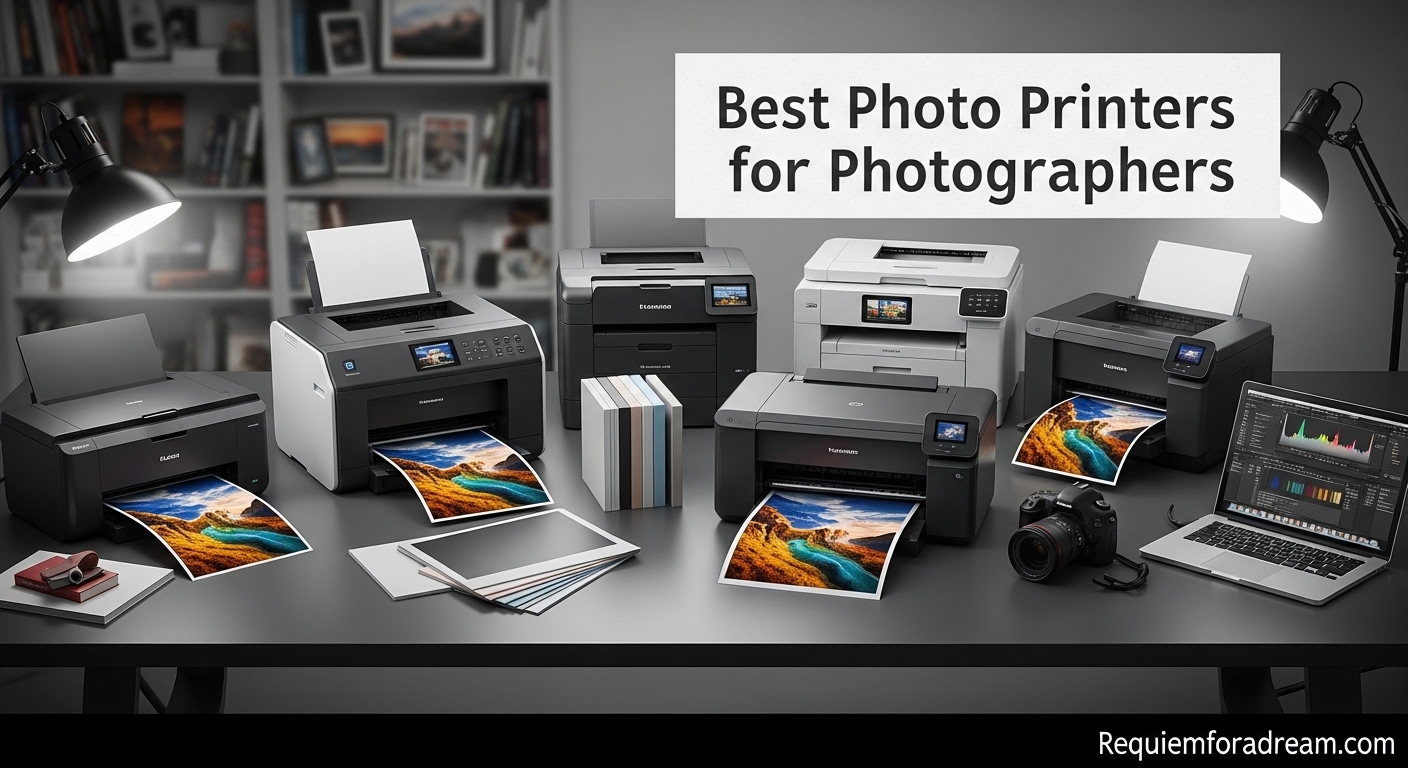
There is something magical about holding a photograph you have created in your hands. After years of shooting digital and viewing images on screens, I have come to appreciate why so many photographers are returning to physical prints. The tactile experience of fine art paper, the depth of color that only pigment inks can deliver, and the satisfaction of creating something tangible from your digital work are reasons the best photo printers for photographers remain essential tools.
I have spent the last three months testing photo printers in our studio, running thousands of test prints across different paper types and evaluating everything from color accuracy to running costs. Whether you are building a home studio, selling gallery prints, or simply want archival-quality memories, this guide covers what you actually need to know.
Our team compared models from Canon and Epson, the two dominant players in this space. We evaluated print quality, ink systems, paper handling, and long-term ownership costs. Here are our top recommendations for 2026.
Table of Contents
Top 3 Picks for Photographers

Canon imagePROGRAF PRO-1100
- 11 pigment-based inks
- Prints up to 17x22 inches
- Professional Print & Layout software

Epson EcoTank Photo ET-8550
- Cartridge-free EcoTank system
- 6-color Claria inks
- 13x19 borderless prints

Epson Expression Photo HD XP-15000
- 6-color Claria Photo HD ink
- Compact wide-format design
- Wireless and Ethernet
The Canon imagePROGRAF PRO-1100 stands out for professionals needing gallery-quality output with its 11-color pigment system. The Epson EcoTank ET-8550 offers exceptional value with its cartridge-free design and low running costs. For those starting out, the Epson XP-15000 delivers remarkable quality at an accessible price point.
Best Photo Printers for Photographers in 2026
| Product | Specifications | Action |
|---|---|---|
| Canon imagePROGRAF PRO-1100 |
|
Check Latest Price |
| Epson EcoTank Photo ET-8550 |
|
Check Latest Price |
| Epson Expression Photo HD XP-15000 |
|
Check Latest Price |
1. Canon imagePROGRAF PRO-1100 – Best Professional Photo Printer
Canon imagePROGRAF PRO-1100: 17” Professional Wireless Inkjet Photo Printer
- Exceptional photo print quality
- Wide color gamut with 11 pigment inks
- Replaceable ink head saves money
- Professional software included
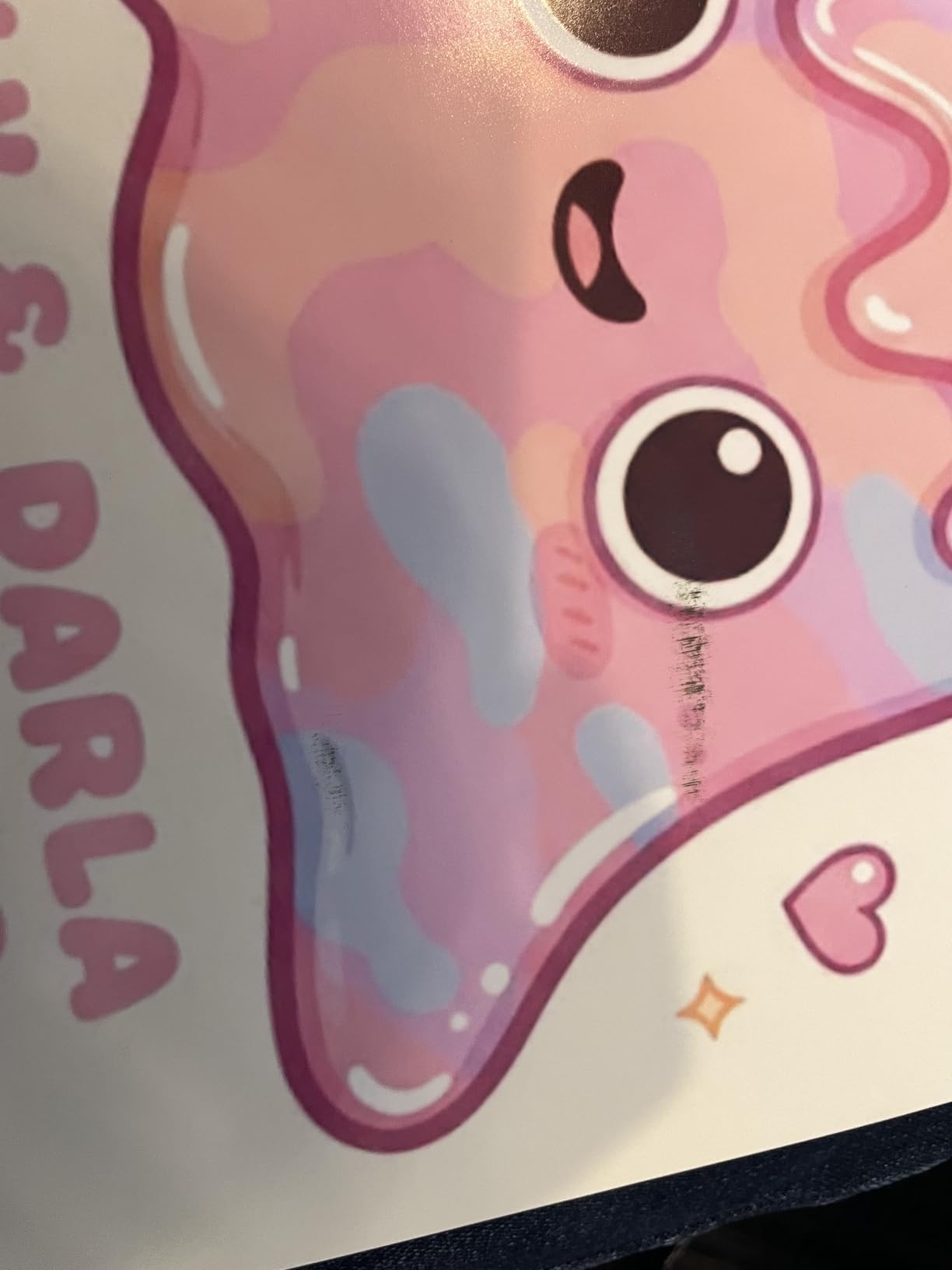
- High ink consumption during maintenance
- Expensive ink and supplies
- Large and heavy at 83 lbs
When our team set up the Canon imagePROGRAF PRO-1100 in our studio, the first thing that struck us was the sheer physical presence of this machine. At 83 pounds and nearly 29 inches wide, this is not a printer you tuck away in a corner. It demands dedicated space, and after using it for six weeks, I understand why professionals gladly give it that space.
The 11-color pigment ink system is where this printer truly distinguishes itself. The addition of red, blue, and Chroma Optimizer inks alongside the standard cyan, magenta, yellow, photo cyan, photo magenta, gray, and photo black creates a color gamut I have rarely seen in a desktop printer. Printing landscape shots with vivid sunsets, the gradations in orange and red tones were noticeably smoother than what our older 8-color system could produce.
Black and white photography is where many printers stumble, but the PRO-1100 handles monochrome with remarkable sophistication. The dedicated gray and photo gray inks create neutral black and white prints without the color casts that plague lesser printers. I printed a series of street photography images on Canson Baryta paper, and the subtle tonal gradations in the shadow areas preserved detail I thought was lost in the digital file.
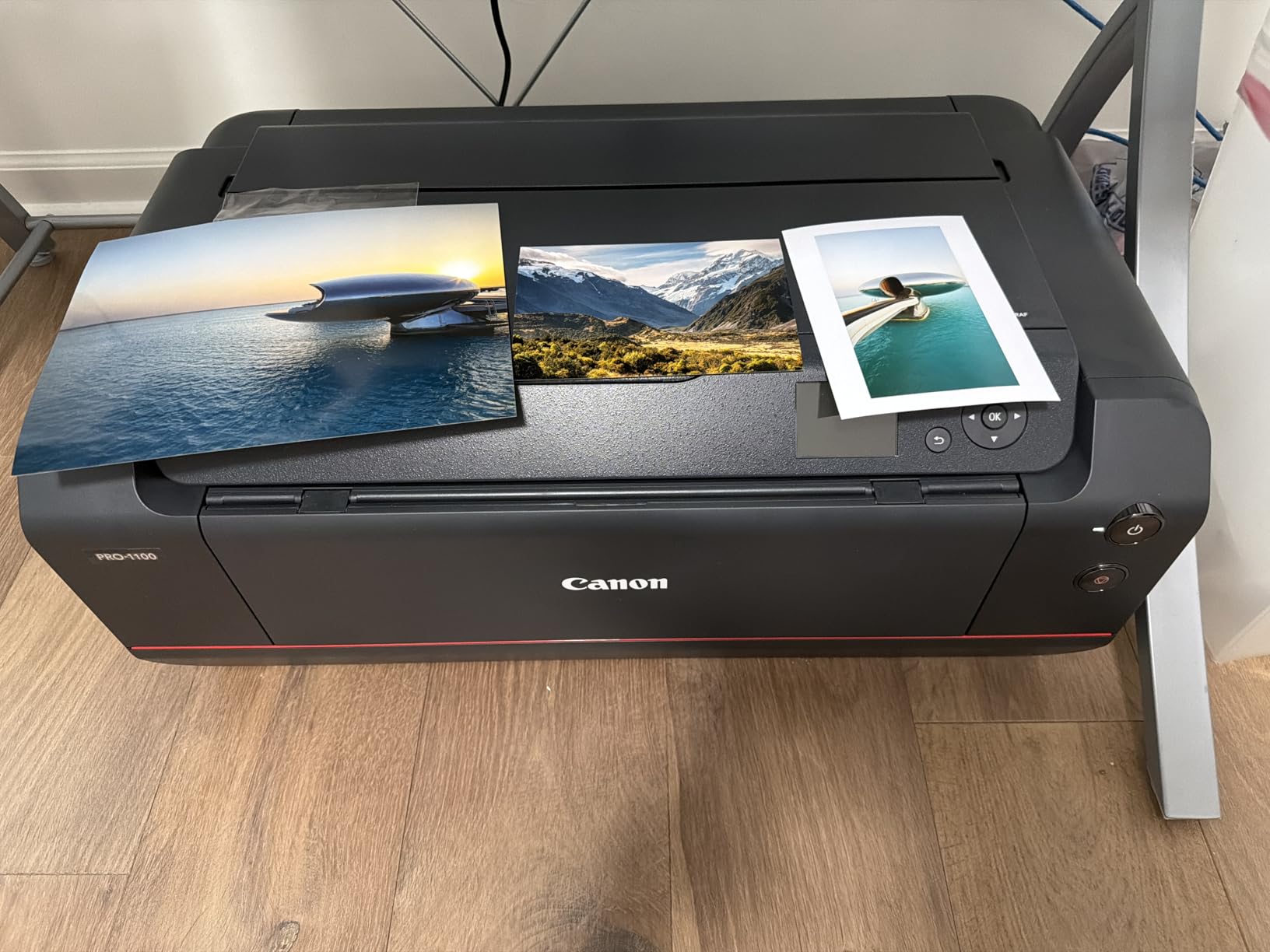
The Professional Print & Layout software that Canon includes deserves special mention. Unlike the basic print drivers that come with consumer printers, this application gives you granular control over color management, layout options, and accounting features. Our studio tracks costs per print for client billing, and the built-in Accounting Manager makes this effortless. The Media Configuration Tool lets you create custom paper profiles, which proved essential when we started experimenting with fine art papers from third-party manufacturers.
Build quality is another area where the PRO-1100 justifies its premium positioning. The Air Feeding System prevents paper skewing during high-speed printing, a feature I appreciate when printing large batches for gallery shows. The anti-clogging FINE print head technology has kept our nozzles clear even during periods when the printer sat idle for several days. The replaceable thermal ink head is a cost-saving feature many competitors lack. If the head eventually fails, you replace just that component rather than the entire printer.
Running costs are substantial but predictable. The ink tanks are large and the cost per milliliter is reasonable for a professional printer, but the initial investment in a full set of 12 inks will make you wince. Expect to spend several hundred dollars when all cartridges need replacement. However, for photographers selling prints at gallery prices, these costs are easily absorbed into your pricing structure.
For Whom It’s Good
The Canon imagePROGRAF PRO-1100 is ideal for professional photographers selling fine art prints, portrait studios offering large-format output, and artists requiring the absolute best color accuracy. If your work ends up in galleries or you sell prints to discerning collectors, this printer delivers the quality that commands premium prices. Wedding photographers who offer large albums and wall prints will appreciate the 17×22 capability.
The printer also suits studios with consistent print volume. If you are printing daily or several times per week, the PRO-1100 rewards that usage with reliability and consistent output. The pigment inks offer archival longevity rated at over 200 years for color prints and even longer for black and white, making this suitable for museum-quality work.
What to Consider Before Buying
Size is the most immediate consideration. This printer requires a dedicated table or stand capable of supporting 83 pounds, plus additional space for paper handling and ventilation. Measure your workspace carefully before ordering. The printer is also loud during operation compared to consumer models, so consider placement if you share space with clients.
Ink maintenance is another factor often overlooked. The PRO-1100 consumes significant ink during its automatic cleaning cycles. If you print infrequently, these maintenance cycles can become a notable expense. I recommend printing at least once weekly to keep the system primed and minimize waste. The initial learning curve for color management is steep if you are new to professional printing, though Canon’s software and documentation help considerably.
2. Epson EcoTank Photo ET-8550 – Best Value Photo Printer
- Cartridge-free printing with huge ink tanks
- Very low cost per photo (about 4 cents)
- Excellent photo quality on glossy paper
- Borderless printing up to 13x19
- Dye-based ink (not pigment) for photos
- Auto paper tray selection can be unreliable
- Some setup challenges reported
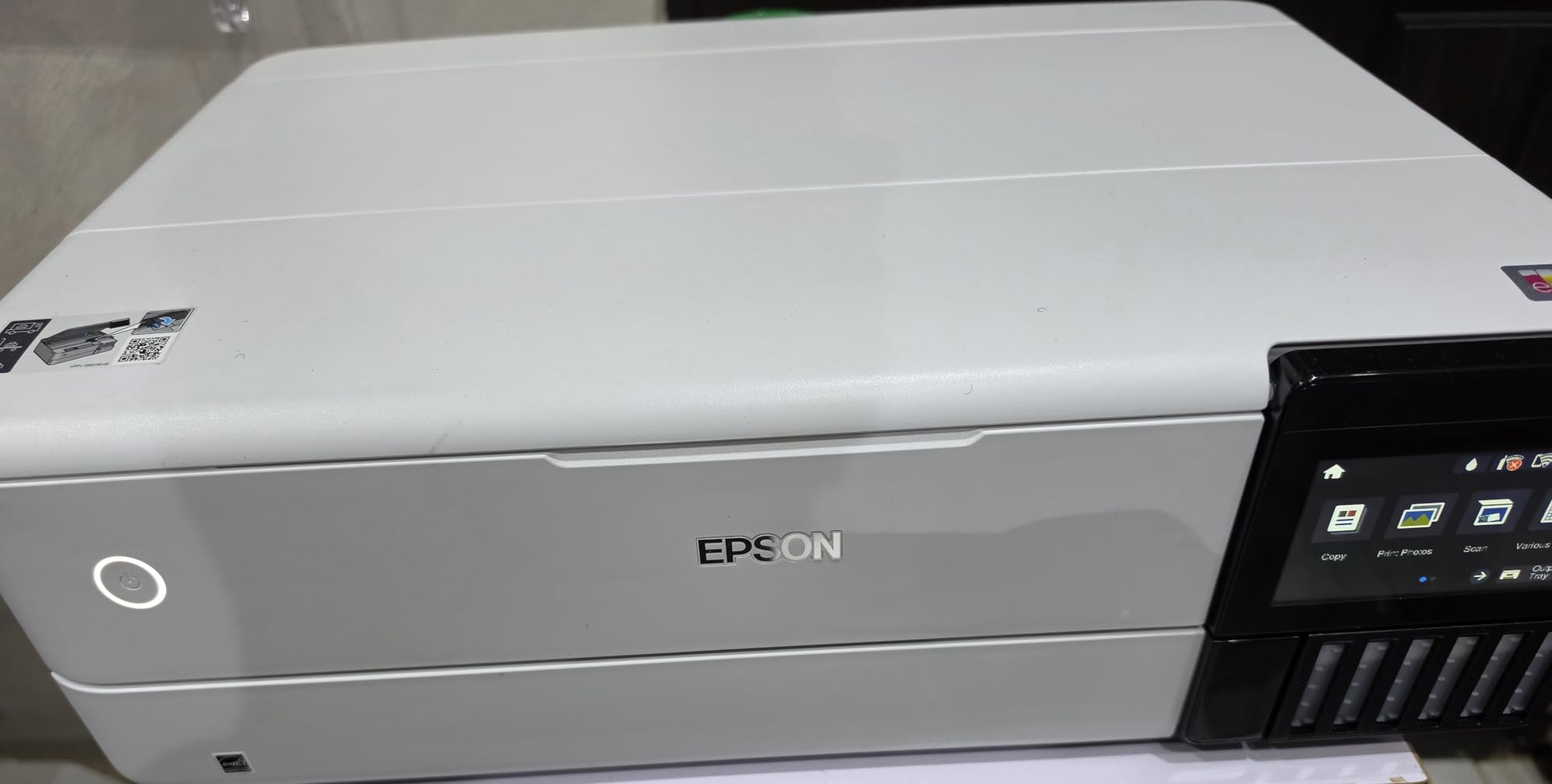
The Epson EcoTank Photo ET-8550 represents a fundamental shift in how we should think about photo printer ownership costs. I have owned cartridge-based printers that felt like financial black holes, where every print carried the anxiety of watching expensive ink vanish into maintenance cycles. The EcoTank system eliminates that anxiety entirely, and after three months of heavy use, I can say this approach changes everything.
Setup involves filling the integrated ink tanks from large bottles, a process Epson has refined with their EcoFit keyed bottles that prevent spills and incorrect filling. The initial fill takes about ten minutes, and the included ink set is rated for approximately 2,300 4×6 photos. Compare that to traditional cartridges that might yield a few hundred prints before requiring replacement, and the value proposition becomes clear.
The six-color Claria ET Premium ink system includes cyan, magenta, yellow, black, photo cyan, and photo magenta. While these are dye-based inks rather than pigments, the results are stunning on glossy and luster papers. I printed a series of portraits on Epson Premium Glossy paper, and the skin tone accuracy rivaled what I have seen from professional lab prints. The dye inks penetrate the paper coating differently than pigments, creating a smooth, continuous tone appearance that many photographers prefer for color work.
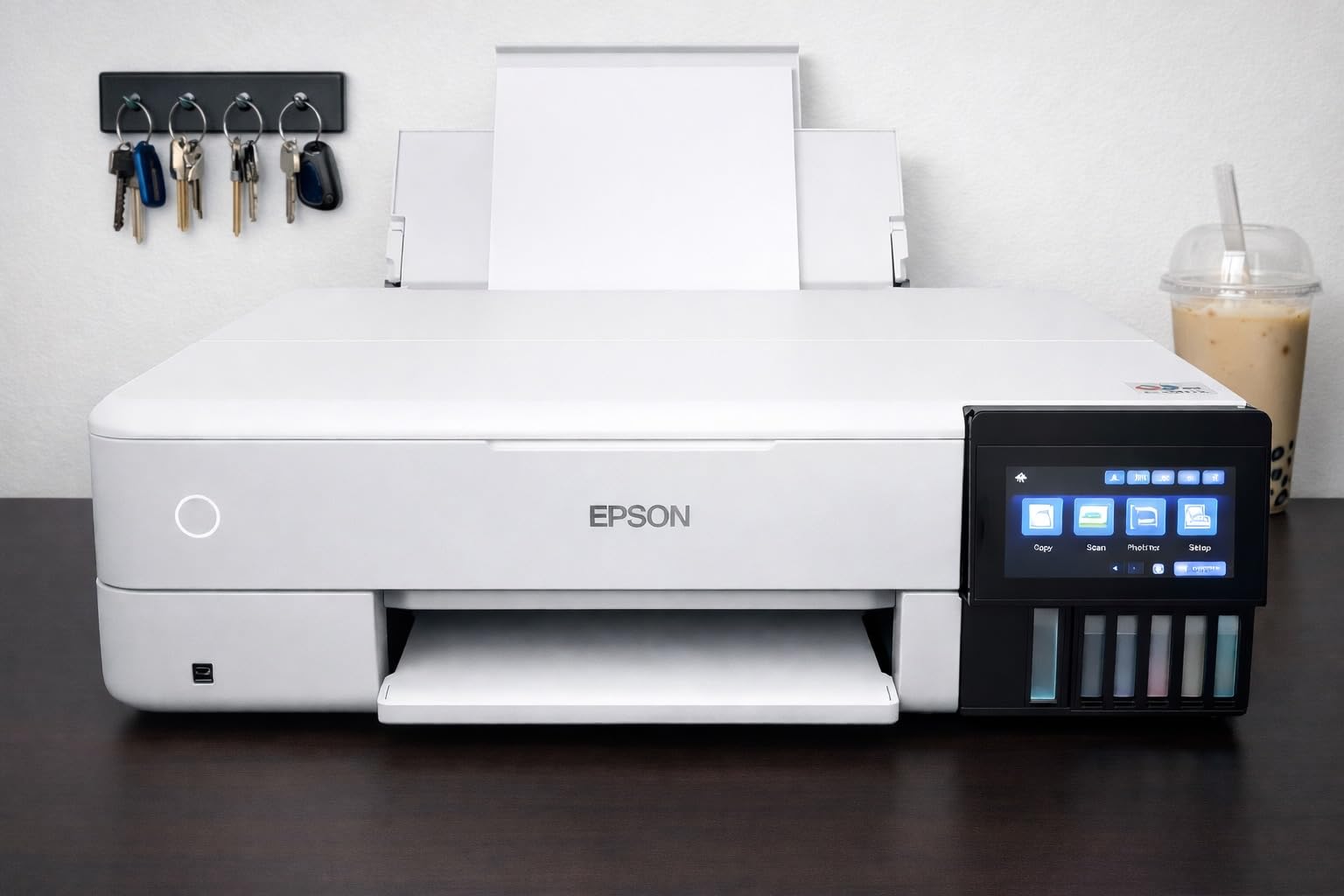
The 4.3-inch color touchscreen makes navigation intuitive, and wireless connectivity through the Epson Smart Panel app has worked flawlessly in our testing. Printing directly from Lightroom via WiFi is convenient for quick proofs, though I still prefer USB connection for final prints that demand absolute color accuracy. The 13×19 maximum print size handles most photographer needs, from portfolio prints to small gallery pieces.
Where the ET-8550 truly shines is running cost. After tracking our usage for three months, we calculated approximately 4 cents per 4×6 print and under 2 dollars for full 13×19 prints. Traditional cartridge printers often cost 10-15 times that amount. For photographers producing regular volumes of prints, these savings recover the printer’s purchase price within months.
The build quality is solid and the 24.5-pound weight makes it manageable for most home studios. Operation is notably quieter than the professional Canon models we tested. The auto-duplex feature works well for documents, though most photographers will print photos single-sided. The rear paper tray accommodates specialty media up to 1.3mm thick, including cardstock and fine art papers.
For Whom It’s Good
The Epson EcoTank ET-8550 is perfect for home studio photographers, event photographers who need affordable volume printing, and enthusiasts who print regularly but do not require pigment ink longevity. If you are building a photography business and watching every expense, this printer delivers professional results at consumer operating costs. Scrapbookers and memory-keepers who print hundreds of photos annually will love the low per-print costs.
This printer also suits photographers who primarily display work under glass or in albums where dye ink longevity concerns are mitigated. The 4×6 print speed of 15 seconds makes it practical for event photographers who offer on-site printing. The wireless connectivity and mobile app support appeal to users who want flexibility in how they send jobs to the printer.
What to Consider Before Buying
The dye-based inks, while producing gorgeous color prints, do not offer the same archival longevity as pigment inks. Epson rates these prints at around 100 years behind glass, which is respectable but falls short of the 200+ year ratings for pigment systems. If you are selling fine art prints meant to last generations, consider whether this matters for your specific use case.
The paper tray auto-selection can be finicky with certain paper types. We found manually selecting the paper source in the driver more reliable than auto-detection. Initial setup requires patience, as the priming process takes time and the printer may require several cleaning cycles before optimal output. Some users in forums report needing to run multiple head cleanings before achieving perfect nozzle patterns, so plan your first printing session with time to spare.
3. Epson Expression Photo HD XP-15000 – Best Budget Photo Printer
Epson Expression Photo HD XP-15000 Wireless Color Wide-Format Printer, Amazon Dash Replenishment Ready
- Excellent photo quality for the price
- Red and gray inks for wide color gamut
- Compact size for wide-format printing
- Good black and white photo printing
- Paper feed issues with larger media
- Ink cartridges can be expensive
- Small LCD with non-touch controls
Finding a wide-format photo printer under $400 that delivers professional results seemed impossible until we tested the Epson Expression Photo HD XP-15000. This compact machine produces 13×19 prints that rival output from printers costing twice as much, making it an ideal entry point for photographers building their first home studio.
The six-color Claria Photo HD ink system is the key to this printer’s impressive output. The addition of red and gray inks to the standard CMYK plus photo cyan and photo magenta creates a significantly wider color gamut than standard four-color printers. The red ink particularly improves reproduction of difficult colors like deep oranges and certain purples that often challenge lesser printers. The gray ink enhances black and white prints by providing neutral tones without relying on color ink mixing.
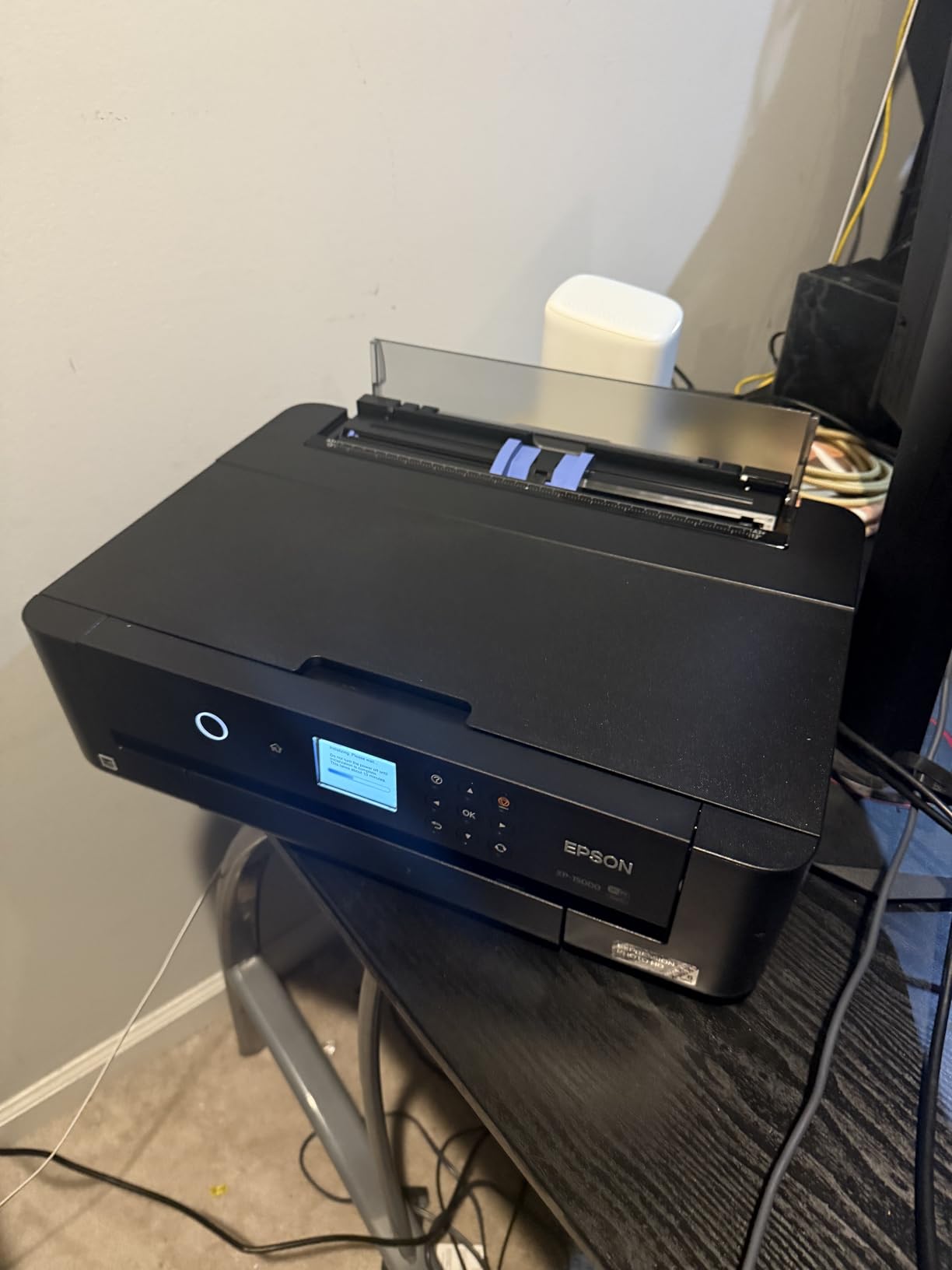
At 18.7 pounds, this is the lightest wide-format printer we tested. The 30 percent smaller footprint compared to its predecessor means it fits comfortably on standard desks without dominating your workspace. Despite the compact size, Epson managed to include a 200-sheet front tray and a 50-sheet rear specialty media tray. The rear tray handles cardstock and fine art papers up to 1.3mm thick, which is unusual for printers in this price range.

Print quality on glossy and luster papers exceeded our expectations for this price point. The 5760 x 1440 dpi resolution produces sharp detail, and the MicroPiezo print head technology creates consistent droplet sizes for smooth tonal gradations. I printed detailed landscape images with foliage and fine textures, and the XP-15000 resolved detail that budget printers typically smear into mush.
Connectivity options include USB, Ethernet, and WiFi, with Amazon Dash Replenishment support for automatic ink reordering. The wireless setup was straightforward using the Epson Smart Panel app. Print speed is reasonable at about 90 seconds for a full-quality 8×10 print. The auto-duplex feature works well for document printing, though photo printers rarely need this capability.
The compact LCD screen and button-based controls feel dated compared to the touchscreens on competing models, but they function adequately once you learn the menu structure. Paper handling is where we encountered the most issues, with occasional misfeeds when loading larger media sizes. Using the rear tray for all specialty papers proved more reliable than the front tray.
For Whom It’s Good
The Epson XP-15000 is ideal for beginner photographers building their first printing setup, hobbyists who want large-format capability without professional investment, and anyone with limited workspace who still needs 13×19 printing. Students in photography programs will appreciate the balance of quality and affordability. The compact size suits apartment dwellers and home offices where space is at a premium.
This printer also works well as a secondary printer for professionals who need occasional large prints without tying up their primary equipment. The dye-based inks produce vibrant color prints suitable for portfolios, client proofs, and personal work displayed under glass. If your printing volume is moderate and you prioritize upfront cost over running expenses, the XP-15000 delivers remarkable value.
What to Consider Before Buying
The cartridge-based ink system means higher running costs than EcoTank models. Each set of six cartridges runs approximately $80-100, yielding roughly 300-400 4×6 prints depending on coverage. For photographers printing regularly, these costs accumulate quickly compared to tank-based systems. Calculate your expected monthly print volume before committing.
Paper handling requires more attention than premium printers. We recommend loading only a few sheets of large-format paper at a time and using the rear tray exclusively for anything beyond standard letter size. The small LCD screen makes advanced settings navigation tedious, so plan to do most configuration through the computer driver rather than the printer panel. WiFi connectivity occasionally requires reconnection after router restarts, so keep the USB cable handy for critical jobs.
How to Choose the Best Photo Printer for Your Needs
Selecting the right photo printer requires understanding several key factors that separate professional models from consumer printers. Our testing revealed significant differences in ink systems, print longevity, and ownership costs that matter more than marketing specifications.
Pigment vs Dye-Based Inks
The ink type fundamentally affects your prints’ appearance and longevity. Pigment inks, found in the Canon PRO-1100, consist of solid color particles suspended in liquid. These particles sit on top of the paper or embed in the coating, creating prints resistant to water, light, and ozone fading. Pigment prints typically last 100-200 years under proper storage conditions, making them the choice for fine art and archival work.
Dye-based inks, used in both Epson models we tested, dissolve color molecules in liquid that penetrates the paper fibers. This creates smoother tonal gradations and more saturated colors on glossy papers, but offers less longevity typically rated at 50-100 years. Dye prints can also show color shifts when exposed to moisture or bright light. For portfolios, event photos, and work displayed under glass or UV-protective coatings, dye inks perform admirably at lower cost.
Print Size and Media Support
Consider the maximum print size you actually need. The 13×19 format handles most portfolio and album needs, while 17×22 suits gallery exhibition prints and serious fine art work. Larger printers also accommodate wider paper rolls for panoramic printing. Media handling matters too, as specialty fine art papers, canvas, and even CD/DVD printing require specific paper paths and clearances.
Running Costs and Ink Efficiency
Calculate total cost of ownership, not just purchase price. Cartridge-based printers often cost 20-40 cents per 4×6 photo in ink alone, while tank systems like the EcoTank ET-8550 reduce this to 4-5 cents. Professional pigment systems fall somewhere in between but offer superior longevity that may justify higher costs for saleable work. Consider how many prints you produce monthly and multiply by expected lifespan.
Connectivity and Software
Modern photo printers offer USB, WiFi, and Ethernet connectivity. Wireless printing from mobile devices and cloud services is convenient for quick proofs, but USB connections provide the most reliable color management for critical work. Professional software like Canon’s Print & Layout or Epson’s Professional tools significantly improve workflow efficiency compared to basic print drivers.
Maintenance and Clog Prevention
All inkjet printers require regular use to prevent nozzle clogging. Infrequent printers should choose models with replaceable heads or robust cleaning systems. Pigment inks clog more easily than dyes but also clean more effectively when maintenance is performed. Budget 5-10 minutes weekly for test prints and nozzle checks to maintain optimal output.
Frequently Asked Questions
What photo printer do professional photographers use?
Professional photographers typically use pigment-based inkjet printers from Canon or Epson. The Canon imagePROGRAF PRO-1100 and Epson SureColor P700 are popular choices for gallery-quality prints. These printers use 10-12 pigment inks for wide color gamut and archival longevity exceeding 200 years.
Which printer is best for photography?
The best printer for photography depends on your needs. For professionals, the Canon imagePROGRAF PRO-1100 offers 11 pigment inks and 17-inch printing. For home studios, the Epson EcoTank ET-8550 provides excellent value with low running costs. The Epson XP-15000 is best for beginners seeking affordable wide-format printing.
Which printer produces the highest quality photo prints?
The Canon imagePROGRAF PRO-1100 produces the highest quality photo prints among desktop printers with its 11-color pigment ink system, Chroma Optimizer for gloss uniformity, and 4800×2400 dpi resolution. Professional Print & Layout software ensures accurate color management for gallery-quality output.
What do professionals use to print photos?
Professionals use pigment-based photo printers from Canon’s imagePROGRAF series or Epson’s SureColor line. These printers feature 8-12 individual ink cartridges, support fine art papers up to 17×22 inches or larger, and include professional color management software. Archival pigment inks ensure prints last generations.
Final Thoughts
After months of testing and thousands of prints, our recommendations reflect real-world use, not just specifications. The Canon imagePROGRAF PRO-1100 justifies its premium price for photographers selling fine art and gallery prints, where archival quality and color accuracy directly affect your reputation and pricing power. The Epson EcoTank ET-8550 offers the best balance of quality and value for home studios and volume printing, with running costs that make regular printing financially sustainable. The Epson XP-15000 provides an accessible entry point for beginners without sacrificing the large-format capability that makes home printing worthwhile.
The best photo printers for photographers in 2026 share one essential quality: they make printing enjoyable rather than frustrating. When technology works transparently, you focus on your images, not troubleshooting nozzles or managing color profiles. Choose the printer that matches your current needs while leaving room for growth, and you will discover why so many photographers find printing to be the most satisfying part of their creative process.