
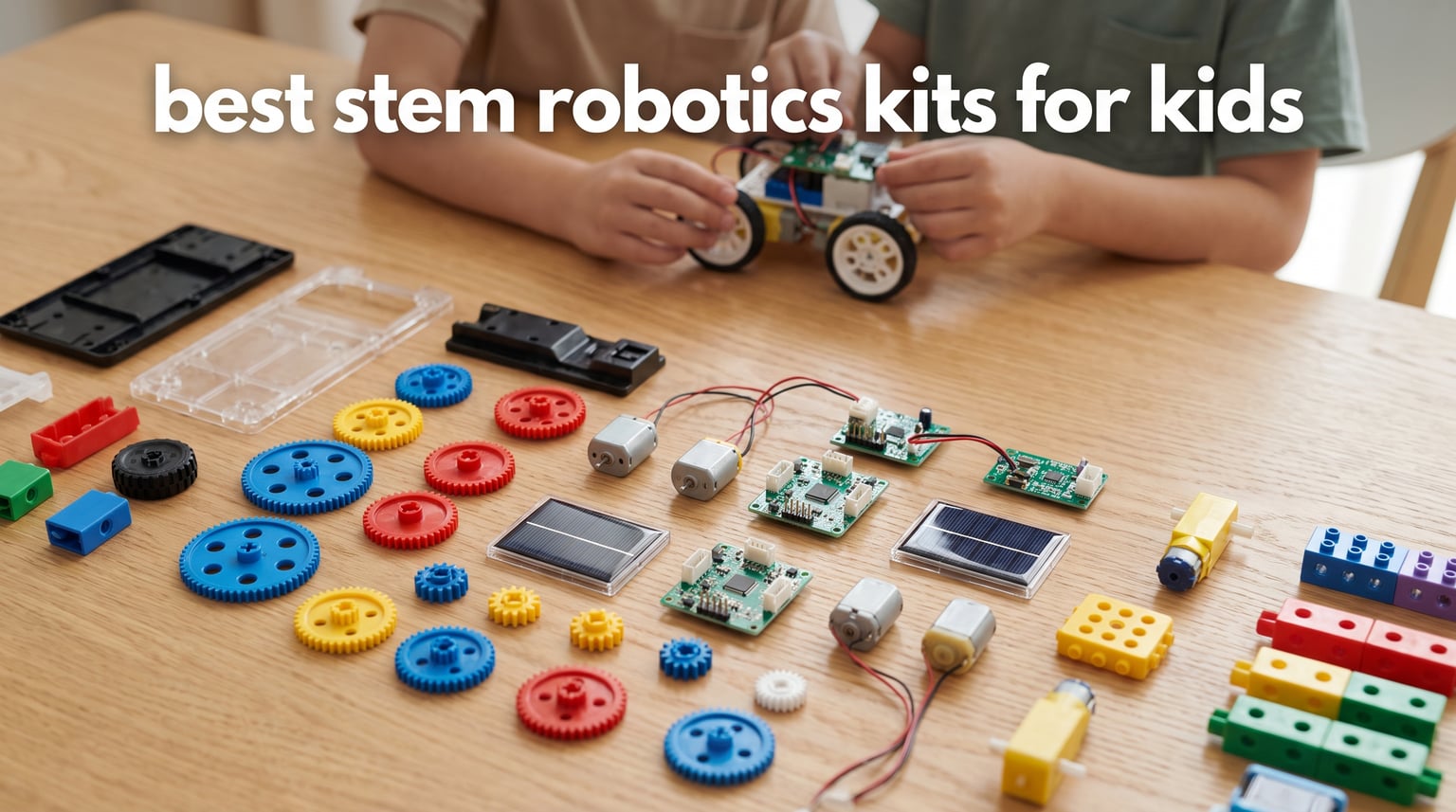
The best STEM robotics kits for kids turn a child’s “How does that move?” question into a build, a command, and a visible result. A good first kit matches the child’s patience for assembly as closely as it matches their age: a six-year-old who wants a quick experiment needs a different starting point from an eleven-year-old who enjoys following a long sequence of steps.
STEM robotics kits for kids are hands-on sets that introduce engineering, mechanical motion, and programming through models children assemble and control. The strongest fit is usually the one a child can finish with reasonable help, return to for another project, and explain back to you in their own words.
I reviewed the eight available product records for stated ages, components, control methods, build variety, power requirements, coding claims, ratings, and recurring review insights. I did not treat a high rating as proof that every child will have the same experience; parent discussions repeatedly point to instructions, adult help, battery planning, and how much a child enjoys building as the factors that decide whether a kit gets used again.
For a fast answer, choose Tsomtto for varied mechanical projects with children as young as six, Thames & Kosmos for a screen-free introduction to coding, Apitor for app-based block coding and multiple builds, or Butterfly EduFields when an older child wants to explore sensors and home-automation-style projects. The eight picks below cover simple motorized experiments, solar-powered models, remote-control builds, and programmable robot kits without pretending that one format fits every family.
Table of Contents
The top 3 picks for STEM robotics kits for kids are Apitor, Demkia, and Tsomtto (September 2026)
These three answer three different needs rather than competing for the same child. Apitor puts the clearest emphasis on app-based coding, Demkia centers on a rechargeable remote-controlled build, and Tsomtto makes variety the lesson by splitting the experience into six separate projects.
If you are buying for a seven-year-old, I would begin with the child’s building habits before choosing a badge. A child who likes interlocking blocks may enjoy Apitor, while a child who wants an adult-and-child science activity may find Tsomtto’s smaller projects less intimidating.
These are the eight STEM robotics kits for kids in 2026.
The comparison below is a quick route to the stated age range, format, and learning angle for every kit in this guide. It is not a substitute for checking the product instructions and small-parts guidance before handing a set to a child.
| Product | Specifications | Action |
|---|---|---|
 Apitor Robot J 6-in-1 Apitor Robot J 6-in-1 |
|
View Product Details |
 Demkia 5-in-1 Robot Kit Demkia 5-in-1 Robot Kit |
|
View Product Details |
 Kyanio 3-in-1 Robot Set Kyanio 3-in-1 Robot Set |
|
View Product Details |
 Opmind 5-in-1 RC Robot Opmind 5-in-1 RC Robot |
|
View Product Details |
 Tsomtto 6-in-1 Robotics Set Tsomtto 6-in-1 Robotics Set |
|
View Product Details |
 Bottleboom 13-in-1 Solar Bottleboom 13-in-1 Solar |
|
View Product Details |
 Butterfly EduFields 40-in-1 Butterfly EduFields 40-in-1 |
|
View Product Details |
 Thames and Kosmos Junior Thames and Kosmos Junior |
|
View Product Details |
One useful way to read the list is by learning path. Tsomtto offers mechanical experiment variety for ages 6-12; Apitor moves into icon-based coding at ages 7-12; Kyanio, Demkia, and Opmind combine block construction with app or remote operation for older builders; Bottleboom adds renewable-energy concepts; Butterfly EduFields introduces components and sensors; and Thames & Kosmos gives an eight-plus beginner a choice between buttons and a block-based app.
Ratings are supplied with the product data and are snapshots, not promises. I would use them as a signal to read the current documentation and compatibility notes, especially where a kit relies on an app or needs a particular type of battery.
1. Apitor Robot J is the strongest all-round app-coding build for ages 7-12.
Apitor STEM Coding Robot Toy 6-in-1 Building Kit for Boys 8-12 480 Blocks
- Six build options
- Icon-based coding
- Four app control modes
- Two built-in motors
- Sorting tray
- Needs three AA batteries
- Assembly required
Apitor’s Robot J is a 480-block set that can make six models, which is the main reason it earns the broadest recommendation here. Instead of asking a child to master code before seeing movement, it starts with a familiar building-block task and adds an icon-based app interface that introduces loops, variables, and problem-solving activities.
The control module contains two high-speed motors, and the stated app modes cover dual-motor, single-motor, gyro, and path control through Bluetooth. That gives a child several ways to connect an instruction on a screen with a physical behavior: moving forward and backward, turning, or performing a 360-degree stunt.
I like the practical detail that the set includes building instructions, a user guide, and a sorting tray. Those pieces do not make assembly automatic, but they speak directly to a common parent complaint from robotics forums: a kit becomes frustrating when the child cannot identify parts or recover from a missed step.
The Apitor Robot J suits block builders who want coding to follow construction.
The stated age range is seven through twelve, and this fit makes sense for a child who already likes interlocking construction sets and can stay with a multi-step model. The six-in-one format also gives the set a second act after the first robot is complete, which matters for children who lose interest once a single model has been displayed.
For a beginner programmer, the icon interface is less abstract than starting with text-based Python coding. I would sit nearby for the first connection to the app, then let the child choose a movement challenge such as drawing a path or using gyro control.
The Apitor Robot J needs battery planning and patient assembly.
This kit requires three AA batteries, and they are not included. Put fresh batteries aside before a birthday or holiday opening, because a finished robot that cannot move is a disappointing end to a long build session.
It is still an assembly project, not a ready-to-run toy. A child who dislikes sorting pieces or following visual directions may need help at first, while a child who enjoys the building stage has more reason to appreciate the six model options.
2. Demkia 5-in-1 is the rechargeable multi-model choice for ages 8-12.
- Five model choices
- Remote and app control
- Up to 50-minute runtime
- Durable ABS
- Type-C charging
- Remote batteries not included
- Assembly required
Demkia takes the build-and-drive route with 560 pieces that can form five models, including a robot, tank, and bulldozer. Its flexible left arm, rotating right-arm turret linked to the tracks, and adjustable head make the mechanical features more visible than a basic car build.
The kit offers both a 2.4GHz remote and Bluetooth app control, with 360-degree movement listed for the finished models. That dual-control arrangement is useful for a child who wants to start with tactile buttons before trying app control, or for siblings who prefer different ways to play.
The rechargeable lithium polymer battery is a meaningful convenience point, with a stated runtime of up to 50 minutes per charge and USB Type-C charging. I would still treat that runtime as a listed maximum rather than plan a full afternoon around it, since driving style and battery condition can change real play time.
The Demkia kit fits children who prefer vehicles with visible moving features.
This is a good match for a builder who gets excited by tracks, a rotating turret, and a movable arm rather than a robot that mainly follows coding commands. The five build options make it easier to redirect interest after one model is finished, and the step-by-step guide is intended to support spatial awareness, problem-solving, and motor skills.
Its maker lists an age range centered on 8-12, with a broader product title that reaches into the teen years. I would use the child’s experience with building instructions as the tie-breaker, because 560 pieces can be engaging for a confident eight-year-old and tiring for one who wants instant action.
The Demkia kit needs an adult to plan the first setup.
The remote requires batteries that are not included, even though the robot itself uses an included rechargeable battery. Check both power needs before opening the box so the first driving session does not stop at the finish line.
The kit is made from ABS and has strong feedback in the supplied review summary, but any interlocking build can be affected by rushed assembly or a loose connection. Build the first model on a tray or clear table, and keep the manual with the spare pieces when it is time to rebuild.
3. Kyanio 3-in-1 is the best tracked build for ages 8-14.
- Clear color-coded instructions
- Three tracked builds
- Remote and app control
- Rechargeable battery
- One-year defect warranty
- Assembly required
- Model choices favor vehicles
Kyanio combines block building, remote operation, and app programming in a three-in-one set for ages 8-14. The three listed builds are a machine-gun robot, an armored tracked vehicle, and a mechanical cannon tank, so its theme is firmly in the vehicle-and-mechanics camp rather than friendly character robotics.
Color-coded blocks and clear step-by-step instructions are a strong fit for the forum concern that unclear directions can turn a promising STEM activity into an adult-only task. The included remote and stated 2.4GHz connection give a child an immediate reward after building, while app programming adds a more deliberate next step.
The kit uses a rechargeable battery with Type-C charging and includes a one-year warranty against manufacturer defects. I see the warranty as a helpful practical detail, not a reason to overlook careful handling of small parts and connections during rebuilds.
The Kyanio set works for children who enjoy a more technical vehicle theme.
The tracks, mechanical forms, and synchronized hand-mounted features in the listed models give this set a particular appeal for children who want something that looks engineered. It can turn a casual block-building session into a conversation about gears, traction, turning radius, and how a remote signal translates into motion.
A child does not need prior programming experience to begin with the remote. I would let the builder learn the physical controls first, then use the app as a later challenge once they understand what each motor-driven movement should accomplish.
The Kyanio set is less suited to children who want open-ended characters.
There are only three model categories, and all lean toward armored or tracked machines. A child who wants cute expressions, animal builds, or a large collection of science experiments may be happier with Opmind, Tsomtto, or Bottleboom.
Assembly is still part of the learning experience. The product record calls out color-coded instructions, yet an adult should be ready to help a younger eight-year-old read a dense step or diagnose a build that will not move as expected.
4. Opmind 5-in-1 is the expressive robot option for ages 8-13.
- Five varied models
- LED eyes and sounds
- Remote and app control
- Rechargeable battery
- Up to 40-minute runtime
- Assembly required
- Some builds may challenge younger children
Opmind differentiates itself with character. The 494-piece set can become a magician, engineer, snowplow, tank, or snail, and the stated digital eyes blink and change expressions with sounds. That gives the finished build a playful presence beyond simply driving across the floor.
It includes a 2.4GHz remote, a smartphone app, and a built-in 3.7V 400mAh lithium battery. The manufacturer lists up to 40 minutes of play per charge, which makes charging part of the routine but removes the need to keep replacing standard batteries for the main unit.
In the supplied review insight, customers singled out the LED eye animations and transformation variety, and the record shows a 4.6 rating across 265 reviews. I would regard that as a reason to look closely at the five models, since the variety is the set’s most distinctive promise.
The Opmind kit suits a child who wants a robot with personality.
The expressive eyes, sounds, and unusual snail and magician forms can keep the experience from feeling like a sequence of similar vehicles. This is a nice parent-and-child build for a kid who invents stories around their creations and wants a finished model that can play a role.
The app and remote offer two control routes, so it does not force a child to use a screen for every session. I would use the remote for immediate play and reserve app time for a supervised activity where the child can focus on the controls rather than switch between building and a device.
The Opmind kit asks younger builders to accept complexity.
The product data warns that some models may be complex for younger children. The listed age band is 8-13, but a child at the lower end who has little experience with 494-piece sets may benefit from an adult partner during the first transformation.
As with any multi-model kit, only one model can be assembled at a time. Take a quick photo of a finished favorite and keep parts grouped between rebuilds; that makes a later switch from tank to snail feel like a new project rather than a search for missing pieces.
5. Tsomtto 6-in-1 is the simplest varied-project set for ages 6-12.
STEM Kits for Kids Robotics Kit Set, Boys Craft Educational STEM Toys Gifts
- Six separate experiments
- Wide stated age range
- Tools and instructions included
- Family activity format
- High review count
- Needs alkaline batteries
- Uses a screwdriver and assembly
Tsomtto is different from the block-heavy options because it presents six separate robot and science builds rather than one transformable chassis. The listed projects include a reptile robot, balance car, bubble machine, fiber lamp, and sliding plane, which makes it a useful choice when a child likes short experiments with different outcomes.
The stated age range is 6-12, and the product includes detailed instructions and a screwdriver for assembly. That makes it one of the most approachable selections for a younger elementary-school child, provided an adult is ready to help with small pieces and any step that involves the screwdriver.
Its 4.5 rating is drawn from 653 reviews in the provided data, the largest review count among the non-solar kits here. I would not read that as a guarantee of independence for a six-year-old; it does support the idea that the six-project format has reached many families.
The Tsomtto set fits children who learn by trying several small experiments.
Children who get restless with a single long build may like moving from a balance car to a bubble machine or a lamp. Each finished project creates a clear prompt for discussion: what makes the car balance, what turns electrical power into motion, and which parts change the result?
This is also a natural homeschool STEM or weekend activity because an adult can frame each build as a small investigation instead of racing toward one polished robot. I would let the child make a prediction before switching on the motor, then ask what they would change on a second attempt.
The Tsomtto set needs a battery and supervision check before use.
Alkaline batteries are required, and assembly uses a screwdriver and instruction manuals. Set the workspace away from loose toys, put the small parts in a dish, and keep battery installation as an adult task unless the child is already comfortable with it.
The format teaches construction, hand-eye coordination, logical thinking, motor skills, and creative skills, but it is not presented as app coding. Choose Apitor or Thames & Kosmos if the main goal is a kids coding robot rather than a collection of physical science projects.
6. Bottleboom 13-in-1 is the clearest solar-powered robotics lesson for ages 8+.
- Thirteen robot options
- Solar energy lesson
- No batteries needed
- No soldering
- Land and water movement
- Small parts
- Complex builds need adult help
Bottleboom makes renewable energy the center of the activity. This 13-in-one solar robot kit can build 13 robot types and uses a solar-powered engine rather than batteries, giving children a direct way to see that light conditions affect a moving mechanism.
The listed models can move on land or water, and the components include gears, plates, tires, and shafts. There is no soldering requirement, which helps keep the focus on mechanical assembly and the relationship between the panel, power, and movement.
The product data states an age recommendation of eight and up and a 4.4 rating from more than 6,400 reviews. I would still reserve the first build for a bright setting and make the solar lesson explicit: if the model changes behavior, have the child investigate angle, shadow, and available light before assuming something is broken.
The Bottleboom kit works best as a renewable-energy science activity.
This is the pick for a child who asks where power comes from or who needs a science-fair-style starting point. A solar model provides a concrete bridge from “energy” as a textbook word to a wheel, shaft, or gear that moves because the panel is receiving light.
It also answers the request for a LEGO robotics alternative without copying the block-building formula. I would pair it with a notebook where the child records which model they built, the light conditions, and what changed when the panel direction changed.
The Bottleboom kit depends on careful handling and suitable conditions.
The data flags small parts and says complex builds may need adult supervision. That makes it a poor fit for a younger sibling who mouths objects or for a child who becomes upset when a project requires a slow, careful reset.
Solar movement is part of the experiment, so it may be less predictable indoors or in shade than a battery-powered remote-control toy. Choose it for curiosity about solar power, not for a child whose main wish is uninterrupted indoor driving.
7. Butterfly EduFields 40-in-1 is the deepest home-project lab for ages 8-12.
- Over 40 projects
- 100+ components
- Multiple sensors
- No soldering
- Home automation examples
- Needs batteries
- Some assembly required
Butterfly EduFields is a project lab more than a single robot. It includes more than 100 electronic components and presents 40 or more projects using a plug-and-play electronics board, motors, wheels, LEDs, a pump, and sensors such as infrared, flame, touch, motion, magnetic, and light sensors.
The stated examples go beyond a driving robot to include a doorbell, fan controller, and line-following car. That real-world direction fills a gap in many kid-focused robotics lists: a sensor can be introduced as the part that helps a device notice its environment, not just as an accessory in a toy.
No soldering or coding is required according to the supplied information. I see that as a plus for an eight-to-twelve-year-old who is ready to explore electronic cause and effect but is not ready for a separate coding language or permanent connections.
The Butterfly EduFields kit suits children who want to explore how systems respond.
A child who is curious about alarms, automatic lights, fans, or line-following behavior has much more room to experiment here than with a single transformable build. The sensor collection can lead to simple questions that mirror real engineering work: what triggers a response, what output follows, and what happens if the input changes?
The listed 50-plus hours of learning fun should be treated as a manufacturer estimate, but the 40-project design does offer long-term material for a homeschool STEM schedule or after-school program. I would select one project at a time and keep a labeled container for components, because 100-plus parts are only helpful when they can be found.
The Butterfly EduFields kit requires organized adult support at the start.
Batteries are required, and the manufacturer notes a compatibility restriction with Duracell batteries. Check the current instruction material for the supported battery type before setup rather than substituting whatever is in the drawer.
This is not the right first choice for a child who only wants a robot to steer immediately. It is better for a patient child who can accept a project board, separate components, and a learning process where the outcome may be a sensor-controlled device instead of a character robot.
8. Thames & Kosmos Smart Machines Junior is the best screen-free coding introduction for ages 8+.
- Screen-free play mode
- Block-based coding
- Programs 200 actions
- Two motors and LEDs
- Beginner focused
- App needed for full features
- Battery powered
Thames & Kosmos Smart Machines Junior offers a rare choice: children can build and control the robot through built-in buttons without using a screen, or use a block-based coding app when they are ready. That two-track approach makes it an especially thoughtful beginner robotics kit for a family that wants to introduce programming without making a device mandatory on day one.
The nine-inch robotic pal includes two LEDs, two motors, plastic building pieces, and a speaker. The app can program more than 200 actions involving movement, speed, lights, and sounds, which makes the robot’s response visible and audible for a child learning that a sequence of commands causes a sequence of behaviors.
The product is intended for ages eight and up and has a 4.2 rating from 121 reviews in the available record. I would put the slightly lower rating in context rather than overread it: the deciding feature is whether screen-free buttons plus later block coding match the household’s learning preference.
The Smart Machines Junior kit fits beginners who need a gentle coding runway.
Built-in buttons can reduce the first-session friction that sometimes comes with apps, accounts, pairing, or screen time. A child can make a robot respond right away, then move to graphical programming when they are ready to create a planned sequence instead of pressing a control.
This is a particularly good fit for a child who enjoys lights and sounds as feedback. I would ask them to plan a short “robot routine” with a movement, a light response, and a sound, then compare what they predicted with what the robot actually does.
The Smart Machines Junior kit needs the app for its full coding range.
The screen-free mode is a feature, but the full set of programmable actions depends on the app. Families buying specifically for no-device play should be comfortable with the button mode on its own, while families who want coding should confirm that the child has appropriate access to a compatible device.
It is battery powered and requires assembly. Keep the learning goal modest at first: complete one build, try one button action, and make one small program. That pacing respects the common parent advice to start with a simpler success before asking a beginner to troubleshoot a large project.
The right robotics kit depends first on age, independence, and the kind of learning a child enjoys.
Choose a kit by the child’s current habits, not only the number printed on a box. Ages are a useful safety and complexity signal, but the better question is whether the child enjoys sorting parts, can follow diagrams, and will feel proud after a small success instead of overwhelmed by a long assembly.
Children ages 6-7 do best with short builds and adult partnership.
Tsomtto is the clearest selection in this group because its stated range begins at six and it divides the experience into six projects. A young child can participate in sorting, connecting pieces, predicting what will happen, and testing the finished experiment while an adult handles batteries, screwdrivers, and dense instruction steps.
Do not make “independent completion” the standard for this age. The win is that a child notices a cause-and-effect relationship, such as a motor making a car move or a component changing a result, and wants to try again.
Children ages 8-10 do best with a clear first win and one next challenge.
Apitor, Demkia, Opmind, Bottleboom, Butterfly EduFields, and Thames & Kosmos all begin at or around this range. For a child who likes blocks and movement, choose Apitor; for a child who wants buttons before coding, choose Thames & Kosmos; for a child who wants sunlight to become part of the lesson, choose Bottleboom.
Avoid setting out every project at once. I would let the child finish the basic model, play with it, and then name one next challenge: change a control mode, rebuild in a new form, test a sensor, or write a short sequence of actions.
Children ages 11-14 do best with room to rebuild, compare, and explain.
Kyanio’s stated 8-14 range, Demkia’s five models, Opmind’s transformations, and Butterfly EduFields’ component library give older children enough material to make choices and diagnose outcomes. At this age, the lesson can move past “make it go” toward why a track turns, why a sensor responds, or why a sequence needs to be ordered.
For a teen robotics interest, none of these product records promises a complete competition platform or text-based Python coding system. Treat a kit as a foundation for habits such as documenting a build, testing one variable at a time, and explaining a design decision; those habits transfer well if the child later joins a school club or a FIRST LEGO League-style program.
Programming choices should match a child’s starting point rather than an adult’s ambitions.
Graphical programming uses visual blocks or icons that a child arranges to create commands. Apitor describes an icon-based app with loops and variables, while Thames & Kosmos offers a block-based app with more than 200 programmable actions; both are appropriate ways to show programming logic without beginning with typed syntax.
Remote control is not the same as coding, but it can be a good confidence builder. Demkia, Kyanio, and Opmind let a child see how motors respond to control before they tackle an app-based sequence, while Butterfly EduFields focuses on plug-and-play sensor projects without a coding requirement.
Assembly expectations should be clear before the kit becomes a gift.
Every kit in this list has some form of assembly or construction expectation, even where no soldering is needed. The product records are especially clear about required assembly for Apitor, Demkia, Kyanio, Opmind, Tsomtto, Butterfly EduFields, and Thames & Kosmos; Bottleboom is also a build kit despite a conflicting assembly field in its listing data.
Set aside a clear workspace, a tray for small pieces, and unhurried time for the first session. Community feedback makes the point plainly: a kit with poor or hard-to-follow directions can make an adult feel needed throughout, so start when help is available instead of handing over a complex box during a busy moment.
Power choices affect where and how a finished robot gets played with.
Apitor needs three AA batteries. Tsomtto needs alkaline batteries, Thames & Kosmos is battery powered, and Butterfly EduFields requires batteries with a listed restriction on Duracell compatibility; these are practical details to check before a first build.
Demkia, Kyanio, and Opmind use rechargeable battery systems, with Demkia listing up to 50 minutes of runtime and Opmind listing up to 40 minutes. Bottleboom does not rely on batteries for its engine, but its solar movement depends on enough light, so each power method trades one kind of planning for another.
Long-term play comes from new questions, not only from more parts.
A rebuildable kit can keep its appeal through new model forms, which favors Apitor, Demkia, Kyanio, Opmind, and Bottleboom. A project-library kit can last through new experiments, which is the argument for Tsomtto’s six builds and Butterfly EduFields’ 40-plus projects.
After the first success, give the child a small mission. Ask them to make a path turn tighter, choose a model for a different terrain, compare how a solar panel behaves in shade, or make a sensor-based project respond to a change; this kind of question adds purpose without adding complexity for its own sake.
Storage and maintenance make rebuildable kits easier to revisit.
Keep the manual, charger or battery notes, and spare pieces together in a labeled container. A compartment tray is useful for smaller electronics and connectors, while photos of finished builds can help a child decide whether they want to rebuild the same form or take it apart for the next project.
Check wheels, moving joints, and electrical connections before deciding a model has failed. A loose block or a drained battery is a more ordinary explanation than a broken motor, and working through that diagnosis teaches patience in a way that is directly related to real engineering practice.
Online learning and clubs work best as a supplement to physical builds.
None of the analyzed records confirms bundled online courses, Arduino compatibility, Raspberry Pi support, or Python coding. If a child wants structured lessons, pair the physical kit with age-appropriate free lessons from a trusted school, library, museum, or coding program after checking the resource yourself.
For a classroom robotics club or a future competition, look for the child’s readiness to follow a design brief, document changes, collaborate, and persist after a failed test. The sensor examples in Butterfly EduFields and the block-programming approaches in Apitor and Thames & Kosmos can introduce those habits, but a competition team will have its own equipment rules.
FAQs
What age is appropriate for STEM robotics kits?
Most kits in this guide begin around ages 6 to 8, but the right age depends on a child’s patience with instructions and small parts. Choose short adult-supported projects for younger children, block or button-based systems for beginners around 8 and up, and multi-project or sensor kits for older children who enjoy careful building.
How much should I spend on a robotics kit for a child?
Set the budget after deciding whether the child wants a short science project, a rebuildable robot, or a component-based project lab. A first kit should have a clear learning fit and an achievable build, because adult help, power needs, and repeat-play potential matter more than buying the most complicated option.
What is the best robotics kit for a 7 year old?
Tsomtto is the clearest match in this guide for a 7 year old because its stated range covers ages 6-12 and it offers six separate science builds. Apitor can also suit a confident 7 year old who enjoys interlocking blocks and has help with assembly and app setup.
Are STEM robotics kits worth it?
A STEM robotics kit is worthwhile when the child can complete a meaningful first step and return to it for another build or challenge. These kits can make engineering, motion, coding logic, energy, and problem-solving tangible, but a complex kit that needs constant adult rescue may not be the right first choice.
What skills do robotics kits teach?
Robotics kits can teach spatial reasoning, hand-eye coordination, following instructions, mechanical cause and effect, problem-solving, persistence, and creative design. Kits with block coding add sequencing and computational thinking, while sensor or solar projects show how a device responds to light, movement, touch, or other input.
Final Thoughts
For the best STEM robotics kits for kids, Apitor Robot J is my most balanced pick for block building and app-based coding, Demkia is the rechargeable choice for remote-control fans, Tsomtto is the friendly multi-project starting point, Bottleboom makes solar power visible, Butterfly EduFields goes deepest on sensors, and Thames & Kosmos gives beginners a screen-free route into programming.
Use the stated age, the child’s comfort with instructions, and the kind of play they already enjoy to make the final call in 2026. Then set out a clear workspace, plan the power source, and let the first build be about curiosity rather than a race to finish.