
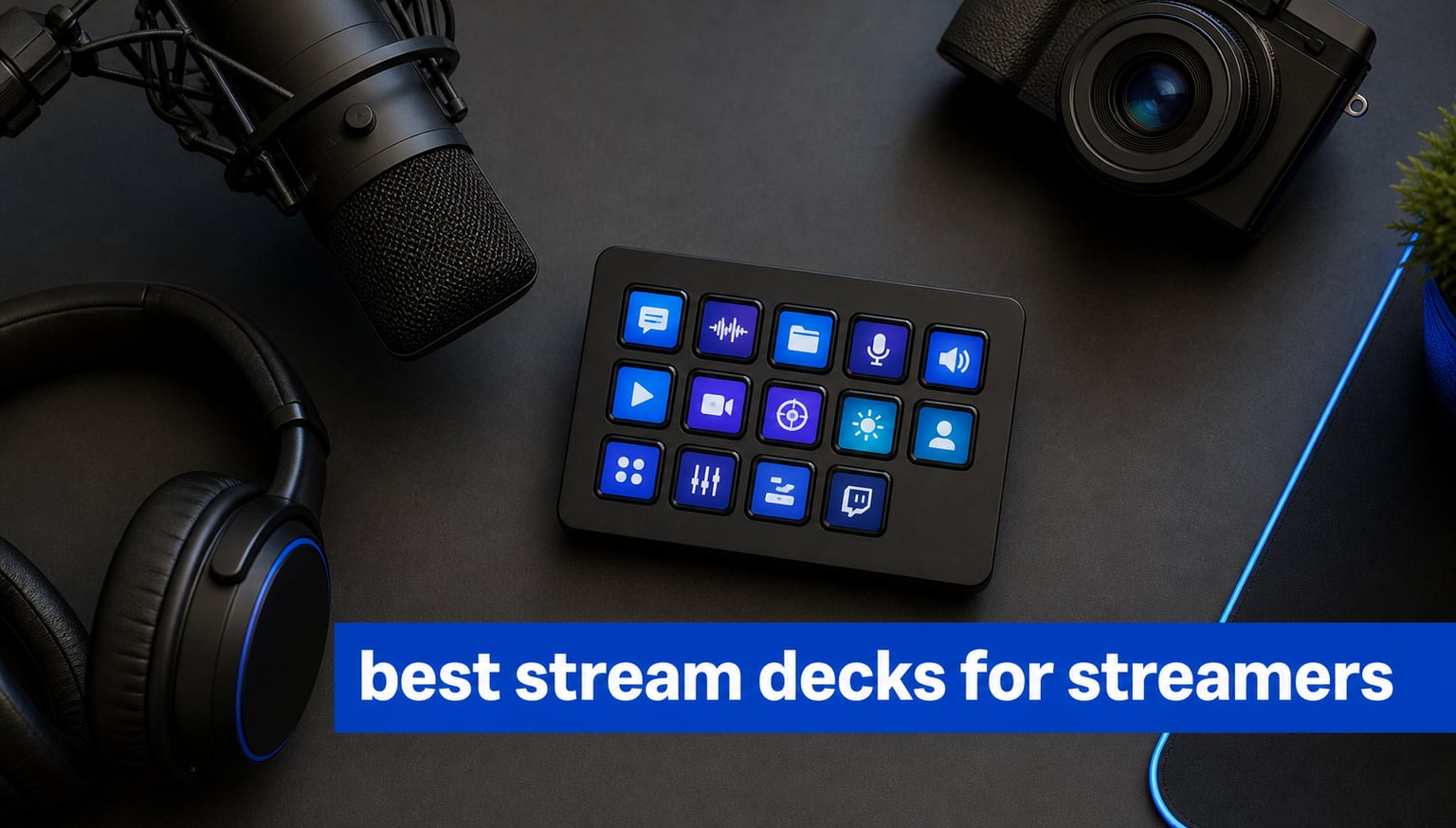
A stream deck is a programmable controller that puts scene changes, audio adjustments, chat commands, and multi-step macros under labeled keys or dials. The best stream decks for streamers turn the moments when you cannot hunt through windows or remember a shortcut into one deliberate press.
My comparison starts with the controls you can actually reach during a live show: LCD keys, rotary dials, touch strips, operating-system support, plugin breadth, and the number of actions a layout can hold. I also gave weight to the supplied rating and review data, but I did not treat a high rating as a substitute for checking that a controller fits your OBS, Twitch, YouTube, or editing routine.
For most people, 15 labeled keys are a sensible starting point because they cover scenes, mute, clips, chat, music, and a few emergency actions without constant profile changes. Streamers who mix audio live may prefer dials, while creators with an expansive production routine can make better use of 36 keys and six dials.
A controller is only one part of a tidy desk setup. Pairing it with a good mic matters just as much, so see our guide to dynamic microphones for podcasters if voice quality is your next upgrade, or browse these best gifts for YouTubers for more creator-focused ideas.
One community concern deserves a clear warning before the list: setup takes thought. Forum discussions repeatedly mention a learning curve, and the best way through it is to start with five actions you use every stream, label them clearly, then add pages and multi-actions only after those basics feel automatic.
Table of Contents
Top 3 Picks for 2026
The Elgato Stream Deck MK.2 is my straightforward pick for a first serious streaming controller because its 15 LCD keys map cleanly to the actions most live shows repeat. It has a 4.8 rating from more than 10k reviews in the supplied data, plus the plugin coverage for OBS, Twitch, YouTube, Discord, Spotify, and Philips Hue that makes a controller useful beyond one app.
The Elgato Stream Deck + is the better fit when your hands need both macros and continuous audio control. Its LCD keys, touch strip, dials, Smart Profiles, and Wave Link connection directly address the common question of whether dials are worth having: they are, when you regularly adjust a mix while live.
The ActionRing N3 V3 gives a compact control mix: six customizable LCD keys, three buttons, and three dials. It is a practical starting route for someone who wants a dial-driven layout and Action Flow sequences, although its smaller review base means I would verify every needed app before committing to a full setup.
Elgato Stream Deck MK.2: Best for most streamers who want 15 visual macro keys and a mature integration list.
Elgato Stream Deck +: Best for streams where quick, physical audio changes matter as much as scene switching.
ActionRing N3 V3: Best for a compact mix of LCD shortcuts and three rotary controls.
The best stream decks for streamers in 2026 cover 12 different control styles
The table below puts every controller in this guide in one place. Key count is the fastest filter, but do not stop there: a 10-key model with four knobs and a touch bar can suit a live audio setup better than a larger grid of buttons.
| Product | Specifications | Action |
|---|---|---|
 Elgato Stream Deck MK.2 Elgato Stream Deck MK.2 |
|
View on Amazon |
 Elgato Stream Deck + XL Elgato Stream Deck + XL |
|
View on Amazon |
 Elgato Stream Deck + Elgato Stream Deck + |
|
View on Amazon |
 ActionRing N3 V3 ActionRing N3 V3 |
|
View on Amazon |
 Elgato Stream Deck Neo Elgato Stream Deck Neo |
|
View on Amazon |
 FIFINE AmpliGame D6 FIFINE AmpliGame D6 |
|
View on Amazon |
 VSDINSIDE VSD M18 VSDINSIDE VSD M18 |
|
View on Amazon |
 VSDINSIDE Macro Pad VSDINSIDE Macro Pad |
|
View on Amazon |
 Elgato Scissor Keys Elgato Scissor Keys |
|
View on Amazon |
 TreasLin N3 TreasLin N3 |
|
View on Amazon |
 SOOMFON Stream Controller SOOMFON Stream Controller |
|
View on Amazon |
 MANBASNAKE AKP153 MANBASNAKE AKP153 |
|
View on Amazon |
All 12 models rely on wired USB connectivity, which is generally a good fit for a fixed streaming desk. The details vary from USB-C to Micro USB, so cable routing and the ports available on your computer should be part of the choice.
1. The Elgato Stream Deck MK.2 is the best all-round streaming controller
- 15 labeled LCD keys
- One-touch multi-actions
- Hundreds of integrations
- Mac and PC support
- Fewer keys than an XL layout
- No physical dials
The MK.2 earns the first spot because 15 customizable LCD keys are enough for a well-organized live layout without making the device physically wide. I would assign scenes, mic mute, chat, clips, music, a browser source, and a panic scene on the first page, then reserve later pages for game-specific commands.
The supplied data records a 4.8 rating from 10,194 reviews and says users praise its versatility, setup, and integrations. That combination makes it the low-risk recommendation for someone building a best stream decks for streamers shortlist around reliable, visual shortcuts rather than specialist audio hardware.
Fifteen LCD keys give a live show a usable first-page layout
Each key can show an icon and provide visual feedback, so you can tell a scene or command apart at a glance. The device also supports one-touch single or multiple actions, which is useful for a coordinated start-stream routine.
Elgato plugins make the MK.2 fit more than one streaming app
The listing identifies plugins for OBS, Twitch, YouTube, Discord, Spotify, and Philips Hue, alongside Elgato tools. The supplied review data also says it works with Mac and PC, while the stated minimum systems are macOS 10.15 Catalina and Windows 10.
2. The Elgato Stream Deck + XL is the best choice for dense studio control
- 36 macro keys
- Six multifunction dials
- Touch strip display
- Custom profiles
- Large desk footprint
- Small supplied review base
The Stream Deck + XL is for the person who knows one small page of commands will not last. Its 36 customizable macro keys, six multifunction dials, and touch strip let you separate broadcast controls from editing, audio, chat, and hardware routines without rebuilding the layout every time.
Its supplied rating is 4.8, but that score comes from only 30 listed reviews, so I treat the specification set as the stronger evidence here. The 2.4-pound unit is also much larger than a basic keypad, and that can be either welcome stability or an awkward fit on a crowded desk.
Thirty-six keys reduce profile switching for complicated broadcasts
Thirty-six keys let a creator keep more commands in direct view, including per-scene lighting, source, chat, and playback actions. Unlimited custom profiles add another layer for users who move between streaming, recording, and editing work.
Six dials and a touch strip serve hands-on audio and parameter work
The dials are built for adjustments that benefit from gradual movement rather than a binary key press. The touch strip display adds status information, so this model makes the most sense when controls need to communicate more than an icon.
3. The Elgato Stream Deck + is the best controller for live audio changes
- Dials for live audio control
- Touch strip and LCD keys
- Smart Profiles
- Wave Link integration
- Only eight LCD keys per page
- Dial workflow takes setup time
The Stream Deck + combines LCD keys, a touch strip, and dials in a desk-friendly controller. It is the model I would focus on if a stream includes separate game, music, voice-chat, and microphone levels, because a dial is faster to nudge than a sequence of keyboard shortcuts.
The supplied information gives it a 4.6 rating across 3,714 reviews and highlights multi-actions, Smart Profiles, the Stream Deck app, and Wave Link. Community comments also favor this style of dial control, though some users find the eight-key layout limiting when they do not want to paginate.
Four dials make continuous adjustments easier during a stream
Four physical dials make sense for volume, camera settings, zoom, and other values that move up and down. The touch strip offers additional control and immediate display space without consuming an LCD-key position.
Wave Link support makes this model a natural audio-workflow candidate
The supplied technical details specifically name Wave Link, Camera Hub, and Control Center among its plugin connections. It works with Mac and PC and connects by USB-C, making it a strong fit for a creator already using Elgato software tools.
4. The ActionRing N3 V3 is the best compact controller with three dials
- LCD keys and dials
- Action Flow sequences
- GIF icon support
- OBS and office app support
- Smaller brand review base
- Compatibility details need checking
The ActionRing N3 V3 takes a different route from a 15-key grid: six LCD shortcuts sit alongside three buttons and three dials. That physical mix can be more comfortable for a streamer who wants a small bank of visual macros but prefers dedicated knobs for media or volume control.
Its listing gives it a 4.6 rating from 85 reviews, so the sample is much smaller than the established Elgato models. The product claims compatibility with OBS, PowerPoint, YouTube, Discord, Office apps, Photoshop, and more, but I would test the exact Mac or Windows version and app integration you need during the return window.
Action Flow supports simple multi-step broadcast routines
Action Flow is described as sequential macro automation, allowing a single trigger to run a planned set of actions. It is useful for repeatable openings, breaks, or recording preparations where the order should stay consistent.
Six LCD keys keep the physical layout compact rather than sparse
The six visual keys accept JPG, PNG, and GIF icons, which helps make a small set of high-priority actions easy to recognize. Three extra buttons and three dials expand that layout without depending entirely on screen pages.
5. The Elgato Stream Deck Neo is the best simple starter controller
- Simple eight-key layout
- Two touch points
- Office and smart-home support
- Mechanical switches
- Micro USB connection
- Limited first-page controls
The Stream Deck Neo strips the concept down to eight customizable keys and two touch points. That does not make it a weak controller; it makes it a focused option for a beginner who wants scene switching, mute, clips, and a couple of app commands without filling a desk with controls.
It carries a 4.5 rating from 1,249 reviews in the supplied data. The trade-off is clear: eight first-page keys can feel tight as a channel grows, and its Micro USB connection is older than the USB-C connections used across several other picks.
Eight keys are enough when the first workflow is deliberately small
Start with the actions that cause the most friction during a stream, such as scene changes and microphone control. The Neo also uses mechanical switches and supports off-screen management through the Stream Deck app.
Office and smart-home connections broaden the Neo beyond live video
The product data names Zoom, Teams, Office apps, and smart-home control as supported uses. That makes it an approachable controller for a creator who also runs calls, presentations, or repeatable desktop tasks.
6. The FIFINE AmpliGame D6 is the best RGB 15-key alternative
- 15 LCD macro keys
- OBS and Streamlabs support
- RGB lighting
- Wide task coverage
- Updates required before use
- Setup can take time
The FIFINE AmpliGame D6 supplies a familiar 15-LCD-key format with RGB lighting and stated support for OBS Studio, Streamlabs, Twitch, YouTube, gaming, editing, and office work. It is an appealing alternative for a streamer who wants a visual macro grid but likes a more expressive desk appearance.
The supplied review summary records a 4.5 rating from 727 reviews and says users like the customizable keys, broad application support, and RGB modes. Initial firmware and software updates are required before first use, which matches the broader forum warning that controller setup is never completely plug-and-play.
Fifteen LCD macro keys support a conventional stream layout
A 15-key layout makes it easy to borrow an established profile organization: scenes along the top, utility actions in the center, and media or social tools lower down. Visual feedback keeps the assigned action visible even when the key is doing a complex macro.
RGB modes suit creators who want the controller to match a gaming desk
The D6 offers nine RGB lighting modes according to the supplied product data. Lighting does not change a macro, but it can make the unit easier to locate and coordinate with other desk gear in a dim room.
7. The VSDINSIDE VSD M18 is the best alternative with 18 total controls
- 15 LCD visual keys
- Three physical buttons
- Multi-shortcut macros
- Windows and macOS support
- No native Linux plug-and-play
- Custom development needs SDK documents
The VSD M18 combines 15 LCD visual keys with three physical buttons, giving it 18 programmable controls in a small keypad. It suits a streamer who wants standard visual macro positions but also likes separate non-screen controls for actions that should always feel the same.
The supplied data reports a 4.4 rating from 604 reviews and identifies Windows and macOS support, USB-C connectivity, JPG, PNG, and GIF icons, and an adjustable RGB ring. Linux users should take the stated lack of native plug-and-play support seriously rather than assume a generic keypad will work without extra effort.
Fifteen visual keys and three physical buttons separate task types
Visual keys work well for changing scenes and launching app-specific commands because their icons can change with the profile. Physical buttons can be reserved for recurring actions where tactile familiarity matters more than a custom image.
Multi-shortcut macros turn repetitive sequences into one trigger
The M18 is described as supporting multi-shortcut macro programming and single-tap control. That is helpful for creators who move among streaming, recording, editing, and social tasks and want repeatable actions under one hand.
8. The VSDINSIDE Macro Pad is the best alternative for knobs and a touch bar
- Four RGB knobs
- Interactive touch bar
- Multi-step macro actions
- Adjustable stand
- Audio commands only
- Smaller review sample
This VSDINSIDE Macro Pad is built around 10 LCD keys, four RGB knobs, and an interactive touch bar. That layout puts it closer to a compact audio-and-macro console than a conventional 15-key stream deck, and it is especially worth considering for people who want more than one rotary control.
Its product data gives it a 4.4 rating from 219 reviews and lists a foldable 60-degree stand, USB-C, one-tap multi-step macros, and a USB sound-deck function. The listing makes an important distinction: it sends audio control commands but does not include speakers for sound output.
Four knobs support several live adjustments without layer switching
Four knobs can be assigned across individual audio or media duties, helping keep a live mix within reach. The touch bar adds another adjustable control surface while the LCD keys remain available for scenes and macros.
The adjustable stand changes how easily the controls fit a desk
The included stand folds to a 60-degree ergonomic position according to the supplied details. That angle can make a meaningful difference when the pad sits beside a keyboard and needs to stay readable during a broadcast.
9. The Elgato Stream Deck Scissor Keys is the best option for tactile presses
- Responsive scissor keys
- CPU and GPU monitoring
- LED-lit icons
- Regular plugin updates
- Windows-focused listing
- No dial controls
The Stream Deck Scissor Keys is the pick for creators who care as much about a key press as the image on the key. Its 15 tactile, responsive scissor keys address a recurring community comparison point: some users find other stream-deck buttons softer than they prefer.
The product information reports a 4.3 rating from 131 reviews and focuses on LED-lit icons, regular plugin updates, and real-time CPU, GPU, ping, and FPS displays. The supplied specifications list Windows and PC support, so it is not the model I would select for a Mac-first desk.
Scissor switches give fast macro triggers a more defined feel
The stated goal of the scissor-key design is sharper, responsive macro input. For games or production work that demand repeated quick commands, a more tactile switch can be a meaningful comfort feature.
On-key performance monitoring keeps system data in direct view
The controller can show CPU, GPU, ping, and FPS information on its keys according to the listing. That makes it useful for a streamer who likes to watch system behavior without adding another monitoring window to the main display.
10. The TreasLin N3 is the best compact pick for animated icons
- Animated icon support
- Three dials
- One-touch macros
- Plugin marketplace
- Windows-focused specifications
- Spotify needs Premium
The TreasLin N3 packs six visual LCD buttons, three tap buttons, and three rotary buttons into a compact device. It is a sensible option for a streamer who wants small-device control variety and likes the idea of dynamic animated icons instead of a grid made only from static labels.
The supplied listing records a 4.3 rating from 76 reviews and calls out a marketplace with more than 200 plugins, icons, and scenes. Its specifications are Windows-focused and say Spotify integration requires an active Spotify Premium account, so check the limits before assigning a key to that service.
Animated icons can make state changes easier to recognize
The N3 supports dynamic icons beyond static images, which can help differentiate a live action from an inactive one at a glance. This is a small convenience, but visual clarity is the whole reason many people choose LCD macro keys.
Three dials add flexible media and audio control to a small pad
Three rotary controls give the compact layout a capability usually missing from basic keypads. The same device can keep scene changes, media handling, and adjustment tasks close together rather than spreading them over profiles.
11. The SOOMFON Stream Controller is the best simple 15-key alternative
- 15 LCD keys
- OBS and Twitch support
- Removable stand
- Mac and PC compatibility
- Firmware update required
- Direct USB connection needed
The SOOMFON Stream Controller offers the familiar formula of 15 customizable LCD keys, a removable stand, and support claimed for OBS Studio, Twitch, YouTube, Spotify, and Philips Hue. Its task coverage also extends to film editing, music production, and photography, which makes it useful to a creator who does not stream every day.
It has a 4.1 rating from 1,364 reviews in the supplied data, with 58 percent five-star reviews noted in the review summary. That lower rating than the leading Elgato models is a reason to set expectations carefully: use the original cable, connect directly to a USB port as directed, and plan on a firmware update.
Fifteen LCD keys put major stream commands on a single page
The key count supports a standard streaming profile with visible icons for scenes, audio, social actions, and media controls. The one-touch design is intended to reduce the number of repeated keyboard actions needed while live.
A removable stand lets the controller sit at a readable angle
The product details specify a removable stand with rubber feet. That gives you a choice between a flatter layout and an angled position that may be easier to see next to a keyboard.
12. The MANBASNAKE AKP153 is the best pick for visible system statistics
- Side CPU and memory display
- 15 LCD keys
- GIF icon support
- Wide app list
- Compatibility details conflict
- Older systems may not qualify
The AKP153 Studio Deck gives you 15 customizable LCD buttons plus a side display for real-time CPU and memory information. That makes it a reasonable final option for a streamer who wants a conventional visual keypad but also wants basic system status visible from the controller itself.
The supplied data gives it a 4.0 rating from 70 reviews, the lowest rating in this roundup, so I would approach it as a specialized alternative rather than the default recommendation. Its compatibility statements also vary across the listing: the product details say PC, while the technical section names Windows, Android, iOS, and Mac systems, so confirm support with the seller for your exact computer.
The side display keeps CPU and memory figures within peripheral vision
The stated side screen can display computer CPU and memory in real time. That can be handy when recording or streaming stresses a computer and you want a simple status cue without rearranging software windows.
Hotkey assignment turns common desktop tasks into one-button actions
The unit is designed for assigning tedious shortcut keys to individual buttons and supports custom pictures and GIF animations. Its published app list includes OBS, Twitch, Zoom, YouTube, Discord, Spotify, Adobe Creative Apps, PowerPoint, Word, and Excel.
The right stream deck depends on your controls, software, and desk routine
A good buying decision starts with the tasks you repeat while live, not the number of icons you want to see. Write down every action that takes your cursor away from chat, gameplay, or a guest, then group those actions into scene control, audio control, communication, media, and production tasks.
The key count should match your first-page actions
Eight keys work when your setup is deliberately simple and most commands fit into a small routine. Fifteen keys are the broad middle ground for a normal streaming profile, while 36 keys make more sense for creators managing many sources, scenes, tools, and workstation roles.
Do not assume more keys automatically solve organization. A smaller layout with clearly named pages often beats a crowded deck where you cannot remember which icon triggers an action.
Dials are the direct answer for frequent audio and gradual adjustments
Choose dials when you regularly alter microphone, music, voice-chat, or game levels in the middle of a show. The Stream Deck + and Stream Deck + XL are the clear Elgato options here, while the ActionRing, TreasLin, and VSDINSIDE Macro Pad offer other mixes of knobs and keys.
A dial is less useful for an action that only has on and off states, such as muting a microphone or switching a scene. Put those binary actions on clearly labeled keys and reserve rotary controls for values that you need to move gradually.
Software support matters more than an attractive physical layout
Before choosing, list the software you use on every live session and compare it to the integrations stated for the controller. The MK.2 data names a deep plugin set including OBS, Twitch, YouTube, Discord, Spotify, and Philips Hue, while other models list their own application support with varying detail.
Third-party controller listings sometimes make broad compatibility claims that do not match every operating-system field in the same listing. Treat that as a prompt to verify your computer, OS version, cable type, and required app before buying, especially if you use a Mac or Linux.
Setup works best when you build a small reliable profile first
Forum users often describe the first setup as daunting, and that reaction makes sense when every possible macro is available at once. Start with a live profile containing scenes, mic mute, chat, a clip command, and one safe fallback scene; test each command off-air.
Then create profiles for specific games, editing software, or recording. Multi-actions are powerful, but a multi-action needs rehearsal because one missed permission, app state, or profile change can interrupt the whole chain.
Non-streaming work makes a controller useful between broadcasts
A stream deck is also useful for video editing, audio production, meetings, presentations, office apps, smart-home commands, and repetitive desktop work. The Neo specifically lists Zoom, Teams, Office apps, and smart-home control, while several 15-key alternatives list creative and office applications.
If your next upgrade is audio for calls or recorded shows, compare our USB microphones for podcasters alongside the audio controls you intend to map. The most coherent desk setup is one where the controller reflects the tools you actually open every day.
FAQs
What Stream Deck do most streamers use?
Elgato Stream Deck models are the most common reference point for streamers because they pair visual LCD keys with broad integrations for OBS, Twitch, YouTube, Discord, and other creator tools. The 15-key Stream Deck MK.2 is a practical default, while Stream Deck + models suit people who want physical dials.
What are the best stream decks?
The strongest choices depend on the job: Elgato Stream Deck MK.2 for a balanced 15-key layout, Elgato Stream Deck + for live audio control, and Elgato Stream Deck + XL for dense macro and dial control. Compact alternatives such as the ActionRing N3 V3 suit users who want a smaller mix of LCD keys and dials.
What do professional streamers use to stream?
Professional streamers normally combine streaming software, a camera, microphone, lighting, capture or computer hardware, and an organized control method. A stream deck can manage scene switching, audio, chat, clips, and multi-action routines, but it works best as part of a tested setup rather than as a replacement for core streaming software.
Is a Steam Deck good for streaming?
A Steam Deck and a Stream Deck are different products. A Steam Deck is a handheld gaming computer, while a Stream Deck is a programmable controller for a computer; use a Stream Deck when you want labeled shortcuts, macros, scene switching, and audio controls during a broadcast.
Is a Stream Deck worth it for non-streamers?
A Stream Deck can be worthwhile for non-streamers who repeat actions in editing, audio work, meetings, presentations, office apps, or smart-home control. The key is to choose a small workflow first, map a few frequent tasks, and expand only if the controller removes real friction from your daily computer use.
Final Thoughts
The MK.2 has the most balanced combination here: 15 visual keys, USB-C, Mac and PC support, a broad plugin list, and strong supplied review data. Choose the Stream Deck + when physical audio adjustment is central to your show, or the Stream Deck + XL when a large set of keys and dials will genuinely stay in use.
The best stream decks for streamers in 2026 are not identical because streaming routines are not identical. Pick the controller that gives your most repeated actions a clear, reachable place, build a small dependable profile, and add complexity only when it helps you stay present with your audience.