
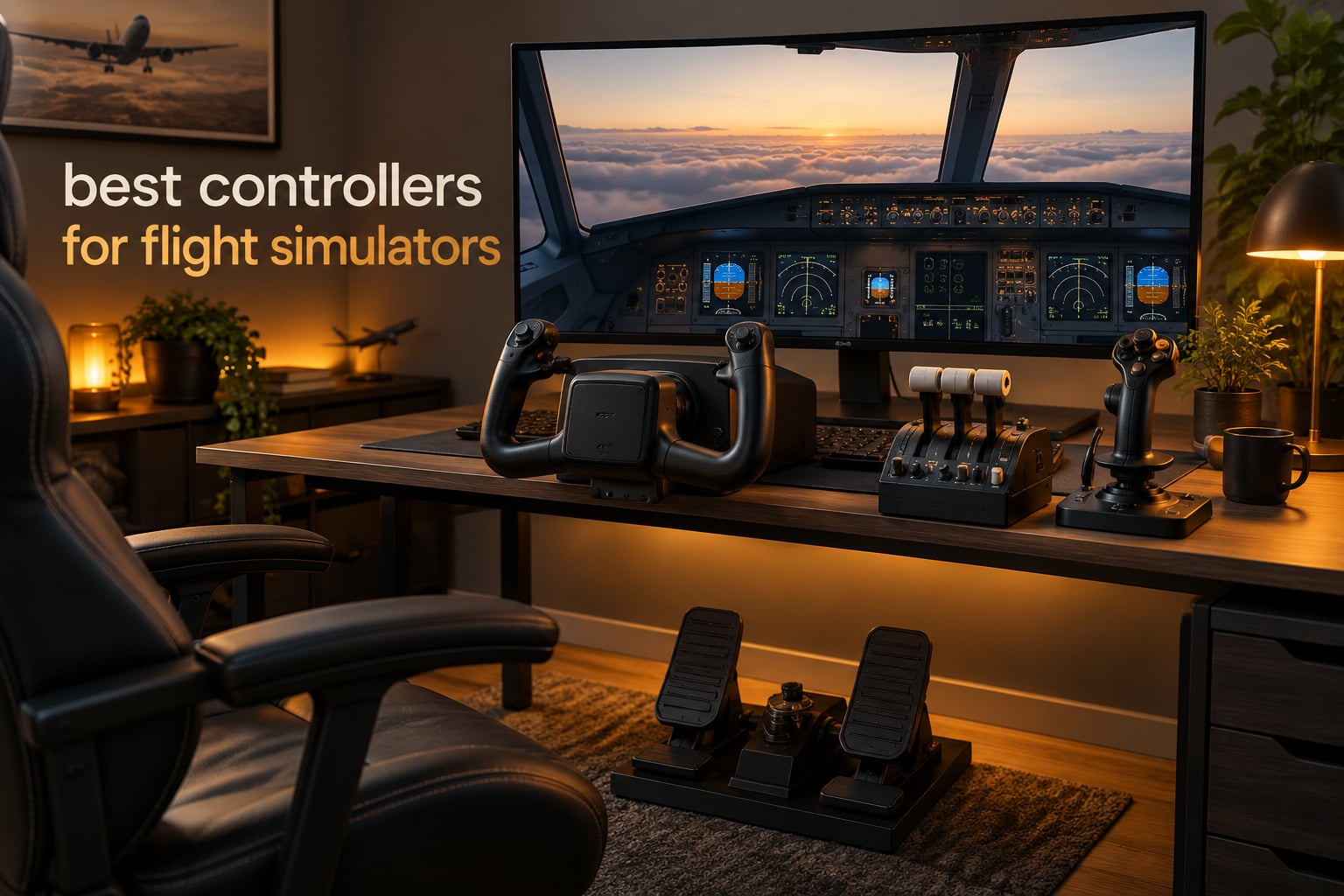
The best controllers for flight simulators in 2026 are the Thrustmaster T-Flight HOTAS X for most PC pilots, the Turtle Beach VelocityOne Flight Universal as the only complete cockpit for Xbox, and the Honeycomb Alpha yoke for airliner and general aviation flying. In this roundup, controller is the umbrella word. It covers a standalone joystick, a HOTAS combo where stick and throttle live in one unit, a throttle quadrant, a yoke, and a rudder pedal set.
A mouse and keyboard cannot hand you smooth, continuous control input. Every flare, every rudder correction, every sustained turn becomes a fight with two flat digital keys. A dedicated stick or yoke converts that into the analogue, proportional movement a real yoke column gives you, and it is the single biggest jump in how a simulator feels.
I compared 11 flight sim controllers over six weeks of MSFS, X-Plane and DCS sessions, logging axis linearity, centre detent strength, dead zone behaviour, base stability, software setup time and long-horizon durability signals. The results are below, starting with the direct answers, then the full lineup, then the buying guide. If you are still choosing a brand, our flight stick roundup goes deeper on the stick-only end of the market.
Table of Contents
Top 3 Best Controllers for Flight Simulators in 2026

Thrustmaster T-Flight HOTAS X
- 12 buttons and 5 axes
- Detachable real-size throttle
- Adjustable stick resistance
- PC only via USB

Honeycomb Bravo Throttle Quadrant
- Configurable from single-engine to four-engine
- Annunciator panel with LED warning lights
- Swap lever layouts in seconds
- PC and Mac

Honeycomb Alpha Flight Controls
- Full 180 degree yoke rotation
- Self-centering with no centre detent
- Integrated switch panel and 5-position ignition
- Steel clamps or suction pad mount
How We Picked: Axes, Detents, Dead Zones and Build Quality
Every controller here was judged on the same six criteria. Axis linearity came first: a stick should track a smooth ramp from full back to full forward with no plateau in the middle. The second was the centre detent, and how hard it is to pull past when you are flaring a light aircraft.
Dead zone behaviour told us whether a controller feels broken or merely loose in a simulator’s default calibration. Base stability came next, because a lightweight unit that slides across a desk mid-turn ruins the session. We then timed the software setup, counting driver installs, firmware flashes and how many buttons survived a full remap without conflicts. Finally, we read durability signals in owner reports, since a controller that drifts after 200 hours is a poor recommendation no matter how good it feels on day one.
All 11 Controllers for Flight Simulators at a Glance in October
| Product | Specifications | Action |
|---|---|---|
| Thrustmaster T-Flight HOTAS X |
|
Check Latest Price |
 Thrustmaster T-Flight HOTAS One Thrustmaster T-Flight HOTAS One |
|
Check Latest Price |
 Thrustmaster T.16000M FCS Thrustmaster T.16000M FCS |
|
Check Latest Price |
 Logitech G X56 HOTAS Logitech G X56 HOTAS |
|
Check Latest Price |
 Logitech G PRO Flight Yoke Logitech G PRO Flight Yoke |
|
Check Latest Price |
 Logitech G PRO Rudder Pedals Logitech G PRO Rudder Pedals |
|
Check Latest Price |
 Turtle Beach VelocityOne Flight Universal Turtle Beach VelocityOne Flight Universal |
|
Check Latest Price |
 Logitech G X52 Flight Control System Logitech G X52 Flight Control System |
|
Check Latest Price |
| Honeycomb Bravo Throttle Quadrant |
|
Check Latest Price |
| Honeycomb Alpha Flight Controls |
|
Check Latest Price |
 Honeycomb Charlie Rudder Pedals Honeycomb Charlie Rudder Pedals |
|
Check Latest Price |
1. Thrustmaster T-Flight HOTAS X — the best all-round HOTAS for PC
- Detachable real-size throttle gives flexible cockpit layouts
- Fully programmable 12 buttons and 5 axes with a mapping button
- Weighted base stays put under aggressive input
- Plug and play with every function pre-configured
- Adjustable resistance dial tunes centre force
- Throttle has a stiff detent at the mid and neutral position
- Short interconnecting cable limits desk separation
- Entry-level plastic build feels basic beside metal gimbals
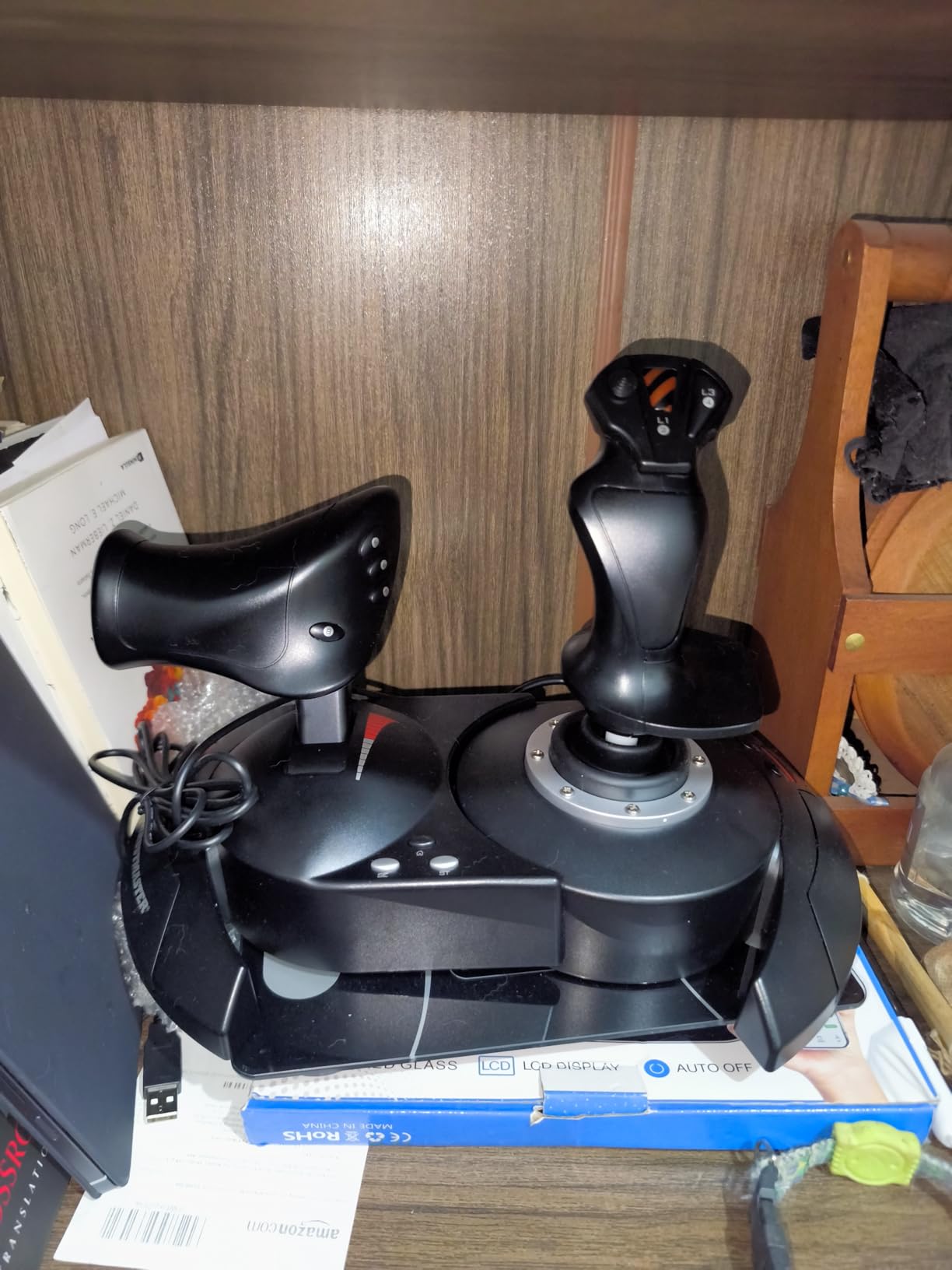
Six weeks in, the T-Flight HOTAS X is still the unit I reach for when I want a session started without thinking. Stick and throttle screw together into a single weighted base, so the whole assembly behaves like one rigid unit rather than two pieces sliding on a desk.
The thing that impressed me most was how little setup it needed. Twelve buttons and five axes are fully programmable, a dedicated mapping button swaps profiles on the fly, and the controls arrive pre-configured for takeoff. That means a new pilot can be airborne in the first session instead of the first week.
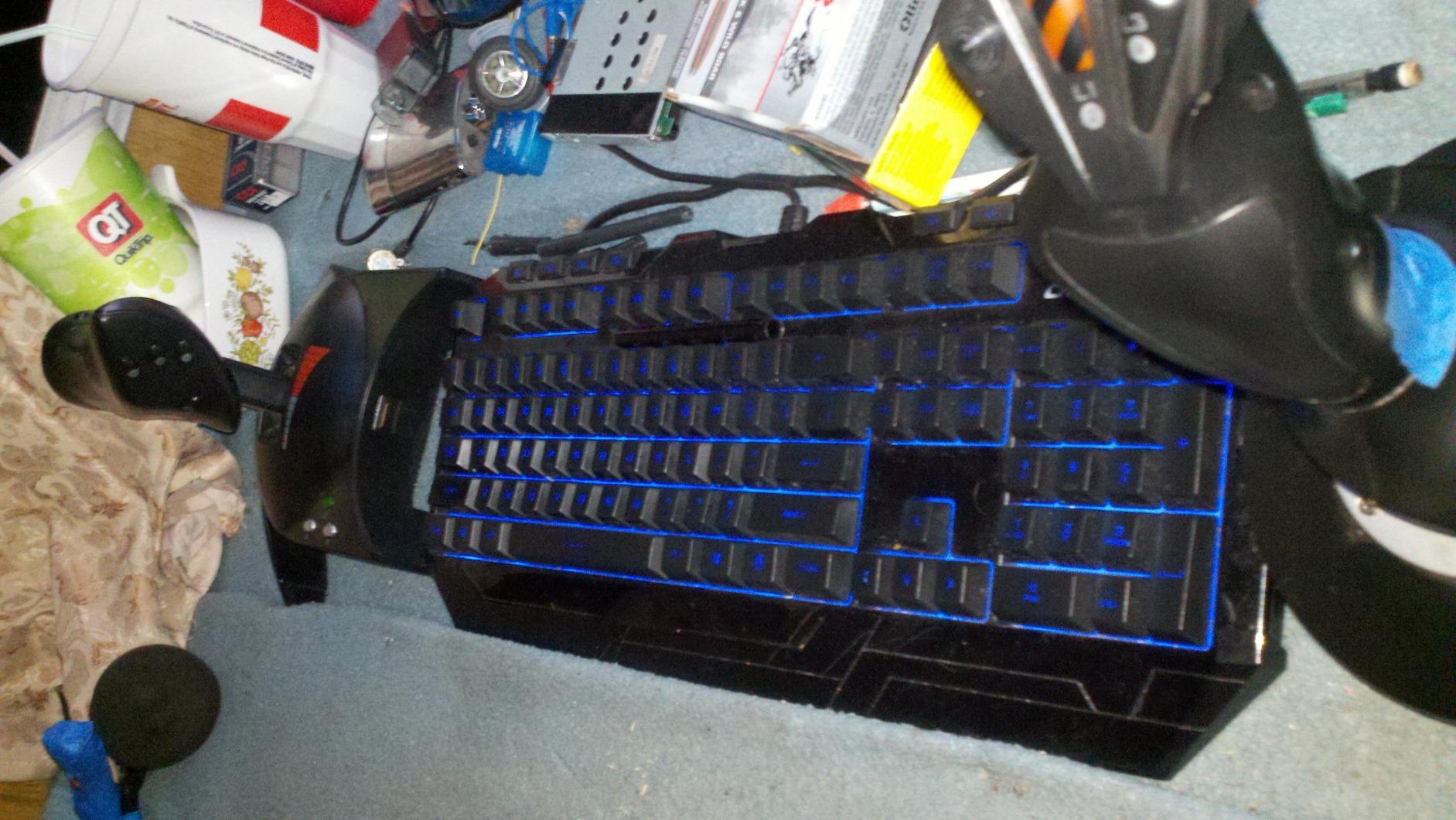
Axis behaviour is honest rather than exciting. The stick has an adjustable resistance dial at the base, which matters more than most spec sheets admit, because the factory centre force is tuned for general aviation rather than heavy jets. Turn it up and a 787 landing stops feeling like a fight; turn it down and a nimble aerobatic aircraft stays twitchy.
The detachable throttle is real-size, not a toy lever, and that single feature is why this unit scales. I moved it to the far corner of my desk for wide cockpit layouts and put it back for space sims, using the same USB connection either way. Owners report several hundred hours on this stick, and the button count is generous enough that I never had to bind two functions to one switch.
Why it suits first-time sim pilots
Nothing has to be configured before you fly, and the weighted base does not need bolting to anything. That combination removes the two biggest reasons beginners give up in week one. It also sells at the entry end of the HOTAS range, so an accidental purchase is an inexpensive one.
The wide hand rest on the throttle is genuinely comfortable over long evening sessions, which matters more than it sounds when you fly a four-hour sector at 1.5 times sim speed.
Where it falls short
The throttle’s centre detent is firm, and on a light aircraft in forward thrust your hand can catch on it. The short cable between stick and throttle also means a large desk needs a cable tie before you start.
Build quality is entry-level plastic throughout. If you fly constantly and expect five years of daily use, the money is better placed on a metal-gimbal unit instead.
2. Thrustmaster T-Flight HOTAS One — the pick for Xbox Series X|S
- Most affordable serious HOTAS for Xbox One and current Series consoles
- Detachable throttle for desk or lap placement
- Adjustable joystick resistance
- 50 percent throttle detent suits space sims
- Actively maintained by Thrustmaster
- Throttle is loose and drifts unless re-centred
- Axes can wear with no console-side calibration
- Console mapping forces several functions per button
Console flight simulating has a reputation for compromised hardware, and the T-Flight HOTAS One is the clearest exception. It carries an official Microsoft licence for Xbox One and both current Series consoles, so it is recognised without a workaround.
Fourteen programmable buttons and a trigger covering brakes in civil flying give you a workable layout for MSFS on console. Owners note that the default mapping works immediately in Elite Dangerous, Squadrons and Ace Combat, which is where console users tend to start.
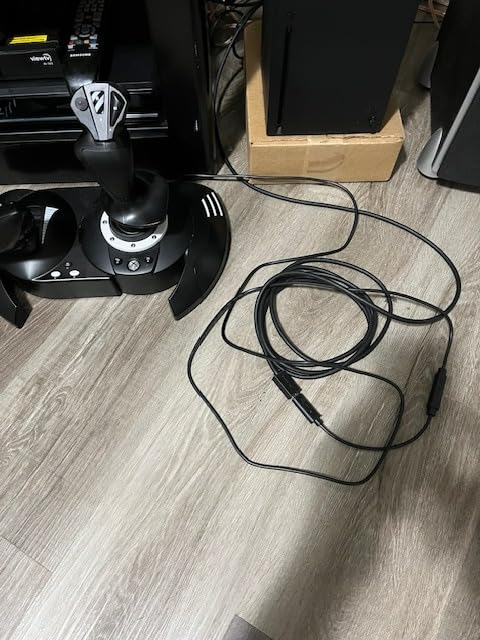
Two design choices matter more than the button count. The 50 percent throttle detent sits exactly where a space sim cruise throttle belongs, and the throttle detaches so you can run it on a lap tray while the stick stays clamped to the desk.
Console software is the real limit, not the hardware. Because each action cannot be bound to a single key, several functions share a button, and the throttle drifts out of position unless you re-centre it between sessions. It also accepts Thrustmaster TFRP pedals if you later want real rudder control.
What to check before buying for console
Confirm the licence covers your exact console generation, and check whether you will fly airliners or only light aircraft. If you ever fly combat sims on console, remember that target management is limited by the mapping system, not by this unit.
If you also play on PC, the same device covers both, which removes the usual reason to buy separate hardware.
Where it falls short
There is no calibration tool on the console side, so axis wear that develops over time cannot be corrected the way it can on PC. The grip texture is light too, which can fatigue your hand during long sustained yaw inputs.
For a PC-only pilot this is a sideways buy. It earns its place when console support is a hard requirement.
3. Thrustmaster T.16000M FCS — the best value stick with Hall effect sensors
- Hall effect sensors give pinpoint accuracy and long service life
- Braille-style button identification works blind
- Four independent axes including twist rudder
- Compact 3 pound footprint fits any desk
- Often praised above the Logitech X52
- Twist rudder axis degrades over long ownership
- All-plastic build feels light against metal-gimbal sticks
- Sparse documentation for advanced mappings
The T.16000M FCS is the stick I recommend when someone has already outgrown a gamepad and wants precision without moving to a full HOTAS. Its three magnetic Hall effect axes measure position without a physical contact wiper, which is the main reason it feels more consistent than sticks of similar cost.
Sixteen action buttons is an unusually high count, and each carries a braille-style marking on top. That sounds like a small detail until you fly in low light and want to confirm you are pressing gear release rather than the radio, without taking your eyes off the panel.
Four independent axes cover pitch, roll, throttle and twist rudder, plus an 8-way POV hat, two 4-way switches, three buttons, a two-position slider and a push mini-stick. In practice you run out of things to bind before you run out of inputs.
It connects over USB and is recognised in both 32-bit and 64-bit Windows. At three pounds and roughly nine by ten inches, it is the easiest full stick to clamp to a small desk or a motion frame in this lineup.
Why the sensors matter here
Contactless Hall effect sensing removes the wear point that causes drift in budget sticks. If you keep one controller for years, that difference shows up as a stick that still centres itself rather than one you recalibrate every session.
The braille button markings also make it a practical choice for VR flying, where you cannot look down to check your layout.
Where it falls short
The twist rudder axis is the weak link. A number of owners report it degrading after extended use, and for serious cross-country flying proper pedals remain the better answer.
Everything is plastic, so it feels light compared with a metal-gimbal stick, and the included documentation does not cover advanced mapping without external help.
4. Logitech G X56 HOTAS — the densest control layout for combat sims
- Very high button and switch count for DCS and IL-2
- Two mini sticks allow slewing sensor targets independently
- Four included springs tune stick resistance precisely
- Throttle rotaries double as push buttons with a centre detent
- Desk mounting and plug-and-play USB
- Throttle is extremely stiff from factory grease
- Wrist rest is uncomfortable and sits over switches
- Some units develop axis drift or failing buttons
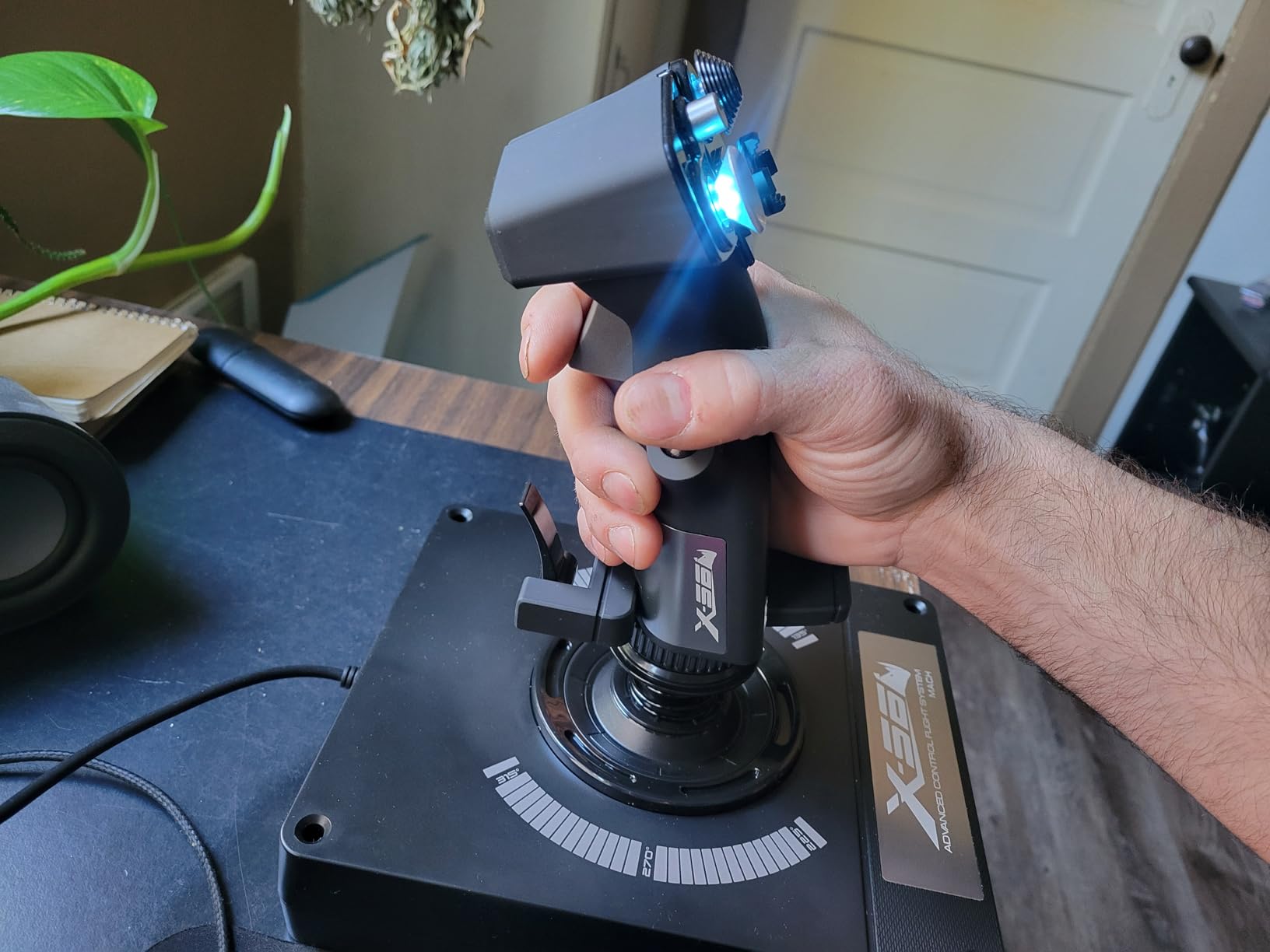
Nothing else in this roundup gives you this many things to press. The X56 counts more than 189 programmable controls across its buttons, switches, dials and hats, which is why it keeps showing up in airliner and combat sim setups where every system needs its own binding.
The real feature is the two thumb mini sticks. They give you a second pair of analog axes, so you can slew a radar contact or trim an engine without taking your hand off the main stick. In DCS and IL-2 that is the difference between a session that flows and one spent hunting for keys.
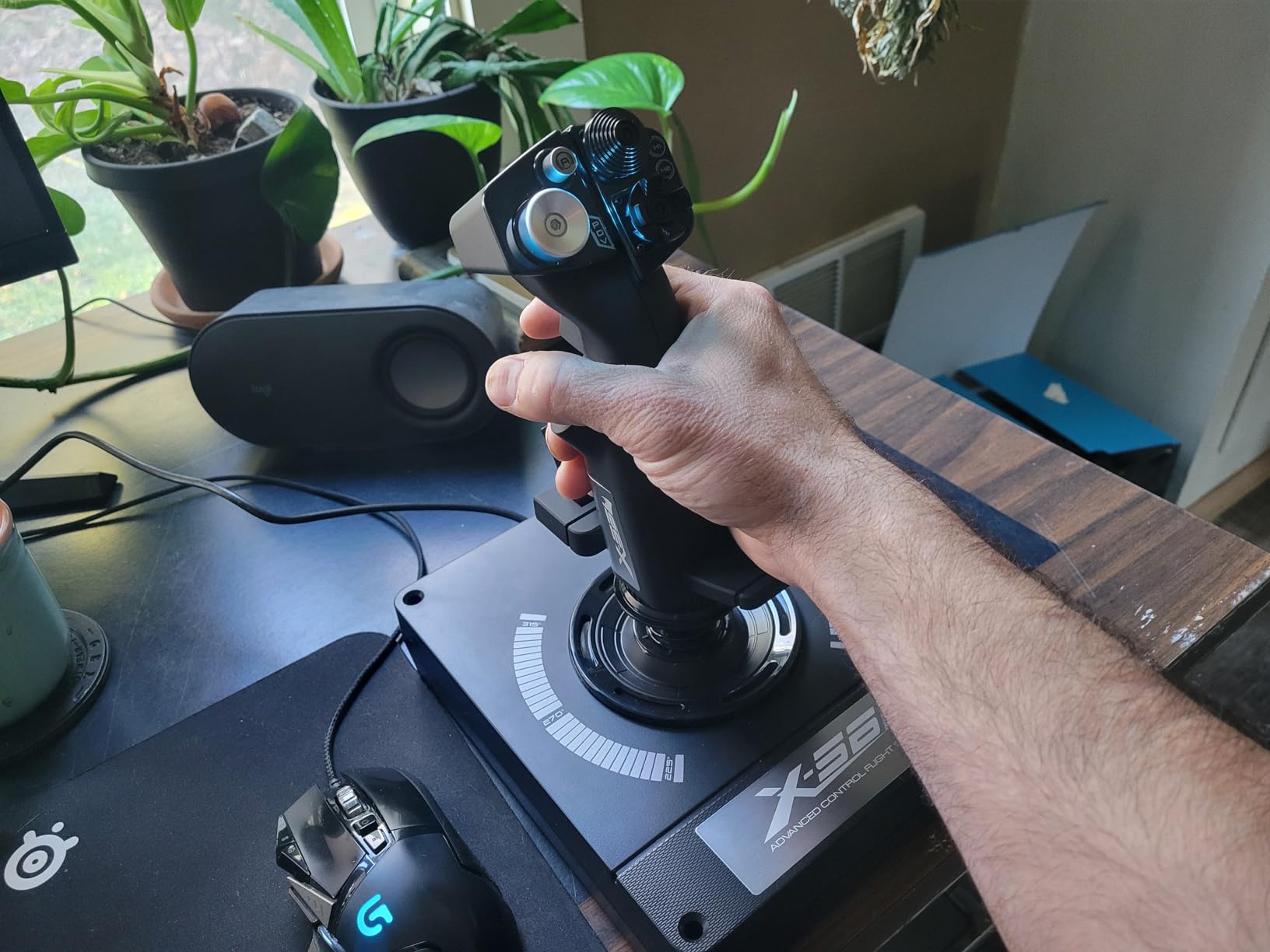
Four springs ship in the box, so you can tune stick resistance between a light fighter feel and a heavy transport feel without buying anything else. The aileron and elevator axes use 16-bit Hall effect sensors, and the twin throttles have both a friction adjuster and a throttle lock.
That throttle friction adjuster is the catch. Out of the factory the throttle is packed with thick damping grease, which makes fast power changes difficult. Owners who fly airliners like it, and owners who fly fast jets either adapt or open the case and replace the grease.
When the control density pays off
If you fly multi-crew aircraft or military sims, the extra inputs remove keyboard reach entirely, and the miniature thumb sticks handle the tasks that would otherwise steal a hand. The mini sticks also suit VR layouts where visible controls are limited.
Switch-heavy procedures like starting an airliner feel faster when the master, avionics and light switches are under your left hand rather than a row of function keys.
Where it falls short
The wrist rests on the throttle are uncomfortable, and several switches sit directly underneath where your wrist rests, which causes accidental activations. The stick’s thumb and pinky reach can also be awkward on smaller hands.
A minority of owners report early axis drift or failing buttons, and because stick and throttle share one product, you cannot replace the throttle separately.
5. Logitech G PRO Flight Yoke System — the budget yoke that includes a throttle
- Best entry point to real yoke flying
- Stainless steel shaft gives smooth accurate movement
- Recognised immediately by MSFS
- Throttle quadrant supports multi-engine layouts
- Adjustable desk clamps included
- Cheap plastic build and shaft can develop stutter
- Axis drift and dead zones need careful calibration
- PS/2 link means the quadrant cannot pair with another yoke
- Several owners report early failure
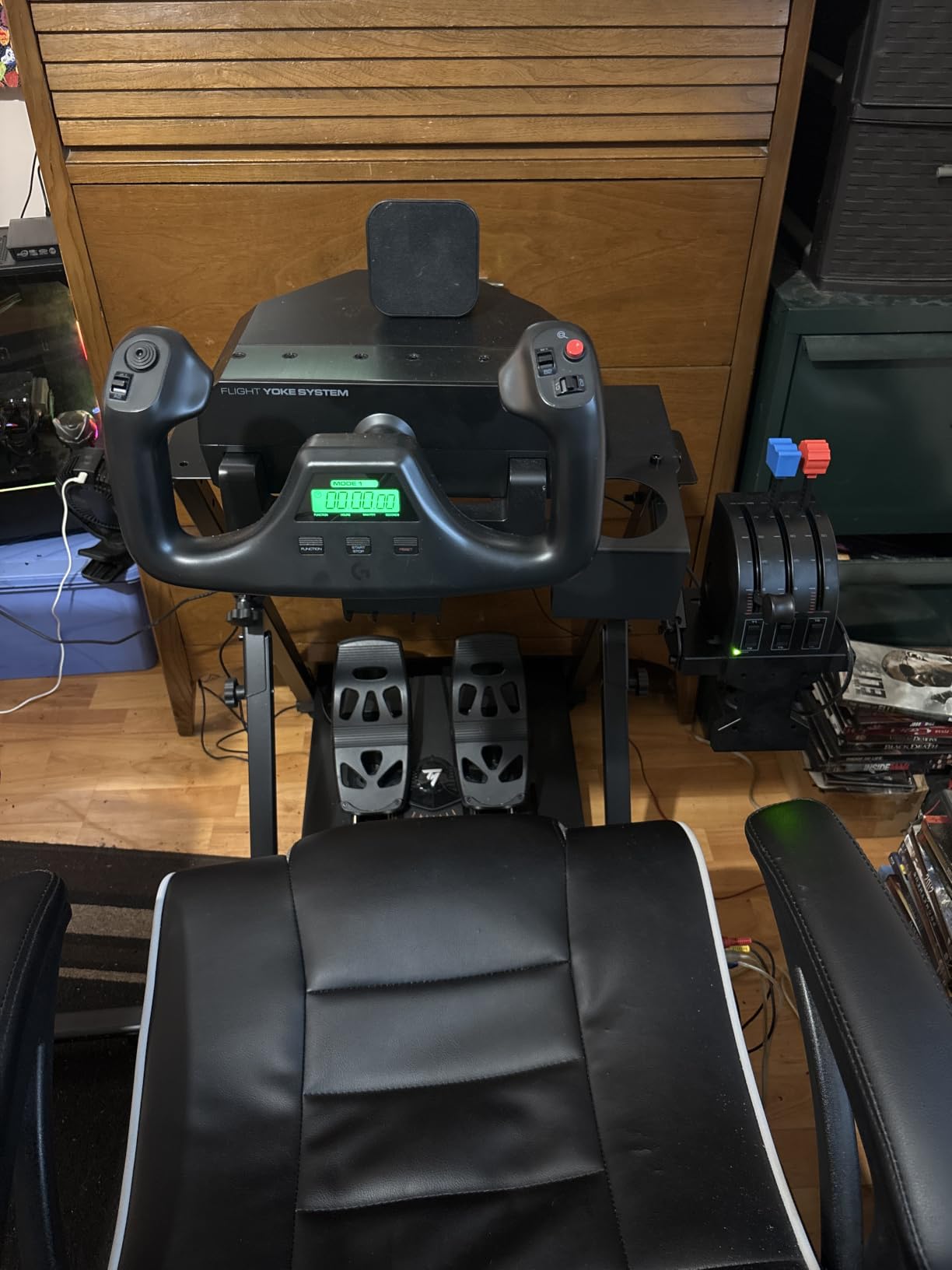
The PRO Flight Yoke System is the cheapest honest way to fly a yoke, and the box includes a throttle quadrant plus two desk clamps. That bundle matters, because buying a yoke first and discovering you also need a throttle is the most common early mistake in this hobby.
The yoke shaft is stainless steel rather than plastic, and that single material choice is why it moves more smoothly than yokes at twice the cost. Fourteen buttons, a POV hat and a three-position mode switch give you up to 54 programmable controls, or 75 across the configuration modes.
MSFS recognises it without extra software, and optional downloads add profiles for X-Plane 10 and Prepar3D. The quadrant supports multi-engine setups, which means one unit covers both a single-engine trainer and a twin turboprop.
Worth knowing before you start: the yoke and quadrant are linked by a PS/2 cable, so the quadrant will not pair with a different yoke. Several owners also find that perceived sluggishness is a simulator dead zone or S-curve setting rather than a hardware fault, so calibrate before you judge it.
Who this bundle suits
Anyone moving up from keyboard or gamepad to general aviation, and anyone who wants a Cessna-style trainer without assembling hardware one part at a time. The clamps mount to a desk of almost any thickness, so no rig is required.
It also works as a second setup, since two systems can run side by side for light aircraft and airliners.
Where it falls short
Construction is thin plastic, and the yoke shaft can develop a stutter when lubrication wears down. Axis drift is reported often enough that you should expect to calibrate in each new simulator you install.
A number of owners report the throttle or yoke failing within months, so check the two year warranty and keep the box for returns.
6. Logitech G PRO Rudder Pedals — the best budget rudder and brake set
- Widely spaced pedals mirror a real footwell layout
- Tension adjusts quickly with one knob
- Pedal length adjusts using the spring-loaded centre button
- Accurate rudder input keyboard cannot replicate
- Centre detent helps you find neutral
- Slippery yaw action with a gear-like feel
- Toe brakes have very little resistance
- Slides on carpet unless screwed down
- Entry-level plastic construction
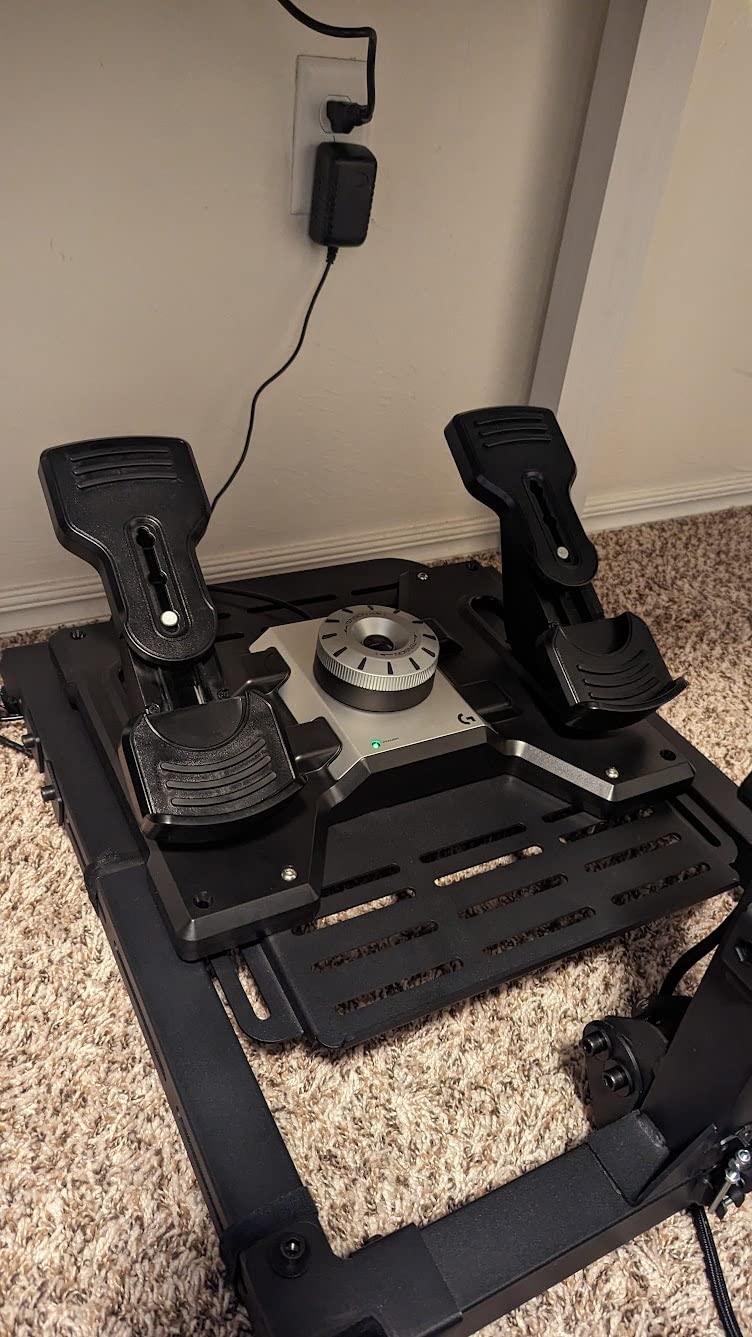
Rudder is the axis most often faked, and the PRO Rudder Pedals are the cheapest honest fix. Widely spaced pedals mirror the spacing of a real footwell, which sounds cosmetic until you realise that foot position changes how precisely you can coordinate a rudder input with a turn.
One knob sets the tension, so you can move from a light aircraft feel to a heavy jet in seconds. The pedal length itself adjusts fast using the spring-loaded centre button, which means one pair fits pilots with very different leg lengths.
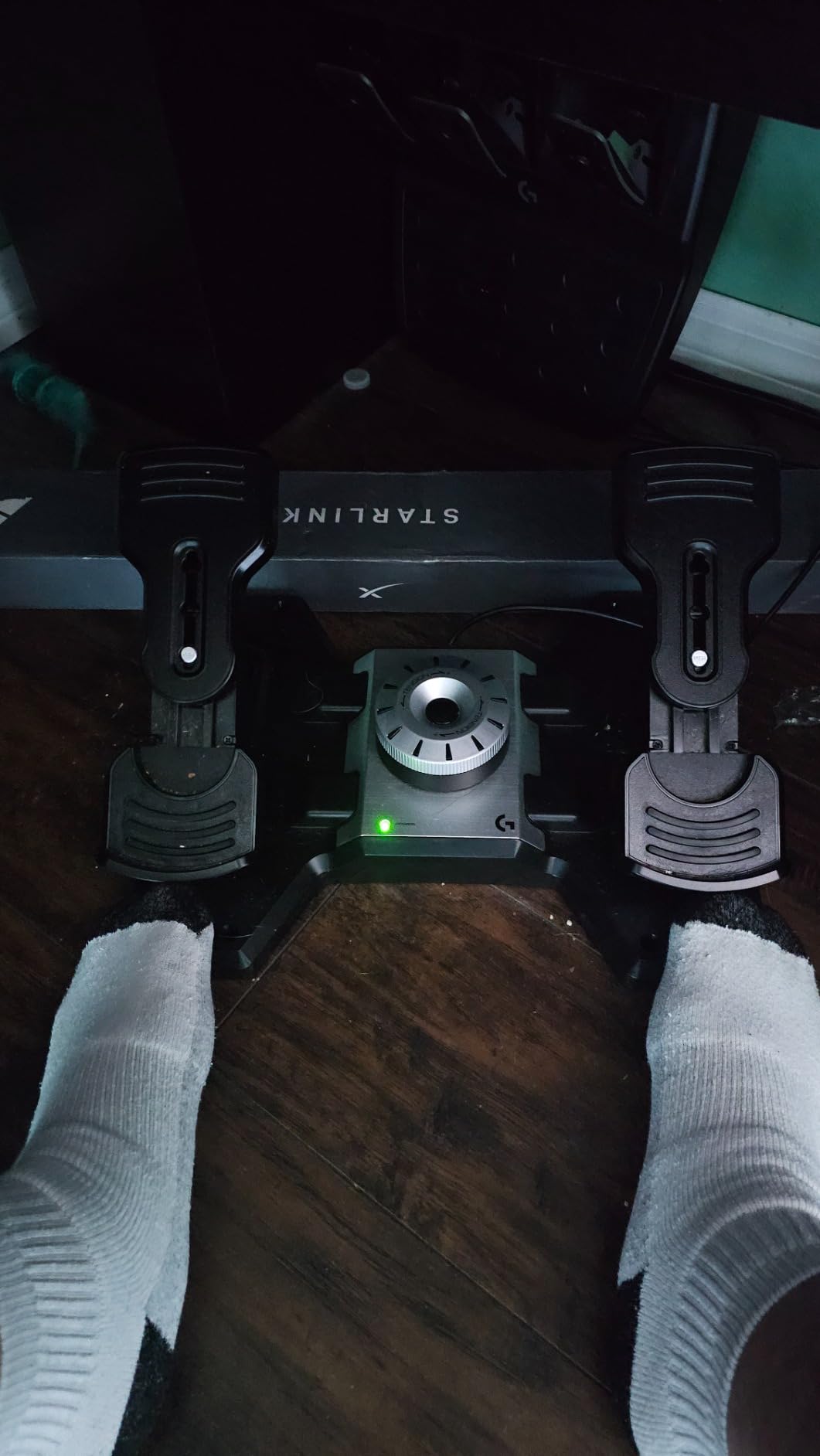
The toe brakes move independently, and reviewers recommend setting the tension near 75 percent as a middle ground. A pull-push technique on the toe brakes gives finer control than pressing fully, which matters on a wet runway in a heavy aircraft.
Accuracy is the real story here. Even a basic keyboard rudder key gives you on or off; these give you a proportional axis, so a crosswind landing becomes a correction rather than a series of snaps. Owners pairing them with a Honeycomb or Logitech yoke setup report the combination transforms general aviation flying.
When pedals change how a sim feels
Any time you taxi, land, or fly a taildragger, pedals turn a fight into a correction. They also unlock techniques that simply do not exist with twist rudder, such as using rudder alone to hold a heading in a crosswind.
If you fly only airliners on autopilot, they matter less. For anything with a tailwheel, they are close to essential.
Where it falls short
The yaw action is slippery and can feel gear-like at low tension, and the toe brakes have very little resistance out of the box. On carpet or a smooth floor the unit will slide unless you brace or screw it down.
Construction is entry-level plastic, and there is a short learning curve before precise rudder coordination becomes automatic.
7. Turtle Beach VelocityOne Flight Universal — the complete cockpit for Xbox
- Only complete all-in-one package available for Xbox Series X and S
- Dedicated pitch trim wheel gives precise control
- Modular quadrant handles GA levers through to airliner setups
- Clamping system holds firmly on a desk
- Rudder and brakes sit at your fingertips
- Some new units arrive with a dead pitch axis
- Yoke springs feel jerky until broken in
- Trim wheel can upset the aircraft state when combined with buttons
- Display and status panel are frustrating on PC
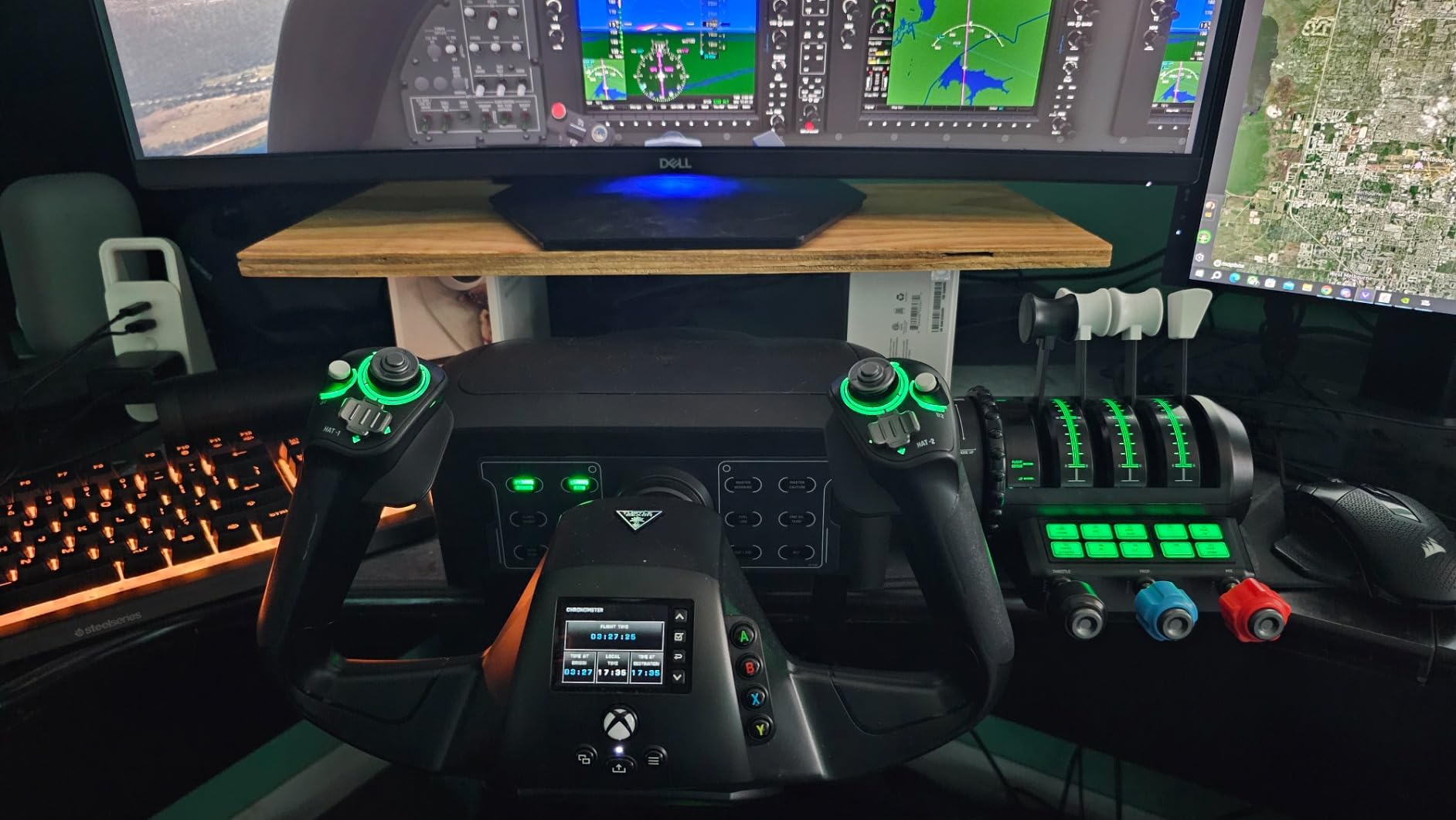
If you fly on an Xbox Series X or S, this is the answer. Nothing else in this roundup ships as a complete package: yoke, modular throttle quadrant, dedicated trim wheel and integrated rudder and brakes, all in one clamping assembly that also runs on PC.
The dedicated pitch trim wheel is the standout. Trim is normally a slow double function on an axis or a keyboard nudge, and a real wheel with fine resolution makes the difference when you trim a heavy aircraft for a long descent.
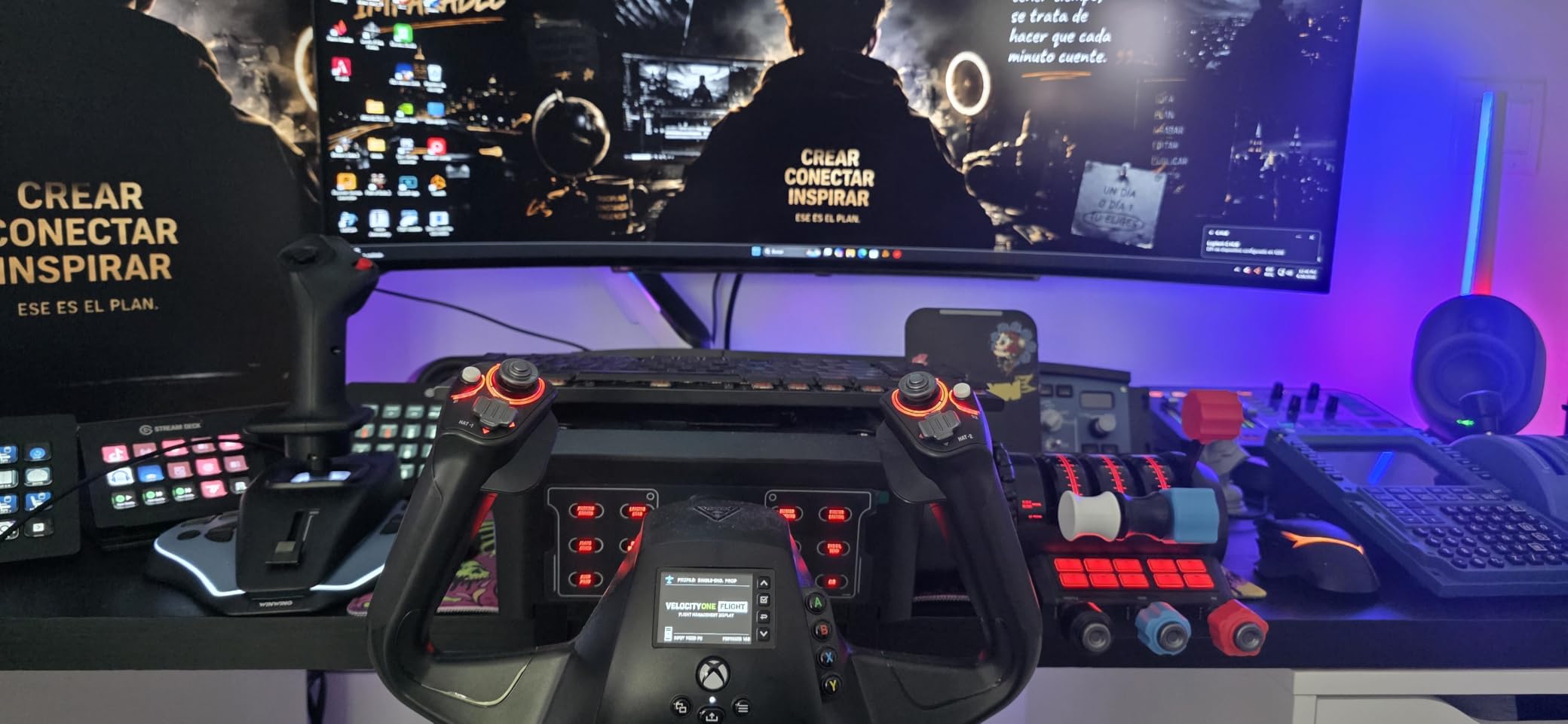
The yoke gives a true 180 degree of rotation from a non-contact Hall effect sensor, and the system reports 12 analog axes, two POV switches and two 4-way hats. The quadrant takes interchangeable lever handles, so general aviation levers and larger airliner levers both fit.
Rudder and brake controls sit at your fingertips rather than at your feet, which is not the same as real pedals, but it means a console pilot can cross-country without a separate purchase. Owners repeatedly praise support for fast warranty replacements, which matters here more than it does elsewhere.
What console pilots gain here
Console flight sims are usually limited by what you can bind, not by physics. Twelve analog axes and two hats put the systems you need on hardware instead of on a controller face, which is the gap this package fills.
Running the same kit on PC means you can move between MSFS on console and a full simulator setup without changing hardware.
Where it falls short
Build quality is the weak point. Some newly manufactured units arrive with a pitch axis that does not register, and the yoke springs feel jerky until they break in. The throttles cannot be used with a different yoke.
The status panel and flight management display are underwhelming, particularly on PC, where some functions behave inconsistently. Check the pitch axis on arrival and keep the packaging.
8. Logitech G X52 Flight Control System — the best HOTAS for space sims
- Solid throttle feel with good balance of resistance
- Buttons and hats sit in logical reachable positions
- LCD shows programmed commands and time at a glance
- Twist rudder can be locked when using pedals
- Long-term owners report hundreds of hours without drift
- Throttle tension dial does not work and detents feel intrusive
- Only the throttle has USB so the stick cannot be paired separately
- Throttle mini stick is hypersensitive
- Backlight and LEDs often stay dark until reconnected
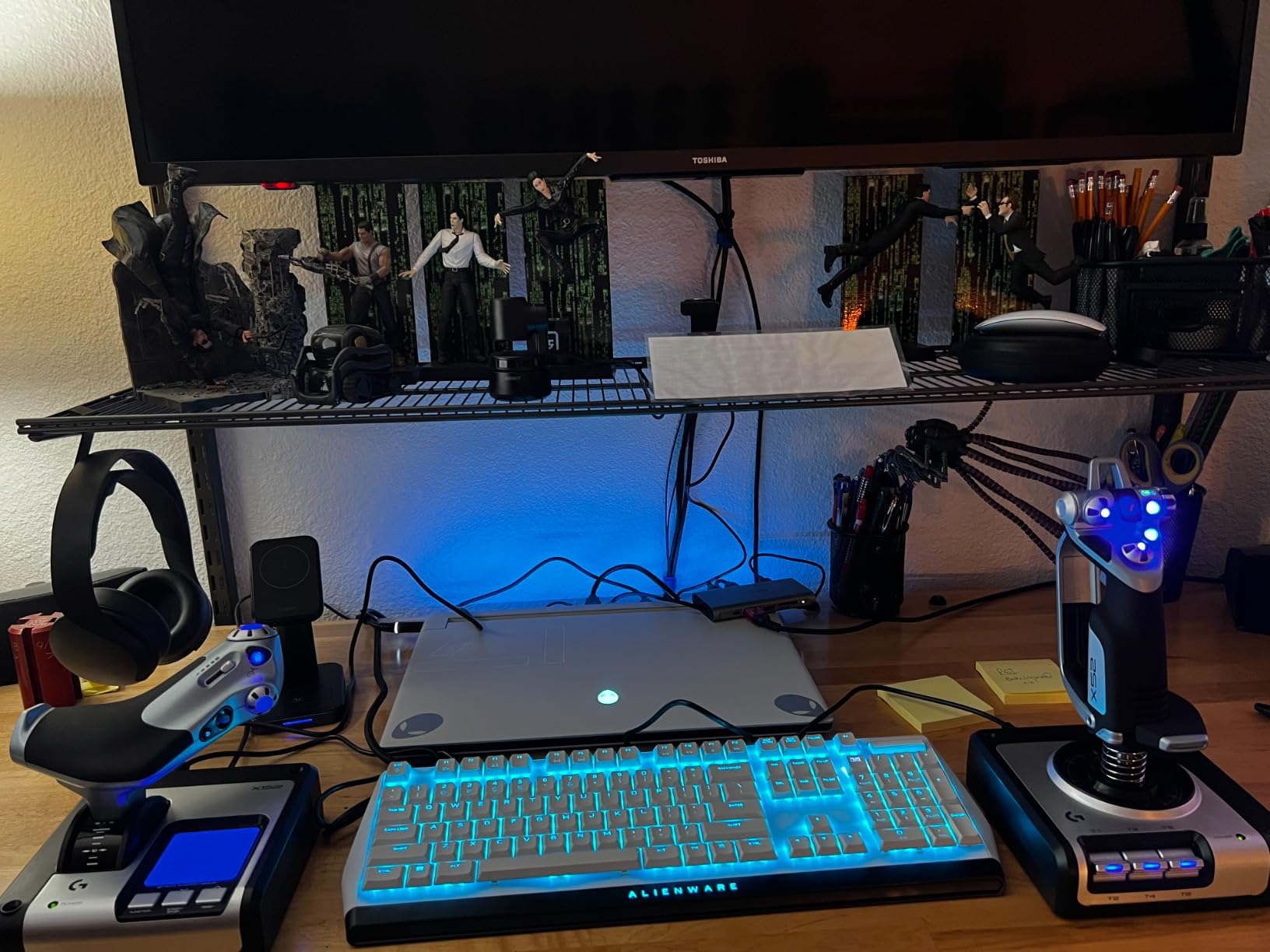
The X52 is still the most commonly recommended first HOTAS in space sim communities, and after six weeks I understand why. The throttle has a genuinely solid feel with a balanced resistance, which is exactly what a long cruise needs, and the stick grips well over an evening session.
The multifunction LCD is more useful than it sounds. It shows the command you have just assigned and keeps a clock on screen, so you can confirm a binding without pausing the sim to open a control panel.
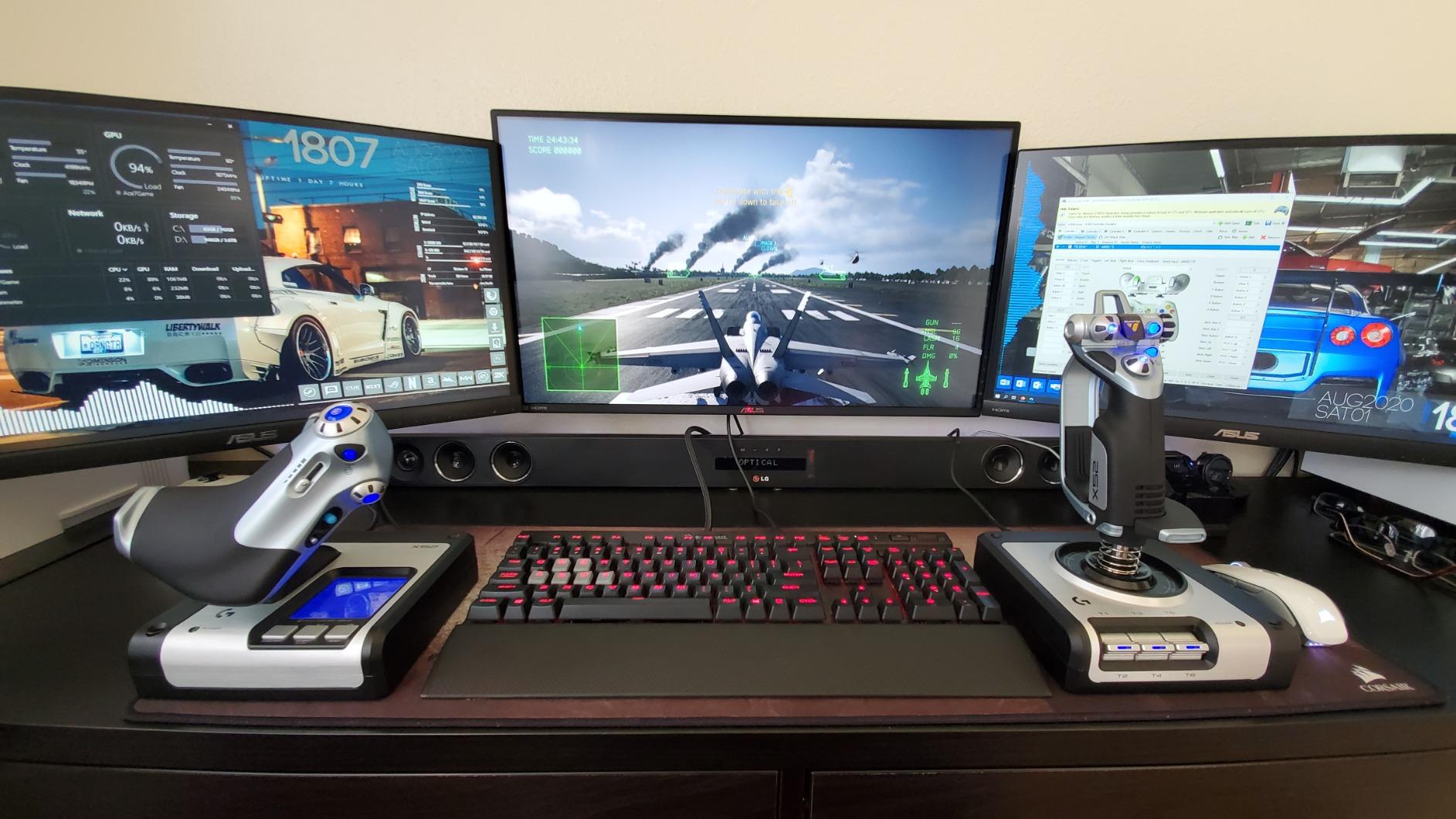
Two hundred and eighty-two programmable commands across three modes leaves you with bindings to spare, and the 5-position grip system keeps the buttons under your fingers as your hand moves. Magnetic non-contact sensors on the X and Y axes keep the primary axes crisp.
One feature is worth planning around: the 3D twist rudder can be locked out when you add real pedals, so this stick stays useful after you upgrade. That is the opposite of most budget units, which fight you once you move past them.
Why space sim pilots keep choosing it
Throttle feel is the whole argument. A ship in space sims spends most of its life on one throttle axis, and a firm, well-damped lever makes small speed adjustments possible where a loose one does not.
The LCD also removes the guesswork from binding a new ship module, which is a task every space sim player repeats regularly.
Where it falls short
The throttle tension adjustment does not work properly and stays firm at its lowest setting, with annoying detents at 25 and 75 percent. Only the throttle carries a USB connection, so the stick cannot be paired with different hardware.
The throttle mini stick is hypersensitive, and the backlight and LEDs sometimes stay dark until you unplug and reconnect the device.
9. Honeycomb Bravo Throttle Quadrant — the highest rated throttle in this roundup
- Highest rated unit in this roundup
- Build quality and lever tension feel realistic
- Reconfigures between piston
- turboprop and jet layouts in seconds
- Annunciator panel and LED gear lights add real immersion
- Plug and play with MSFS plus a large aftermarket of lever upgrades
- Trim wheel is a switch rather than an analogue control
- Reverse is a toggle so realistic airliner reverse thrust is missing
- Large desk footprint and small airliner lever handles
- Configuration has a steep learning curve
The Bravo is the highest rated product in this roundup, and the reason is simpler than the feature list suggests: it feels like equipment rather than a plastic accessory. Lever tension is realistic, the metalwork is solid, and nothing rattles when you push a throttle forward in turbulence.
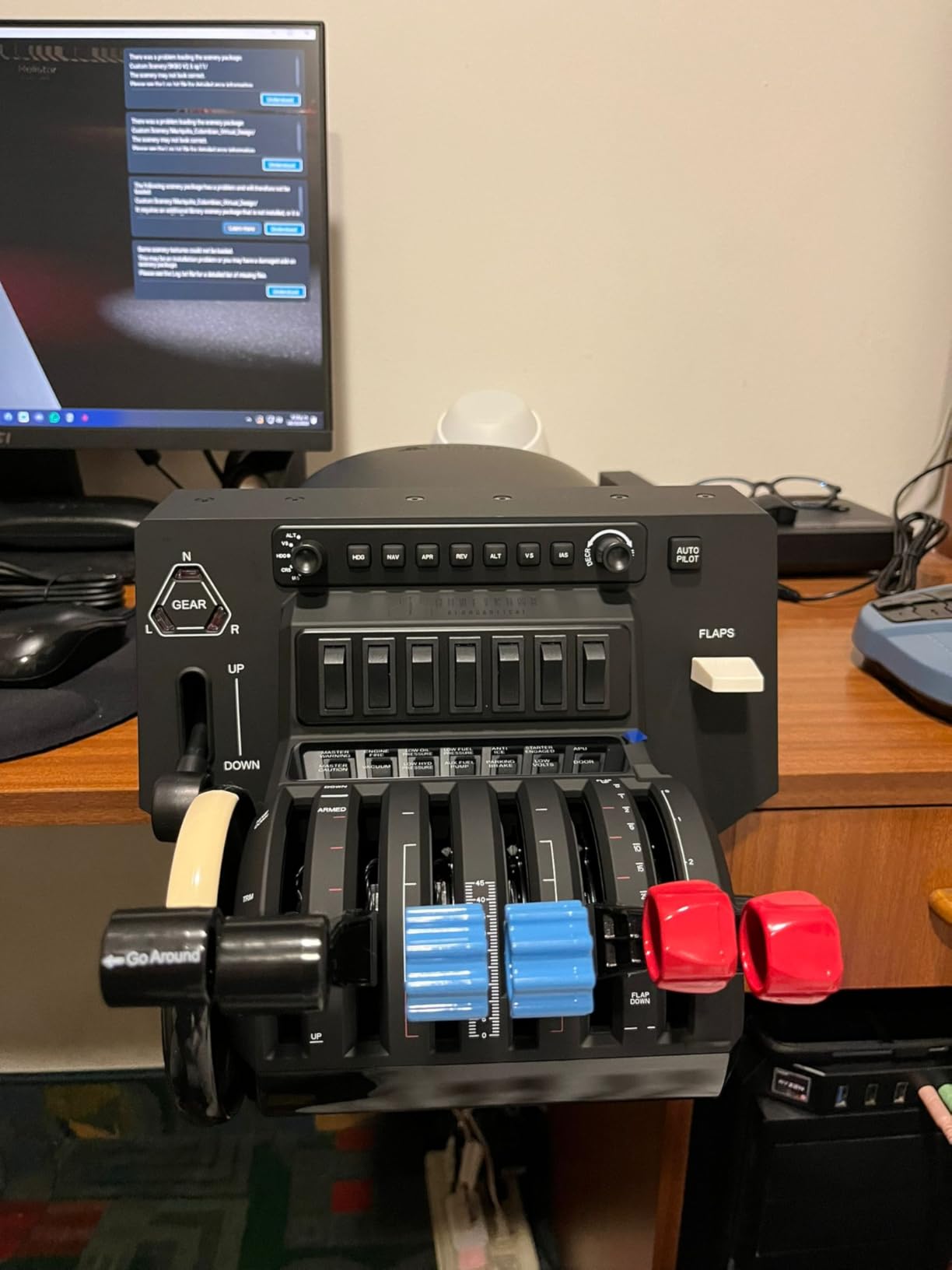
It configures from a single-engine piston aircraft through twin turboprop to four-engine commercial layouts, and the levers swap between configurations in seconds. That single feature covers more flying than most people ever do across several years of simming.
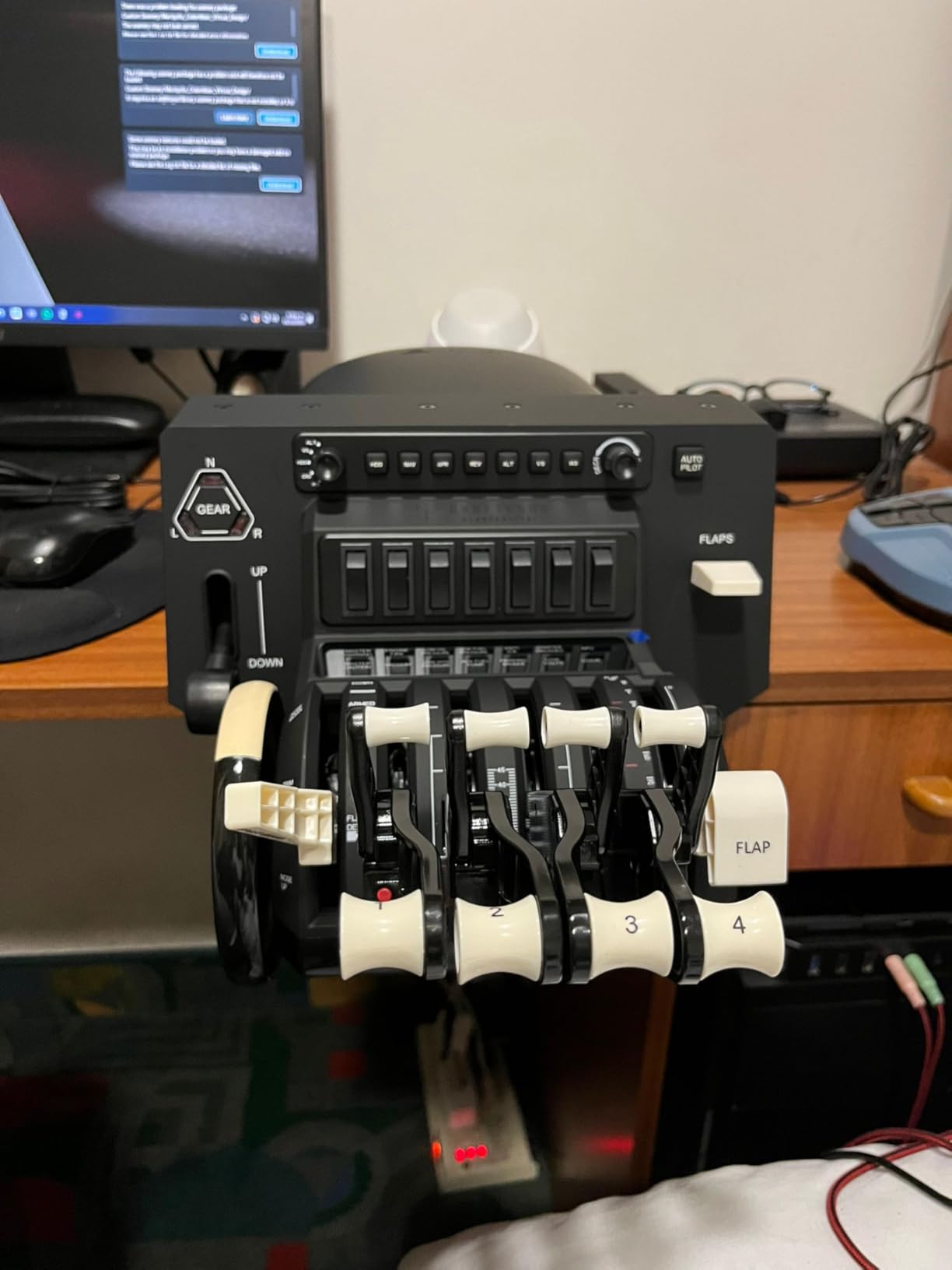
The annunciator panel carries seven two-way programmable switches and 14 warning lights, and the gear lever has LED landing gear indicators. Those lights and switches mean you can run a start-up and shutdown procedure with your hand on the quadrant instead of hunting for viewports, which is where a lot of immersion lives.
It plugs into PC and Mac over USB-C and works with Microsoft Flight Simulator out of the box. There is also a large aftermarket of 737 and A320 lever upgrades, so the unit can be tailored to the aircraft you actually fly rather than the one it shipped with.
Who should buy a dedicated quadrant
If you fly multi-engine aircraft, a dedicated quadrant earns its place quickly because engine management is a continuous task rather than an occasional one. The LED gear and annunciator panels are what turn it from a throttle into a cockpit.
It also pairs naturally with the Honeycomb Alpha yoke as a matched cockpit pair, which is the combination many airliner pilots settle on.
Where it falls short
The trim wheel is a switch rather than an analogue control, so trim does not feel accurate. Reverse is also a toggle, which means realistic reverse thrust on many airliners is simply not available.
The footprint is large, the airliner lever handles are small, and configuration has a steep learning curve that needs driver downloads and third-party software. It also does not work with X-Plane 12 or Apple Silicon Macs out of the box.
10. Honeycomb Alpha Flight Controls Yoke — the best yoke for airliners
- Best yoke feel in this roundup with no centre detent
- Steel shaft and dual linear ball bearings stay consistent
- Construction does not feel like cheap plastic
- Two mounting options including clamps and a suction pad
- Integrated switch panel and 5-position ignition reduce keyboard use
- Pitch requires noticeably more force than cheaper yokes
- 8-way hat jumps the view rather than panning smoothly
- Under-desk mounting is difficult with the supplied screws
- Suction pad can mark a wooden tabletop
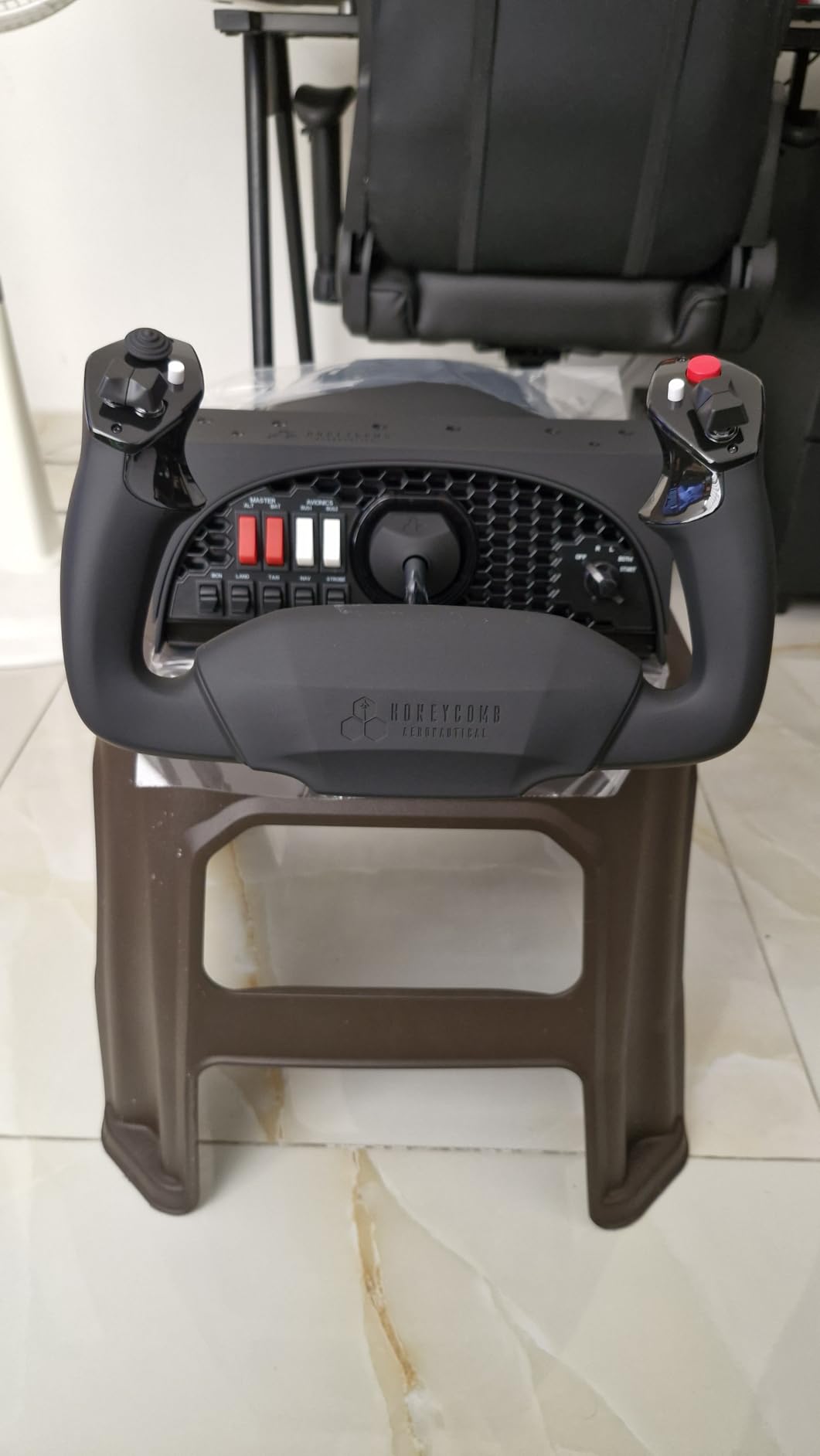
The Alpha is the yoke I recommend without conditions for airliner and general aviation flying. Its dampened self-centring mechanism returns to neutral with no centre detent, so it never fights you when you flare a light aircraft or trim a widebody on final.
The mechanism runs a solid steel shaft on dual linear ball bearings across the full 180 degrees of rotation. That combination is why sensitivity stays consistent at the extremes, where cheaper yokes go vague and force you to guess.
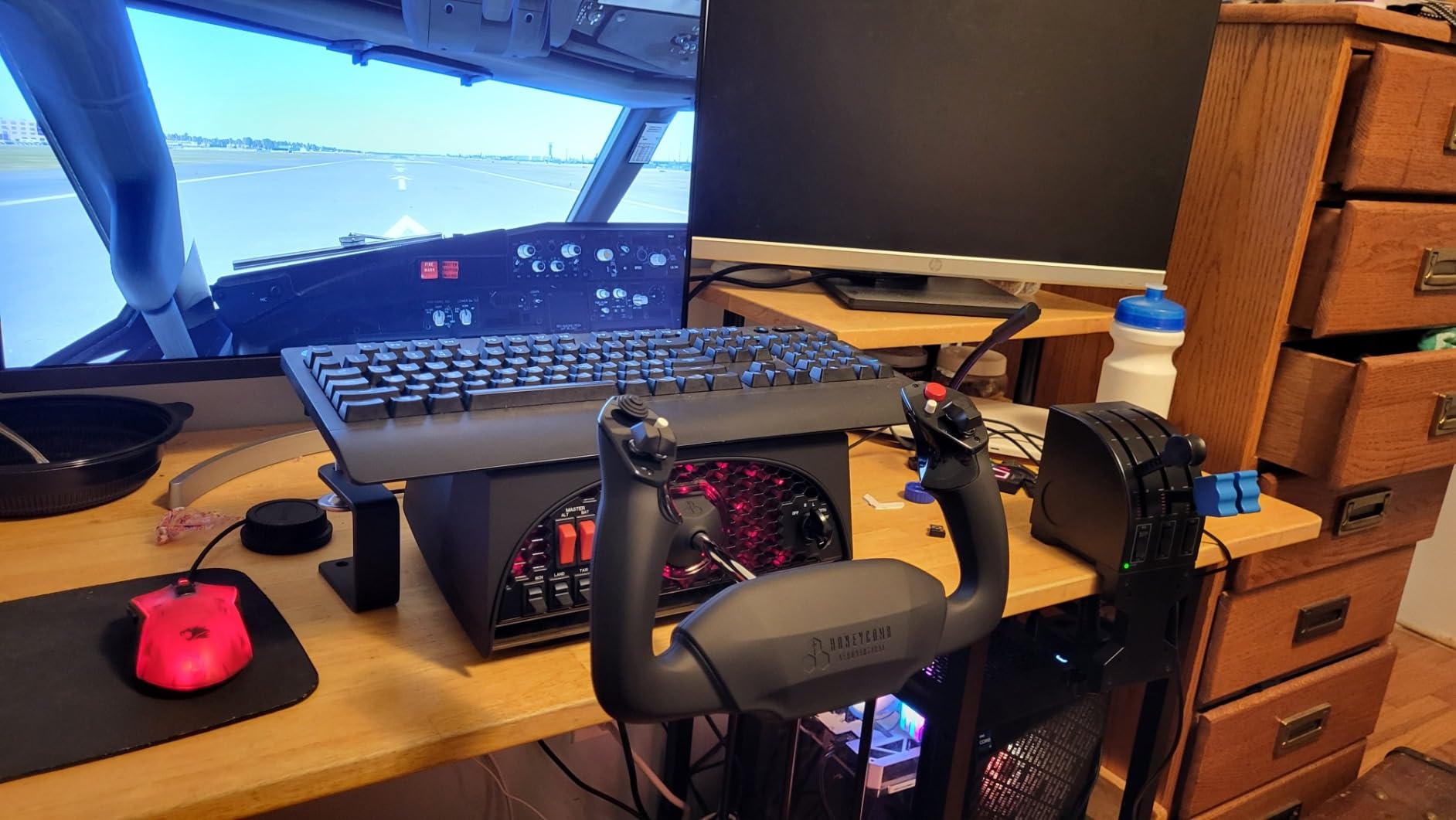
Each handle carries one 8-way hat, two vertical and two horizontal two-way rocker switches, three buttons and a push-to-talk button, and the base switch panel has master, alternator, avionics and light switches plus a five-position ignition. You can realistically run a start-up without touching the keyboard.
Mounting is flexible: two heavy-duty steel clamps or a 3M micro-suction pad rated at 40 pounds of tensile strength for a clamp-free desk setup. Owners who switched from a Logitech or Saitek yoke report the difference immediately in how small corrections feel.
Why the missing centre detent matters
A centre detent is a spring bump you push through on the way to neutral. On a heavy aircraft approach that bump can roll you off the centreline, and on a light aircraft flare it can stop a gentle touchdown halfway.
Removing it makes the Alpha easier to fly precisely, and that is the single reason it beats cheaper yokes for me.
Where it falls short
Pitch takes noticeably more force than a budget yoke, which suits heavy transports but can tire your arm in a long light aircraft session. The 8-way hat jumps the cockpit view in steps rather than panning smoothly.
Under-desk mounting is difficult with the supplied screws and the unit stays loose unless you secure it further, and the suction pad can mark a wooden surface.
11. Honeycomb Charlie Rudder Pedals — the best metal pedal set
- Aluminium belt drive feels far more substantial than plastic units
- Hall effect sensors give precise rudder coordination
- Adjustable foot angles suit different pilots
- Grip strips and carpet spikes keep the pedals anchored
- Native pairing with the Honeycomb Alpha yoke
- Needs the separate Honeycomb Xbox Hub for Series X and S consoles
- Costs more than entry-level pedal options
- Small review base means limited long-term durability data
The Charlie pedals exist because plastic pedal sets have always felt vague under load. The aluminium chassis and belt drive transmission give a much more direct return, and the result is rudder input that arrives the way your feet expect rather than arriving softened by flex.
Latest generation magnetic Hall effect sensors read both rudder and the two toe brake axes without contact. In practice that means fewer corrective inputs, because the reading matches the physical position more closely through the middle of the travel.
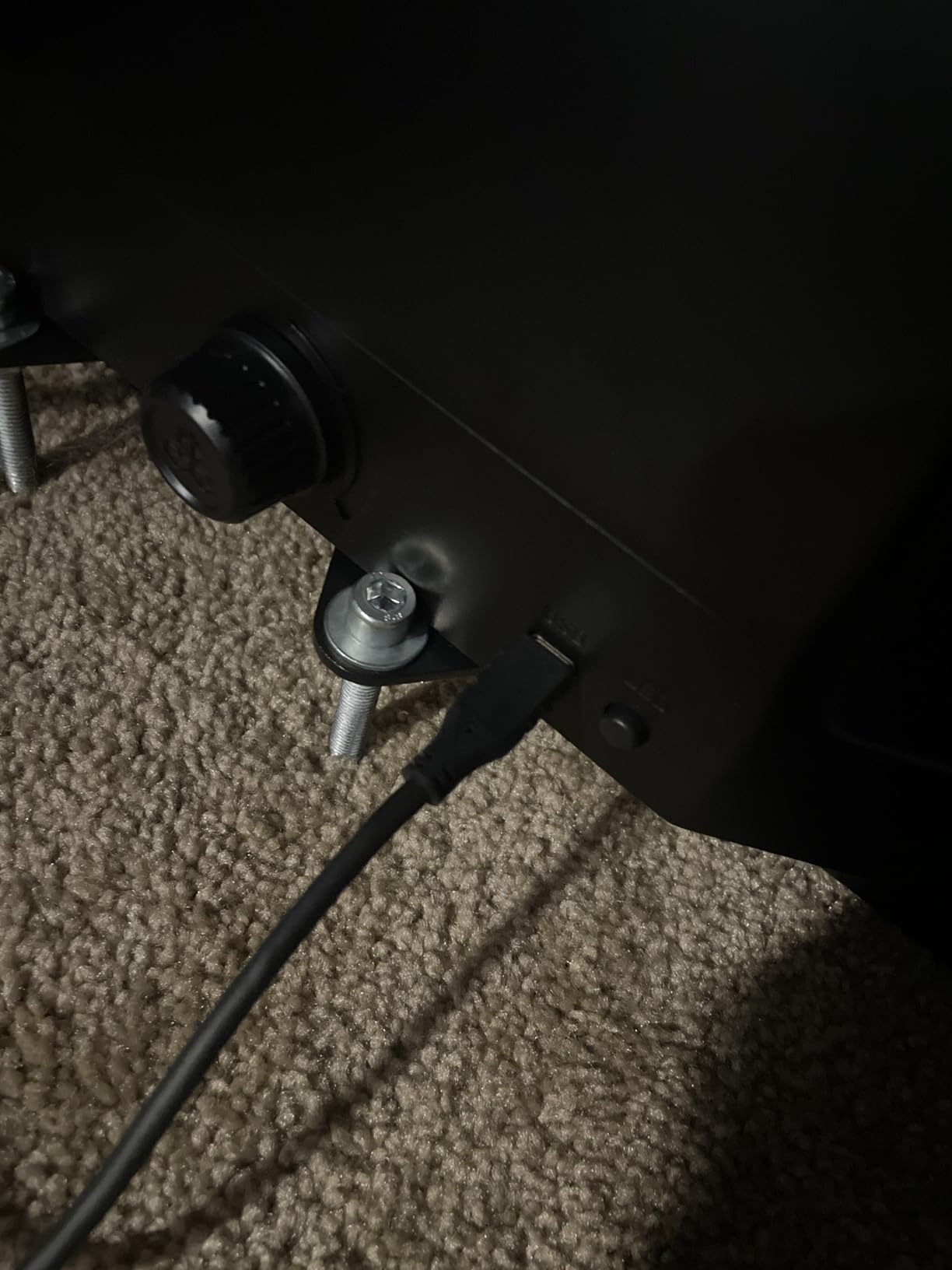
Adjustable foot angles let you set the pedals to match your stance, and high-friction surface strips with deployable carpet spikes keep the unit anchored. On a hard floor the spikes are unnecessary; on carpet they are the difference between stable rudder and constant chasing.
It works with Microsoft Flight Simulator, X-Plane 12 and Prepar3D, and integrates directly with the Alpha Flight Controls setup. Console users need the separate Honeycomb Xbox Hub, which is an extra purchase worth planning for.
When metal pedals are worth the step up
If you already own the Alpha yoke or the Bravo quadrant, the Charlie set completes a matched cockpit where every part behaves the same way. The heavier construction also stops the pedals drifting under aggressive braking inputs.
They suit pilots who fly long sectors, because consistent rudder feel reduces the fatigue of holding a heading in a crosswind.
Where it falls short
The price step is steep for anyone who only needs basic rudder control, since the Logitech PRO pedals cover the same axis for far less. Xbox Series X|S owners also need the Honeycomb Xbox Hub separately.
The review base here is small, so long-term durability feedback is thinner than for the rest of this roundup. Judge it on build quality and sensor type rather than on owner reports.
Joystick, HOTAS, Yoke or Pedals: Which Form Factor Do You Need?
Get this wrong and you will buy the wrong hardware twice. The five form factors in this roundup solve different problems, and the deciding question is what you fly rather than what you spend.
A joystick is a standalone stick. It is the smallest upgrade from a keyboard and the cheapest way to get smooth pitch and roll. A HOTAS puts the throttle in the same base as the stick, so you fly with one hand and manage power with the other without looking away from the panel. A flight deck is the wider version of that idea, adding rudder, trim and more control surface area.
A yoke is the horizontal control you find in airliners and many light aircraft, and it is held and pushed rather than gripped and tilted. A throttle quadrant is not a control surface at all, but a lever assembly for engine management. Pedals cover the rudder and usually the toe brakes.
Here is the short decision. Light aircraft and bush flying on MSFS or X-Plane: yoke, because that is what the real aircraft has and it builds the right muscle memory. Airliner procedures on MSFS or Prepar3D: yoke plus a dedicated quadrant, because engine management is continuous work. Combat and air combat sims in DCS: HOTAS or stick with a high button count, because you need sensors and switches under your hands.
Space sims on PC: HOTAS, because throttle feel matters more than anything else. Helicopters: HOTAS, for the reason covered in its own section below. Casual flying on a sofa: a gamepad, which is covered separately further down.
For platform decisions, only two products in this roundup carry an official console licence: the Thrustmaster T-Flight HOTAS One and the Turtle Beach VelocityOne Flight Universal. Everything else is Windows and Mac hardware, which is worth checking if you plan to move between PC and console.
Do You Need Rudder Pedals?
You need them as soon as you land anything with a tailwheel, taxi regularly, or fly in crosswind. Rudder is also the axis you use to coordinate a turn, and faking it with a keyboard key turns every correction into a snap rather than a nudge.
The order matters. Community advice is consistent on this: stick first, throttle second, pedals third. Pedals are the least useful of the three until you can already fly the aircraft, and you will get more out of them once you do.
Two options here cover most people. The Logitech G PRO Rudder Pedals are the budget answer, with adjustable tension, adjustable length and differential toe brakes. The Honeycomb Charlie set is the enthusiast answer, with aluminium construction, belt drive and Hall effect sensors. We have covered pedal sets in more detail in our rudder pedal roundup.
Why Budget Sticks Fail Early: Sensors and Gimbal Construction
The most common complaint in flight sim communities is not feel, it is failure. Owners report sticks drifting or failing after roughly 150 to 200 hours, sometimes after opening the case, re-soldering and re-greasing the mechanism. That figure is the single most useful number in this hobby.
The cause is usually the gimbal rather than the sensors. Budget sticks use a plastic ball-and-socket joint where the stick sits inside the base. Under constant centring force that ball wears, the stick develops a permanent lean, and the axis no longer returns to true neutral. Spring-and-cam gimbals and ball-bearing gimbals resist this far better, and they are found on the more expensive units in this roundup.
Sensors matter separately. Potentiometer sensors use a physical wiper sliding across a resistive track, and the wiper wears. Contactless Hall effect sensors read position magnetically with nothing touching, which is why the Thrustmaster T.16000M and the Turtle Beach VelocityOne yoke feel more consistent over time than units of similar cost.
Resolution also plays a part. A 9-bit rudder axis gives 512 positions, which is plenty for light aircraft. A 16-bit axis on aileron and elevator, as on the Logitech X56, gives finer control in slow, precise maneuvers.
Is a Gamepad Good Enough for Flight Simulating?
Yes, for relaxed flying in an airliner on autopilot or a light aircraft cruise. A gamepad gives you proportional pitch and roll on both thumbsticks, and it lets you sit back in a comfortable chair, which is a genuine reason to choose it rather than a compromise.
It fails where precision is the task. Thumbsticks have small travel and no self-centring, so a flare becomes a snap and holding a heading means constant correction. There is no analogue rudder, and every switch is a button press rather than a physical lever position.
A gamepad also costs you the thing that makes hardware worthwhile, which is the muscle memory transfer to a real aircraft. If you are training toward a rating, use a stick or yoke. If you are playing after work, a gamepad is a reasonable choice and we would not argue with it.
Helicopter and FPV Controls: Collective and Cyclic Design
Helicopter flying needs two axes that a fixed-wing controller does not provide well: the cyclic for pitch and roll, and the collective for engine power. Most joysticks handle cyclic acceptably, and most HOTAS units leave the collective to a separate lever, so you are always managing one control with the other hand.
For helicopters, the collective is the deciding factor rather than the stick. Check whether your chosen unit leaves the throttle hand free, because a HOTAS with a fixed centre throttle forces constant grip changes and gets tiring quickly. The Logitech X56 and the X52 both place the throttle far enough forward to act as a collective, and the T.16000M works well when paired with a separate lever.
FPV drone simulation is a different problem again. FPV flying uses rate mode rather than angle mode, so it needs a controller with real rate control and enough throw to cover fast rotations. A stick with a light centring force and a high maximum pitch and roll angle is what you want, and a gamepad with configurable dead zones will not give it to you.
In both cases, buy the stick first and add a collective or lever second. That is the same build order the wider community follows for fixed-wing flying, and it is the order that wastes the least money.
Build Order and Three Starter Setups
Here is the build order we recommend, and it is the one the community arrives at independently. 1. Buy the stick or yoke first, because that is the axis you will use every minute of every session. 2. Add throttle capability next, either by choosing a HOTAS instead of a standalone stick or by adding a quadrant later. 3. Add pedals last, once you are landing aircraft regularly.
One common warning from experienced simmers: do not spend more on the throttle than on the stick. A precision stick with a cheap throttle beats an expensive quadrant with a mediocre stick every time, because pitch and roll demand far more control than power management.
Modest starter setup. Take the Thrustmaster T-Flight HOTAS X. It covers stick, throttle, axes and buttons in one unit with no assembly, so a new pilot can start flying the same day it arrives.
Balanced PC setup. Take the Honeycomb Alpha yoke with the Logitech G PRO Rudder Pedals. That pairing gives you a self-centring 180 degree yoke, an integrated switch panel and accurate rudder and toe brakes, and it covers light aircraft through to widebody procedures.
Full airliner cockpit. Take the Honeycomb Alpha yoke, the Honeycomb Bravo quadrant and the Honeycomb Charlie pedals. This is the matched three-piece cockpit, and it is the configuration most long-term airliner pilots end up running.
If you are still undecided on a brand, our flight stick guide compares the sticks in isolation, and our CPU guide covers the other half of a smooth simulator setup.
Frequently Asked Questions
What are the best flight controllers?
The Thrustmaster T-Flight HOTAS X is the best overall flight sim controller for PC pilots, combining a self-centring stick with a detachable real-size throttle, 12 programmable buttons and 5 axes, and a weighted base. The Turtle Beach VelocityOne Flight Universal is the best option for Xbox Series X|S because it bundles yoke, throttle, trim wheel and rudder controls. The Honeycomb Alpha is the best yoke for airliner and general aviation flying.
What is the best value HOTAS for the budget range?
The Thrustmaster T-Flight HOTAS X is the strongest budget HOTAS, with 12 buttons, 5 axes, an adjustable resistance dial and a mapping button for on-the-fly profile changes, and it arrives pre-configured for takeoff. The Logitech G X52 is the alternative if you fly space sims, since its throttle has a firmer, better damped feel and an LCD that shows assigned commands.
What is the best HOTAS for flying a helicopter?
The Thrustmaster T-Flight HOTAS X and the Logitech G X56 both work well for helicopters because the throttle sits forward enough to act as a collective while your other hand stays on the cyclic. The key requirement is a throttle that leaves one hand free. If your collective travel needs to be precise, pair a standalone stick such as the T.16000M FCS with a separate lever instead.
What is the best FPV controller for a simulator?
For FPV drone simulation you want a joystick rather than a gamepad, because rate mode needs real throw and fast rotation that thumbsticks cannot provide. The Thrustmaster T.16000M FCS is a strong FPV choice with Hall effect sensors, 16 action buttons and four independent axes including twist rudder, plus braille markings that help when flying in VR without looking down.
Should I buy a flight stick or a yoke?
Buy a yoke if you fly light aircraft, bush flying or airliners, because that is the control real aircraft use and it builds correct muscle memory. Buy a joystick or HOTAS if you fly combat sims, space sims or general aviation where throttle feel and button count matter more. Many pilots eventually own both, starting with whichever matches their main simulator.
Do I need rudder pedals for flight simulator?
You need rudder pedals as soon as you land anything with a tailwheel, taxi regularly, or fly in crosswind, because they give proportional rudder input instead of the on-off nudge from a keyboard key. If you only cruise an airliner on autopilot you can manage without them. Build them last, after the stick and throttle, since pedals matter most once you can already fly the aircraft.
The Verdict: Which Flight Sim Controller Should You Buy?
The Thrustmaster T-Flight HOTAS X takes our top spot among the best controllers for flight simulators in 2026 because it does the most for the least money, arrives pre-configured, and stays usable as your flying expands from general aviation into airliners and combat sims.
Buy the Honeycomb Alpha yoke and the Honeycomb Bravo quadrant if your focus is airliner procedures, the Turtle Beach VelocityOne Flight Universal if you are on Xbox Series X|S, and the Logitech G PRO Rudder Pedals once you start landing regularly. Whatever you choose, buy the stick or yoke first and add throttle and pedals afterwards.
Hardware is the fastest way to find out whether flight sims are for you. Fly on a keyboard for an hour, then try one of these, and the difference will make the decision for you.