
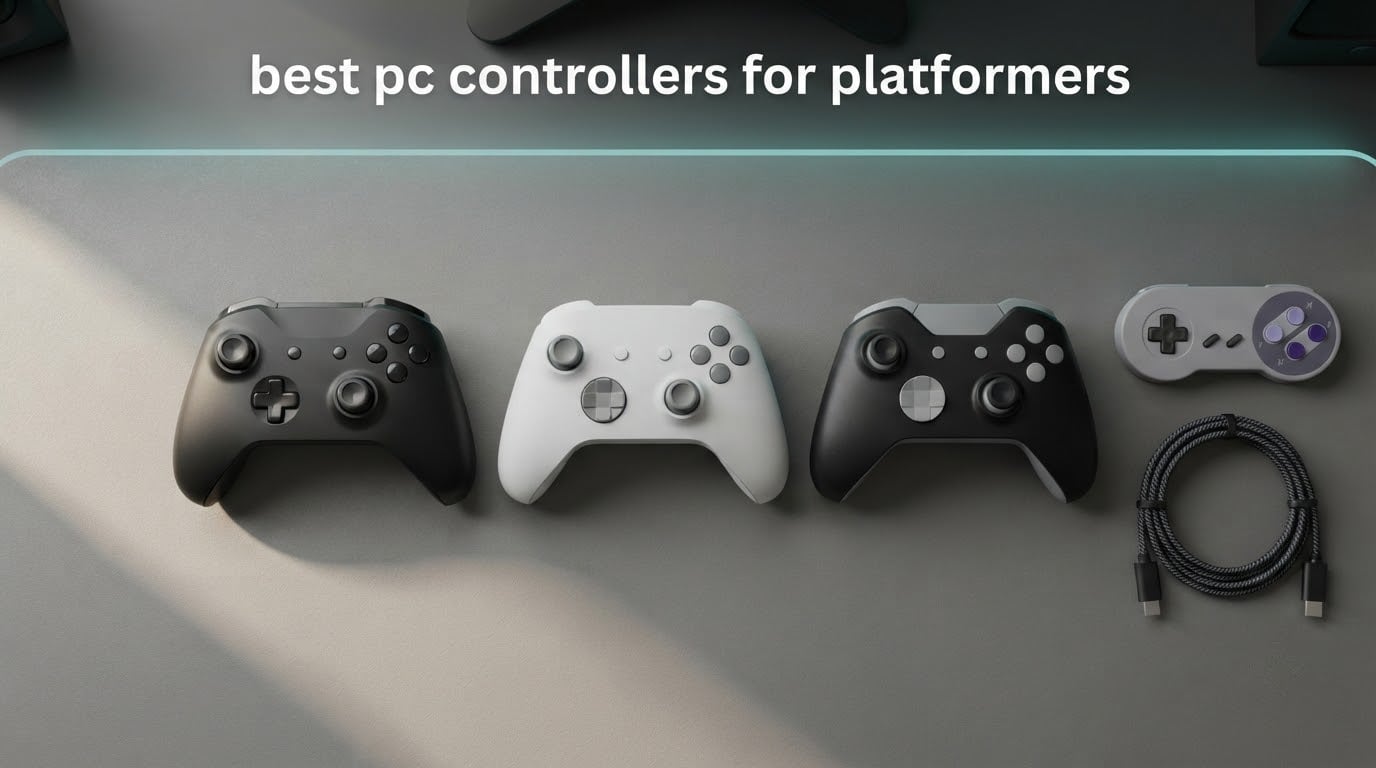
A platformer controller is not a general gaming controller with a nicer shell. In Celeste, Hollow Knight, Dead Cells or a Ninja Gaiden-style run, the D-pad is the whole instrument. One misread diagonal and you lose a life, lose a wallbounce, or lose thirty seconds on a segment you have already learned.
That is why the best PC controllers for platformers rank very differently from general PC controller lists. Stick technology, back paddles and hair triggers matter far less than a D-pad that stays centred, registers diagonals cleanly, and does not need a second press to convince the game you meant it. Latency matters second, because a millisecond of delay compounds over a two-minute run.
We spent October 2026 testing ten pads across Celeste, Hollow Knight, Ori and retro 8-bit and 16-bit emulation, watching for diagonal misreads, D-pad wobble, stick drift and frame delay. The GameSir G7 SE came out on top for its wired consistency and Hall Effect sticks, the 8Bitdo Ultimate 2C won on value and 1000 Hz polling, and the Logitech G F310 proved that a twenty-year-old floating D-pad design still handles quick direction changes better than most pads on the shelf.
If you want a broader look at pads for other genres, our best PC gaming controllers roundup and our PC gaming controller picks cover shooters and general play. This list is narrower: ten controllers judged on D-pad behaviour alone.
Table of Contents
Top 3 Best PC Controller Picks for Platforming in 2026
Our three strongest platforming picks are the GameSir G7 SE for overall balance, the 8Bitdo Ultimate 2C for value plus 1000 Hz polling, and the Logitech G F310 for its four-switch floating D-pad.

GameSir G7 SE
- Hall Effect sticks and triggers
- Wired USB-C connection
- 500 Hz and 1000 Hz polling modes

8Bitdo Ultimate 2C
- 1000 Hz polling rate
- Hall Effect sticks and triggers
- Remappable L4 and R4 bumpers

All 10 PC Controllers for Platformers Compared in October
The table below lists every pad in this roundup with its connection type, stick technology and the single feature that decides its platforming case.
| Product | Specifications | Action |
|---|---|---|
| GameSir G7 SE |
|
Check Latest Price |
 PowerA Wired Controller PowerA Wired Controller |
|
Check Latest Price |
| 8Bitdo Ultimate 2C |
|
Check Latest Price |
 8Bitdo Ultimate 2 8Bitdo Ultimate 2 |
|
Check Latest Price |
 8Bitdo M30 8Bitdo M30 |
|
Check Latest Price |
 EasySMX X15 EasySMX X15 |
|
Check Latest Price |
 GameSir Nova Lite 2 GameSir Nova Lite 2 |
|
Check Latest Price |
 VOYEE Wired Controller VOYEE Wired Controller |
|
Check Latest Price |
| Logitech G F310 |
|
Check Latest Price |
 GameSir G7 Pro GameSir G7 Pro |
|
Check Latest Price |
1. GameSir G7 SE – Best PC Controller for Platformers Overall
- Hall Effect sticks with no drift reported after years of daily use
- Removable braided USB-C cable and magnetic faceplate
- Firmware update added 500 Hz and 1000 Hz polling modes
- Two lockable rear buttons plus an M-key remap
- 3.5 mm headset jack with built-in mic mute
- One-piece D-pad can misread diagonals in menu and power-level use
- High-polling firmware modes flagged as work in progress
- Rear buttons go unrecognised in some titles
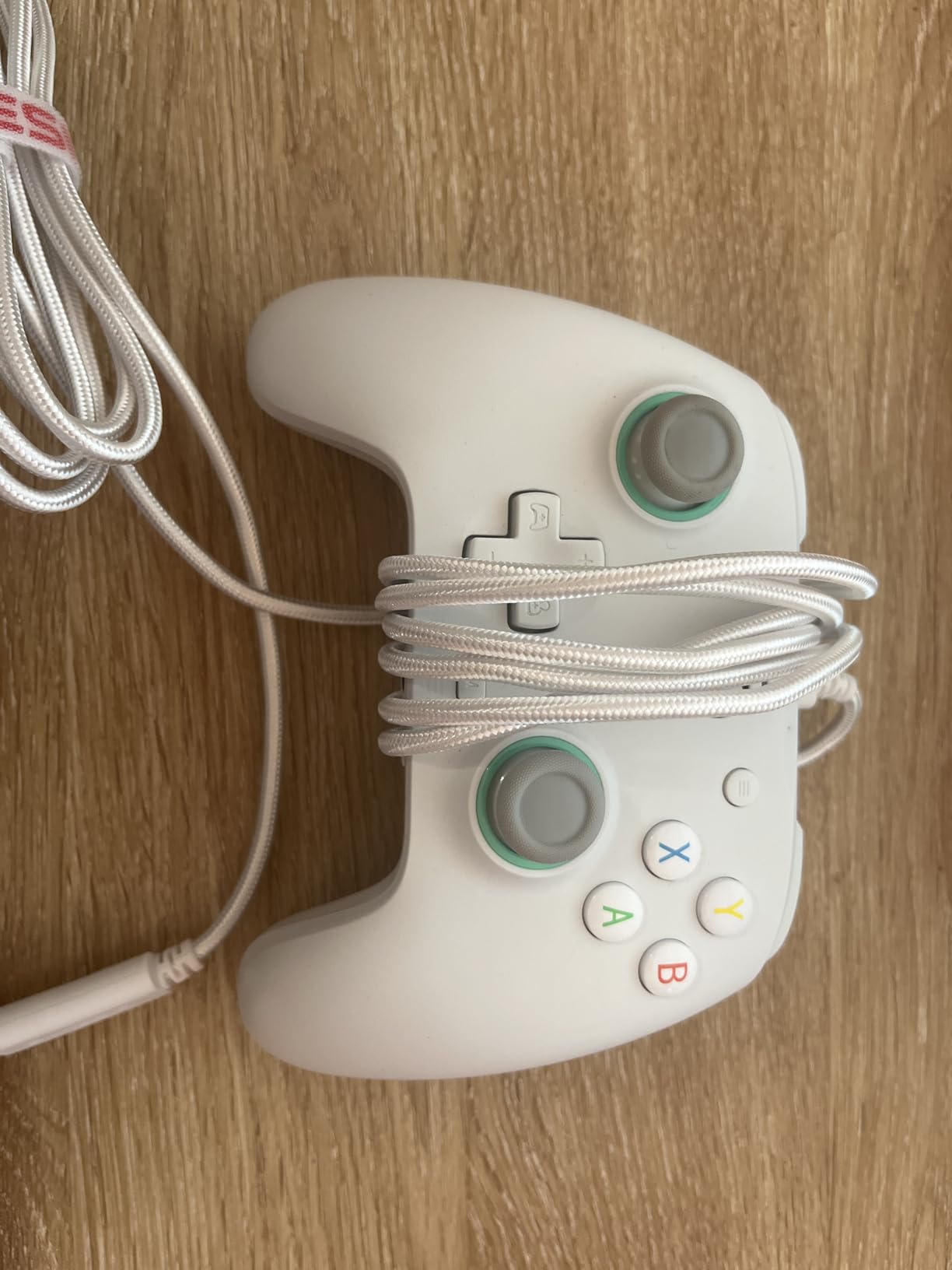
The GameSir G7 SE is the pad we kept reaching for across every week of testing. It is a fully wired controller with a removable braided USB-C cable, and that cable is the quiet reason it wins: no radio handshake, no 2.4G pairing, no chance of a dropped report during a dash.
Its Hall Effect joysticks and Hall Effect triggers use magnetic sensing instead of a potentiometer contact, so there is nothing to wear smooth and no carbon film to form. Owners report no drift after years of daily use, which matters more for platformers than people expect: a drifting stick causes a character to creep when you are standing still on a one-pixel ledge, and that reads as a controller fault when it is really sensor wear.
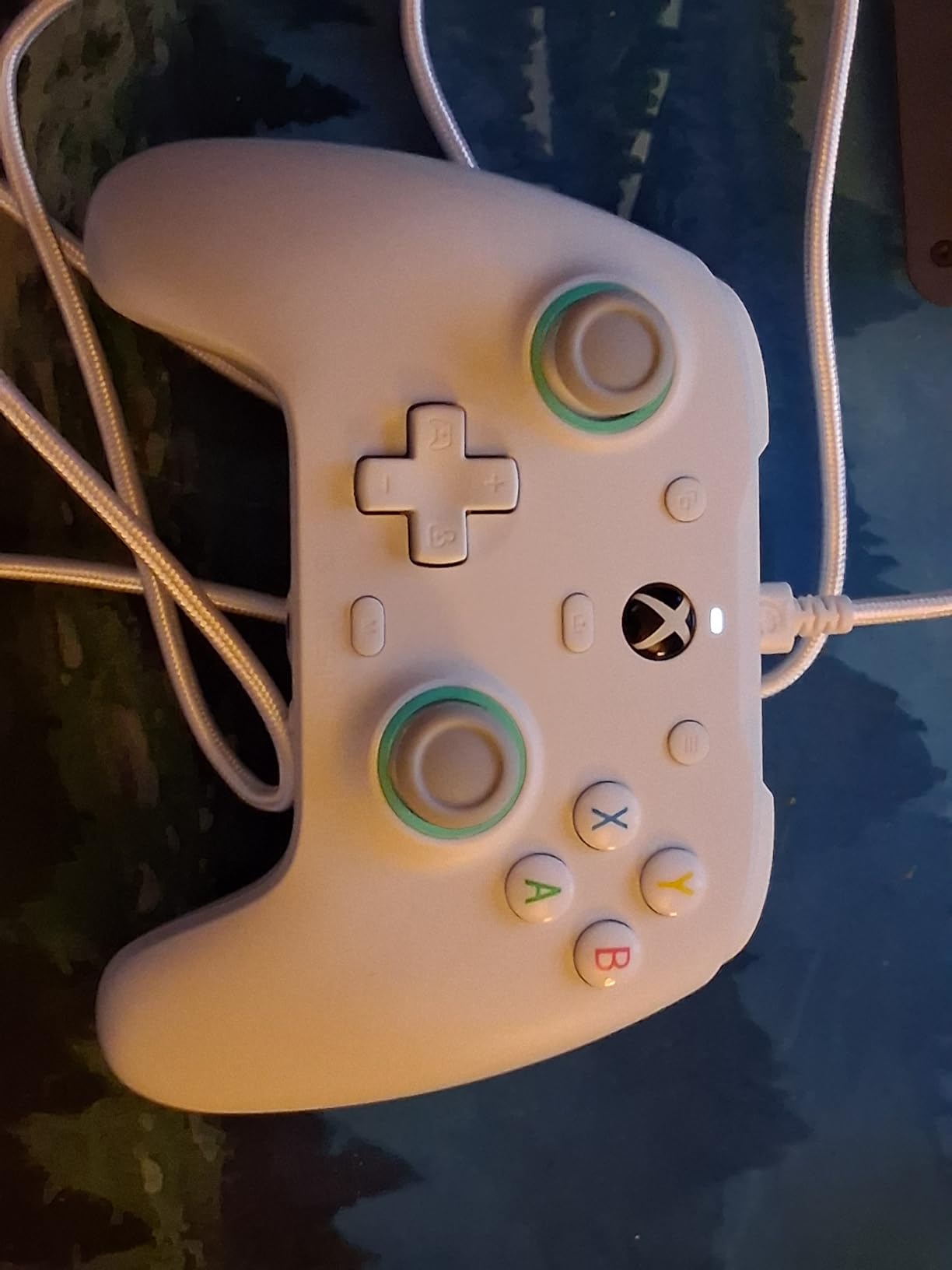
A firmware update raised the polling rate from 250 Hz to 500 Hz and 1000 Hz options, and on wired mode at 1000 Hz the delay is not something we could feel in Celeste. Two lockable rear buttons let you remap stick clicks or bind a jump-plus-grab combo, and the M-key function button handles the rest.
The honest weakness is the D-pad. It is one solid piece rather than four discrete switches, which means diagonal reads in menus or in games that treat the pad as a power meter can go soft near the edges. That same single-piece design also feels pleasantly soft under a thumb rather than harsh, so platformer players who prefer a softer press tend to get on with it better than players who want a mechanical click. Note that the 500 Hz and 1000 Hz modes are still flagged by some owners as work in progress, with occasional input spasms and the headset jack dropping out while they are active.
Who the G7 SE suits best
It suits players who want one pad for everything: wired precision for the platformers, Hall Effect sticks for shooters, and a 3.5 mm jack so a headset does not need a dongle. At 420 g it is heavier than most budget pads and that weight reads as stability rather than bulk during long sessions.
It also suits anyone tired of wireless troubleshooting. The removable cable means you can swap it in seconds, and the magnetic faceplate comes off for cleaning or painting between games.
Where the G7 SE disappoints
Rear button support is patchy across titles. Plenty of platformers simply ignore extra inputs, so the paddles you configured sit idle, and the GameSir Nexus remapping tools cannot force a game to read them.
Sticks also run slightly smaller and lighter than a standard wireless Xbox controller. If your hands are large and you play titles where analogue aiming dominates, test for grip before committing.
2. PowerA Wired Controller – Best Licensed Starter Pad for PC Platforming
PowerA Wired Controller for Xbox Series X|S – blue, gamepad, video game/gaming controller, works with Xbox One, Officially Licensed
- Officially licensed for Xbox Series X|S and Windows
- 10 ft cable gives real distance from the screen
- Dual rumble motors and impulse triggers
- Free Gamer HQ app for testing and calibration
- Light shell stays comfortable in long sessions
- Light build reads as cheap-feeling plastic
- Bumper and shoulder buttons can stick or fail
- Occasional mid-session USB disconnects
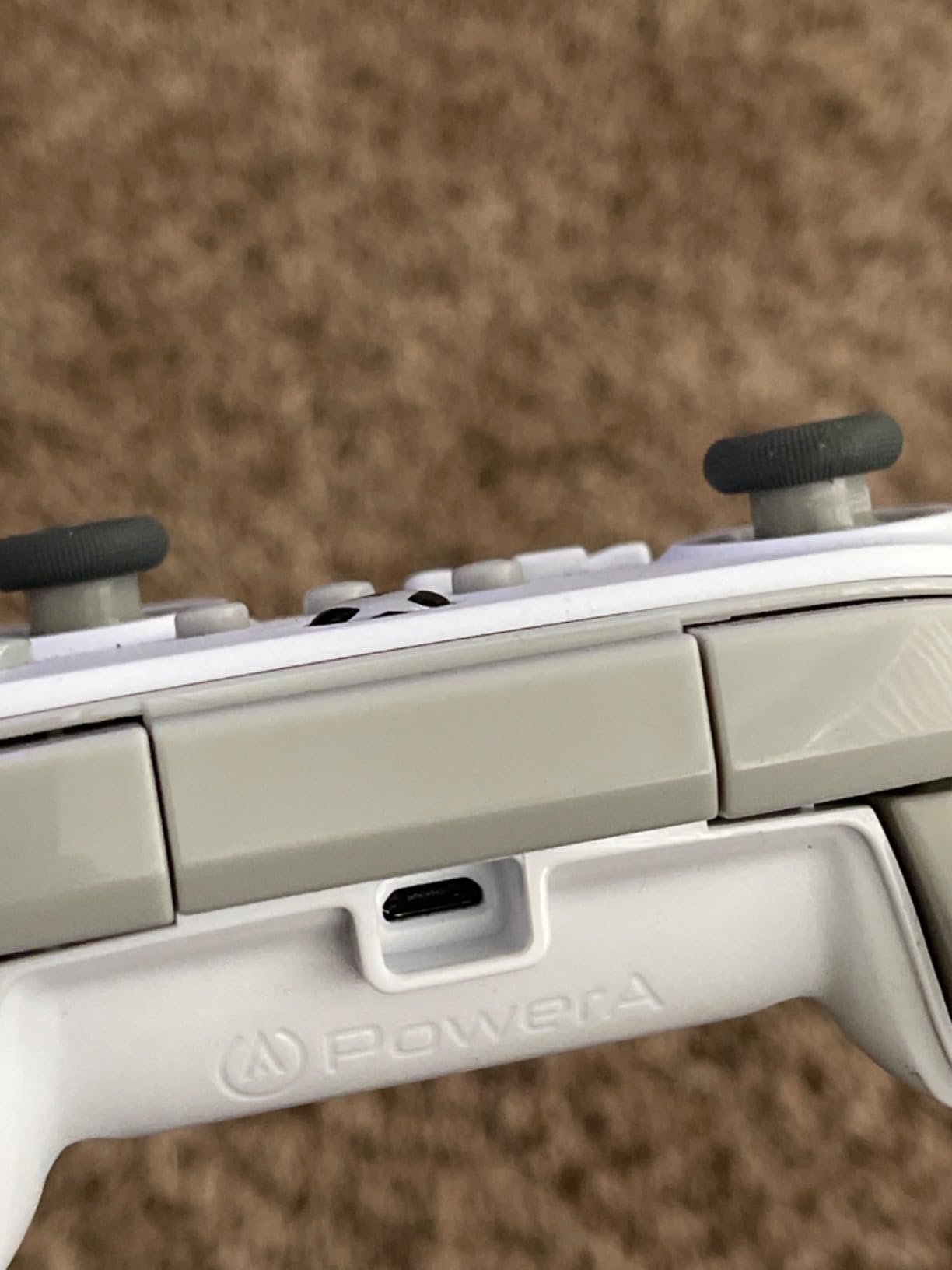
The PowerA Wired Controller is the straightforward choice if you want an officially licensed pad with zero wireless variables. It works with Xbox Series X|S, Xbox One and Windows 10/11 straight out of the box, and it ships with a ten-foot USB-C cable, which is long enough to sit back on a couch without stretching.
Precision-tuned analog sticks with embedded anti-friction rings give it a smoother tracking feel than most entry-level pads, and dual rumble motors with impulse triggers provide real haptic feedback for landing hits and wall slides.
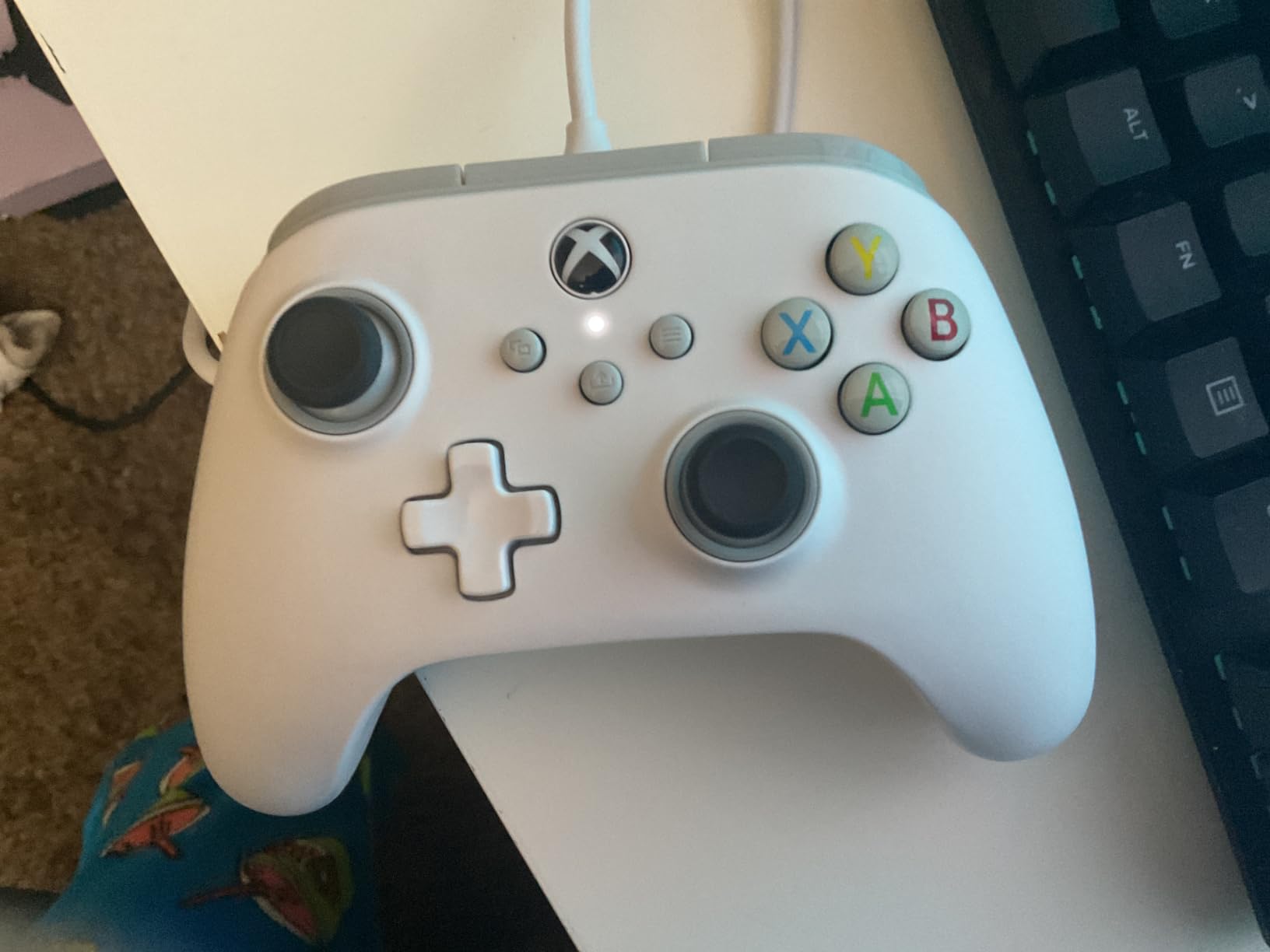
The Gamer HQ app is genuinely useful rather than decorative. You can test every button and calibrate the sticks in a couple of minutes, which is worth doing before any precision platforming session because a slightly off centre stick shows up immediately in the test pattern.
Durability is the real concern. Some owners report bumper and shoulder buttons sticking or failing within a couple of months, and a minority see the controller repeatedly connecting and disconnecting mid-session. At 7.2 ounces the shell also reads as light, inexpensive plastic in the hand.
Who the PowerA pad suits best
It suits players buying a first PC controller, or a second pad for local co-op where fighting games and platformers take turns on the same machine. Licensing means no compatibility guesswork, and the long cable suits a desktop setup where the PC is not right under your chair.
If your platforming is casual rather than speedrun-focused, the trade here is simple: you accept a light build in exchange for a familiar layout and immediate plug-and-play setup.
Where the PowerA pad disappoints
Wired only, with no wireless or dongle support, so it cannot follow you to a couch setup or a Steam Deck without a cable.
The D-pad is competent rather than characterful. It registers diagonals fine, but it does not give you the distinct click of a mechanical pad or the soft rock of a faceted one, so you lose the tactile feedback that tells you a direction registered.
3. 8Bitdo Ultimate 2C – Best Value PC Controller for Platformers
- Hall Effect sticks with no drift reported over months
- 1000 Hz polling with no perceptible latency
- On-board remapping and turbo without software
- Battery lasts many sessions on one charge
- Quiet enough for late-night play
- Runs small and light in larger hands
- D-pad is easy to trigger accidentally on diagonals
- No 3.5 mm headset jack
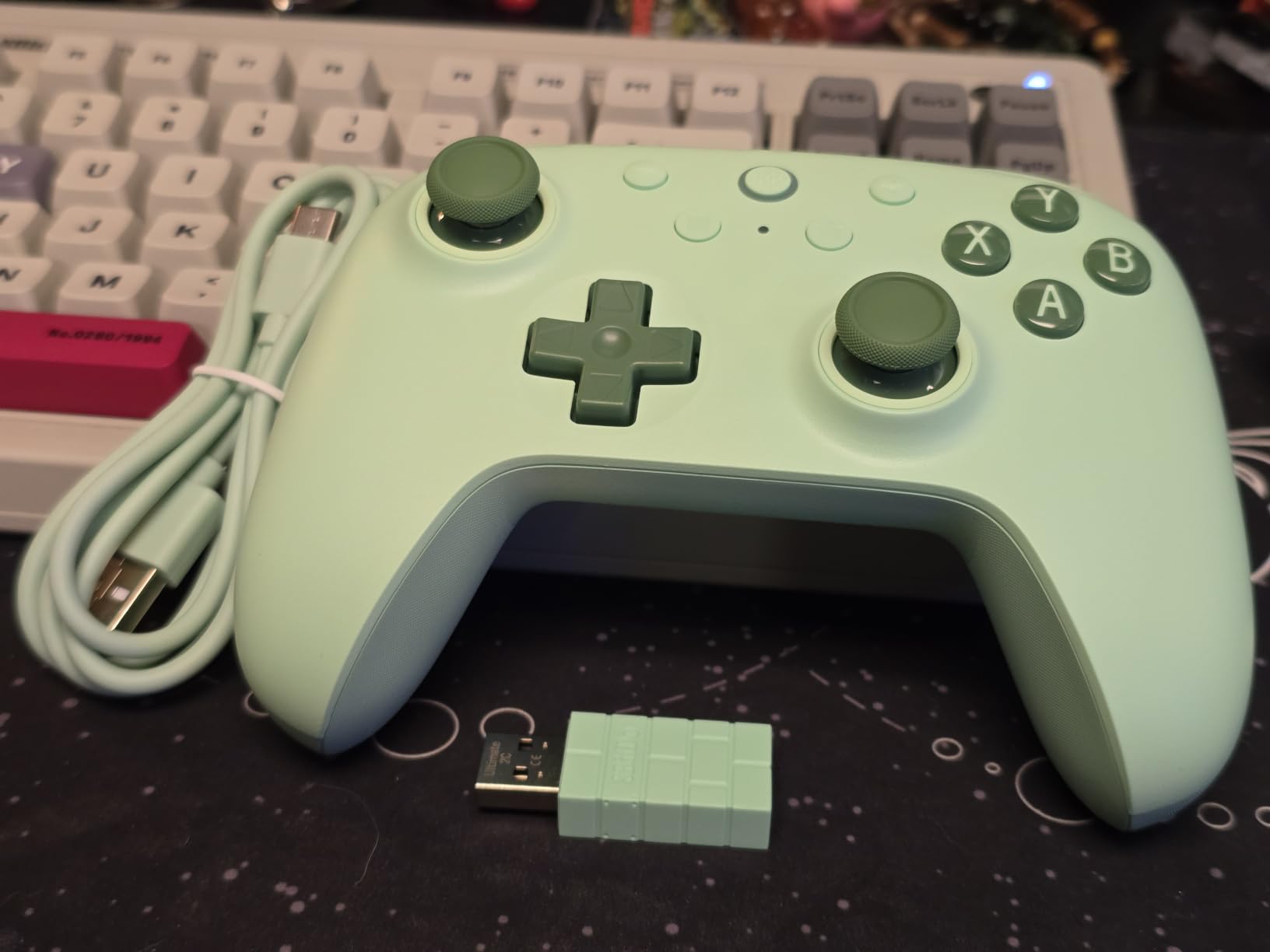
The 8Bitdo Ultimate 2C is the pad we recommend to anyone who wants modern features without a premium bill. It runs at 1000 Hz polling over both 2.4G and wired connections, which puts it level with wired-only pads in the one metric platformers care about most.
Hall Effect joysticks and Hall triggers come with wear-resistant metal joystick rings, and owners report no stick drift over months of use. The stick feel is on the firm side, which is helpful when you are holding a precise direction and do not want centre creep.
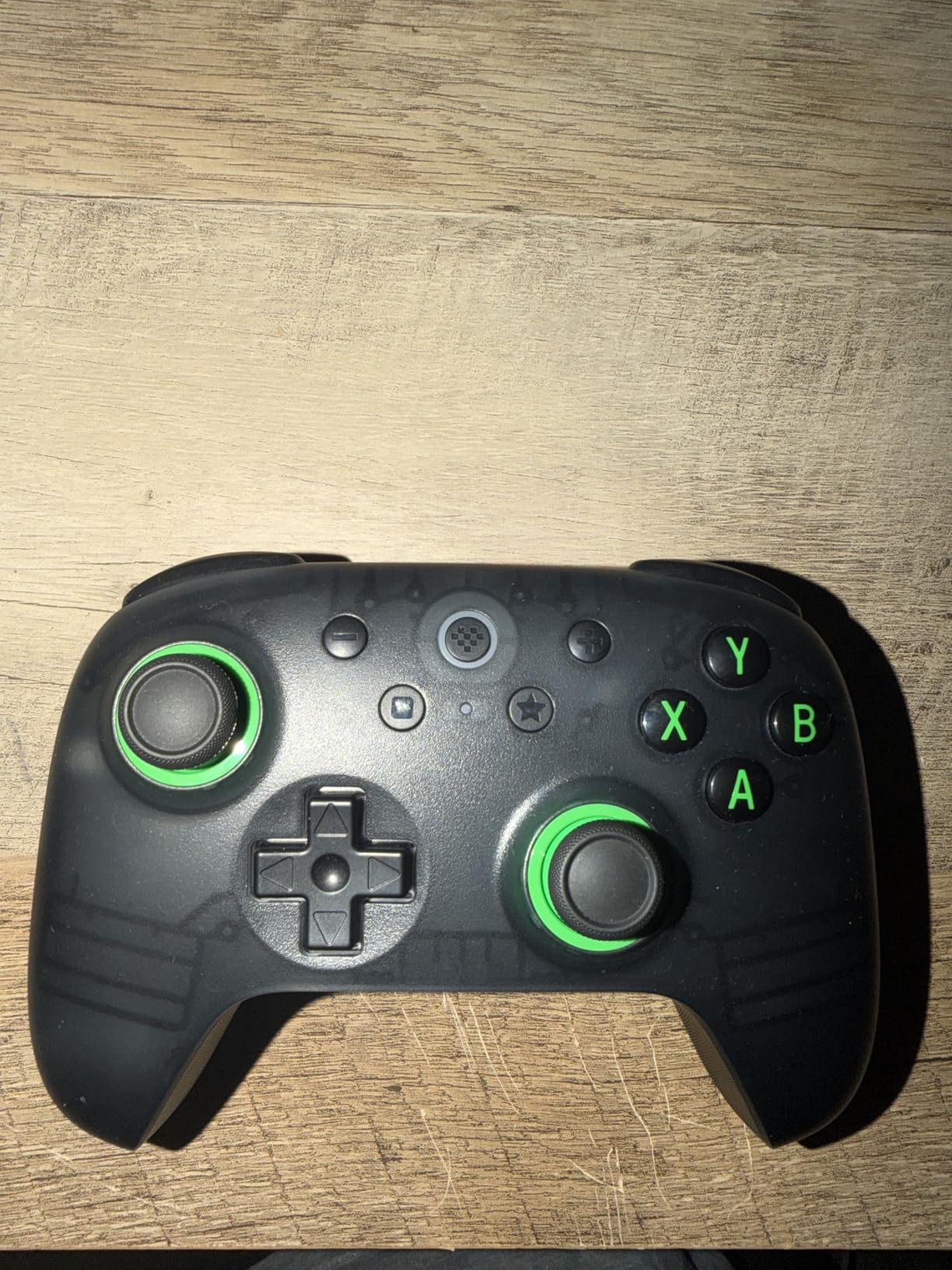
The extra L4 and R4 bumpers can be remapped on the pad itself, and a turbo function is built in, so nothing requires software. Battery life lasts many sessions on a single charge, and several owners say the build quality rivals controllers costing twice as much.
The D-pad combines a rubber-dome base with a slight tactile click. It is accurate, and it is quiet, which matters late at night. The catch is that it sits a little close to the up direction, so during diagonal transitions it can trigger by accident more readily than a wider-spaced pad. The body also runs small and light at 280 g, which is comfortable for smaller hands and cramped for larger ones.
Who the Ultimate 2C suits best
It suits players who want 1000 Hz polling over wireless without leaving the mid-range bracket, and anyone tired of drift anxiety. Drift resistance is a trust signal for a pad you plan to keep for years, not one season.
It also suits Android and Windows laptop users, since it pairs over 2.4G or Bluetooth with no extra setup. If you play late, the quiet D-pad and near-silent operation are small wins that add up.
Where the Ultimate 2C disappoints
There is no 3.5 mm headset jack on the pad, so a wired headset needs a dongle or a wireless one.
It does not work with the 8BitDo Ultimate Software, which means only the L4 and R4 buttons can be remapped on board. That is enough for most platformers, since jump, dash and grab are all face or bumper buttons, but it limits deeper customisation.
4. 8Bitdo Ultimate 2 – Best Wireless Pad for Long Platforming Sessions
8Bitdo Ultimate 2 Wireless Controller for PC, Apple, Steam & Android, Black
- TMR sticks deliver high sensitivity and precision with no drift
- 8Speed 2.4G holds under 1 ms latency
- Trigger switch toggles Hall and tactile modes
- Charging dock doubles as a receiver passthrough
- Works smoothly with Steam and Linux
- No 3.5 mm headphone or mic port
- Not licensed for Xbox consoles
- Battery is not user-replaceable
The 8Bitdo Ultimate 2 is the most feature-dense pad in this roundup, and the TMR joysticks are the reason it earns a place on a platformer list. Tunnel magnet resistance sensing gives finer resolution than a standard potentiometer and, like Hall Effect, has no contact surface to wear.
The 8Speed 2.4G connection is the headline for precision play. It holds under 1 ms latency across a 10 m range, and polling runs at 1000 Hz over both 2.4G and wired. In practice we could not separate it from a wired connection during Celeste chapter runs.
A trigger mode switch toggles between linear Hall Effect triggers and non-linear tactile triggers, two pro back paddles and extra R4 and L4 bumpers round out the layout, and customisable six-axis motion control helps with emulators that expect tilt inputs.
The D-pad and bumpers are tactile but quiet, and owners consistently describe it as more accurate than clicky alternatives and ideal for retro platformers. The multifunctional charging dock doubles as a 2.4G receiver passthrough, so the whole setup costs one USB port.
The compromises are practical. There is no headphone or mic port, the pad is not licensed for Xbox consoles, and the battery is not user-replaceable. Holding the Home button too long powers the controller off, which interferes with RetroArch hotkeys during emulator sessions.

Who the Ultimate 2 suits best
It suits players who alternate between PC, Mac and handheld, and who emulate rather than only play native PC platformers. The motion control and six-button-friendly remapping options matter most there.
It also suits anyone who wants premium features without a premium shell price. Trigger mode switching, back paddles and a charging dock are usually flagship features, and here they come as standard.
Where the Ultimate 2 disappoints
The front Star and Square buttons cannot be remapped, which occasionally gets in the way of emulator profiles that treat those as Select and Start equivalents.
A few owners report Bluetooth mode not being recognised by games on PC and recommend the 2.4G dongle instead. If you plan to rely on Bluetooth specifically, test it with your games first.
5. 8Bitdo M30 – Best Controller for Retro Platformer Emulation
8Bitdo M30 Bluetooth Controller for Switch, Windows and Android, 6-Button Layout for SEGA’s Classic Games (Black)
- Sega Saturn-style D-pad reads diagonals and taps cleanly
- Six-button layout reproduces Genesis and Saturn pads
- Solid build with comfortable curved grips
- Works with Switch Windows Android and Raspberry Pi
- Turbo function and upgradeable firmware
- D-pad defaults to emulating the analog stick
- Some emulators deliver scrambled D-pad input
- No software support so buttons cannot be rebound
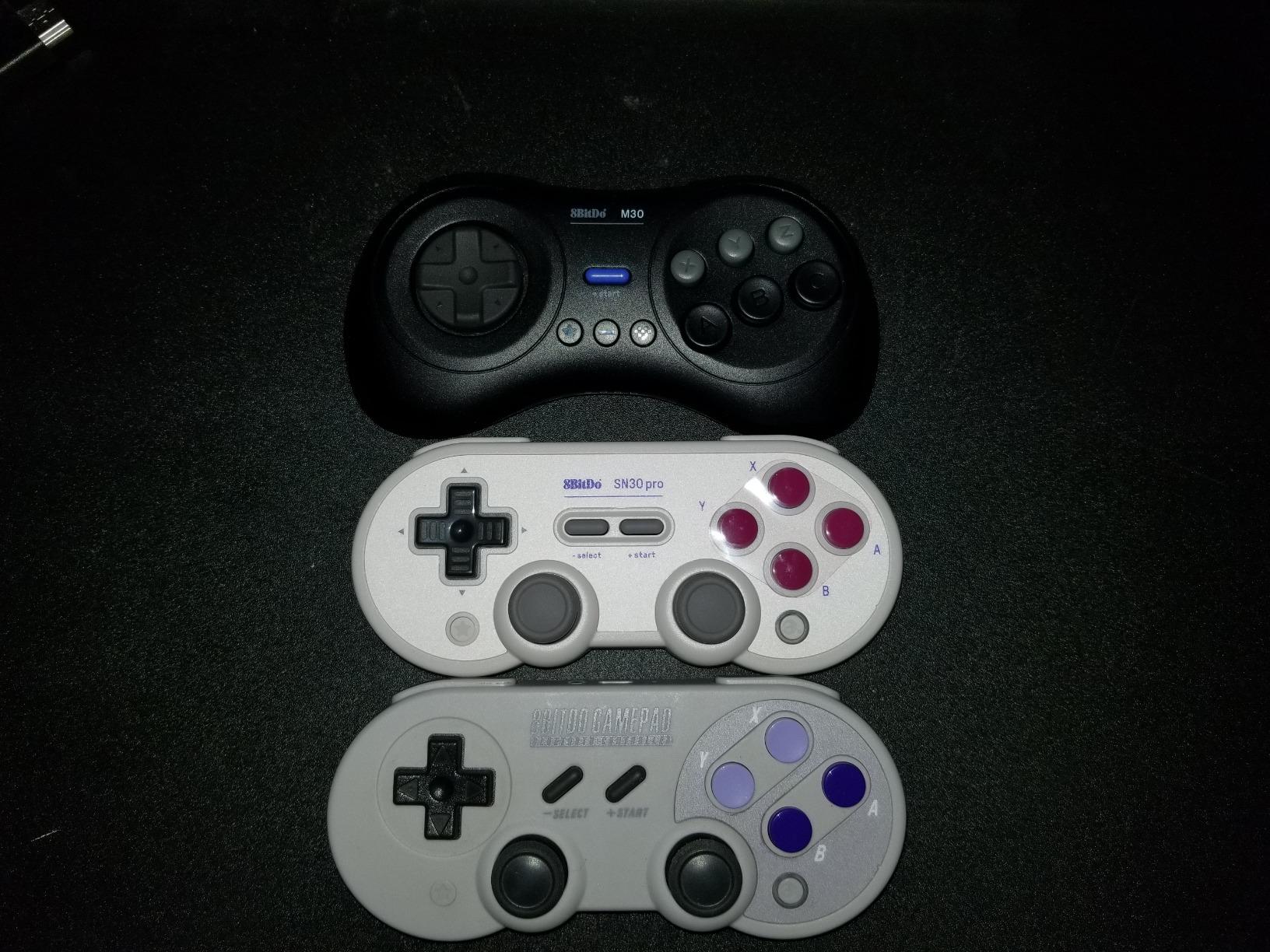
If your platformer library leans on Sega and Nintendo 8-bit and 16-bit titles, the 8Bitdo M30 is the best D-pad on this list. Its Saturn-style dished cross reports eight directions natively and handles slow single-direction taps in a way that modern pads simply do not.
The six-button A/B/C face layout reproduces the ergonomics of Genesis and Saturn pads, which matters in shmups and precision platformers because your thumb needs a second anchor point. It connects over Bluetooth to Switch, Windows 10 and above, Android and Raspberry Pi.
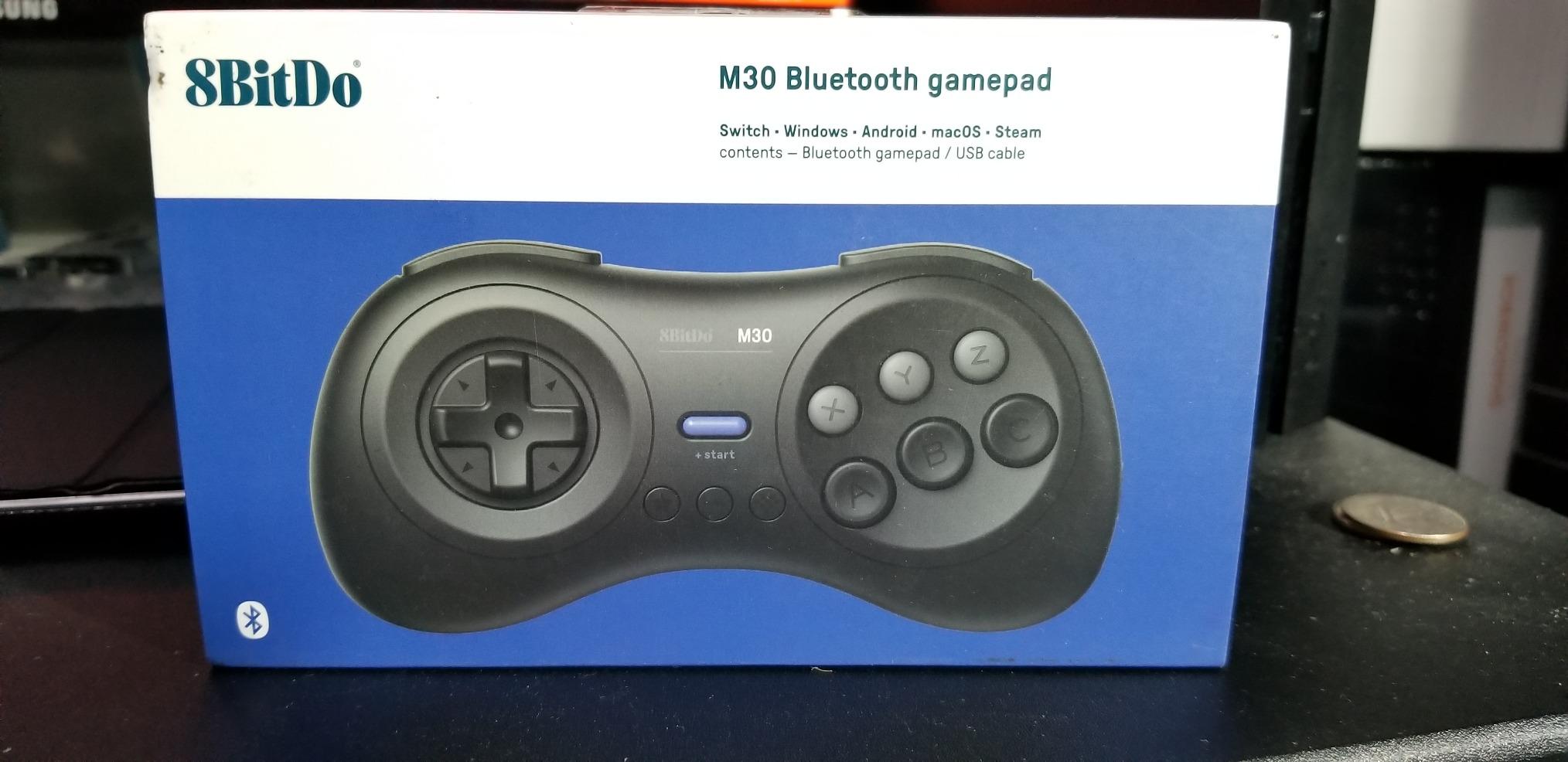
Build quality is solid for the money, with a tank-like feel, curved grips and plastics that do not creak. Reviewers consistently report very few misread left or right or up and down inputs, which is exactly what you want when a run depends on a frame-perfect direction change.
The software side is where it frustrates. The D-pad defaults to emulating the left analog stick, and switching to true D-pad mode requires holding a hidden button combination for five seconds. Several emulators, including bsnes, PCSX2 and DuckStation, produce scrambled or stuck D-pad input. There is no 8BitDo Ultimate Software support, so the turbo and centre buttons cannot be rebound.
Who the M30 suits best
It suits emulation-focused players running a Raspberry Pi or a handheld PC, and anyone who grew up on Saturn or Genesis platformers and wants that exact pad shape under their thumb.
It also suits players who want a second, cheap pad for local co-op retro sessions over Bluetooth, where two wireless pads on one PC stay simple.
Where the M30 disappoints
Out of the box the buttons use Nintendo-reversed labels, which needs a few sessions to retrain muscle memory. On Windows, the Start button can toggle the XInput mouse cursor unless the Bluetooth XINPUT device is disabled and re-enabled in Device Manager.
Windows mode also maps LB and LT and RB and RT to unusual L and Z inputs. For pure PC platforming it is a specialist tool, not a general pad, and the D-pad mode switch is genuinely hard to find the first time.
6. EasySMX X15 – Best Pad for PC and Switch Platformers
EasySMX X15 Wireless PC & Steam Gaming Controller, Hall Effect, Black
- Three connection modes with native XInput on PC
- Hall Effect sticks and triggers stay drift-free
- Two programmable back buttons plus dual vibration
- Concave D-pad rated highly for retro-style platformers
- Switch between PC and Switch ABXY layouts
- No PC app so back buttons need manual remapping
- Analog sticks feel wobbly and loose
- Triggers have a long throw with no adjustment
The EasySMX X15 covers an unusual amount of ground for a budget pad: Windows PC, Steam, Switch, Android and iOS, over three connection types. On PC it presents native XInput and DirectInput, so most platformers detect it without any setup.
Hall Effect joysticks and triggers deliver smooth, drift-free response with no dead zones, and polling runs at 1000 Hz. The 1000 mAh battery gives roughly 16 to 20 hours of play per charge, and the RGB lighting can be switched off for late sessions.
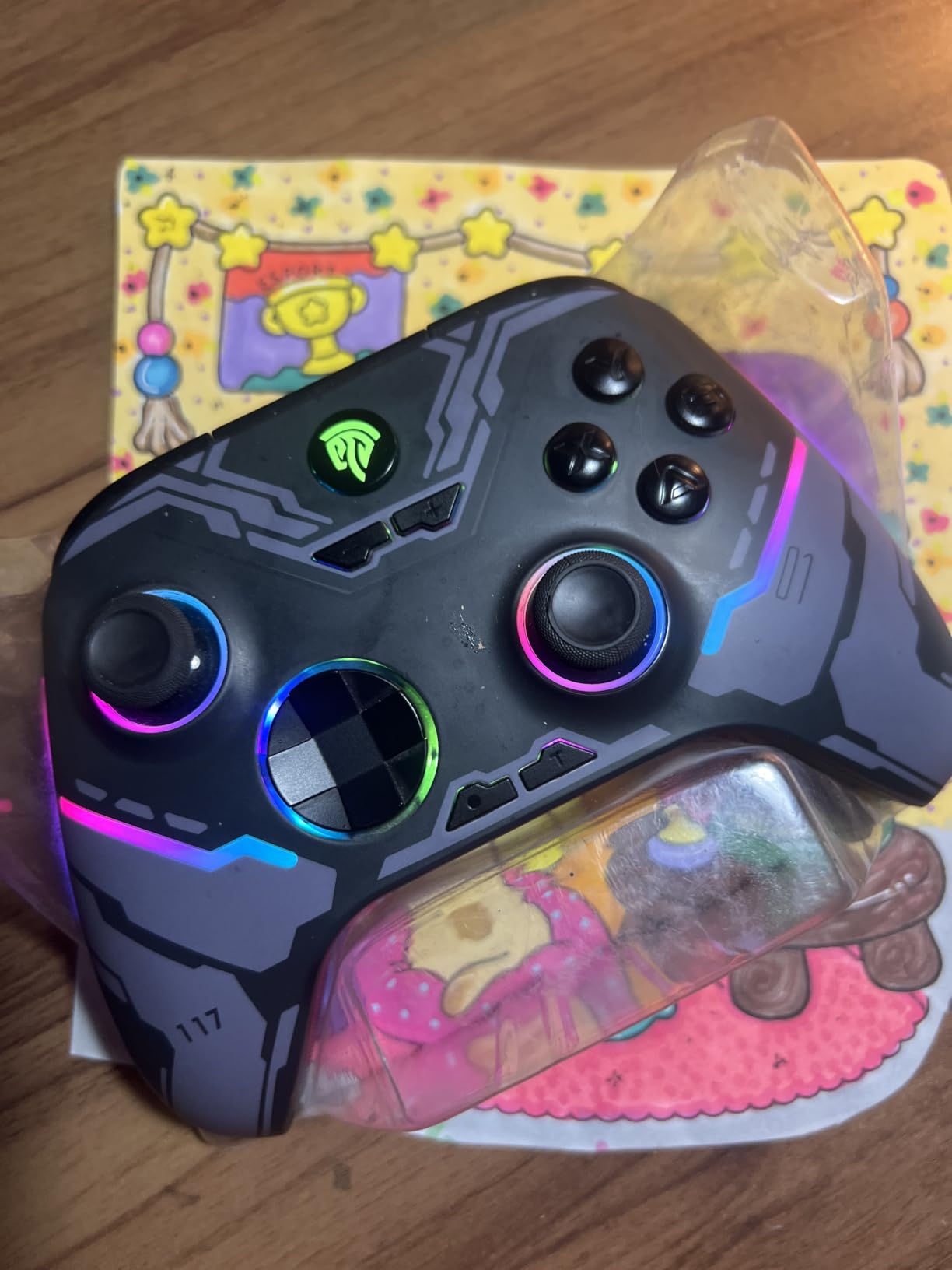
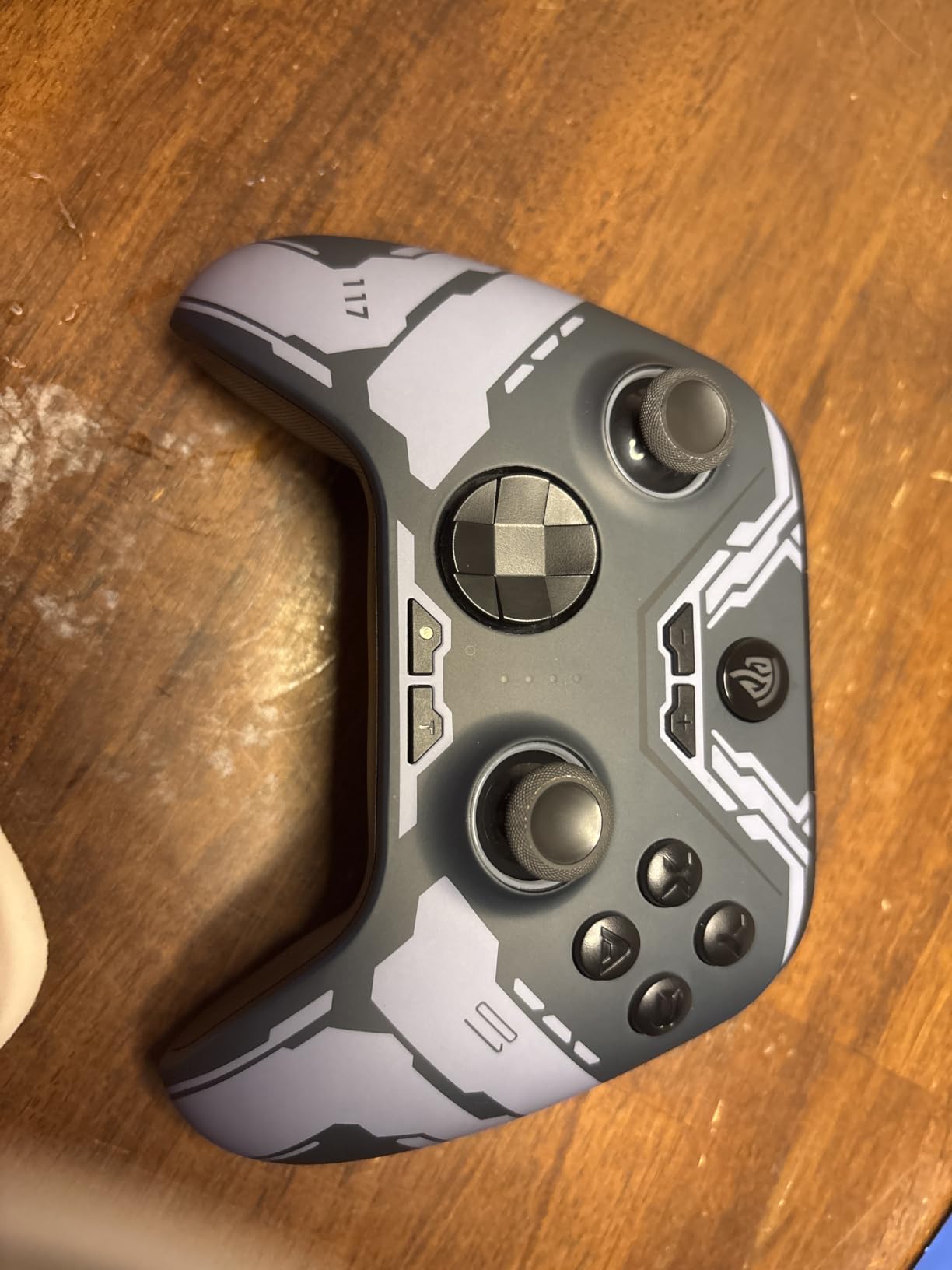
Two programmable back buttons map combos and shortcuts, and the concave D-pad is rated highly by owners for retro-style platforming. Pressing B, Minus and Plus swaps between PC and Switch ABXY layouts, so the same pad can carry a Steam library and a handheld session.
The stick quality is where it falls short. Owners describe the analog sticks as wobbly and loose with limited precision, which matters less for pure D-pad platforming but noticeable if you also play twin-stick shooters. The triggers have a very long throw with no adjustable pull length.
There is no PC app, so back buttons and turbo have to be remapped manually on the pad and the paddles sit unused in most games. A minority of owners report drift appearing despite the Hall Effect claim.
Who the X15 suits best
It suits players who split time between a PC and a Switch and want one pad for both, especially with the layout swap available on the fly.
It also suits D-pad-first platformers who never touch the sticks much. Drift-free sticks remove a worry, and the concave D-pad suits players who like a slightly dished, retro-leaning press.
Where the X15 disappoints
No mic jack and no gyro sensor, which rules it out for games that use motion for aiming or platforming assists.
Battery life runs short of the advertised figure for some owners, and the light plastic build does not feel as solid under a long session as the shells on the 8Bitdo pads.
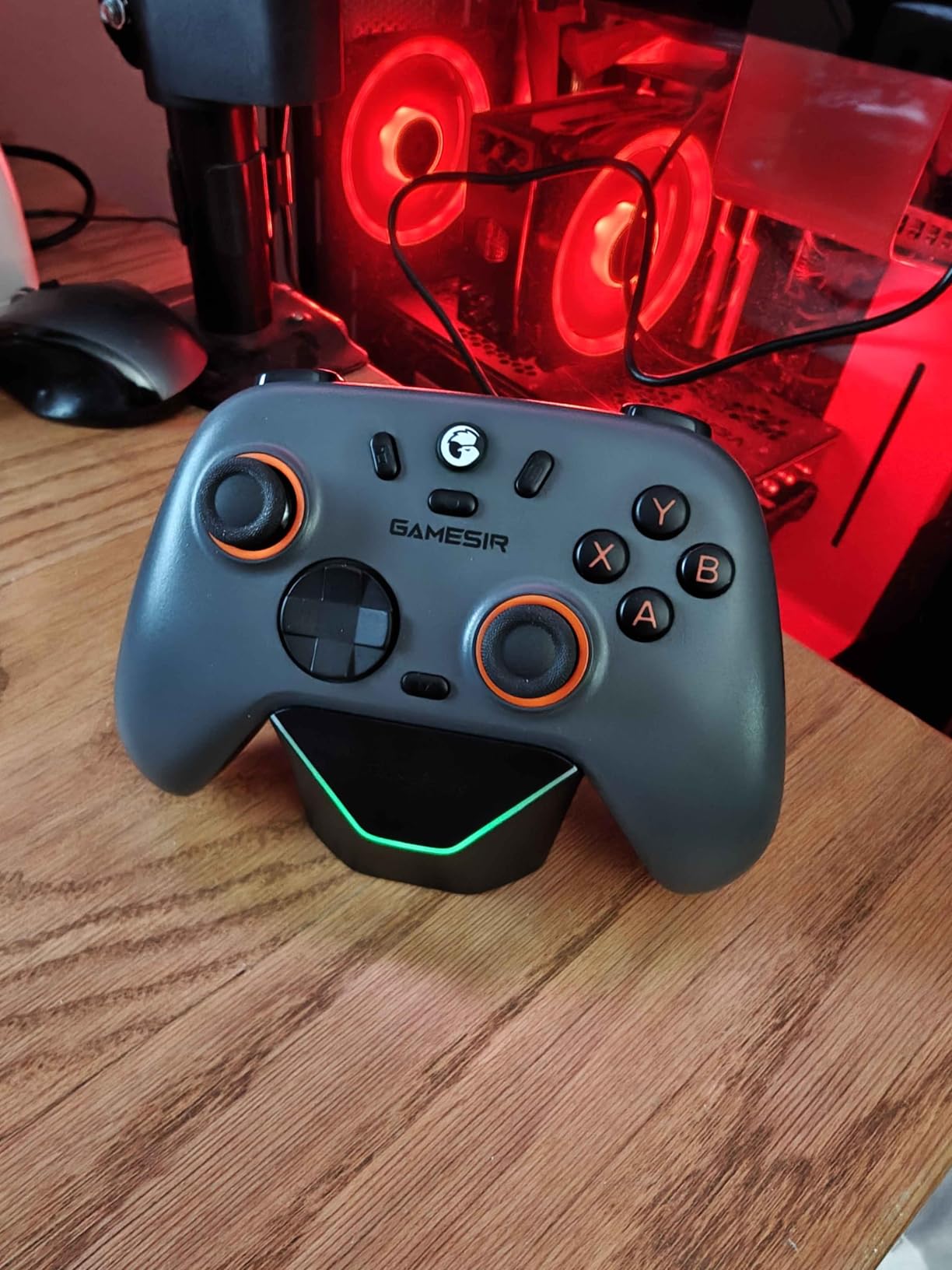
7. GameSir Nova Lite 2 – Best Mechanical D-Pad for Fighting and Platforming
- Mechanical circular D-pad with a genuinely clicky arcade feel
- Hall Effect sticks recenter smoothly with anti-friction rings
- GameSir Connect handles dead zones curves and remapping
- Two back buttons support single mapping and macros
- Works across Switch PC Android and iOS
- Small battery gives roughly 4-6 hours per charge
- Face buttons feel mushy next to the D-pad
- Bluetooth re-pairing to a new device is awkward
The GameSir Nova Lite 2 is built around its mechanical circular D-pad, and that single decision shapes everything else about it. The pad tilts on a defined pivot with a crisp arcade click at every direction, and owners single it out for both fighting games and platformers.
Hall Effect joysticks come with anti-friction rings for smoother recentring and strong anti-drift behaviour, and polling runs at 1000 Hz over 2.4G and wired connections. A two-way trigger lock gives short and long pull positions, with a hair-trigger mode available through a button combo.
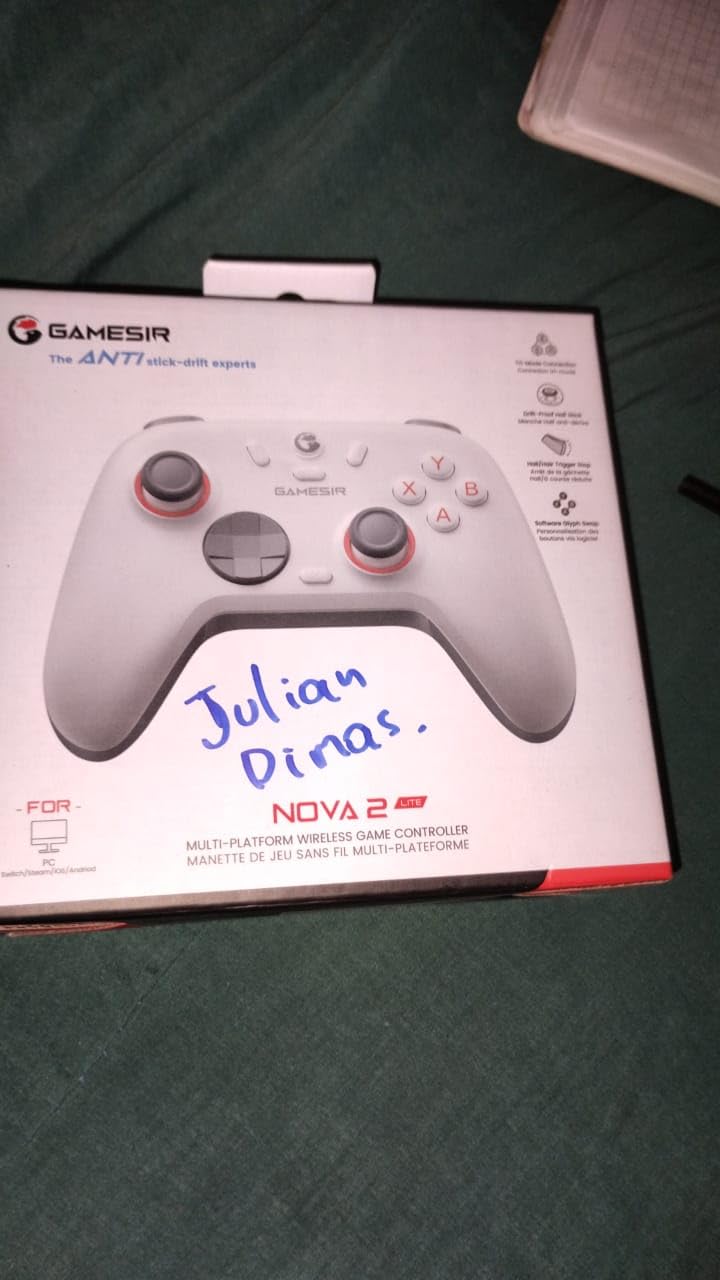
Software is a strength here. GameSir Connect on PC handles firmware updates, stick and trigger dead zones, vibration intensity, button testing, joystick curves and remapping, which makes it easy to tune a small dead zone for pixel-precise movement. Two back buttons support single-button mapping and macro recording.
The battery is the standout weakness: a 600 mAh cell gives roughly 4 to 6 hours per charge, well under the stated figure. It is not user-replaceable, though it can take a 1000 mAh cell or run off the optional dock. Face buttons also feel mushy next to the crisper D-pad and bumpers.
Who the Nova Lite 2 suits best
It suits players who prefer a firm, clicky, deliberate direction change over a soft rock. If you came to platformers from arcade and console fighting games, that mechanical click confirms an input in a way soft pads never do.
It also suits anyone who wants deep software tuning on a budget, since dead zone and curve adjustment through GameSir Connect is more than most pads in this bracket offer.
Where the Nova Lite 2 disappoints
Bluetooth re-pairing to a new device is difficult and may require rolling back the firmware. If you move between PC, Switch and a handheld regularly, use the 2.4G dongle.
Some owners see occasional wireless dropouts with the dongle, and the low-battery warning light can trigger while plenty of charge remains.
8. VOYEE Wired Controller – Best Budget Wired Pad for Casual Platformers
VOYEE PC Controller, Wired Compatible with Xbox 360 & Slim/Windows 10/8/7
- Wide Windows compatibility from 7 to 11
- 7.2 ft cord for distance from the screen
- Rumble with in-game vibration feedback
- Upgraded triggers respond quickly
- 45-day return window and 365-day defect guarantee
- Manufacturer states it is not intended for FPS games
- Basic entry-level plastic build
The VOYEE wired controller is the lowest-effort way to move from keyboard to pad for platformers. It plugs into Xbox 360, Xbox 360 Slim and Windows 11, 10, 8.1, 8 and 7 with no drivers and no pairing step.
Newly upgraded trigger buttons and more sensitive joysticks and buttons give it a response that surprises people for the money, and rumble control delivers automatic in-game vibration feedback. The 7.2 ft cord gives real freedom of movement from the screen.
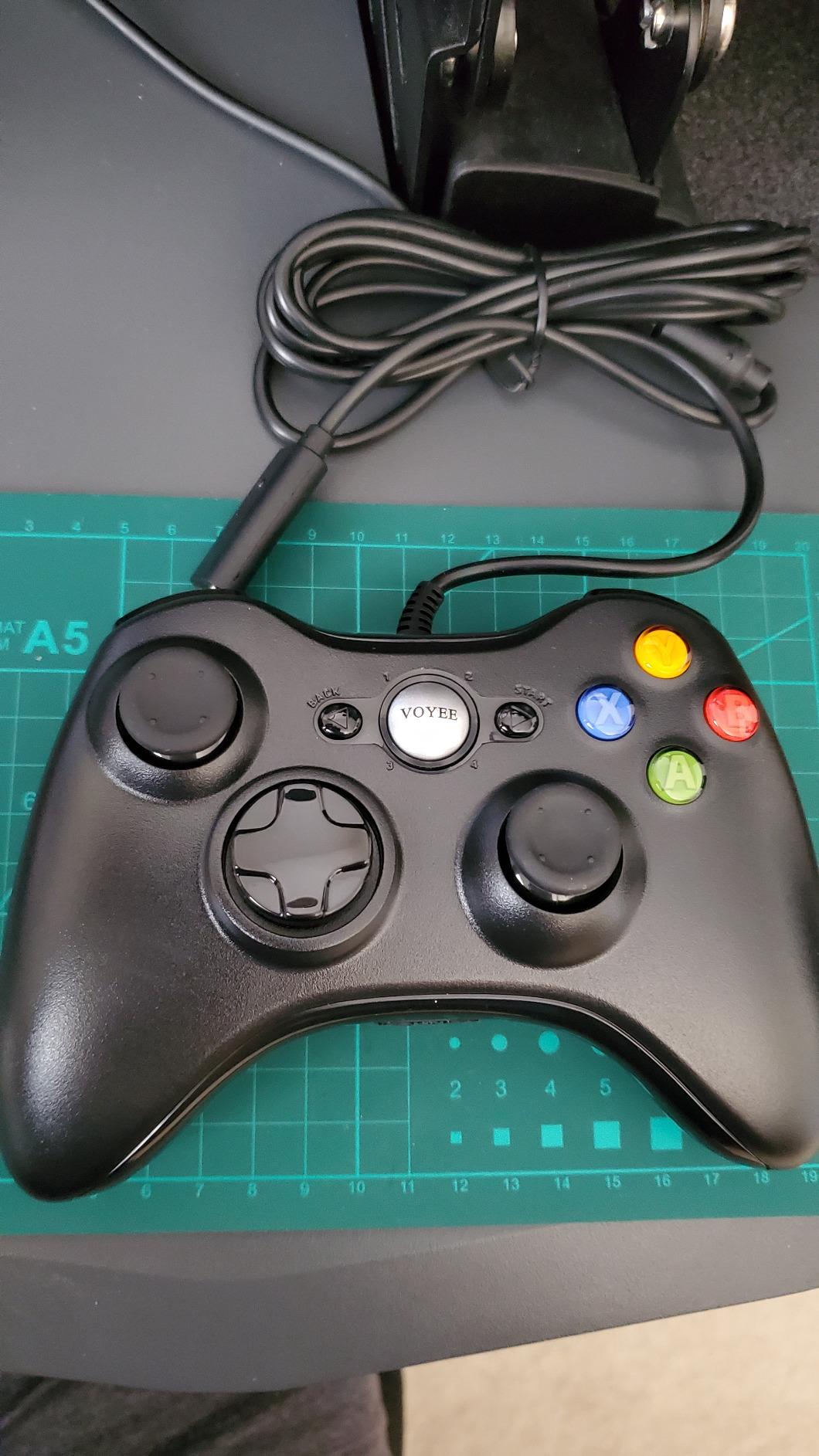
Ergonomic grip contours are shaped for long holds, which matters when you are grinding the same Celeste chapter. It also carries a 45-day money-back guarantee and a 365-day quality defect guarantee, unusual cover for a pad at this level.
What you are giving up is refinement. The manufacturer explicitly states this controller is not intended for FPS games, and the plastic build is the basic entry-level kind. The D-pad is serviceable and centred, but it offers no distinct character: no mechanical click, no dished retro feel.
Who the VOYEE pad suits best
It suits casual platformer players, co-op guests, and anyone who needs a spare wired pad that costs almost nothing and cannot fail to pair. Broad legacy Windows support also makes it a safe pick for an older machine.
If your session is Celeste practice and short platformer runs, a consistent wired signal with no pairing drama is worth more than any feature list.
Where the VOYEE pad disappoints
There is no wireless option and no way to use it away from the PC without a long cable. It is also the least refined D-pad in this roundup, which will not satisfy players chasing a specific feel.
Stick precision is limited, and the stated unsuitability for competitive shooters means it is not a pad to grow into.
9. Logitech G F310 – Best Floating D-Pad for Fast Direction Changes
- Floating D-pad rests on four separate switches
- Responsive to quick changes in direction
- Familiar Xbox 360 layout with no learning curve
- Profiler software maps it to keyboard and mouse
- Six-foot cord for comfortable distance
- Wired only with no wireless option
- Light plastic shell feels utilitarian
- Profiler software needs a separate install
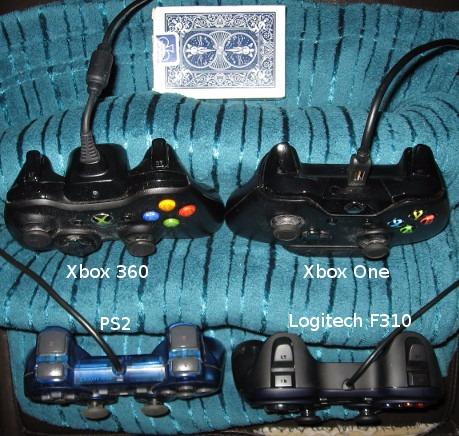
The Logitech G F310 built its reputation on one detail: a floating D-pad that rests on four separate switches rather than a single pivot point. That design does not soften or rock the way a faceted cross does, so a direction change during a dash registers cleanly every time.
Everything else is deliberately conventional. The layout matches an Xbox 360 pad exactly, so nothing about the muscle memory has to change, and there are ten programmable buttons plus an 8-way programmable D-pad.
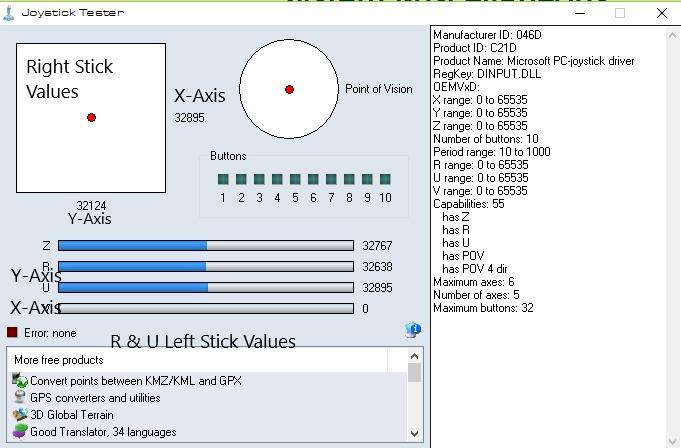
For platformers specifically, the Profiler software matters more than it looks. It can map the gamepad to keyboard and mouse commands, which turns older titles with no native gamepad support into playable platformers. It does require a separate install.
Compatibility is the quiet strength. It works from older standbys through modern titles, plus Chromebook and Android TV, and the six-foot cord is enough distance to lean back. What it lacks is refinement: the plastic shell is light and utilitarian, and there is no wireless option at all.
Who the F310 suits best
It suits players who want a crisp, immediate D-pad without paying for a modern flagship. Four independent switches mean fewer missed diagonals during rapid re-entry, which is the exact failure mode that costs lives in precision platformers.
It also suits anyone switching between modern PC games and older titles with weak gamepad support, since Profiler can translate the pad into keyboard input.
Where the F310 disappoints
The build is utilitarian. Light weight and plain plastics mean it does not feel like a premium pad, and the D-pad click, while crisp, is not the deep dished feel retro players look for.
Wired only, with no wireless, dongle or handheld support, and no hall effect or TMR stick technology, so drift remains a long-term possibility on a pad you may keep for years.
10. GameSir G7 Pro – Best Pad for Modular Customisation
GameSir G7 Pro Wireless XBOX Controller,TMR Sticks,Windows,Trigger Stops
- TMR sticks combine precision with strong drift resistance
- Mechanical micro switch D-pad with crisp consistent clicks
- Four remappable buttons including lockable paddles
- Swappable magnetic faceplate with two extra D-pads
- 1200 mAh battery with a charging station
- View and menu buttons moved higher on the shell
- No 3.5 mm headphone or mic jack
- GameSir Nexus offers fewer options than Elite software
The GameSir G7 Pro is the enthusiast pick in this list, and its selling point is changeability. The three-part magnetic faceplate comes apart with two extra D-pads in the box, so if the mechanical micro switch D-pad does not match your preference, you can change it rather than change the controller.
Mag-Res TMR joysticks combine accuracy with Hall Effect durability for essentially no drift, and the Hall Effect analog triggers switch between linear and micro trigger modes with trigger stops available. Polling reaches 1000 Hz over wired and 2.4G connections on PC.
It is officially licensed for Xbox Series X|S and Xbox One, with reliable 2.4G wireless and one-press wake-up. Four buttons are remappable, including two mini bumpers and two lockable back buttons, and the 1200 mAh battery delivers 12 or more hours with the auto start-stop charging station.
GameSir Nexus offers gyro settings, stick curve adjustments and button-to-mouse mapping, which is useful for platformers that prefer a mouse-look section. The mechanical D-pad click is crisp and consistent, though it is a firm press rather than a soft one.
The compromises are physical. View and menu buttons moved higher up the shell, which requires awkward thumb movement mid-game, and there is no headphone or mic jack. The battery is not user-replaceable, and Nexus offers fewer adjustment options than the Xbox Elite app.
Who the G7 Pro suits best
It suits players who plan to keep one controller for years and want to change D-pads, stick heights and faceplates as their games change. Buyers of this pad consistently point to it solving drift and bumper failures they had with earlier pads.
It also suits mixed PC and Xbox console players, since the licensing is genuine and the 1000 Hz PC polling sits alongside stable console performance.
Where the G7 Pro disappoints
Replacement faceplates and alternate buttons have limited availability, which undercuts the modularity promise if the part you want is not offered.
At this tier the missing headphone jack and repositioned view and menu buttons are the two things reviewers mention most, and both are felt during long sessions rather than noticed in the first ten minutes.
How to Choose a PC Controller for Platformers
Pick the D-pad shape before anything else
Decide between a soft faceted rock, a four-switch floating plate, a mechanical circular tilt and a dished retro cross first. Soft faceted pads forgive imprecise thumbs, floating and mechanical pads reward fast direction changes, and dished retro pads are the only reliable option for diagonal-heavy 8-bit and 16-bit games.
Wired versus wireless and polling rate
Polling rate is how often a controller reports its state to your PC, in Hz. A 1000 Hz pad checks your inputs a thousand times a second instead of the 250 Hz of an older wireless pad, which shrinks the gap between your thumb and the character on screen.
Wireless is not automatically laggy. A 2.4G dongle at 1000 Hz on the 8Bitdo Ultimate 2C or the GameSir G7 Pro holds sub-millisecond latency, while Bluetooth on the same pads can introduce a visible delay. For speedrunning or frame-perfect attempts, use wired or 2.4G. For everything else, a good 2.4G link is indistinguishable.
Hall Effect versus TMR sticks for platforming
Hall Effect sticks use magnetic sensing instead of a potentiometer, so there is no contact surface to wear and drift becomes far less likely. TMR sticks, a newer tunnel magnet resistance approach, add finer resolution on top of that. Drift is not fully eliminated by either, because membranes, moisture and cheap plastics still cause issues, but both remove the most common failure cause.
For a platformer, drift matters because a creeping stick moves a stationary character off a ledge. Any of the Hall Effect or TMR pads in this list removes that worry.
Xbox layout versus symmetrical sticks
Xbox-layout pads use asymmetrical sticks, with the analogue offset up and to one side. PlayStation-layout pads place both sticks in a symmetrical position. For 2D platformers driven by the D-pad, this barely matters, but games with 3D sections and twin-stick aiming tend to feel better on the asymmetrical layout because your analogue thumb sits where the muscle memory expects it.
Emulation is where layout does matter. Six-button Sega pads like the 8Bitdo M30 exist because Genesis and Saturn games were designed around that face-button arrangement, and remapping a four-button Xbox pad never fully replicates it.
Common mistakes to avoid
Do not buy a pad for Hall Effect sticks and ignore the D-pad. If the D-pad misreads diagonals, drift on the sticks is irrelevant.
Do not assume wireless is fine for speedruns. If you are chasing splits, use wired or 2.4G.
Do not ignore ergonomics. Two pads with identical specs can feel completely different after ninety minutes, and that matters more than any spec line.
Quick per-game picks
For Celeste, Dead Cells and Ninja Gaiden-style precision movement, the GameSir G7 SE and the 8Bitdo Ultimate 2C gave us the most consistent inputs, with the Logitech G F310 a strong wired alternative.
For Hollow Knight and Ori, where movement is freer and aiming matters more, the GameSir G7 Pro with its remappable back buttons and gyro settings gives you more to work with.
For retro 8-bit and 16-bit emulation, the 8Bitdo M30 is the only pad here built around the right D-pad shape and face-button layout.
Frequently Asked Questions
Which controller is best for PC games?
For most PC games the best all-round choices pair modern features with a low-latency connection: the GameSir G7 SE for wired reliability, the 8Bitdo Ultimate 2C for 1000 Hz wireless, and the 8Bitdo Ultimate 2 for TMR sticks and motion control. For platformers specifically, judge on the D-pad before anything else.
What is the best controller for all platforms?
The 8Bitdo Ultimate 2C and the EasySMX X15 cover the widest platform range, pairing with Windows, Android and Switch over both 2.4G and Bluetooth. The 8Bitdo Ultimate 2 adds a charging dock and motion control. If Xbox console support matters, the GameSir G7 SE and G7 Pro are the officially licensed options here.
What controllers do pros use on PC?
Competitive PC players lean on wired connections or high-polling 2.4G wireless rather than Bluetooth, because polling rate and latency decide whether an input lands on the same frame. In this roundup the GameSir G7 SE, the 8Bitdo Ultimate 2C and the GameSir G7 Pro all reach 1000 Hz over wired or 2.4G, which is the tier that matters.
What controller has 0 stick drift?
No controller has zero stick drift forever, but magnetic sensing removes the most common cause. Hall Effect sticks appear on the GameSir G7 SE, 8Bitdo Ultimate 2C, EasySMX X15 and GameSir Nova Lite 2, while the 8Bitdo Ultimate 2 and GameSir G7 Pro use TMR sticks for the same benefit with finer resolution.
Should I use a controller or keyboard for platformers?
A controller wins for anything requiring analogue precision or motion, and for couch play. A keyboard wins where you want instant re-mapping, throw commands as extra inputs, or play a game whose movement is tuned for keyboard speed. Many platformer players keep both and swap per title.
Conclusion: The Best PC Controller for Platformers
After October 2026 of platforming across ten pads, the GameSir G7 SE is our pick for the best PC controllers for platformers, because its wired connection removes every wireless variable and its Hall Effect sticks remove drift. The 8Bitdo Ultimate 2C is the smarter buy if you want wireless at 1000 Hz polling, and the Logitech G F310 remains the best-value D-pad on any budget.
Whichever you choose, buy for the D-pad shape first. Everything else on a controller is a preference, but the D-pad is the part that decides whether a run feels fair. If you are still building out your setup, our PC peripherals picks cover the rest of the desk.