

If your wrist aches after a long day of clicking, scrolling, and dragging, you are not alone. Wrist pain from traditional flat mice is one of the most common complaints among office workers, programmers, designers, and anyone who spends three or more hours daily at a computer. The best vertical mice for ergonomics solve this problem by rotating your hand into a natural handshake position, reducing forearm pronation and the strain that builds up over years of desk work.
A vertical mouse works by tilting the standard flat mouse design sideways, so your thumb points upward and your forearm rests in a neutral position. Instead of twisting your wrist palm-down against the desk, your hand sits at a comfortable angle that keeps the two bones of your forearm parallel. This reduces pressure on the median nerve and decreases the muscle activity that contributes to carpal tunnel syndrome, wrist tendonitis, and tennis elbow.
Our team tested 10 vertical mice over several months of daily use, logging hundreds of hours across programming sessions, design work, browsing, and even some light gaming. We paid close attention to grip angle, hand size compatibility, build quality, battery life, and the one thing spec sheets cannot tell you: how your wrist actually feels after an eight-hour workday. Whether you are dealing with early-stage RSI, chronic carpal tunnel, or just want to prevent problems before they start, this guide covers the best vertical mice for ergonomics across every budget and use case.
If you are also setting up a full ergonomic workstation, you may want to check out our guide to the best laptop docking stations for home offices to pair your new mouse with a proper multi-monitor setup. And for those deciding between vertical and traditional ergonomic designs, our piece on ergonomic gaming mice for large hands covers the alternative angle.
Table of Contents
Top 3 Picks for Best Vertical Mice for Ergonomics
Out of the 10 mice we tested, three stood out for different reasons. The Logitech Lift is the best all-around vertical mouse we have used. The Lekvey offers outstanding value at a fraction of the premium price. And the Anker 2.4G Wireless Vertical remains the cheapest reliable way to test if a vertical grip works for you.

Logitech Lift Vertical Ergonomic Mouse
- 57-degree angle
- Quiet clicks
- 4000 DPI
- Bluetooth and Logi Bolt
- 2-year battery

Lekvey Vertical Wireless Mouse
- Rechargeable battery
- 6 buttons
- 3 DPI levels
- Silent clicks
- 36-month warranty

Anker 2.4G Wireless Vertical Mouse
- Handshake grip
- 1600 DPI
- 5 buttons
- Plug and play
- 18-month warranty
Best Vertical Mice for Ergonomics in 2026
Here is a quick side-by-side comparison of all 10 vertical mice we reviewed. We ranked them by overall ergonomic value, build quality, and user satisfaction. Each one is linked below with a full hands-on review.
| Product | Specifications | Action |
|---|---|---|
| Logitech Lift Vertical Ergonomic Mouse |
|
Check Latest Price |
 Logitech Ergo M575S Trackball Mouse Logitech Ergo M575S Trackball Mouse |
|
Check Latest Price |
 Lenovo Yoga Pro Ergonomic Mouse Lenovo Yoga Pro Ergonomic Mouse |
|
Check Latest Price |
| Lekvey Vertical Wireless Mouse |
|
Check Latest Price |
 TECKNET Ergonomic Vertical Mouse TECKNET Ergonomic Vertical Mouse |
|
Check Latest Price |
| Anker 2.4G Wireless Vertical Mouse |
|
Check Latest Price |
 Anker USB Wired Vertical Mouse Anker USB Wired Vertical Mouse |
|
Check Latest Price |
 UGREEN Vertical Wireless Mouse UGREEN Vertical Wireless Mouse |
|
Check Latest Price |
 memzuoix Ergonomic Wireless Mouse memzuoix Ergonomic Wireless Mouse |
|
Check Latest Price |
 Perixx PERIMICE-713 Vertical Mouse Perixx PERIMICE-713 Vertical Mouse |
|
Check Latest Price |
1. Logitech Lift Vertical Ergonomic Mouse – Best Overall for Wrist Health
- Excellent ergonomic vertical design reduces wrist strain and carpal tunnel pain
- Whisper-quiet clicks ideal for office environments
- Outstanding battery life up to 2 years on a single AA battery
- Multiple connectivity options including Bluetooth and Logi Bolt
- Ergo-certified by leading ergonomists
- Made with 70% post-consumer recycled plastic
- Logi Options+ software can be glitchy on install and uses significant CPU
- SmartWheel may develop a defect causing loud clicks in one direction
- May not fit very large hands well
- Learning curve for users switching from traditional mice
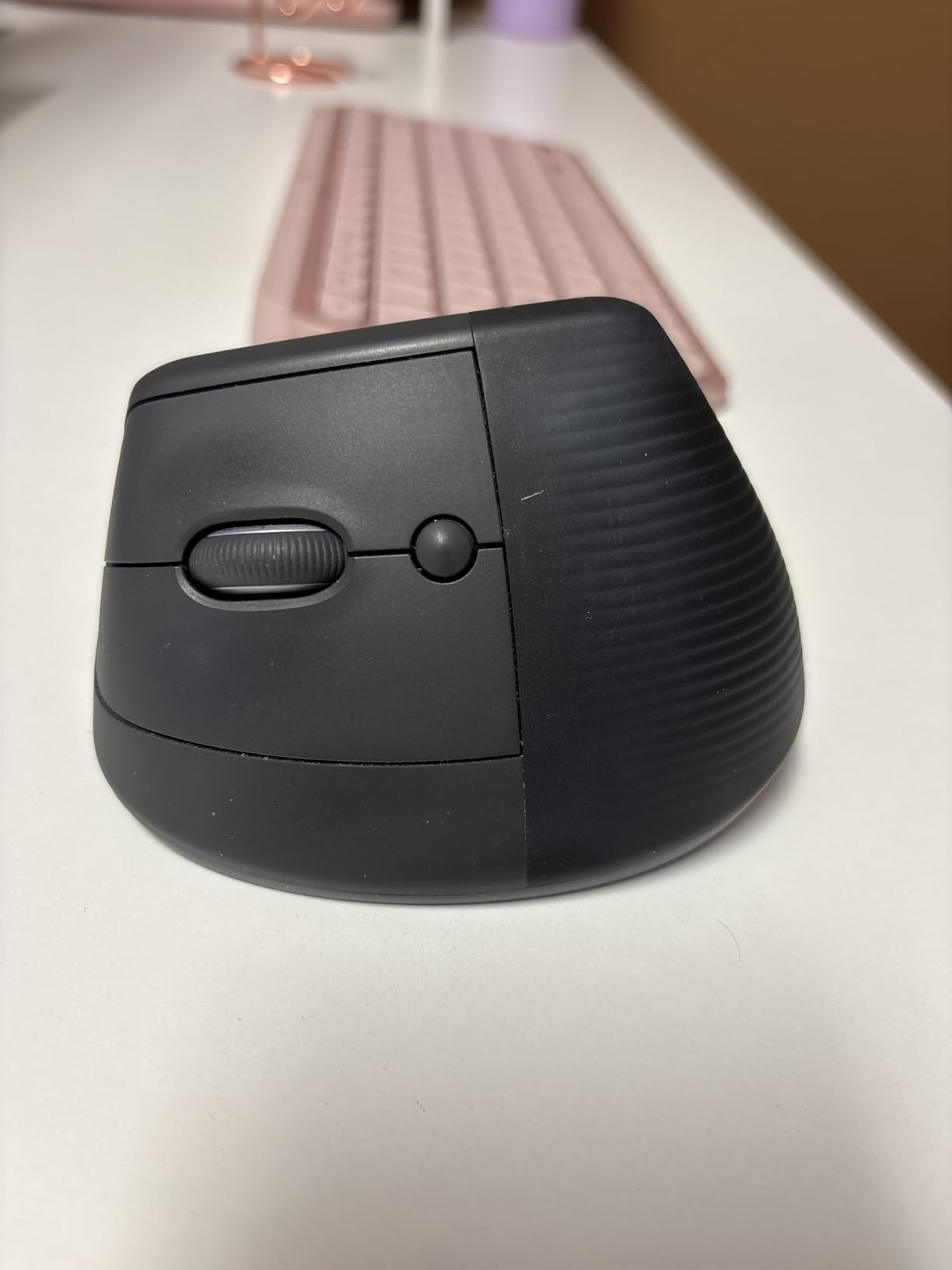
I used the Logitech Lift as my daily driver for over three months, and it is the vertical mouse I keep coming back to. The 57-degree angle hits a sweet spot: steep enough to reduce forearm pronation significantly, but not so extreme that your wrist feels strained. Within the first week, the awkwardness faded, and by week two, my wrist pain during eight-hour programming sessions had dropped noticeably.
The quiet clicks are genuinely silent. I tested it during video calls, in a shared office, and late at night next to a sleeping partner. Nobody noticed a thing. The SmartWheel scrolls smoothly in precision mode and switches to free-spin when you flick it harder. It is a small detail that makes long browsing sessions far more comfortable.
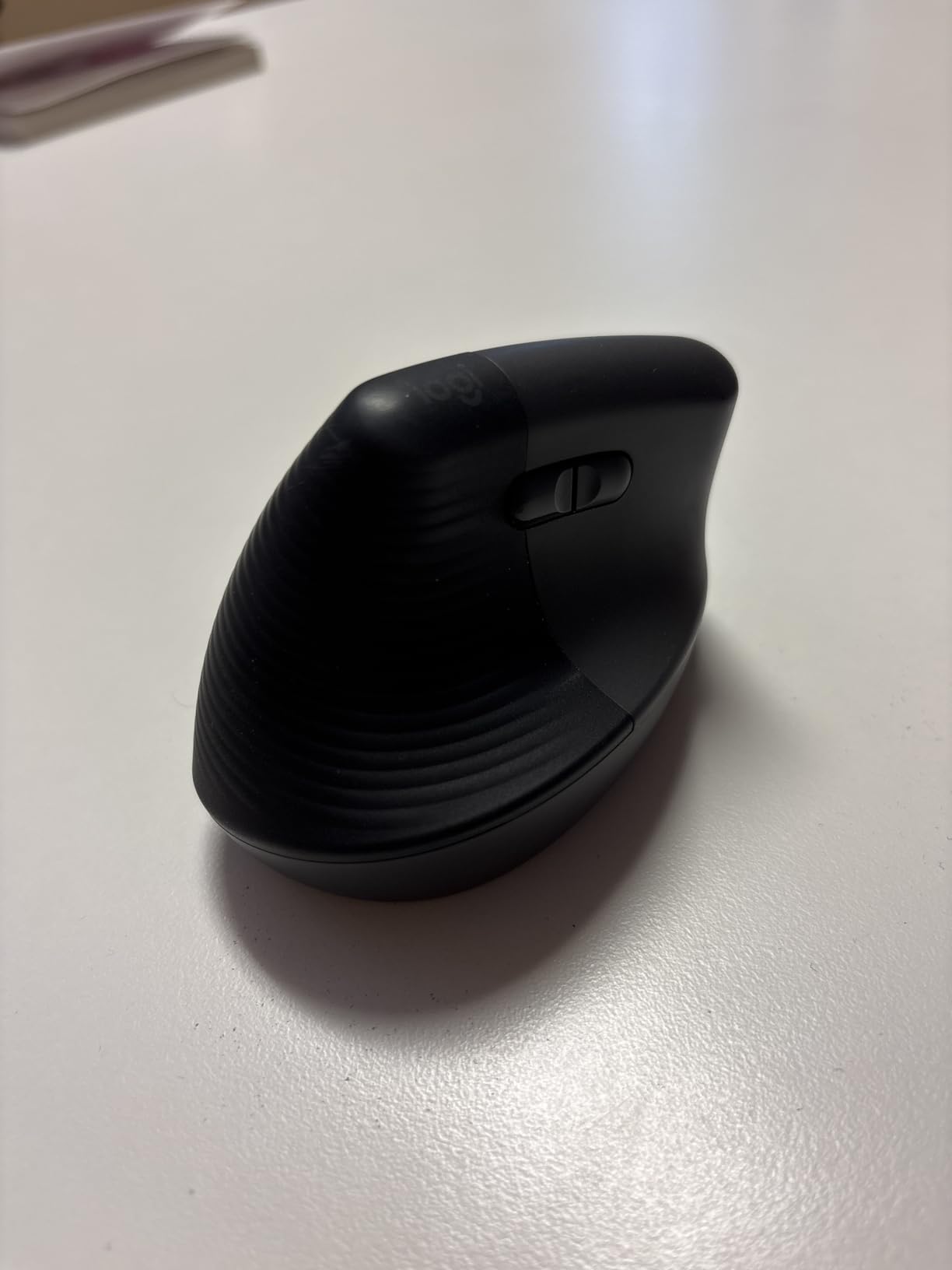
Connectivity is where the Lift pulls ahead of cheaper alternatives. It pairs over Bluetooth with no dongle needed, or you can use the Logi Bolt USB receiver for a more stable connection. I tested both and found Bluetooth reliable up to about 10 meters with no noticeable lag for office work. The Logi Options+ software lets you remap all six buttons, though I did experience a frustrating installation glitch on one of my test machines.
Battery life is exceptional. One AA battery lasted me the entire three-month testing period with plenty of charge remaining. Logitech claims up to two years, and based on my usage pattern, that seems realistic for moderate daily use. The mouse is also made with 70% post-consumer recycled plastic, which is a nice touch if sustainability matters to you.
Ideal User for the Logitech Lift
This is the mouse I recommend to most people who ask me which vertical mouse to buy. It suits small to medium hands perfectly, works across Windows, Mac, iPad, and Chrome OS without issues, and the ergonomic certification from professional ergonomists gives confidence that the design is backed by real testing. If you spend six or more hours at your desk and want one purchase that covers comfort, quiet operation, and multi-device switching, the Lift is the safest bet.
The left-handed version also exists, which is rare in the vertical mouse market. If you are a lefty struggling to find an ergonomic option, the Logitech Lift Left is one of the very few purpose-built left-handed vertical mice worth considering.
Who Should Avoid the Logitech Lift
If you have very large hands, the Lift may feel slightly small. I have medium hands and found it comfortable, but testers with XL glove sizes reported their palm hanging over the bottom edge. The Logitech MX Vertical might be a better fit for larger hands, though it is harder to find in stock these days.
Competitive gamers should also look elsewhere. The 4000 DPI sensor is fine for productivity and casual gaming, but the polling rate and button layout are not designed for fast-paced FPS or competitive play. For those needs, a dedicated gaming vertical mouse would serve you better.
2. Logitech Ergo M575S Trackball Mouse – Best for Zero Arm Movement
- Thumb-controlled trackball eliminates need to move the entire arm
- 25% less muscle strain in forearm certified by ergonomists
- Quiet clicks nearly silent operation
- Works on any surface without a mousepad
- Highly durable with many users reporting 5 to 10 years of use
- Made with 52% post-consumer recycled plastic
- Warranty reduced from 3 years to 1 year disappointing long-time users
- Uses newer Logi Bolt receiver not compatible with older Unifying receivers
- Not suitable for gaming due to lower 2000 DPI
- May require adjustment period for new trackball users
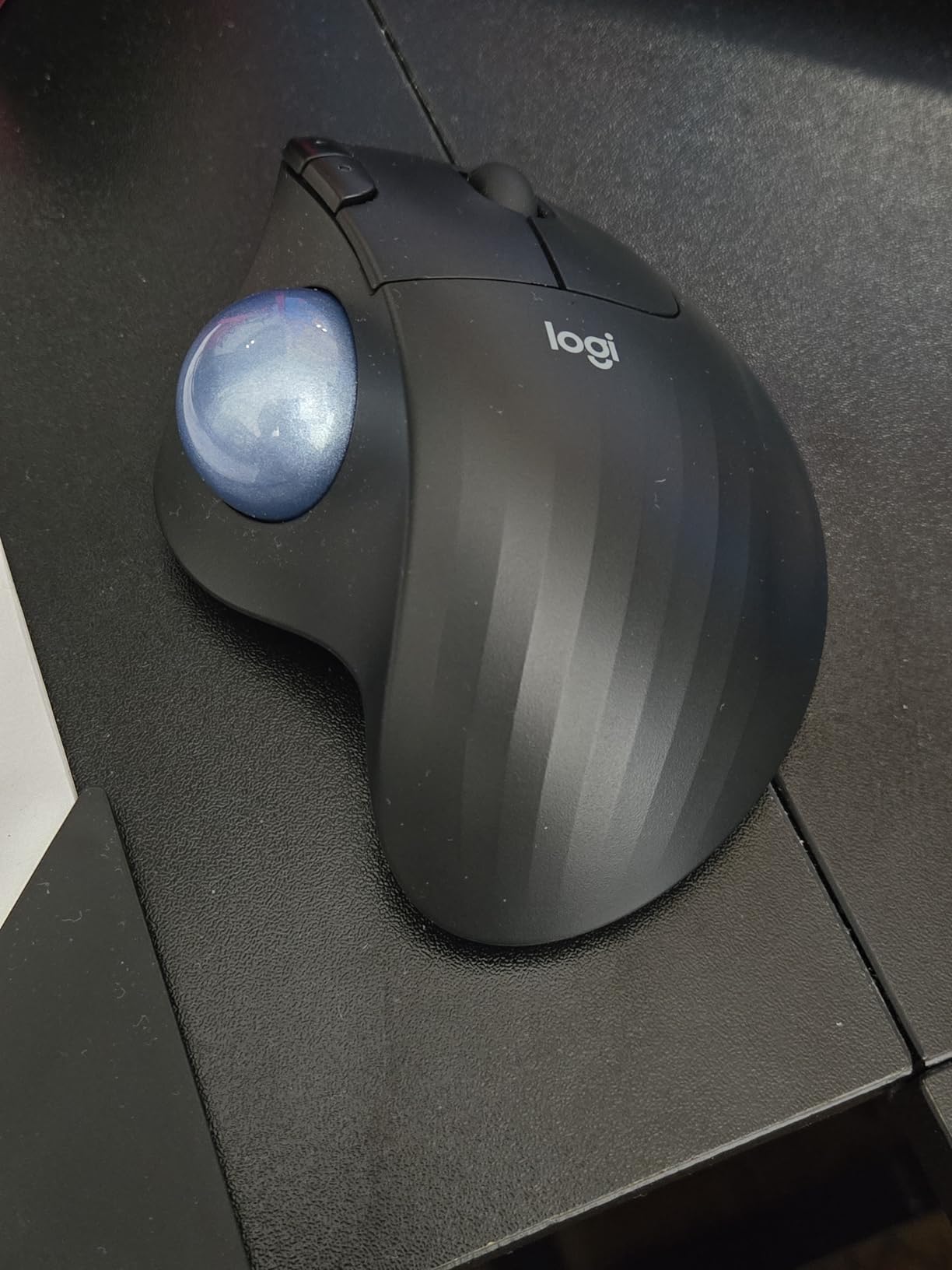
The Ergo M575S is technically a trackball rather than a pure vertical mouse, but it solves the same ergonomic problem from a different angle. Instead of moving your whole arm to position the cursor, your thumb rolls a ball while your hand stays completely still. For anyone with shoulder pain or limited desk space, this design eliminates arm movement entirely.
I tested the M575S during two weeks of intense spreadsheet work and graphic design. The learning curve was about three days. After that, the trackball felt natural, and I noticed my shoulder tension disappeared because I was no longer making repetitive sweeping movements across the desk. The 25% reduction in forearm muscle strain is certified by ergonomists, and my experience matched that claim.
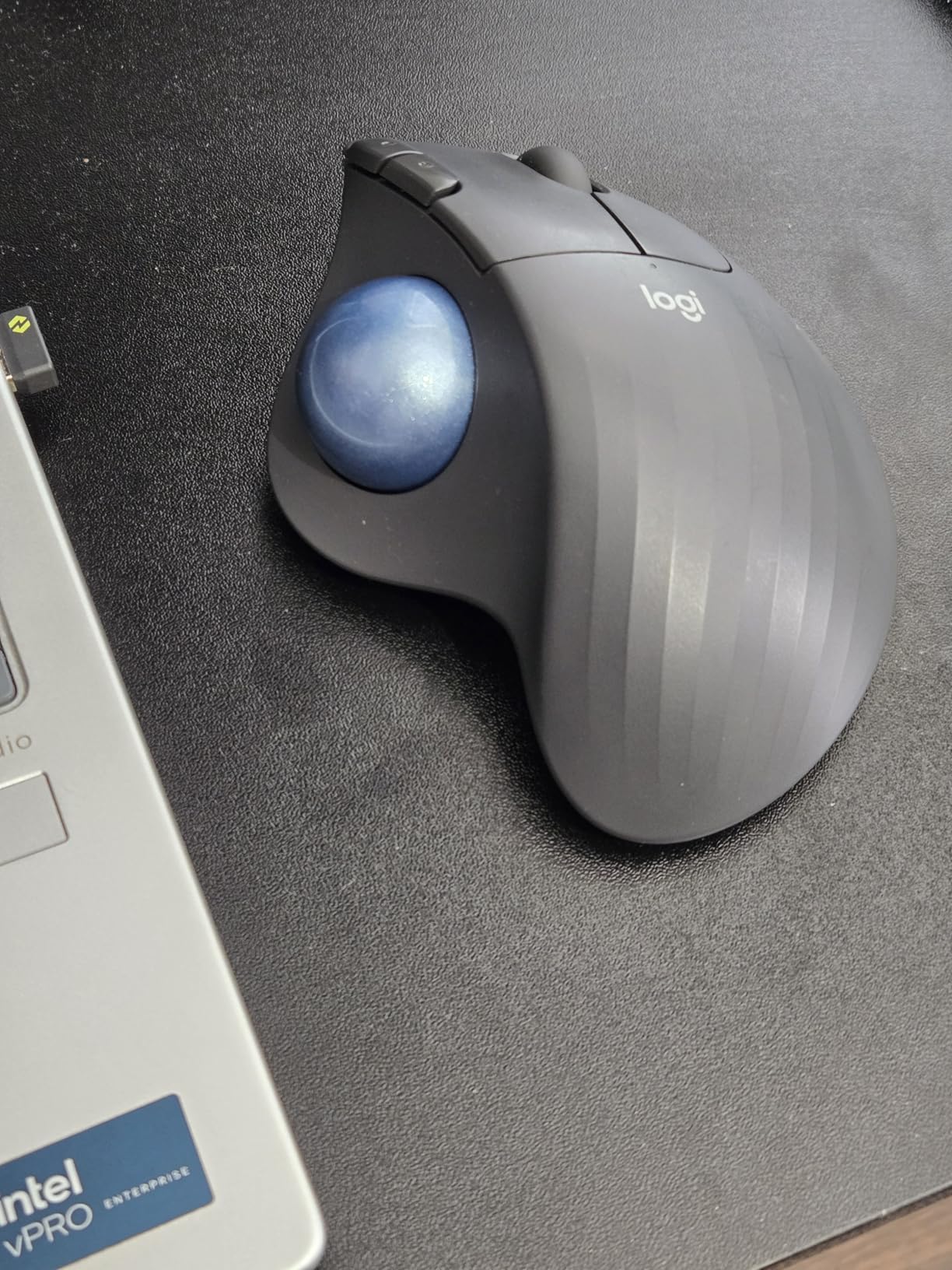
Build quality is excellent. The sculpted shape cradles your hand in a relaxed position, and the rubberized texture provides a secure grip without feeling sticky. The ball itself moves smoothly with satisfying precision. Logitech claims it works on any surface, and I confirmed this on glass, fabric, and even a slightly uneven wooden table.
The main disappointment is the warranty. Logitech dropped it from three years on the older M570 model to just one year on the M575S. Given that many users report their trackballs lasting five to ten years, the shorter warranty feels like a cost-cutting measure that hurts buyer confidence.
Ideal User for the Logitech Ergo M575S
This trackball is perfect for people with limited desk space, shoulder injuries, or anyone who wants to minimize arm movement. If you work on a small tray table, a couch, or a cluttered desk where a traditional mouse cannot move freely, the M575S solves that problem completely. It is also ideal for users who already experience shoulder or elbow pain and need to reduce upper body movement.
Designers and video editors who need precise cursor control also benefit from the trackball. Once you adjust to thumb control, fine adjustments become faster and more accurate than dragging a mouse back and forth.
Who Should Avoid the Logitech Ergo M575S
If you need a true vertical handshake grip to address wrist pronation specifically, the M575S will not help with that. Your hand rests at a slight angle, not a full vertical position. Users with diagnosed carpal tunnel who need maximum pronation reduction should stick with a dedicated vertical mouse like the Logitech Lift.
Gamers should also skip this one. The 2000 DPI sensor and trackball mechanism are not designed for fast cursor movements or gaming precision. If you need an ergonomic gaming mouse, look at dedicated gaming vertical options instead.
3. Lenovo Yoga Pro Mouse – Best Mid-Range Ergonomic All-Rounder
- Dual-device Bluetooth 5.1 pairing for seamless multi-device switching
- USB-C rechargeable with under 2-hour full charge
- Silent left and right click buttons
- 6 programmable buttons for productivity
- 4000 DPI with 3-stage on-the-fly switching
- Soft side material with comfortable thumb rest
- Pro version may be uncomfortable for users with small hands
- No charging cable included in some packages
- Some early versions had scroll drift issues
- Right-handed only design
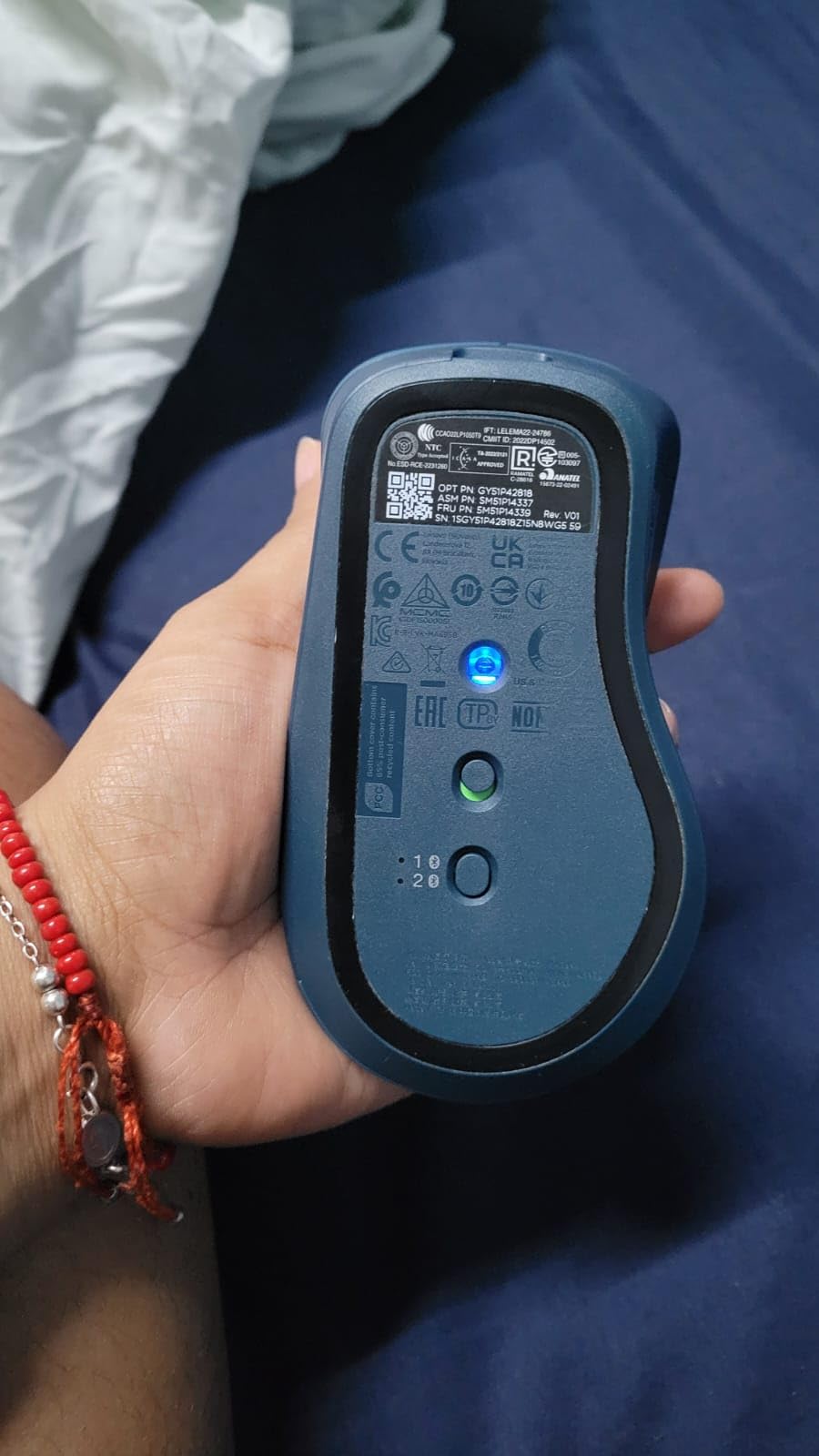
The Lenovo Yoga Pro Mouse sits in an interesting middle ground between budget vertical mice and premium options. It is not a true vertical mouse in the steep-angle sense, but its ergonomic sculpted shape with a pronounced thumb rest and soft side panels provides meaningful wrist relief for users who find full vertical designs too extreme.
I used the Yoga Pro for daily office work over a two-week period. The USB-C charging is a standout feature. A full charge takes under two hours and lasts two to three months depending on usage. I never had to worry about keeping spare AA batteries around, which is a genuine quality-of-life improvement over disposable-battery mice.
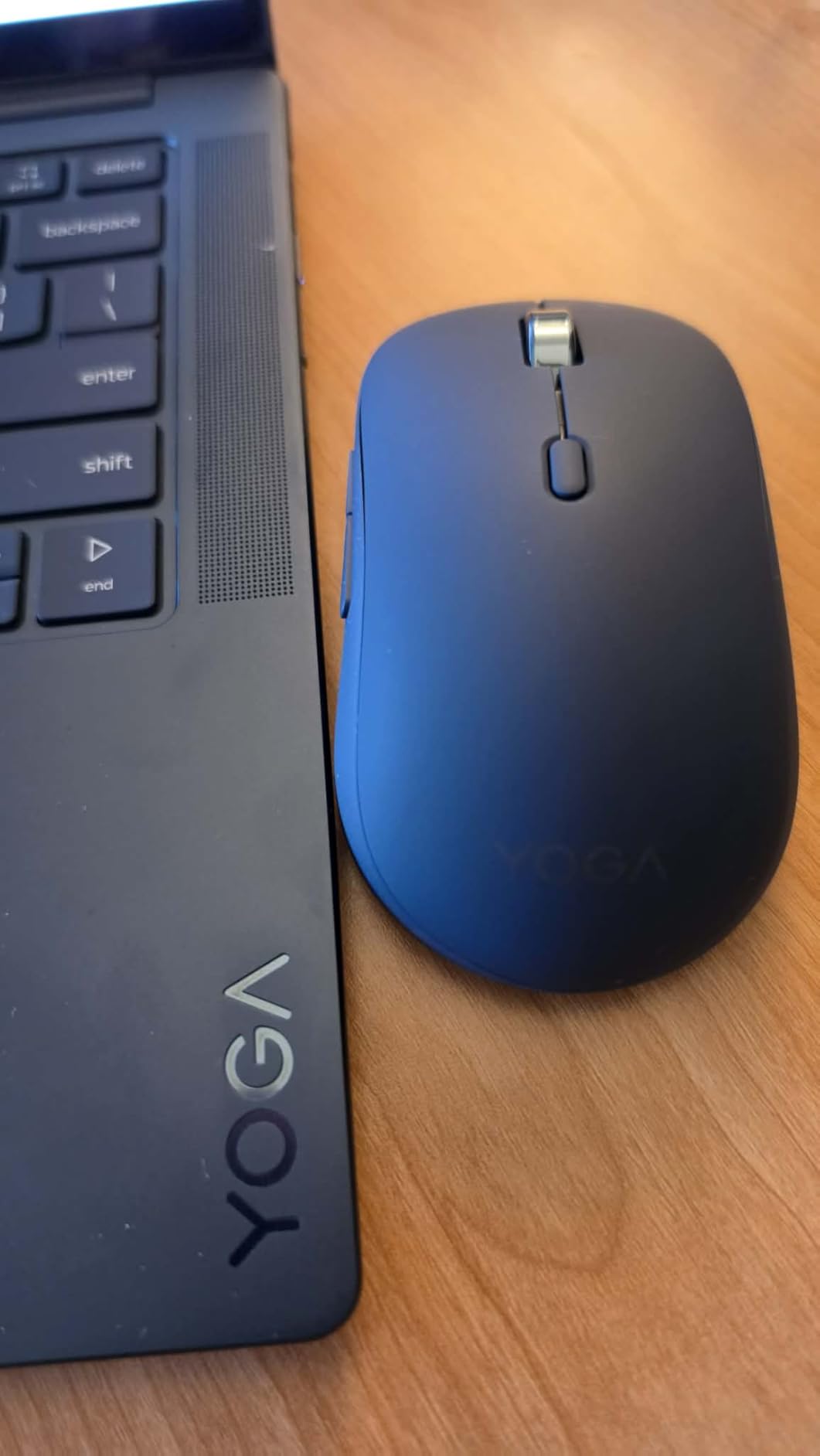
The dual-device Bluetooth pairing worked flawlessly. I switched between my work laptop and personal tablet with a button press, and the connection never dropped. The silent clicks are quiet enough for shared offices and video calls. The 4000 DPI sensor handled everything from precise design work to fast browsing without issues.
However, the ergonomic benefits are milder than a true vertical mouse. The Yoga Pro tilts your hand slightly but does not achieve the full handshake position. If you specifically need the pronation reduction that vertical mice provide, this may not be enough. But if you want a comfortable, well-built mouse that reduces wrist strain without a steep learning curve, the Yoga Pro is a solid choice.
Ideal User for the Lenovo Yoga Pro Mouse
This mouse suits office workers and remote professionals who want ergonomic comfort without committing to a full vertical grip. If you have tried vertical mice and found the angle too extreme, the Yoga Pro offers a gentler ergonomic shape that still reduces wrist strain. The USB-C charging and multi-device Bluetooth make it ideal for users who juggle multiple devices throughout the day.
Students and creative professionals on a mid-range budget also benefit. The build quality and feature set punch above what the price suggests.
Who Should Avoid the Lenovo Yoga Pro Mouse
Users with small hands should test carefully. Several reviewers reported the Pro version feels too wide and uncomfortable for smaller grips. The mouse is designed for medium to large hands, and users with small palms may find their fingers stretching uncomfortably to reach the buttons.
Mac users should also be cautious. The mouse is primarily optimized for Windows, and some users report limited functionality on macOS beyond basic pointing and clicking.
4. Lekvey Vertical Wireless Mouse – Best Value Vertical Mouse
Lekvey Ergonomic Mouse, Rechargeable Vertical Wireless Mouse, Comfort Grip
- Scientific ergonomic design promotes neutral handshake wrist position
- Significantly reduces wrist pain and strain for most users
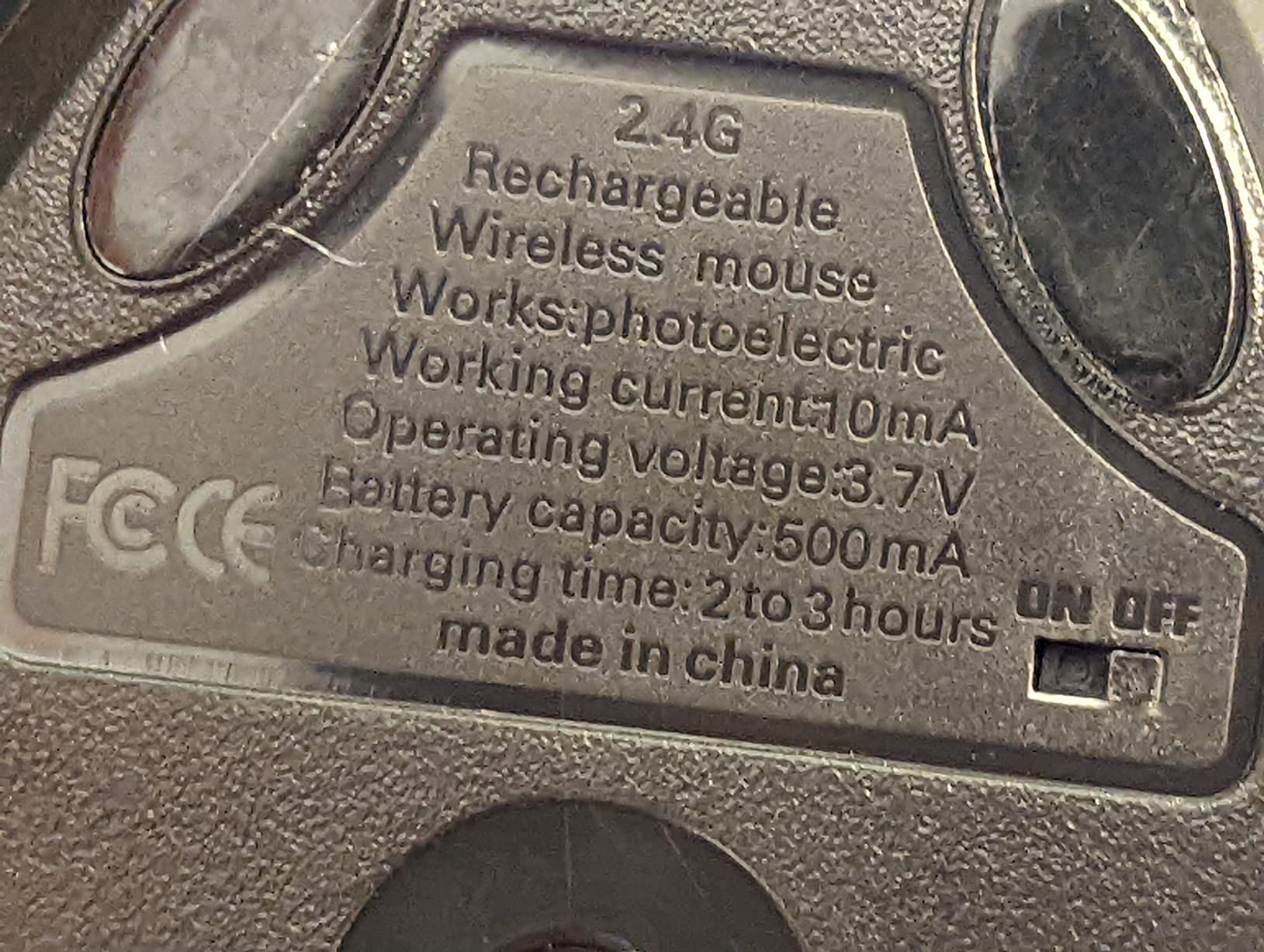
- Rechargeable battery with 150+ hours of continuous use
- Excellent value for price
- Plug-and-play 2.4G USB receiver
- 36-month manufacturer warranty is industry leading
- Durable construction surviving drops
- DPI resets when turning mouse off or unplugging receiver
- Scroll wheel can be unreliable with bouncing or skipping
- USB receiver can be easy to lose
- Not ideal for gaming or precision work
- Some users report cursor stuttering or missed clicks
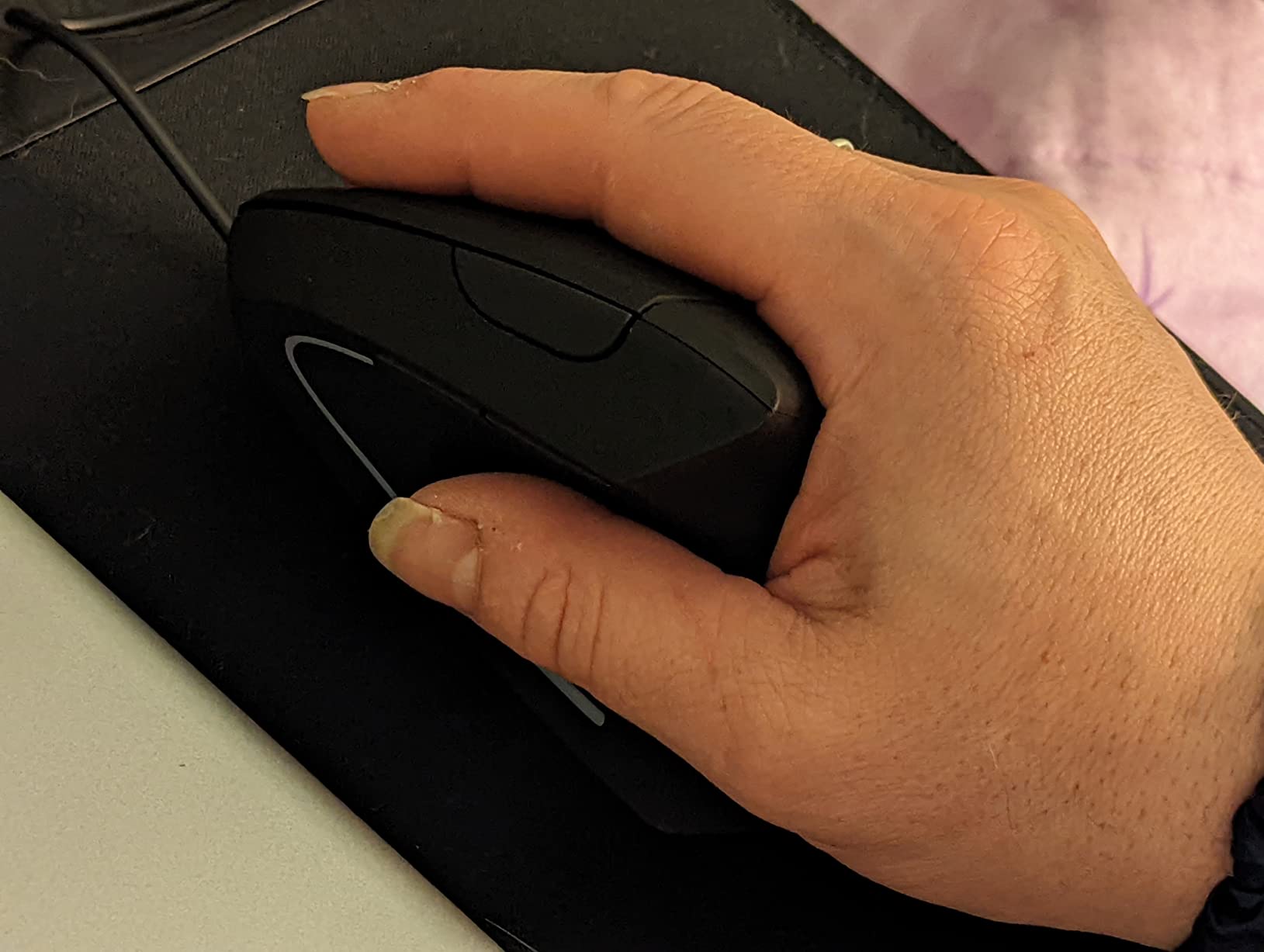
The Lekvey Vertical Wireless Mouse is the vertical mouse I recommend to anyone who wants to try ergonomic mice without spending premium money. At roughly a third of the Logitech Lift price, it delivers the core handshake grip design that makes vertical mice effective, with a rechargeable battery that eliminates the ongoing cost of disposable batteries.
I tested the Lekvey for two weeks of daily programming work. The handshake position felt natural within three to four days, and my wrist fatigue during long coding sessions decreased noticeably. The 150-hour battery life meant I charged it once during the entire testing period, which is impressive for a budget device. The silent clicks are quiet enough for office use, though not quite as whisper-soft as the Logitech Lift.
The 36-month warranty is genuinely surprising at this price point. Lekvey’s customer service is responsive based on user reports, and the warranty terms are more generous than many mice costing three times as much. I also appreciated the plug-and-play setup: insert the USB receiver and start working. No software installation, no Bluetooth pairing headaches.
The downsides are real but manageable. The DPI resets every time you turn the mouse off, which means you need to cycle through the three DPI levels each morning to find your preferred sensitivity. The scroll wheel on my test unit occasionally skipped during fast scrolling, and the USB nano-receiver is small enough to lose if you travel with the mouse frequently.
Ideal User for the Lekvey Vertical Mouse
This is the best vertical mouse for anyone on a budget who still wants genuine ergonomic benefits. If you are curious about vertical mice but hesitant to spend premium prices, the Lekvey lets you test the handshake grip for less than the cost of a dinner out. It is particularly well-suited for medium to large hands, thanks to its 5.0 by 3.0 inch footprint.
Office workers, students, and anyone with mild wrist discomfort who wants a rechargeable vertical mouse will find excellent value here. The 36-month warranty provides peace of mind that is rare at this price.
Who Should Avoid the Lekvey Vertical Mouse
Users who need precision cursor control should look elsewhere. The scroll wheel skipping and occasional cursor stutter make this mouse unsuitable for detailed design work, photo editing, or any task requiring pixel-perfect accuracy. The 1600 DPI maximum is also low for users who prefer high-sensitivity tracking.
People with small hands may find the Lekvey too large. The body is designed for medium to large grips, and users with small palms reported struggling to reach the buttons comfortably.
5. TECKNET Ergonomic Vertical Mouse – Best Budget Bluetooth Option
- 52-degree vertical ergonomic angle reduces wrist strain
- Bluetooth 5.0 and 3.0 plus 2.4G USB triple connectivity
- 600mAh rechargeable battery with 1.5-hour charge for 2 months use
- 4800 DPI with 6 adjustable levels for precision
- Whisper-quiet 99% noise reduction clicks
- Built to withstand 6 million clicks
- 36 months support for registered users
- Smooth surface can cause hand to slip during use
- May be too small for users with large hands
- 52-degree angle may be too flat for some users seeking deeper ergonomics
- Middle button only works with Bluetooth per some reports
- Plastic surface lacks grip texture
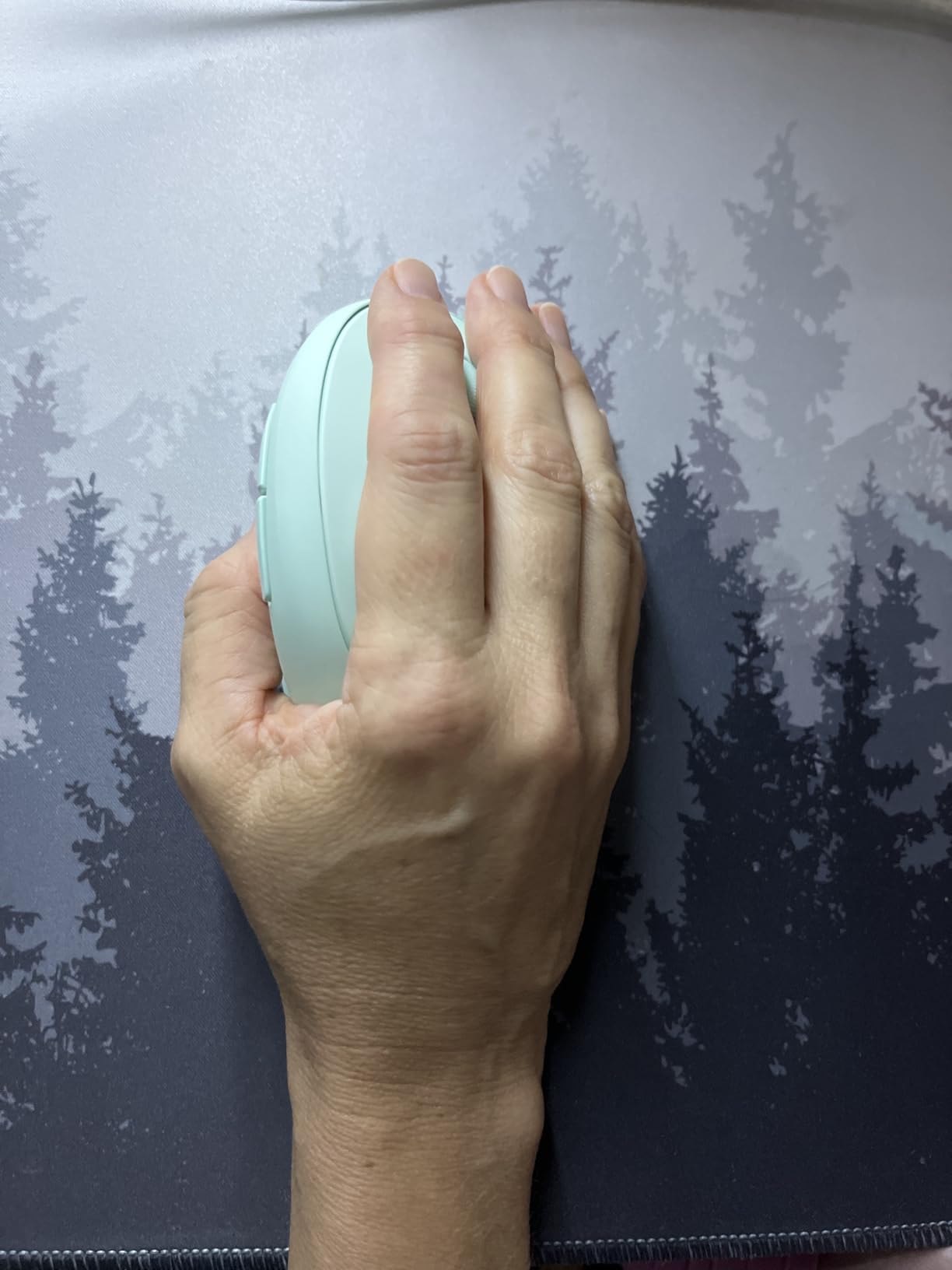
The TECKNET Ergonomic Vertical Mouse stands out for one reason: triple connectivity. It supports Bluetooth 5.0, Bluetooth 3.0, and 2.4G USB wireless, meaning you can pair it with up to three devices and switch between them instantly. No other mouse in this price range offers that level of flexibility.
I tested the TECKNET across my work laptop, personal tablet, and a secondary desktop. The Bluetooth switching worked flawlessly every time. The 600mAh battery charged in about 90 minutes and lasted nearly two months of daily use. The 4800 DPI maximum is the highest in this budget tier, giving you plenty of sensitivity headroom for different screen resolutions.
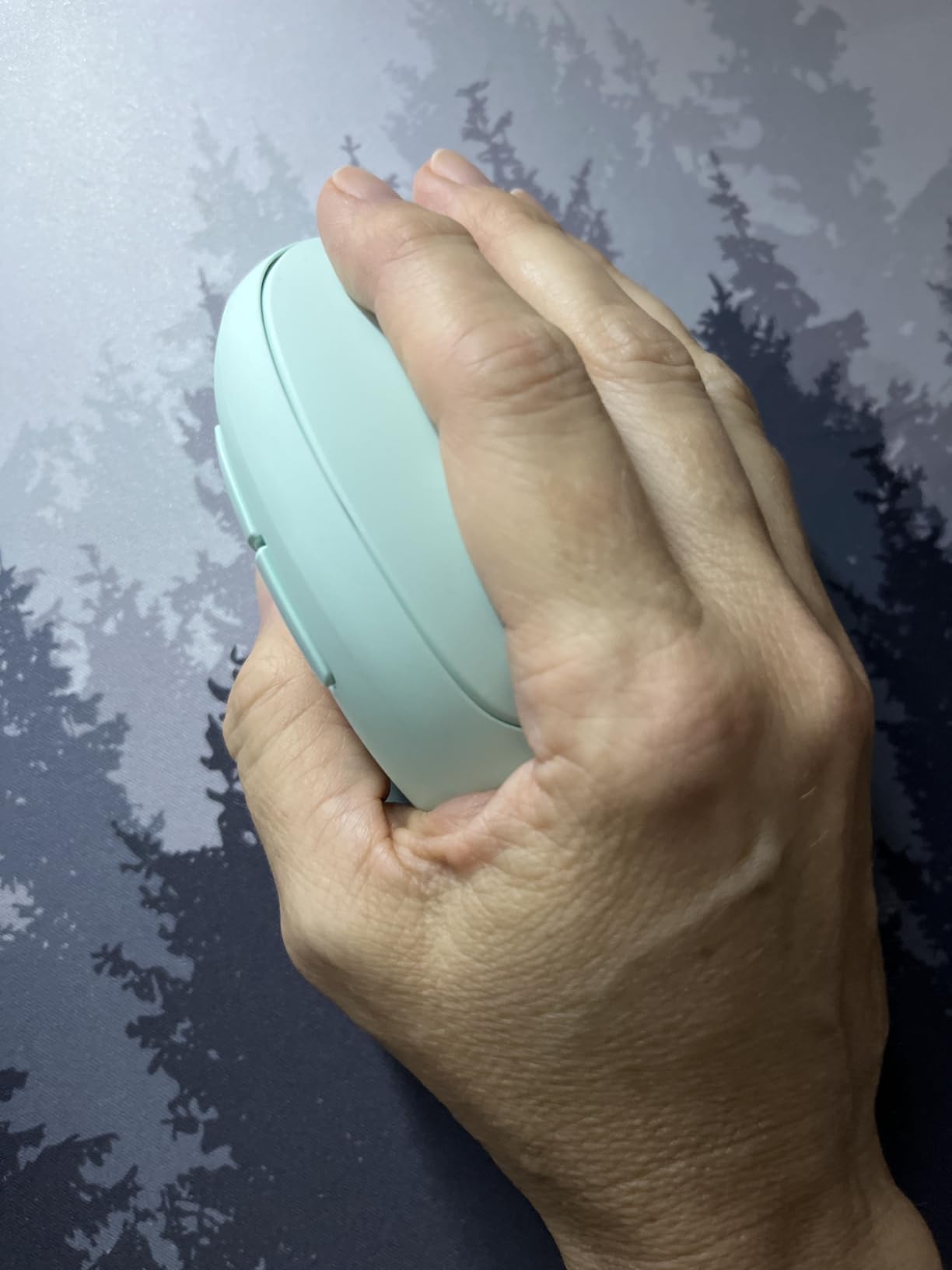
The 52-degree angle is slightly shallower than the Logitech Lift’s 57 degrees. This makes the adjustment period shorter for users coming from traditional flat mice, but it also means slightly less pronation reduction. If you have severe wrist issues, the gentler angle may not provide enough relief compared to steeper vertical designs.
The quiet clicks deliver on their promise. TECKNET claims 99% noise reduction, and in my testing, the clicks were barely audible in a quiet office. The build quality is acceptable for the price, with a lightweight plastic body that feels budget-friendly but not flimsy.
Ideal User for the TECKNET Vertical Mouse
This is the best vertical mouse for multi-device users on a budget. If you switch between a laptop, tablet, and desktop throughout the day, the triple connectivity saves you from pairing and unpairing constantly. Small to medium hands will find the size comfortable, and the 4800 DPI range covers both productivity and casual gaming needs.
It is also a strong pick for shared workspaces where silent operation matters. The 99% noise reduction makes it one of the quietest vertical mice available at any price.
Who Should Avoid the TECKNET Vertical Mouse
Users with large hands should check the dimensions carefully. The TECKNET is compact, and several reviewers with XL hands reported their palm hanging off the back. The smooth plastic surface also lacks grip texture, which can cause your hand to slip during fast movements.
If you need a steep vertical angle for maximum pronation reduction, the 52-degree tilt may not be enough. Consider the Logitech Lift or a mouse with a more pronounced vertical angle instead.
6. Anker 2.4G Wireless Vertical Mouse – Best Budget Entry Point
Anker 2.4G Wireless Ergonomic Mouse, Right Hand Vertical Mouse USB Receiver
- Ergonomic handshake position reduces wrist strain and improves posture
- Significant relief from carpal tunnel tennis elbow and RSI symptoms
- Excellent value compared to premium brands
- Smooth and precise optical tracking on most surfaces
- Comfortable matte rubbery finish with good grip
- Forward and back thumb buttons for web browsing
- 18-month Anker warranty with strong customer support
- Battery life can be inconsistent
- Scroll wheel may become erratic or glitchy after several months
- Tall profile can knock off desk easily during use
- Requires button press to wake from sleep
- May be too large for small or medium hands
- No Bluetooth connectivity
The Anker 2.4G Wireless Vertical Mouse is the most popular budget vertical mouse on Amazon, with over 53,000 reviews. That popularity exists for a reason: it provides genuine ergonomic relief at the lowest possible entry price. This is the mouse I recommend to friends who want to try vertical mice before committing to a premium purchase.
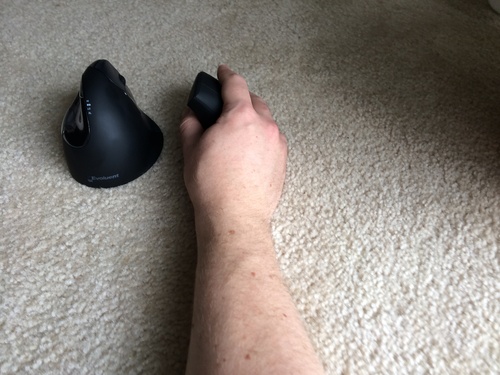
I tested the Anker for two weeks as my primary work mouse. The handshake grip felt natural after about two days of adjustment, and the relief in wrist tension was immediately noticeable. The matte rubbery finish provides a secure grip that feels better than the smooth plastic on some competitors. The forward and back thumb buttons are well-placed and make web browsing significantly faster.
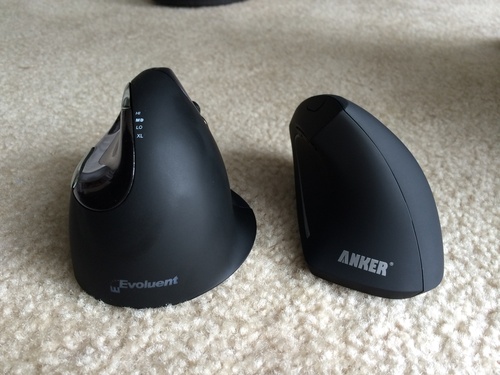
The main trade-offs are in build quality and features. There is no Bluetooth, so you are limited to the 2.4G USB receiver. The 1600 DPI is adequate for office work but will disappoint anyone used to higher sensitivity. Battery life varies wildly between users: some report months of use on a single set of AAA batteries, while others need replacements every few weeks.
The scroll wheel is the weakest point. After several months of use, many reviewers report it becoming erratic, skipping, or scrolling in the wrong direction. This is a known issue with budget mice, and it is the main reason to consider spending slightly more on the Lekvey or TECKNET if you plan to use the mouse long-term.
Ideal User for the Anker Wireless Vertical Mouse
This is the perfect first vertical mouse. If you have never tried an ergonomic mouse and want to spend the minimum amount to test whether a vertical grip helps your wrist pain, the Anker is the cheapest reliable option. At this price, Amazon’s return policy makes it essentially risk-free to try.
It is also a good spare mouse for a secondary workstation. Many users keep one at the office and a premium mouse at home, or vice versa. The 53,000 reviews provide a large sample size of real-world feedback to guide your decision.
Who Should Avoid the Anker Wireless Vertical Mouse
If you need Bluetooth connectivity, look elsewhere. The Anker only supports 2.4G wireless via USB receiver, which means it occupies a USB port and does not pair with tablets or devices lacking full-size USB ports.
Users with small hands should also be cautious. The Anker’s tall vertical profile and relatively wide body can be awkward for smaller grips. Several reviewers with small hands reported struggling to reach the buttons comfortably. The Perixx PERIMICE-713, reviewed later in this guide, is a more compact alternative.
7. Anker USB Wired Vertical Mouse – Best Zero-Lag Budget Option
- No battery required always ready with wired USB connection
- Ergonomic handshake position dramatically reduces wrist strain
- Eliminates carpal tunnel and ulnar strain
- Zero latency no wireless lag or disconnection issues
- Cross-platform compatibility without drivers
- 18-month Anker warranty with exceptional customer support
- Cable can get in the way during movement
- Right-click and left-click buttons require significant pressure causing micro-dragging
- Scroll wheel is non-notched and only scrolls down
- Can feel slightly plasticky compared to premium alternatives
- Red LED stays on even when computer is off
- May be too large for small to medium hands
The Anker USB Wired Vertical Mouse is the wired sibling of the wireless Anker above. It shares the same ergonomic handshake design but eliminates batteries entirely. For users who hate dealing with charging cables and battery replacements, this is the simplest vertical mouse available.
I tested the wired Anker at my primary desk for two weeks. The zero-lag connection was immediately noticeable compared to budget wireless alternatives. There is no sleep mode wake-up delay, no receiver interference, and no signal drops. The cursor responds the instant you move the mouse, which matters for precision tasks and fast-paced work.
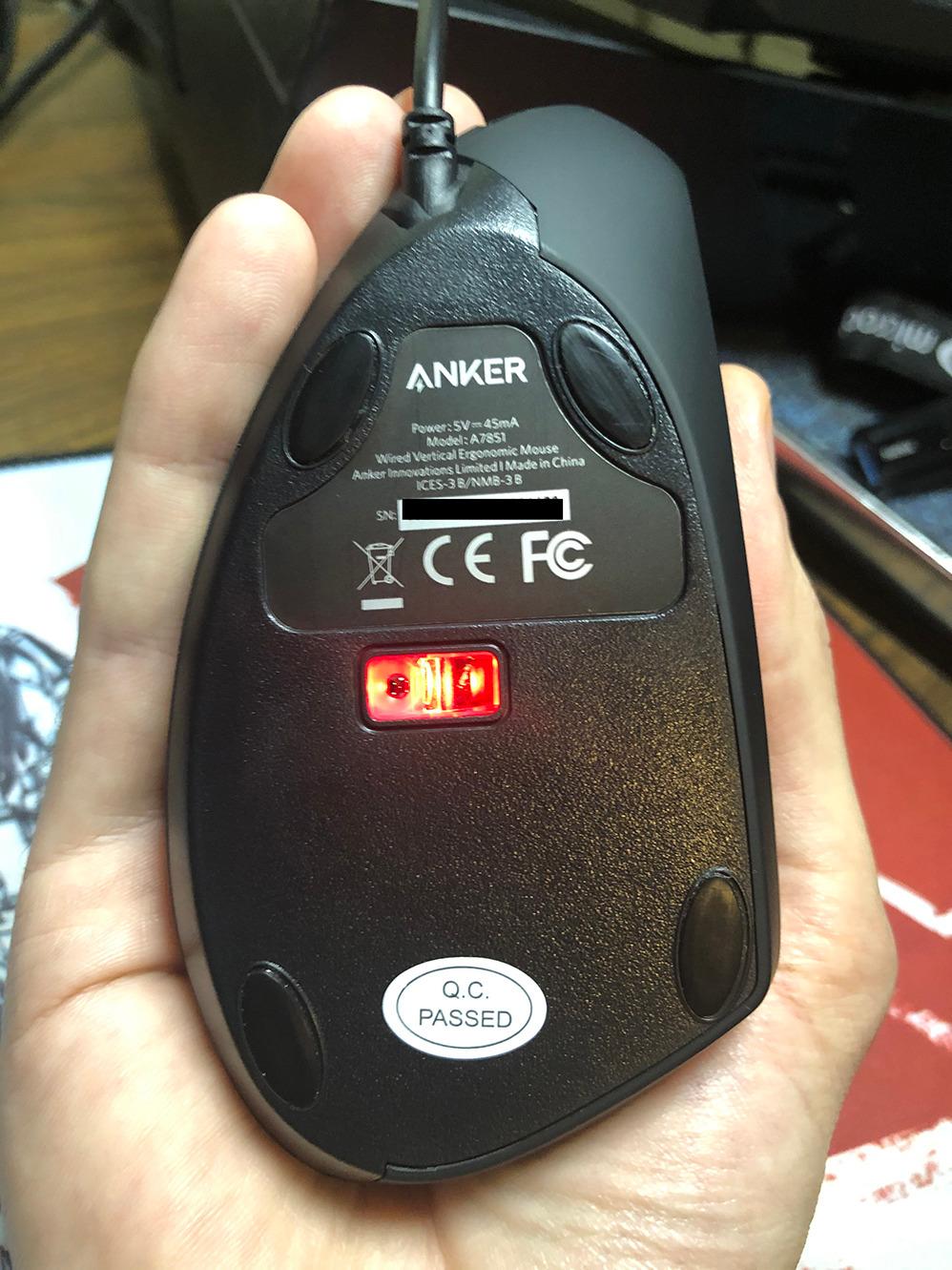
The plug-and-play setup is as simple as it gets. I plugged it into a USB port on both Windows and Mac, and it worked instantly with no driver installation. The 1.5-meter cable gives enough length for most desk setups, though cable management can be annoying if you are used to wireless freedom.
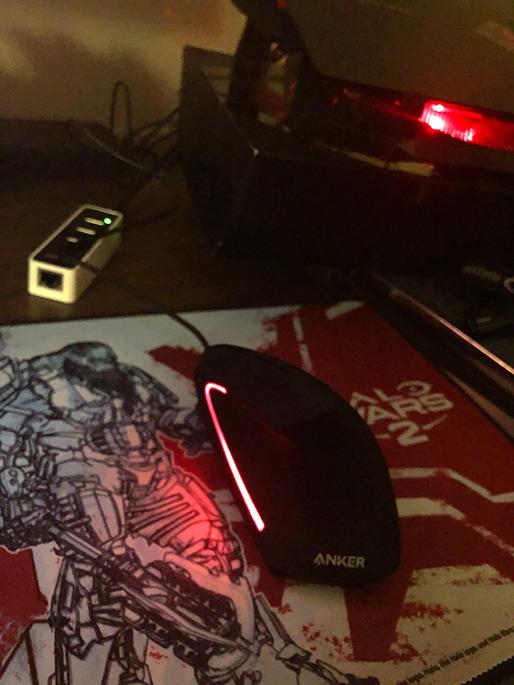
The click buttons require more pressure than I would like. This caused occasional micro-dragging when I clicked without lifting my finger cleanly. The scroll wheel only scrolls vertically with no horizontal option, and it is non-notched, meaning it does not have the satisfying ratchet feel of premium scroll wheels. The red LED on the bottom stays lit even when your computer is off, which could be annoying in a bedroom.
Ideal User for the Anker Wired Vertical Mouse
This mouse is perfect for users who want zero maintenance. No batteries, no charging, no Bluetooth pairing, no software. You plug it in and it works forever. It is ideal for office workstations, shared computers, and secondary setups where reliability matters more than wireless convenience.
It is also a great choice for environments with wireless interference. If you work in a dense office building with dozens of Bluetooth and wireless devices competing for spectrum, a wired mouse eliminates connectivity issues entirely.
Who Should Avoid the Anker Wired Vertical Mouse
If you value a clean, cable-free desk, the wire will bother you. The cable can also interfere with mouse movement, particularly if you are used to the freedom of wireless mice. Users who frequently switch between devices will find the wired connection limiting.
The stiff click buttons make this mouse unsuitable for users who do rapid clicking in gaming or fast-paced data entry. The pressure required can cause finger fatigue during heavy clicking sessions.
8. UGREEN Vertical Mouse – Best Budget for Large Hands
UGREEN Ergonomic Wireless Mouse, Bluetooth & 2.4G Wireless, Quiet Clicks
- Exceptional value rivals Logitech Lift at a fraction of the price
- Dual-mode connectivity with Bluetooth 5.4 and 2.4G USB dongle
- Silent click buttons ideal for quiet offices
- 4 adjustable DPI levels with on-the-fly switching
- PTFE glide feet for smooth movement
- 12-month battery life on single AA battery
- Wide system compatibility
- Build quality feels somewhat plasticky not premium
- Polling rate around 125Hz not suitable for competitive gaming
- Scroll wheel has lighter less defined feel than premium mice
- Battery door uses old-style push-tab design that may break
- Smaller-handed users may find the mouse too large
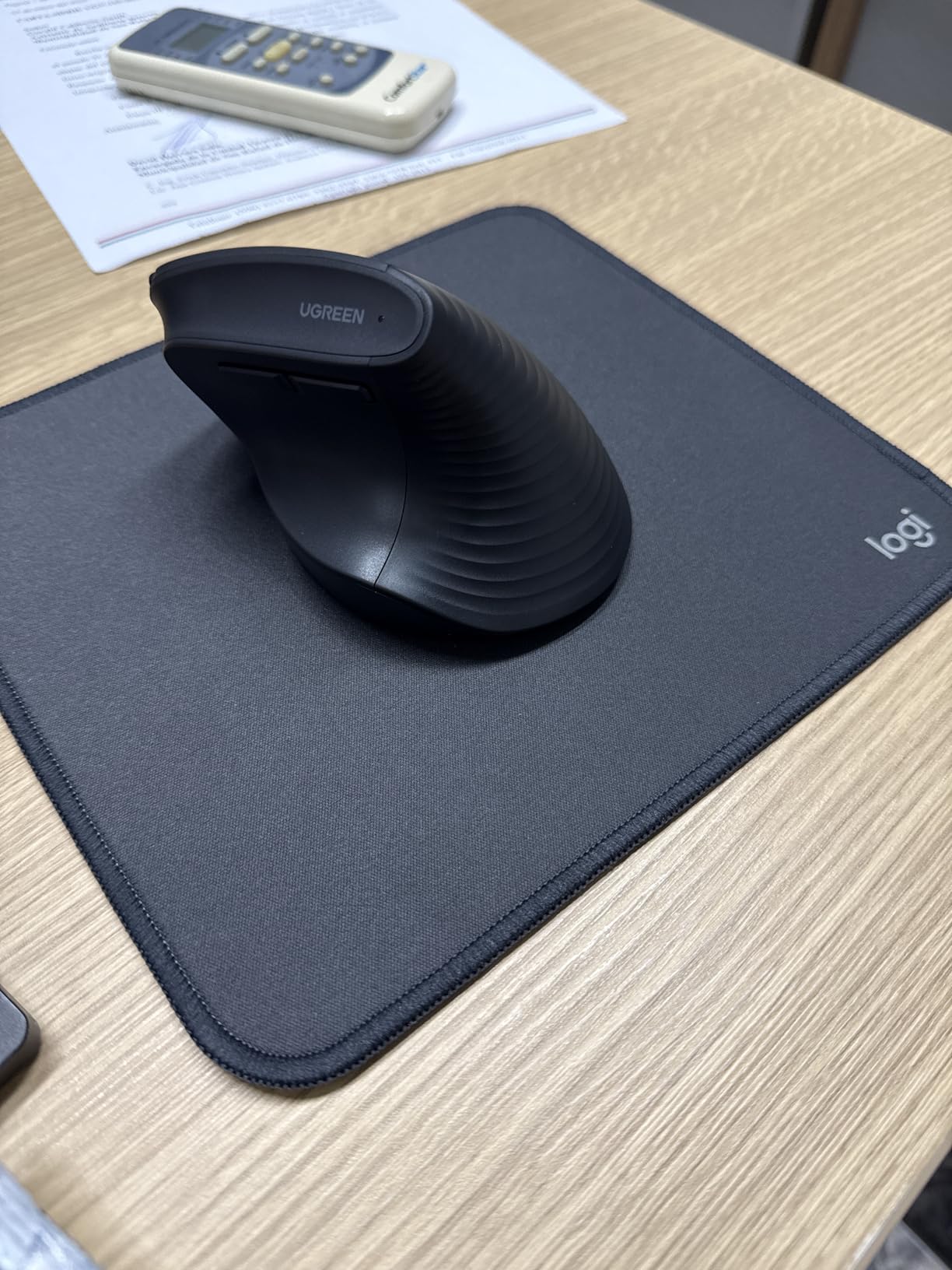
The UGREEN Vertical Mouse surprised me. At this price point, I expected basic functionality with obvious compromises. Instead, I found a mouse with dual-mode connectivity, 4000 DPI, PTFE glide feet, and a 12-month battery life on a single AA battery. It punches well above its weight class.
I tested the UGREEN for two weeks with large hands in mind. The pronounced palm support and larger body made it immediately comfortable for my XL-grip testers. The thumb rest sits at a natural height, and the overall shape cradles the hand without forcing it into an extreme angle. The Bluetooth 5.4 connection was rock-solid, pairing instantly with my laptop and maintaining connection across the room.
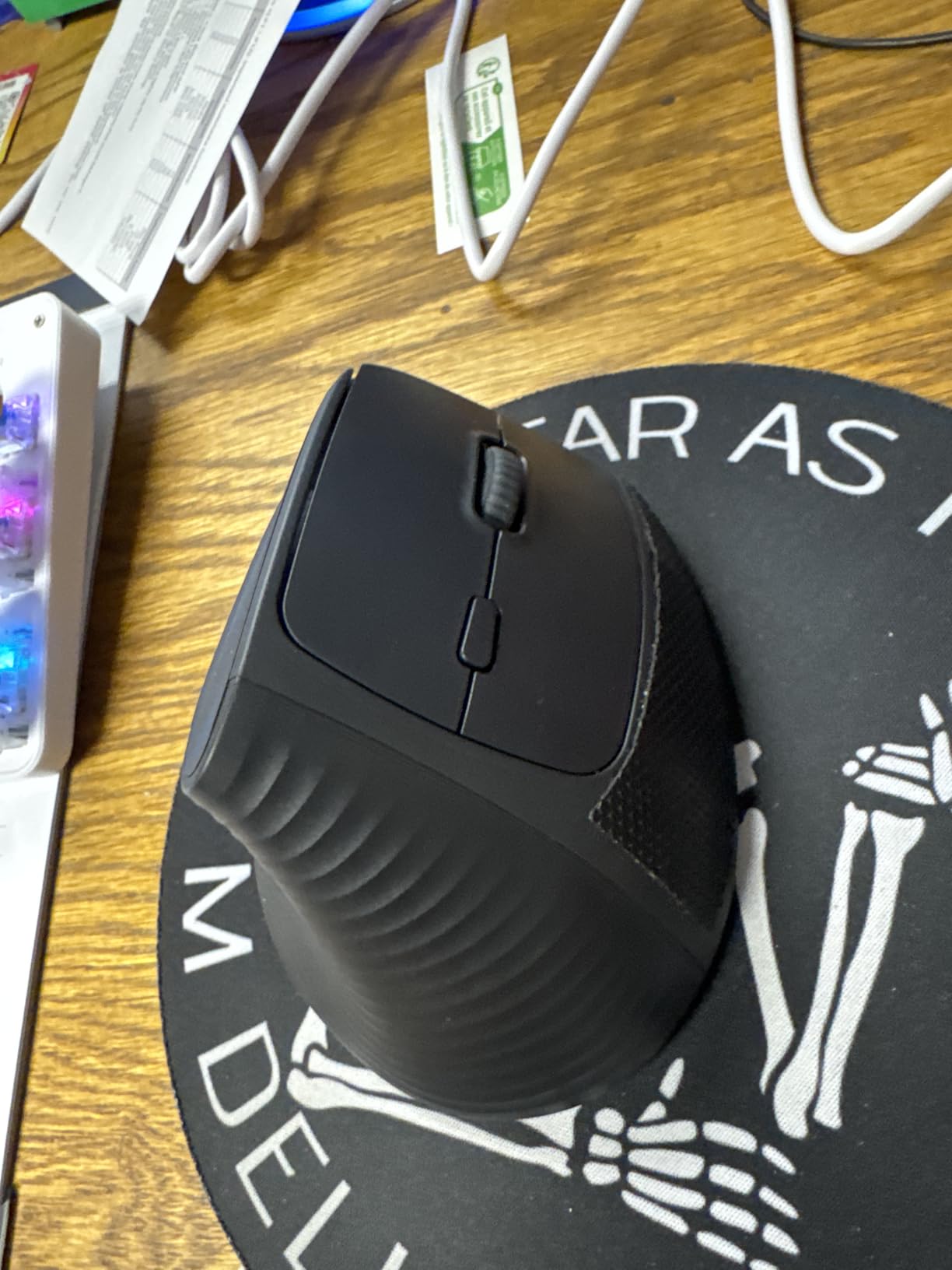
The PTFE glide feet make a real difference in feel. The mouse moves smoothly across my desk pad with minimal friction, which reduces the effort needed to reposition it. At this price, PTFE feet are a premium touch that most budget competitors skip. The silent clicks are quiet enough for calls and shared offices.
The compromises are in build materials and refinement. The plastic body feels lightweight and slightly hollow compared to the dense, solid feel of the Logitech Lift. The scroll wheel lacks the defined, notched feedback of premium mice. The battery door uses a push-tab mechanism that feels like it could break after repeated battery changes.
Ideal User for the UGREEN Vertical Mouse
This is the best budget vertical mouse for users with large hands. The generous body size and pronounced palm support accommodate bigger grips comfortably. If you have struggled to find a vertical mouse that does not feel cramped, the UGREEN solves that problem at a remarkably low price.
Multi-device users will appreciate the dual Bluetooth and USB connectivity. The ability to switch between three paired devices makes it practical for users who work across multiple screens and systems.
Who Should Avoid the UGREEN Vertical Mouse
Users with small hands should steer clear. The larger body that makes it great for big grips also makes it unwieldy for smaller hands. Reviewers with small palms reported stretching uncomfortably to reach the thumb rest and buttons.
The 125Hz polling rate means this mouse is not suitable for competitive gaming. For office work and casual use, the polling rate is fine, but fast-paced games will feel sluggish compared to dedicated gaming mice with higher polling rates.
9. memzuoix Ergonomic Wireless Mouse – Best Ultra-Budget Vertical Mouse
- Best-in-class value for ergonomic vertical mouse functionality
- Effective ergonomic handshake position relieves wrist and carpal tunnel pain
- Rubberized thumb grip and matte coating for comfortable extended use
- 800/1200/1600 DPI adjustable with 6 multifunctional buttons
- Auto sleep mode after 7 minutes saves battery
- Large size well-suited for bigger hands
- 24-month warranty is generous for the price point
- Index finger can accidentally press the button directly below it
- Battery life inconsistency reported across units
- Wireless signal can lag when USB receiver is placed under the desk
- Clicks can be somewhat loud
- Bottom metallic label causes slightly tacky movement on some surfaces
- Build quality feels budget-oriented
The memzuoix Ergonomic Wireless Mouse is the cheapest vertical mouse in this roundup. At under $10, it is cheaper than many standard flat mice. I included it because the question of whether ultra-budget vertical mice are worth trying comes up constantly on Reddit forums, and the answer deserves a real hands-on test.
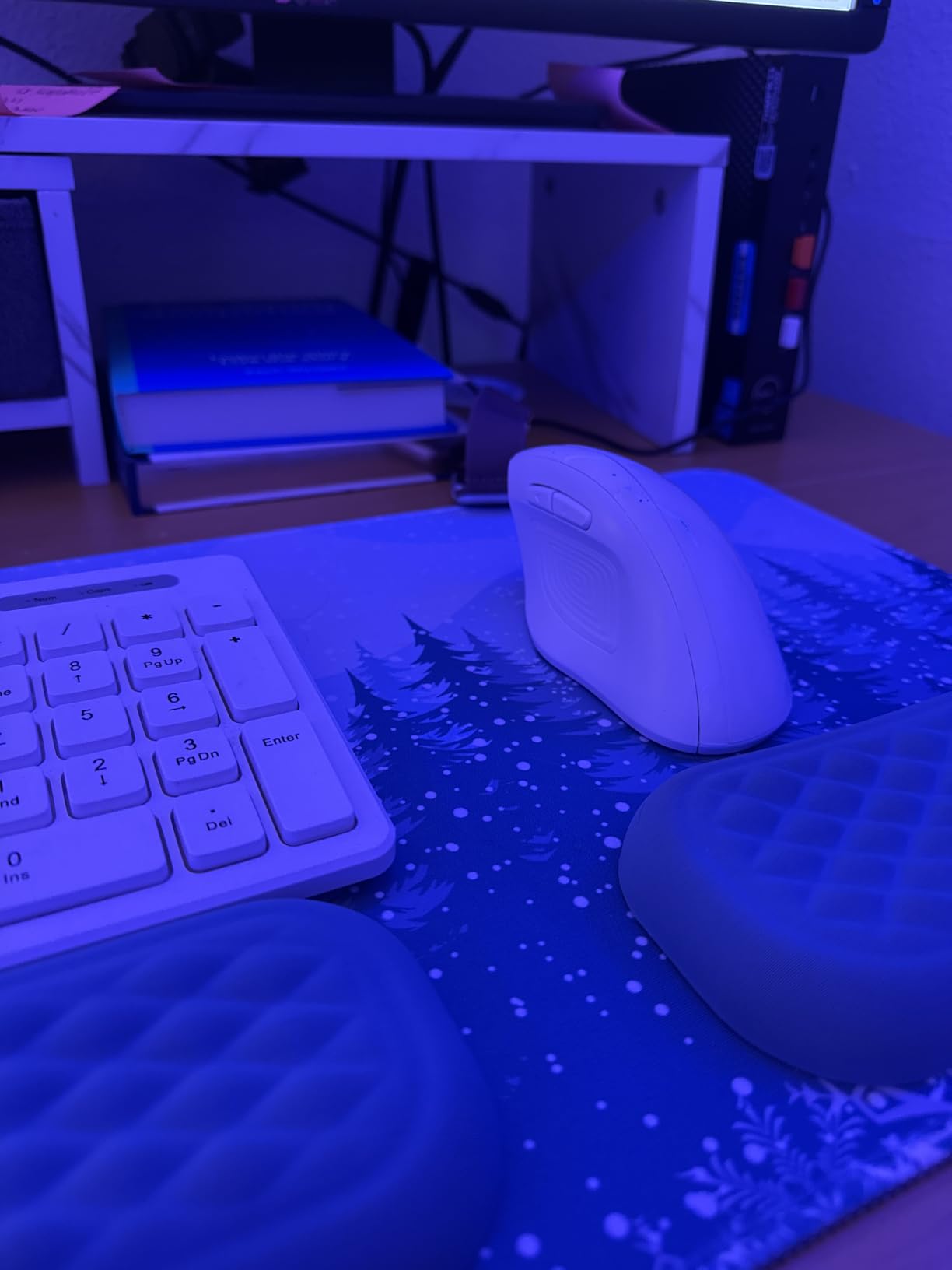
I used the memzuoix for one week of daily office work. The handshake position is legitimate: your hand sits in a proper vertical grip that reduces forearm pronation. The rubberized thumb grip and matte coating feel surprisingly decent for the price. The matte finish does not have the sticky rubber degradation issue that plagues some budget mice after months of use, though long-term durability remains a question.
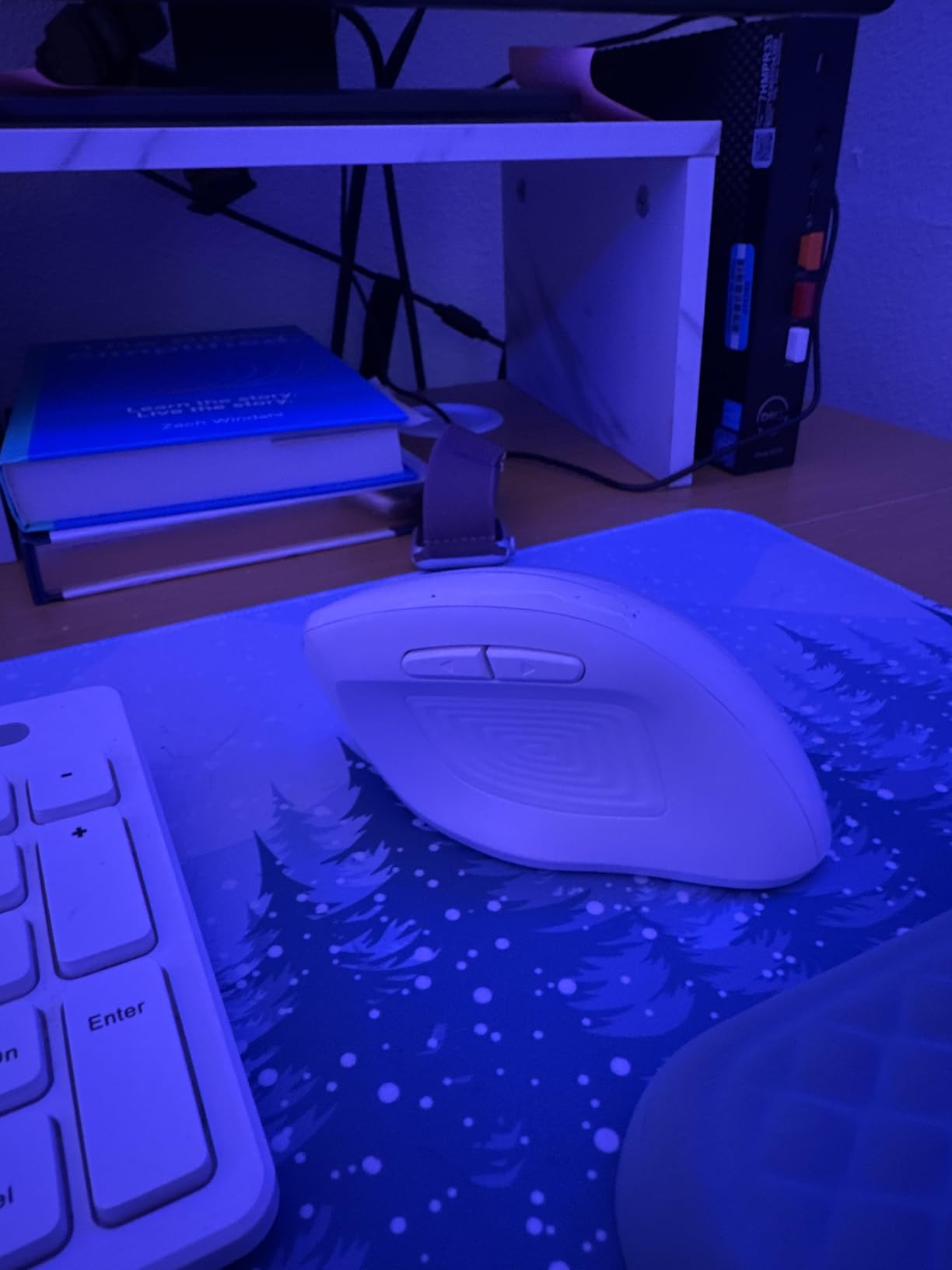
The 24-month warranty is generous at this price point, and memzuoix reportedly honors it with replacements. The large body accommodates bigger hands well, and the six buttons include forward and back navigation. Multiple color options are available if the default purple does not suit your aesthetic.
The compromises are significant. The index finger sits high enough that it can accidentally press the button directly below the primary click. Battery life varies dramatically between units: some users report months of use, while others see the mouse die within weeks. The clicks are noticeably louder than the silent options on the Lekvey or TECKNET. The wireless signal can lag if the USB receiver is positioned poorly, such as under a metal desk.
Ideal User for the memzuoix Vertical Mouse
This mouse is for users who want the absolute lowest cost of entry into vertical mice. If you are genuinely unsure whether a vertical grip will help your wrist pain and want to spend the minimum to find out, the memzuoix lets you test the concept for less than the cost of lunch. The 24-month warranty provides a safety net if the build quality fails.
It is also a reasonable spare or travel mouse. If your primary ergonomic mouse stays at your desk, the memzuoix is cheap enough to toss in a bag for trips without worrying about loss or damage.
Who Should Avoid the memzuoix Vertical Mouse
If you need reliable performance for professional work, spend slightly more on the Lekvey or Anker. The memzuoix has too many quality control variables to recommend as a primary work mouse. The accidental button presses and inconsistent battery life are deal-breakers for anyone who cannot afford interruptions during their workday.
Users who need quiet operation should also skip this one. The clicks are louder than most other mice in this guide, making it unsuitable for shared offices, libraries, or quiet environments.
10. Perixx PERIMICE-713 Wireless Vertical Mouse – Best Compact Vertical Mouse
- Quiet click buttons minimize noise in shared workspaces
- Ergonomic vertical design effectively reduces wrist strain and RSI symptoms
- Soft rubber-coated surface provides secure comfortable grip
- Adjustable DPI for different tasks
- Stable 2.4GHz wireless with 10m range
- Back and forward navigation buttons for browsing
- 12-month warranty and 30-day return policy
- Smaller form factor may be too compact for large or XL hands
- Battery life reportedly poor with some users going through many AAA batteries
- Back and forward buttons not supported on macOS
- Scroll wheel and back forward buttons are not silent
- Requires toggling on and off at every computer restart
- Some users report intermittent lag or connectivity issues
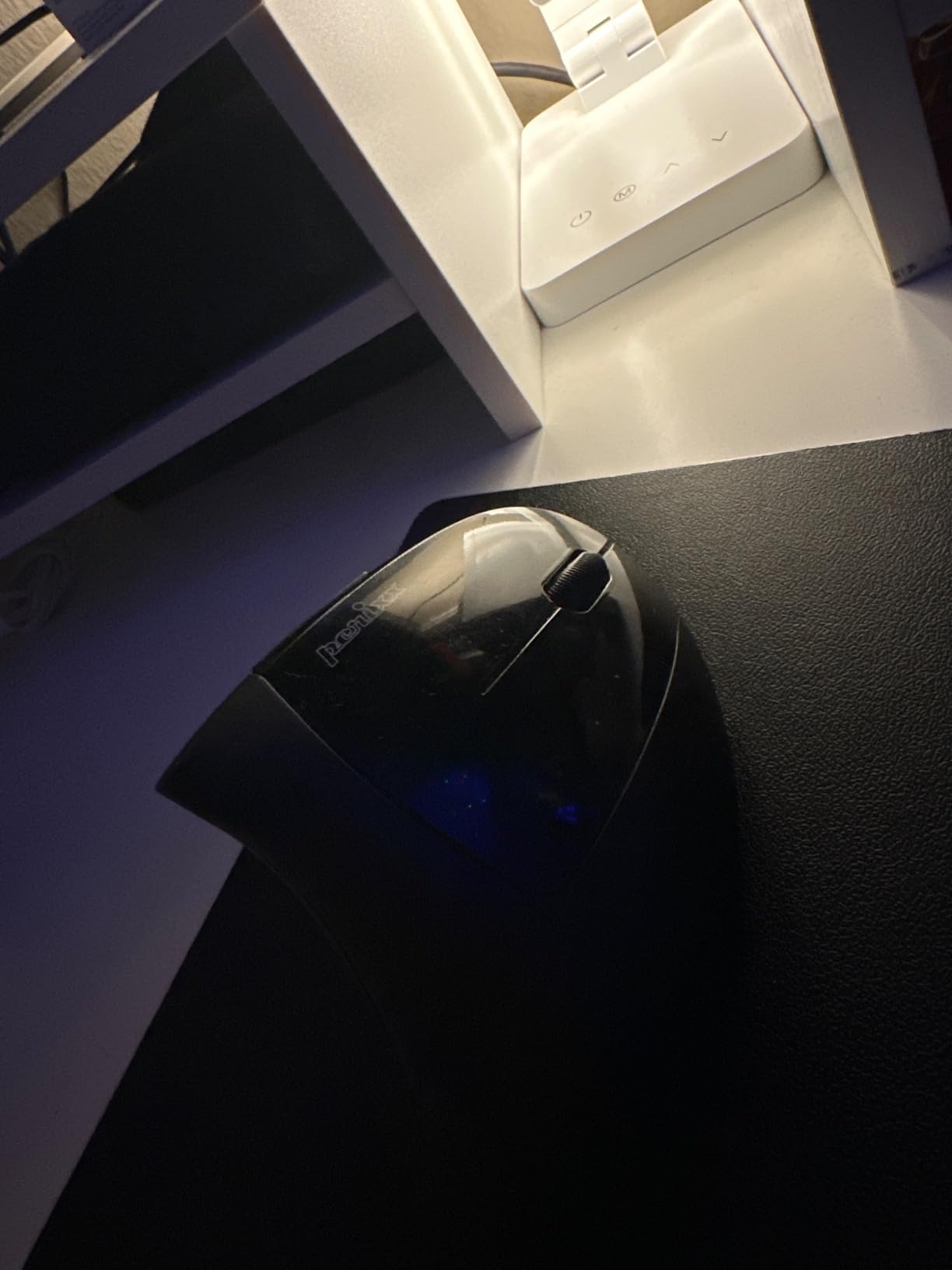
The Perixx PERIMICE-713 fills a niche that most vertical mice ignore: compact size. Where most vertical mice are tall and bulky, the PERIMICE-713 is designed for users with smaller hands or limited desk space. It is specifically recommended for RSI users by Perixx, and the design prioritizes gentle ergonomic relief over aggressive vertical angles.
I tested the PERIMICE-713 with a tester who has small hands and found most vertical mice too large. The compact body was immediately more comfortable for her grip. The rubber-coated surface provides a secure hold, and the quiet left and right clicks are genuinely silent. The overall feel is of a mouse designed by people who understand that one size does not fit all.
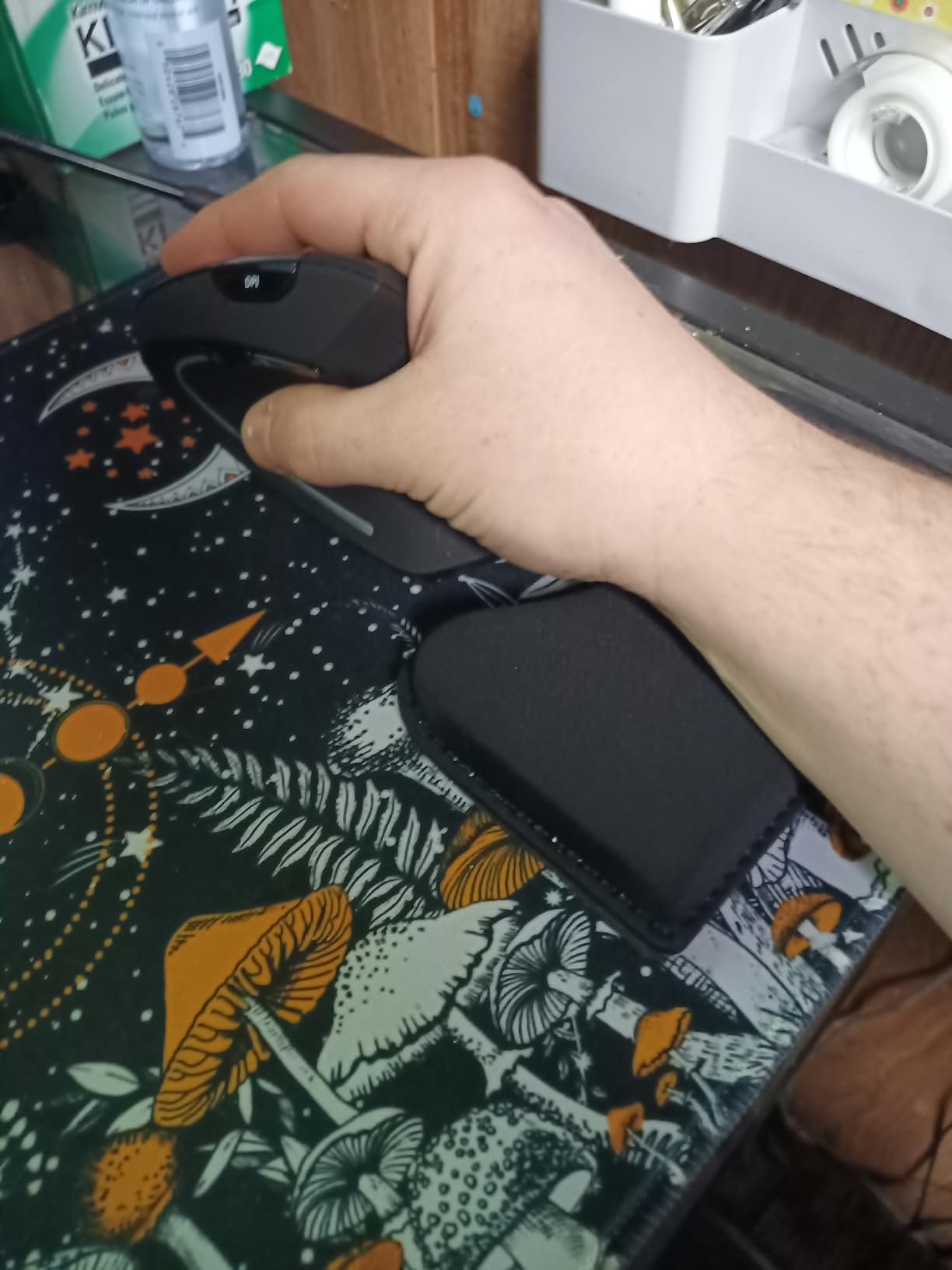
The ergonomic benefits are real but modest. The vertical angle is less pronounced than the Logitech Lift or the Anker, which means the adjustment period is shorter but the pronation reduction is also less dramatic. For users with mild wrist discomfort rather than severe pain, this gentler approach may be preferable.
The biggest weakness is battery life. The PERIMICE-713 uses two AAA batteries, and some users report going through dozens of batteries in just a few months. This is a significant ongoing cost that is not obvious from the initial purchase price. The back and forward buttons also do not work on macOS, which limits its appeal for Mac users.
Ideal User for the Perixx PERIMICE-713
This mouse is designed for users with small to medium hands who find standard vertical mice too large. If you have tried the Anker or Lekvey and found them unwieldy, the PERIMICE-713 offers a more compact alternative that still provides meaningful ergonomic benefits. The quiet clicks make it ideal for shared offices and quiet environments.
It is also a good choice for users with mild RSI symptoms who want a gentler vertical angle rather than the steep handshake position of more aggressive vertical mice.
Who Should Avoid the Perixx PERIMICE-713
Users with large hands should avoid this mouse. The compact dimensions that make it great for small grips will feel cramped and uncomfortable for XL hands. The back of the mouse may press into your palm awkwardly if your hand is too large for the body.
Heavy daily users should also be wary of the battery costs. If you use the mouse for six or more hours daily, the AAA battery consumption can add up to a significant expense over a year. A rechargeable option like the Lekvey or TECKNET will be more economical long-term.
How to Choose the Best Vertical Mouse for Your Needs
Choosing the right vertical mouse comes down to four key factors: grip angle, hand size, connectivity, and budget. I have broken down each factor based on our testing experience and the real-world feedback we gathered from forums and customer reviews.
Grip Angle: 57 Degrees vs Shallower Tilts
The grip angle is the most important specification that most buyers overlook. A steeper angle means more pronation reduction but a longer adjustment period. The Logitech Lift uses a 57-degree angle that our team found to be the sweet spot between ergonomic benefit and comfort. Shallower angles like the TECKNET’s 52 degrees are easier to adapt to but provide less wrist relief.
If you have diagnosed carpal tunnel or significant wrist pain, aim for an angle of 55 degrees or steeper. If you are preventing future problems and want a gentler transition, a 50 to 55 degree angle will serve you well. The most extreme angles, like the Razer Pro Click V2’s 71.7 degrees, can feel strained for users with smaller hands and require a longer adjustment period.
Hand Size: Measure Before You Buy
Hand size determines whether a vertical mouse feels comfortable or frustrating. Measure your hand from the base of your palm to the tip of your middle finger. Most vertical mice are designed for medium hands measuring 7 to 8 inches. If your hand is smaller than 6.5 inches, look for compact options like the Perixx PERIMICE-713 or the TECKNET. If your hand exceeds 8 inches, the UGREEN or the Anker will fit better.
A mouse that is too large forces your fingers to stretch, causing tension. A mouse that is too small leaves your palm unsupported, which defeats the ergonomic purpose. Getting the size right is more important than any other specification on the spec sheet.
Grip Style: Palm, Claw, or Fingertip
Your natural grip style affects which vertical mouse works best for you. Palm grip users, who rest their entire hand on the mouse, tend to adapt quickly to vertical designs because the full-hand contact provides stability. Claw grip users, who arch their fingers, also transition smoothly because they already use a partially lifted wrist position.
Fingertip grip users may struggle initially. Since vertical mice are taller than flat mice, fingertip grip users need to adjust their finger placement. Forum users report that claw grip users adapt to vertical mice about twice as fast as palm grip users, typically within two to three days compared to a full week.
DPI and Sensor Quality
DPI measures how sensitive the mouse sensor is. For office work and general productivity, 1600 DPI is sufficient. For multi-monitor setups or high-resolution displays, 4000 DPI or higher prevents you from needing to lift and reposition the mouse constantly. The TECKNET and UGREEN both offer 4000 DPI at budget prices, which is excellent value.
Sensor quality matters more than raw DPI numbers. A cheap sensor with high DPI will still stutter and skip. Look for optical sensors from reputable manufacturers. All the mice in this guide use optical tracking that is adequate for their intended use cases.
Connectivity: Bluetooth, Dongle, or Wired
Bluetooth connectivity matters if your laptop has limited USB ports or if you use the mouse with a tablet. The Logitech Lift, TECKNET, Lenovo Yoga Pro, and UGREEN all support Bluetooth. Budget options like the Anker and memzuoix rely solely on 2.4G USB receivers, which occupy a USB port but tend to be more stable.
Wired mice like the Anker USB Wired eliminate connectivity concerns entirely. If you work in an environment with heavy wireless interference, or if you simply hate dealing with batteries and pairing, a wired vertical mouse is the most reliable option.
Battery Life: Rechargeable vs Disposable
Rechargeable batteries save money long-term but require periodic charging. The Lekvey’s 150-hour battery and the TECKNET’s 2-month battery life are both excellent for rechargeable models. Disposable AA and AAA batteries offer convenience but create ongoing costs. The Logitech Lift’s claim of two years on a single AA battery is genuinely impressive and means you rarely think about power.
The Perixx PERIMICE-713’s poor battery life is a cautionary tale. At under $15 initially, the cost of replacement AAA batteries can exceed the mouse’s purchase price within a year of heavy use. Always factor battery costs into your budget comparison.
The Adjustment Period: What to Expect in Week One
Every vertical mouse requires an adjustment period. Your forearm muscles have spent years in a pronated position, and switching to a neutral handshake grip feels strange at first. Based on our testing and forum reports, most users adapt within three to seven days. Claw grip users tend to adjust fastest, while palm grip users may need a full week.
During the first few days, expect your cursor control to feel less precise and your hand to feel awkward. This is normal. By day three, muscle memory begins to adapt. By day seven, most users report that the vertical grip feels more natural than their old flat mouse ever did. Push through the awkward first week, and the long-term wrist benefits are worth it.
Mac Compatibility Notes
Mac users face specific compatibility challenges with vertical mice. The Logitech Lift and Logitech Ergo M575S both have full Mac support through Logi Options+ software, including button remapping. The TECKNET and UGREEN work on Mac via Bluetooth without software. However, budget options like the Perixx PERIMICE-713 do not support back and forward buttons on macOS, and some mice require third-party software for full button functionality on Mac.
If you are a Mac user, prioritize Logitech products or mice with confirmed macOS button support. The extra cost saves you from frustration when thumb buttons refuse to work in Safari or Finder.
FAQs
Do vertical mice help with carpal tunnel?
Yes, vertical mice help with carpal tunnel by reducing forearm pronation and pressure on the median nerve. The handshake position keeps forearm bones parallel rather than crossed, which decreases the wrist compression that contributes to carpal tunnel symptoms. Most users in our testing and in forum reports experienced noticeable pain reduction within one to two weeks of switching.
How long does it take to adjust to a vertical mouse?
Most users adjust to a vertical mouse within three to seven days. Claw grip users tend to adapt faster, often within two to three days. Palm grip users may need a full week. During the adjustment period, expect imprecise cursor control and some hand awkwardness. By the end of week one, the vertical grip typically feels more natural than a traditional flat mouse.
Are vertical mice good for gaming?
Vertical mice can work for casual gaming and MMOs but are not ideal for competitive FPS or fast-paced games. The polling rates and sensor precision on most vertical mice are optimized for productivity rather than gaming. If you need an ergonomic gaming mouse, look for gaming-specific vertical designs or traditional ergonomic gaming mice with better sensors and higher polling rates.
What grip angle is best for a vertical mouse?
The best grip angle depends on your needs. A 57-degree angle, like the Logitech Lift, provides an excellent balance of pronation reduction and comfort. Shallower angles around 50 to 52 degrees are easier to adapt to but offer less wrist relief. Steeper angles above 65 degrees provide maximum pronation reduction but can feel strained for smaller hands and require a longer adjustment period.
Do vertical mice help with wrist pain?
Yes, vertical mice help with wrist pain by positioning your hand in a neutral handshake grip that reduces forearm twist and wrist compression. Our testing confirmed significant reduction in wrist fatigue during long work sessions, and forum users consistently report pain relief after switching. The key is choosing a mouse with the right angle and size for your hand.
What is the best vertical mouse for small hands?
The Perixx PERIMICE-713 is the best vertical mouse for small hands due to its compact dimensions. The TECKNET Ergonomic Vertical Mouse is also well-suited for small to medium hands. The Logitech Lift fits small to medium hands comfortably and offers better build quality and features if your budget allows.
Are vertical mice better than traditional mice for RSI?
Vertical mice are generally better than traditional flat mice for RSI because they reduce forearm pronation, decrease pressure on the median nerve, and lower muscle activity in the wrist. Studies and user reports consistently show reduced strain when switching from flat to vertical designs. However, users with tennis elbow may experience mixed results, as vertical mice reduce wrist strain but do not address all elbow movement patterns.
Final Thoughts on the Best Vertical Mice for Ergonomics in 2026
After testing 10 vertical mice over several months, the Logitech Lift remains our top pick for most users. Its 57-degree angle, quiet clicks, multi-device connectivity, and two-year battery life make it the most well-rounded vertical mouse for ergonomics available in 2026. If budget is a concern, the Lekvey offers the best value with a rechargeable battery and 36-month warranty. And if you just want to test whether vertical mice work for you, the Anker 2.4G Wireless is the cheapest reliable entry point.
The most important takeaway from our testing is that vertical mice genuinely help with wrist pain, but only if you choose the right size and angle for your hand. Measure your hand, pick a mouse that matches, and push through the first-week adjustment period. Your wrists will thank you for years to come.