
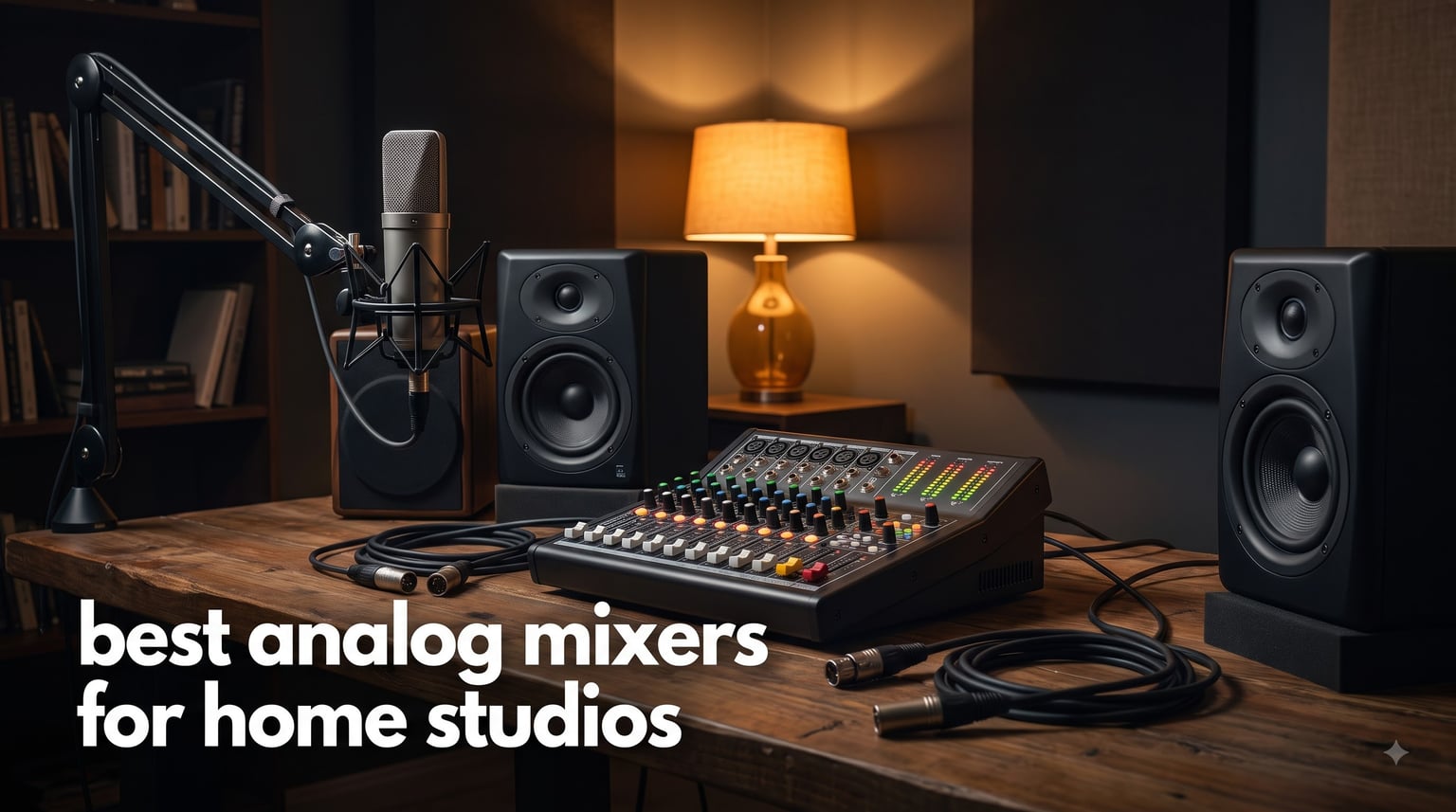
Finding the best analog mixers for home studios in 2026 comes down to three things: preamp quality, channel count, and how the desk fits the way you actually work. I ran 10 mixers through real sessions in a 10 x 12 foot spare room over several months, tracking vocals, DI bass, synths, and a drum machine, and the differences showed up faster than I expected.
An analog mixer takes your inputs, amplifies them through physical preamps, shapes them with EQ, and sums everything through real faders and knobs. There is no screen, no menu, and no latency when you want to hear yourself while you play. That hands-on control is the reason so many of us still keep a console at the center of the desk.
The other reason is sound. Push a good analog preamp or EQ circuit and it adds gentle harmonic richness that plugins only imitate. It is not magic, but it is the difference between a mix you assembled and a mix you performed.
Before you spend anything, one reality check from the forums: most home studios only ever use 4 to 6 channels. I saw this repeated across Reddit and Gearspace threads, and it matched what happened on my own desk. Count your real inputs, then add two for growth.
It is also fair to ask whether you need a mixer at all. If you only record one or two microphones, one of the best audio interfaces for podcasters may serve you better. And if your setup leans toward decks and controllers rather than instruments, our guide to the best DJ mixers for home studios covers that side of the desk.
For this guide I judged every mixer on the three things buyers regret ignoring: preamp cleanliness, build quality, and how well the USB section records into a DAW. Here is what survived real sessions.
Table of Contents
Top 3 Picks for the Best Analog Mixers for Home Studios in 2026
If you only have time for the short version, here are the three that earned their spots. The Yamaha MG10XU took the editor’s choice slot because its D-PRE preamps and built-in effects deliver the most complete analog mixing experience for a small studio.
The Behringer XENYX 1204USB is the value pick, giving you 12 inputs, British-style EQ, and compressors for less than most branded channel strips. The Mackie Mix5 is the budget pick, a tiny metal tank that handles one mic and a couple of line sources honestly.
Best Analog Mixers for Home Studios in 2026: The Full Lineup
Here is the complete field of 10, ranked in the order I would recommend them. Every entry earned its place on preamp quality, routing, and how it behaved when recorded into a DAW.
| Product | Specifications | Action |
|---|---|---|
 Yamaha MG10XU 10-Input Mixer Yamaha MG10XU 10-Input Mixer |
|
Check Latest Price |
| Behringer XENYX 1204USB |
|
Check Latest Price |
 Mackie Mix5 5-Channel Mixer Mackie Mix5 5-Channel Mixer |
|
Check Latest Price |
 Tascam Model 12 Tascam Model 12 |
|
Check Latest Price |
 Mackie ProFX10v3+ Mackie ProFX10v3+ |
|
Check Latest Price |
 Mackie ProFX16v3 Mackie ProFX16v3 |
|
Check Latest Price |
 Soundcraft Notepad-12FX Soundcraft Notepad-12FX |
|
Check Latest Price |
 Allen & Heath ZEDi-10FX Allen & Heath ZEDi-10FX |
|
Check Latest Price |
 Mackie ProFX10v3 Mackie ProFX10v3 |
|
Check Latest Price |
 Yamaha MG06 Yamaha MG06 |
|
Check Latest Price |
1. Yamaha MG10XU — The Best All-Rounder for a Small Studio
- Excellent D-PRE preamps with low noise
- 24 built-in SPX effects
- 1-knob compressors on channels 1-4
- USB audio interface for recording
- Rugged powder coated metal chassis
- USB input lacks midrange adjustment
- Effects limited to one at a time
- No per-channel phantom power switch
If I had to hand one desk to a friend setting up a first studio, the Yamaha MG10XU is the best analog mixer for home studios I can point to, and it is not particularly close. Mine has handled vocal tracking, synth jams, and a weekly podcast session without a single hiccup. With more than 2,000 reviews behind it, a lot of other people clearly reached the same conclusion.
The star is the D-PRE Class-A preamp design, built around an inverted Darlington circuit. Condenser vocals come through with a fat, natural low end and smooth highs instead of the thin gloss you get from cheap preamps. The 1-knob compressors on channels 1 through 4 are genuinely musical, gluing a vocal in place before it ever reaches your DAW.
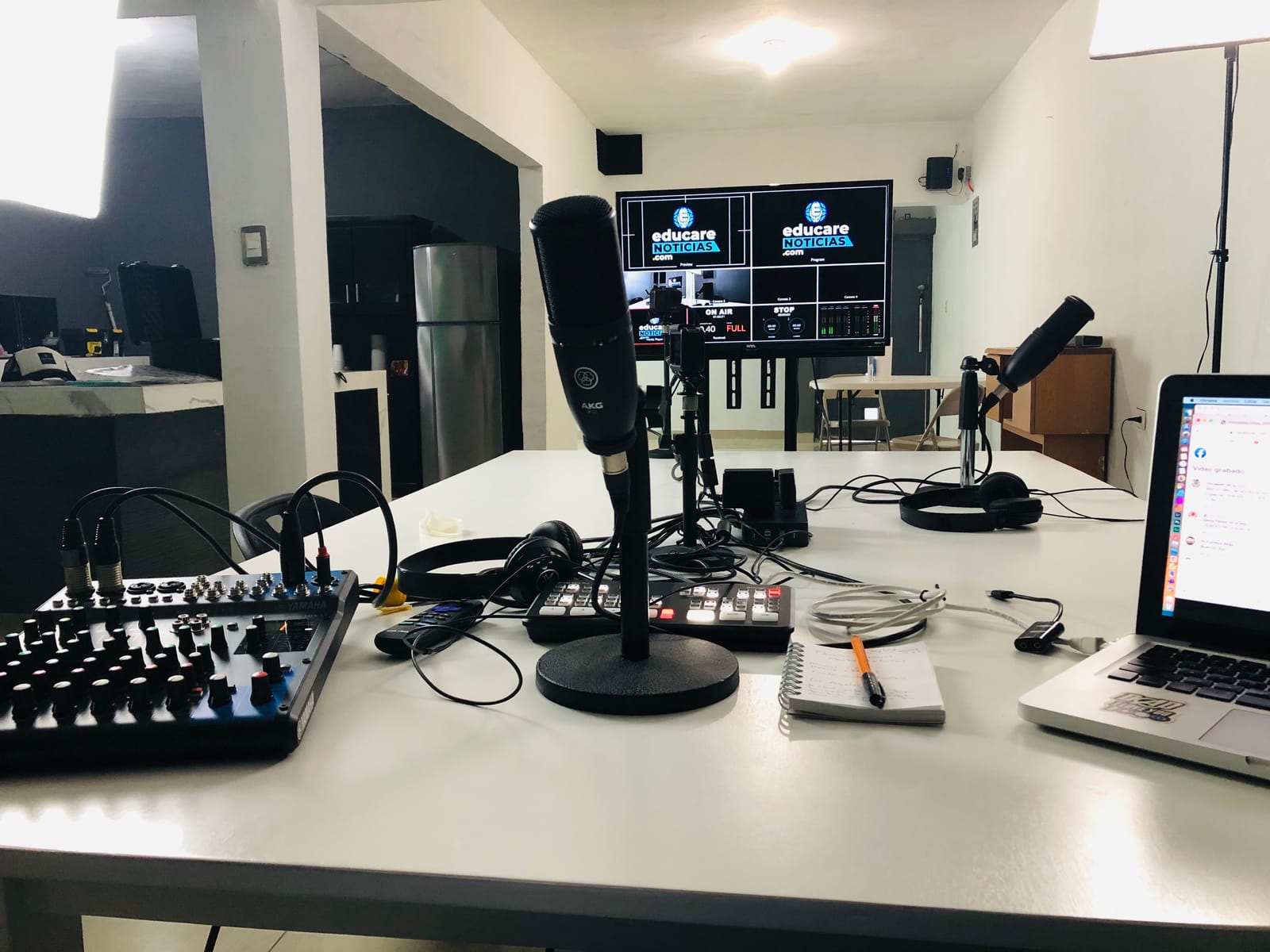
Technically, the MG10XU gives you 10 inputs, 3-band EQ with high pass filters, and a 24-bit/192kHz USB audio interface that records your stereo mix straight into any DAW. Yamaha also ships it with Cubase, so you can start tracking the day the box arrives. The SPX effects engine covers 24 presets, and the plate reverb became my default for scratch vocals.
The annoyances are small but real. The USB return channel skips the EQ midrange, the effects engine runs one effect at a time, and phantom power is a single global switch rather than per channel. None of these ever stopped a session.
Forum threads keep describing the Yamaha MG series as the reliable default, and my unit backs that up. The powder coated metal chassis has taken headphone drops and a knocked-over coffee cup with nothing to show for it.
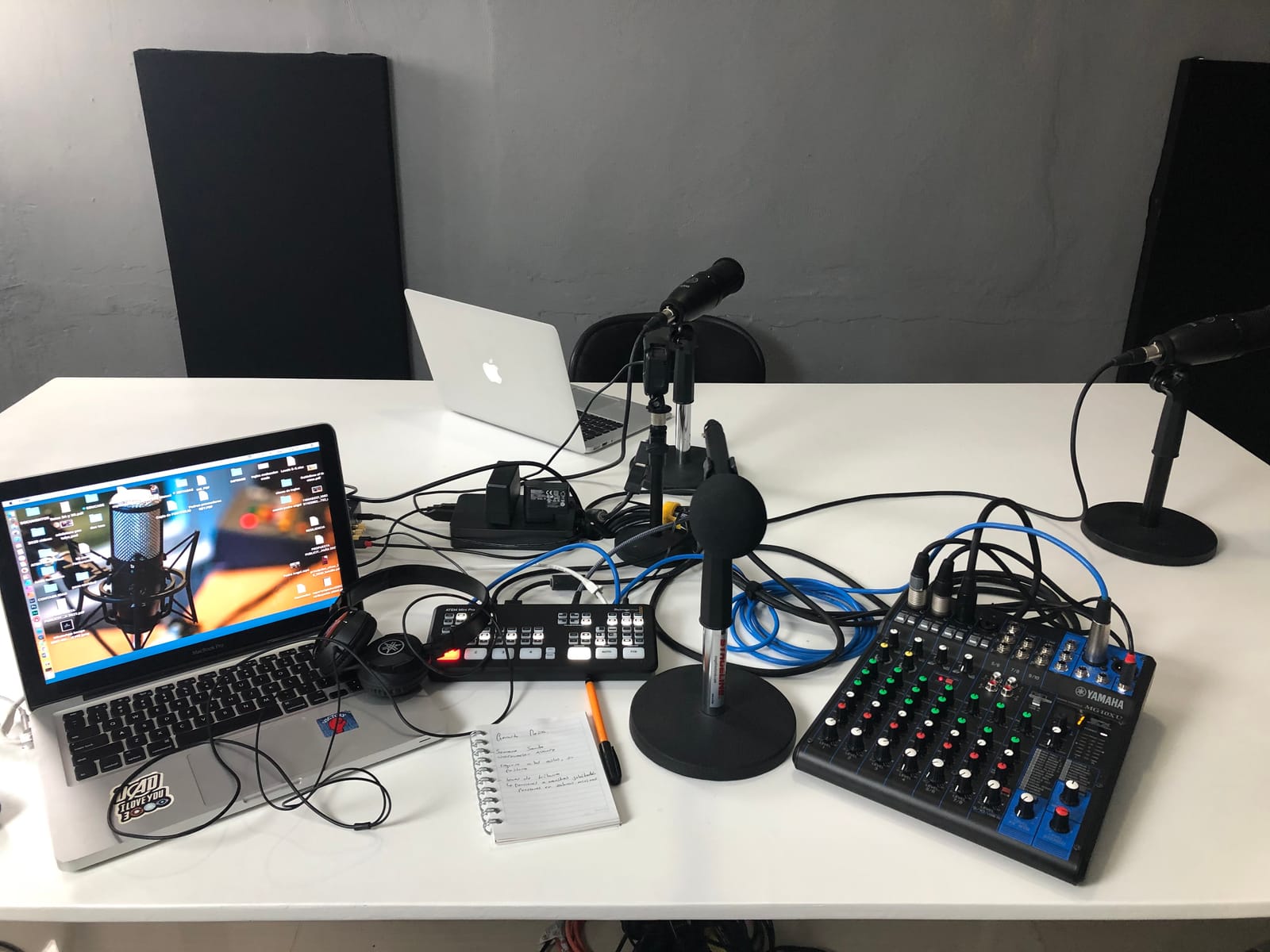
How the MG10XU Fits into a DAW Workflow
It works as a zero-latency monitoring hub first and a recorder second. You build your cue mix on the physical knobs, print the stereo output into your DAW over USB, and keep the latency at effectively zero while tracking.
The limitation to understand is that USB recording is stereo, not multitrack. If you want every channel on its own DAW track later, you either record takes separately or step up to a 4×4 desk like the Soundcraft or Allen & Heath below.
MG10XU or MG12XU: Which Channel Count Do You Need?
Most home studios are well served by the MG10XU’s four mic preamps plus stereo line inputs. That covers a vocal mic, an acoustic guitar DI, a synth, and a playback channel with room left over.
Move up to the MG12XU only if you regularly track drums with multiple mics or host full-band sessions. If your sessions top out at four simultaneous microphones, save the difference and spend it on a better mic.
2. Behringer XENYX 1204USB — British EQ Warmth on a Budget
- Ultra-low noise with high headroom
- Warm British-style 3-band EQ
- Built-in single-knob compressors
- 24-bit USB interface
- 2 aux sends per channel
- Some users report an audible noise floor
- No built-in effects engine
- Knobs instead of channel faders
The Behringer XENYX 1204USB is the desk I recommend when someone wants maximum analog mixing per dollar. You get 12 inputs across a 2-bus architecture, four XENYX mic preamps with +48V phantom power, and a 24-bit USB interface, all in one of the most-reviewed packages in this lineup at 1,100+ reviews.
What sold me is the neo-classic British 3-band EQ. Sweeping the mid band on a dull-sounding vocal brought it forward in a way that felt musical rather than corrective. The single-knob compressors on the mic channels do respectable glue duty for podcasting and demo tracking.
On the technical side, the 1204USB runs an ultra-low noise, high headroom design with two aux sends per channel. Those aux sends matter more than beginners expect, because they let you feed a headphone amp for performers while keeping a separate FX send free.
The honest weaknesses: there is no onboard effects engine, so reverb and delay have to come from your DAW or an outboard unit. Some forum users also report the noise floor is a touch higher than the Yamaha and Mackie options here, which showed up as faint hiss when I cranked the gain on a quiet ribbon mic.
Level control is by knob rather than faders, which is normal at this size but makes fine rides awkward. For a first analog mixing board, those are trades I would happily make again.
Who Should Buy the 1204USB Instead of an Audio Interface
Buy it when you need to mix several sources at once with physical controls, like two mics, a synth, and a laptop playback, all monitored with zero latency. A simple 2-channel interface does that job worse and with more menu clicking.
Skip it if you only ever record one microphone at a time. A dedicated interface will give you cleaner converters and less desk clutter for that single purpose.
How the Aux Sends Expand Your Setup
The two aux sends let you build a separate musician headphone mix independent of your monitors, which keeps singers happy and pitch-accurate during takes. The second send can drive an outboard reverb or delay unit later.
That routing flexibility is exactly what separates a real analog console from a basic interface, and it is the reason aux sends appear throughout our buying guide below.
3. Mackie Mix5 — The Smallest Desk That Still Sounds Pro
- Proven high-headroom low-noise performance
- Compact size for desktop setups
- Phantom power for condenser mics
- Dedicated headphone output
- Rugged all-metal chassis
- No USB connectivity
- Phantom power is 15V not true 48V
- No power switch
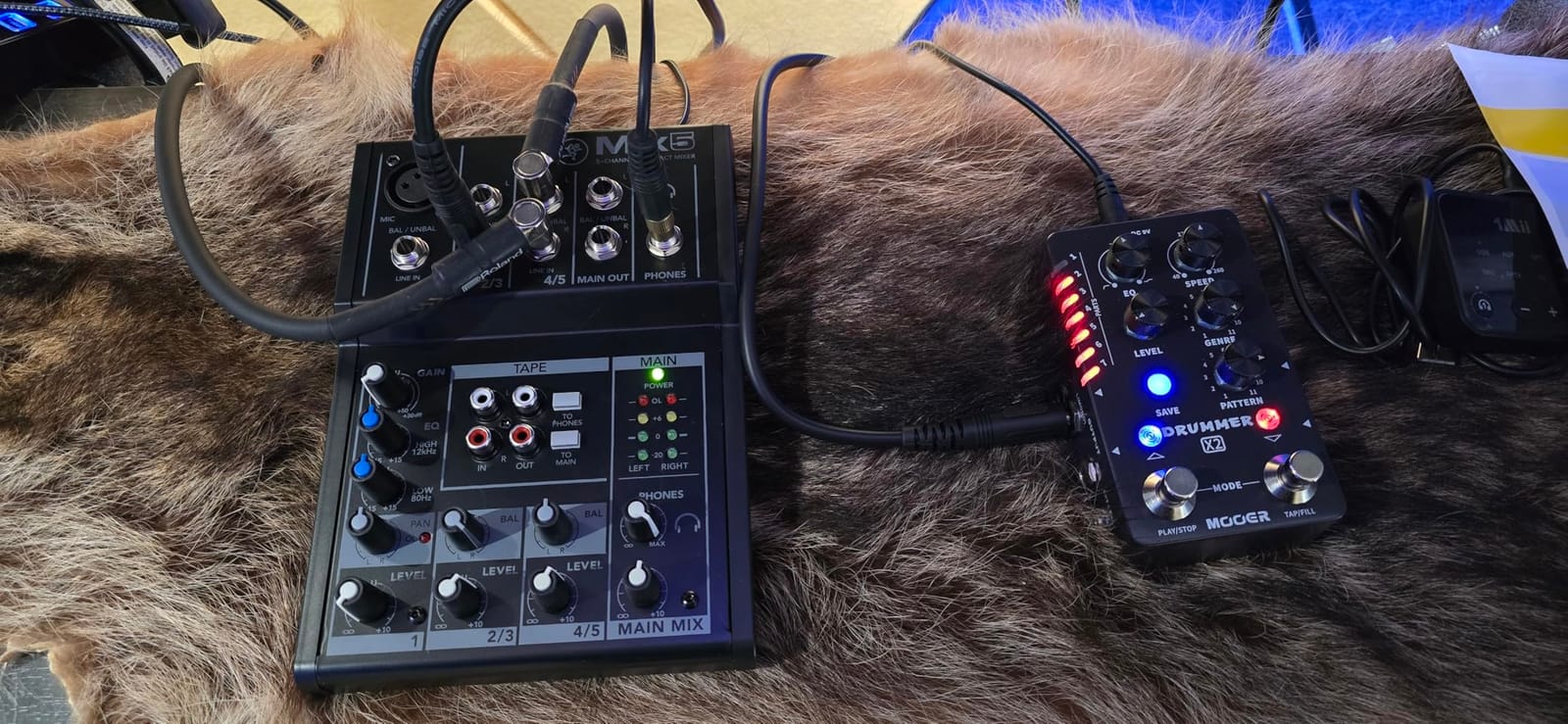
The Mackie Mix5 is the cheapest mixer in this guide that I would still call professional. It is a 5-channel desktop unit with one mic/line input, two stereo 1/4 inch line inputs, and dedicated stereo RCA ins and outs, all inside a 1.4 pound all-metal chassis.
I kept one next to my main desk as a sub-mixer for a synth and a drum machine, and it did the job cleanly. The single studio-grade preamp has the high headroom Mackie built its reputation on, and the 2-band EQ is simple but honest. With around 830 reviews and a 4.4 average, the feedback trend matches what I heard.
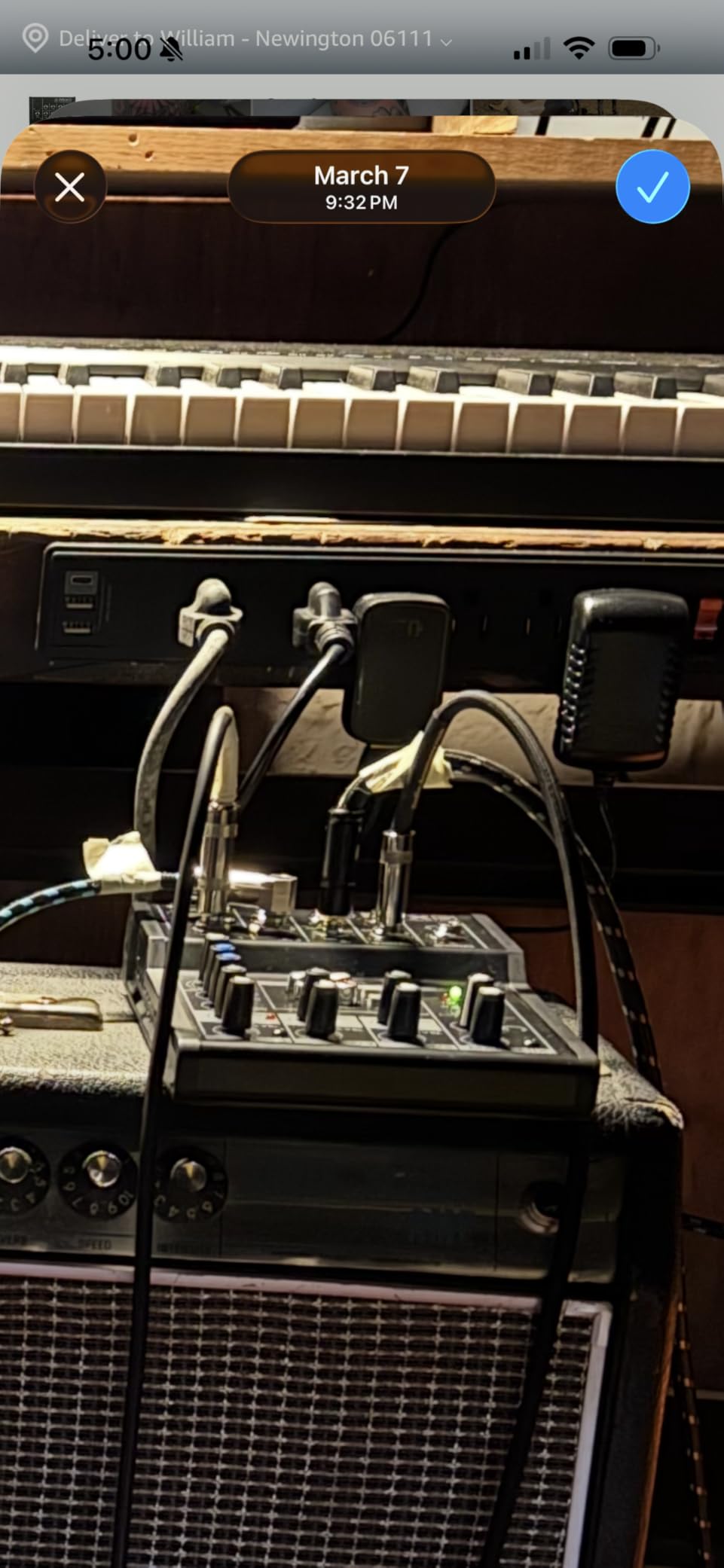
Technically, you get phantom power for condenser mics, a dedicated headphone output with its own level, and main L/R outputs. For streaming and podcasting setups with one microphone plus a couple of line sources, that is genuinely all the signal path you need.
The limitations are the price of admission. There is no USB connectivity at all, so recording means cabling the outputs into a separate interface. The phantom power is 15V rather than a true 48V, which is fine for many condensers but will starve some power-hungry mics.
The absence of a power switch sounds trivial until you are reaching behind the desk twice a day. Mackie’s reasoning is that the unit idles safely, but I still found myself unplugging it.
What You Can Realistically Record with the Mix5
One microphone plus two stereo line sources is the honest ceiling, which covers voice-over work, streaming, and small keyboard setups. It also works well as a dedicated sub-mixer feeding a larger desk or interface.
It is not the tool for tracking a band or a multi-mic drum kit. Trying to stretch it that far is how people end up upgrading within six months.
Mix5 or Mix8: Which Mackie Compact Is Right for You?
The Mix8 adds two more mic channels and extra EQ, which matters the moment a second person talks or a third instrument appears. If your setup is permanently one mic plus line sources, the Mix5 is enough desk.
My rule from the forums applies here too: count your inputs, then add one spare. If that total is five or less, the Mix5 wins on size alone.
4. Tascam Model 12 — A Full Recording Studio in One Box
- All-in-one recording and mixing
- 12-track recording direct to SD card
- High-grade HDDA mic preamps
- 12 in and 10 out USB interface
- One-knob compressor and 3-band EQ per channel
- Premium price point
- Larger footprint than compact mixers
- Deeper settings live in menus
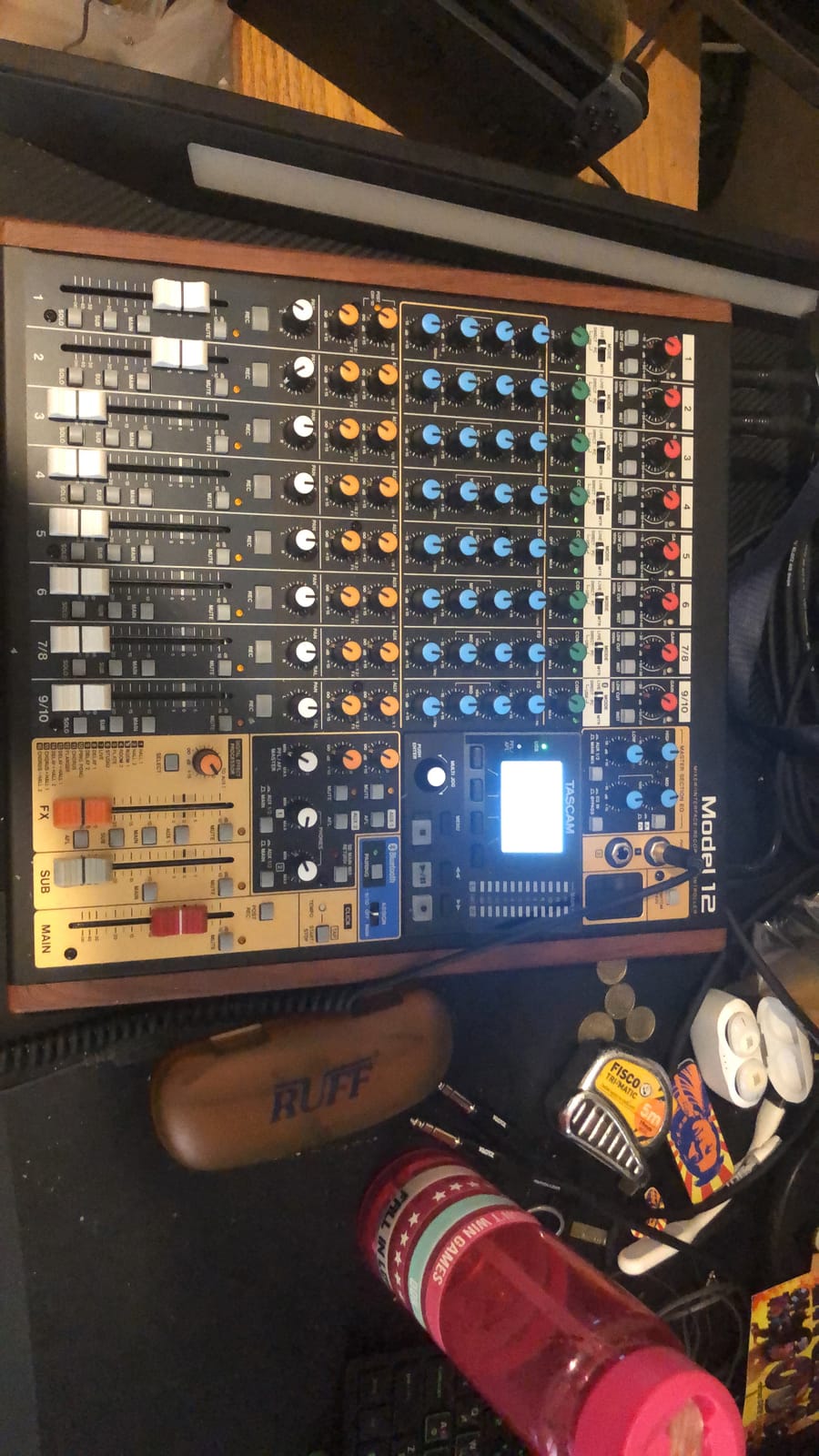
The Tascam Model 12 is the desk I reach for when a session needs to happen without a computer in the room. It is a 12-channel analog-style mixer, a 12-track multitrack recorder writing to an SD card, a USB audio interface, and a DAW controller, all in one chassis. Forum threads keep calling it the all-in-one solution, and after recording full band rehearsals on it, I agree.
The workflow feels like a classic portastudio grown up. Hit record, capture 12 simultaneous tracks to SD, then mix with real faders afterward, no latency and no crashing DAW. When you do want the computer, the 12 in / 10 out USB interface pipes everything into your sessions as separate tracks.
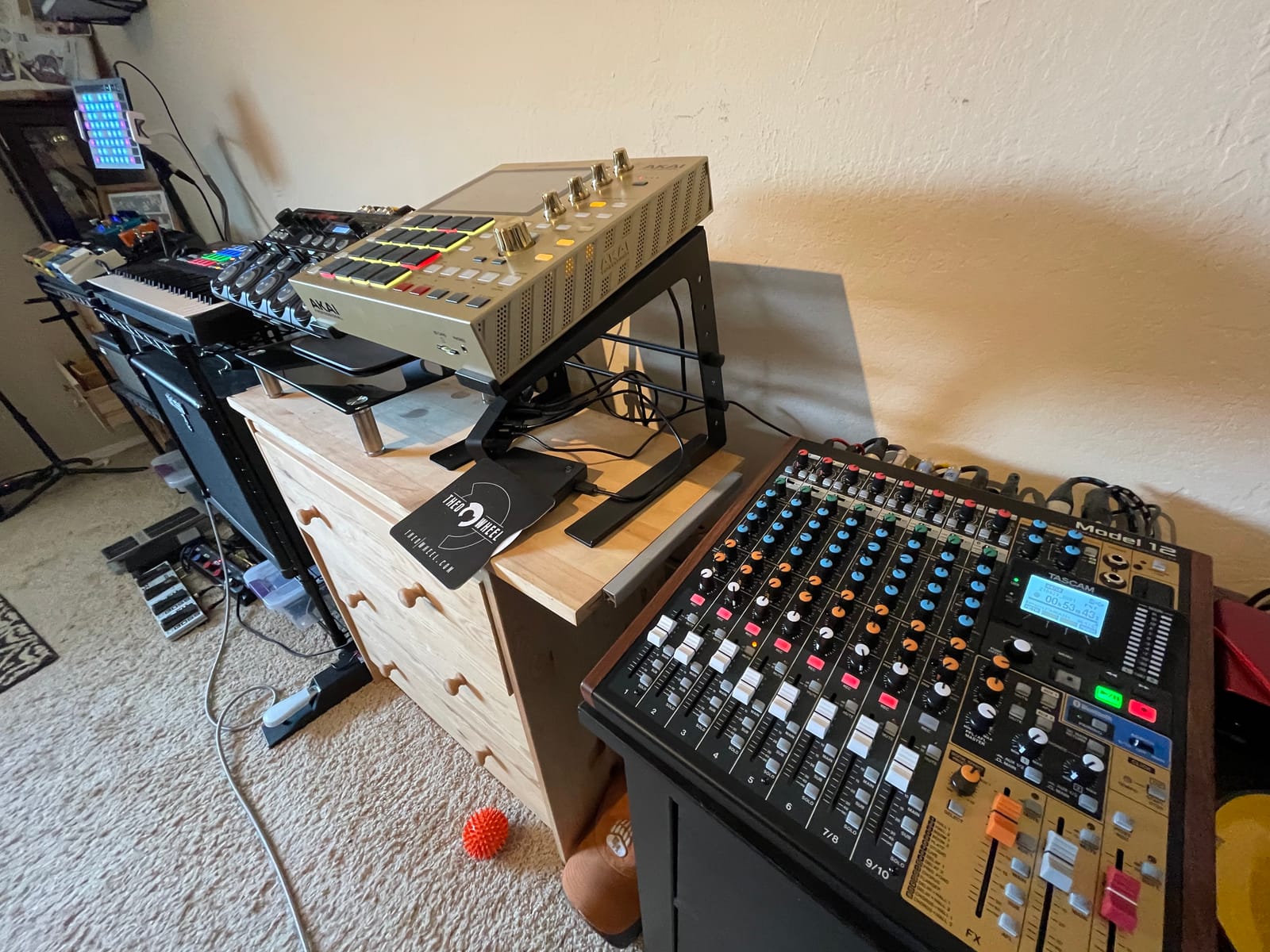
Sound-wise, the Tascam HDDA mic preamps are clean and neutral rather than colored, which is what you want when multitrack mixing happens later. Every input module gets a one-knob compressor and 3-band EQ, plus 16 built-in effects covering the reverb and delay basics. Dual headphone outputs with individual source selection saved a co-writing session when two of us needed different cue mixes.
The trade-offs are physical and financial. At 13.3 pounds and 18 inches deep, it demands real desk space, and it is the premium-priced item in this lineup. Deeper functions require menu travel rather than dedicated knobs.
But if your goal is recording full arrangements without becoming a computer operator, nothing else here comes close to its scope.
How the Model 12 Replaces Three Separate Boxes
It covers the interface, the mixer, and the hardware recorder in one purchase, which also means one power supply and one signal path to learn. For small rooms and mobile rigs, that consolidation is the entire point.
The SD recording is the piece people underestimate. Being able to capture a full spontaneous take without booting a DAW changes how often you actually press record.
What to Expect from the Model 12 as a DAW Controller
The 16-channel MIDI/USB control surface maps its faders to your DAW tracks for volume, pan, and transport in supported software. It will not replace a dedicated controller for plugin editing, but for mixing moves it keeps your hands on faders.
Plan on an hour of configuration when you first set it up. Once mapped, toggling between recorder mode and controller mode is a single button press.
5. Mackie ProFX10v3+ — Built for Podcasters and Streamers
Mackie ProFX10v3+ 10-Channel Professional Analog Mixer with USB, Onyx Mic Preamps, GigFX Effects Engine, and Bluetooth
- Onyx preamps with professional clarity
- Editable GigFX+ effects with color LCD
- USB-C interface with 3 recording modes
- Bidirectional Bluetooth with Mix Minus
- 48V phantom power
- Newer product with fewer reviews
- Effects presets limited to 12
The Mackie ProFX10v3+ is the version of Mackie’s 10-channel desk that was clearly designed by people who watch podcast metrics. Four Onyx microphone preamps with up to 60 dB of gain handle a multi-person show, and the bidirectional Bluetooth channel with Mix Minus is the feature that sold me.
Mix Minus means you can bring a caller in over Bluetooth from a phone and send them everything except their own voice back, which kills the echo that ruins remote interviews. I ran a two-hour test call and the remote side never heard themselves once.
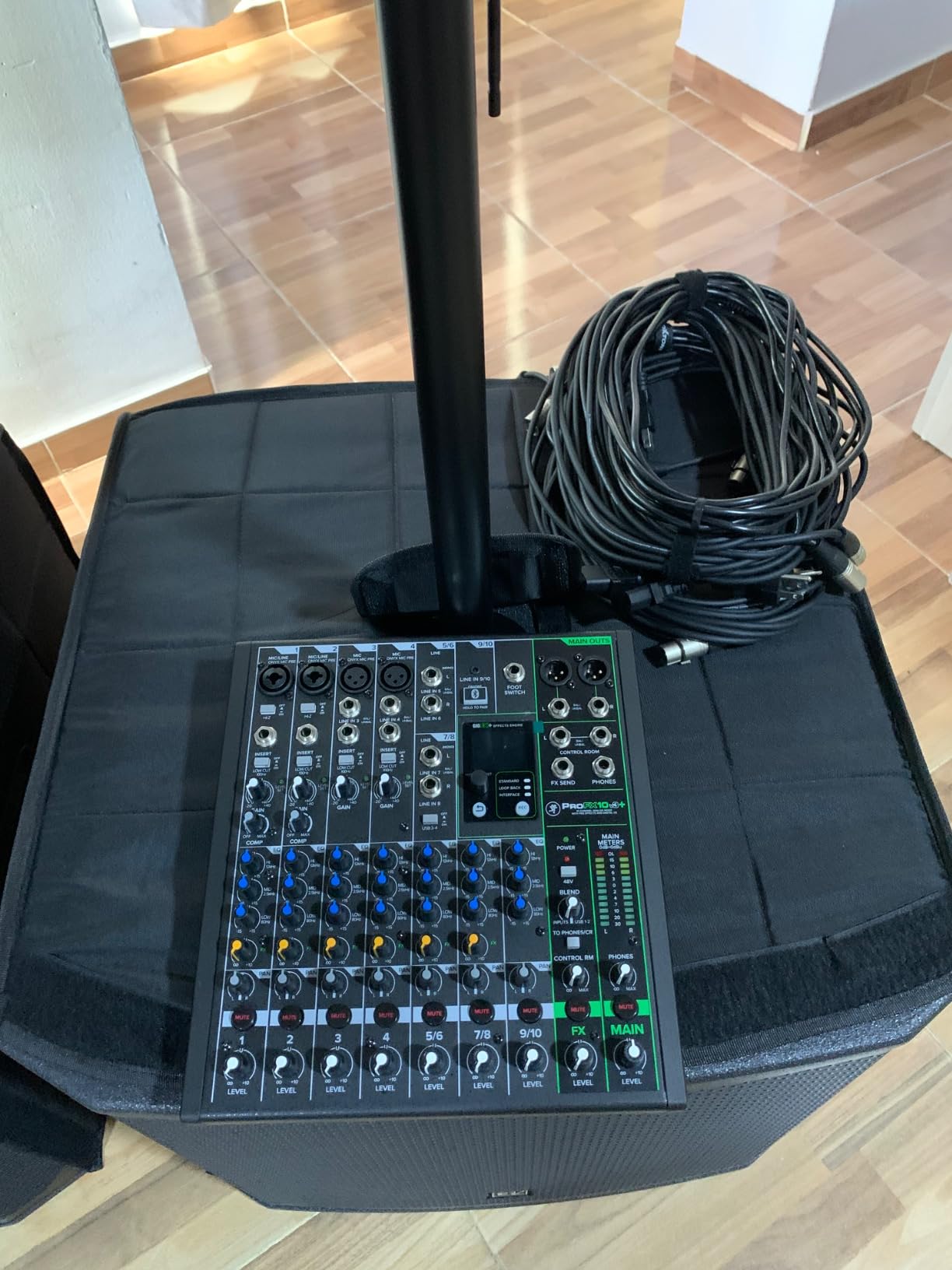
Technically, you get a 24-bit/192kHz USB-C 2×4 interface with three recording modes: Standard, Loopback, and Interface. Loopback is the streaming mode, mixing your computer audio with your microphone for one clean feed to OBS or Zoom. The GigFX+ engine offers 12 editable presets you can tweak on a color LCD, a real upgrade over blind knob twisting.
There is true 48V phantom power, Hi-Z switches for direct guitar input, and 100 Hz low-cut filters on every mic channel to tame rumble and desk thumps. Pair it with any of the best XLR microphones for podcasters and the front end of your show is finished.
The main caution is that this is a newer release with roughly 120 reviews so far, fewer than the established models here. The rating trend is strong, but the long-term track record is still being written.
Running Callers Through Mix Minus and Bluetooth
The Bluetooth return lands on its own channel, so you treat the caller like any other source: fader level, EQ if needed, and routing into your record mix without their own audio feeding back to them. Phone pairing took me under a minute.
One tip from experience: keep caller audio out of your headphone mix’s reverb sends. Dry voices read cleaner on remote links that already compress the audio.
ProFX10v3+ or Standard ProFX10v3: Which One to Buy
Choose the v3+ if Bluetooth callers, Loopback streaming mode, and the LCD effects editor match your workflow, which covers most podcasters and streamers. The older ProFX10v3 below remains a fine choice for pure music tracking on a tighter budget.
The sound quality is essentially identical thanks to the same Onyx preamps, so let the feature list decide rather than the badge.
6. Mackie ProFX16v3 — 16 Channels for Growing Home Studios
Mackie ProFX16v3 16-Channel Professional Analog Mixer with USB, Onyx Mic Preamps and GigFX Effects Engine
- 11 Onyx preamps with 60 dB gain
- 24-bit/192kHz USB recording
- 24 GigFX onboard effects
- Built-in compression on channels 1-8
- Dual aux sends per channel
- Weighs nearly 20 pounds
- Some bundle software complaints
- Large desk footprint
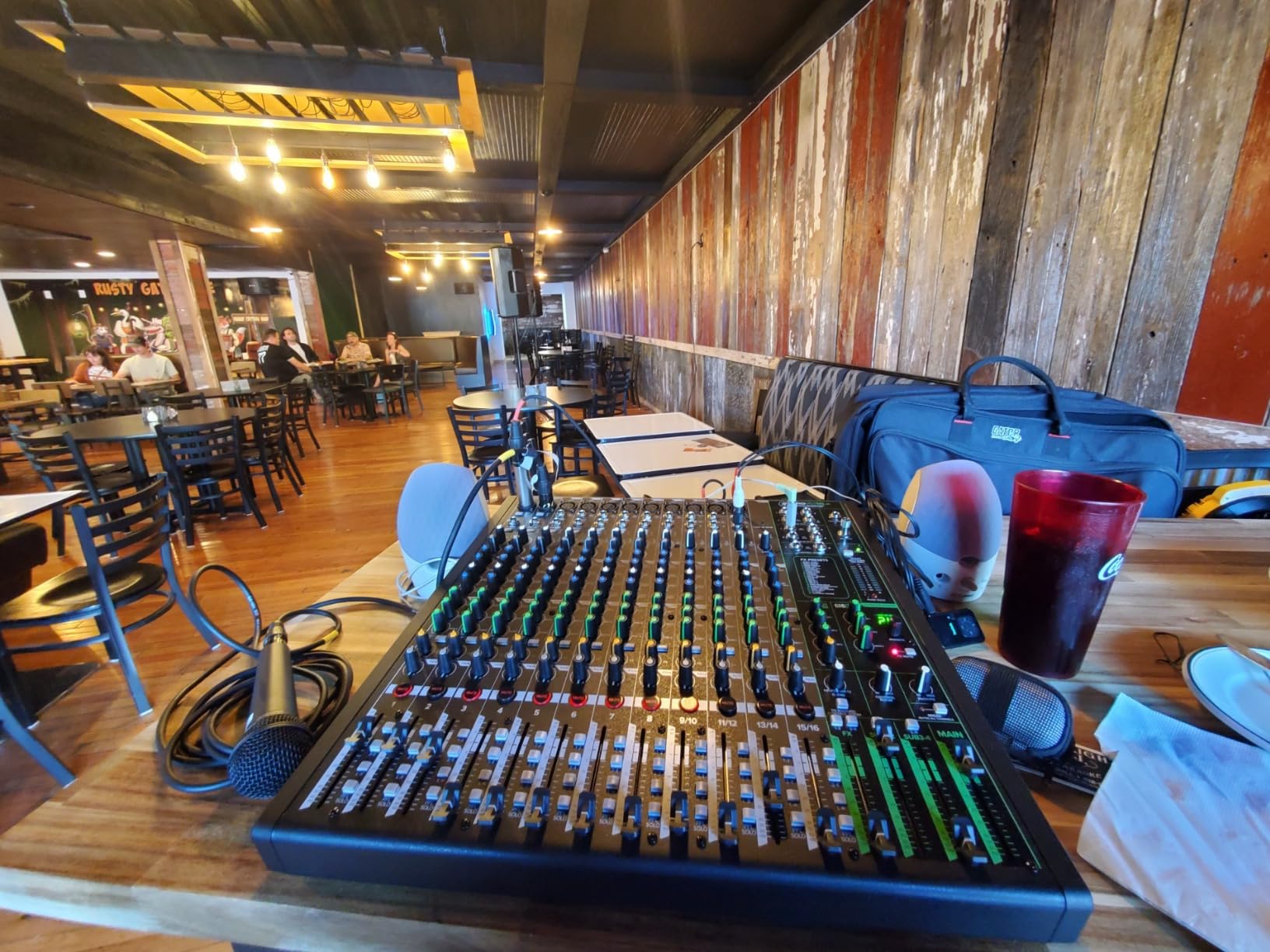
The Mackie ProFX16v3 is what happens when your home studio starts hosting other people. Eleven Onyx preamps with up to 60 dB of gain mean a drum kit, bass, two guitars, and three vocals can all get a real channel with real gain structure. When my usual four-channel desk ran out of inputs during a band demo night, this was the loaner that fixed it.
Each of the first eight channels gets built-in compression, and every channel carries dual aux sends, so you can run separate headphone and effects sends at the same time. The 3-band EQ is voiced to fix problems fast rather than to impress on paper.
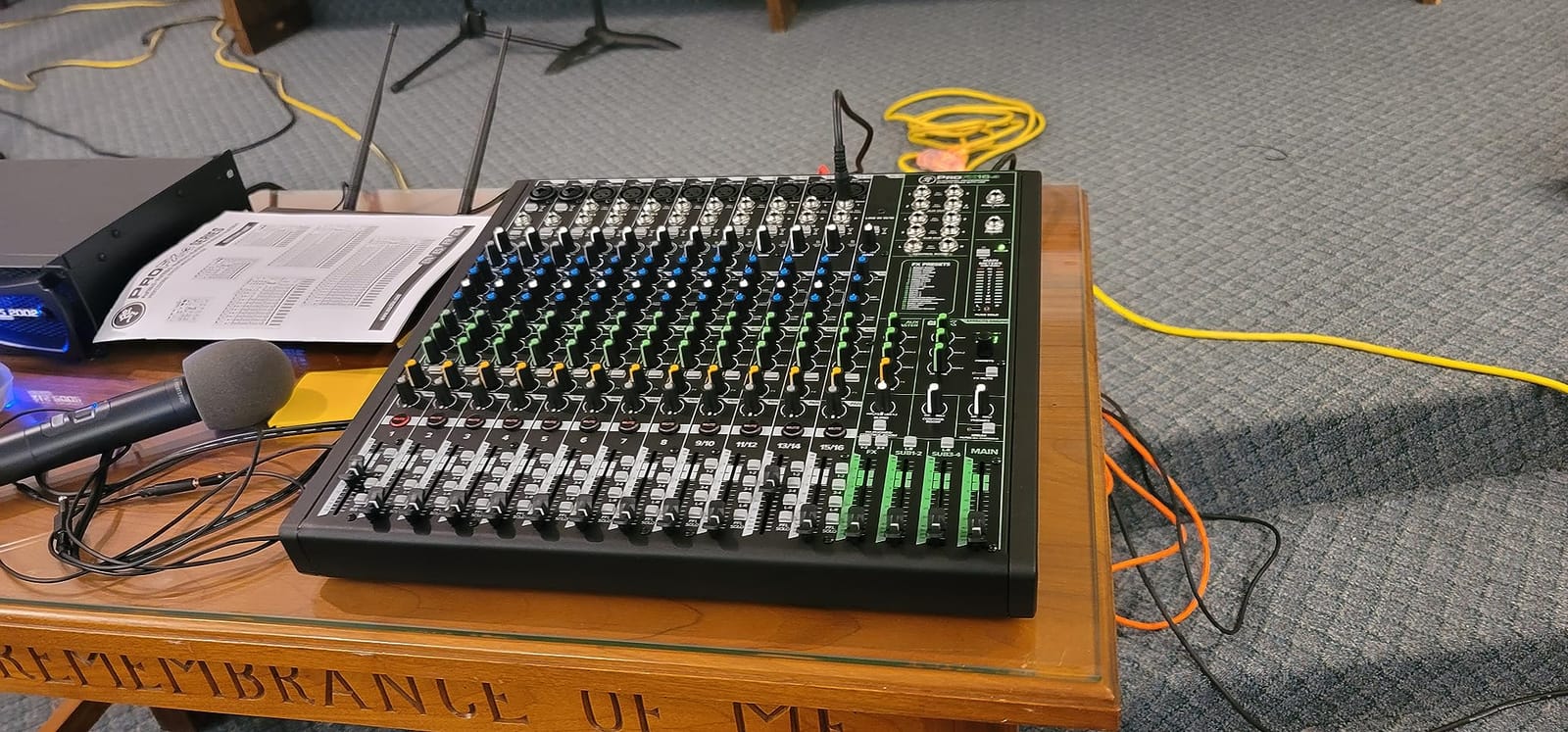
The USB section records at 24-bit/192kHz through a 2×4 connection, which gives you main mix plus a couple of alternate sends into your DAW. The GigFX engine carries 24 effects, and the room presets were good enough to use as monitor reverb during tracking.
Reality checks: this is a 19.8 pound, 17.7 inch wide console that will dominate a small desk, so measure first. A few buyers have reported frustration with software bundle redemptions, which is annoying but unrelated to the audio.
For bands, producers tracking live groups, or anyone whose channel count keeps creeping up, it is the most mixer here per channel.
Who Actually Needs 16 Channels at Home
You need this many inputs if you mic drums, track full bands live, or sum a stack of synths and outboard gear in one place. If your sessions are solo vocal-plus-guitar, this desk is mostly empty weight.
A useful checkpoint from forum data: home studios that stay solo almost never outgrow 6 channels. Bands outgrow 10 within a year.
Using the ProFX16v3 for Both Live Gigs and Home Recording
The same dual aux sends and rugged build that serve a home studio make it a live desk you can carry to venues, which effectively splits its cost across two uses. Recorded output over USB doubles as a straight live recording feed.
Just treat it as semi-permanent furniture. At this size and weight, it is a desk you build a room around, not one you reposition on a whim.
7. Soundcraft Notepad-12FX — Lexicon Effects in a Desk-Friendly Format
Soundcraft Notepad-12FX Small-format Analog Mixing Console with USB I/O and Lexicon Effects
- Pristine Soundcraft Signature preamps
- Lexicon reverb chorus and delay
- 4x4 USB audio interface
- dbx limiters on mic inputs
- 3-band EQ with sweepable mid
- Limited stock availability
- Only 4 mic inputs
- No channel faders
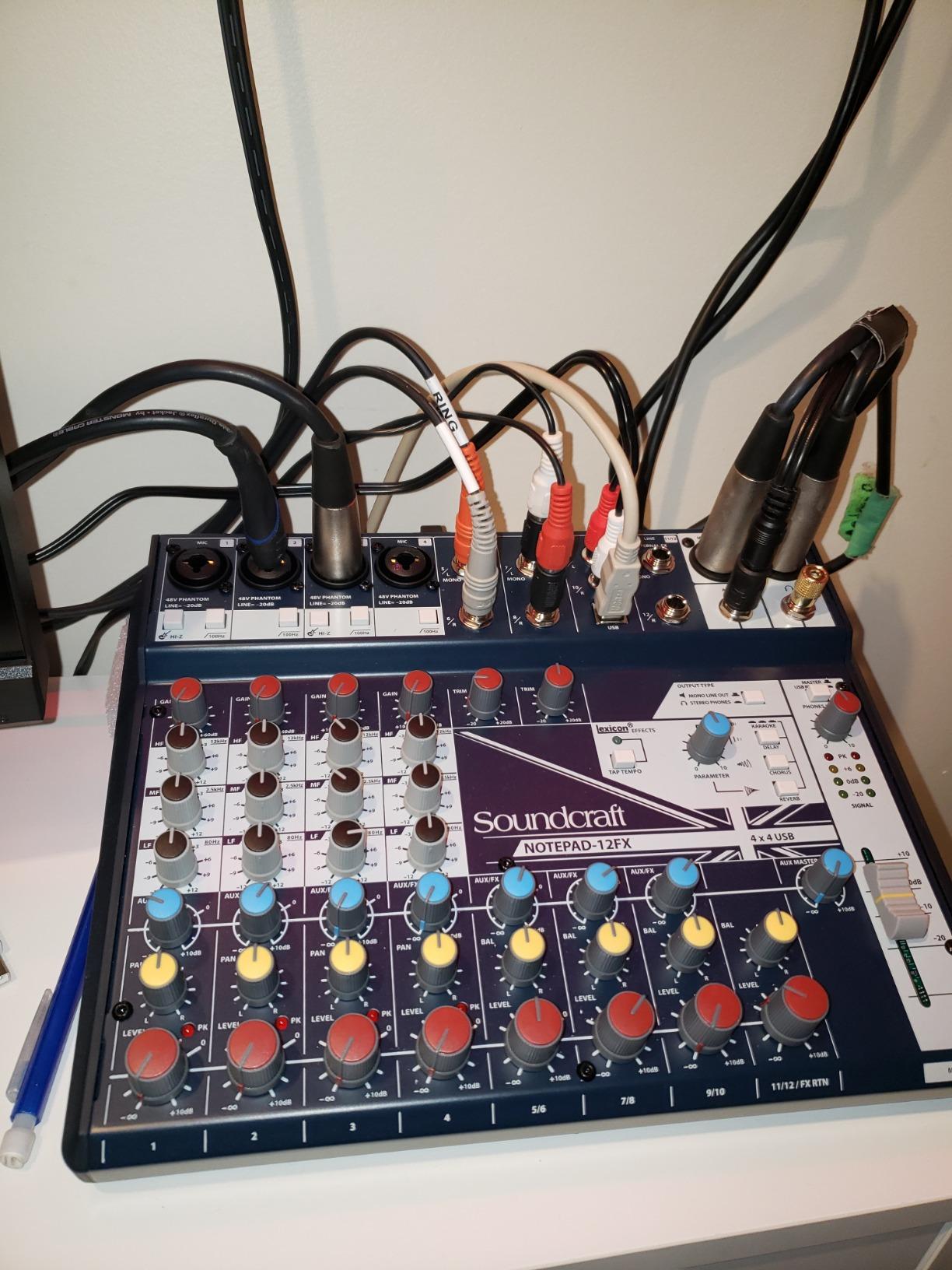
The Soundcraft Notepad-12FX is the compact analog mixing console for people who care about what the effects actually sound like. The onboard Lexicon reverb, chorus, and delay are studio-grade processors rather than afterthoughts, and the plate patch became my favorite tracking reverb in this entire test. Over 1,000 reviewers have noticed the same thing.
The preamps are Soundcraft’s Signature design, clean and detailed with a 3-band EQ whose sweepable mid band lets you actually hunt down problem frequencies. There are dbx limiters on the microphone inputs, a genuinely pro touch that protects your recordings from the drummer who cannot play quietly.
Routing-wise you get four mic/line combo inputs plus two stereo line inputs across the 12-channel frame. The 4×4 USB interface is the headline technical feature, because unlike a 2-channel USB mixer, it can record four independent sources to separate DAW tracks at once.
That makes it one of the few compact desks here suited to real multitrack recording without a separate interface. Two mics and a stereo synth can all be isolated for later mixing.
The catch is availability, since stock has been sporadic and the channel faders you might expect are replaced by rotary controls. If you find one in stock, it rarely stays there long.
What 4×4 USB Recording Means for Your Sessions
Four independent inputs and outputs over USB mean you can track a vocal, a guitar, and a stereo keyboard simultaneously and still mix each one separately in your DAW afterward. A basic 2-in interface forces you to commit to a stereo blend at record time.
For podcasters, the same routing lets you build a different mix for headphones than the one you record, so guests hear themselves clearly while you capture clean isolated channels.
How the Lexicon Effects Hold Up in Real Mixes
The reverbs are smooth tails rather than metallic smear, good enough that I printed several takes with the effect committed. The delays with tap-style tempo control sit naturally on vocals.
Just remember the effect is shared across the mix bus. You are choosing one flavor at a time, not stacking a reverb and a delay on separate channels simultaneously.
8. Allen & Heath ZEDi-10FX — Boutique Preamps in a Compact Frame
- GS-Pre boutique preamps with massive headroom
- 100Hz high pass filter on every mono input
- 61 studio-quality FX presets
- Class compliant 4x4 USB for Mac and iOS
- Hi-Z instrument inputs
- No per-track mute or faders
- Windows USB requires driver
- Limited routing for advanced FX
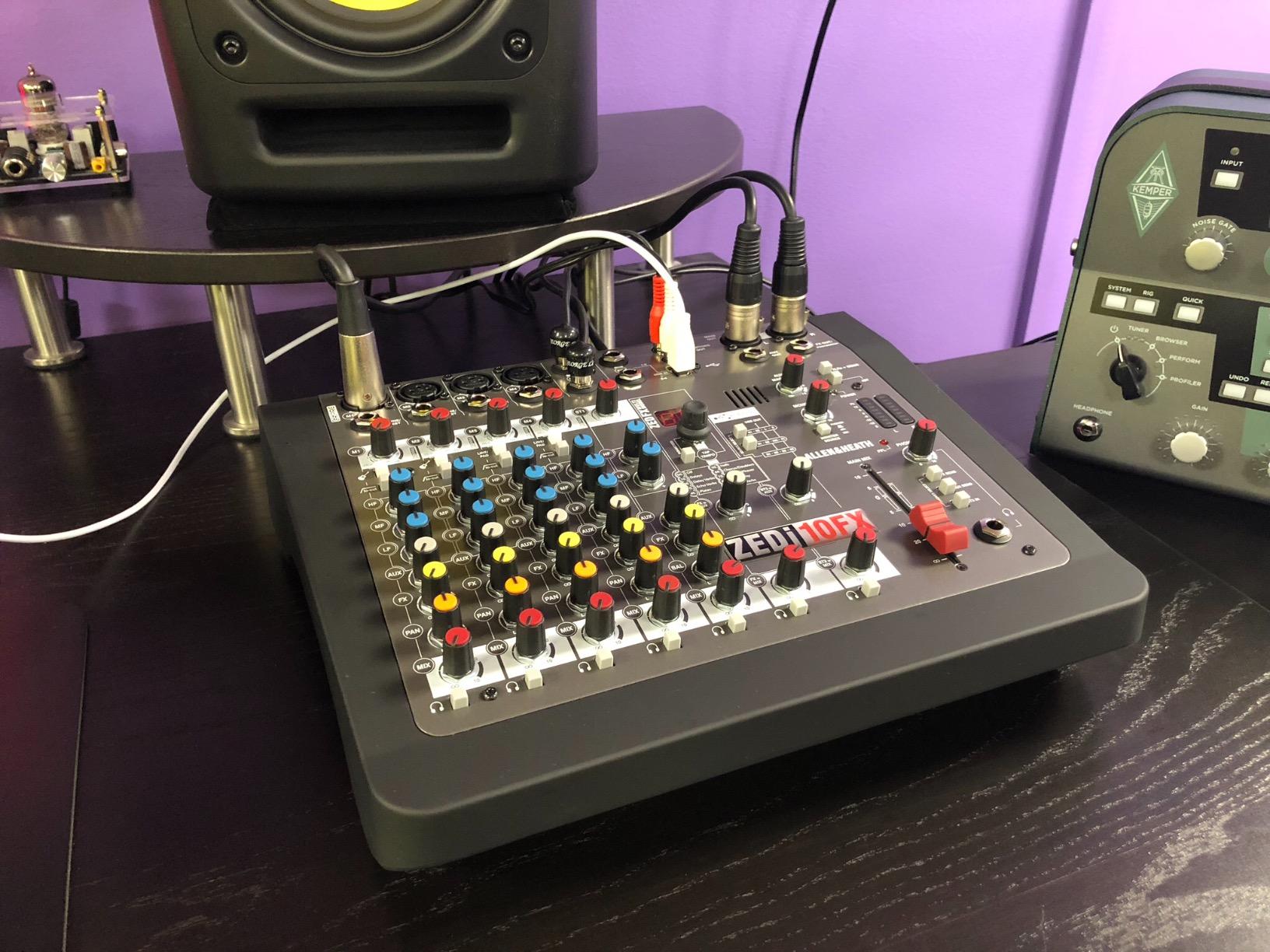
The Allen & Heath ZEDi-10FX exists for one reason: the GS-Pre preamps. These are boutique-grade circuits with exceptionally low noise and huge headroom, and honestly they outclass everything else at this size. Forum posts consistently praise the ZED series for build quality and sound, and my time with the desk confirms both.
Plugging a vocal mic straight in, the first thing you notice is what is missing: no strain, no hardness when you push the gain. That headroom margin is exactly what cheap desks run out of, and it is why the ZEDi earns its spot despite the higher ask.
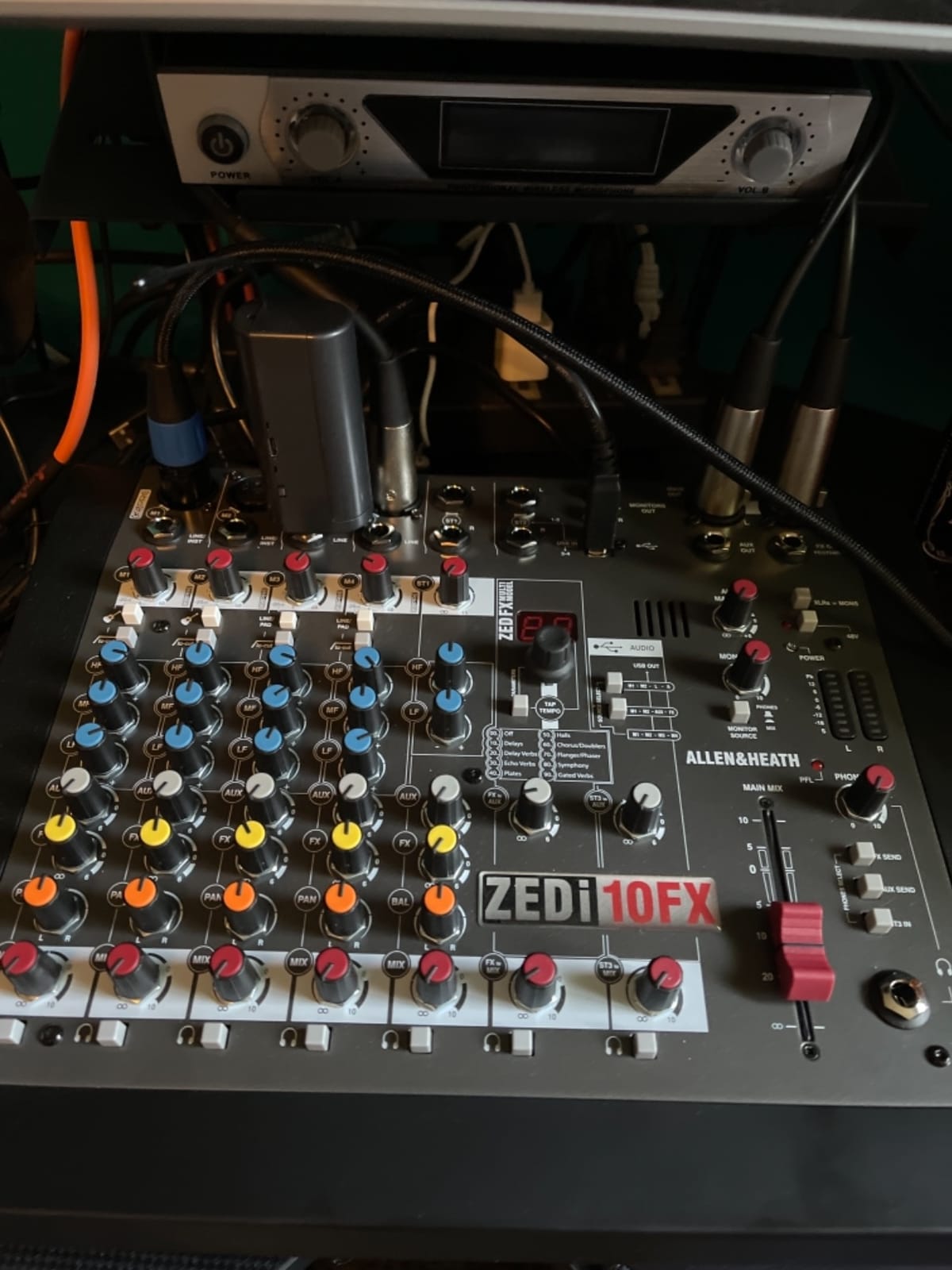
Feature-wise, the ZEDi-10FX is a 10-channel hybrid mixer with a class compliant 4×4 USB interface at 24-bit/96kHz, meaning it works with Mac and even iOS with no drivers installed. There are 61 studio-quality FX presets including tap-tempo delays, a 100 Hz high pass filter on every mono input, and the musical 3-band MusiQ EQ that made the British console reputation.
The Hi-Z instrument inputs are a quiet win for songwriters, letting you plug a guitar or bass directly into the desk with proper impedance. I tracked DI bass through it that needed almost no EQ later.
Gripes are ergonomic: no per-track mute buttons, no per-track faders, and Windows users need a driver for the USB input. Advanced effect routing is also limited compared with the price tag.
Why the GS-Pre Preamps Are Worth the Step Up
Preamps are the first thing your signal touches, and every downstream stage inherits whatever they do right or wrong. Better preamps mean you can push gain for quiet sources without the noise and hardness that ruin takes.
Across every forum thread I read, preamp quality was named the number one decision factor when buying a mixer. The ZEDi is the compact desk where that priority is most obvious.
ZEDi-10FX for Guitarists and Songwriters
The combination of Hi-Z inputs, tap-tempo delay, and genuinely clean preamps makes it a one-cable songwriting hub: guitar, vocal mic, and a laptop for playback. The iOS compatibility means an iPad can be the recorder.
For full-band drum tracking it is the wrong tool, since you only get four mic inputs. For everything else in a songwriter’s room, it is the desk I would buy twice.
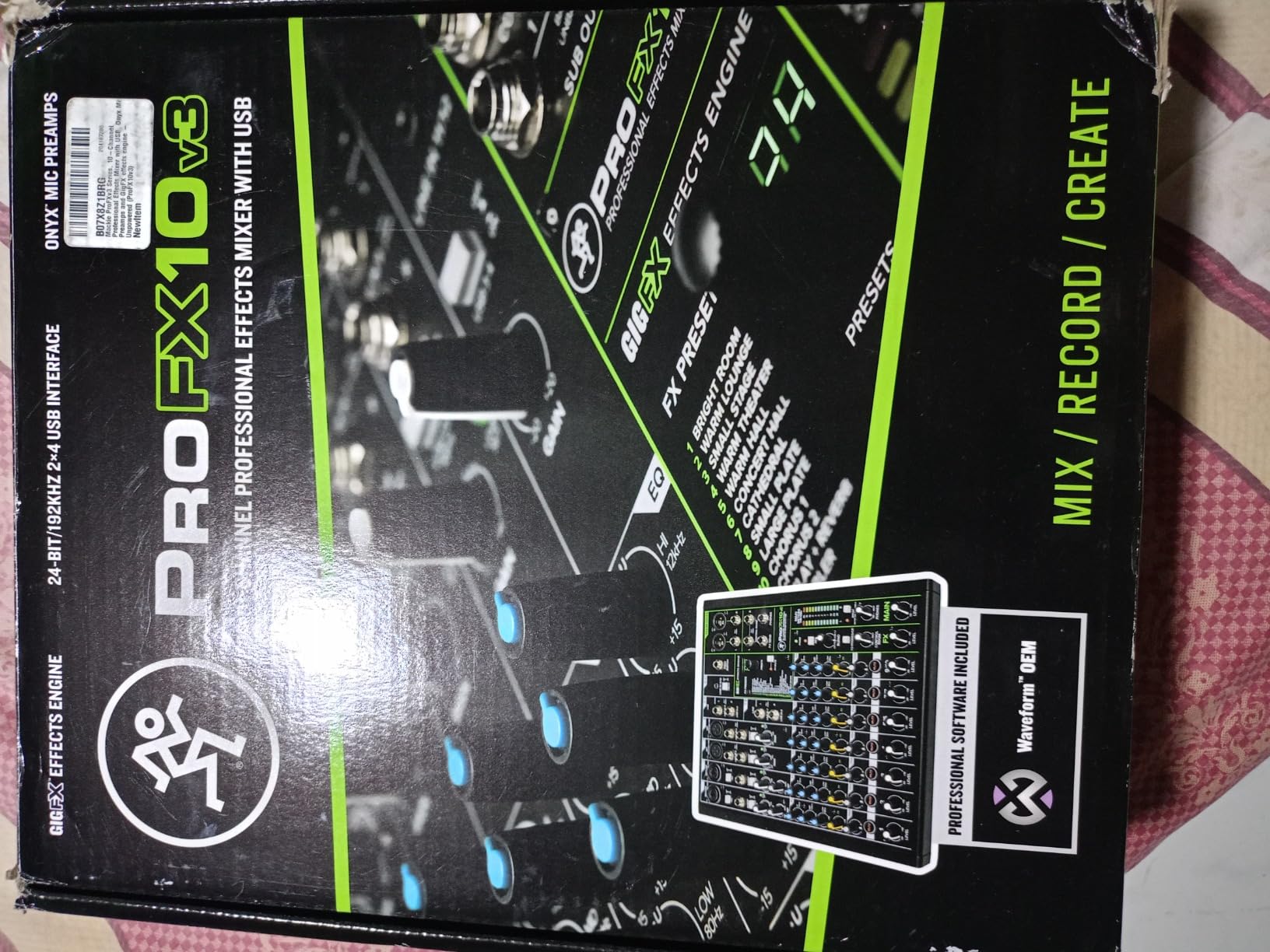
9. Mackie ProFX10v3 — The Reliable Workhorse for Streaming and Tracking
Mackie ProFX10v3 10-Channel Professional Analog Mixer with USB, Onyx Mic Preamps and GigFX Effects Engine
- Onyx preamps with up to 60 dB gain
- 24-bit/192kHz USB interface
- 24 GigFX effects options
- Versatile for live sound and studio
- Mute buttons on all channels
- Stock USB cable may be unreliable
- Effects can distort after extended use
- USB line-in independent of master volume
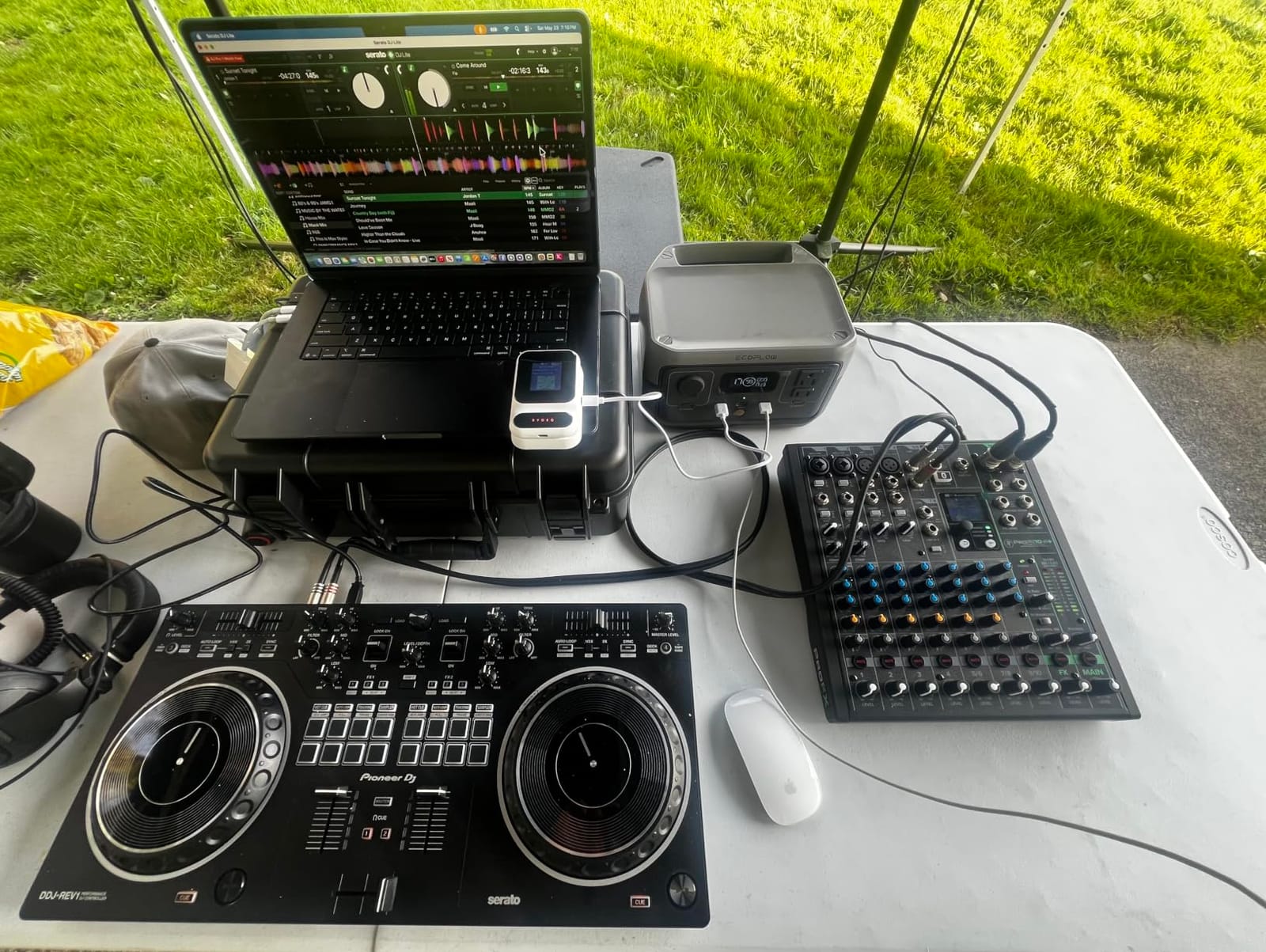
The Mackie ProFX10v3 is the proven middle child of this lineup, and the one I would point streamers toward when they do not need the Bluetooth tricks of the v3+. Onyx preamps with up to 60 dB of gain, 24 GigFX effects, mute buttons on every channel, and a 24-bit/192kHz 2×4 USB interface cover a lot of use cases in one box.
I used it as the hub of a streaming setup for several weeks, and the blend knob that crossfades between USB playback and live microphone monitoring is worth highlighting. It solves the “can’t hear myself over the game” problem entirely in hardware.
The bundle includes Pro Tools First and Waveform OEM with a large plugin collection, which is real software you can finish records with, not filler. Build is the usual Mackie tank standard, and the desk has traveled in a backpack more than once without complaint.
Known issues are worth knowing before you buy. The included USB cable has failed for a number of buyers, so budget for a quality replacement. A few long-term owners report distortion creeping into the effects engine after extended use, which matters if you print FX.
Also note the USB line-in behaves independently of the main volume, so it will not follow your monitor level. Annoying until you learn it, then invisible.
ProFX10v3 for Streaming and Content Creation
The 2×4 USB routing means your audience hears one mix while you monitor another, which is the entire game for live streaming. Mic, game audio, and music can each sit on their own channel with a physical fader.
Mute buttons on all channels matter more on stream than anywhere else, because coughs and notification pings need to disappear instantly, not two menu clicks later.
Getting the Monitoring Blend Right for Recording
The blend knob sets how much of your DAW playback you hear versus the live inputs, so you can track vocals over a full mix without latency. Set it once per session and stop thinking about it.
If you print the effects into your recording, dial them conservative. Anything committed at record time is permanent, and the effects engine is better as seasoning than as a sandwich.
10. Yamaha MG06 — A Six-Input Giant Killer for Minimal Desks
- Studio-grade D-PRE preamps
- 3-band EQ with high pass filters
- Compact 2 pound metal chassis
- Balanced XLR outputs
- Simple intuitive interface
- No USB connectivity
- Limited to 6 channels
- No built-in effects
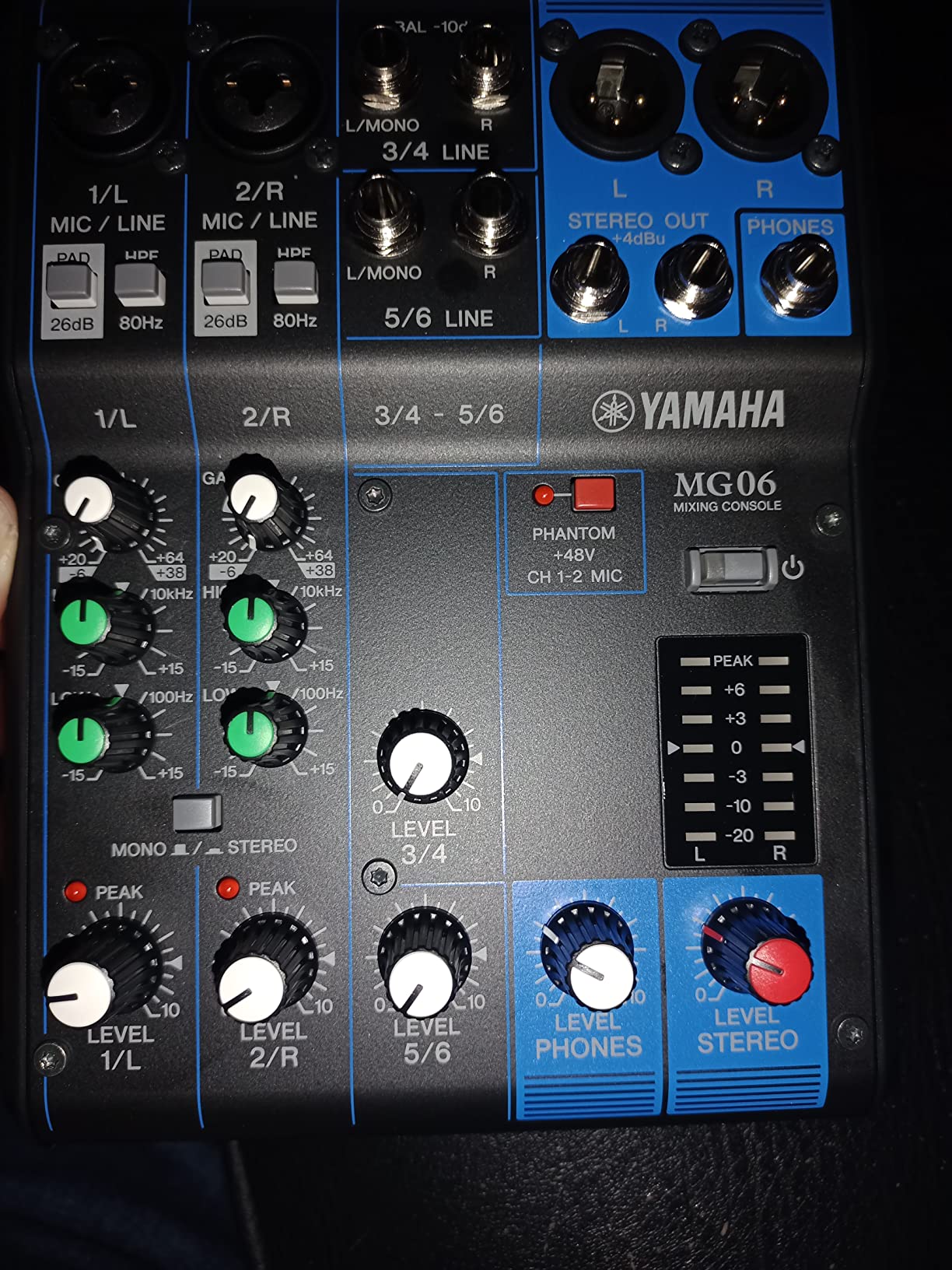
The Yamaha MG06 is the little sibling of our top pick, and it carries the same DNA in a body the size of a paperback. You get the same D-PRE Class-A discrete preamps with the inverted Darlington circuit, the same 3-band EQ with high pass filters, and a 1-knob compressor, all inside a 2 pound powder coated metal chassis.
I have kept one in a travel bag as a portable vocal-and-playback rig, and it has also served desk duty sub-mixing two synths into the larger console. The sound is unmistakably the Yamaha MG family: solid bass, smooth highs, and no audible strain at sane gain levels.
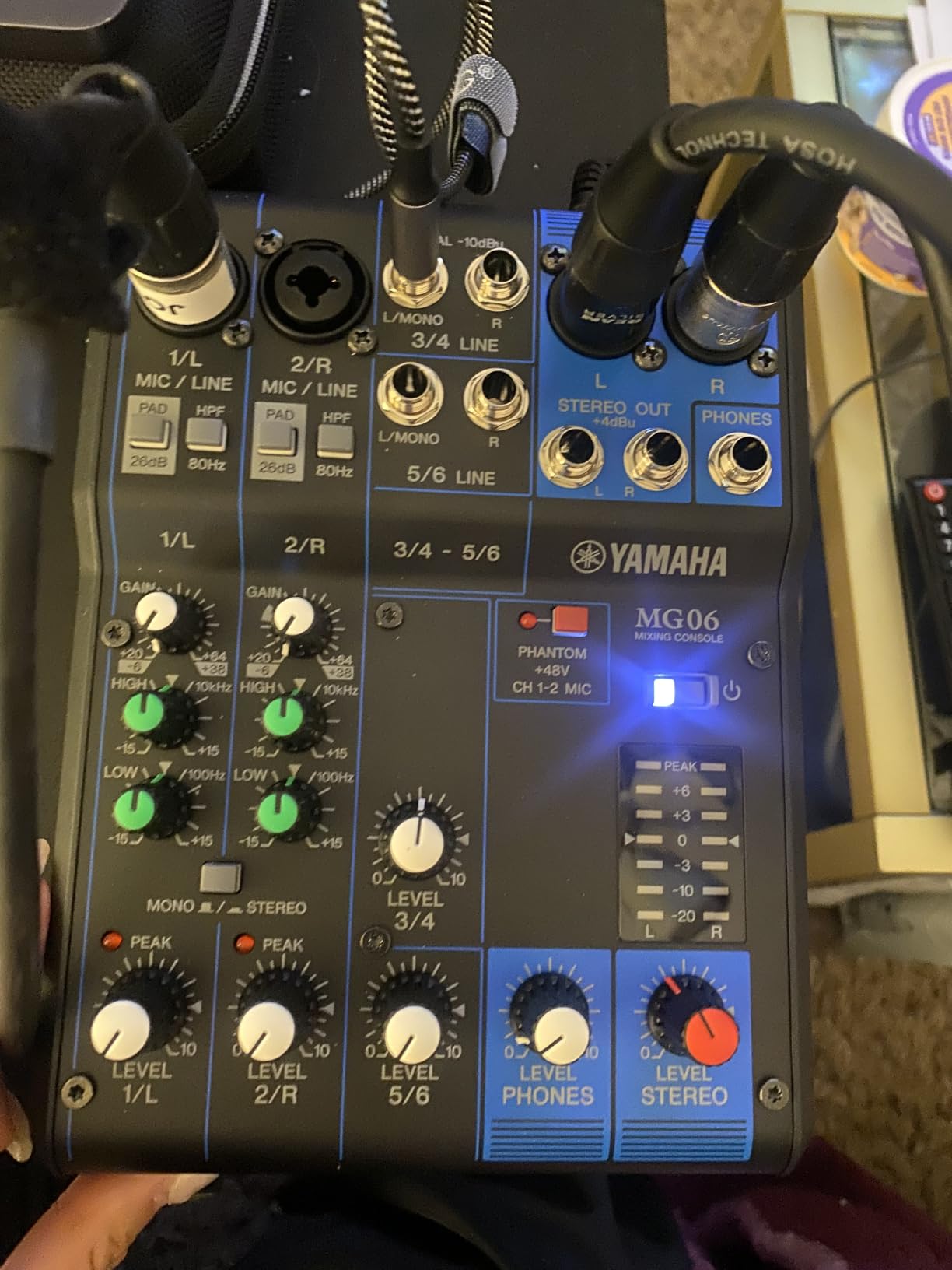
Technically, the MG06 offers six inputs, balanced XLR or TRS output connectors, and the same 1-knob compressor and EQ section as its bigger sibling. The control layout is so simple that I have handed it to complete beginners who were mixing within a minute.
What is missing is the whole computer side: no USB, no effects engine, and a hard ceiling of 6 channels. Recording means feeding the outputs into something else, which is the point where many buyers should consider an interface instead.
With an 830+ review history at 4.5 stars, it has quietly become one of the most trusted mini mixers sold. As a pure analog front end, it is close to faultless.
Where the MG06 Fits in a Minimal Setup
It shines as a first mixer for one vocal mic plus a playback device, or as a sub-mixer that collects a couple of synths before hitting your main desk. Podcasters on strict budgets also use it as a simple multi-input front end for a separate recorder.
It stops making sense the moment you want to record into a computer without extra hardware. That is an interface conversation, not a mixer conversation.
MG06 or Mackie Mix5 for an Ultra-Compact Desk
The MG06 wins on preamp quality, EQ flexibility with its third band and high pass filters, and balanced XLR outputs. The Mix5 counters with a smaller footprint and a dedicated headphone volume control.
For music duties, I take the Yamaha every time. For a single-mic streaming corner where space beats specs, the Mackie is the easier fit.
How to Choose an Analog Mixer for Your Home Studio?
The right analog audio mixer for your room is the one whose channel count, preamp quality, and connectivity match what you actually record, not what a spec sheet implies you could record. Here is the short version of everything I learned testing these 10 desks, plus the mistakes I see first-time buyers make most often.
Channel Count: How Many Do You Really Need?
Most home studios need four to six channels, full stop. That figure came up repeatedly across recording forums, and it held true on my own desk even during busy review periods.
Count every simultaneous source: vocal mic, guitar DI, synth, drum machine, and playback each claim one. Then add one or two spare channels for growth, because inputs are the one thing you cannot add to an analog desk later.
Preamp Quality Comes First
The preamps are the number one decision factor, because they are the first stage your signal passes through and every later stage inherits their character. This is where cheap mixers cut corners and where brands like Allen & Heath with the GS-Pre and Mackie with the Onyx earn their reputations.
Listen for clean gain at the top of the dial, low noise on quiet sources, and no hardness when you push a condenser mic. Those three traits separate a desk you outgrow from one you keep.
USB and DAW Integration
A USB mixer with 2-in recording captures your stereo mix, which is fine for podcasts, streams, and demo tracking. A 4×4 interface like the Soundcraft Notepad-12FX or Allen & Heath ZEDi-10FX records multiple sources to separate DAW tracks, which is what real multitrack work requires.
Check the sample rate support too, with 24-bit/96kHz as the practical floor and 192kHz available on the Yamaha and Mackie models here. Also confirm whether recording modes like Loopback exist if streaming is part of your plan.
EQ, Aux Sends, and Routing
A 3-band EQ with a sweepable mid band lets you target problem frequencies instead of guessing, which matters more than the raw band count. High pass filters on every channel quietly improve mixes by removing rumble you never knew was there.
Aux sends build independent headphone mixes for performers and feed outboard effects, so two sends per channel is meaningfully better than one. Inserts and direct outputs matter if you plan to expand with compressors or record channels individually.
Phantom Power and Instrument Inputs
Condenser microphones require 48V phantom power, and not every compact mixer delivers the full voltage, with the Mackie Mix5 supplying 15V as the cautionary example here. If you own power-hungry condensers, verify the spec, and see our guide to the best condenser microphones for podcasting for mics that pair well with these desks.
Hi-Z instrument inputs let you plug a guitar or bass straight into the desk with the right impedance. Without them you need a DI box for every instrument you record.
Analog or Digital: Making the Call
Analog wins on hands-on speed, zero-latency monitoring, and the harmonic character of real circuits, while digital wins on recall, built-in dynamics on every channel, and full multitrack routing. Neither is obsolete; they solve different problems.
The practical answer for most home studios in 2026 is a hybrid: an analog front end for tracking and monitoring, with a USB connection carrying audio into your DAW. Eight of the ten mixers in this guide work exactly that way.
Common Mistakes to Avoid
The most common mistake in the forums is buying too cheap and upgrading within a year, which costs more than buying right the first time. The second is overbuying channels for a solo studio that will never use them.
Also temper expectations of built-in effects, which are convenient for monitoring and demos but rarely match studio plugins. And do not ignore the noise floor, the most frequent complaint against budget desks, because hiss you notice on day one will haunt every quiet recording.
Plan the Rest of Your Desk
A mixer is one piece of the signal chain, so plan the neighbors it will work with. A controller or keyboard, like the models in our roundup of MIDI keyboards for songwriters, typically sits beside the desk in a writing setup.
If your rig travels between rooms or venues, compact mixers pair naturally with the options in our guide to portable MIDI controllers for a studio that fits in a backpack.
Frequently Asked Questions
What is the best sound mixer for a home studio?
The Yamaha MG10XU is the best sound mixer for most home studios, thanks to its clean D-PRE Class-A preamps, 1-knob compressors, built-in SPX effects, and a 24-bit/192kHz USB interface for recording straight into a DAW. The Behringer XENYX 1204USB is the best value alternative, and the Allen u0026amp; Heath ZEDi-10FX has the best preamps of any compact desk in this guide.
Do people still use analog mixers?
Yes. Analog mixers remain popular in home studios because they offer hands-on control, zero-latency monitoring, and the subtle harmonic warmth of real circuits, which many engineers prefer over working entirely in software. They are also standard equipment for live sound, and hybrid analog-plus-DAW workflows have become a common studio setup.
Can you use an analog mixer with a DAW?
Yes, and it is a common setup. Connect the mixer’s USB port to your computer if it has a built-in interface, or run the main outputs into a separate audio interface. You then monitor through the mixer with zero latency while the DAW records the output, and models with 4×4 USB like the Soundcraft Notepad-12FX can even record several sources as separate tracks.
How many channels do I need for a home studio mixer?
Most home studios only need 4 to 6 channels, which covers a vocal mic, an instrument or two, and a playback source. Choose 10 to 12 channels only if you track drums, record full bands, or sum several synths at once, and remember that you cannot add channels to an analog mixer later.
What is the best digital mixer for multitrack recording?
For true multitrack recording, look for a mixer that records each channel independently rather than a stereo sum. In this guide the Tascam Model 12 is the standout, recording 12 tracks to an SD card without a computer and doubling as a 12 in / 10 out USB interface and DAW controller for DAW-based multitrack work.
Final Thoughts on the Best Analog Mixers for Home Studios
After months of sessions, the short version of the best analog mixers for home studios in 2026 looks like this. The Yamaha MG10XU is the pick for almost everyone, pairing the guide’s best all-round preamps with effects and USB recording in a rugged chassis.
The Behringer XENYX 1204USB delivers the most mixer per dollar, the Mackie Mix5 covers the bare-minimum desk, and the Tascam Model 12 is the all-in-one if you want to record full arrangements without a computer. Podcasters should shortlist the ProFX10v3+ for its Mix Minus Bluetooth trick, and preamp obsessives will find their endgame in the Allen & Heath ZEDi-10FX.
Whatever you choose, buy for the inputs you genuinely use today plus one spare, and let preamp quality make the final call. A good analog desk will still be mixing when today’s software is a nostalgia thread.