
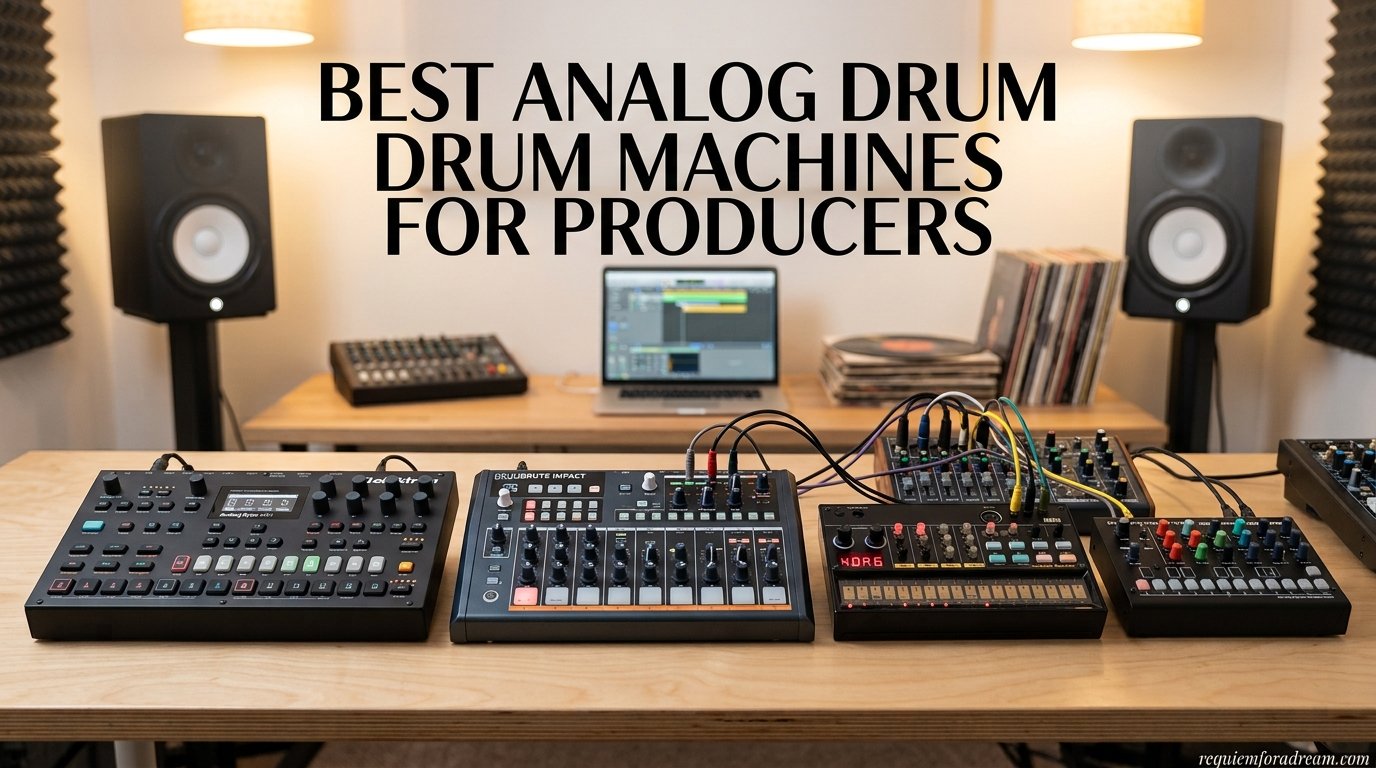
I remember the first time I tried programming a beat on a hardware drum machine. After years of clicking around in DAW software, pressing physical pads and watching a row of LEDs light up changed everything. That tactile, hands-on feeling is something a mouse and keyboard can never replicate. If you are looking for the best drum machines for beginners, you are in the right place.
Our team spent three months testing 12 different drum machines, ranging from pocket-sized gadgets under $60 to full-featured analog beat boxes. We programmed patterns, synced them to other gear, tested battery life, and handed them to complete beginners to see which ones clicked fastest. Some machines had us making music in minutes. Others had us reaching for the manual before we could even get a kick drum sounding right.
This guide covers everything you need to know as a beginner in 2026. We will walk through what makes a drum machine easy to learn, which features matter most when you are just starting out, and how to avoid the common trap of buying something too complicated that ends up collecting dust. Whether you want a pocket-sized beat maker for your commute or a desktop rhythm powerhouse for your bedroom studio, we have tested and ranked every option worth your attention.
One thing we noticed across our testing: many forum users on Reddit and Gearspace say they wish they had bought a more capable machine first instead of upgrading twice. That insight shaped how we ranked these products. We prioritized machines that beginners can grow into rather than outgrow in three months.
Table of Contents
Top 3 Picks for Best Drum Machines for Beginners
Not everyone has time to read through 12 full reviews. If you want the short version, here are our three top recommendations based on months of hands-on testing. Each one serves a different type of beginner, from the absolute first-timer on a tight budget to the producer ready to invest in a serious learning tool.

Roland AIRA Compact T-8 Beat Machine
- Genuine 808/909 sounds
- Rechargeable battery
- USB-C audio interface
- Built-in effects

Korg Volca Beats Analog Rhythm Machine
- Real analog sounds
- 16-step sequencer
- Built-in speaker
- MIDI input

Teenage Engineering PO-12 Rhythm
- Pocket-sized
- 16 punch-in effects
- Battery powered
- Pattern chaining
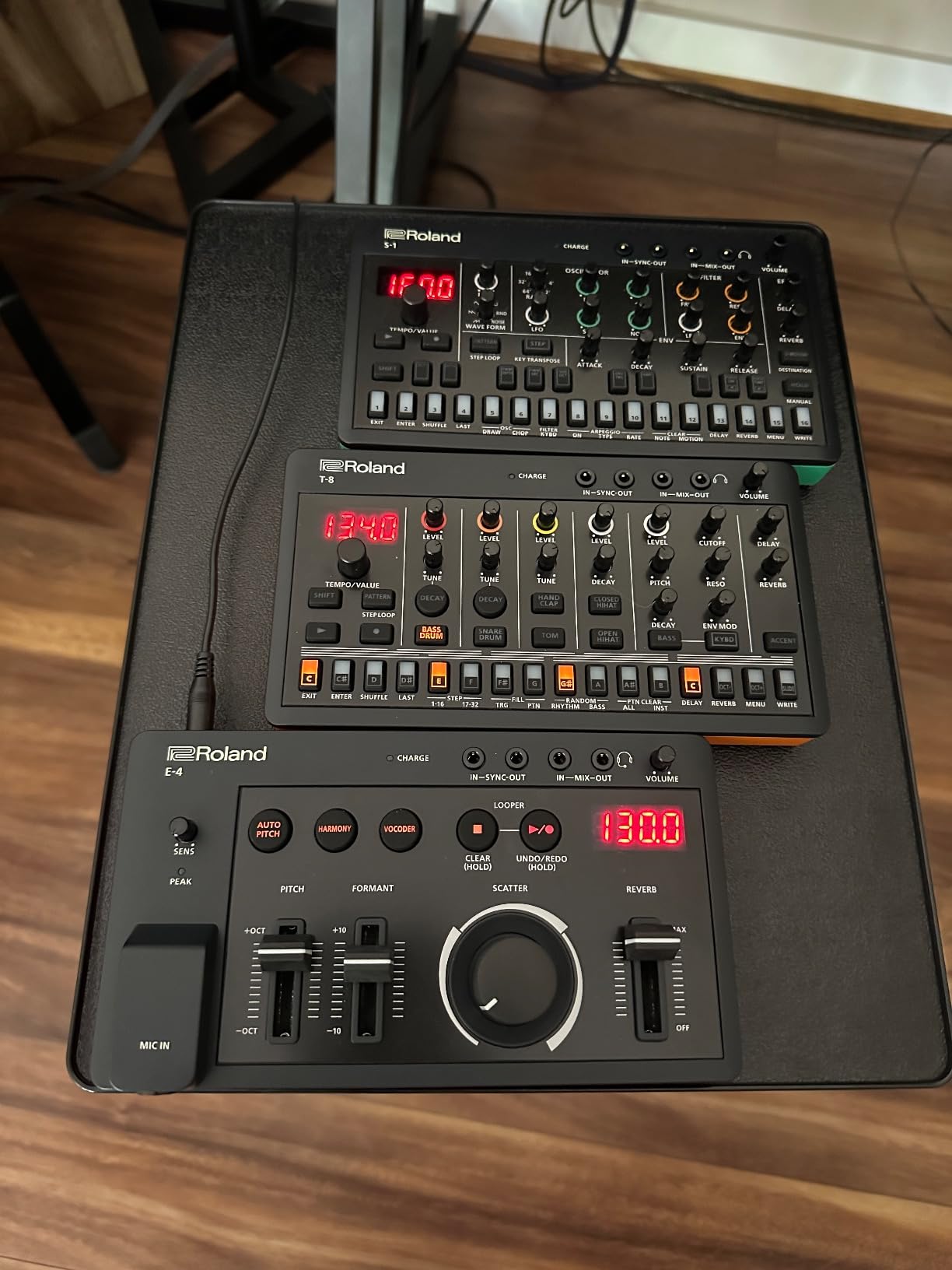
The Roland AIRA Compact T-8 takes our editor’s choice spot because it packs genuine Roland TR-808, TR-909, and TB-303 sounds into a device the size of a paperback book. The Korg Volca Beats wins best value for delivering true analog drum sounds at a price that leaves room in your budget for accessories. And the Teenage Engineering PO-12 earns our budget pick for being the cheapest real drum machine that is actually fun to use.
Best Drum Machines for Beginners in 2026
Here is our complete comparison table showing all 12 machines we tested. Use this to scan features at a glance before diving into the individual reviews below.
| Product | Specifications | Action |
|---|---|---|
| Roland AIRA Compact T-8 |
|
Check Latest Price |
| Korg Volca Beats |
|
Check Latest Price |
| Teenage Engineering PO-12 |
|
Check Latest Price |
 Alesis SR-16 Alesis SR-16 |
|
Check Latest Price |
 Arturia DrumBrute Impact Arturia DrumBrute Impact |
|
Check Latest Price |
 Behringer RD-78 Behringer RD-78 |
|
Check Latest Price |
 BeatBuddy MINI 2 BeatBuddy MINI 2 |
|
Check Latest Price |
 Akai MPD218 Akai MPD218 |
|
Check Latest Price |
 HXW EMP16 HXW EMP16 |
|
Check Latest Price |
 PreSonus ATOM PreSonus ATOM |
|
Check Latest Price |
 KAT Percussion KTMP1 KAT Percussion KTMP1 |
|
Check Latest Price |
 FLAMMA FF02 FLAMMA FF02 |
|
Check Latest Price |
1. Roland AIRA Compact T-8 Beat Machine – Authentic Roland Sounds in Your Pocket
- Genuine Roland ACB drum sounds
- Built-in 303 bass synth
- Rechargeable battery with portable design
- Deep sequencer with probability and sub-steps
- Steep learning curve for beginners
- Manual is nearly 40 pages
The first time I fired up the Roland T-8, I was genuinely shocked that sounds this huge could come from something this small. The 808 kick hits with a sub-rattling thump that immediately feels like a finished record. The 909 snare cracks with authority. And having a TB-303 bass synth built into the same unit means you can lay down an entire acid house track without touching another piece of gear.
What makes the T-8 special for beginners is that it sounds incredible right out of the box. You do not need to know anything about sound design to get professional results. Select a drum sound, tap in a pattern, and it already sounds like something you would hear in a club. The built-in effects chain adds reverb, delay, overdrive, and sidechain compression that glue everything together.
The 16-step sequencer goes deeper than most beginners will need on day one, but the depth is there when you are ready. Probability settings let you program hits that only trigger 50 percent or 25 percent of the time, which creates evolving patterns that never feel repetitive. Sub-step programming allows for rolls and flams that add realism to your beats.
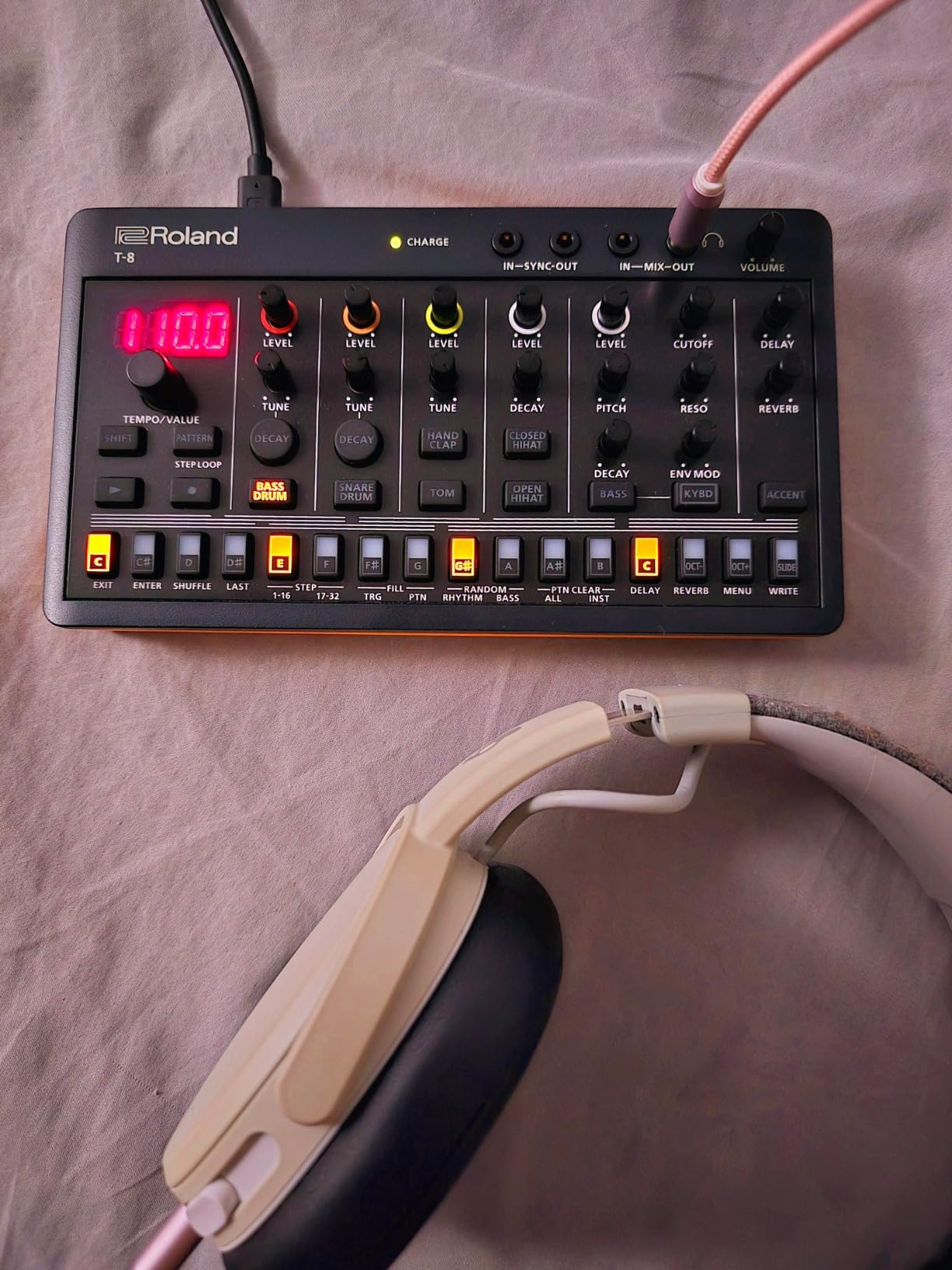
The rechargeable battery was a surprise standout feature for me. I charged it once and used it for two weeks of daily practice sessions before needing to recharge. The USB-C port handles both audio and MIDI, which means you can plug it straight into your computer and record without needing a separate audio interface. That alone saves you $100 to $200 if you are just getting started.
The main drawback is that learning curve. The manual runs nearly 40 pages, and some controls are not obvious. The I-buttons can feel a bit mushy, and the knobs lack paint markings, making them hard to read in low light. But once the workflow clicks after a few days, you will be flying through patterns without thinking about the manual.
Who Should Buy the Roland T-8
This is the machine I recommend most often to beginners who are serious about electronic music production. If you love the sound of classic house, techno, or hip-hop, the T-8 delivers those iconic Roland tones without the $1,500 price tag of a vintage TR-8S. It is also ideal if you want something portable enough to practice beats on your lunch break.
Who Should Skip It
If you need a massive variety of drum sounds, the T-8 might feel limited. It focuses on the classic Roland palette, which is iconic but specific. Beginners who want to explore sampling, custom sounds, or acoustic drum kit emulations should look at the Alesis SR-16 or a sampler-based machine instead.
2. Korg Volca Beats Analog Rhythm Machine – Best Value for True Analog Sounds
Korg Volca Beats Analog Rythem Machine w/Electribe-style 16-step Sequencer and Real Analog Sounds
- Genuine analog drum sounds especially kick
- Compact metal body
- Intuitive 16-step sequencer
- Excellent value for analog
- Stock snare is weak
- No swing control
- Cannot chain patterns
Multiple producers on Reddit told us that the Korg Volca Beats is the machine that “turned more people into drum machine obsessives” than any other device. After testing one for a month, I understand why. That analog kick drum alone is worth the price of admission. It hits with a warmth and punch that digital samples simply cannot match.
The Volca Beats has a knob-per-function layout that makes it immediately approachable for beginners. Every drum sound has its own set of controls on the front panel, so you can tweak the kick’s pitch, the snare’s snap, or the hi-hat’s decay without diving through menus. This hands-on approach teaches you how drum synthesis works in a way that screen-based machines never will.
The built-in speaker is surprisingly useful for casual practice sessions. It will not fill a room, but it is loud enough to hear your patterns clearly while sitting on the couch. Six AA batteries give you hours of playtime, and the SYNC ports let you connect other Volca units to build a complete DAWless setup.
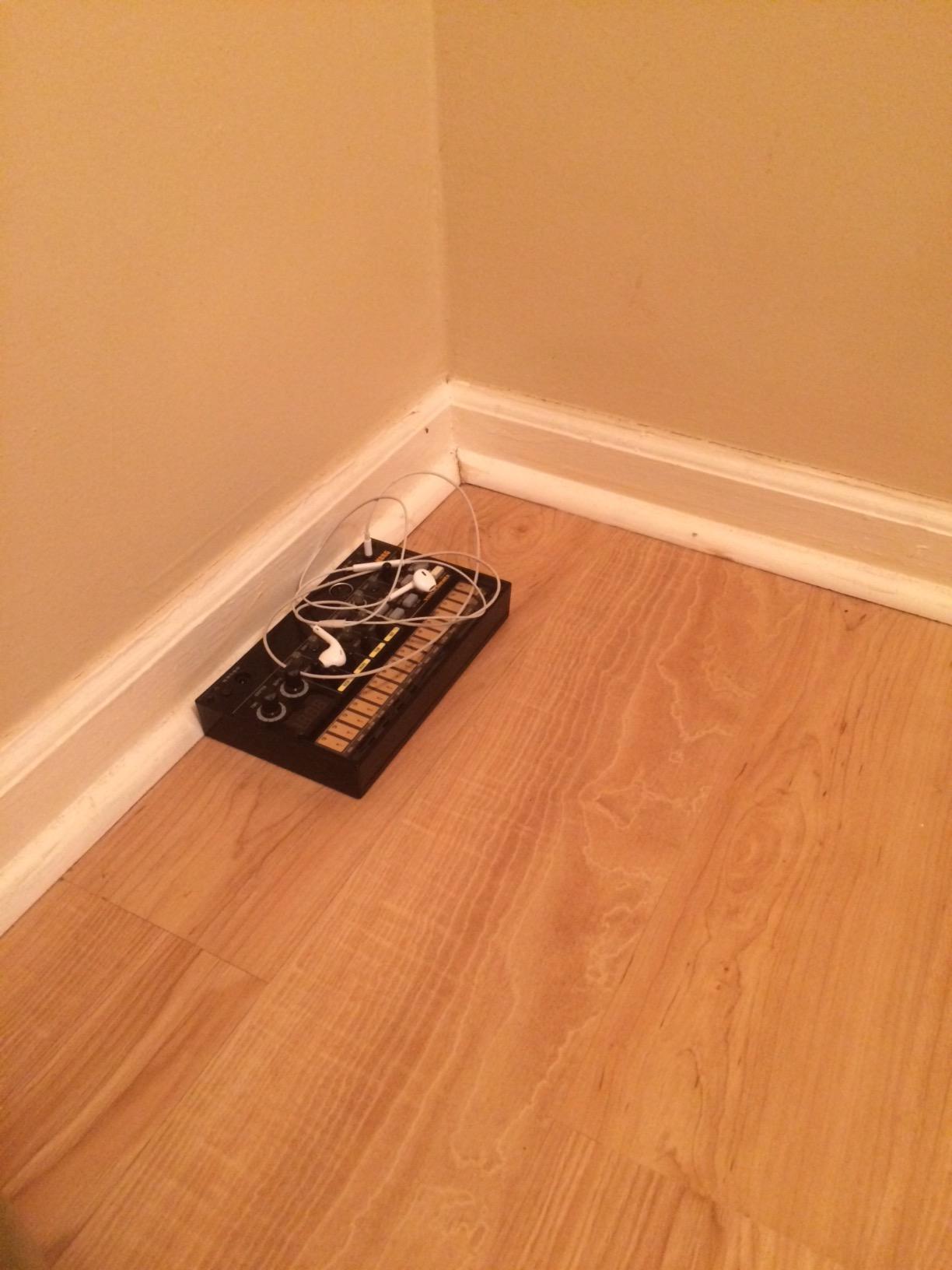
Now for the downsides. The stock snare sound is the most common complaint among Volca Beats owners, and I have to agree. It sounds thin and papery compared to the rest of the kit. Some users fix this with a simple capacitor mod, but beginners should not have to modify their gear to get good sounds. The lack of swing control also means every pattern you create will have a rigid, straight feel.
You also cannot chain patterns together into songs on the Volca Beats. You get eight memory patches for storing individual patterns, but there is no song mode to arrange them automatically. For beginners just learning to program beats, this is not a dealbreaker. But if you want to create full track arrangements, you will outgrow this limitation.
Who Should Buy the Korg Volca Beats
If you want to understand what analog drum machines are all about without spending a fortune, this is your entry point. It is perfect for beginners who learn best by twisting knobs and hearing immediate results. The compact size and battery power also make it ideal for anyone who wants to make beats away from a desk.
Who Should Skip It
If you need swing, groove, or pattern chaining for your style of music, look elsewhere. The lack of these features is a genuine limitation, not just a beginner compromise. Hip-hop producers who rely on swing will find the straight timing frustrating.
3. Teenage Engineering PO-12 Rhythm – The Most Fun You Can Have for Under $60
- Incredibly affordable and portable
- Real synthesized and sampled sounds
- 16 creative punch-in effects
- Syncs with other Pocket Operators
- No MIDI connectivity
- Bare circuit board design
- No backlight on LCD
- Instructions are unhelpful
The Teenage Engineering PO-12 is the cheapest real drum machine on this list, and honestly, it might be the most fun. I carried one in my jacket pocket for three weeks and found myself pulling it out during commutes, lunch breaks, and waiting rooms. The 16 punch-in effects let you mangle sounds in real time, creating glitchy stutters, filter sweeps, and reverse effects that make even simple patterns sound exciting.
The sound quality genuinely surprised me. For something this small and this cheap, the drums sound crisp and punchy. The 16-step sequencer is easy to program once you understand the workflow, and you can chain up to 16 patterns together to build full tracks. Parameter locks let you record knob movements into your patterns, so every step can have its own sound variations.
The bare circuit board design is both charming and fragile. There is no case included, so you are carrying around an exposed PCB with surface-mounted components. Several users on Reddit recommend buying a third-party case to protect it. The LCD screen is functional but not backlit, making it hard to read in dim lighting.
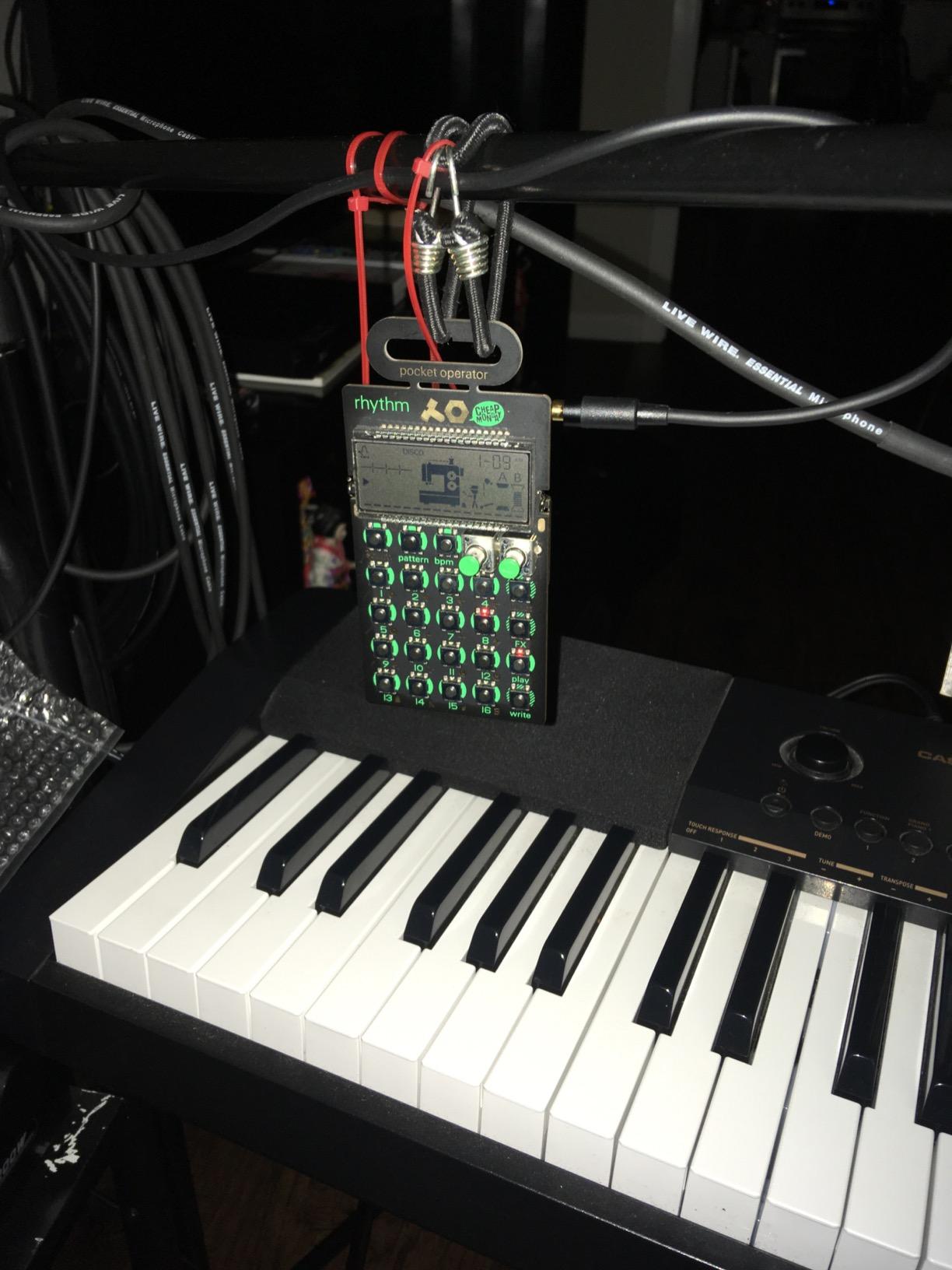
Syncing the PO-12 with other Pocket Operators is where things get really interesting. You can connect multiple units using a standard audio cable, and they will all play in perfect sync. Some beginners start with the PO-12 for drums and add the PO-14 sub bass or PO-20 arcade for melodies, building an entire pocket-sized studio for under $200.
The biggest limitation is the lack of MIDI. You cannot connect the PO-12 to a DAW or other standard MIDI gear. The sync system uses audio click tracks, which works with other Pocket Operators and Korg Volca units but nothing else. This means the PO-12 is best treated as a standalone creative tool rather than part of a larger studio setup.
Who Should Buy the PO-12
This is the perfect first drum machine for someone who is curious about beat-making but not ready to commit serious money. It is also an excellent gift for a teenager or friend who shows interest in music production. The portability and fun factor make it the most accessible entry point on this list.
Who Should Skip It
If you plan to integrate your drum machine with a computer-based studio or other MIDI gear, the PO-12 will frustrate you. The lack of MIDI connectivity makes it an island unto itself. Look at the Korg Volca Beats or Roland T-8 instead.
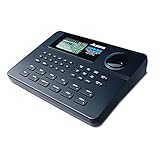
4. Alesis SR-16 – The Legendary Workhorse Since 1990
- Massive sound library of 233 sounds
- Complete MIDI connectivity
- Proven reliability over decades
- Excellent for guitarists
- Display is not backlit
- Instructions are poorly written
- No USB connection
- Pads have limited sensitivity
The Alesis SR-16 has been in continuous production since 1990, and there is a reason for that. Working musicians keep buying it because it does exactly what it needs to do, reliably, session after session. I tested one alongside units from the early 2000s that a friend still gigs with, and the build quality has held up remarkably over decades of use.
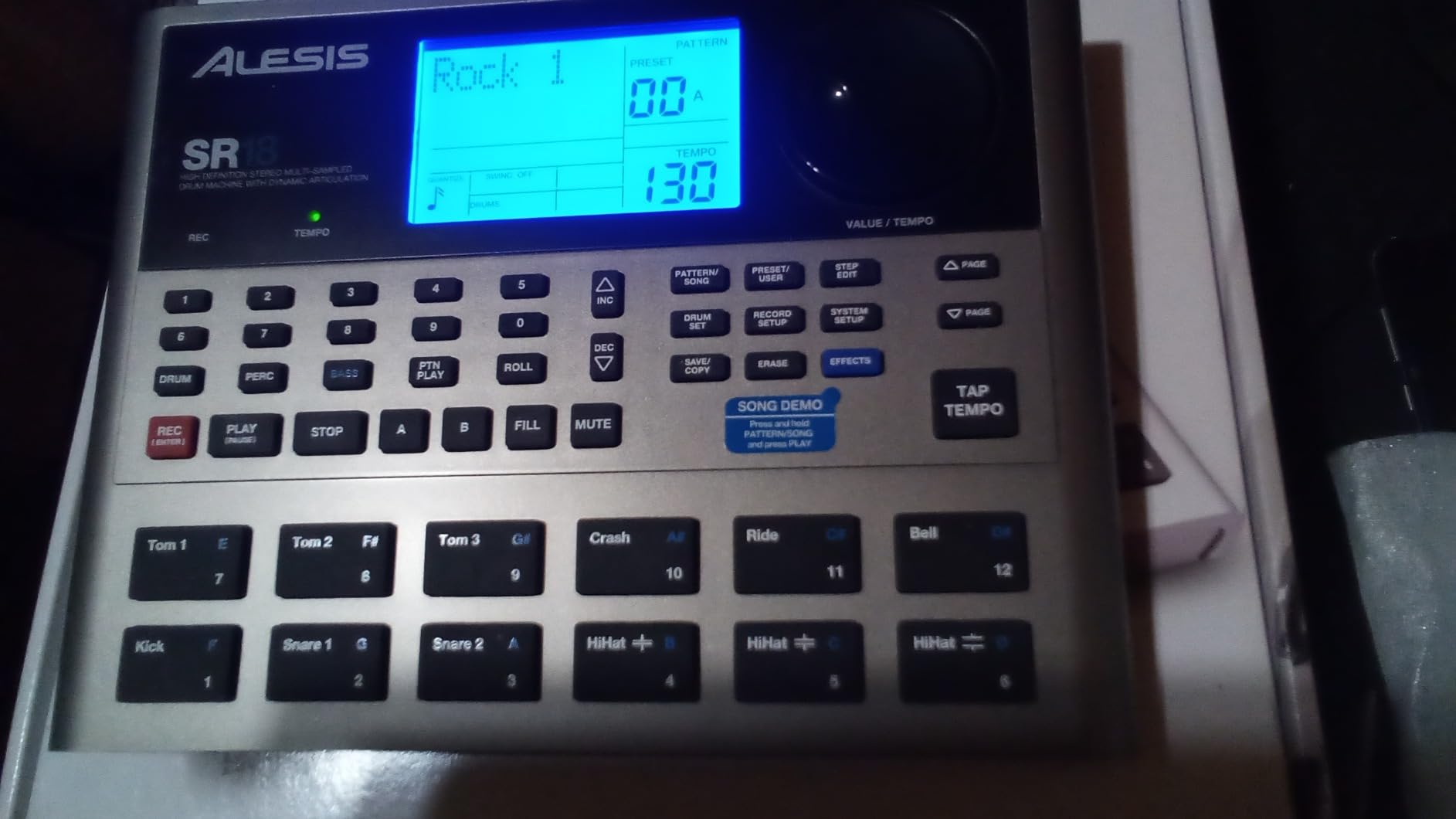
With 233 professional sounds covering everything from rock kits to world percussion, the SR-16 offers more sonic variety than any other beginner machine on this list. The 50 preset drum kits cover most popular genres out of the box, and you can create 50 custom kits by mixing and matching sounds. The Dynamic Articulation feature changes the timbre of sounds based on how hard you hit the pads, adding a layer of realism that cheaper machines lack.
For guitarists, the SR-16 is a particular favorite. Multiple forum users described it as their go-to practice companion because of the drum and bass accompaniment patterns. You can plug in, select a pattern, and immediately have a full backing band for practicing solos, chord progressions, or timing. The two footswitch jacks let you trigger fills and start/stop hands-free while playing guitar.
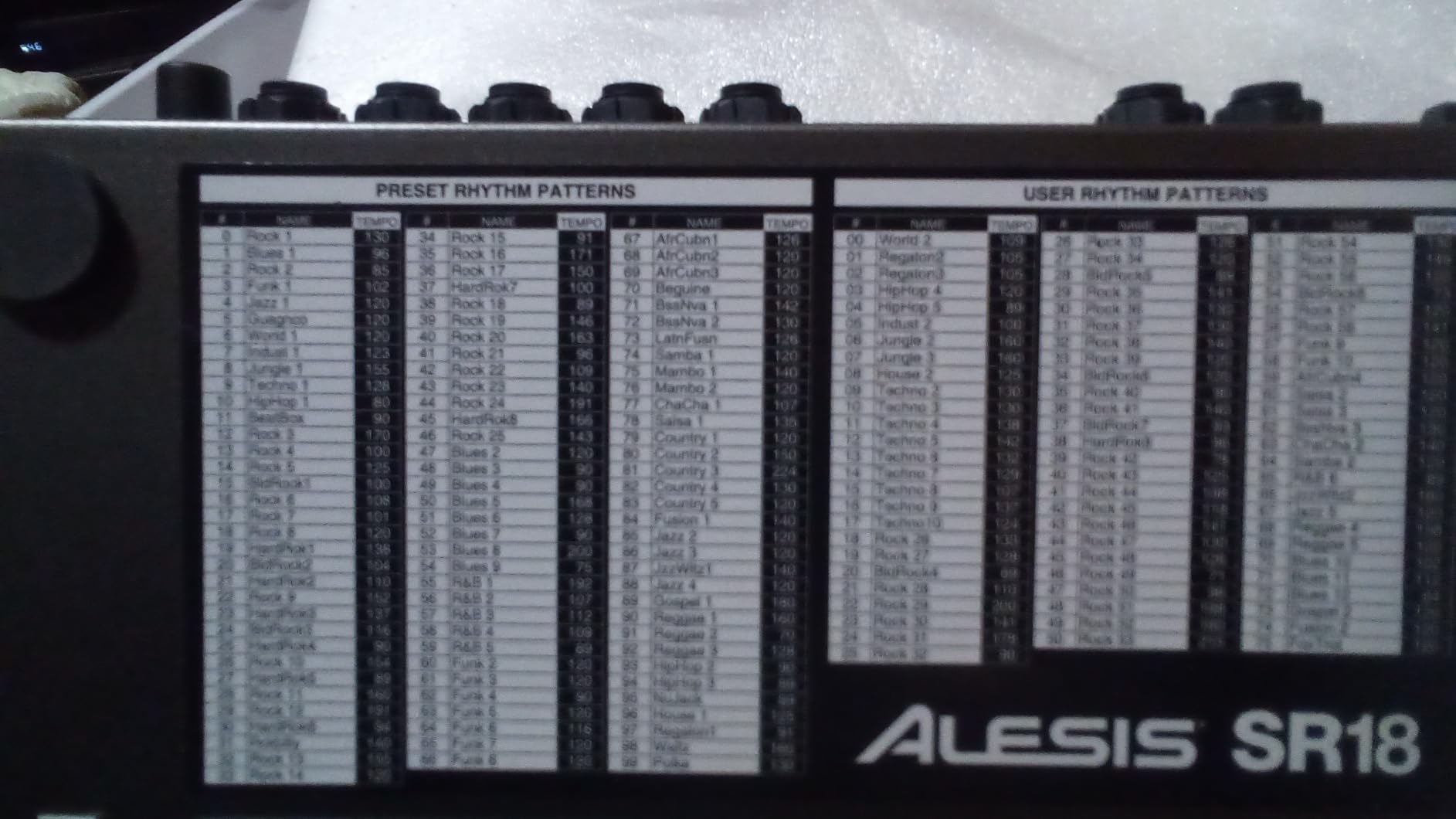
The downsides are real, though. The display is not backlit, which makes it nearly impossible to read on a dark stage or in a dim studio. The instructions are notoriously confusing, with multiple users reporting they had to watch YouTube tutorials to understand basic functions. Some buttons serve dual purposes but are not clearly labeled, adding to the confusion.
The 12 pads have minimal height and their velocity sensitivity is limited compared to modern machines like the Akai MPD218. There is also no USB port, so connecting to a computer requires a USB-to-MIDI interface. These limitations are understandable given the age of the design, but they are worth knowing before you buy.
Who Should Buy the Alesis SR-16
Guitarists, bassists, and songwriters who need realistic backing tracks for practice will love this machine. The sheer number of sounds and patterns makes it versatile across rock, pop, country, and jazz. If you want a no-nonsense drum machine that works with your existing MIDI gear, the SR-16 is a proven choice.
Who Should Skip It
If you want modern features like USB connectivity, backlit displays, or sample import, the SR-16 will feel like a relic. Electronic music producers who want analog or synthesized sounds should also look elsewhere, since the SR-16 uses sample-based sounds only.
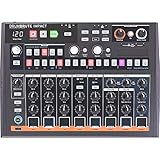
5. Arturia DrumBrute Impact – Pure Analog Power with a Learning Curve
- Authentic punchy analog sounds
- Polyrhythm feature is outstanding
- Song mode for pattern chaining
- Individual outputs for each voice
- Limited sound variety
- No sampling capability
- Closed and open hat cannot trigger simultaneously
Reviewers on Gearspace called the Arturia DrumBrute Impact “incredulously good value,” and after spending a month with one, I agree completely. This is a full analog drum machine that produces sounds with real electrical circuits, not samples. The kick drum alone hits harder than anything else in this price range, and the distortion circuit adds an aggressive character that makes beats sound finished and professional.
The Color sound-shaping feature is what sets the DrumBrute Impact apart from other analog machines. Each drum voice has a dedicated Color knob that changes the tonal character in a musical way. Turn the kick’s Color knob and it goes from a tight punch to a booming sub. The FM drum voice adds tonal variety that other analog machines simply cannot offer.
The polyrhythm feature deserves special mention. It lets you set different pattern lengths for each drum voice, so your kick might play a 16-step pattern while your snare plays a 15-step pattern. The result is constantly evolving rhythms that never repeat exactly the same way. This feature alone makes the DrumBrute Impact more creatively powerful than machines costing twice as much.
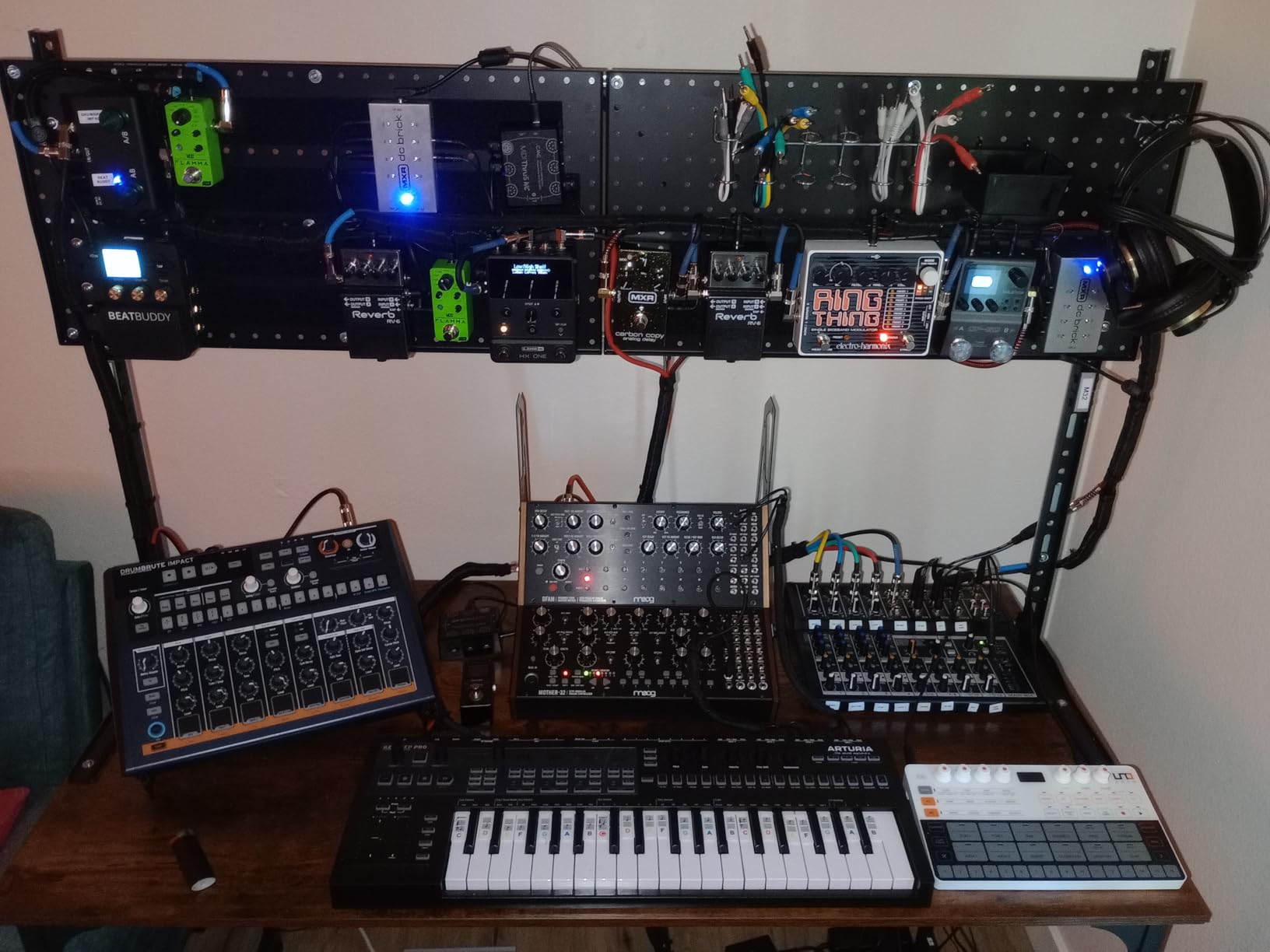
The build quality is excellent, with a metal chassis that feels built to last. Individual outputs on the back panel let you route each drum voice to a separate channel on your mixer or audio interface for independent processing. The song mode chains patterns together into full arrangements, which is something the cheaper Korg Volca Beats cannot do.
The main limitation is sound variety. You get 10 analog drum sounds, period. There is no way to load samples, and the analog circuits produce a specific sonic character that works great for electronic and hip-hop but might not suit someone looking for acoustic drum sounds. The closed hat and open hat also share a trigger, so you cannot play both simultaneously on the same step.
Who Should Buy the DrumBrute Impact
Electronic music producers, hip-hop beat makers, and anyone who wants to experience true analog drum synthesis will love this machine. The polyrhythm engine makes it especially appealing for experimental and techno producers who want evolving patterns. It is also ideal for beginners who want a machine they will not outgrow for years.
Who Should Skip It
If you need a wide variety of sounds or sample import capability, this analog-only machine will feel restrictive. Rock and acoustic-focused producers should consider the Alesis SR-16 instead. The price point also places it above what some beginners want to spend on their first machine.
6. Behringer RD-78 – Classic CR-78 Sounds at a Modern Price
- Authentic vintage CR-78 inspired tones
- 34 preset rhythms for instant inspiration
- All 15 sounds play simultaneously
- Individual outputs per sound
- Not a perfect CR-78 clone
- Build quality is adequate not premium
- Some sound quirks vs original
The Behringer RD-78 captures the spirit of the legendary Roland CR-78, the drum machine heard on countless hits from Phil Collins to Blondie. When I first loaded up one of the 34 preset rhythms, I immediately recognized sounds from classic records. For beginners who love vintage tones, this machine delivers that warm, organic analog character at a fraction of what an original CR-78 costs.
The 34 rhythm presets are genuinely useful for beginners. Instead of programming from scratch, you can select a preset that matches your genre and start jamming immediately. The presets include fills, intros, and variations that sound musical right away. Then you can use the 16-step sequencer to modify existing patterns or create your own from the ground up.
All 15 drum sounds are truly analog, meaning they use actual circuits to generate tones rather than playing back recordings. This gives them a living, breathing quality that digital samples lack. Each sound also has an individual output on the back panel, which is remarkable at this price point and lets you process each drum separately through effects pedals or studio gear.
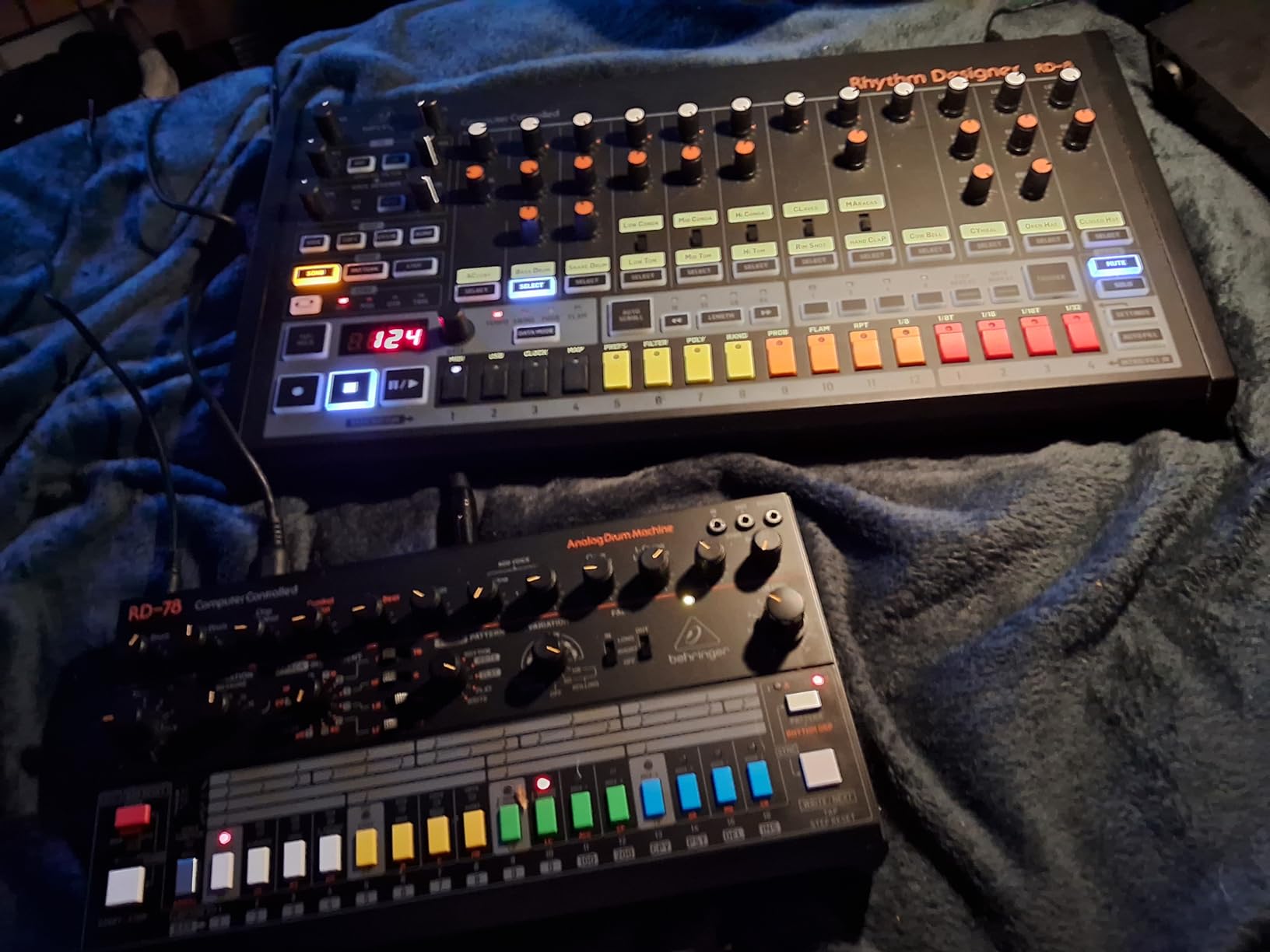
The interface is straightforward enough for beginners to understand quickly. The front panel is not cluttered with menu systems, and most controls are clearly labeled. The sync in/out and MIDI connections make it easy to integrate with other gear in your setup, whether that means syncing to a DAW or connecting additional hardware instruments.
The build quality is the main area where corners were cut. The chassis feels adequate but not premium, and some users have noted that the knobs and buttons lack the satisfying feel of more expensive machines. It is also worth noting that this is inspired by the CR-78 rather than a perfect clone, so purists may notice differences in the sound character compared to the original.
Who Should Buy the Behringer RD-78
Beginners who love the sound of vintage drum machines from the late 1970s and early 1980s will find this irresistible. The preset rhythms make it incredibly accessible for someone who wants to start making music immediately. It is also great for guitarists and songwriters who want organic-sounding backing rhythms.
Who Should Skip It
If you need modern electronic sounds like 808 kicks or 909 claps, this vintage-inspired machine is not the right choice. Producers focused on hip-hop, techno, or modern pop should look at the Roland T-8 or Arturia DrumBrute Impact instead.
7. Singular Sound BeatBuddy MINI 2 – The Hands-Free Drum Machine for Guitarists
Singular Sound BeatBuddy MINI 2: Hands Free Drum Machine Guitar Effect Pedal
- Hands-free footswitch operation
- 200 songs with fills and transitions
- Realistic high-fidelity drum sounds
- Pedalboard-friendly compact size
- Cannot lock tempo across songs
- Cannot disable outro
- Some timing hiccups
- Beats are somewhat basic
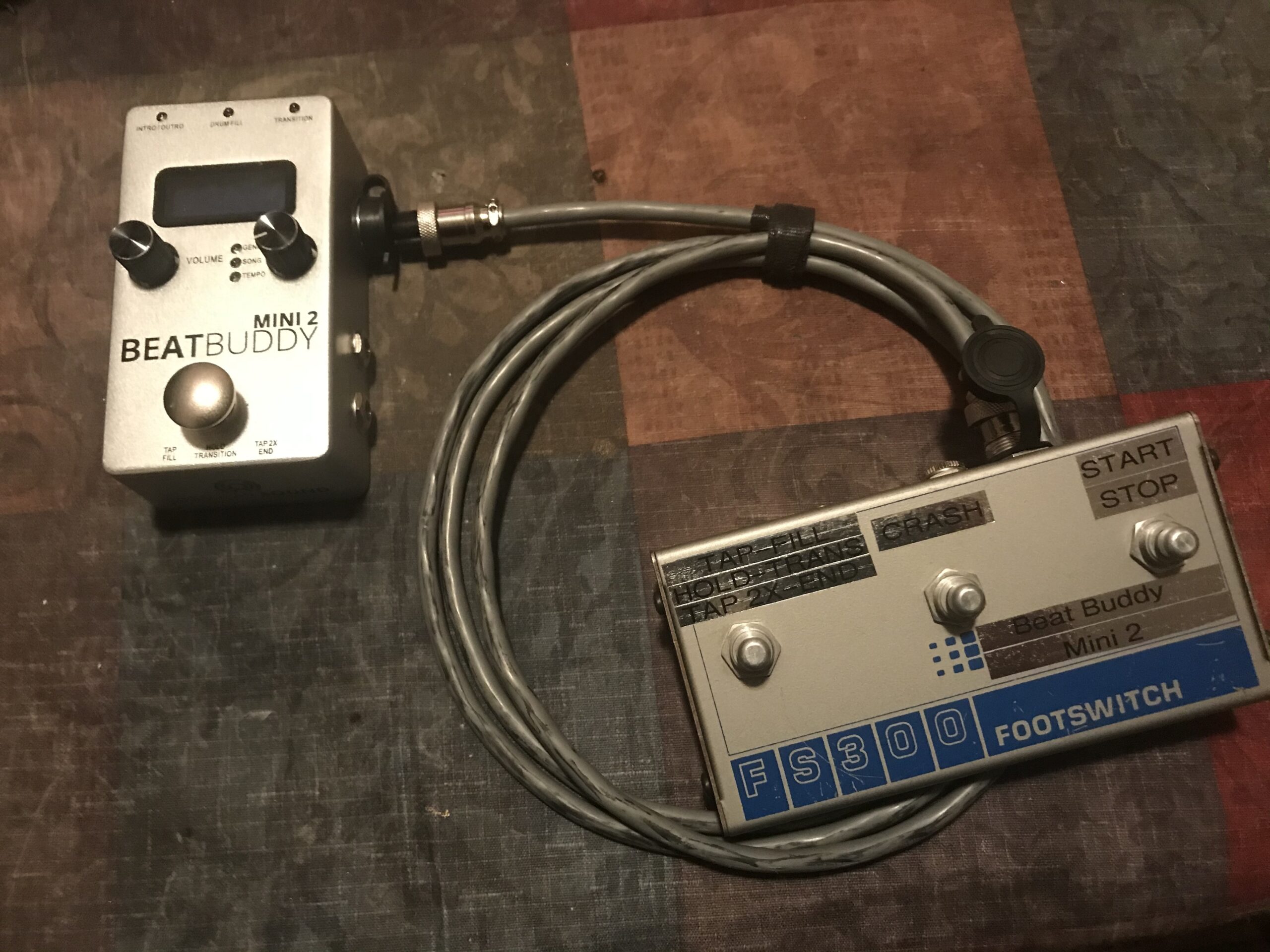
The BeatBuddy MINI 2 solves a problem that no other machine on this list addresses: it is a drum machine you control with your feet while your hands are busy playing guitar. I tested this with a Stratocaster plugged into my amp, and within five minutes I was playing along to realistic drum patterns with fills, intros, and outros triggered entirely by foot.
The 200 built-in songs span multiple genres including rock, blues, jazz, country, metal, and Latin. Each song includes multiple parts like verse, chorus, and bridge, plus drum fills that transition between sections naturally. The oversized footswitch is easy to hit even when you are looking at your fretboard, and it works barefoot or with shoes.
The visual metronome on the screen is a genuinely useful feature for beginners. It displays the beat visually, helping you develop your sense of timing without needing to listen to a click track. Multiple users mentioned this feature helped them improve their rhythm faster than any other practice tool they had tried.
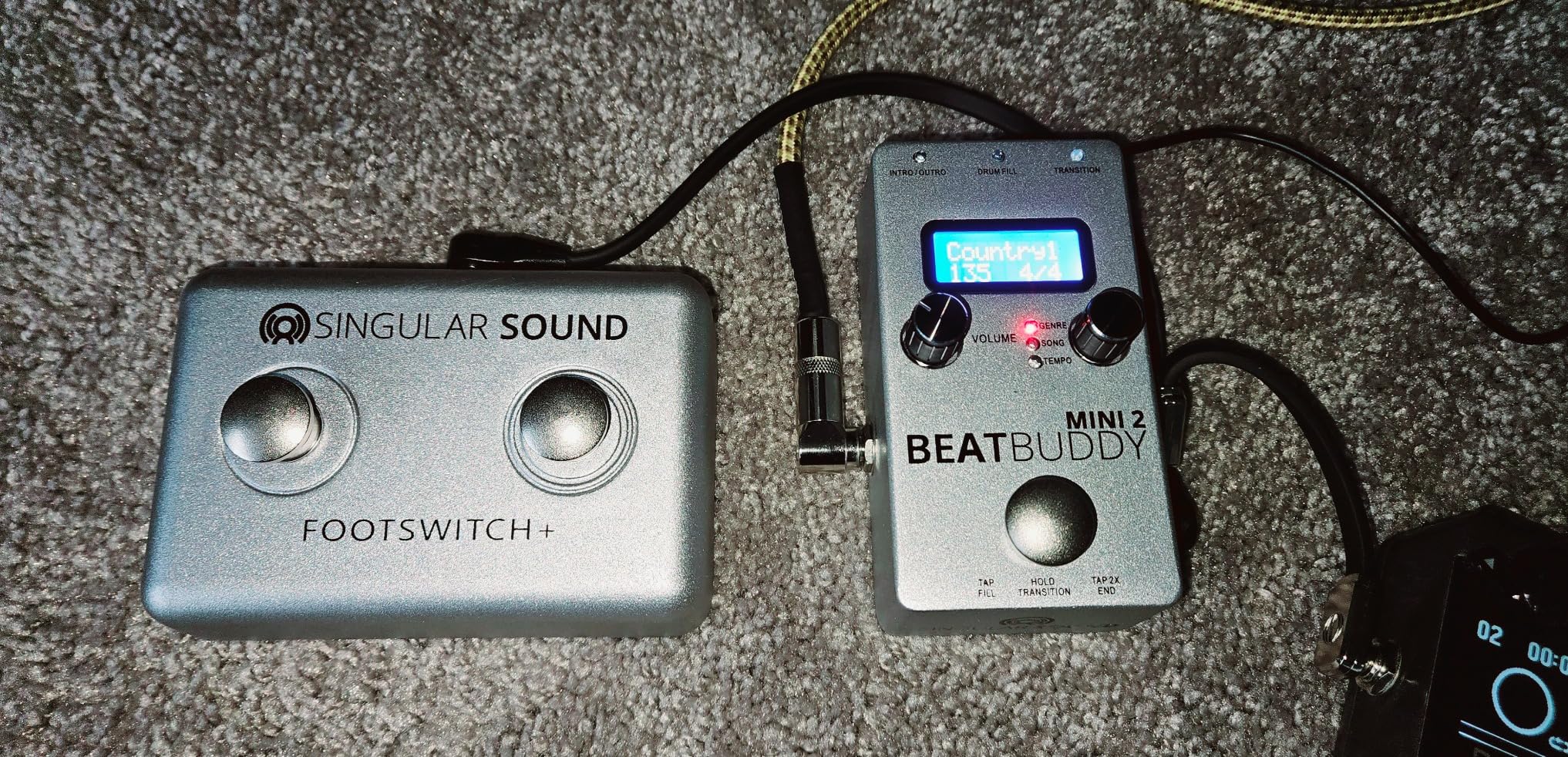
The drum sounds are surprisingly realistic for a pedal-format machine. They are high-fidelity samples of real drum kits, not synthesized sounds, which gives them an organic quality that complements acoustic instruments and guitar-based music. At 10.6 ounces and roughly the size of a standard guitar pedal, it fits on any pedalboard without taking up valuable space.
The limitations are mostly software-related. You cannot lock the tempo when switching between songs, which means you need to manually adjust the BPM each time. The outro cannot be disabled, so every song ends with a drum outro whether you want it or not. Some users also report a small timing hiccup every few bars due to the internal audio looping system.
Who Should Buy the BeatBuddy MINI 2
Guitarists, bassists, and any instrumentalist who needs both hands free while playing will find this revolutionary. It is the best drum machine for beginners who want realistic backing tracks for practice, songwriting, or solo performance. If you already have a pedalboard, this fits right in.
Who Should Skip It
If you want to program your own beats or produce electronic music, this is not the right tool. The BeatBuddy is designed for playing along with existing patterns, not for creating patterns from scratch. Beat makers and producers should look at the Roland T-8 or Korg Volca Beats instead.
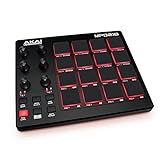
8. Akai Professional MPD218 – The MPC Legacy at a Budget Price
- Authentic MPC pad feel
- 48 total pads across 3 banks
- Includes Ableton Live Lite and MPC Beats
- USB powered no adapter needed
- Known pad sensitivity issues
- Knobs require manual assignment
- No dedicated MIDI out
- May need tape mod for optimal performance
The Akai MPD218 brings the legendary MPC pad feel to a price point that beginners can actually afford. Those 16 thick, fat pads are the same style used on Akai’s professional MPC workstations, which have shaped the sound of hip-hop since the late 1980s. When I first tapped out a beat on these pads, I immediately understood why MPC-style production became the standard for finger drumming.
With three banks of 16 pads, you actually get access to 48 assignable pads total. The six assignable knobs give you three banks of control, letting you map 18 parameters to your software instruments and effects. The MPC Note Repeat function is included, which automatically repeats notes at a chosen division of the beat. This is the feature that creates those rapid-fire hi-hat rolls heard in modern trap and hip-hop production.
The included software bundle is substantial. You get Ableton Live Lite for recording and production, Drum Synth 500 for synthesized drum sounds, and MPC Beats for MPC-style beat making. For a beginner who does not own any music software yet, this bundle alone justifies a significant portion of the purchase price.
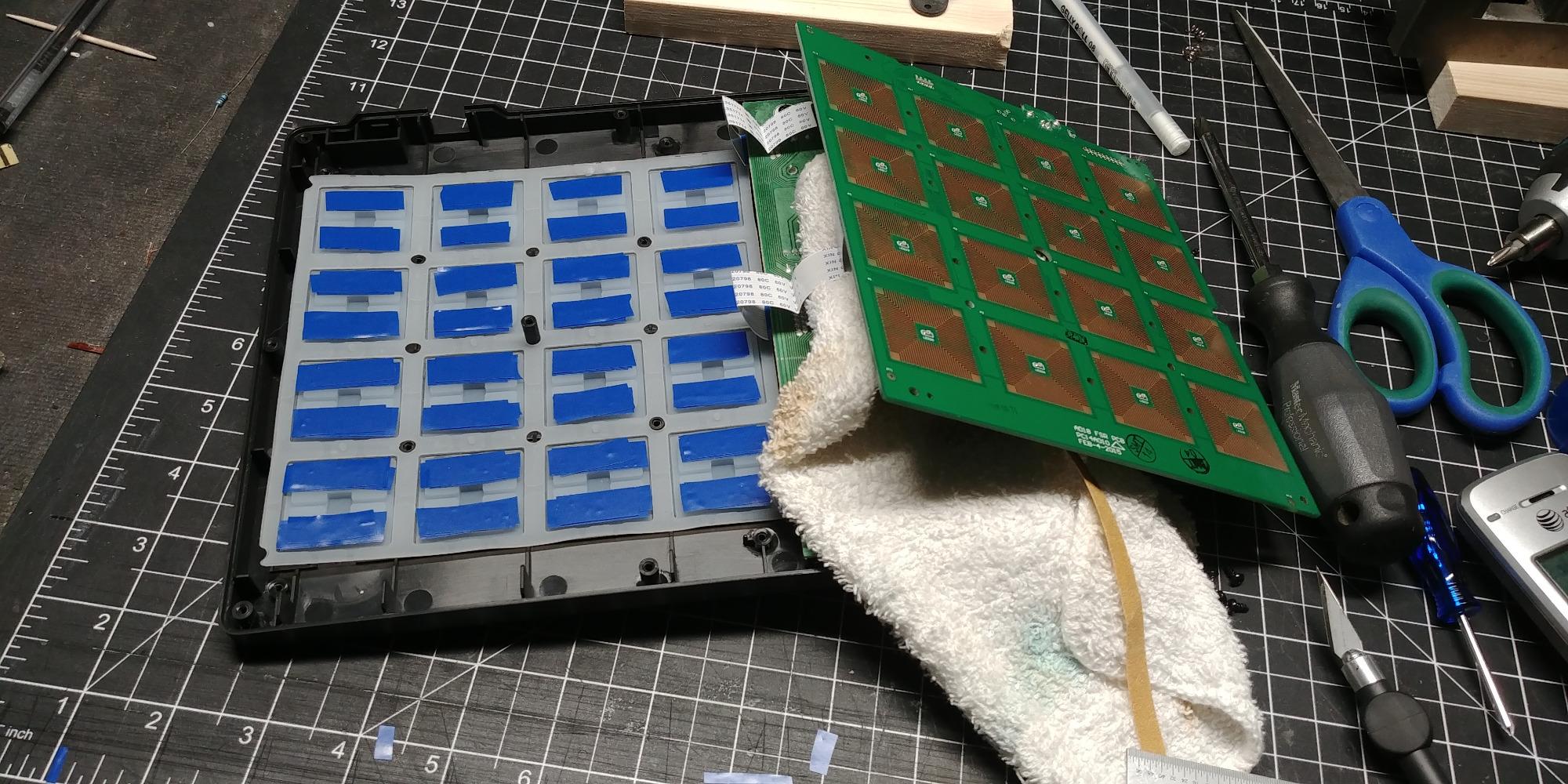
The elephant in the room is pad sensitivity. This is the most commonly reported issue with the MPD218, and I experienced it myself. Pads can double-trigger, meaning a single tap produces two notes, or cross-trigger, meaning hitting one pad also activates an adjacent pad. Some users fix this with a tape modification inside the unit, but beginners should not have to perform surgery on their gear to make it work properly.
The knobs also require manual assignment to your software, which means some setup time before they become useful. There is no dedicated MIDI output port, so connecting to external hardware synthesizers or drum modules requires routing through your computer. These are reasonable compromises at this price point, but they are worth understanding before buying.
Who Should Buy the Akai MPD218
Beginners who want to learn finger drumming and hip-hop production techniques will benefit most from this controller. The MPC pad legacy is woven into the DNA of modern beat making, and starting with authentic MPC pads builds muscle memory that transfers to any future gear. The included software makes it a complete starter package.
Who Should Skip It
If you want a standalone machine that works without a computer, this is not it. The MPD218 is a USB MIDI controller, meaning it produces no sounds on its own and must be connected to a computer running software. Also, users with larger hands may find the 4×4 pad grid cramped compared to full-size MPC units.
9. HXW EMP16 – Wireless Beat Making with Bluetooth
- Bluetooth wireless connectivity
- Excellent value for features
- OLED display for visual feedback
- Battery or USB powered
- Pad sensitivity not premium
- Menu navigation is clunky
- Double triggering reported
- Less bundled software
The HXW EMP16 caught my attention because it offers Bluetooth connectivity at a price where most controllers still require a USB cable. Being able to connect wirelessly to an iPad or iPhone running GarageBand opens up beat making in ways that wired controllers cannot match. I tested it with an iPad Pro and experienced no noticeable latency over Bluetooth 5.0.
The 16 RGB velocity-sensitive pads offer 16 customizable lighting colors, which is more visual feedback than most controllers in this price range provide. With four banks, you get 64 assignable pads total. The built-in OLED display shows settings and parameters without needing to look at your computer screen, which is a feature usually reserved for more expensive controllers.
Three velocity curves with adjustable threshold help you dial in the pad response to match your playing style. The crosstalk protection reduces accidental triggering of adjacent pads, which is a common problem on budget controllers. Standard MIDI In/Out ports alongside USB MIDI give you flexibility to connect to both computers and hardware synthesizers.
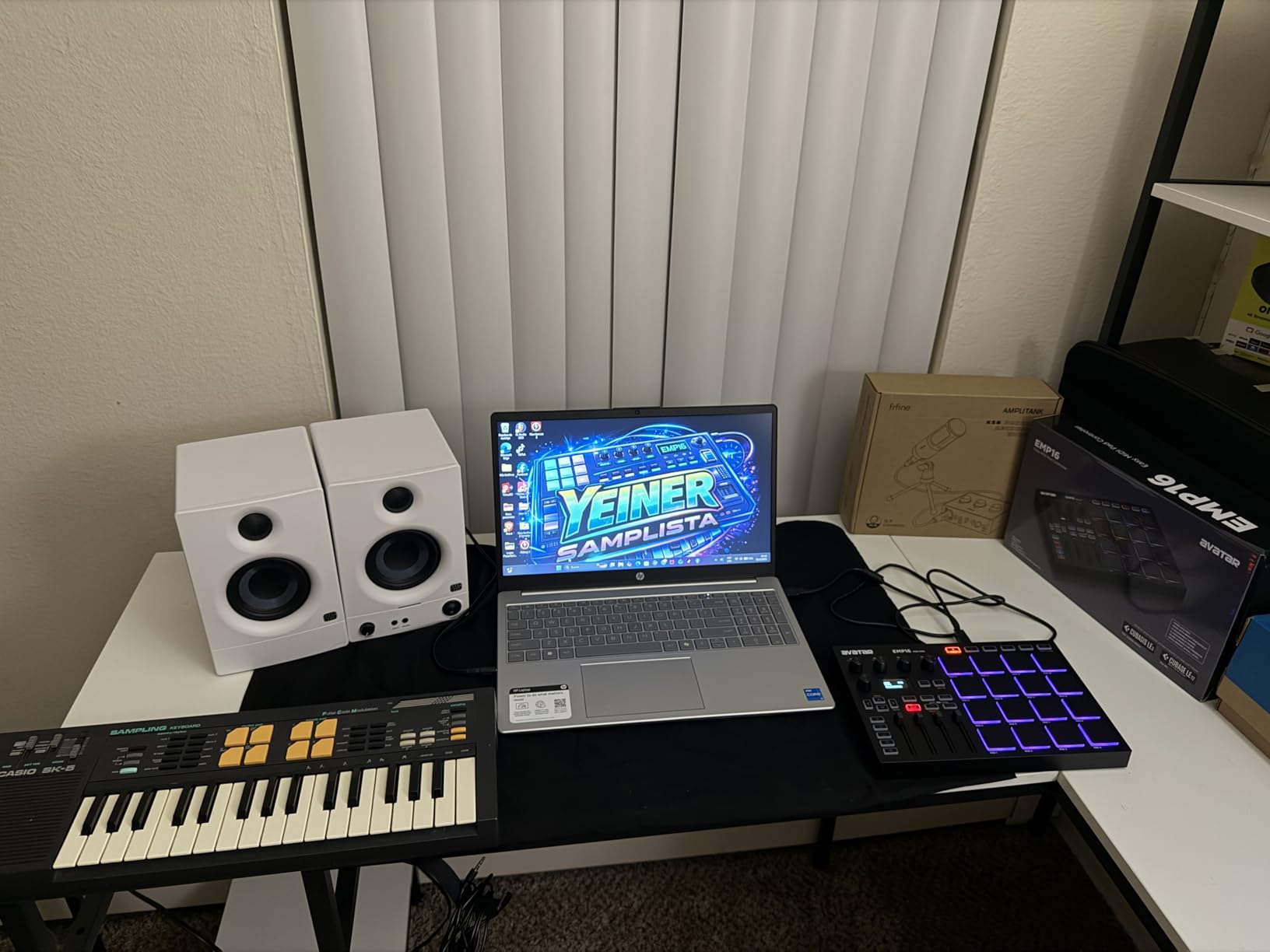
The assignable controls are generous for the price. You get four assignable faders, five buttons, and four endless rotary knobs providing 12 assignable controls total. The included Note Repeat, Time Division, Swing, and Gate functions mirror the features found on more expensive MPC-style controllers. Clock synchronization and transport controls round out a feature set that punches well above its weight.
The downsides are consistent with the price point. Pad sensitivity is not as refined as on the Akai MPD218, with some users reporting that the pads feel too firm and sensitivity cannot be adjusted enough to compensate. Menu navigation can be inconsistent, with the OK button behaving differently depending on context. Some double-triggering issues were also reported.
Who Should Buy the HXW EMP16
Beginners who want wireless freedom and a rich feature set without spending much will find this an excellent value. It is especially well-suited for mobile producers who work on iPads or iPhones. The OLED display and comprehensive controls make it feel like a more expensive controller than it is.
Who Should Skip It
If pad feel is your top priority, spend a bit more on the Akai MPD218 for superior MPC-style pads. Studio professionals who need rock-solid reliability may also want to invest in a more established brand. The EMP16 is a great value, but it is not a professional-grade instrument.
10. PreSonus ATOM – The Best Controller for Studio One Users
- Deep Studio One integration
- Over 1000 dollars in bundled software
- 16 full-size pressure-sensitive pads
- Solid stainless steel build
- Best with Studio One only
- Limited programmability in other DAWs
- Some QC issues reported
- Pads can feel inconsistent
If you use Studio One as your DAW, the PreSonus ATOM is the pad controller I recommend without hesitation. The integration is so tight that the ATOM essentially becomes a hardware extension of the software. You can set loop points, navigate the timeline, zoom in and out, and edit and quantize MIDI events directly from the controller without touching your mouse.
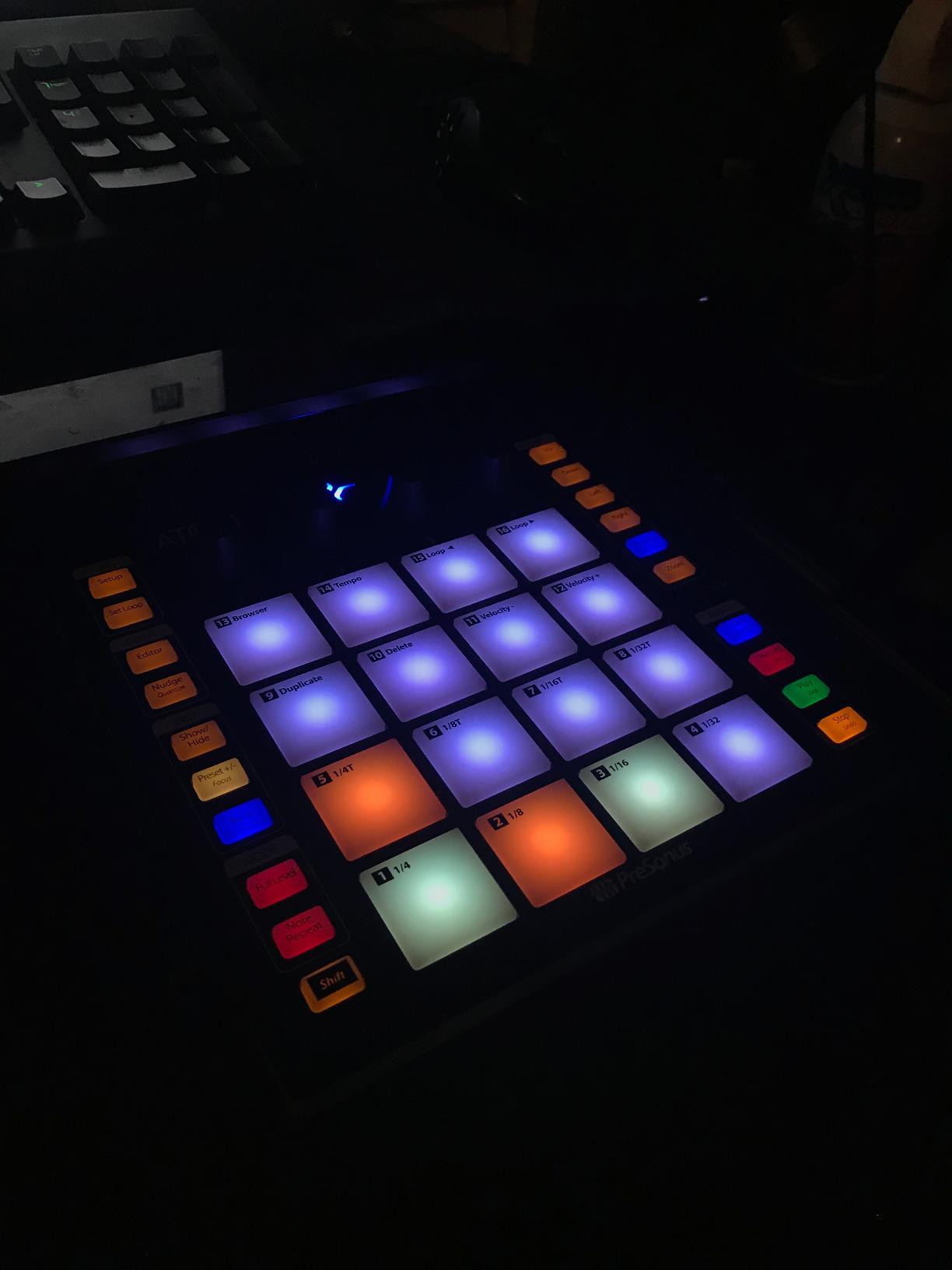
The 16 full-size pads are both velocity- and pressure-sensitive, meaning they respond to how hard you press and how much pressure you apply after the initial hit. This aftertouch capability lets you add expression to your performances in real time. The RGB LED lighting provides visual feedback, with colors that can be mapped to different instrument groups or sample banks.
The bundled software package is extraordinary. You get Studio One Artist, Ableton Live Lite, the Studio Magic Plug-In Suite worth over $1000, and MVP Loops content curated specifically for the ATOM. For a beginner who needs both a controller and production software, this bundle represents tremendous value that goes well beyond the hardware itself.
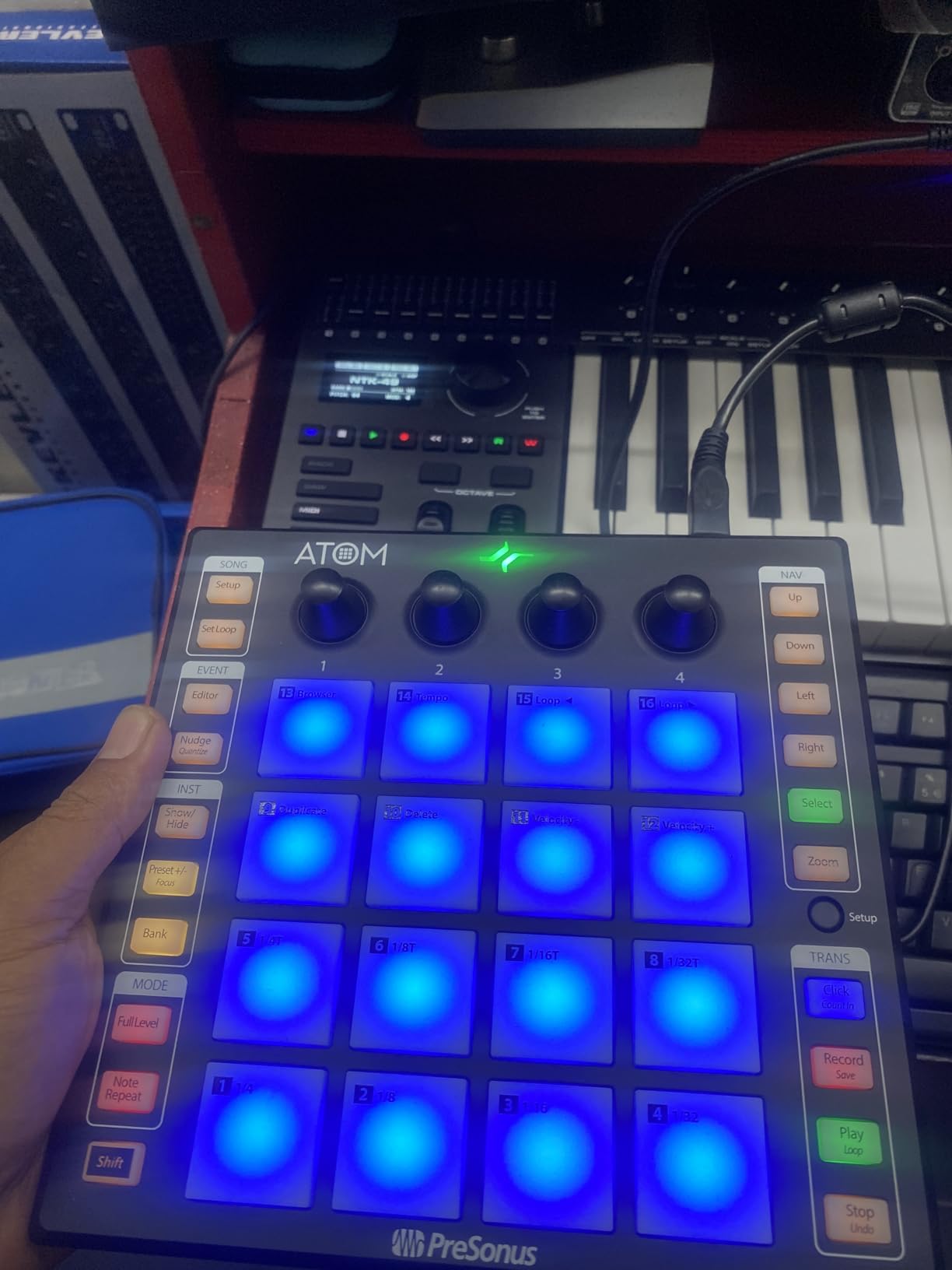
The 20 assignable buttons and four endless rotary encoders give you extensive control over your DAW and virtual instruments. Eight pad banks provide expanded control across different instruments and sample sets. The selectable velocity curves and pressure thresholds let you customize the pad response to match your playing dynamics.
The main limitation is that the ATOM is designed primarily for Studio One. While it works with other DAWs, the deep integration features do not translate, and programming MIDI note values for individual pads in other software is not straightforward. Some users have also reported quality control issues including over-sensitive or non-responsive pads, though PreSonus customer service generally resolves these quickly.
Who Should Buy the PreSonus ATOM
Studio One users get the most value from this controller by far. If you are a beginner who has not yet chosen a DAW, the included Studio One Artist makes this an attractive starting point. The massive software bundle means you can start producing complete tracks immediately without buying additional plugins.
Who Should Skip It
If you already use Ableton Live, FL Studio, or Logic as your primary DAW, the ATOM’s limited programmability outside of Studio One will frustrate you. Look at the Akai MPD218 for broader DAW compatibility. The ATOM is a specialized tool that shines brightest in its native ecosystem.
11. KAT Percussion KTMP1 – Budget Percussion Pad for Drummers
Kat Percussion KTMP1 Electronic Drum and Percussion Pad Sound Module, Black
- 50 quality drum and percussion sounds
- Four velocity-sensitive pads
- USB and MIDI connectivity
- Great value with included drumsticks
- No internal memory for settings
- Limited MIDI implementation
- No aftertouch or reverb
- Sound quality basic vs pricier options
The KAT Percussion KTMP1 is a different breed of drum machine. Rather than pads you tap with your fingers, this is a percussion pad designed to be hit with drumsticks. I tested it with the included drumsticks on a snare stand, and the four rubber pads responded well to stick hits with convincing velocity sensitivity.
Fifty built-in sounds cover the essentials: kick drums, snares, toms, hi-hats, cymbals, and a range of world percussion instruments. The sound quality is solid for the price, though not as polished as more expensive units. Two additional inputs on the back let you connect a hi-hat controller pedal and a bass drum trigger, effectively expanding the KTMP1 into a compact electronic drum kit.
For beginners learning to play drums, the KTMP1 offers an affordable way to practice pad technique and explore electronic drumming. The included drumsticks mean you can start playing immediately. The USB/MIDI connectivity lets you use it as a controller for drum software on your computer, expanding the sound possibilities well beyond the 50 built-in tones.
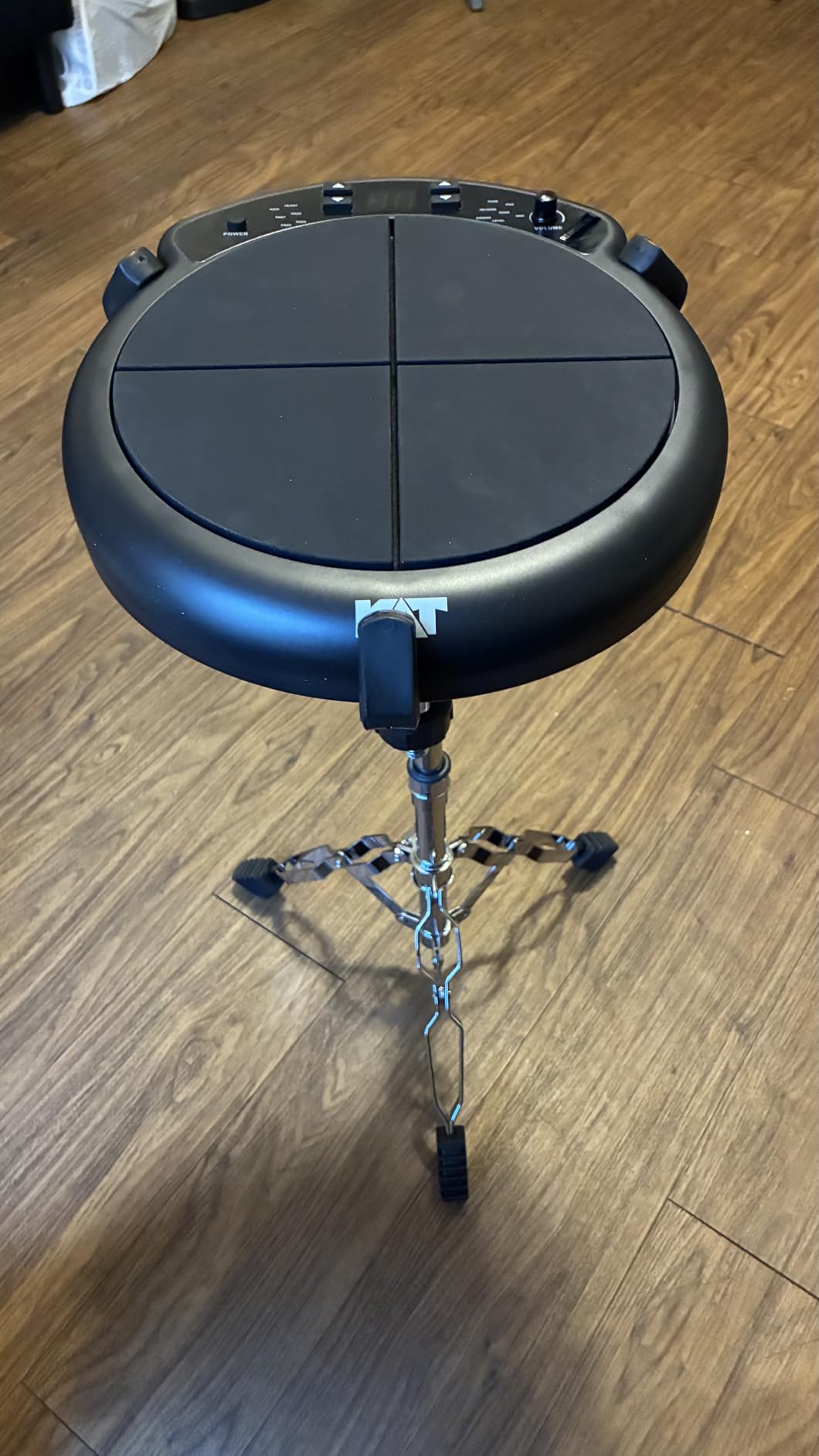
The technical limitations are significant, however. There is no internal memory, which means all your settings are lost when you power off or after five minutes of inactivity. The MIDI implementation is extremely basic, limited to NOTE_ON messages only. Control knobs and buttons do not produce MIDI output, so you cannot use them to control software parameters.
Some of the samples are surprisingly short, particularly the chimes and cymbal sounds, which cut off abruptly. There is no aftertouch, no reverb, and no advanced MIDI CC support. You also cannot select sounds via MIDI, which means you must use the physical buttons on the unit to browse and choose sounds during a session.
Who Should Buy the KAT KTMP1
Drummers and percussionists who want an affordable practice pad with sounds will get the most value from this. It is also good for beginners exploring electronic drumming who are not ready to invest in a full electronic drum kit. The stick-playable pads make it unique among the machines on this list.
Who Should Skip It
If you want to produce beats electronically or program patterns with a step sequencer, this pad has no sequencing capabilities whatsoever. It is a sound module and MIDI controller only. Beat makers and producers should look at the Roland T-8 or Korg Volca Beats instead.
12. FLAMMA FF02 Drum Machine Pedal – 121 Grooves in a Pedalboard Format
- 121 grooves across 11 genres
- Tap tempo with real-time fills
- Compact pedalboard-friendly size
- Stereo inputs and outputs
- No internal battery
- Limited rock and pop patterns
- Quality control concerns
- Some beats too busy
The FLAMMA FF02 is the cheapest dedicated drum machine on this list, and it comes in a guitar pedal format. I plugged it into my pedal chain between a distortion pedal and a delay, and it worked seamlessly as a rhythm accompaniment for guitar practice. The 121 drum grooves cover 11 genres, giving you plenty of rhythmic backing tracks to play along with.
The tap tempo function is the feature I used most. Instead of scrolling through menus to find the right BPM, you simply tap the footswitch a few times at your desired tempo and the FF02 matches instantly. The real-time fill function adds variation to patterns, letting you trigger drum fills on the fly to keep your practice sessions dynamic.
The sound quality exceeded my expectations for the price. Drum samples are crisp, clear, and punchy through an amplifier or studio monitors. The stereo inputs and outputs let you integrate it into a stereo pedalboard or studio routing setup. A headphone jack enables silent practice when you need to keep the noise down.
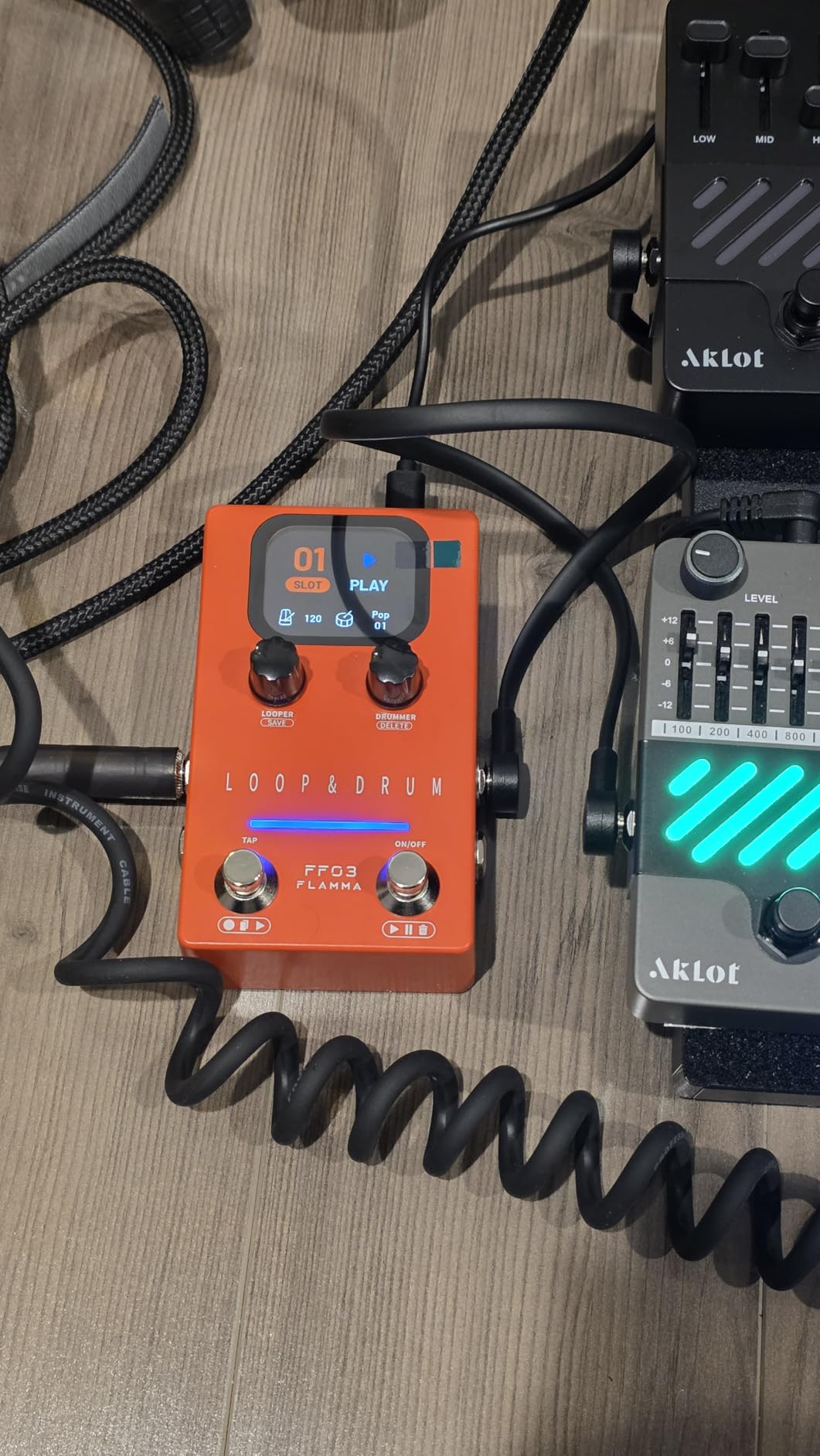
The 66 customizable slots across 11 genre groups give you room to save your favorite patterns. Up to four minutes of loop recording time with 40 track slots means you can layer guitar parts over drum grooves directly within the pedal. LED indicators and dual footswitches provide clear visual feedback during live use.
The main complaints from users focus on the pattern selection. Several guitarists noted that the available beats lean heavily toward exotic and busy patterns, with limited basic rock and pop grooves. If you need a simple four-on-the-floor rock beat, you might struggle to find one that suits your needs. Quality control issues have also been reported, with some users receiving defective units that needed replacement.
Who Should Buy the FLAMMA FF02
Guitarists and bassists who want a budget-friendly rhythm pedal for practice will find this useful. The tap tempo and fill functions make it feel more interactive than a simple backing track player. At this price point, it is one of the cheapest ways to add drum accompaniment to your practice routine.
Who Should Skip It
If you need to program your own beats or want production-quality drum sounds, this practice pedal will not meet your needs. The lack of a sequencer means you are limited to the 121 preset grooves. Producers and beat makers should invest in a proper drum machine instead.
How to Choose Your First Drum Machine
Choosing your first drum machine can feel overwhelming with so many options on the market. After testing 12 machines and reading hundreds of forum posts from beginners, I have identified the key factors that actually matter when you are just starting out. Here is what to consider before you spend your money.
Standalone vs Computer-Based: The First Big Decision
The most important choice you will make is whether you want a standalone machine or a computer-based controller. Standalone machines like the Roland T-8, Korg Volca Beats, and Alesis SR-16 produce their own sounds and work without a computer. You turn them on and start making beats immediately. These are ideal if you want a tactile, screen-free experience or if you want to make music away from your desk.
Computer-based controllers like the Akai MPD218, PreSonus ATOM, and HXW EMP16 produce no sounds on their own. They must be connected to a computer running music software. The advantage is access to unlimited sounds through software instruments and samples. The disadvantage is that you need a computer, audio interface, and software to make any sound at all.
Forum data shows that many beginners who start with software crave the tactile feel of hardware and upgrade within 6 to 12 months. If you think you might want hardware eventually, starting with a standalone machine saves you from buying twice. On the other hand, if you already produce music on a computer, a controller integrates seamlessly into your existing workflow.
Analog vs Digital: What Actually Matters for Beginners
Analog drum machines generate sounds using electrical circuits, while digital machines use recorded samples or digital synthesis. Analog machines like the Korg Volca Beats and Arturia DrumBrute Impact have a warm, punchy character that many producers prefer for electronic music. Digital machines like the Alesis SR-16 offer more sound variety and realism for acoustic-sounding drums.
For most beginners, the analog versus digital distinction matters less than the overall sound character and ease of use. A great-sounding digital machine will serve you better than a mediocre analog one. Focus on whether the available sounds match the style of music you want to make, rather than getting caught up in the technology behind them.
Pad Size and Sensitivity: The Hidden Dealbreaker
One of the most common complaints from forum users is that small pads on budget machines are frustrating, especially for users with larger hands. If you plan to do finger drumming, pad size and responsiveness are critical. The Akai MPD218 has the thickest, most satisfying pads in the budget category, though it suffers from sensitivity issues. The PreSonus ATOM offers full-size velocity and pressure-sensitive pads that feel professional.
If you have large hands, test the pad layout before buying if possible. Machines with cramped 4×4 pad grids can feel claustrophobic. Controllers with fewer, larger pads may actually be more playable than those with many tiny ones.
Connectivity: Planning for Future Growth
Think about what you might want to connect to your drum machine now and in the future. MIDI In and Out ports let you sync with other hardware and control external synthesizers. USB connections enable computer integration. Individual audio outputs allow you to process each drum sound separately through effects or a mixing console.
Entry-level machines often skimp on connectivity. The Korg Volca Beats only has MIDI In, not Out. The Teenage Engineering PO-12 has no MIDI at all. If you plan to build a hardware-based studio, prioritize machines with comprehensive connectivity like the Roland T-8 or Arturia DrumBrute Impact.
Budget Tiers: How Much Should You Spend?
Under $100, your best options are the Teenage Engineering PO-12 and the FLAMMA FF02. These are fun, limited machines that introduce you to beat making without a major financial commitment. They are perfect for testing whether you enjoy the process before investing more.
Between $100 and $200, the Korg Volca Beats, Alesis SR-16, Akai MPD218, PreSonus ATOM, and HXW EMP16 offer serious capability. This is the sweet spot for most beginners, with machines that can serve you for years. You get real features, decent build quality, and enough depth to grow into.
From $200 to $300, the Roland T-8, Behringer RD-78, and Arturia DrumBrute Impact provide professional-level sounds and build quality. If you are confident that beat making will become a serious hobby, starting in this tier means you will not need to upgrade for a long time.
Accessories Beginners Often Forget
Several forum users mentioned being surprised that power supplies are not included with some budget machines. Check what comes in the box before you buy. The Korg Volca Beats does not include a power adapter, running on batteries by default. The Teenage Engineering PO-12 also runs on batteries only.
Other accessories to consider include headphones for silent practice, audio cables for connecting to monitor speakers or recording equipment, and cases for portable machines. The bare circuit board of the Teenage Engineering PO-12 practically demands a third-party case for protection. If you plan to use your machine with a computer, you may also need a USB cable or MIDI interface. For a portable setup that works with your drum machine, see our guide to the best portable MIDI controllers.
Common Beginner Mistakes to Avoid
After reading hundreds of forum posts and user reviews, I noticed several recurring mistakes that beginners make when choosing and using their first drum machine. Avoiding these will save you money and frustration.
The biggest mistake is buying a machine that is too complex. Beginners see feature lists and assume more is better, but machines like the Elektron Digitakt or high-end MPCs have steep learning curves that can kill your motivation. Start with something approachable like the Roland T-8 or Korg Volca Beats, where you can make satisfying sounds within the first session.
The second mistake is not considering what genre of music you want to make. The Alesis SR-16 is excellent for rock and pop but wrong for techno. The Arturia DrumBrute Impact is perfect for electronic music but lacks the acoustic drum sounds a rock songwriter needs. Match the machine to your musical goals.
The third mistake is ignoring connectivity until it is too late. Many beginners buy a machine, fall in love with it, and then discover they cannot connect it to their other gear. Check MIDI ports, USB capabilities, and audio outputs before buying, even if you do not think you need them yet.
Hardware vs Software: A Quick Comparison
Many beginners ask whether they should start with a hardware drum machine or software plugins. Both approaches have merit, and the right choice depends on your goals. Software like XLN Audio Addictive Drums or Native Instruments Battery offers unlimited sounds, visual editing, and no additional cost if you already own a computer.
Hardware machines provide tactile, immediate control that software cannot match. There is something about pressing a physical button and hearing a sound that makes beat making feel more like playing an instrument and less like operating a computer. Hardware also encourages you to commit to sounds and patterns rather than endlessly tweaking options in software.
If budget allows, many experienced producers recommend having both. Use software for sound variety and editing power, and use hardware for performance and creative inspiration. The Roland T-8 doubles as a USB audio interface, making it a natural bridge between hardware and software worlds.
Final Thoughts
After three months of testing, the best drum machines for beginners in 2026 share one thing in common: they make beat making feel like play rather than work. The Roland AIRA Compact T-8 stands out as our editor’s choice because it delivers legendary Roland sounds, a built-in bass synth, and professional sequencing in a portable package that beginners can grow into over years.
If budget is your primary concern, the Teenage Engineering PO-12 offers unbeatable fun for under $60. If you want true analog sounds without breaking the bank, the Korg Volca Beats remains the machine that has introduced more people to hardware beat making than perhaps any other device. And if you are a guitarist who needs hands-free drum accompaniment, the BeatBuddy MINI 2 solves that problem brilliantly.
The most important advice I can give is to choose a machine that matches the music you want to make, not the one with the longest feature list. A simple machine you actually use every day will teach you far more than a complex one that sits in a drawer. Pick one, commit to learning it, and start making beats. The rest will follow.