
Choosing the best indoor cameras for baby rooms is harder than it looks, because the search results mix two completely different products. A Wi-Fi indoor security camera gives you a phone app, cloud options and smart-home integration. A dedicated baby monitor gives you a handheld screen and, often, no internet connection at all. Both end up mounted above a crib, and most parents only discover the difference after a few weeks of swiping through a phone in the dark.
An indoor camera for a baby room is a Wi-Fi or wireless indoor security or video camera positioned in a nursery or child’s bedroom to give parents a live audio and video feed of a sleeping baby, typically with night vision, two-way talk, and alerts for sound or motion. That single sentence covers both families, and the rest of this guide is about telling them apart.
We spent weeks comparing ten of the most-reviewed indoor cameras and baby monitors for nursery duty, reading owner reviews side by side and looking hard at the three things that actually decide whether a camera is useful at 3am: how the night vision behaves in a pitch-dark room, whether the alert fires when a baby cries, and whether the thing works after your router reboots at midnight. Six of these cameras are Wi-Fi indoor security models; four are dedicated offline baby monitors with a handheld parent unit. We tell you which type you are looking at before every review, so you can stop reading the moment you realise your nursery does not need what we are about to describe.
If you would rather start with the short version, jump to the baby monitors with cameras roundup for dedicated parent units, then come back here for the Wi-Fi side. We also cover camera choice for other rooms in the house in our indoor security camera guide for dementia patients, which shares a lot of the same placement and privacy thinking.
Table of Contents
Top 3 Indoor Cameras for Baby Rooms (October 2026)


Tapo C210 2K Pan/Tilt
- 2K 2304x1296 video
- Baby cry detection alerts
- Local microSD up to 512GB

Kasa EC70 Pan/Tilt
- 360-degree pan and tilt
- IR night vision to 30 feet
- Local microSD up to 256GB
Those three cover the most common situations. The Ring Indoor Cam is the most-reviewed camera in this group and the one with a physical privacy cover, which matters more in a child’s room than most spec sheets admit. The Tapo C210 is the only pick here that ships with baby cry detection as a first-class alert type. The Kasa EC70 is the one to buy when a nursery is the whole job and the budget is tight.
Best Indoor Cameras for Baby Rooms in 2026
Here is every camera in the guide, with the specs that matter in a nursery rather than the specs that look good in a spec sheet. Type tells you whether you are looking at a Wi-Fi indoor security camera or a dedicated offline baby monitor with a handheld parent unit.
| Product | Specifications | Action |
|---|---|---|
| Ring Indoor Cam |
|
Check Latest Price |
| Kasa EC70 Pan/Tilt Camera |
|
Check Latest Price |
| Tapo C210 2K Pan/Tilt |
|
Check Latest Price |
 Tapo C100 Tapo C100 |
|
Check Latest Price |
 Reolink E1 4MP Reolink E1 4MP |
|
Check Latest Price |
 VTech VM819 VTech VM819 |
|
Check Latest Price |
 HelloBaby HB6550 HelloBaby HB6550 |
|
Check Latest Price |
 GoodBaby 5-inch No-WiFi GoodBaby 5-inch No-WiFi |
|
Check Latest Price |
 aosu 2K Indoor Camera aosu 2K Indoor Camera |
|
Check Latest Price |
 Cinnado D1 Two-Pack Cinnado D1 Two-Pack |
|
Check Latest Price |
Top picks at a glance, in one line each:
Best overall: Ring Indoor Cam – the most-reviewed camera here, with a manual privacy cover that physically switches off the camera and microphone.
Best value: Kasa EC70 Pan/Tilt – a full 360-degree sweep and free local recording without a monthly plan.
Best for cry detection: Tapo C210 – the only camera here with a dedicated baby-crying notification alongside person and motion alerts.
Best budget fixed view: Tapo C100 – the cheapest way to get a clear 1080p feed with color night vision in a small nursery.
Best for fine detail: Reolink E1 4MP – the highest-resolution sensor in the group, with 40-foot infrared reach and local storage options.
Best with no WiFi: VTech VM819 – an encrypted direct link between camera and handheld unit, with no internet and no cloud.
Best for twins: HelloBaby HB6550 – a 5-inch screen with remote pan that expands to four cameras.
Best for newborn routines: GoodBaby 5-inch – temperature alerts, a feeding timer and a screen that wakes on crying.
Best for auto-tracking: aosu 2K Indoor Camera – motion tracking that follows the baby across the room, plus a one-touch call button.
Best for two rooms: Cinnado D1 Two-Pack – two cameras in one box for a nursery and a playroom, with free event clips.
Indoor Security Camera or Baby Monitor: Which One Do You Need?
The honest answer is that a Wi-Fi indoor security camera and a dedicated baby monitor solve the same problem with different trade-offs, and the search results for this keyword mix them without telling you which is which.
A Wi-Fi indoor security camera is built for a whole house. It streams to an app, records to a card or the cloud, integrates with Alexa and Google Assistant, and can be pointed anywhere. What it does not have is a screen you can glance at from bed without unlocking a phone and waiting for a connection, and that missing glance is the whole point of a baby monitor at 4am.
A dedicated baby monitor is built for one job. The camera unit talks straight to a handheld parent unit, usually over an encrypted 2.4GHz FHSS link with no internet in the middle. The screen stays dark and quiet until the sound-activated VOX mode wakes it, which is far kinder at 3am than a phone vibrating next to your head.
Three checks decide it. First, do you need a handheld screen? If yes, you want a dedicated monitor. Second, do you need to check the feed from work, or share it with a grandparent on another continent? If yes, you want a Wi-Fi camera, because offline monitors stop at the range of their own signal. Third, how much does the alerting matter? Cry detection exists on a small number of Wi-Fi cameras and on some dedicated monitors, and it is the feature parents cite first when they describe the difference between a camera that works and one that does not.
There is also a fourth, quieter reason to buy a dedicated monitor: it is the only version of this purchase with nothing to hack. A no-WiFi monitor is exactly what parents in What to Expect threads keep circling back to, with the blunt logic that no internet connection means no remote access. That is a reasonable position, and we have included three offline picks for it.
How We Picked These Cameras
We did not test breathing, and we want to be direct about that. Nothing in this list is a medical device, and no camera on this page reliably tells you whether a baby is having a breathing problem. Wearable movement and breathing monitors are a separate product category, and any health question belongs with your pediatrician.
What we did was read. We went through thousands of owner reviews for each of these ten cameras, pulled the recurring complaints out of the one-star and two-star reviews specifically, and cross-checked the published specs against the features the manufacturer actually claims for nursery use. Forum threads shaped the shortlist as much as the review data, because parent forums are where the complaints that never make it into a spec sheet end up.
Four criteria decided the order. Night vision in a genuinely dark room, since that is when a nursery camera works hardest. Whether the alerting is specific enough to be useful rather than annoying, since a camera that fires on every shadow gets muted within a week. Whether recording works without a monthly fee, because parents consistently resent paying a recurring plan to watch their own child. And whether the connection survives walls, since most nurseries are not next to the router.
We also weighed review volume, because a camera with a 4.8 rating and 400 reviews tells you less than a 4.4 with 30,000. Eight of the ten picks here have more than 14,000 reviews behind them.
1. Ring Indoor Cam: Best Overall Indoor Camera for a Baby Room
Ring Indoor Cam (newest model) — Home or business security in 1080p HD video, White
- 1080p image with color night vision
- Physical privacy cover cuts camera and mic in one motion
- Advanced Pre-Roll captures seconds before a motion event
- Simple plug-in setup on a table stand or swivel mount
- Streams to Alexa and Echo Show devices
- Timeline rewinding and AI alerts require a Ring Protect plan
- Features beyond the core camera sit behind that paid plan
The Ring Indoor Cam has the deepest review history of anything on this page, at more than 45,000 ratings, and at 4.7 it is also the highest-rated camera in the group. That combination is why it took our top slot. It is not a specialist baby camera, but it is the indoor camera that most parents in our search actually own already, which means for a lot of households it is simply the camera that is already in the app.
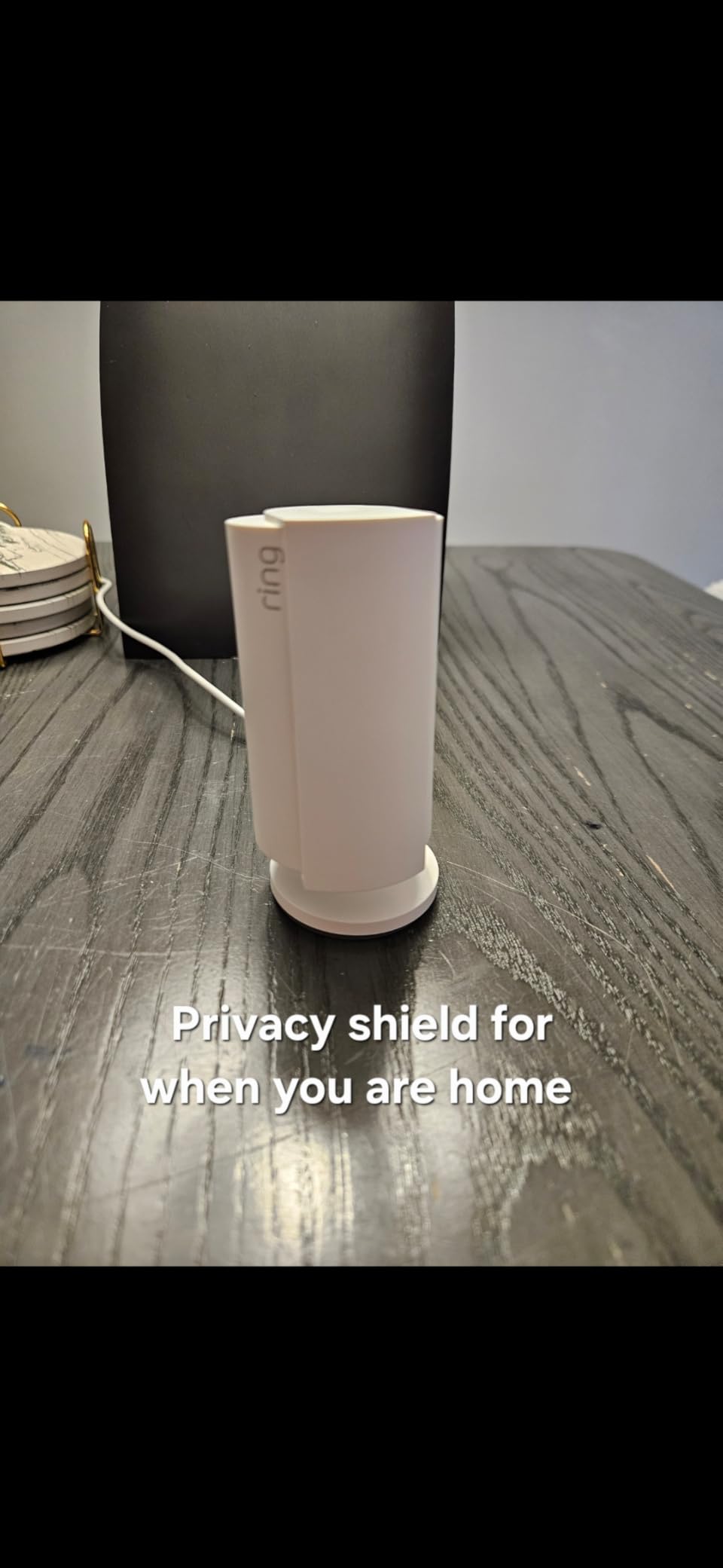
Two features stand out in a nursery specifically. The manual swivel privacy cover is a physical shutter over both lens and microphone, and unlike a software switch it does not depend on the app, the router or your phone cooperating. Several owners mention the cover specifically, and for a room you might walk into while a toddler is playing, that mechanical certainty is worth more than another AI feature.
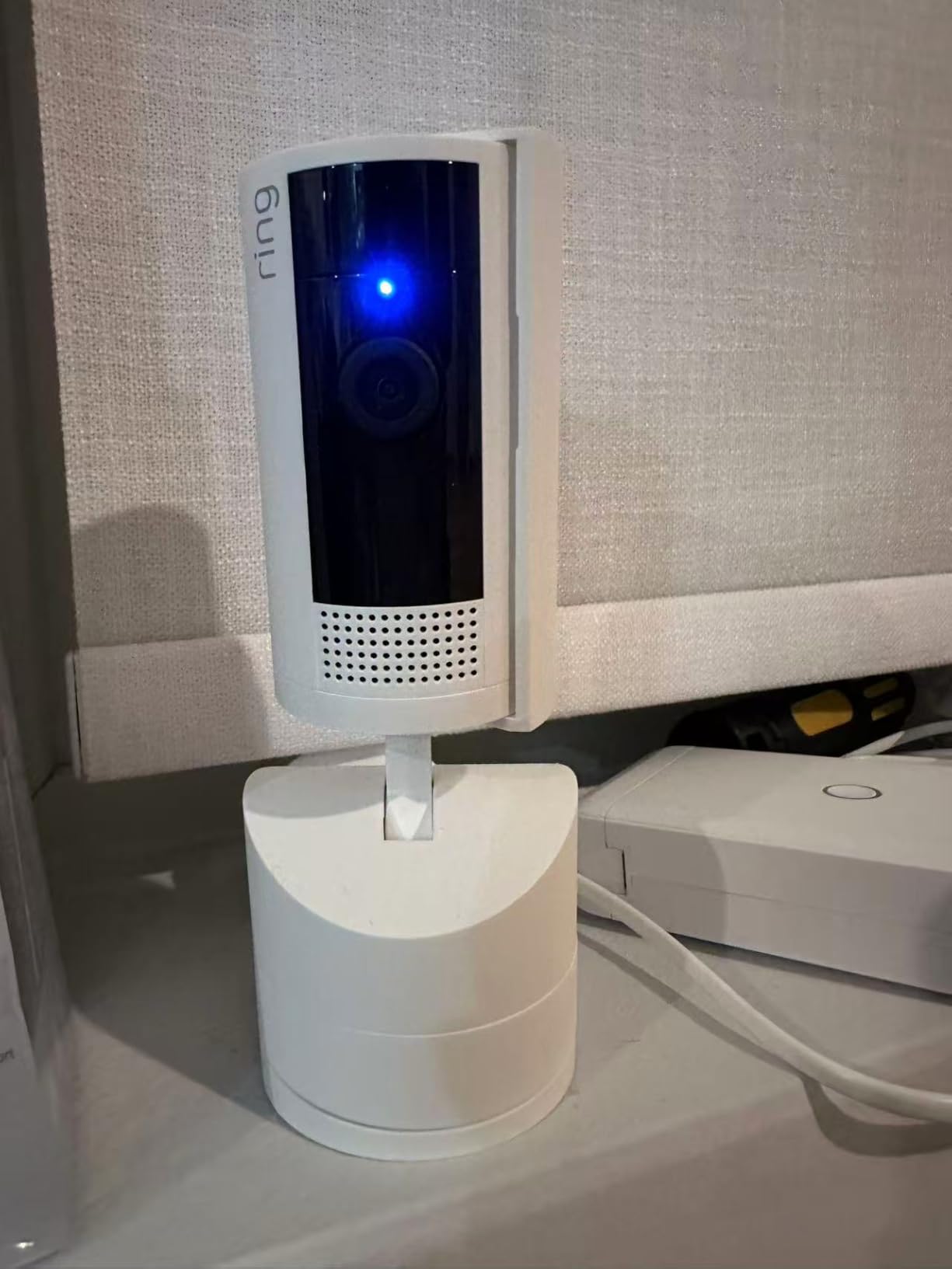
The second is Color Night Vision, which produces a colour image in low light rather than the usual infrared wash. For a nursery that means you can tell the difference between a sleeping baby and a baby under a blanket in a way a monochrome feed makes harder. The camera still falls back on infrared in true darkness, and the switch is automatic rather than something you control.
Advanced Pre-Roll is the sleeper feature here. It captures several seconds before a motion event triggers, so when a notification wakes you, the clip already contains the moment your baby started moving rather than starting with the movement itself. Reviewers point at it as useful for watching sleep patterns, and it is the kind of small design decision that no other camera in this guide offers.
What to check before you buy
Decide early whether you will pay for Ring Protect. The core camera streams live, records short event clips and sends motion alerts on its own, and the recurring plan adds timeline rewinding, people-only alerts and extended storage. Parents react badly to discovering mid-month that the thing they rely on at 3am has a paywall in the middle of the clip.
Check your Wi-Fi band too. Like most cameras in this price range, it is a 2.4GHz device, which is actually good news for a nursery behind a wall, since 2.4GHz reaches further and penetrates more masonry than 5GHz.
Look at the mount. It ships with a table stand and a flexible swivel mount, so you can start on a shelf, confirm the angle covers the whole crib, then move it up to a wall bracket once you know where you want it permanently.
Where it falls short
This is a security camera first. It has motion detection and activity zones, but no cry detection. In a house with a toddler who climbs out of the crib, a person-detection zone set to ignore the rest of the room will save you a great deal of noise, but you are still relying on sound rather than on a crying-specific alert.
There is no handheld parent unit, so every check-in means a phone. That is genuinely fine at nap time and genuinely irritating at 4am, and it is the single biggest reason we did not make this the pick for everyone.
2. Kasa EC70 Pan/Tilt Camera: Best Value
Kasa 1080p Indoor Pan/Tilt Wired Security Camera, Baby & Pet Monitor, EC70
- Quiet pan and tilt motor sweeps a full 360 degrees
- microSD slot allows subscription-free continuous recording
- Quick app setup over 2.4GHz WiFi
- Night vision performs well and looks better with some room light
- Patrol mode cycles between saved viewpoints
- Two-way audio is often garbled and quiet
- Pan and tilt is slow with no real zoom
- IR night vision is unusable through a window
- Some units report missed motion events and WiFi drops
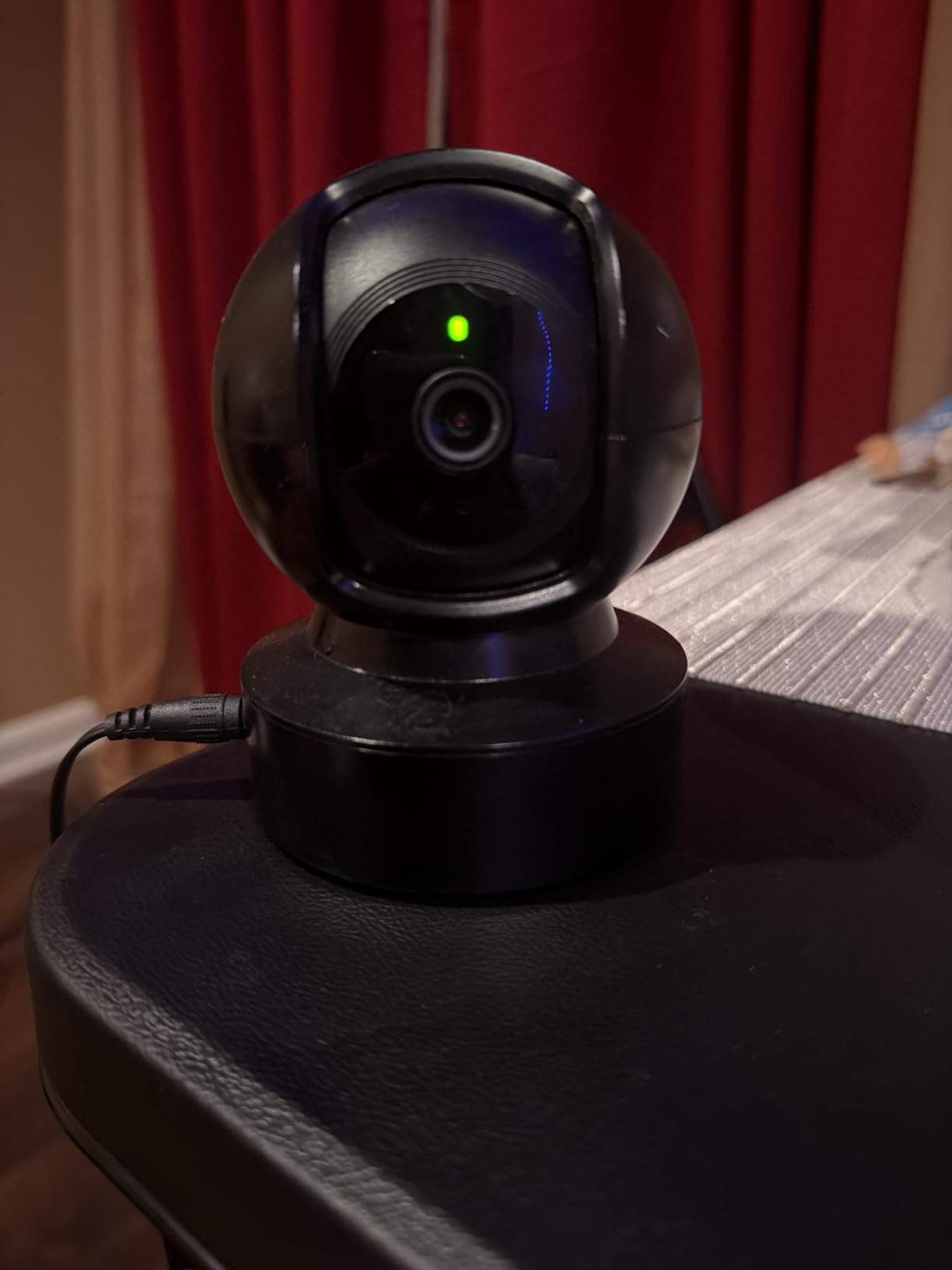
The Kasa EC70, sold under the TP-Link Tapo name, is the pick for a nursery where the camera has one job and the budget is modest. It has been ranked in the video baby monitor category by owners for good reason: the motor is quiet enough that it does not wake a sleeping baby when it turns, and that is a detail that separates good nursery cameras from the rest.
The 360-degree horizontal pan with a 120-degree field of view means one unit on a shelf can cover the crib, the changing table and the door of a normal-sized nursery. Patrol mode takes that further, cycling continuously between viewpoints you have saved, so the camera keeps sweeping while nobody is watching the app.
Storage is the reason this camera wins the value slot. The microSD slot takes cards up to 256GB and records locally with no monthly fee attached. Cloud recording is there if you want it through the Kasa Care plan, but nothing in the core product requires it, which means 24-hour recording in a child’s room is a one-time cost rather than a line on your card every month.
Night vision reaches 30 feet on infrared, and owners consistently note that it looks noticeably better with a bit of ambient light in the room. A night light on a low setting does more for the picture than any resolution upgrade would, and it is the first thing we would try if the feed looked grainy on night one.
What to check before you buy
Two-way audio is the weak point, and reviewers say so repeatedly. The microphone picks up a nursery fine, but the speaker is quiet, so a parent talking to a baby through this camera is mostly talking to hear an echo. If soothing a crying baby through the unit matters to you, look at the dedicated monitors further down instead.
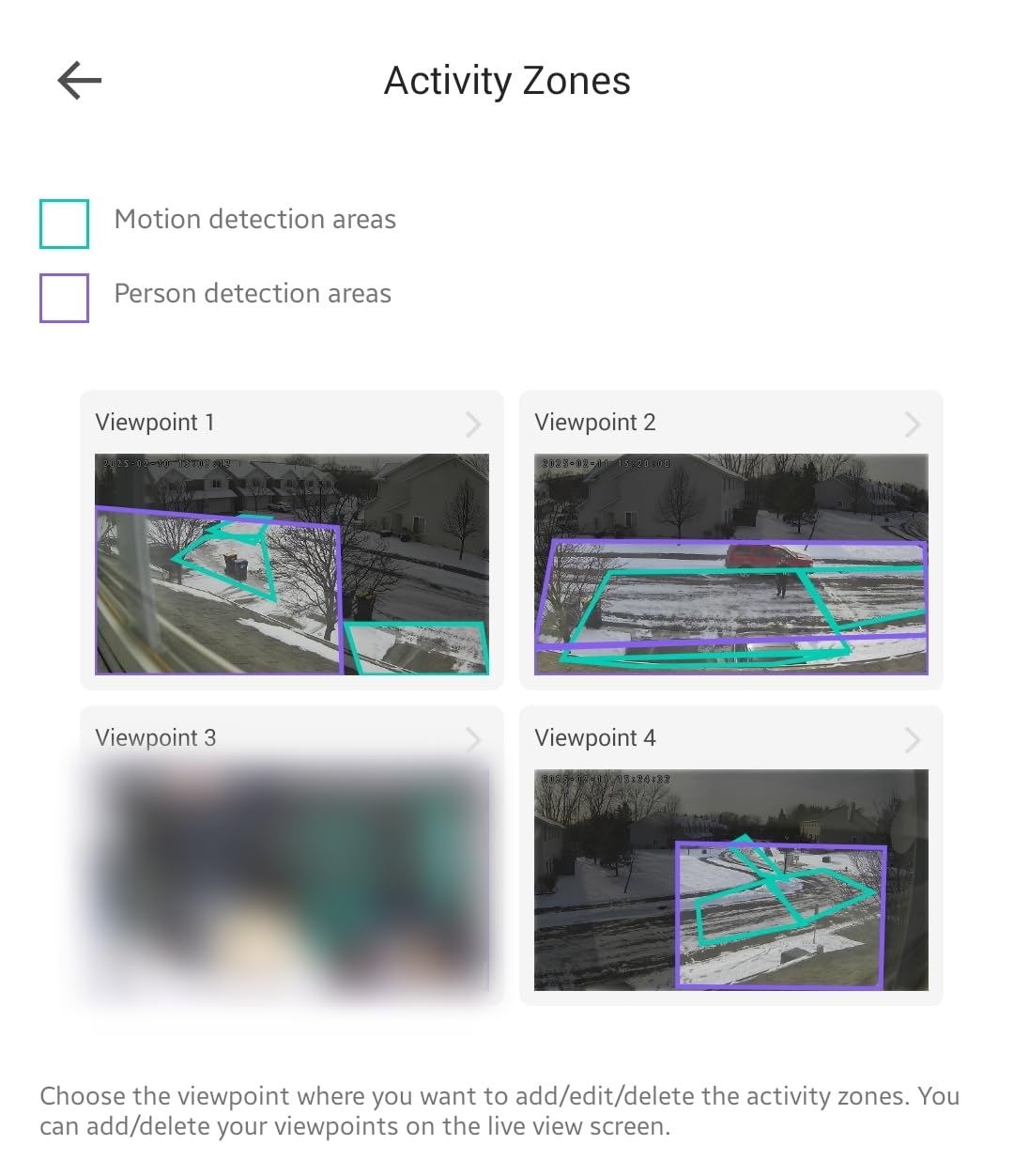
Set the motion sensitivity and the activity zones within the first hour. Owners report occasional missed motion events, and the fix is usually a zone drawn tightly around the crib and play area rather than the whole room, which also cuts the sibling and pet alerts that make these cameras noisy.
Keep it off the windowsill. Several owners report unusable footage through glass, because the infrared LEDs bounce straight back off the pane.
Where it falls short
There is no zoom beyond the fixed lens and no cry detection, so an alert is an alert and you still have to listen to work out why. The pan and tilt movement is also described as slow, which is fine for a patrol sweep and frustrating if you are trying to follow something quickly.
Some owners mention app lag and Wi-Fi dropoffs on individual models, so a camera that goes offline once a week is not unheard of in the reviews.
3. Tapo C210 2K Pan/Tilt: Best for Cry Detection
- Sharp 2K clarity that holds up against pricier cameras
- Baby crying detection alongside person and motion alerts
- Device sharing lets two phones watch the same feed
- Local microSD avoids a mandatory cloud subscription
- Preset viewpoints jump between crib and play spots
- Audio monitoring only streams while the app is open
- Wired power and 2.4GHz-only WiFi limit placement
- Pan and tilt movement is slightly laggy
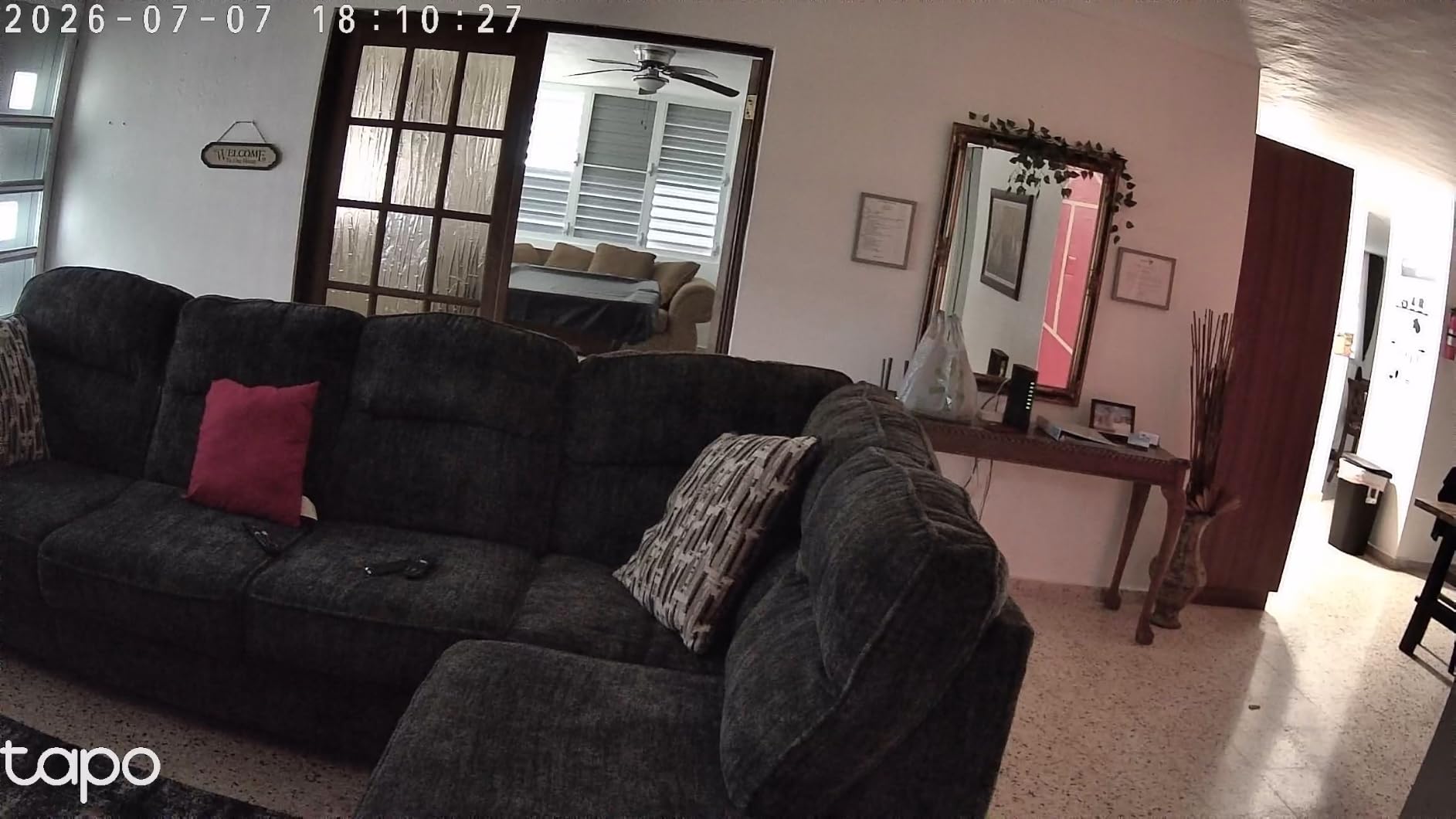
If you want a camera that understands the difference between a baby crying and a mobile vibrating on the floor, this is the one. The Tapo C210 lists baby crying detection as a named notification type alongside person and motion alerts, which in our experience is the feature that decides whether a nursery camera gets muted in week two or used for a year.
The 2K sensor records at 2304×1296, and owners repeatedly single out the sharpness as better than cameras costing considerably more. In a nursery that matters less than it would outdoors, but when you are trying to tell from a single frame whether a baby is settled or restless, the extra detail is not wasted.
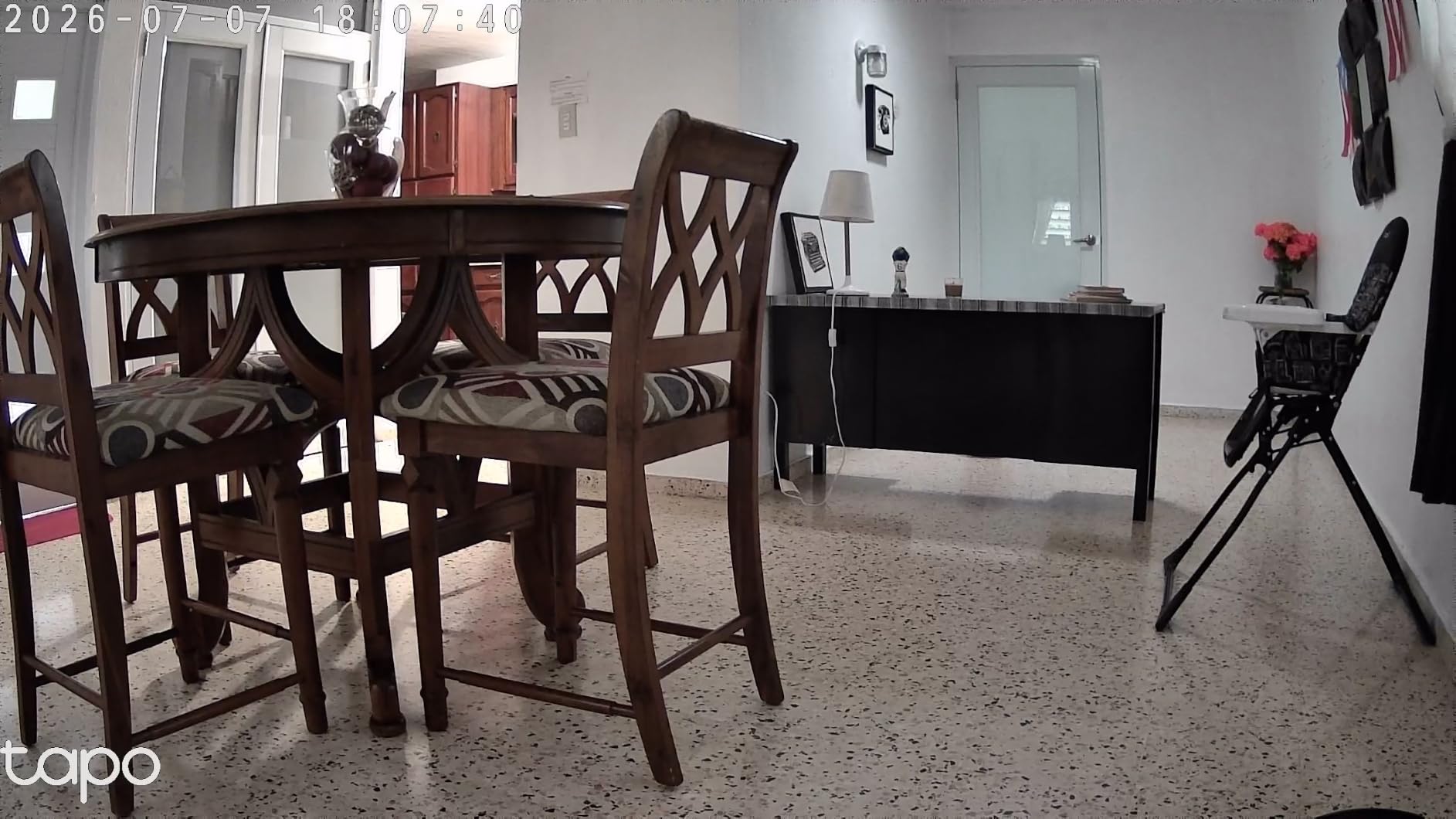
Pan and tilt coverage is 360 degrees horizontally and 114 degrees vertically, with presets for the favourite spots. Device sharing lets two phones view the same feed at once, so both parents can check the nursery from separate rooms without fighting over who has the app open.
Storage accepts microSD cards up to 512GB, so local continuous recording is available without a plan. Tapo Care cloud is optional, and the camera is listed in the baby monitoring and nursery categories by owners, not just the security categories, which is a decent sign that it was tested in real nurseries rather than only in hallways.
What to check before you buy
Read carefully about audio streaming. The most repeated complaint in the reviews is that continuous room audio only streams while the app is open in some setups, which means one parent cannot leave their phone face-down on the sofa. One reviewer worked around it with a tablet propped up as a dedicated monitor, and that is a reasonable fix.
Cry detection is a classifier, not a guarantee. Set the sensitivity to medium when you install it and adjust after a week, because a monitor that cries wolf twice a night will lose your trust faster than one that never alerts.
This is a wired camera on 2.4GHz-only WiFi, so plan the cable run before you mount it.
Where it falls short
No handheld parent unit, and a laggy pan motor that means the camera takes a moment to catch up when you send it moving. The 480p-style parent experience people want at 4am simply does not exist here.
Because the camera is mains powered, a power cut ends your coverage entirely, and there is no internal battery to fall back on.
4. Tapo C100: Best Budget Fixed View
- Lowest cost in the group while still delivering clear 1080p
- Free local microSD recording removes subscription pressure
- QR-code setup takes minutes for non-technical users
- Person detection rarely false-alarms when lighting changes
- Compact body with screws tape and drill template included
- Fixed view with no pan or tilt so it covers one spot
- No internal battery and loses all coverage if power is cut
- Speaker is quiet for two-way talk
- Night vision is unusable through glass
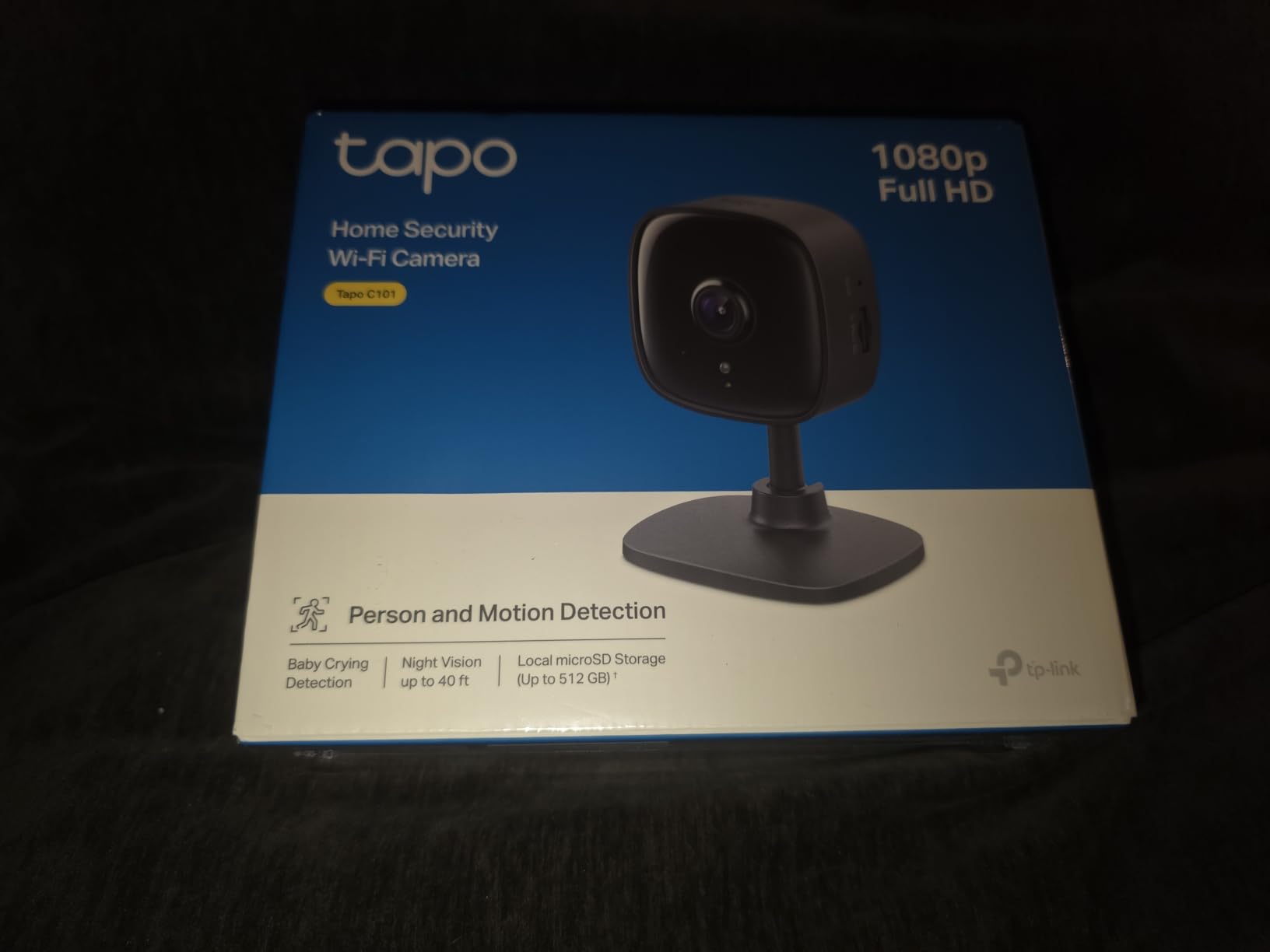
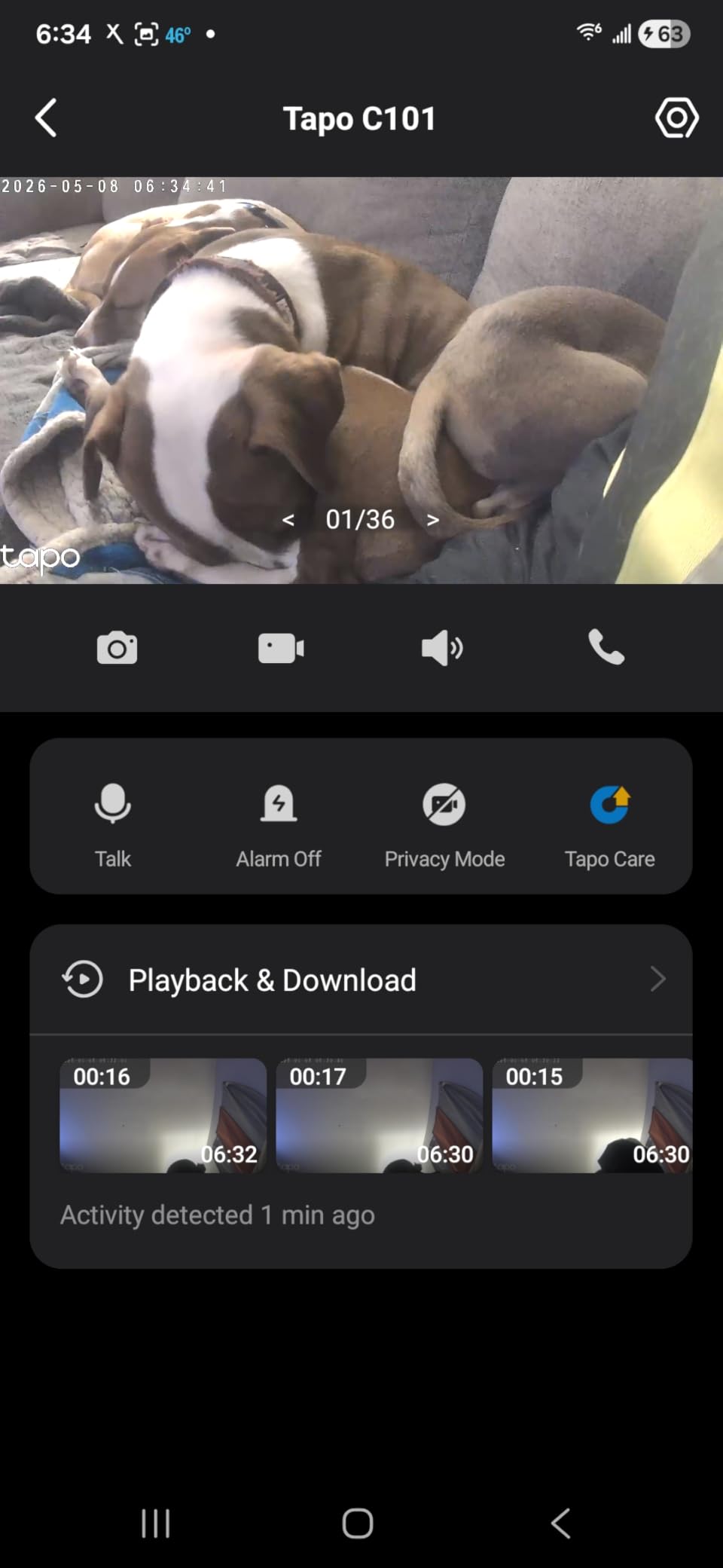
The Tapo C100 is the answer to a question most roundups skip: do you need a motorised camera at all? If the nursery is small and you can point a fixed camera at the crib and get the whole thing in frame, this does the job for less than a month of a subscription plan would have cost.
What makes it more than a placeholder is the colour night vision. Most budget cameras fall back to black-and-white infrared in the dark, but this one has integrated spotlights and a large-aperture lens that produce full-colour video at night out to about 30 feet. In a nursery with soft wallpaper and a wooden floor, colour changes how a room reads at 3am.
Person detection with activity zones is the other reason it holds up. Owners note that it rarely false-alarms when the lighting changes, which is the specific problem that makes motion detection useless in a room with a night light someone keeps switching on. The Tapo C210 shares the same app and ecosystem, so the two pair naturally if you end up wanting a pan camera elsewhere in the house.
Local microSD storage up to 512GB and Tapo Care cloud as an option means recording is not gated. There is encryption and two-factor authentication built in, plus a privacy mode that switches the camera off entirely.
What to check before you buy
Measure before you buy. A fixed 110-degree view is generous for a cot but tight for a room with a play mat, a door and a window. If you can only get a partial view of the crib, spend the extra on a pan and tilt camera instead of trying to solve it with an SD card.
Set up activity zones on day one. Draw the zone around the crib and the play mat and exclude the window, because that is where curtains move and generate the alerts that train you to ignore the camera.
Expect a quiet speaker. Two-way talk works, but you will be raising your voice, and a crying baby is not a good judge of whether this matters to you.
Where it falls short
No pan, no tilt, no digital zoom to speak of. Once the baby outgrows the cot and starts moving around the room, the fixed frame that was a feature becomes the limitation.
It is mains powered with no internal battery, so an unplugged camera is a dead camera. And its night vision, like most infrared cameras, is useless through a window because the IR light reflects off the glass.
5. Reolink E1 4MP: Best for Fine Detail and Subscription-Free Storage
- 4MP is the highest sensor resolution in this roundup
- Instant baby cry detection alerts are built in
- Multiple subscription-free storage paths including microSD NVR and Home Hub
- Up to 10 users invited with 4 simultaneous live viewers
- 355-degree pan with motion auto-tracking covers a full room
- No RTSP or ONVIF support limits third-party integration
- 2.4GHz WiFi only
- Lowest average rating in this group at 4.2
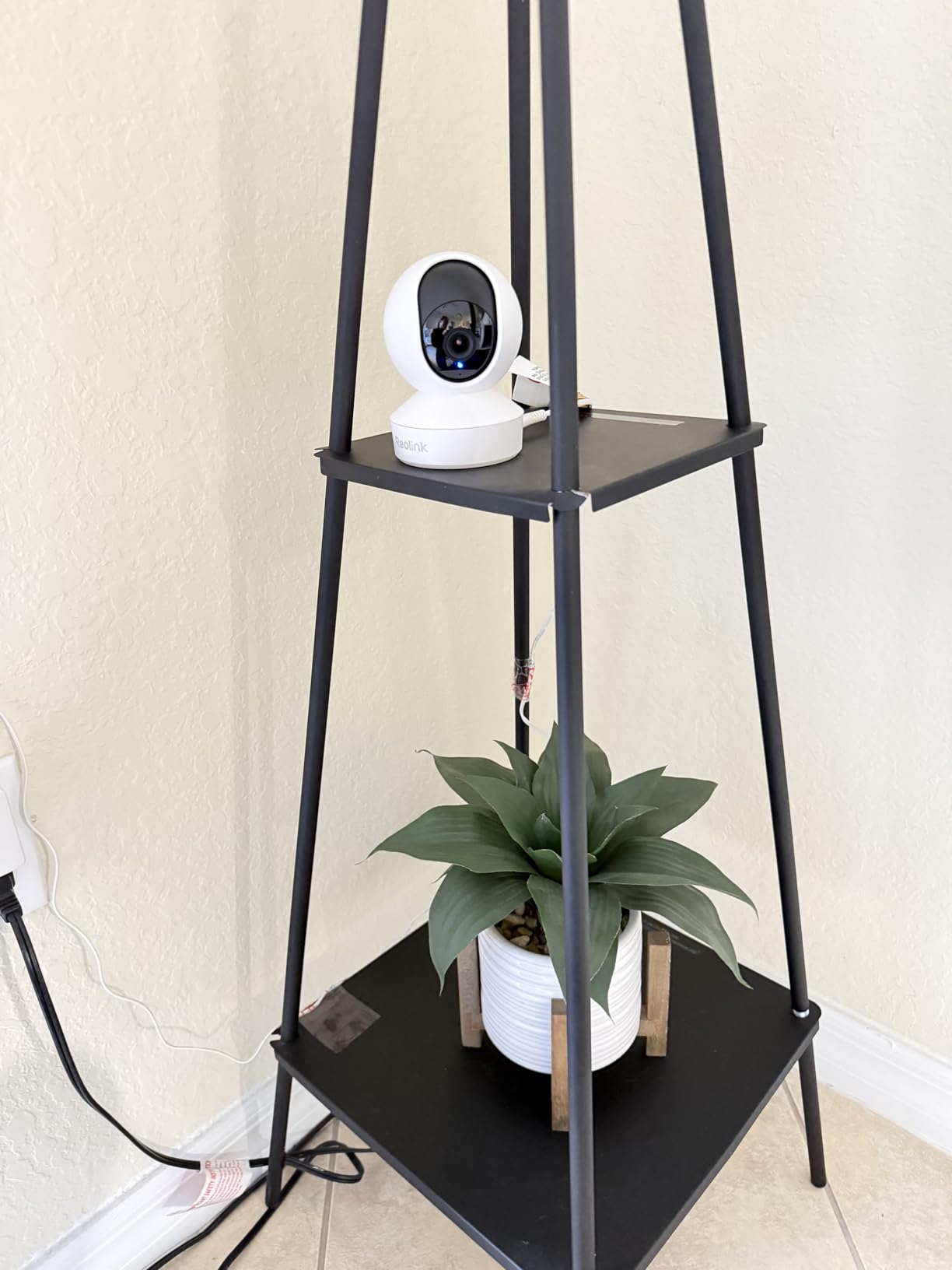
The Reolink E1 has the highest sensor resolution of anything we tested, at 4MP, and the longest infrared reach in the group at 40 feet. For a nursery that is not about seeing across a large space, it is about resolving fine detail in a dim room, which is exactly the situation you are in when you want to know whether the blanket over your baby is still moving.
It also has cry detection, and Reolink builds the no-subscription story harder than anyone else here. The free app handles core use, recording goes to a microSD card up to 512GB, an NVR, or a Home Hub, and none of those require a recurring plan. Multiple household members can be invited, with up to four people watching live at once.
The 355-degree pan with motion auto-tracking is the feature that makes this different from the other Wi-Fi cameras. Rather than sitting pointed at one spot, it follows a moving subject around the room on its own, which is genuinely useful once your baby is old enough to crawl out from under a mobile and scoot towards the door.
The privacy mode is admin-controlled and blocks video while muting audio, and because it can be triggered from the account rather than the app, it works as a scheduled cut-off. That is worth knowing if you plan to run the camera on a schedule rather than continuously.
What to check before you buy
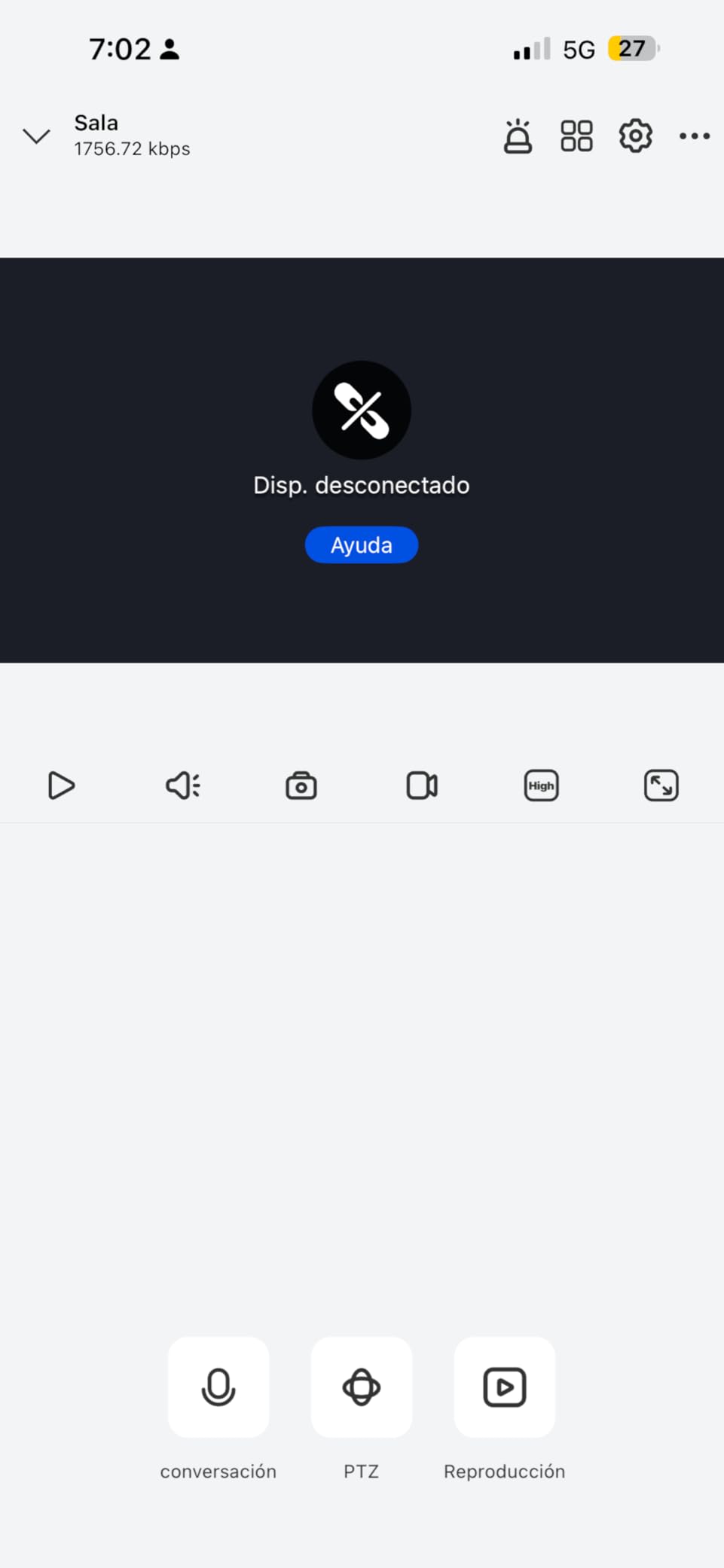
Read the review rating rather than the spec sheet. This camera’s 4.2 is the lowest average in the guide, which is worth taking seriously, and reviews flag mixed reliability. The hardware is more capable than the rating suggests; the software experience is where the complaints sit.
If you run anything beyond the manufacturer’s app, check first. It does not support RTSP or ONVIF, so it will not slot into a third-party NVR or home automation system. That is a deliberate choice, but it removes an option some buyers rely on.
Confirm your network. It is 2.4GHz only, so it cannot join a 5GHz network and it needs a router that still broadcasts the slower band.
Where it falls short
No handheld screen and no parent unit, so the overnight experience is a phone, same as the Ring. The 20fps frame rate is lower than the 25fps on the aosu, and motion can look slightly less smooth when auto-tracking is working hard.
The gap between what the hardware promises and what the app feels like is the widest here, and that is the trade you make in exchange for resolution, range and free storage.
6. VTech VM819: Best No-Wi-Fi Monitor
- Completely offline with no WiFi internet or cloud
- 19-hour battery covers a night on one charge
- Real-time feed with no streaming delay plus 2x zoom
- Sound-activated screen keeps the parent unit dark and quiet
- Room temperature sensor and two-way talkback
- 480p resolution and a 2.8-inch screen are the smallest here
- 55-degree field of view is narrow and needs careful placement
- No pan or tilt and the view is fixed
- Two-way audio is quieter than some competing monitors
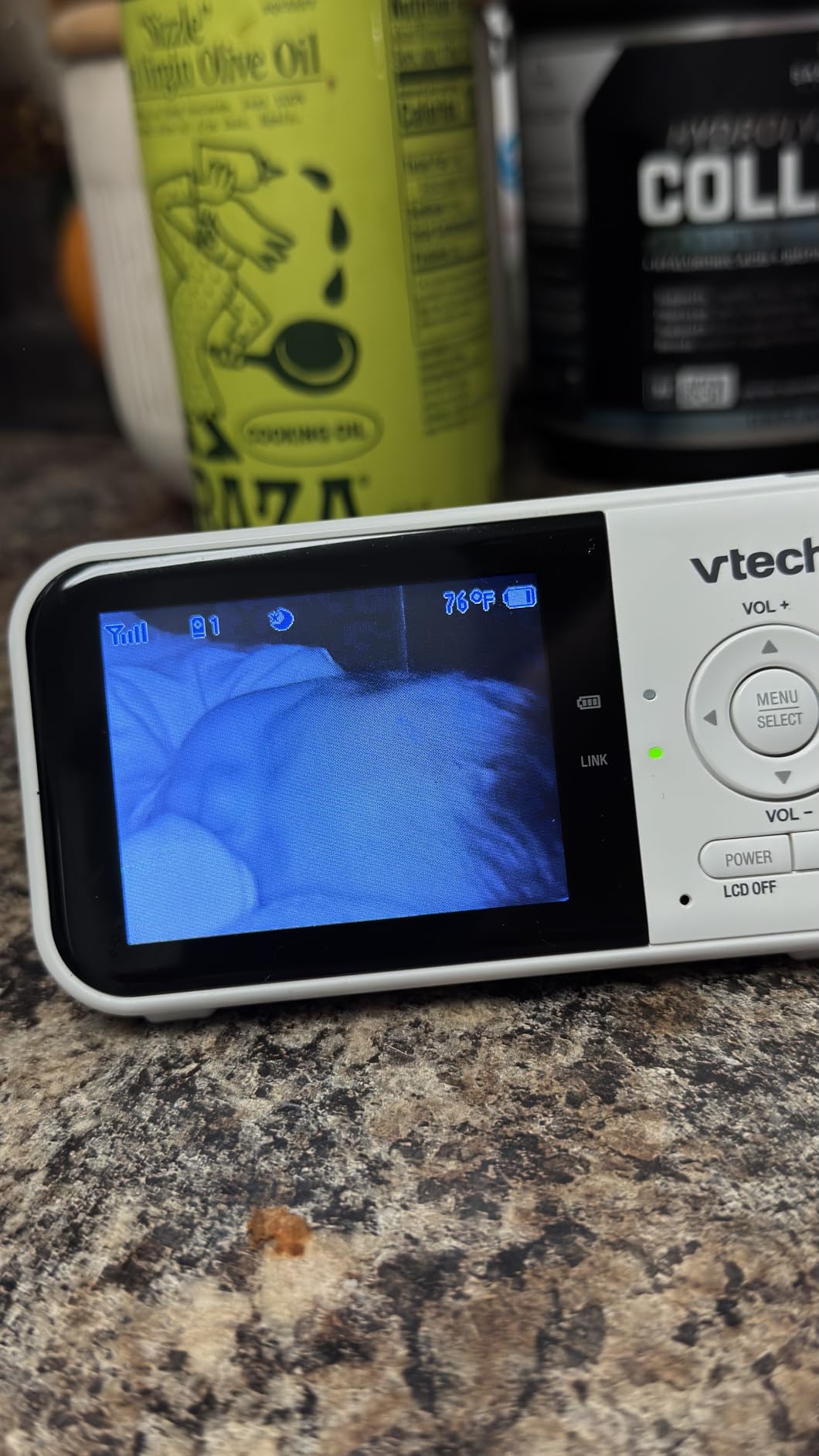
The VTech VM819 makes no connection to your home network at all. The camera unit and the handheld parent unit talk directly to each other over an encrypted 2.4GHz FHSS link with a stated range of 1000 feet, and there is no Wi-Fi, no app, no internet and no cloud anywhere in the chain. That is the whole argument for it, and for a room where audio is being recorded continuously, it is an argument a lot of parents find persuasive.
The other thing it does better than anything with Wi-Fi is battery life: 2600mAh, up to 19 hours of continuous video or 29 hours in audio-only mode. In practice that means overnight monitoring without anyone thinking about charging it, which is the failure mode that pushes parents back to their phones.
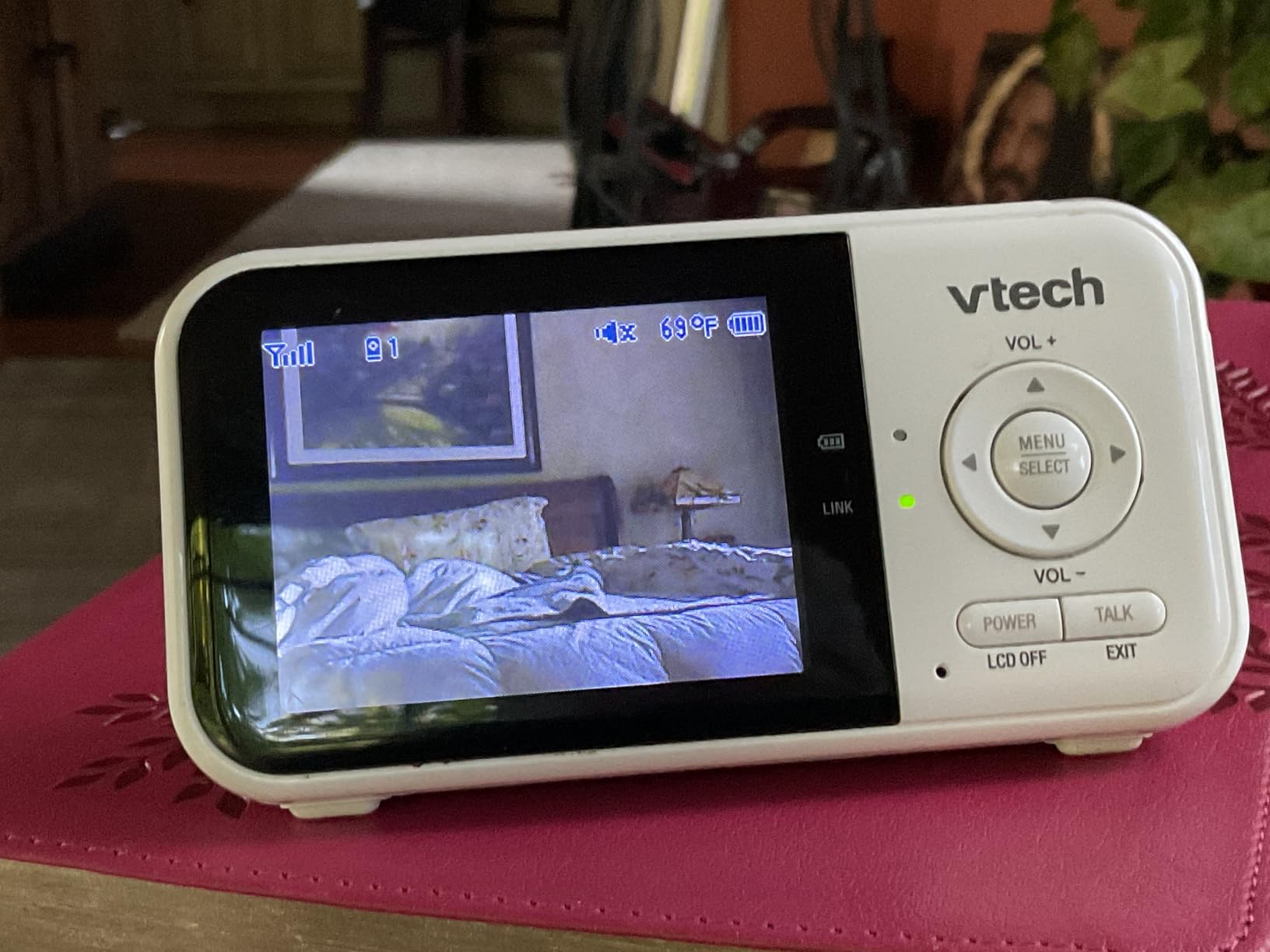
The sound-activated screen is the sleeper feature. The parent unit’s display stays switched off when the room is quiet and wakes with a sound indicator when your VOX sensitivity setting is tripped, which means no glowing rectangle lighting up a dark bedroom every time the baby shifts. You can pick from three sound-indicator levels to set how eager it is.
There is a nursery temperature sensor with alerts on the parent unit, two-way talkback, two lullabies plus white noise and a trickling stream sound for settling, and a real-time feed with no streaming delay, which is a real difference from a phone app where the audio arrives a beat behind the picture.
What to check before you buy
The screen is 2.8 inches and the video is 480p. That is genuinely small and genuinely low resolution compared with everything else on this page, and if you are used to a modern phone screen you may find yourself squinting at the first few nights.
The 55-degree field of view is narrow. Placement matters more here than with a pan and tilt camera, so stand the camera where it can see the whole cot and test it before you mount anything.
Understand what you are giving up. There is no remote access, no recording, no shared access for a grandparent who is not in the house, and no way to check the nursery from work. This is a monitor you carry with you.
Where it falls short
It is a camera with a fixed view, so if the baby moves out of the frame you have to physically adjust it. Two-way audio is quieter than several competing monitors, which limits soothing a crying baby from bed.
There is no cloud or app of any kind, so firmware and settings are fixed. Some parents like that; others upgrade to a Wi-Fi model within a year.
7. HelloBaby HB6550: Best for Twins and Siblings
HelloBaby No WiFi Baby Monitor Camera and Audio HB6550, 5″ Video Screen
- Largest screen in the roundup at 5 inches with remote 355-degree pan
- No WiFi no app and no internet so no remote access to worry about
- Battery lasts days on a charge and holds up over years of daily use
- Expands to four cameras with one parent unit cycling between children
- Clear audio that does not drown out a sound machine
- Also works outdoors and across floors as a travel monitor
- Screen graphics look dated by modern standards
- Battery drains faster than rated if left streaming continuously
- Range degrades through walls and obstructions
- Occasional brief freeze-ups at long distances
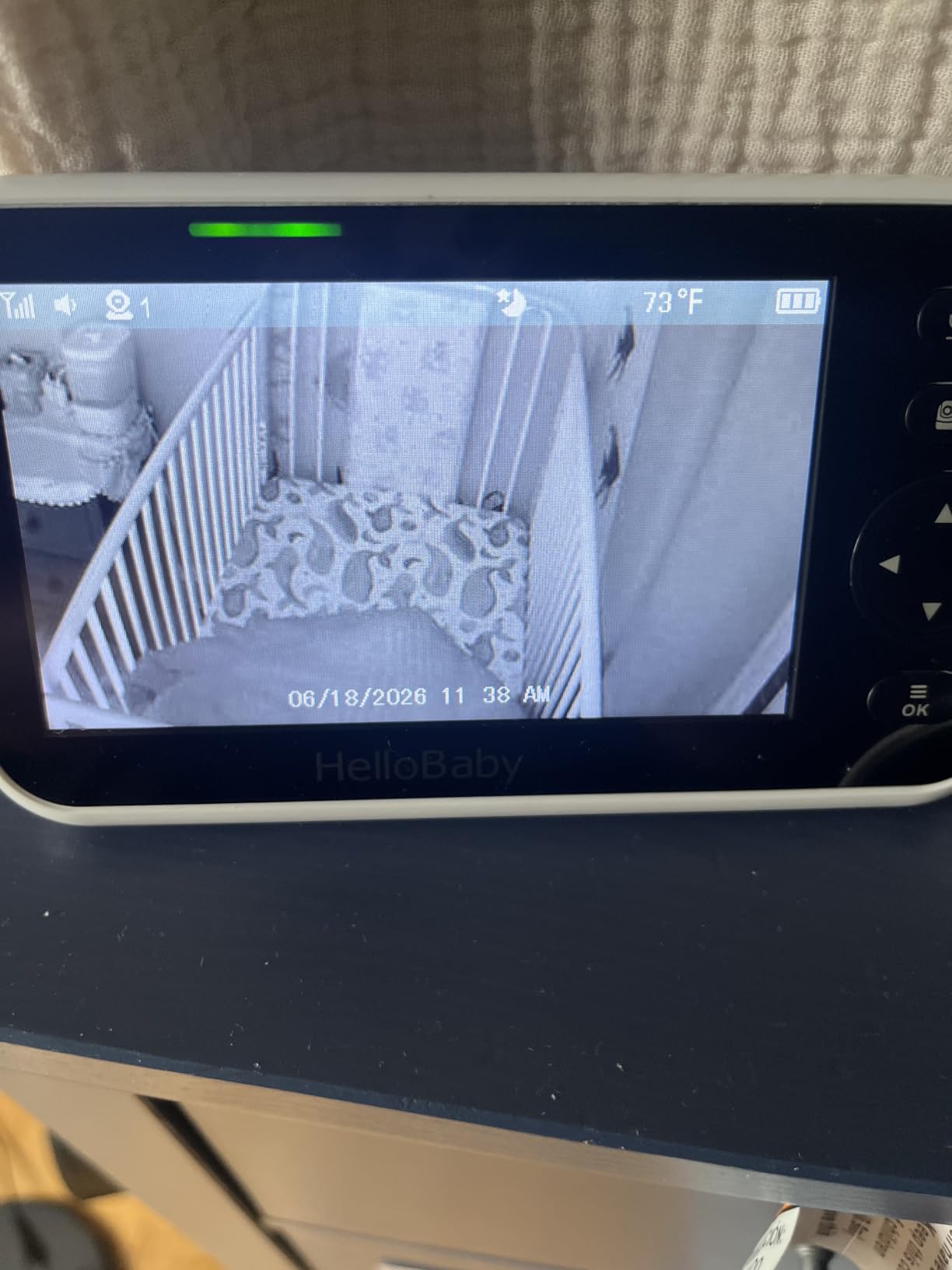
When two small humans are in two different rooms, screen size and camera count stop being nice-to-haves. The HelloBaby HB6550 has a 5-inch color display and expands to four cameras, and it was one of the dedicated monitor options parents recommended by name when we went through the r/Buyingforbaby discussions on monitors that are actually worth the money.
The remote pan is the real advantage over cheaper offline monitors: 355 degrees horizontally and 120 degrees vertically, with 2x zoom and a noiseless rotation. Two-way audio comes with a sound-level LED indicator so you can see whether your voice is getting through, and owners repeatedly mention how clear the audio is without needing to shout over a sound machine.
Like the VTech, it runs an encrypted 2.4GHz FHSS link with no Wi-Fi, no app and no internet. The camera is plug-in and the parent unit runs on a rechargeable battery rated at up to 30 hours of average use, which owners describe as lasting days when the audio-only power-saving mode is doing the work.
It also handles temperature monitoring and alerts, eight built-in lullabies, and mounts on a ceiling, wall, crib, desk or freestanding. The range is a stated 1000 feet, and reviewers note it also works outdoors and across floors, which makes it a reasonable travel monitor for a family visiting somewhere.
What to check before you buy
Count the cameras you need today, and the ones you might need in a year. Expansion to four units is the headline feature, but each extra camera is a separate purchase and the parent unit cycles between them rather than showing a true split screen.
Check the walls between rooms. Owners report range degrading through obstructions and occasional brief freeze-ups at long distances, so in a multi-floor house, position the parent unit carefully.
Manage the battery habits. Running the screen on continuously pulls the battery down faster than the rated figure, so the audio-only mode is the setting to rely on overnight.
Where it falls short
The screen graphics look dated next to a modern phone, and there is no app, no cloud and no recording of any kind. If you want to look back at a nap, there is nothing to look back at.
It is a fixed-base product, not a portable one, so it stays home rather than travelling with you, and the one-year warranty is the shortest in this group.
8. GoodBaby 5-inch: Best for Newborn Routines
- 5-inch HD screen with 355-degree pan 120-degree tilt and 2x zoom at 1000ft
- 3500mAh battery runs up to 30 hours in VOX mode
- No app no internet and FHSS encryption make it unhackable
- Temperature alerts and a feeding timer help structure newborn routines
- Lullabies and two-way talk for soothing remotely
- 480p video resolution limits fine detail compared with WiFi cameras
- Continuous screen-on use drops battery life to roughly 10 hours
- No cloud or app features at all so firmware and settings are fixed
The GoodBaby 5-inch monitor is the one we would hand to a first-time parent in the first fortnight, because it is the only camera here built around the shape of a newborn day rather than around a home security use case. The temperature sensor with instant hot and cold alerts and the built-in feeding timer are small things that turn a monitor into a routine tool.
The auto-wake VOX mode is the detail that makes it different. The 5-inch IPS display stays dark until crying is detected and then wakes immediately, rather than waiting for you to press a button or open an app. With a 3500mAh battery that runs up to 30 hours in VOX mode, it is designed to be left on a bedside table for a week without a charger.
Remote control covers 355 degrees of pan, 120 degrees of tilt and 2x digital zoom at a stated 1000-foot range, on an encrypted 2.4GHz FHSS link with no Wi-Fi, no app and no internet. Two-way talkback, eight lullabies and automatic infrared night vision round it out, and it is available in one-camera and two-camera configurations.
What to check before you buy
The video is 480p MPEG-4. On a 5-inch screen that reads acceptably at arm’s length, but it is the lowest ceiling on detail in this guide, and it will not improve over time. If you are the kind of parent who leans in to check how closely your baby is sleeping, look at a 2K or 4MP Wi-Fi camera instead.
Understand the battery maths. Roughly 30 hours in VOX mode drops to around 10 hours if you leave the screen on continuously, and the difference is dramatic enough that the operating mode matters more than the charger.
Decide whether total isolation suits your household. There is no app, no cloud and no way to extend features later; the settings you have on day one are the settings you keep.
Where it falls short
It is a plug-in camera unit, so it needs a socket near the cot, and the fixed set of features means no firmware improvements and no software updates to look forward to.
No recording and no remote access, which puts it in the same category as the other offline monitors: excellent at what it does, and a hard limit if your needs change.
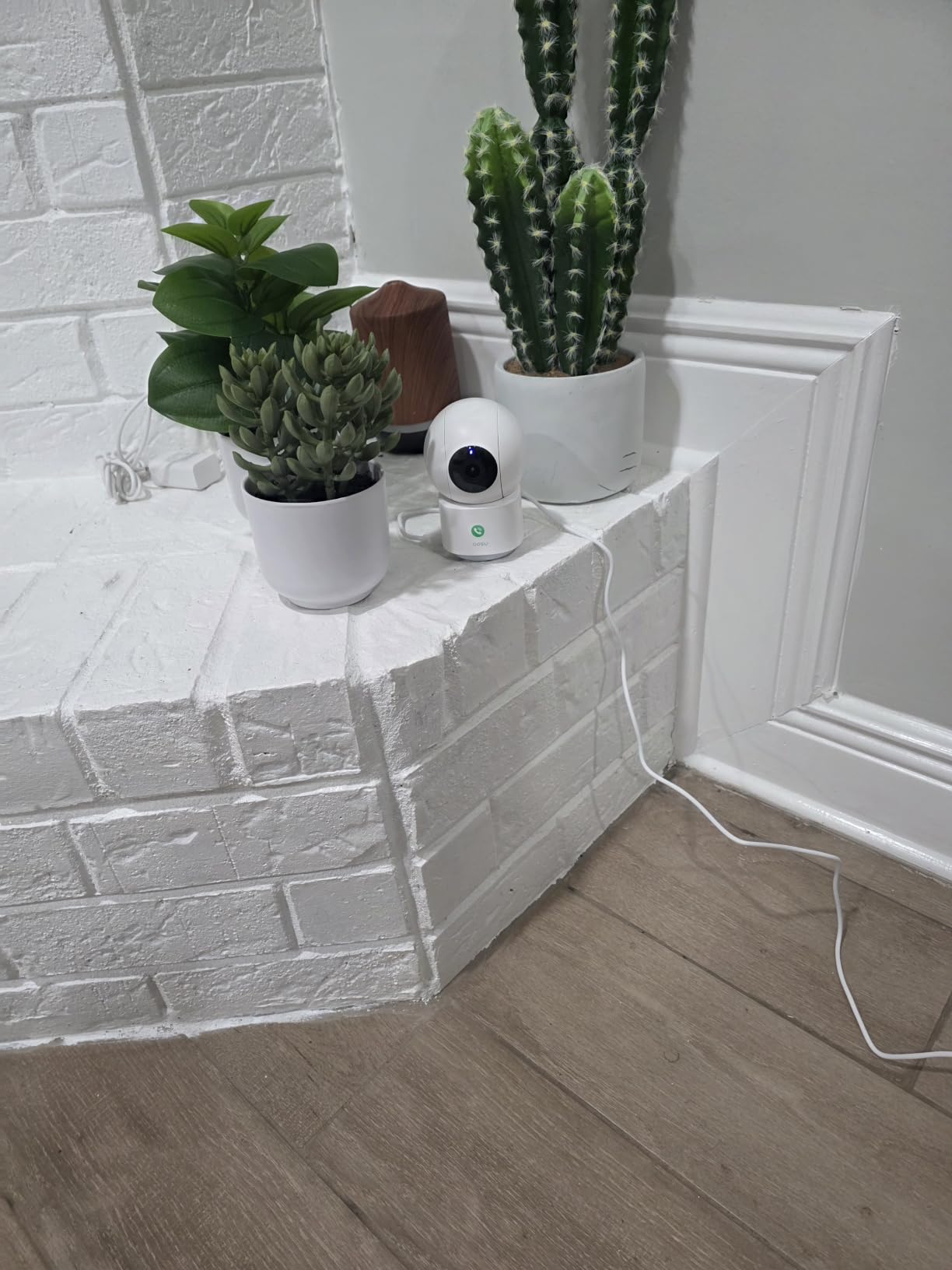
9. aosu 2K Indoor Camera: Best for Motion Auto-Tracking
aosu 2K Indoor Camera,Baby Monitor for Home Security with 2.4GHz WiFi only
- 360-degree pan plus 155-degree tilt covers a full room from one unit
- No required subscription since microSD handles 24/7 recording reliably
- One-touch call is a genuinely useful way to reach a child or elder
- Simple app supports multiple users and multiple cameras in one view
- Video and audio quality praised in both daylight and darkness
- Responsive customer support team
- Mains powered only with no battery option
- 2.4GHz WiFi only so it will not join a 5GHz network
- Occasional reports of the app or feed crashing and needing a force close
- Weak WiFi at long range can drop the connection
The aosu 2K indoor camera is the most often-recommended subscription-free alternative to the bigger brand names in the parent forums we read, and the reason is specific: it runs 24/7 continuous recording to a microSD card without a mandatory plan, and the card slot is not treated as a downgrade.
The sensor is 3MP producing 2K QHD at 25fps, the highest frame rate among the Wi-Fi cameras in this guide, which makes movement look smoother than most. Coverage is 360 degrees horizontal and 155 degrees vertical with 6x digital zoom, and infrared night vision reaches 33 feet on four IR LEDs.
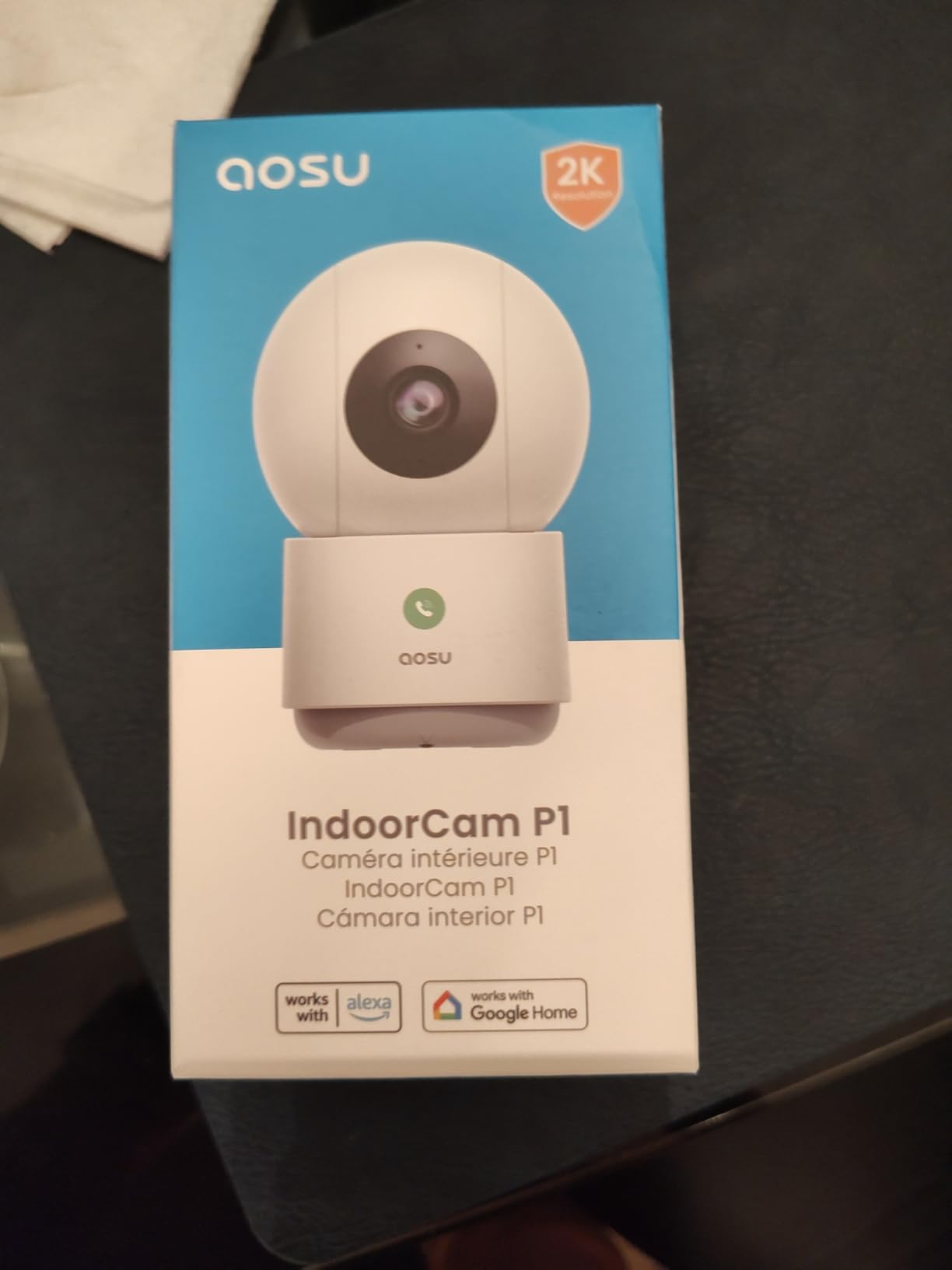
Two features are genuinely useful in a family home. Smart motion tracking follows people, pets and objects automatically, so the camera pans to wherever the noise is. And the one-touch call button on the unit lets someone in the room reach you instantly without needing your phone number or a paired device, which owners describe as a real advantage for older relatives as well as for a toddler who has learned to press buttons.
The app supports multiple household users and multiple cameras in a single view, and it works with Alexa and Google Assistant. Local microSD storage goes up to 128GB, with optional cloud if you want off-site copies.
What to check before you buy
Plan the cable. This is mains powered with no battery option, so the outlet has to be within reach of where the camera sits, and the cable has to be routed where no one will trip on it or a teething eight-month-old will pull it.
Check your 2.4GHz coverage before you commit. It is 2.4GHz only, and owners at long range report the connection dropping on a weak signal. Placement near the router or a mesh node fixes more problems than any setting in the app.
Plan for the app to be the weak point. Reviewers mention occasional crashes needing a force close, so test the live view from your partner’s phone and from a work device before you rely on it.
Where it falls short
There is no cry detection, so a cry alert is a sound or motion alert like any other, and no dedicated parent unit. Everything happens on a phone.
The 128GB card ceiling is the smallest among the local-storage options here, which is fine for event clips and tight for a few weeks of continuous footage.
10. Cinnado D1 Two-Pack: Best for Covering Two Rooms
Cinnado 2K Indoor Security Camera with Alert for Pet/Cat/Nanny, D1 2Pack
- Only true two-pack here so a nursery and playroom are covered together
- Clear day and night image with a reliable connection
- microSD recording plus free 10-second event clips make cloud optional
- Multiple family accounts let both parents watch independently
- Cinnado support replaces faulty units without hassle per long-term owners
- Motion sensitivity adjustment is flaky and either over-triggers or misses subjects
- Effective resolution looks upscaled and is not sharp enough to identify a person
- Video looks washed out in bright daylight
- Recording interval cannot be changed without a cloud subscription
- Some units dropped connection and needed a power cycle
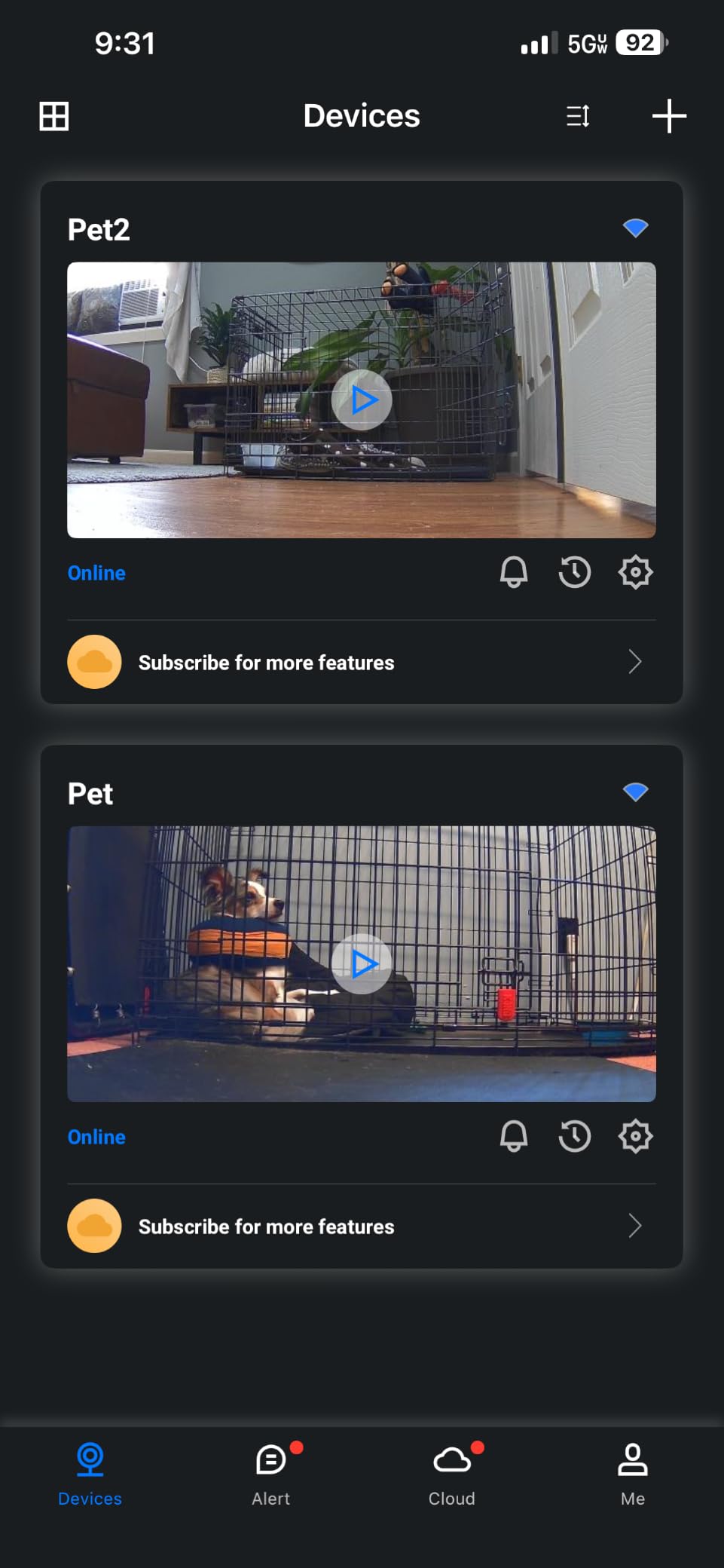
The Cinnado D1 is the only two-pack in this guide, and that single fact changes the arithmetic for a lot of households. If you are covering a nursery and a playroom, or watching a baby and an older sibling, one purchase covers both points in the house rather than leaving you with a single unit pointed at the wrong corner.
Each camera gives a 2K FHD live stream from a 3MP sensor with 360-degree pan and tilt over a 90-degree viewing angle, and four 940nm IR lights handle night vision. It works with Alexa and Google Assistant by voice, has a flip option for upside-down ceiling mounting, and stores up to four guard positions.
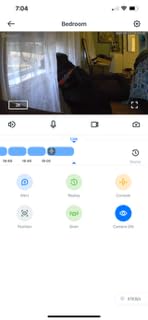
Storage is unusually flexible for the money. microSD up to 128GB works, but you also get 10-second automatic event clips free, which means a motion event is captured and reviewable without paying for anything. The cloud option exists and stored video is encrypted, and the free trial lets you decide without committing.
Multiple family accounts can be added with shared camera access, so both parents can watch independently rather than logging in and out of one account.
What to check before you buy
Judge the image for yourself, at night, in your room. Owners report that the effective resolution looks upscaled rather than true 2K, and that bright daylight looks washed out because of high light intake. For watching a sleeping shape this is fine; for identifying anything specific, it is not.
Tune the motion detection slowly. Sensitivity adjustment is described as flaky, swinging between over-triggering and missing subjects, so expect to spend twenty minutes on it and change one setting at a time.
Check whether you want to change the recording interval, because that is a cloud-subscription feature. If continuous local recording on a card is enough, you never need to look at it.
Where it falls short
It is wired, 2.4GHz only, and a few models have needed a power cycle after dropping their connection. Budget for a power outlet near each mounting point.
There is no cry detection and no dedicated parent unit, and the two cameras share one account rather than giving you a screen for each room.
Buying Guide: What Actually Matters in a Baby Room Camera?
Ten criteria, in the order they actually matter when you are comparing indoor cameras for baby rooms.
1. Night vision in a genuinely dark room. Most nursery cameras are judged in a room with a night light on, which flatters them. Look at how the image holds up with the door closed and no light at all, and prefer a camera with colour night vision or built-in spotlights if the grain bothers you. Infrared reach of 30 feet or more covers a normal nursery with room to spare.
2. Whether the cry alert is specific. Motion detection fires on everything that moves and a mobile swinging over a cot is the classic example. A camera with a dedicated crying notification, like the Tapo C210 or the Reolink E1, sends you fewer alerts you have to ignore, and fewer ignored alerts means you keep checking the ones that matter.
3. Recording without a subscription. A microSD card turns a recurring monthly cost into a one-time purchase. Nine of the ten cameras here can record locally; the exception is the Ring if you want the full timeline rather than short event clips. Weigh the plan against how long you expect to use the camera before assuming you need it at all.
4. Do you need a handheld screen? This is the question that separates a monitor from a camera, and it is the one parents most often answer for the first time. A phone at 4am is a bright, slow, unlocking experience. A handheld unit with a sound-activated display is not.
5. How many babies, in how many rooms? Twins and a baby-plus-toddler household need either multi-camera expansion, like the HelloBaby HB6550, or a two-pack like the Cinnado D1. Check the maximum number of cameras before buying a single unit, because the ceiling is a hardware limit you cannot raise later.
6. Wi-Fi band and range through walls. Nearly every camera here is 2.4GHz only, which is good news: 2.4GHz penetrates masonry better than 5GHz. Position the camera and the router with that in mind rather than assuming the app will fix a weak signal.
7. Power and cord routing. Every wired camera in this guide loses all coverage if the power is cut. Routing the cable along a wall, out of a teething toddler’s reach, and away from where you will trip over it in the dark matters more than most buyers expect at checkout.
8. Two-way talk quality. On a quiet speaker, talking to your baby through a camera becomes a one-way conversation. Reviewers flag quiet microphones and quiet speakers more often than any other audio complaint, and it is the feature parents are most disappointed by after the novelty wears off.
9. Privacy controls you can actually reach. A physical privacy cover, an admin-controlled privacy mode, two-factor authentication and a microSD option are four different levels of control. If the idea of a camera in a child’s room makes you uneasy, buy for the control rather than for the picture.
10. Field of view and mounting. A 55-degree fixed view is fine in a small room and useless in a large one. Check the viewing angle against the size of your nursery before you buy, and plan on a wall or ceiling mount rather than a shelf if the camera is anywhere near a mobile, a dangling blind cord or a climbing toddler.
How to Place a Camera in a Baby Room Safely
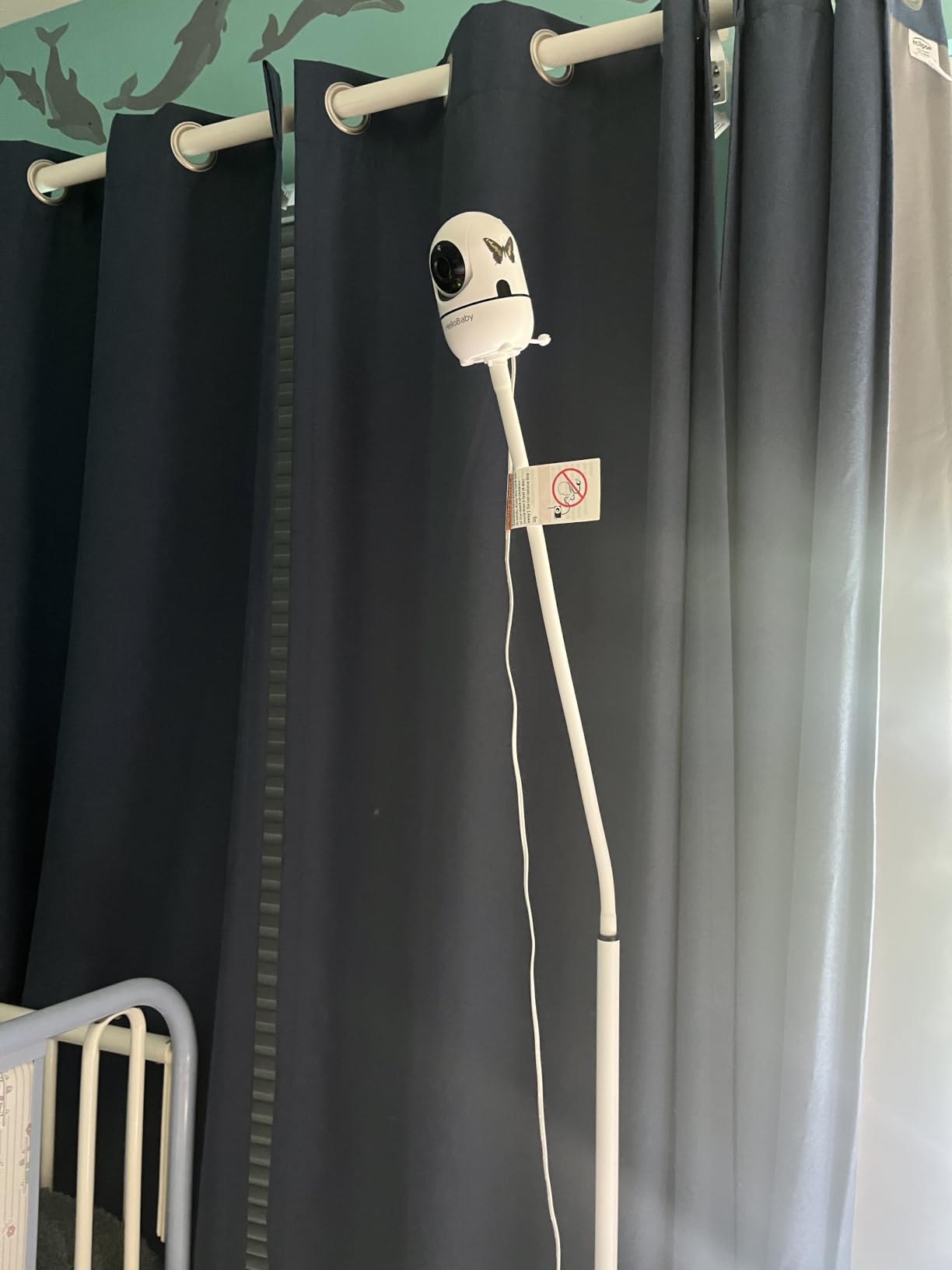
Mount height is the setting parents get wrong most often. Too low and you are filming through crib bars, which shreds the image and puts a piece of plastic between your baby and your view of them. Aim for a position high on a wall or a corner shelf, angled down at the cot, with the lens clear of bars, rails and anything hanging.
Keep the camera out of reach and out of the cot. Nothing should hang from the crib rail, and a camera on a shelf above the cot is the only placement we would consider. Secure any mount with the included screws rather than relying on adhesive, and treat the camera’s own cable with the same caution you would apply to any other cord in a room with a baby.
Then check the three things that ruin an otherwise good image. If you are shooting through a window, stop, because infrared light reflects straight off the glass. If a wall is close behind the cot, angle the camera so the IR LEDs do not bounce off it, which is what produces the bright haze that makes a dark room look worse. And give the camera a low night light rather than total darkness if the picture is too grainy, since a camera working at the bottom of its range produces a worse image than one with a little help.
Finally, set up the zones before you go to bed on the first night. Exclude windows, curtains and anything with a pet in it, keep the crib inside the zone, and adjust the sound sensitivity until it wakes you for a real cry and not for a sigh.
Is It Legal to Have a Camera in Your Child’s Room?
In your own home, in your own child’s room, recording your own family: there is generally no legal obstacle, and the honest answer is that this is a question for your own circumstances rather than a general prohibition.
The complexity comes from the audio, not the video. Recording a conversation requires the consent of everyone recorded in a number of US states, and a camera with a microphone in a child’s bedroom is recording conversations. As the child gets older, that changes the picture: a camera on the wall of a teenager’s bedroom is a different proposition from a camera above a newborn’s cot, and the right time to take it down is well before you think you need to.
The other people in the room are the practical problem. If a nanny, grandparent or au pair is regularly in frame, tell them the camera is there. Parents who have had a conversation about this before it happens tend to find it straightforward; parents who have not sometimes find out from a family member that they were recorded without knowing it.
We are not lawyers, and none of this is legal advice. If you are in a two-party consent state and a caregiver works in your home, a five-minute conversation with someone qualified in your jurisdiction is worth a lot more than anything on this page.
As for the hardware itself, there are four things you can do today. Turn on two-factor authentication. Keep the firmware updated, because camera firmware patches are how manufacturers close real vulnerabilities. Run the camera on a guest network or a separate IoT network so a compromised device cannot reach your laptop. And use a unique password for the camera account, not the one you use for email, because reused credentials are how most cameras get found.
One more piece of honesty. Nothing on this page is a medical device. No camera reliably detects a breathing problem, and none of them are a substitute for being in the room or for talking to your pediatrician about anything that worries you. If you want that category, wearable movement and breathing monitors are a different product class with different limits, and the question parents ask most often about them is whether pediatricians recommend them. The fair answer is that they are not medical devices, guidance varies, and your child’s own doctor is the right person to ask.
Frequently Asked Questions
Can an indoor camera be used as a baby monitor?
Yes, and plenty of parents do it, but a Wi-Fi indoor security camera gives you a phone app rather than a handheld screen, so every check-in means unlocking a phone in the dark. Check three things before repurposing one: whether it has cry detection or only generic motion alerts, whether its night vision holds up in a genuinely dark room, and whether it records locally to a microSD card instead of requiring a monthly plan.
What is the best camera for a baby room?
The Ring Indoor Cam is our top pick overall, with 1080p colour night vision, a manual physical privacy cover and the deepest review history of any camera in the guide. The Tapo C210 is the pick if cry detection matters most, the Kasa EC70 if you want a 360-degree sweep with free local recording, and the VTech VM819 or GoodBaby 5-inch monitor if you want no internet connection at all.
What baby monitor has the best camera quality?
Among the cameras that record to a card or app, the Reolink E1 has the highest sensor resolution at 4MP with 40-foot infrared reach, and the Tapo C210 is close behind at true 2K. Among dedicated monitors, image quality is a different story entirely, since the VTech VM819, GoodBaby 5-inch and HelloBaby HB6550 all use 480p-class video on small screens and prioritise reliability and battery life instead.
Do pediatricians recommend the Owlet?
Wearable movement and breathing monitors are a separate product category from cameras, and they are not medical devices. Guidance varies between individual pediatricians, so the question to ask is not whether a brand is recommended but whether a specific device is right for your child, and that is a conversation to have with your own doctor rather than with a retailer.
What are the top 10 baby monitors?
Our ten picks are the Ring Indoor Cam, Kasa EC70, Tapo C210, Tapo C100, Reolink E1, VTech VM819, HelloBaby HB6550, GoodBaby 5-inch monitor, aosu 2K indoor camera and Cinnado D1 two-pack. Six are Wi-Fi indoor security cameras used for nursery monitoring and four are dedicated no-WiFi monitors with a handheld parent unit, and the best choice depends on whether you need a screen and whether you mind a cloud connection.
Final Verdict
The best indoor cameras for baby rooms split cleanly into two groups, and the wrong choice is what costs parents money and sleep. Buy the Ring Indoor Cam if you want one camera that covers the nursery and the rest of the house, and if a physical privacy cover matters to you. Buy the Tapo C210 if crying alerts are the feature you will actually use at 3am. Buy the Kasa EC70 or the Tapo C100 if a nursery is the only job and you would rather not pay a monthly fee to record your own child.
If you want no internet connection in the room at all, the VTech VM819, HelloBaby HB6550 and GoodBaby 5-inch all run encrypted direct links with no app and no cloud, and the GoodBaby is the one we would choose for a first newborn. For two rooms, the Cinnado D1 two-pack. For the sharpest image and the most storage options, the Reolink E1.
Whatever you pick, set the zones, tighten the privacy settings and route the cable before the first night. If you are still deciding between categories, our full baby monitors with cameras guide goes deeper on the handheld-parent-unit side, and our guide to baby milestone photography covers the point later in the year when you want pictures rather than alerts.