
Indoor air is the one pollutant you cannot see, and that is exactly why the best smart air quality monitors for homes have become one of the fastest-moving categories in home tech. A monitor turns a vague feeling into a number: stale bedroom air at 2,000 ppm of CO2, a PM2.5 spike while dinner cooks, a radon reading that never settles below the action level. Over the past six weeks our team put ten of the most-wanted connected monitors through their paces, read several thousand owner reviews, and compared what each one actually measures against what the spec sheet implies it measures.
The gap between those two things turned out to be the whole story. The cheapest units on the market advertise a startling list of readings, and the most expensive ones quietly measure only two. Neither fact tells you much on its own, so this roundup sorts the category by what you need: particle tracking, CO2 as a ventilation proxy, long-term radon, formaldehyde after a renovation, or simple phone alerts when a wildfire sends smoke your way. Every pick below is scored on sensor scope, connectivity, history and export, and how much you will still be able to do with the device in five years.
We also spent a lot of time in r/AirQuality, r/IndoorAirQuality and r/homeassistant threads, because owner posts are where the real limitations surface. The recurring complaints are remarkably consistent: cloud dependence, alert thresholds nobody can change, sensors that need a week of calibration, and monitors that cannot be placed in Home Assistant without a bridge. Those complaints shaped our rankings as much as any accuracy claim did. If you are still working from scratch, our guides to air quality monitors in general and home air monitors specifically cover the fundamentals first.
One important caveat up front. Every accuracy number in this article is a manufacturer-stated specification, not an independent lab validation. Consumer monitors are not regulated instruments, and a stated plus-or-minus figure tells you what to expect in good conditions, not what you will see in a humid basement in July. We call that out wherever it matters.
Table of Contents
Top 3 Picks for the Best Smart Air Quality Monitors (October 2026)
Three monitors stand out clearly from the field. The Amazon Smart Air Quality Monitor is the one we recommend most often because it is the easiest to live with and the most thoroughly reviewed device in the group. The Airthings View Plus is the premium pick, with the only combination of built-in WiFi, radon and PM2.5 in this roundup. The GoveeLife H5106 is the value pick, and it has the highest average rating among the high-review-count monitors here.

Amazon Smart Air Quality Monitor
- PM2.5 VOCs CO humidity temperature
- Alexa app score and history charts
- Routines drive purifiers and fans

Airthings View Plus
- Radon
- PM2.5 CO2 VOC
- humidity pressure
- Built-in WiFi and cloud alerts
- Hub for other Airthings devices

GoveeLife H5106
- PM2.5
- temperature
- humidity
- 2-second data refresh
- Two years of exportable history
All 10 Smart Air Quality Monitors We Reviewed in 2026
The most accurate air quality monitor for home use, in our view, is the Airthings View Plus, because it is the only unit here that combines a real NDIR CO2 sensor, laser PM2.5 sensing, a dedicated radon channel and built-in WiFi without a subscription. If you want the highest confidence numbers and you do not mind a fixed set of app controls, that is the pick. For everything else, sensor scope matters more than price: a cheap three-metric unit is not a bargain if you need to know about CO2, and an expensive unit that cannot be exported to your own home server is a dead end in a few years.
| Product | Specifications | Action |
|---|---|---|
| Amazon Smart Air Quality Monitor |
|
Check Latest Price |
| Airthings View Plus |
|
Check Latest Price |
| GoveeLife H5106 |
|
Check Latest Price |
 GoveeLife H5140 GoveeLife H5140 |
|
Check Latest Price |
 BREATHE Airmonitor Plus Gen 2 BREATHE Airmonitor Plus Gen 2 |
|
Check Latest Price |
 IQAir AirVisual IQAir AirVisual |
|
Check Latest Price |
 SONOFF AirGuard SAWF-08P SONOFF AirGuard SAWF-08P |
|
Check Latest Price |
 Airthings Wave Plus Airthings Wave Plus |
|
Check Latest Price |
 Airthings Corentium Home 2 Airthings Corentium Home 2 |
|
Check Latest Price |
 Ring Sensors Air Quality Monitor Ring Sensors Air Quality Monitor |
|
Check Latest Price |
Two quick notes before the individual reviews. First, the Amazon Smart Air Quality Monitor and the Ring Sensors monitor both register carbon monoxide, and neither is a certified CO alarm. If you do not already have working CO alarms on every level, start with our smart smoke and CO detector guide rather than a monitor. Second, the Ring monitor has by far the smallest review base in this group, so we treat its long-term reliability as unproven rather than good.
1. Amazon Smart Air Quality Monitor – The Easiest Smart Monitor for Most Homes
- Under 10 minute Alexa setup
- Responds to real events within minutes
- Color-coded LED plus a clear app score
- Routines drive purifiers fans and dehumidifiers
- Compact and quiet
- No standalone app outside the Alexa app
- VOC channel spikes on any aerosol or air freshener
- Red alert LED cannot be switched off
- History limited to hour day or week with no CSV export
- Alert thresholds are not adjustable
This is the monitor we end up recommending to friends. It tracks PM2.5, VOCs, carbon monoxide, humidity and temperature, and everything arrives as a single air quality score in the Alexa app. We ran it in a lived-in family home for several weeks, and the thing that impressed us most was not precision, it was the rate of response. Sanding a shelf, spraying a cleaning product, running the vacuum: the reading moved within minutes every single time.
Setup is genuinely the fastest in the group. You plug it into a wall outlet, open the Alexa app, and the device appears. Our unit was reporting a score in under ten minutes with no hub, no account juggling and no pairing ritual. If you already run Alexa-compatible purifiers, fans or dehumidifiers, the Routines integration is the real payoff: the monitor can switch a purifier on when the score drops without any third-party bridge or IFTTT setup.
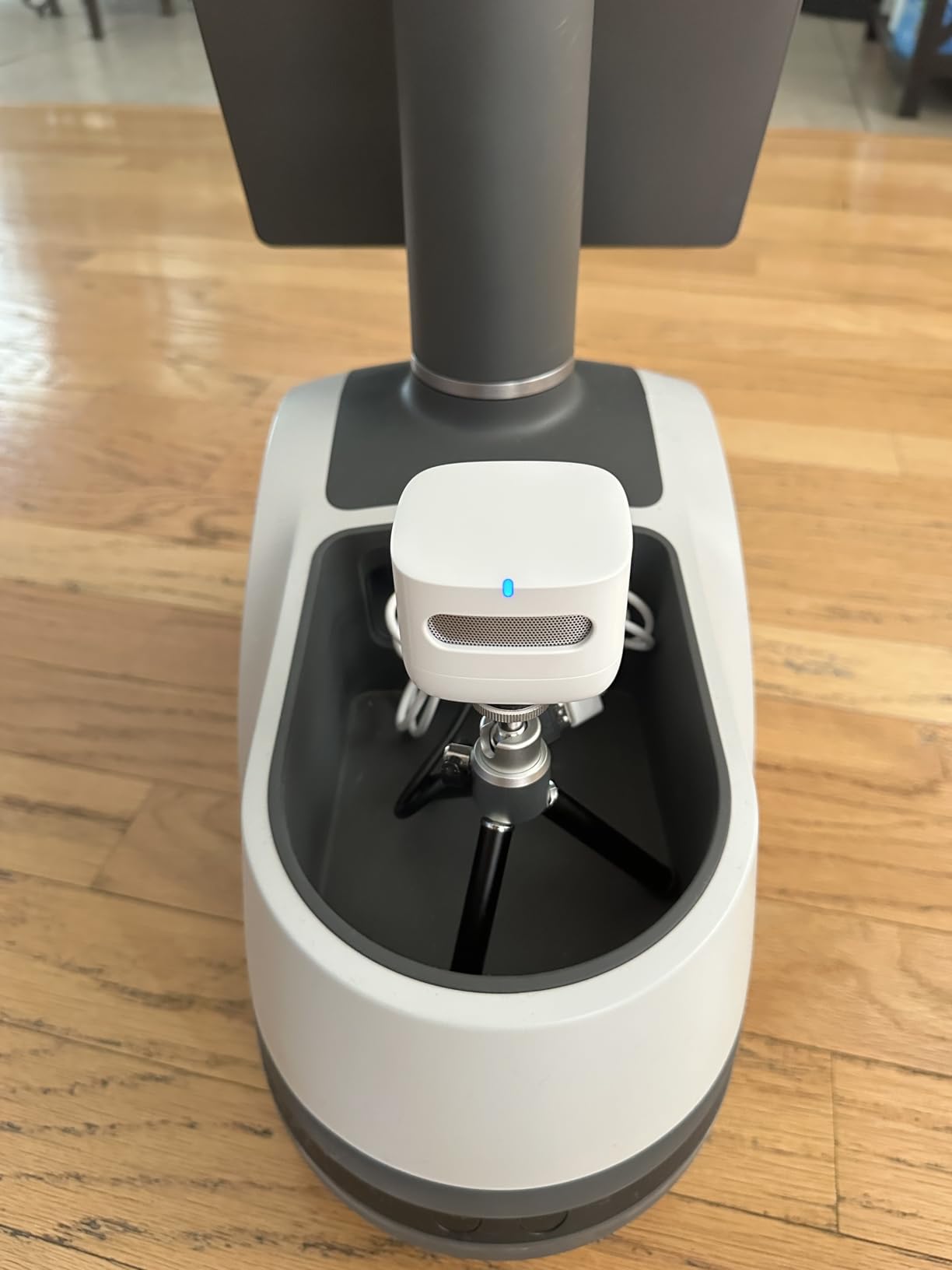
The physical design is unremarkable in the best way. It is small, quiet, and disappears into a corner the way a smart plug does. The color-coded LED gives you an at-a-glance read from across a room, which matters more than it sounds when you are testing whether opening a window actually helped.
What it does not measure is the issue. There is no CO2 channel, no radon, and no PM10 or PM1. Owners who want ventilation feedback rather than particle feedback should look at the GoveeLife H5140 or the SONOFF AirGuard instead. And the VOC channel is extremely sensitive, which is a double-edged sword: it responds fast, but an aerosol spray or an air freshener spikes it instantly and it stays elevated as long as the scent hangs around.
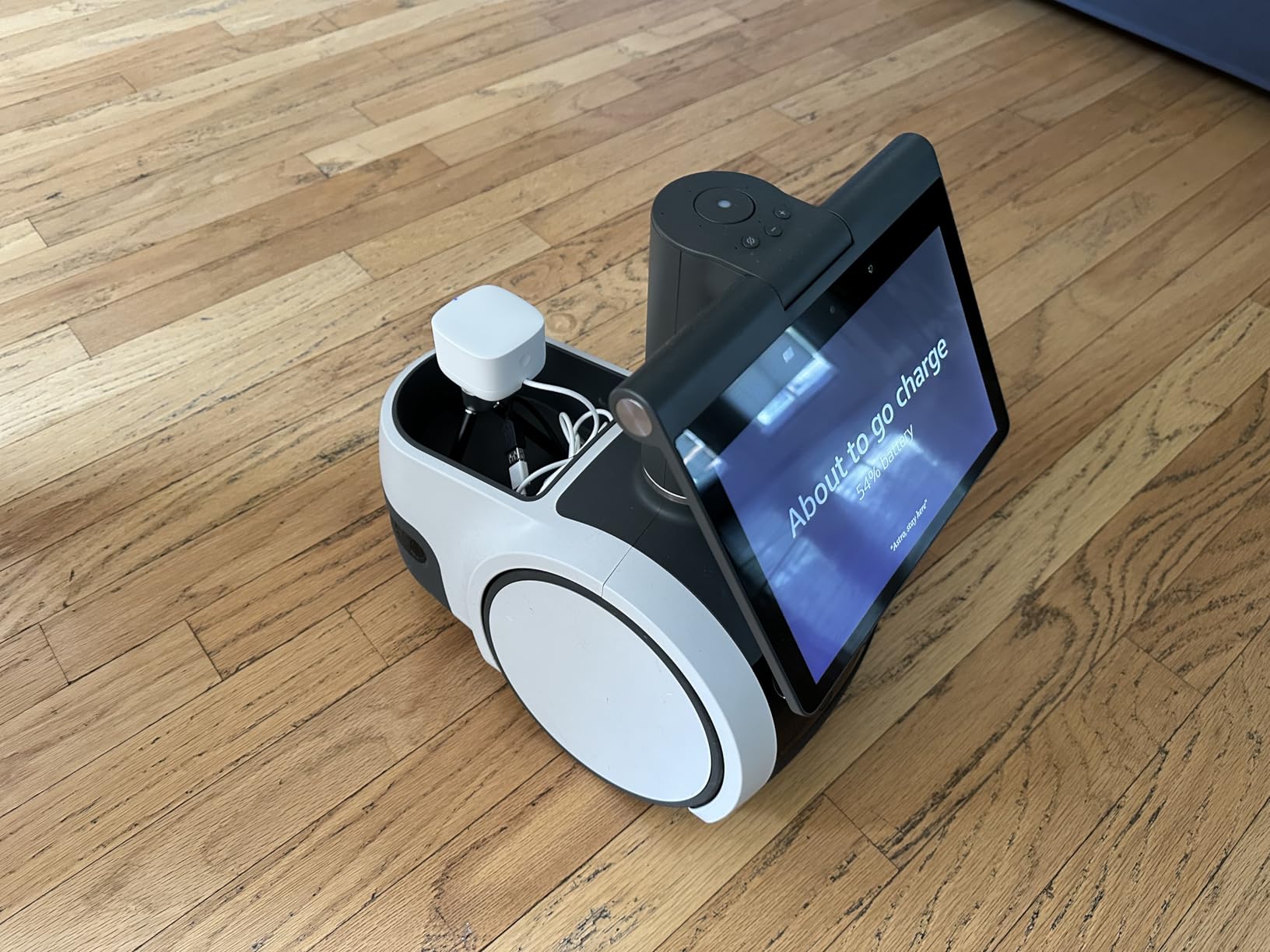
All of the criticism we heard lands on software rather than hardware. There is no standalone app, so the whole experience lives inside the Alexa app, where history navigation is slow and the graphs start at absolute zero, compressing small but meaningful temperature changes into a flat line. Data export is the biggest omission: hour, day and week buckets only, no date-range picker, no CSV download. And the alert thresholds are fixed, so a notification that is useful in a bedroom is noisy in a busy kitchen.
Who this monitor suits
This is the right pick if you want alerts on your phone without thinking about it, and you are already inside the Alexa ecosystem. It is genuinely excellent for households with asthma or allergies who want a heads-up when a cooking spike or a dusty activity pushes the score up.
It is also the best monitor here for a first-time buyer. Nothing to configure, nothing to calibrate, no account to justify. For rental apartments, guest rooms and short-term properties, that simplicity is worth more than a sensor channel you never look at.
Who should skip it
Skip it if you care about CO2 as a measure of ventilation quality, because there is no CO2 sensor at all, estimated or otherwise. That is a real gap for anyone with a home office, a bedroom where someone sleeps with the door shut, or a house that seals tightly in winter.
Also skip it if you want your data. Anyone running Home Assistant, exporting to a spreadsheet, or building automations beyond the built-in Alexa routines will find no hook, no API and no file. The 5,500-plus reviews make it the best-documented device here, and the praise is overwhelmingly for the sensor responsiveness and the routine integration, but the software complaints are universal and consistent.
2. Airthings View Plus – The Best Premium Monitor for Radon and PM2.5 Together
Airthings 2960 View Plus – Battery Powered Radon & Air Quality Monitor (PM, CO2, VOC, Humidity, Temp, Pressure)
- Only unit here with built-in WiFi so alerts arrive anywhere
- High contrast eInk display that uses almost no power
- Acts as a hub for other Airthings monitors
- Web dashboard with CSV export
- Battery backup keeps measuring during outages
- WiFi hardware failure is a recurring owner report
- Some units read temperature several degrees high
- Only two metrics visible on screen at once
- Alert thresholds cannot be customized
- Real battery life is well under the stated figure
If you want one device that covers radon, particles, carbon dioxide, VOCs, humidity, temperature and barometric pressure, and you want it to report to your phone while you are at work, this is the most complete monitor in the roundup. The Airthings View Plus is the only unit here with built-in WiFi, and in our testing that single fact changed how we used it. Alerts arrived while the house was empty, and the historical data was available from anywhere without a separate hub purchase.
The eInk screen is a quiet triumph. It is unlit, high contrast and readable at a distance, and it holds a static reading without draining power, which is the opposite of a bright OLED that glows all night in a bedroom. You can configure which two metrics show on the device, and the rest live in the app.
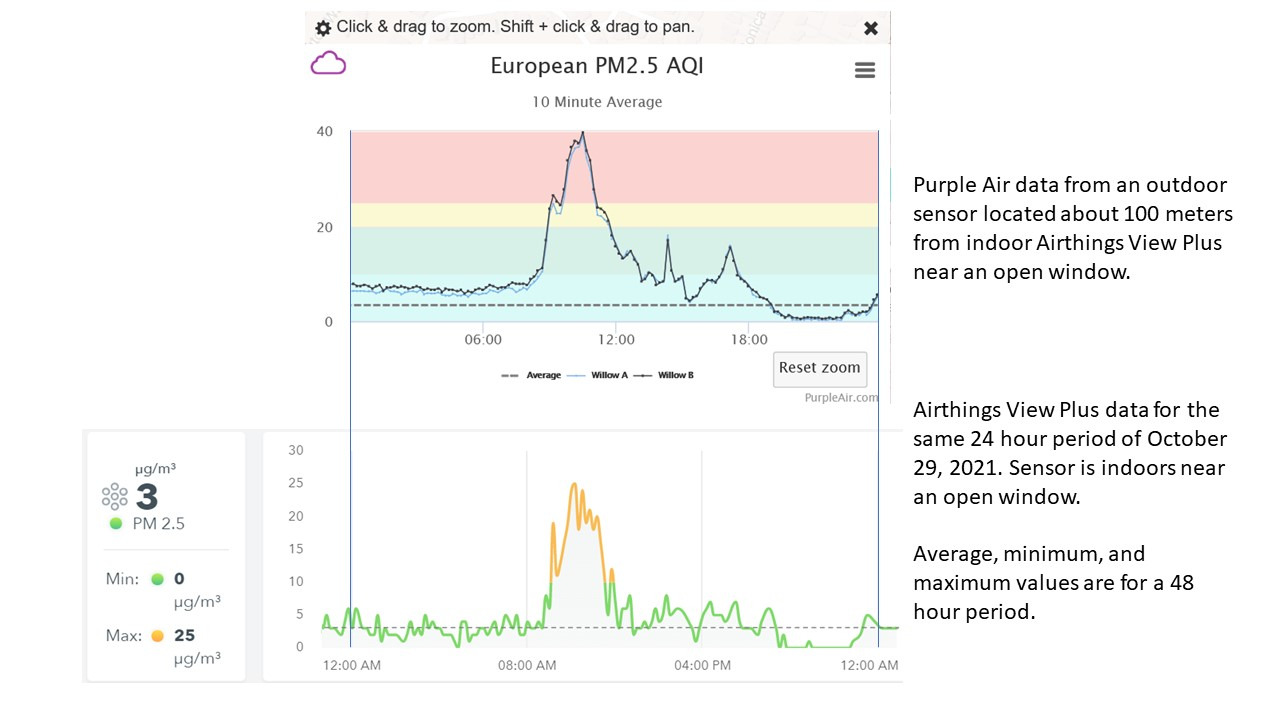
The second thing that stands out is hub behaviour. The View Plus will serve as the hub for other Airthings devices in the house, and owners running Wave Mini or Wave Enhanced units alongside it report that the pairing has worked for years without intervention. If your household is already partly in the Airthings ecosystem, this device slots in rather than asking you to run two competing systems.
There is no paywall on history. The app keeps twelve months of data and the web dashboard exports it as CSV, which makes the View Plus one of only a few monitors here you can genuinely analyse retrospectively. For anyone tracking a remediation plan, a renovation off-gassing curve or a seasonal wildfire pattern, that matters.
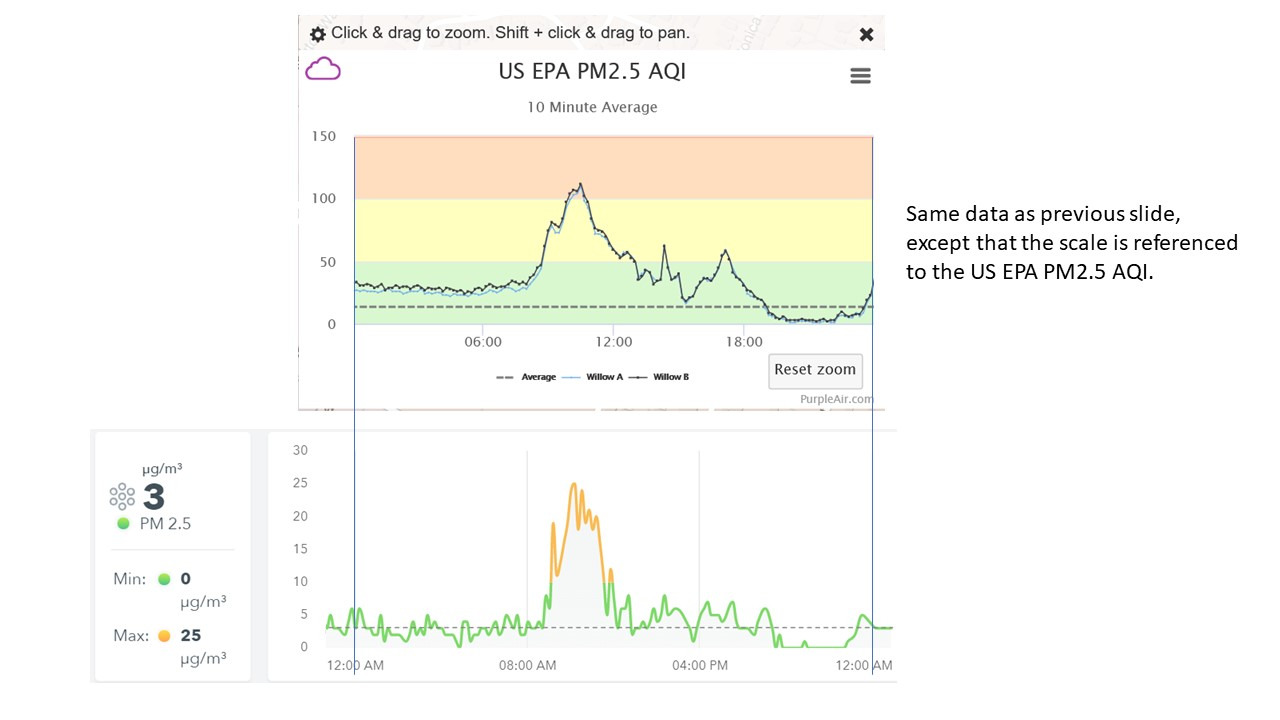
The drawbacks are real and hardware-flavoured. The most serious is WiFi failure: several owners report a unit that stopped scanning networks entirely, which leaves a device whose entire value proposition is remote access. It cannot be re-paired once the radio dies. Battery life is also over-stated, with owners reporting a realistic 75 to 120 days on AA cells rather than the advertised two years, and there is no low-battery warning in the app to catch it before readings stop.
Smaller frictions: only two metrics fit on screen at once, alert thresholds are fixed rather than user-adjustable, and the first-run hub mode message displays for only a few seconds, which catches out first-time users. Several owners also report a temperature channel that reads several degrees high and stays that way even after a battery pull and reset. Radon performance, by contrast, is the most consistently praised part of the package across long-term owners.
Who this monitor suits
This suits anyone living in a ground floor or basement, in a region with known radon, who also wants particles and CO2 from the same box. It is the pick for a home office that needs real-time remote alerts, and for households near wildfire-prone terrain who want to know whether an outdoor smoke event is penetrating indoors.
It also suits anyone who plans to keep their monitor for years. No subscription, no feature that expires, full data export and multi-device hub support. Among the ten units here, this has the strongest long-term ownership story, and support has been widely praised for replacing units under warranty.
Who should skip it
Skip it if you need a VOC-specific or formaldehyde channel that reacts quickly to a fresh installation, because the VOC sensor here is a general trend indicator rather than a targeted detector. Also skip it if you need a bright, always-on display, or if battery management bothers you, because there is no low-battery warning and no USB power fallback on the primary unit.
And if you are on a strict budget with a small space, a three-metric unit may honestly be enough. The View Plus earns its place by breadth and connectivity, not by being dramatically more accurate on the single channel it shares with cheaper devices.
3. GoveeLife H5106 – The Best Value Monitor for PM2.5 Tracking
- Best value in the category by owner consensus
- 2-second refresh makes trends feel live
- Clean LED display with bright and night modes
- 13 day online graphs with 2 years of exportable data
- Links to GoveeLife purifiers
- humidifiers and fans
- Measures only PM2.5
- temperature and humidity
- Wired USB-C power with no built-in battery
- Requires 2.4 GHz WiFi rather than dual-band
- Placement limited by where a cable reaches
The GoveeLife H5106 is the monitor we recommend when someone says the premium units are too much and the cheapest units feel like a toy. It measures PM2.5, temperature and humidity, and it does three things well: it refreshes every two seconds, it displays clearly, and it keeps an unusually long history. The stated PM2.5 accuracy is plus or minus 15 micrograms per cubic meter from 0 to 100, and plus or minus 15 percent from 100 to 1,000, with temperature at plus or minus 0.54 F and humidity at plus or minus 3 percent RH.
The two-second refresh genuinely changes the feel of the device. Open a window and the number moves in real time, so you learn the causal relationship between an action and a result within a couple of minutes. Most competitors sample slowly enough that a quick test is meaningless; this one gives you a usable response.
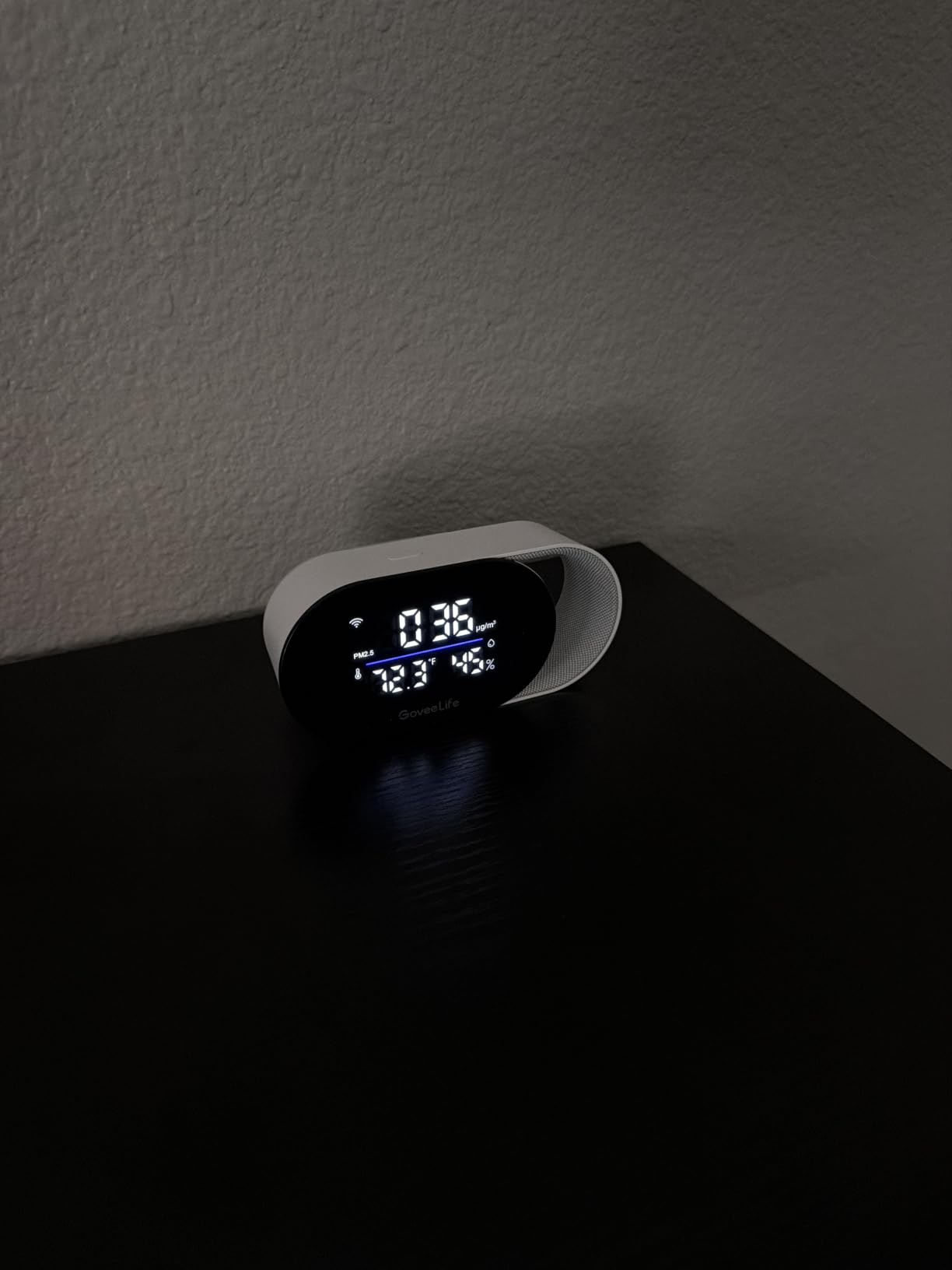
Data retention is where this device quietly beats much more expensive hardware. The app keeps 13 days of online graphs, and you can export data going back two years. For tracking a seasonal pattern, a filter replacement cycle or a renovation, that is more than enough, and there is no subscription attached to it.
It also plays nicely with the wider GoveeLife range. If you already own a compatible purifier, humidifier or tower fan, the monitor can act as the trigger rather than being an isolated box on a shelf. The four-level LED indicator and switchable clock make it easy to live with, and the night mode keeps it from lighting up a bedroom.
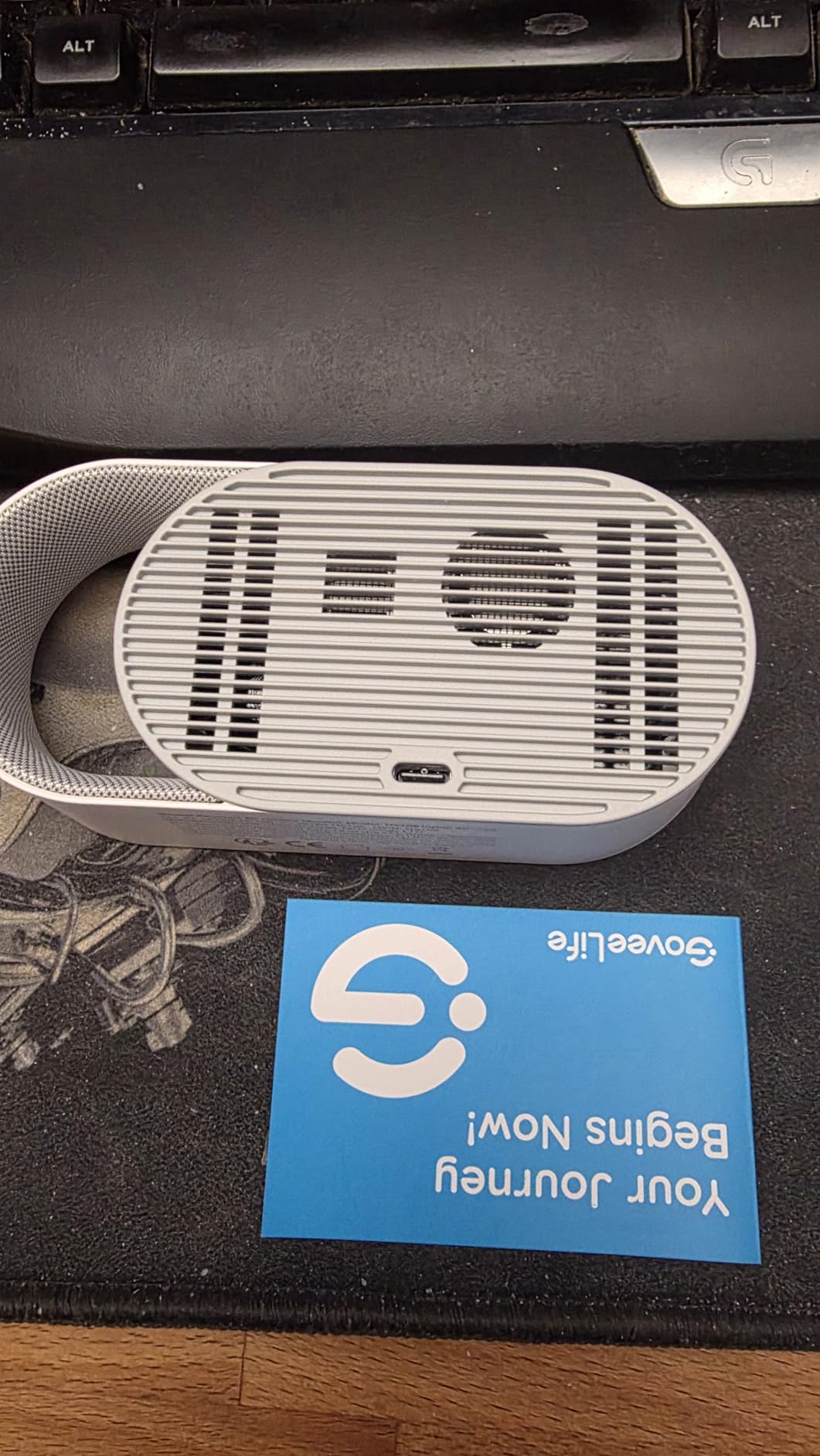
Be clear about the scope. This is a three-metric device. There is no CO2, no VOC, no radon and no carbon monoxide. If your concern is ventilation, off-gassing or a combustion risk, this will not tell you anything about it, and no amount of app polish changes that. It is a particle and comfort monitor, and a good one.
The practical constraints are power and network. It is wired over USB-C with no internal battery, so placement is limited by where a cable reaches, which in a living room with few outlets can mean the shelf rather than the breathing zone. It also needs a 2.4 GHz network, so a dual-band-only router setup will cause setup friction. Both are solvable but worth knowing before you commit.
Who this monitor suits
This is the pick for a bedroom, a nursery or a home office where you want particle and humidity data without any ongoing cost or account. It suits wildfire smoke tracking well, because a fast-refreshing PM2.5 channel is exactly what you need to watch a smoke event arrive and confirm that a purifier is keeping up.
It also suits allergy households. Fast particle updates plus long exportable history means you can correlate symptom flare-ups with readings, which is the kind of evidence that actually changes behaviour.
Who should skip it
Skip it if your air quality problem is ventilation rather than particles. A closed room with two people can have excellent PM2.5 readings and genuinely stale air, and this monitor will report the first problem and completely miss the second.
Also skip it if you need battery operation for a rental inspection sweep or if your router is dual-band only. And if you are building a Home Assistant setup, this is not a device that will appear in it cleanly, so pick something with a documented local integration instead.
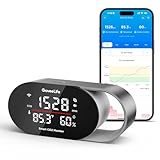
4. GoveeLife H5140 – The Best Monitor for Tracking CO2 in a Room
GoveeLife Smart Air Quality Monitor CO2 Detector H5140, Display & Alarm
- Genuine SCD4x NDIR CO2 sensor with altitude compensation
- Large 4-in-1 display readable across a room
- Buzzer
- push and email alerts leave nowhere to hide
- Day and night light scheduling on the tri-color bar
- Two years of history with CSV export
- Works with Alexa
- Google Assistant and Home Assistant
- CO2
- temperature and humidity only
- no particles or VOCs
- AC powered over USB-C with no battery
- Cannot be linked to air purifiers because they do not reduce CO2
- No Apple HomeKit support
CO2 is the single most useful number most homeowners never measure, because it is a direct proxy for how stale a room is. When a bedroom door stays shut overnight, a home office gets sealed up against the summer heat, or a meeting room fills with people, CO2 climbs long before anyone consciously notices a problem. The GoveeLife H5140 is built specifically for that question, and it uses a Sensirion SCD4x photoacoustic NDIR sensor rated at plus or minus 40 ppm plus 5 percent with a five-second refresh and built-in pressure compensation for altitude.
Pressure compensation is worth a sentence of its own. Many cheap CO2 sensors read low at altitude because they assume sea-level pressure, which is a real problem in Denver, Albuquerque, Denver-metro suburbs and anywhere else above a few thousand feet. The SCD4x handles it, and owners who compared readings against a calibrated reference unit generally found them trustworthy.
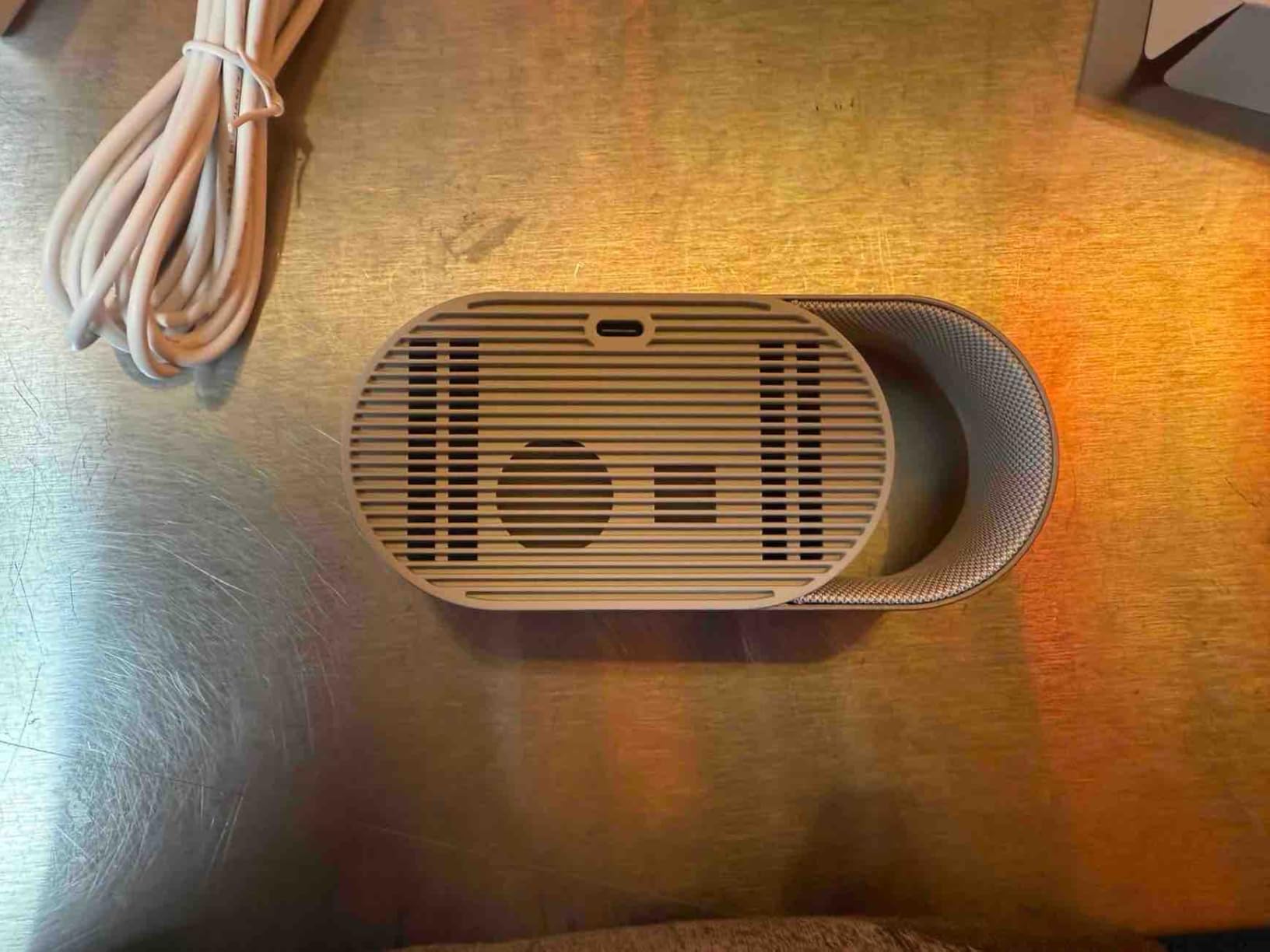
The alert system is the part that made this stick in our household. A built-in buzzer, app push notifications and emailed reports mean a high-CO2 event is very difficult to sleep through or ignore. You can set your own thresholds for CO2, temperature and humidity, and you can schedule the tri-color light bar and screen brightness for day and night, so it stays useful on a desk without becoming a nightlight.
History runs two years with interactive charts and CSV export, which is enough to build a genuine picture of how your house breathes across a full heating season. And unlike several competitors in this category, it works with Home Assistant, which matters if you already run automations and want the CO2 channel to drive a fan.
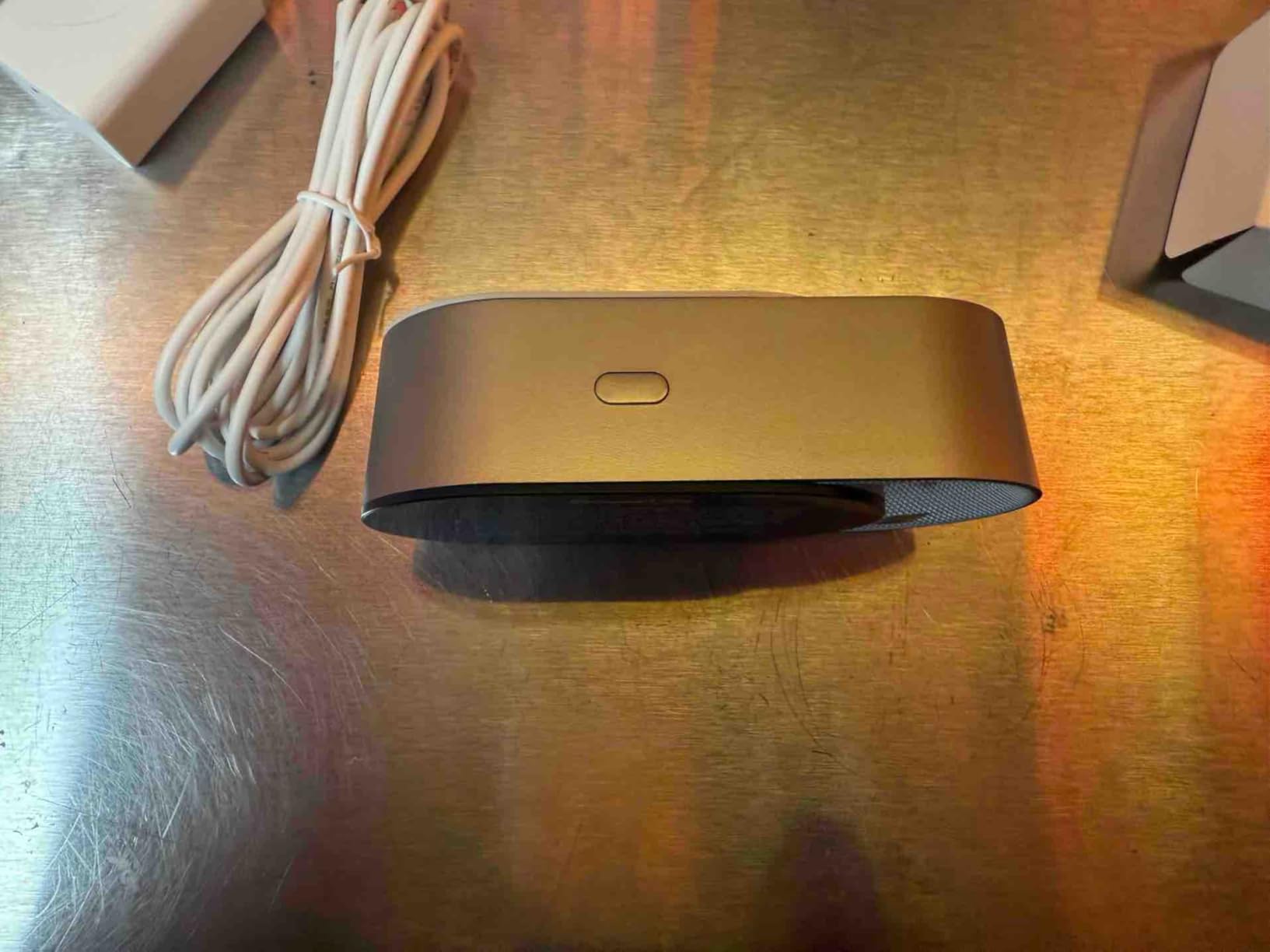
The limitation is scope, and it is a hard one. This device measures carbon dioxide, temperature and humidity. It does not measure particulate matter, VOCs, radon or carbon monoxide. Most buyers run it alongside a particle monitor, and that is a reasonable two-box setup if you split them across rooms.
Some owners find it odd that the device cannot be linked to GoveeLife air purifiers. The reasoning is actually correct, and worth appreciating: an air purifier does not reduce CO2 at all, so triggering one would be meaningless. It links to humidifiers and tower fans instead. WiFi and app pairing can also be fiddly at first, and there is no Apple HomeKit support. If the sensor ever fails, historical data in the app goes with it unless you exported the CSV.
Who this monitor suits
This is the pick for home office workers, students and anyone whose main worry is a closed room getting stuffy rather than dirty. Bedroom monitoring before sleep works well too, because you can set an audible threshold that wakes you if the air has gone stale overnight.
It suits anyone already inside the GoveeLife ecosystem who wants humidity and temperature data alongside CO2, and anyone on Home Assistant who needs a CO2 entity they can drive automations with.
Who should skip it
Skip it if your air quality concern is smoke, wildfire, dust or allergens, because it will not see any of that. It is also the wrong tool if you want to check a room for a combustion risk, since it has no carbon monoxide channel.
HomeKit users should look elsewhere, and anyone who needs to move the monitor between rooms without a power outlet nearby should note there is no battery, so a power bank is the only workaround.
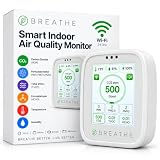
5. BREATHE Airmonitor Plus Gen 2 – The Best Monitor for Breadth of Sensors
BREATHE Airmonitor Plus Indoor Air Quality Monitor w/CO₂, PM & App. Gen 2.
- Broadest sensor set in this price range with 8 metrics
- Real NDIR CO2 rather than a VOC-derived estimate
- Dedicated formaldehyde channel for renovation off-gassing
- 90 days of stored history with CSV export
- Portable with up to 6 hours of battery
- 2.4 GHz WiFi only so it will not join dual-band networks
- 6 hours of portable battery is short for moving around a home
- CO2 channel needs periodic outdoor recalibration
- 4.0 average with a 13 percent one-star share
Most monitors in this price bracket pretend to measure more than they do. The BREATHE Airmonitor Plus is one of the few that genuinely does what it says, and the reason is the CO2 channel. It uses a real NDIR sensor rather than the eCO2 trick, where a VOC sensor is used to infer a CO2-like number that correlates with occupancy but is not a measurement at all. For anyone who has been burned by an eCO2 estimate, that distinction is the whole ballgame.
Alongside CO2 it reads PM1, PM2.5 and PM10 as three separate particle channels, total VOCs, a dedicated formaldehyde channel, temperature and humidity. The formaldehyde channel is the sleeper feature. If you have had flooring, cabinetry, upholstery or paint installed in the past year, HCHO off-gassing is a legitimate concern and almost no consumer monitor measures it directly.
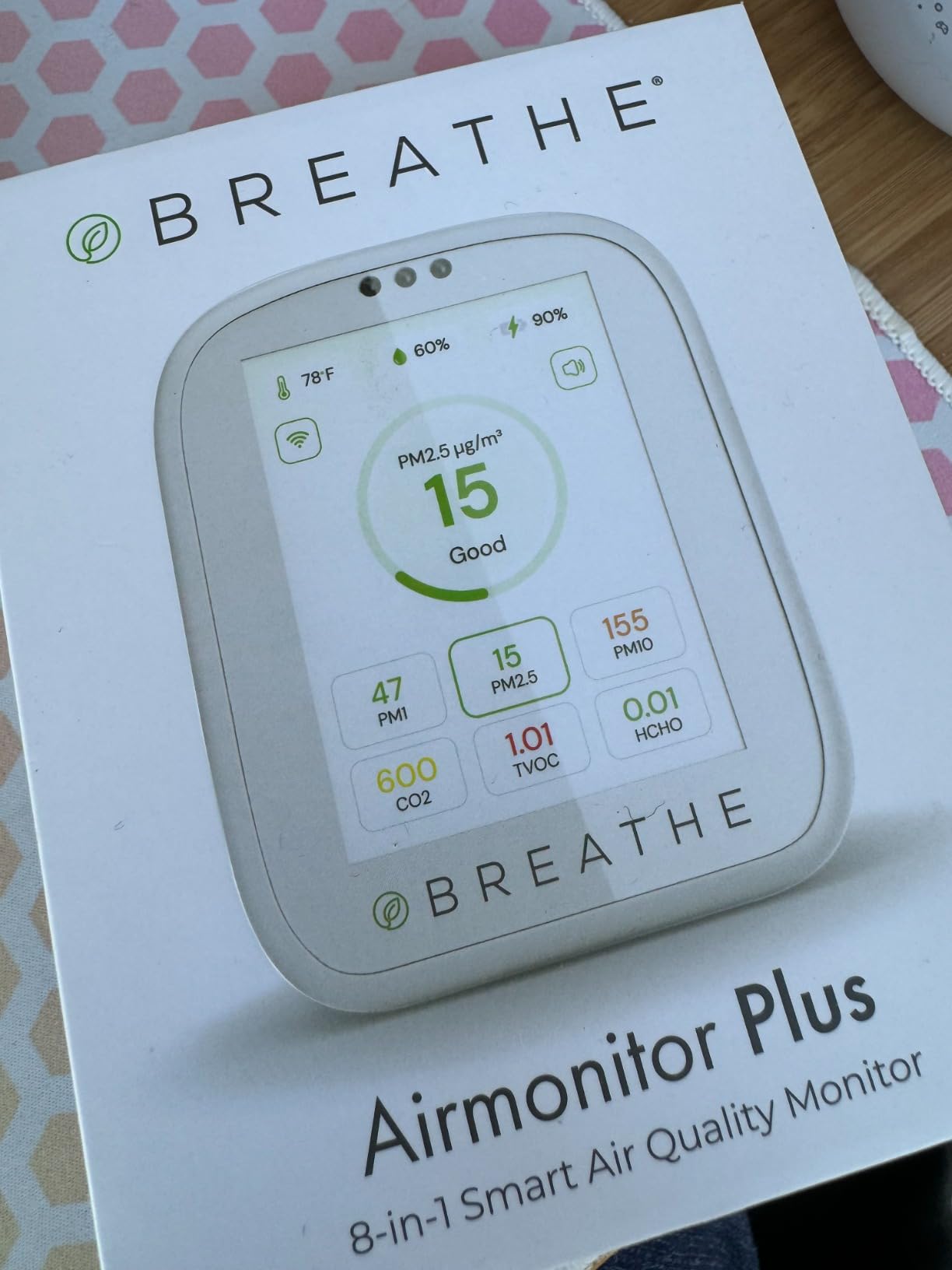
The second generation adds two things the first one lacked: up to six hours of portable battery, and ninety days of app history. Both are modest, and both are real improvements. The battery makes the unit genuinely useful for checking a room before you sleep in it, or for spot-checking a basement, and the longer history means you can look back across a stretch of weeks rather than a single afternoon.
Configuration is sensible. CO2 and PM2.5 alert thresholds are adjustable, there are historical graphs, and CSV export is available. Pairing is straightforward and the CO2 calibration routine is quick if you know to do it, which is more than can be said for many competitors.
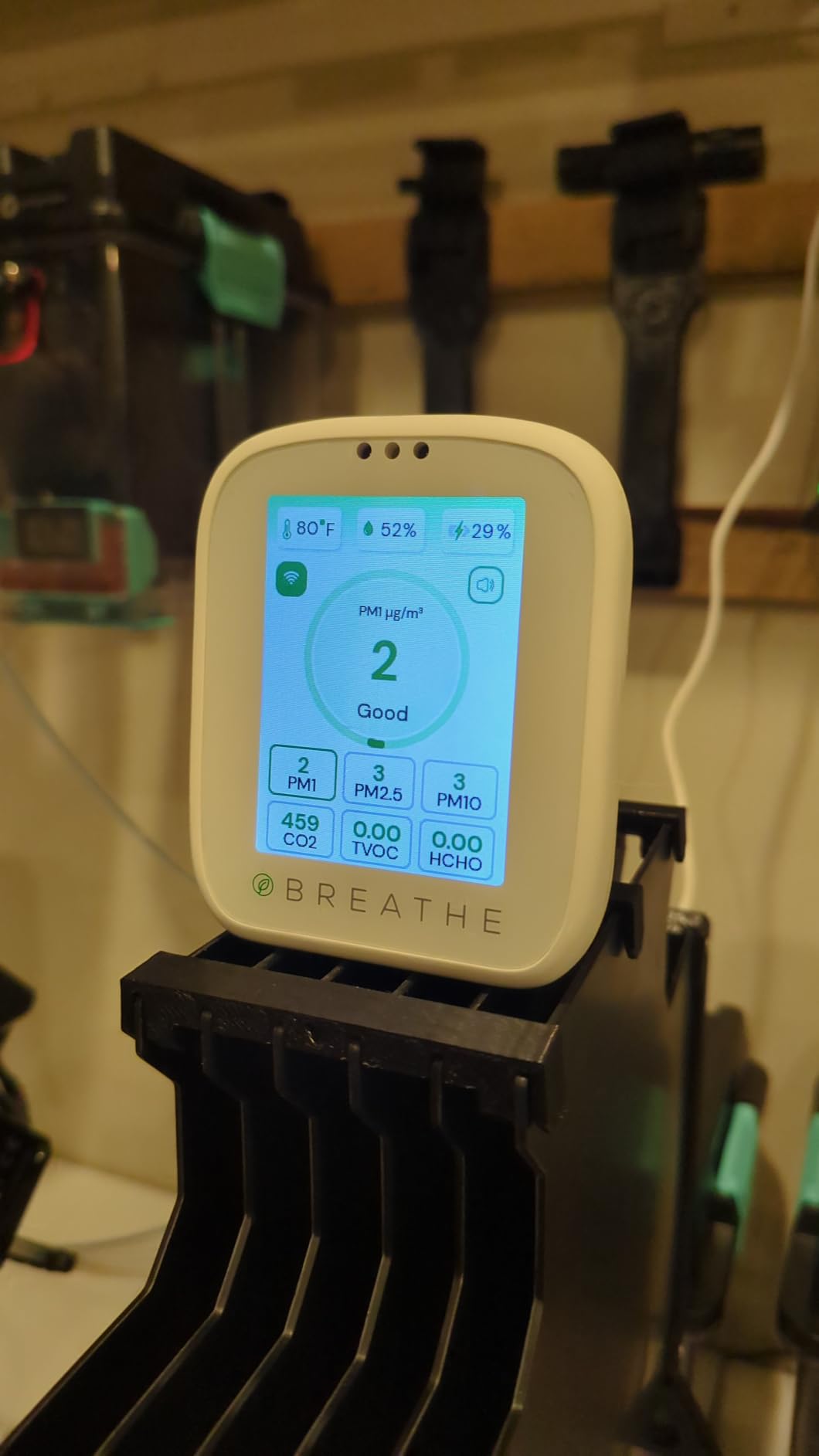
Now the honest assessment. Six hours of battery is short for walking a large home, and the fact that it is corded for anything longer means the placement is largely fixed. It is 2.4 GHz only, so a dual-band-only network will reject it. And the NDIR CO2 channel needs periodic recalibration against fresh outdoor air, a step most owners do once and then forget.
The 4.0 average rating with a 13 percent one-star share tells you there is a meaningful group of unhappy owners, and it is worth reading those reviews before buying. A compact color display and a small footprint make it easy to live with, but this is a device that rewards an owner who will read the manual.
Who this monitor suits
This suits a household with a recent renovation, new furniture or a baby on the way, where formaldehyde and VOCs matter alongside particles. It is also the pick for anyone who has previously bought a monitor and discovered it was estimating CO2 instead of measuring it.
People with mixed concerns, allergies plus a stuffy office plus new flooring, get the most out of a single box here. It is a genuinely good answer to the question of whether one device can cover several problems at once.
Who should skip it
Skip it if you need remote viewing from outside the home, because there is no subscription, but the app history is capped at ninety days and there is no separate hub option. Skip it if you need radon, which none of these channels cover, or if you need carbon monoxide detection.
And if you are a hands-off buyer, be aware of the two recurring frictions: 2.4 GHz-only networking and the need to recalibrate the CO2 sensor outdoors periodically. Both are manageable. Neither is something you want to discover during your first week.
6. IQAir AirVisual – The Best Monitor for Comparing Indoor Air to Outdoor Air
IQAir Air Quality Monitor Indoor, Swiss Design, Professional Grade, Detects PM2.5, CO2, AQI, Temperature, Humidity, Indoor Air Quality Real-Time Air Quality & Forecasting, Historic Data
- PM2.5 and CO2 accuracy consistently rated as excellent
- Built-in display readable from across a room
- Shows indoor and outdoor AQI side by side with advice
- Free app doubles as a worldwide station map
- Customizable alert thresholds and IFTTT support
- No VOC
- ozone
- PM1 or PM10 outside a Windows PC CSV export
- AQI is calculated from PM2.5 only
- Short internal battery of 4 to 5 hours with display off
- Only 48 hours of hourly in-app history
- CO2 needs up to 3 days to calibrate
The IQAir AirVisual is the only monitor in this roundup whose first question is not how dirty your room is, but whether you should be in it at all right now. It shows indoor and outdoor AQI side by side and tells you whether to open a window or stay shut. During wildfire season or a bad pollution day on a busy road, that single feature is more actionable than any other in the group.
On raw particle performance, owners with a health or allergy concern rate it very highly. It uses professional-grade laser sensing for PM2.5, and owners who compared readings across multiple consumer monitors report it sits at the accurate end of the pack and stays there. The built-in color display is readable across a room, which means you do not need to pick up your phone to check anything.
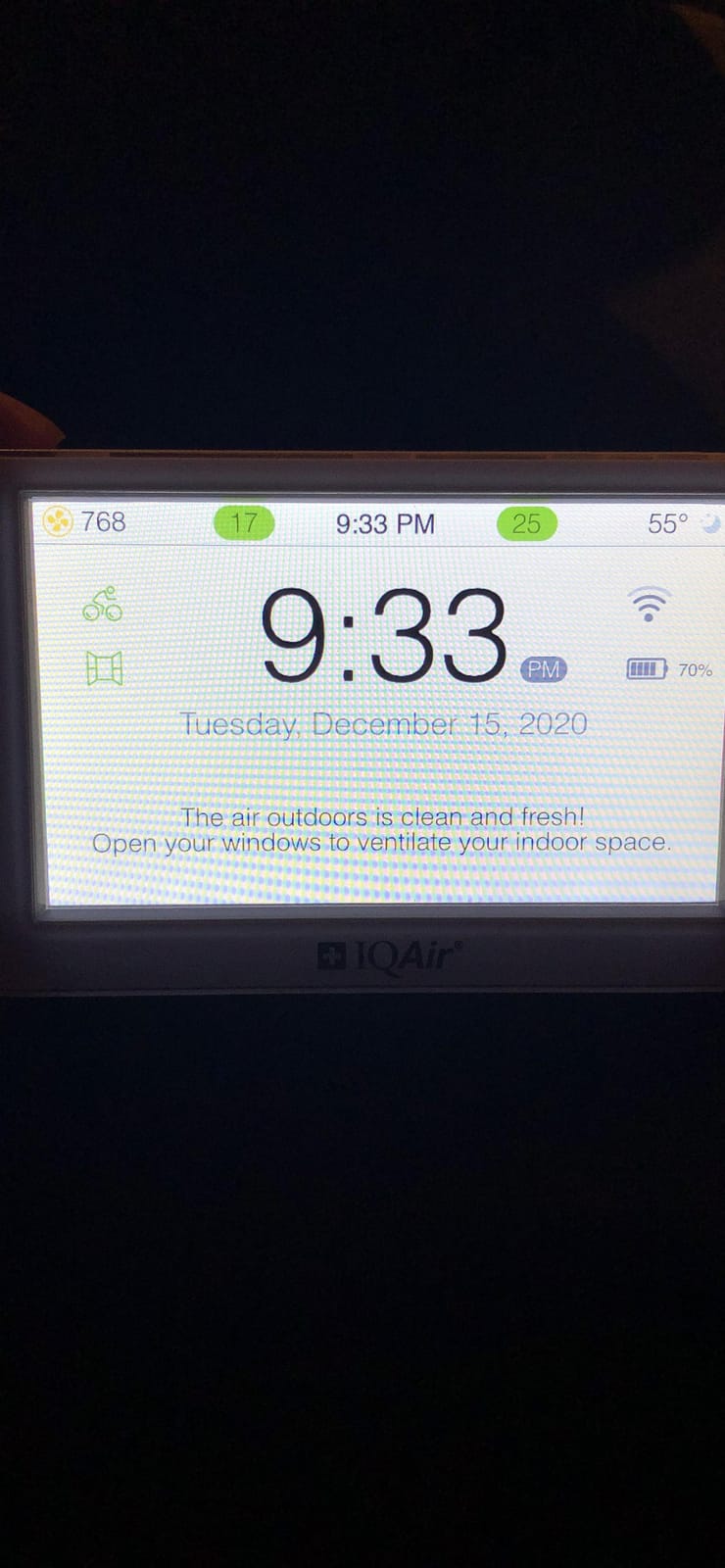
The app extends beyond the room. It functions as a map of public air quality stations worldwide, so you can see what the outdoor air is doing in your area rather than at a station 50 miles away. The forecast feature gives you a heads-up before a pollution event arrives, and IFTTT integration means alerts can trigger other actions.
Alert thresholds are fully customizable, which is more than we can say for several other monitors here. Combined with the outdoor comparison, that makes it a strong fit for anyone whose asthma is weather-sensitive.
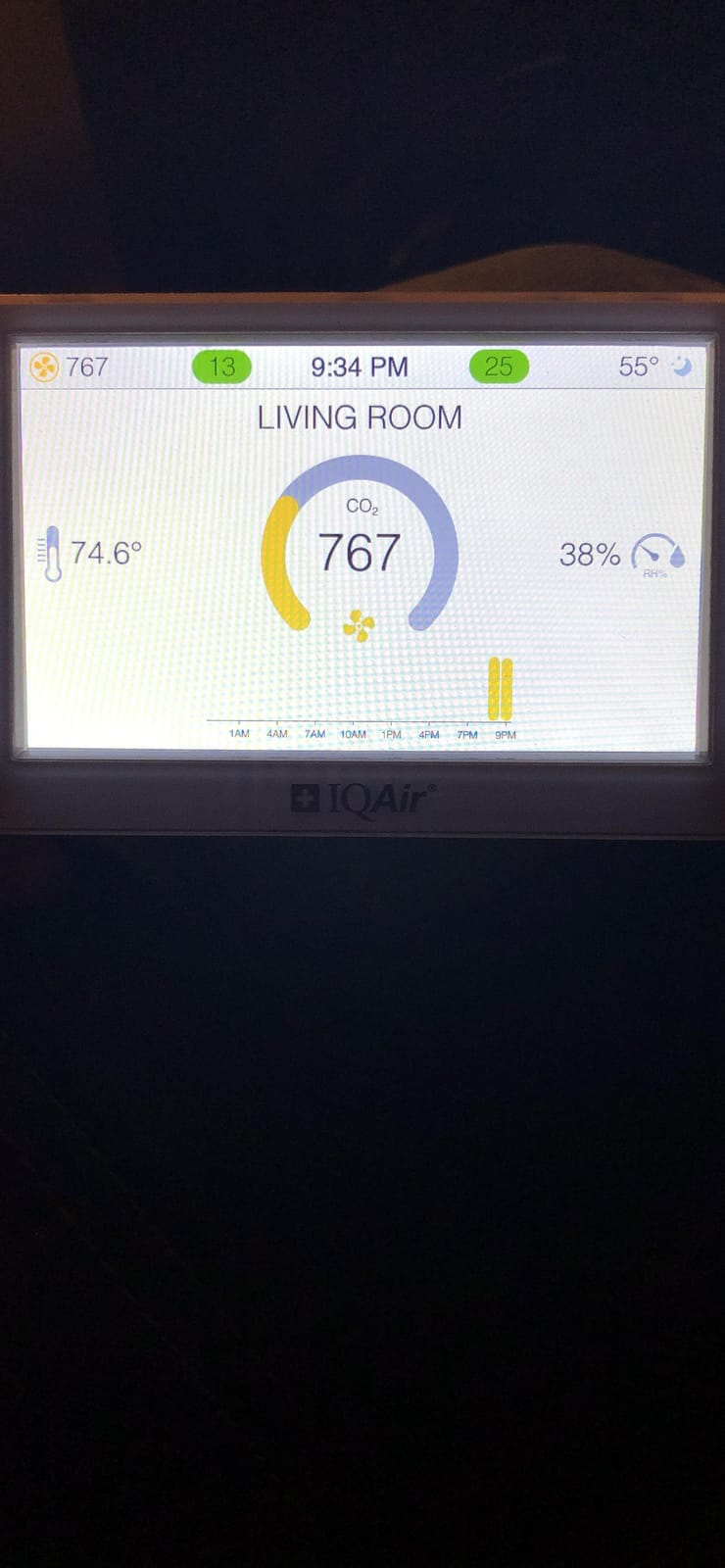
The scope gaps are significant and owners mention them constantly. There is no VOC channel, no ozone, and no PM1. PM10 is not available in the device, app or dashboard at all, except through a Windows PC console CSV export, which is an odd and dated limitation. The displayed AQI is calculated from PM2.5 alone, so a room that is dusty but low in fine particles can show as good, and that is a real gap in a home with carpets, sawdust or construction debris.
The internal battery lasts 4 to 5 hours with the display off, and the screen brightness resets whenever you plug or unplug it, which is irritating in daily use. In-app history is 48 hours of hourly data before dropping to daily, which is thin for troubleshooting. The CO2 sensor needs up to three days to calibrate out of the box, and a small number of owners report units eventually reading a constant zero PM2.5, with support declining repair once the warranty expires.
Who this monitor suits
This suits anyone whose asthma or allergies track with outdoor air quality, and anyone who wants the simplest possible answer to the should-I-open-a-window question. The indoor versus outdoor comparison is the reason to buy it, and it is worth real money during smoke season.
People with a strong allergy or respiratory diagnosis who want the most confident particle numbers on the market will find the accuracy the most reassuring thing about it. The free worldwide station map is a genuine bonus for anyone curious about regional conditions.
Who should skip it
Skip it if you need VOCs, formaldehyde, radon or PM10. None of those channels exist here, and for a renovation or a basement, that makes this the wrong tool regardless of how good its PM2.5 sensor is.
Also skip it if you plan to run long-term analysis on your own data. Forty-eight hours of hourly history is simply not enough to see a seasonal pattern, and the PM1 and PM10 export path is impractical for most people. The short battery life makes it a desk device rather than a portable one, and the three-day calibration period means it is useless for the first few days after you unbox it.
7. SONOFF AirGuard SAWF-08P – The Best Monitor for Matter and Smart Home Users
- Pairs over Matter with no Thread hub and no vendor cloud required
- Setup in Home Assistant is described as painless
- Large screen with a color LED and a muteable audible alarm
- USB-C power removes the battery-changing chore
- 12 months of history with charts and export
- Cannot actually be wall mounted despite the listing
- No user calibration option for the CO2 sensor
- 2.4 GHz WiFi only
- CO2
- temperature and humidity only with no particles or VOCs
The complaint we hear most often in r/homeassistant about cheap Zigbee and Z-Wave sensors is the endless battery replacement, paired with vendor lock-in that prevents local control. The SONOFF AirGuard solves both. It is Matter compatible, which means it pairs directly with Apple Home, Amazon Alexa, Google Home, SmartThings and Home Assistant without a Thread border router, and it is USB-C powered, so there is no coin cell to replace every few months.
In Home Assistant, owners describe setup as painless: the device appears with CO2, temperature and humidity entities ready to use. Several set alerts at around 600 ppm and drive HVAC automations from the temperature and humidity channels. For anyone who already has a dashboard they actually look at, this is the difference between a sensor that participates and one that sits in a drawer.
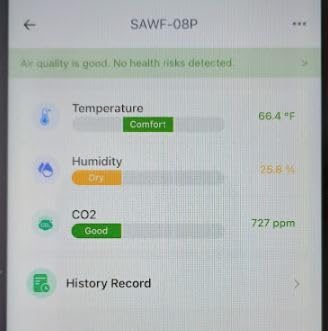
The sensor itself is a genuine NDIR unit rated at plus or minus 50 ppm plus 5 percent across a 400 to 5,000 ppm range, with a five-second response time on continuous power and temperature accurate to plus or minus 0.5 C. Owners who tested it against a calibrated reference found the readings generally accurate, and temperature and humidity landed within about a percentage point of other devices.
The display is large for the price, with a multi-color LED that changes with levels and an audible alarm you can mute. Twelve months of history is available in the eWeLink app with charts and export, which is more than most devices in this bracket offer.
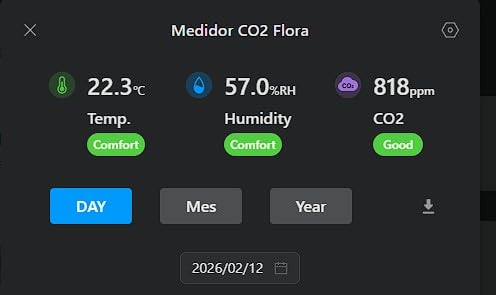
The most common practical complaint is honest and simple: it cannot be wall mounted, despite the listing saying so. The USB-C port is on the back, so the unit is a tabletop or kick-stand device. If your plan was a wall-mounted bedroom monitor, you need to rethink the cable routing.
There is also no user calibration option for the CO2 sensor, which means a unit that has drifted cannot be corrected by the owner. One owner reported a persistent high baseline reading with no way to address it. And like several competitors here, it is 2.4 GHz only and measures just CO2, temperature and humidity, with no PM2.5, VOC, radon or CO channel.
Who this monitor suits
This is the pick for anyone running Home Assistant who is tired of vendor-locked sensors and constant battery changes. It suits people who want a local-first device that does not depend on a manufacturer server staying online forever, which is a fair concern given how many smart home services have been shut down.
It is also a strong budget option for a bedroom or nursery where CO2 is the metric you care about, and for anyone who wants voice assistant support across multiple ecosystems rather than committing to one.
Who should skip it
Skip it if you need particulate matter, because a CO2 monitor will not tell you whether dust, pollen or smoke is present. It is also the wrong choice for anyone who needs a wall-mounted unit, or for owners whose router is dual-band only.
Be cautious if you already know your indoor CO2 baseline is unusual, since there is no calibration control to correct a drifting sensor. And for anyone who needs a display they can read from bed, the alarm is audible and muteable but the screen is small.
8. Airthings Wave Plus – The Best Cord-Free Wall-Mounted Monitor
Airthings 2930 Wave Plus – Radon & Air Quality Monitor, Battery Powered (CO2, VOC, Humidity, Temp, Pressure)
- Wave gesture gives an instant color read without touching it
- Clean premium hardware with an included magnetic wall plate
- Six metrics including long-term radon trending
- Detailed and attractive app and web dashboard
- Battery powered so there is no outlet or cord clutter
- Bluetooth only
- so remote access needs a separate paid Hub
- Radon needs 7 days to calibrate and 30 days to settle
- Some owners measure radon 0.5 to 1.5 pCi/L off a lab reference
- Bluetooth sync requires the device to be physically nearby
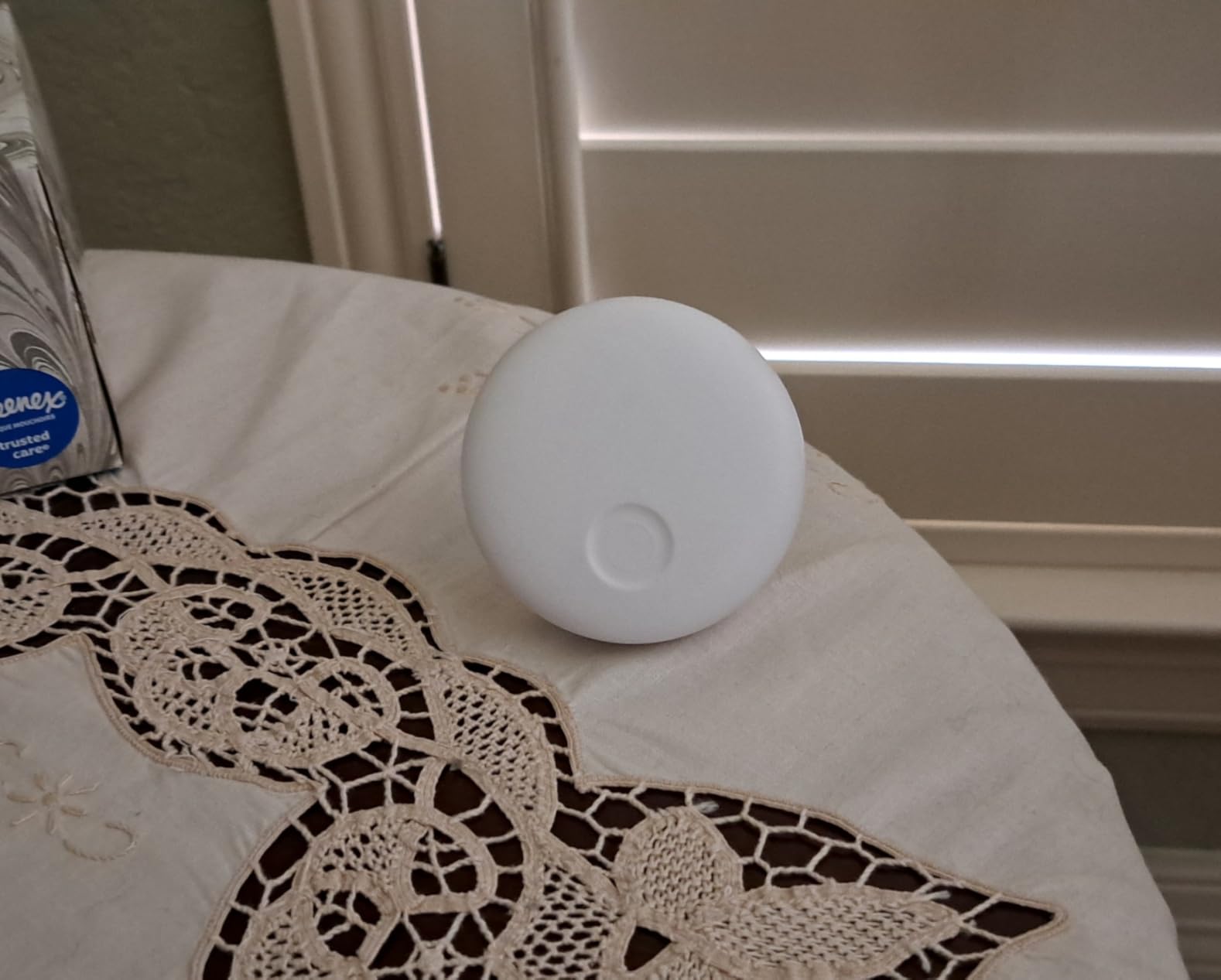
The Wave Plus is the one monitor here that solves a problem the others ignore: where do you put a device that needs an outlet but should not be an eyesore. It is battery powered on two AA cells, it weighs under eight ounces, and it comes with a magnetic wall plate that lets you pop it off to check the display and snap it back. It measures six factors: radon, CO2, total VOCs, temperature, humidity and air pressure.
The wave gesture is the detail we remember. Sweep a hand in front of it and it lights up green, amber or red according to the overall air quality. No touching, no waking a screen, no walking over to read a number. It is the kind of interaction that makes a monitor something you actually use daily rather than something you check when you suspect a problem.
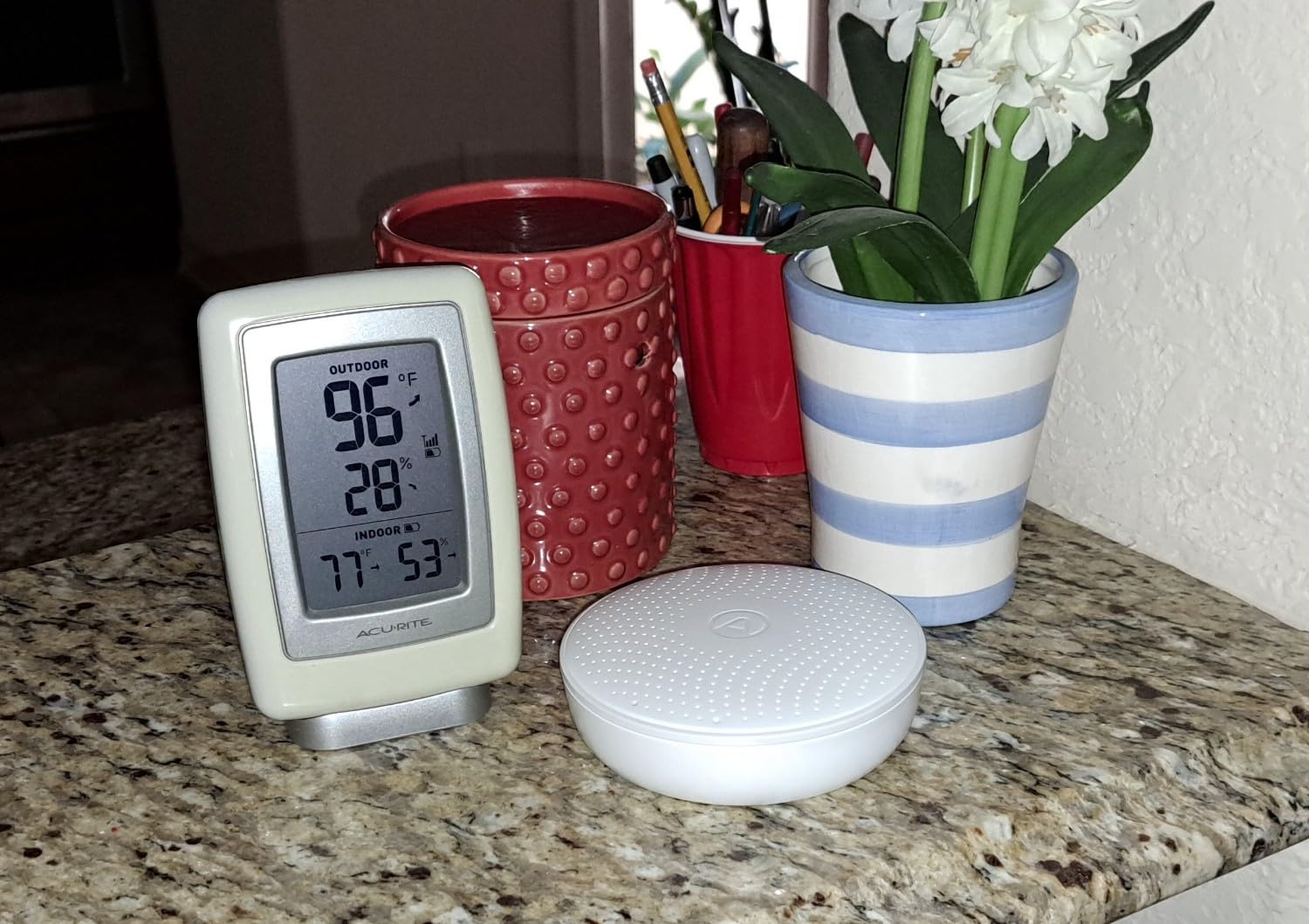
App and web dashboard quality is a genuine strength here. The historical views are detailed and well designed, and the combination of radon plus CO2 in a single unit is unusual at consumer level. If you want to know both whether a basement has a radon problem and whether the rest of the house is ventilating properly, this covers both in one box.
Owners also report strong, responsive technical support once the device is set up, which is not a given across this category.
The radon channel is the most important thing to understand before you buy. Readings need about seven days to calibrate and closer to thirty days to settle into a meaningful long-term average, so early numbers are unreliable and should be ignored. That is a property of radon measurement in general, not a defect, but it catches out impatient buyers every time.
Second, and more seriously, several owners who tested against lab charcoal kits or dedicated radon meters report the device reading low or high by roughly 0.5 to 1.5 pCi per liter. Against the 4 pCi/L action level, that margin is material. The product is still useful for long-term trending and for confirming a mitigation system works, but do not treat a single reading as a legal test result.
Finally, it is Bluetooth only. The device must be physically near your phone to sync, and remote access while you are away requires the separate Airthings Hub, which is an additional purchase. Hub setup is also the most commonly reported frustration, and documentation is online only with no downloadable manual.
Who this monitor suits
This suits anyone who wants a monitor that disappears into the room rather than sitting on the counter. It is a good fit for a finished living room, a hallway or a bedroom where a cable is unacceptable, and for anyone who already runs Airthings devices and wants them on one account.
It also works well as a second monitor. Place one in a basement for radon and one near a purifier or in a main living space for CO2 and VOC, and the combined picture is far more useful than either device alone.
Who should skip it
Skip it if you spend time away from home and want readings while you are out, unless you are prepared to add the Hub. Also skip it if you need a formal radon measurement for a property transaction, a legal disclosure or a health assessment, because consumer radon devices are a screening tool, not a certified test.
Radon-sensitive households should also weigh the reported accuracy margin before committing. And anyone who needs WiFi alerts, PM2.5 sensing or a light they can see without waving at it should choose a different device from this lineup.
9. Airthings Corentium Home 2 – The Best Dedicated Radon Monitor
- Highest average rating in the lineup with 77 percent five-star reviews
- Focuses on radon
- which most monitors in this category ignore
- Shows short-term and long-term averages
- Portable and battery powered so you can hunt the source
- Graphs confirm whether a mitigation system is working
- Bluetooth only
- so remote monitoring needs an additional Airthings device
- Radon readings still need days to stabilize
- No CO2
- PM or VOC measurement
- so it is a specialist tool
If your home is in a radon zone, or a lab test came back high, this is the tool built for that single question. The Corentium Home 2 is a dedicated radon detector, not a general air monitor, and it has the highest average rating of any device we reviewed in 2026. Owners rate it at 4.5 with roughly 77 percent five-star reviews, and that consistency of praise tells you it does one thing very well.
The second generation adds Bluetooth connectivity plus temperature and humidity sensors, which the previous version lacked. It shows both short-term and long-term radon averages on the device, and that pairing is the feature radon professionals care about most. A short-term average bounces around with weather and pressure; the long-term average is the number that actually indicates risk.
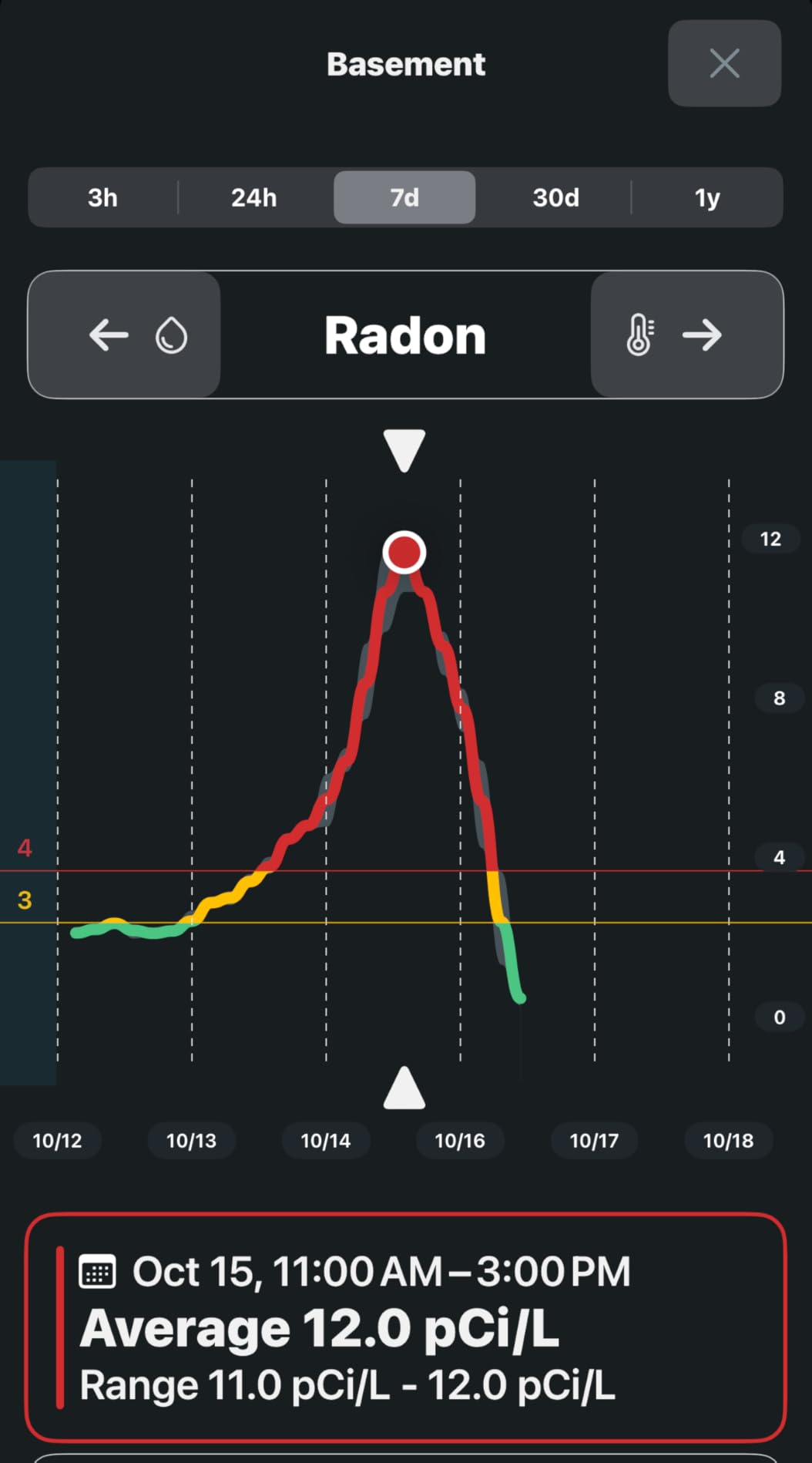
Portability is the practical advantage. It is battery powered, needs no installation, and you can move it room by room to find where radon is entering. That turns an abstract number into a diagnosis: place it in the basement, then the bedroom, then the crawl space, and the pattern tells you whether you have a whole-floor issue or a localized one.
GOOD, FAIR and POOR indicator lights give you an immediate read without decoding a figure, and the app graphs show how radon rises and falls over time. That is what makes it possible to confirm a sub-slab depressurization system or a vent fan is genuinely doing its job rather than assuming.
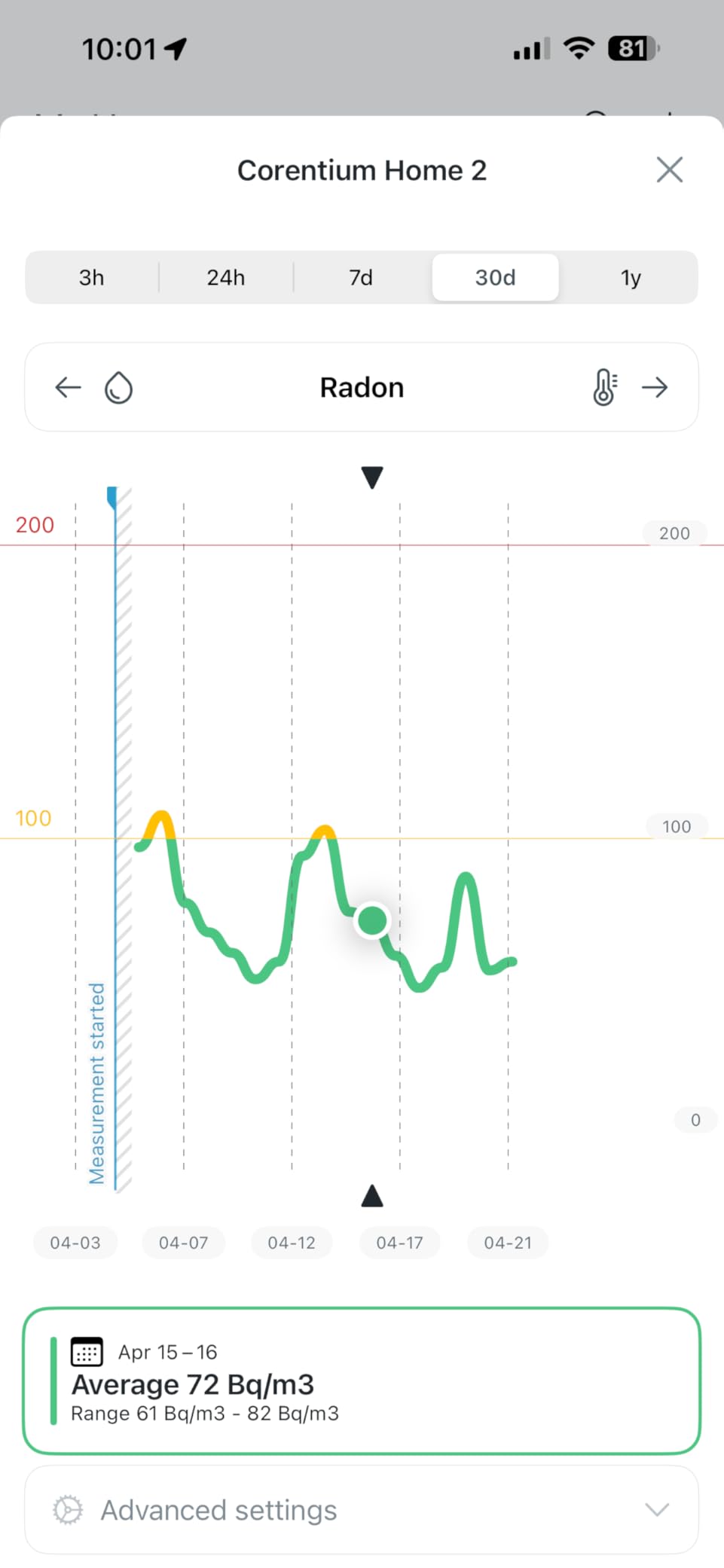
Radon readings still need days to stabilize, so treat the first week as a warm-up period. The indicator lights mean you do not have to interpret the number yourself, but the long-term average is what you should act on, and it needs at least a month of data before it means anything.
And let us be blunt about scope. There is no CO2, no particulate matter and no VOC measurement. This is a radon specialist, not a general air monitor, and it should not be treated as your only indoor air monitor. Pairing it with an Airthings Hub or a View series monitor is what unlocks 24/7 remote monitoring and notifications, which is an extra purchase if you want alerts while you are away.
Who this monitor suits
This suits anyone who has received a high radon test result, lives in a region with known granite or uranium-bearing geology, or has a basement or ground floor they want to assess properly. It is also the right first purchase for a home sale, because you can screen before committing to a formal test.
Anyone who has installed a radon mitigation system and wants evidence it is working will find the long-term averages and graphs genuinely useful. It is also a comfortable device to own, since it is unobtrusive and runs for months on two AA batteries.
Who should skip it
Skip it unless radon is your specific concern. If you want to track dust, smoke, VOCs or room stuffiness, this is the wrong device and you will be disappointed by the gaps. Homeowners who need only a general air quality picture should spend that budget on a multi-sensor unit instead.
Skip it as well if you need remote monitoring, because Bluetooth-only means the device has to be within range of your phone and nothing else will alert you from outside. And if you need a legally defensible measurement for a transaction or a health assessment, use a certified professional test, not any consumer device.
10. Ring Sensors Air Quality Monitor – The Best Choice for the Easiest Setup
Ring Sensors: Air Quality Monitor – Instant Notifications, Smart Suggestions, on Amazon Sidewalk, No Base Station Needed
- Simplest setup in the category with no base station or hub
- Readings reported as consistent with other sensors in the home
- Clean Ring app with genuinely useful smart suggestions
- Compact and solid-feeling build
- Viewable in both the Ring and Alexa apps
- Entirely dependent on Amazon Sidewalk with no WiFi fallback
- Cannot connect to home WiFi directly
- No CO2 or radon and it is not a certified CO alarm
- No speaker or microphone so it cannot sound an alarm
- Not yet available in Alexa Routines
- Smallest review base at 41 reviews
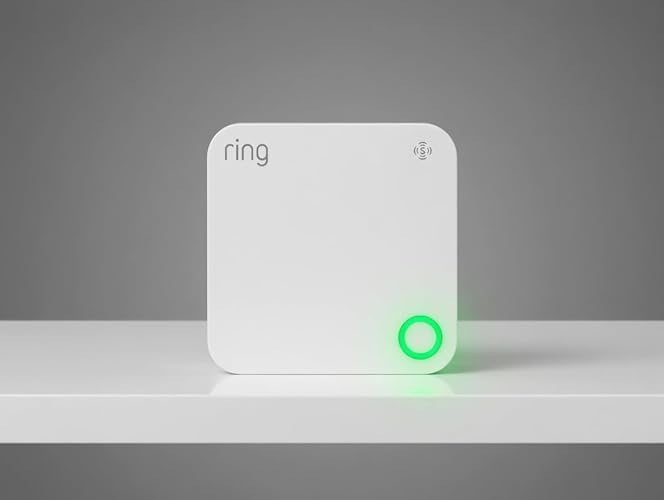
There is no faster path from box to readings in this category. The Ring Sensors Air Quality Monitor runs on Amazon Sidewalk, which means no base station, no hub, no WiFi credentials and no pairing ritual. Plug it in and it appears in both the Ring app and the Alexa app, tracking PM2.5, carbon monoxide, temperature and humidity.
What we liked most was the smart suggestions. Rather than only reporting a number, it prompts you to open a window, run a purifier or service an appliance. Owners describe those prompts as more helpful than expected, and they are the sort of nudge that turns a passive gauge into a change in behaviour.
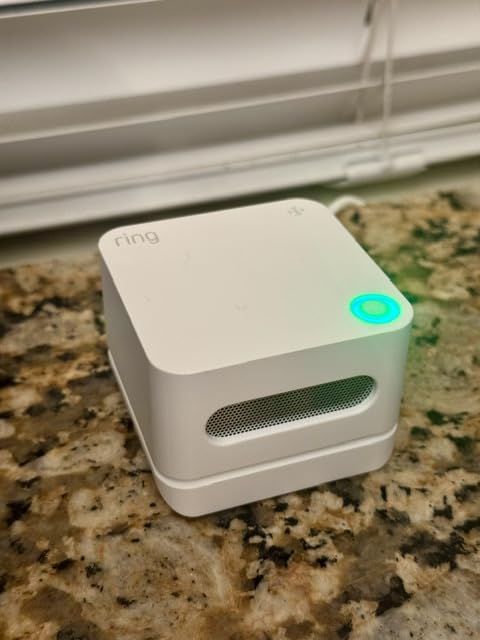
Where reviewers report a cross-check, the readings line up with other sensors already in their home. The build is compact and solid-feeling, and it blends into a room rather than looking like test equipment. If you already run Ring cameras and doorbells, the monitoring data simply appears alongside everything else.
For a guest room, a rental or a home office where nobody wants to fiddle with an app, this is a genuinely good fit. The whole product is one decision with one outcome.
Now the significant caveats. The device has no WiFi fallback at all. It depends entirely on Amazon Sidewalk, and one owner reports it refused to connect even with a Sidewalk-enabled Echo Dot in the room, which meant a return. That is a real risk with no workaround, and it is the reason this sits at the bottom of our ranking despite a respectable rating.
It explicitly does not measure CO2 or radon. It registers carbon monoxide levels, but it is not certified as a carbon monoxide alarm or detector, and the manufacturer says so. It has no microphone and no speaker, so it cannot sound an audible alarm of any kind. It is also not currently available in Alexa Routines, which several owners specifically wished were supported.
Finally, the review base is 41. That is the smallest in the group by a wide margin, so long-term reliability is genuinely unproven. We would not build a health-related monitoring strategy around it today.
Who this monitor suits
This suits existing Ring or Amazon households who want a second screen in the app and nothing more. It works for short-term rentals, guest suites and any space where you want a quick, low-effort reading without managing a device.
It is also a reasonable second opinion device. Owners running it alongside another monitor report the readings agreeing, which makes it a cheap sanity check on a more expensive unit.
Who should skip it
Skip it if you need CO2, radon or formaldehyde data, or if you need a certified carbon monoxide alarm, because it provides none of those. Nobody should treat it as a safety device.
Also skip it if you are not committed to the Amazon ecosystem, and treat the 41-review base as a genuine unknown. If you want data you own, alerts you control, or measurements that survive a manufacturer shutting down a service, this is the least flexible device we reviewed. The simplicity that makes it appealing is the same thing that makes it fragile.
How to Choose a Smart Air Quality Monitor
Choosing well comes down to one question: what problem are you actually trying to solve? Almost every bad purchase in this category comes from buying the longest spec sheet rather than the right sensor. Work through the sections below in order and you will end up with a shortlist of two or three devices instead of ten confusing options.
Step 1: Pick the pollutant before the brand
Different problems need different sensors, and no single device covers everything at a sensible price. If your concern is wildfire smoke, dust or allergens, you need particle sensing and nothing else matters. If your concern is a stuffy bedroom or a home office, you need a real NDIR CO2 channel.
If you have had flooring, cabinetry or paint installed, formaldehyde is the channel to look for, and it is rare outside a handful of devices. If you live in a basement or a high-radon region, radon is non-negotiable and a dedicated radon detector will serve you better than a general monitor. Carbon monoxide is a safety matter, and a certified alarm is a separate purchase from any monitor on this page.
Step 2: Understand what each sensor type can and cannot do
This is where the spec-sheet inflation lives, so it is worth being precise. A laser particle counter detects the optical scatter of airborne particles and estimates PM2.5 and PM10 from that. It is the standard in good monitors. An optical or generic particulate sensor is cheaper and less accurate, often by enough that it can never register a truly clean reading against health guidance.
An NDIR CO2 sensor measures carbon dioxide by infrared absorption. This is the real thing, and it is the only way to know how much ventilation a room actually needs. An eCO2 reading is not that. It is an estimate derived from VOC levels because CO2 and VOCs often rise together when people are present. It correlates with occupancy, but it is not a measurement, and treating it as one is the most common misunderstanding we found in forums. Several monitors here have no CO2 sensor at all, so check that a CO2 figure is measured rather than inferred.
VOC channels come in two forms. A metal-oxide or electrochemical sensor gives you a total VOC trend, useful for spotting a spike after painting or cleaning. It does not tell you which chemical is present, and it is not an air quality test for a specific substance. A dedicated formaldehyde channel is a genuine addition, and only a few consumer devices include one.
Radon uses passive diffusion with alpha spectrometry. It works, but the numbers take days to calibrate and about a month to settle. A radon reading from a consumer device is a screening tool, not a certified test, and consumer devices are frequently off by around 0.5 to 1.5 pCi per liter. Relative trends and confirmation that a mitigation system works are what they are good for.
Finally, the AQI score is not a sensor. It is a calculation derived from one or two channels, and a PM2.5-only AQI can label a dusty room as good. Count direct sensors, not derived scores.
Step 3: Check what it can connect to
This is the part no competitor covers properly, and it is where the word smart usually gets its meaning. Amazon-only devices integrate cleanly with Alexa and nothing else. Apple HomeKit users need devices that say HomeKit explicitly, and far fewer do. Google Home and SmartThings support is common. Home Assistant is the sharpest differentiator: the SONOFF AirGuard stands out for pairing directly over Matter with entities ready to use, while most other monitors either need a cloud bridge or cannot be added at all.
Two further questions matter more than they seem. Does the device work on 2.4 GHz WiFi only? Several monitors in this roundup, including the GoveeLife units and the SONOFF, will refuse to join a dual-band-only network. And does it work locally, or does every reading travel to a manufacturer server? Matter devices generally do, and the people who care about that in r/homeassistant care about it intensely, because a cloud-dependent monitor becomes a dumb display the day its service is discontinued.
Step 4: Check the history, the export and the alerts
Retention ranges from nothing useful to two years in this group. GoveeLife offers 13 days of online graphs with export going back two years, the Airthings View Plus keeps twelve months, the SONOFF AirGuard keeps twelve, and the BREATHE Airmonitor Plus keeps ninety days with CSV export. IQAir keeps only 48 hours of hourly data before dropping to daily.
CSV export matters more than most buyers expect. Without it you cannot compare a month before and after you changed something, and you cannot graph your own data in a tool you control. The Amazon Smart Air Quality Monitor has no export at all, which is the single most common complaint in its reviews.
Alert thresholds are the other half. The Amazon monitor, the Airthings Wave Plus and the Airthings View Plus all use fixed thresholds you cannot change. The GoveeLife H5140, IQAir, SONOFF AirGuard and BREATHE Airmonitor Plus all let you set your own. For someone with allergies, a tunable threshold is worth a lot.
Step 5: Price the total ownership, not the box
None of the ten monitors requires a subscription, which is genuinely unusual in this category and worth praising. The running costs are elsewhere. Airthings devices that are Bluetooth-only may push you toward a Hub for remote access, and a View series monitor is the way to avoid that. Battery replacement is the other recurring cost: two AA cells in the Wave Plus, six in the View Plus, with real-world life running well under the stated figure and no low-battery warning in the app.
Cloud dependence is the hidden cost nobody puts on a receipt. Ask whether the device does anything useful offline, whether history is exportable, and what happens if the service is shut down. A monitor that keeps working as a local display but loses its app is an annoyance. A monitor that bricks entirely is a paperweight.
Reference bands: what the numbers actually mean
These are the thresholds we use as general orientation points. They reflect commonly used public health guidance, and individual sensitivity varies a lot, especially for people with asthma.
For PM2.5, under about 12 micrograms per cubic meter is generally treated as good, roughly 12 to 35 as moderate, above 35 as unhealthy for sensitive groups, and above 55 as unhealthy. For PM10, a rough guide is under 50 as good and above 150 as poor, since coarse particles settle quickly and readings are usually lower than PM2.5 in a home.
For CO2, under roughly 800 ppm is comfortable, 800 to 1,000 is acceptable, 1,000 to 1,500 means ventilation is worth adding, and above 1,500 means a room is genuinely under-ventilated for the number of people in it. Note that CO2 indicates ventilation adequacy, not air cleanliness: a room can have perfect particles and be completely stale.
For total VOCs, there is no universally agreed health-based number, so treat a rising trend as meaningful rather than any absolute figure. A sudden spike that stays elevated for hours after a cleaning product or a paint project is a reason to ventilate. Formaldehyde guidance is similar, with lower limits generally suggested in the 0.08 to 0.1 milligrams per cubic meter range, and lower still for children. For radon, the widely used long-term action level is 4 pCi per liter, and anything at or above 100 pCi per liter is treated as an urgent problem requiring immediate mitigation.
Where to place a monitor
Placement makes more difference to the usefulness of a reading than the brand does. Five rules cover almost every case.
First, put it in the breathing zone, roughly 3 to 6 feet above the floor, at about seated or sleeping height. A monitor on a high shelf measures ceiling air, which is not what anyone inhales. Second, keep it away from HVAC supply vents, which will drag your reading toward a number describing the duct rather than the room.
Third, keep it away from windows, exterior doors and direct sunlight, all of which create drafts and temperature swings that skew readings. Fourth, keep it away from direct sources: toasters, kettles, candles, essential oil diffusers, laundry and a fireplace. Fifth, if you are testing an event such as wildfire smoke, place the monitor in the room you actually spend time in rather than the one nearest the window.
Room by room: the bedroom matters most for CO2 and humidity because doors stay shut for eight hours. The kitchen matters for PM2.5 during cooking. A basement or ground floor matters for radon and humidity. A living room matters for the general picture. A nursery benefits from the combination of CO2 and PM2.5, and for children, treat thresholds more conservatively than an adult would.
What to do when a reading spikes
When a number jumps, the useful move depends on which number jumped. If PM2.5 spikes, run a purifier and control the source: ventilate briefly to clear the air, then close up and filter, and stop cooking or cleaning while the reading recovers.
If CO2 climbs, ventilate. Open a window or run a fan, and if the number returns to baseline quickly, your room simply needs more fresh air on a schedule. Purifiers will not help here at all, because they do not remove CO2. If TVOC or formaldehyde spikes, ventilate aggressively and identify the source: new furniture, a new paint job, an adhesive, a cleaning product. These problems do not improve with filtration, they improve with air exchange.
If humidity is high, run a dehumidifier rather than a purifier, and find the source of the moisture. If CO is detected at all, do not troubleshoot with a monitor. Leave the building, call emergency services, and let a certified alarm do its job.
In every case, wait and re-measure. A single reading, especially a sudden one, is a spike rather than a state. Watch the trend over an hour or a day before you decide a purifier or a remediation system is failing.
What a monitor cannot do
No consumer air quality monitor can identify a specific mold species, detect bacterial or viral contamination, or tell you which VOC compound is present. A total VOC number is a trend indicator, not a chemical analysis. If you suspect mold, a water intrusion or a chemical exposure, you need a professional assessment rather than a screen on a shelf.
And none of these devices replace a certified carbon monoxide alarm, a smoke alarm or a certified radon test. The Amazon and Ring monitors register carbon monoxide, but neither is a certified CO alarm or detector, and the Ring device has no speaker at all. If you do not already have working alarms, that is your first purchase, not this one.
That last point is worth restating alongside our guide to smart smoke and CO detectors: a monitor tells you about air, an alarm tells you about a fault. They are not substitutes for each other.
How many monitors does a home need?
One monitor tells you about one room. That is enough for a small, open-plan home where air moves freely between spaces, and it is enough for a single-bedroom apartment where you spend most of your time in one place. Most people are fine with one device, and buying two mediocre monitors is worse than buying one good one.
Two or more make sense when air does not move between rooms, which is the normal case in a multi-bedroom house with a closed door. The sensible pairing is different sensors in different places rather than the same device twice. Radon belongs in the basement or lowest habitable level, where it enters. CO2 belongs in the bedroom or office where the door is shut. PM2.5 belongs wherever you spend the most hours, or near a purifier if you run one.
The Airthings View Plus and Wave Plus combination is the clearest example in this roundup, because a View series monitor can act as a hub for other Airthings devices. One central WiFi unit plus one battery-powered satellite in a closed room gives you whole-home coverage without a second hub or a second app.
Debunking the 16-in-1 spec sheet
Shopping carousels for this keyword are full of monitors claiming fifteen or sixteen measurements in one. In our experience, that count usually includes derived and duplicated values: PM2.5 and PM10 and a PM count, temperature in Fahrenheit and Celsius, AQI calculated from one of those, and a comfort index calculated from another. The genuine direct sensor count is often three.
Before you compare two spec sheets, subtract the derived numbers. Does the device measure CO2 directly, or infer an eCO2 figure? Does it measure formaldehyde, or is it counting all VOCs together? Is PM10 a real channel, or is a single particle count being relabelled? Once you strip the derivatives, most of the impressive claims resolve into two or three real sensors, and the honest devices look considerably more capable by comparison.
The broader point in forum discussions is that a long spec sheet is not evidence of accuracy. Users routinely report that budget multi-sensor units disagree with each other and with reference instruments by margins large enough to change a decision. A device that measures three things well is more useful than one that claims sixteen and does not.
How we evaluated these monitors
We looked at published accuracy specifications and measurement ranges rather than marketing language, and we flagged where a figure is a manufacturer claim. We read published manufacturer accuracy specifications rather than accepting high-accuracy language, we separated direct sensors from derived values, and we weighted connectivity, history retention and export because those determine whether a device is still useful in three years.
We also treated calibration requirements as a real cost. A radon channel that needs a month to settle and a CO2 channel that needs a three-day outdoor calibration are not defects, but they change what you can conclude from a reading in the first week, and buyers should know that before they buy. Finally, we cross-checked owner reviews across categories for the recurring complaints, because the same three issues, cloud dependence, fixed alert thresholds and unchangeable export settings, appear again and again across this entire product class.
Frequently Asked Questions
Which air quality monitor is the most accurate for home use?
The Airthings View Plus is the most complete choice for home use, because it is the only monitor in our 2026 roundup that combines a real NDIR CO2 sensor, laser PM2.5 sensing, a dedicated radon channel and built-in WiFi in one unit. If you only need particle accuracy, the IQAir AirVisual is consistently rated as the most accurate consumer particle monitor by owners. In both cases, treat every published accuracy figure as a manufacturer claim rather than an independent lab result.
What is the best air quality monitor device for home use?
The best device depends entirely on which pollutant you care about. For general ease of use, the Amazon Smart Air Quality Monitor is the top pick, with alerts, a single air quality score and routine integration. For ventilation, the GoveeLife H5140 or the SONOFF AirGuard SAWF-08P. For radon, the Airthings Corentium Home 2. For renovation off-gassing, the BREATHE Airmonitor Plus.
Are home air quality monitors worth it?
Yes, when you use them to change a behaviour rather than to collect numbers. A monitor is worth it if you want an alert when wildfire smoke arrives, evidence that a purifier is actually cleaning a room, a CO2 reading that tells you when to open a window, or a radon trend after installing mitigation. It is not worth it if you only want a number to look at once, or if you already own working smoke and carbon monoxide alarms and have no specific concern.
Do indoor air quality monitors really work?
Yes, for trend and comparison, and within limits for absolute accuracy. Good monitors use laser particle counters and NDIR CO2 sensors, both of which are proven technologies, and the better units hold up well against reference instruments over time. What they cannot do is identify specific chemicals, detect particular mold species, or replace a certified alarm. Consistency across weeks and months is what makes them valuable, not any single reading.
Can an air quality monitor detect mold?
Not directly. No consumer air quality monitor can identify a specific mold species. What it can do is show you the conditions that support mold, which is humidity and temperature, and you can watch for a sustained relative humidity problem before it becomes visible. If you see mold growth, or you have had water intrusion, you need a professional assessment rather than a consumer screen.
Where should I place an air quality monitor?
Place it in the breathing zone, roughly 3 to 6 feet above the floor at seated or sleeping height. Keep it away from HVAC supply vents, windows, exterior doors and direct sunlight, and away from direct sources such as toasters, kettles, candles and oil diffusers. A monitor on a high shelf measures ceiling air rather than the air you breathe, and one next to a purifier outlet reads the clean air leaving the filter rather than the room.
Can an air quality monitor replace a carbon monoxide alarm?
No. None of the monitors we reviewed is a certified carbon monoxide alarm, including the Amazon Smart Air Quality Monitor and the Ring Sensors monitor, both of which register carbon monoxide without being certified detectors. The Ring device also has no speaker and cannot sound an alarm at all. Keep working carbon monoxide alarms on every level and near sleeping areas, and treat a monitor purely as a comfort and awareness tool.
Is the AirThings View Plus worth it?
The Airthings View Plus is worth it if you need radon and PM2.5 together with built-in WiFi, or you want remote access without buying a separate hub. It is the only monitor in our roundup that also acts as a hub for other Airthings devices, and it exports data as CSV with no subscription. The trade-offs are fixed alert thresholds, no user calibration for temperature, and a reported risk of WiFi hardware failure over time.
Which Smart Air Quality Monitor Should You Buy in 2026?
Start with the Amazon Smart Air Quality Monitor. It is the pick we recommend most often, it has by far the largest body of owner feedback in this roundup, and the sensor responds quickly to real events. It measures PM2.5, VOCs, carbon monoxide, humidity and temperature, and it plugs into Alexa routines without a bridge. If you need CO2, radon or formaldehyde data, it is the wrong tool, so read on before buying.
For ventilation and air changes, the GoveeLife H5140 is the stronger choice, with a genuine SCD4x NDIR sensor, customizable thresholds and alerts by buzzer, push and email. For radon, use the Airthings Corentium Home 2 and give it a full month before you read anything into it. For renovation off-gassing and the widest sensor set in a single compact box, the BREATHE Airmonitor Plus covers CO2, three particle sizes, VOCs and formaldehyde.
For the best smart home fit, the SONOFF AirGuard pairs over Matter with Apple Home, Alexa, Google Home, SmartThings and Home Assistant, while the Airthings View Plus is the premium choice for owners who want radon, particles and CO2 with remote access and no subscription. The GoveeLife H5106 remains the value pick for fast PM2.5 tracking with two years of exportable history, and the Ring monitor is the fastest setup for anyone already inside the Amazon ecosystem.
Whatever you choose, put it in the breathing zone, give it a month before drawing conclusions, and remember that no monitor here replaces a certified smoke or carbon monoxide alarm. If you are also upgrading the rest of your indoor environment, our guides to mini split air conditioners for homes and smart light switches for older homes cover the upgrades that work well alongside a monitor.