
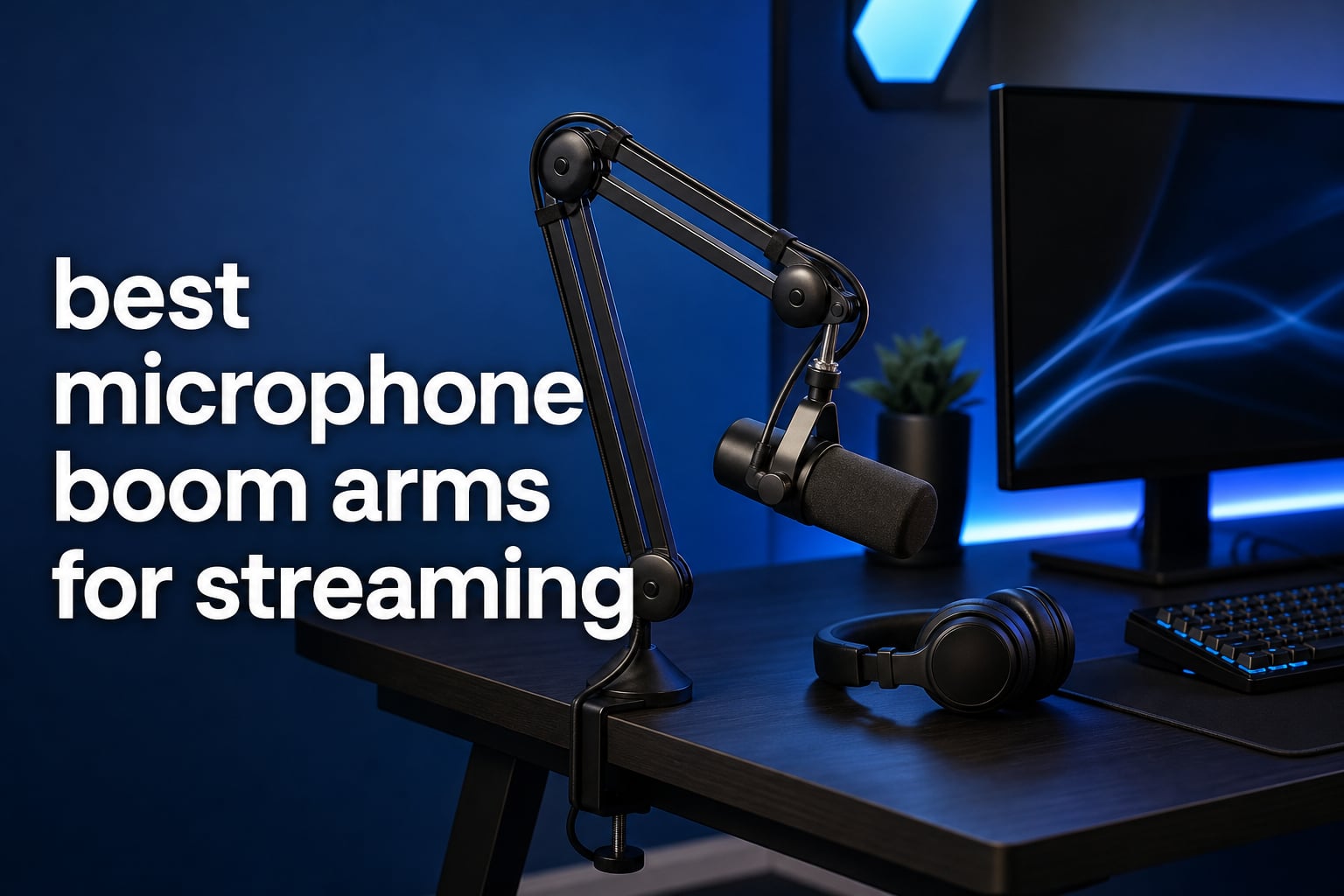
The best microphone boom arms for streaming keep a mic close to your mouth without taking over the desk. A good arm also gives you repeatable placement, a clearer sightline to the monitor, and fewer cables sliding across the work surface.
A microphone boom arm is an adjustable arm that clamps or mounts to a desk and holds a microphone hands-free at a chosen position. Most use articulated joints or a scissor mechanism; low-profile models run beneath a monitor, while conventional scissor arms rise beside it.
For this guide, I compared the manufacturer-listed payload, reach, thread fittings, motion range, clamp details, cable routing, and review data for eight current options. If your setup still needs a microphone, start with our guides to the best dynamic microphones for podcasters and best USB microphones for podcasters.
The recurring issue in streamer discussions is not just reach: it is an arm that slowly sags, creaks when moved, or will not fit a shallow desk. I have treated stated load capacity and clamp limits as decision points, not decorative specifications.
Table of Contents
Top 3 Picks for 2026
Choose the FIFINE BM88 for its all-metal low-profile layout, 29-inch extension, broad thread support, and much larger review sample. Pick the Aokeo AK-58i when a stable, low-profile layout and a 2 kg stated capacity fit the microphone; choose the InnoGear MU-LP26 for a lighter setup that benefits from a padded clamp and built-in headphone hook.
These are not interchangeable choices. The microphone’s complete mounted weight, the desk edge, and whether you want the arm below or beside your display should decide the final pick.
The best microphone boom arms for streaming in 2026 match the mic and desk first
Payload is the first filter. Add the microphone, shock mount, pop filter, and any adapter, then leave headroom below the arm’s stated maximum rather than balancing right at it.
Threading is the second filter: many arms here include or accept 1/4, 3/8, and 5/8 inch fittings, but the listings do not all make the same promise. The comparison below puts every reviewed arm in one place before the detailed sections.
| Product | Specifications | Action |
|---|---|---|
 RIG MA-1 RIG MA-1 |
|
View on Amazon |
 Aokeo AK-58i Aokeo AK-58i |
|
View on Amazon |
 FIFINE BM88 FIFINE BM88 |
|
View on Amazon |
 MAONO BA92 MAONO BA92 |
|
View on Amazon |
 NEEWER MS002 NEEWER MS002 |
|
View on Amazon |
 AA AUDIO ACCESSORY ABA01 AA AUDIO ACCESSORY ABA01 |
|
View on Amazon |
 InnoGear MU-LP26 InnoGear MU-LP26 |
|
View on Amazon |
 SteelSeries Alias Arm SteelSeries Alias Arm |
|
View on Amazon |
The RIG MA-1 is the most feature-focused low-profile arm
- 3 kg stated capacity
- USB passthrough
- Multiple risers
- 360 degree rotation
- 14-review data
- 105 mm clamp limit
The RIG MA-1 stands apart because its arm is also a USB-C and USB-A connection point. I would put it on a desk where a USB microphone cable is visually annoying or has to travel a long way to the computer.
The listing states support for microphones up to 3 kg, with adjustable arm tension to hold that load. That is substantial on paper, but I would still count every attached component before choosing it for a broadcast microphone.
Its low-profile layout is paired with 82 mm and 157 mm risers, so the height can be tuned instead of fixed to one desk geometry. The 360-degree rotation and adjustable ball head are useful when the clamp has to sit at the side rather than directly behind the monitor.
RGB underlighting is optional rather than a requirement for recording, and the light can be switched off. More practical is the clamp that expands to 105 mm and the option for direct desk installation after removing that clamp.
This arm fits creators who need one cable-aware control point
The built-in USB ports are the reason to choose this model rather than a plainer mechanical arm. They can reduce a visible cable run for a USB mic and can also act as a hub for other devices, according to the listing.
I would also consider it for a creator who changes posture or camera angle often, since the ball-head micro-adjustment and rotating arm target that kind of movement. The included risers give it more desk-placement flexibility than the fixed-height low-profile designs here.
This arm needs a checked desk edge and measured mic load
The manufacturer gives a 105 mm maximum for the clamp, so a thick desktop needs measuring before checkout. Direct installation is an alternative only if modifying the desk is acceptable.
Its 5.0 rating comes from 14 reviews, which is a small sample beside several other picks in this list. I would weigh the feature set more heavily than the headline rating until that sample grows.
The Aokeo AK-58i is the stable low-profile pick for many desk setups
- 2 kg stated capacity
- Low center of gravity
- Hidden cable path
- Thread adapters
- 30 cm listed height
- 2 kg capacity ceiling
The Aokeo AK-58i uses a low center of gravity rather than a tall scissor silhouette, which is why it suits a monitor-first streaming desk. Its path under the display keeps the microphone available without placing a large frame beside the screen.
The stated 2 kg capacity covers many microphone and shock-mount combinations. I like that the product listing names common models such as Blue Yeti, HyperX QuadCast, SoloCast, and Elgato Wave, while still making the payload the real compatibility check.
Both arm sections rotate 360 degrees, and the microphone section swings 180 degrees vertically. That range lets you clamp from a side edge and still bring the mic in from below rather than forcing it through the camera’s frame.
Aokeo says the arm fits tables under 7 cm thick and includes adapters for 1/4, 3/8, and 5/8 inch threads. The integrated underside cable route is a welcome response to the loose-cable problem that comes up often in beginner setups.
This arm makes sense when the display view must stay open
I would favor this model for gaming streaming where the monitor is the focus and a raised scissor arm feels distracting. Its low profile is meant to keep the arm beneath the lower edge of the display.
The 4.7 rating is based on 594 reviews, giving it a broader evidence base than some newer alternatives. It also has a one-year warranty listed, which is a practical detail for a movable desk component.
This arm requires attention to vertical reach and desk thickness
The listing gives a maximum height of 30 cm, so it may not suit a desktop that needs the microphone held well above a large monitor. A standard scissor arm can be easier to position over tall screens.
Measure the desk edge before relying on the clamp, especially if there is a cable tray or support rail underneath. The listed 7 cm table limit is firm enough to check before the arm arrives.
The FIFINE BM88 is the proven all-metal choice for a low monitor line
FIFINE BM88 Low Profile Microphone Boom Arm Stand for Gaming Streaming
- All-metal construction
- 29 inch extension
- Hidden cable routing
- Three thread sizes
- 1.5 kg stated capacity
- Clamp thickness limit
The FIFINE BM88 is the clearest all-round answer for a low-profile desk mic arm because it combines a long 29-inch extension with an all-metal body. It is also the most extensively reviewed option in this roundup, at 4.6 from 4.9k+ reviews.
Its stated 1.5 kg maximum load calls for honesty about the microphone build. I would reserve heavier broadcast microphones plus large shock mounts for arms with more capacity, even though this model has enough reach for many compact mics.
Vertical movement reaches 220 degrees and horizontal movement reaches 360 degrees. That combination is useful for bringing a mic from under a monitor to speaking position, then pushing it away without taking the clamp off the desk.
FIFINE includes 1/4 to 3/8 and 3/8 to 5/8 adapters, along with a rotatable ball head and desk clamp. Its hidden cable management helps a streaming microphone stand look intentional instead of like a temporary cable run.
This arm is right for a long desk and widely used thread fittings
The 29-inch extension is the deciding feature if the clamp must sit away from the center of the setup. I would choose it when a keyboard, stream deck, or dual monitor arrangement makes a short arm frustrating.
The supplied thread options cover the common 1/4, 3/8, and 5/8 inch standards stated in the listing. That broad hardware bundle makes it less likely that a basic mounting mismatch delays installation.
This arm asks heavy-mic users to stay below its stated limit
The 1.5 kg recommendation is lower than the capacity of the RIG, NEEWER, and AA AUDIO ACCESSORY arms. A light microphone may leave room for a mount and pop filter, but a heavy configuration should not be assumed to fit.
The desk clamp is listed for surfaces from 0.8 to 2.4 inches thick. Check both the top thickness and the open space below the edge, because an under-desk tray can block an otherwise suitable clamp.
The MAONO BA92 is the flexible aluminum arm for clamp or grommet mounting
- Aluminum construction
- C-clamp included
- Grommet mount included
- Built-in cable channels
- 4.4 lb capacity limit
- 363-review sample
The MAONO BA92 earns attention for offering both a heavy-duty C-clamp and a grommet mount in the box. I would choose that flexibility for a desk with a cable hole or for a setup where a side clamp would interfere with drawers or hardware.
MAONO lists an aerospace-grade aluminum body and a maximum recommendation of 4.4 lb. That puts it in a sensible middle lane: more headroom than the lightest low-profile designs, without claiming the largest payload in the group.
The arm has a -90 to +90 degree tilt range and 360 degree rotation. Those figures describe the adjustment range clearly, and the low route from beneath the monitor protects the central view during live streaming.
Built-in cable channels are not flashy, but they matter when the microphone cable is one of several wires leaving the desk. This is a clean option for pairing with a pop filter for podcast microphones when you want the finished setup to look less cluttered.
This arm serves desks that offer a usable grommet hole
A grommet mount can be steadier and less intrusive at the desk edge when a compatible hole already exists. I would inspect the hole location first, because the arm still needs a path that reaches the mouth without crossing the monitor.
The C-clamp supports desktops up to 2.2 inches thick according to MAONO. Having both mounts available makes this model more forgiving of a desk change than a clamp-only arm.
This arm suits moderate microphone builds rather than unknown loads
At a 4.4 lb stated maximum, the full microphone assembly should be weighed rather than guessed. A microphone name alone is not enough because a shock mount, adapter, and pop filter add meaningful load.
The 4.6 rating comes from 363 reviews, which offers useful feedback but less breadth than FIFINE or InnoGear. MAONO lists two-year warranty coverage and three-year manufacturer tech support, useful context for a movable mechanical part.
The NEEWER MS002 is the smooth heavy-mic option with pneumatic damping
- 2.5 kg stated capacity
- 30.2 inch reach
- Pneumatic damping
- Multi-device mounting
- Blue finish
- 15.6 inch listed height
The NEEWER MS002 is the most compelling selection here for a heavier microphone when smooth repositioning matters. Its pneumatic balancing system is stated to support up to 2.5 kg, while the 30.2-inch horizontal reach gives it plenty of desk coverage.
I would shortlist it for a Shure MV7, SM7B, or Blue Yeti only after adding the mount and accessories to the total. NEEWER explicitly lists compatibility with those microphones, but stated payload is still the deciding specification.
Instead of relying on an exposed scissor-spring layout, the arm uses adjustable piston damping. This design responds directly to the common complaint that a cheaper arm can move abruptly or refuse to stay where it was placed.
The top 1/4 inch screw can support more than a microphone, including cameras, monitors, lights, phone holders, and action-camera adapters. It also includes 1/4 to 3/8 and 1/4 to 5/8 adapters, expanding the mounting options.
This arm is a strong match for high payload and long horizontal reach
At 2.5 kg, this arm has one of the strongest listed capacities in this group. The 30.2-inch horizontal extension is similarly generous for a wide desk or a clamp position set well off to one side.
I would use its cable channels to route the mic lead before balancing the arm. A cable that is too tight can pull on the arm and make a correctly adjusted damping system feel less consistent.
This arm works best when its blue finish suits the desk
The listing identifies the model as blue, so appearance is a genuine selection consideration for a carefully coordinated studio. It may be less appealing if every other piece of equipment is black or neutral.
Its listed vertical range is 3.7 to 15.6 inches above the desk, with 11.9 inches of vertical extension. Check that range against mouth height when seated, particularly with a tall monitor or a raised desk surface.
The AA AUDIO ACCESSORY ABA01 is the gear-lock answer to sagging
- 3 kg stated capacity
- Gear-lock design
- 780 mm reach
- Tool-free adjustment
- Some low-rating durability feedback
- Limited technical dimensions
The AA AUDIO ACCESSORY ABA01 targets a specific frustration: an arm that drifts down under a heavy microphone. Its gear-lock design is presented as a stable, no-sag alternative to a spring-loaded mechanism, with a stated 3 kg capacity.
I would start here for a heavy Shure SM7B, SM7dB, MV7, Blue Yeti, or Rode PodMic setup, provided the assembled load stays below that stated limit. The listing names all of those microphone families and includes the relevant adapter types.
The 780 mm reach is 40 mm longer than standard arms according to the product details. A 360 degree horizontal range and 120 degree vertical range then give the long arm practical motion instead of reach in only one direction.
Its reinforced arms combine aluminum alloy with glass-fiber nylon composite, and tool-free knobs make adjustments less fussy at the desk. Deep cable channels round out the design for a tidy heavy-mic setup.
This arm is built for users who prioritize a locked microphone position
Forum posts repeatedly warn that light arms can sag as springs wear or when a heavy mic is moved. I would favor this gear-lock approach when a fixed speaking position matters more than instant, feather-light movement.
The 6.6 lb maximum translates to 3 kg, which is comfortably specified for many substantial microphone assemblies. Still, leave a margin instead of treating the limit as the intended everyday load.
This arm deserves a review-sample check before a long-term commitment
The 4.5 rating comes from 376 reviews, and the supplied analysis notes that 5% are one-star ratings. That does not cancel the positive feedback, but it is a reason to read recent comments for durability patterns.
The product information provides less detailed physical sizing than several rivals. Measure the available desk area and decide on the needed cable route before assuming the 780 mm reach alone answers every fit question.
The InnoGear MU-LP26 is the compact low-profile arm with a useful hook
InnoGear Mic Arm Low Profile Microphone Boom Arm Mic Stand 360° Flex, Black
- 25.6 inch extension
- Padded desk clamp
- 250 degree vertical adjustment
- Headphone hook
- 1.5 kg capacity limit
- Some low-rating quality feedback
The InnoGear MU-LP26 is a straightforward low-profile microphone boom arm for a lighter streaming rig. Its alloy-steel construction, 25.6-inch extension, and tucked-under-monitor shape cover the core needs without adding complicated controls.
The stated 1.5 kg payload makes it a better fit for lighter microphones than for a fully accessorized broadcast build. I would calculate the total before using the compatibility list, which includes Blue Yeti, HyperX, Fifine, AT2020, and Shure SM7B models.
It has 250 degrees of vertical adjustment and 360 degrees of horizontal rotation. That is a notably broad range for bringing a mic up from a low route, then folding it back after a call or stream.
The C-style clamp uses rubber padding to protect the desk surface, and the arm doubles as a headphone hook. The hook is a small feature, but it can free a little usable space on a compact desktop.
This arm works well for lighter microphones and smaller desk routines
I would choose this design for a compact gaming desk where headphones otherwise sit in the way. The under-monitor profile and integrated hook solve two small clutter problems at once.
The clamp is listed for desks up to 2.75 inches thick, so it can suit a range of common desktop edges. Its 1.1k+ reviews also give the 4.3 rating more context than a very small review sample.
This arm is not the first choice for a heavy accessory stack
The 3.3 lb, or 1.5 kg, maximum is a hard planning limit. A heavy microphone may fit physically but still require a more capable arm after adding a shock mount and pop filter.
The available review analysis reports 7% one-star reviews, so I would inspect recent feedback for any repeated clamp or joint concern. This is a practical pick when its payload aligns with the actual microphone, not a catch-all answer.
The SteelSeries Alias arm is the folding scissor option for a clean gaming setup
- Hidden springs
- Folding storage
- 360 degree rotation
- Cable channel
- 75-review sample
- Some low-rating feedback
The SteelSeries Alias/Alias Pro Mic Boom Arm returns to a conventional folding scissor design, but keeps the springs hidden inside premium metal tubing. I would consider it when an arm needs to fold away compactly instead of staying laid across the desk.
It is built for SteelSeries Alias and Alias Pro microphones, while also accepting other microphones with 3/8 or 5/8 inch threads. That makes thread confirmation important if the microphone uses a different fitting or needs a separate adapter.
The arm rotates 360 degrees and has multiple adjustment points, with tightening wheels to lock the chosen position. This gives the user a familiar desk mic arm workflow while hiding the parts that can make a scissor arm look busy on camera.
Its internal cable channel routes the mic cable through the structure, and the foldable form helps when the desk is also used for work or gaming. A microphone stand for home podcasters may still be the better fit when the microphone must move between desks.
This arm suits streamers who want a stowable scissor format
I would pick this model for a single-display gaming station where the arm must disappear after streaming. The folding mechanism and hidden-spring tube offer a neater version of the traditional suspension boom arm shape.
It is also logical for someone already using the Alias or Alias Pro, because the arm is designed around that family. The included 3/8 and 5/8 inch thread support extends its usefulness beyond that ecosystem.
This arm needs extra confidence checks outside the SteelSeries ecosystem
The 4.3 rating is based on 75 reviews, a much smaller sample than the most popular low-profile options here. The supplied review analysis also flags 9% one-star feedback, so recent reports deserve attention.
No maximum load capacity is specified in the available product data. I would not assign it to a heavy microphone build without confirmation from the manufacturer or the seller’s listing.
The right boom arm starts with payload, desk geometry, and microphone position
A good streaming boom arm is not simply the longest or most polished one. It is the one that holds the complete microphone assembly steadily, reaches your speaking position, and fits the desk without blocking a screen or camera.
Before choosing, place a piece of tape where the microphone should sit: usually close enough for clear voice pickup but not in the center of your face on camera. That simple mark makes reach, arm direction, and clamp location much easier to judge.
A low-profile arm is best when the monitor sightline matters
Low-profile arms such as the RIG, Aokeo, FIFINE, MAONO, NEEWER, AA AUDIO ACCESSORY, and InnoGear run along the desk and below the monitor. They work well for gaming, screen-led streams, and a narrow camera frame because less hardware rises beside the display.
A folding scissor arm, such as the SteelSeries, is often better when you want to lift the mic above a display, swing it wide, or fold it away between sessions. Neither geometry is automatically better; desk layout decides it.
The total microphone assembly weight is the number that matters
Start with the microphone’s actual weight, then add the shock mount, pop filter, adapter, and any other hardware hanging from the end. Compare that sum with the stated arm limit and leave a comfortable cushion rather than running at the maximum.
This matters most for broadcast-style microphones and larger USB models. The NEEWER and AA AUDIO ACCESSORY options state 2.5 kg and 3 kg respectively, while the FIFINE and InnoGear each list 1.5 kg, so those choices solve different problems.
The desk mount must fit both above and below the desktop
Measure the desktop thickness, then look underneath for rails, drawers, cable trays, and beveled edges. A clamp can match the top measurement yet fail because its lower pad has nowhere flat to press.
Grommet mounting can be a tidy alternative when the desk has a correctly located hole, as with the MAONO BA92. It is not automatically more convenient; an awkward hole can limit the arm’s useful angle just as much as a poorly chosen clamp edge.
The thread fitting needs checking before the arm arrives
The common standards are 1/4, 3/8, and 5/8 inch. The right thread is the one on your microphone mount or shock mount, not necessarily the microphone body itself.
Several choices here list adapters for all three sizes, including RIG, Aokeo, FIFINE, NEEWER, AA AUDIO ACCESSORY, and InnoGear. MAONO lists 3/8 and 5/8 inch support, while SteelSeries specifies 3/8 and 5/8 inch threads, so read the supplied hardware list carefully.
Quiet positioning depends on tension, locks, and cable slack
Users often complain about spring noise or a mic drifting during recording. Pneumatic damping on the NEEWER and the gear lock on the AA AUDIO ACCESSORY tackle stability in different ways, while hidden springs are part of the SteelSeries design.
Route the cable with enough slack at every joint before final tension adjustments. A cable pulled tight can transmit movement, restrict rotation, and create the same nuisance noise people blame on the arm itself.
Extra features matter only after the physical fit is correct
USB passthrough on the RIG, RGB underlighting, a headphone hook on the InnoGear, and multi-device support on the NEEWER can improve a specific desk. They should not override payload, clamp compatibility, or reach.
For a full desk build, our lists of condenser microphones for podcasting, podcast microphones for two people, and podcasting kits for four hosts can help when more than one voice needs a microphone position.
A more expensive arm is worthwhile only for a stated setup need
Paying more makes sense when it buys a verified higher payload, a mount option you need, quieter or more controlled movement, or a cable solution that removes a real desk problem. It does not make sense to pay for lighting, brand matching, or added hardware that the setup will not use.
I would choose the simplest arm that meets the complete load and desk requirements with room to spare. That rule avoids both the sagging complaints linked to under-rated arms and the wasted complexity of an oversized one.
FAQs
What is a good boom arm for streaming?
A good streaming boom arm holds the full microphone assembly below its stated maximum load, reaches your mouth without crossing the display, fits the desk edge, and routes the cable with slack. The FIFINE BM88 is a broad all-metal low-profile choice, while the NEEWER MS002 and AA AUDIO ACCESSORY ABA01 suit heavier stated loads.
What is the best microphone arm for desk?
The best desk microphone arm depends on the desk and microphone. For a low monitor line, choose a low-profile arm with enough reach; for a fold-away setup, a scissor arm can work better. Check desktop thickness, clearance below the edge, mount thread, and the total weight of the microphone, mount, and accessories.
What boom arm do most streamers use?
Streamers commonly use either low-profile desk arms that run under a monitor or folding scissor arms that swing in from the side. The useful choice is not defined by a single brand: it is one whose stated payload, reach, desk mount, and thread fitting match the streamer’s actual microphone setup.
Are expensive boom arms worth it?
An arm at a higher cost is worthwhile when it supplies a verified capacity margin, a mounting method that fits the desk, better position control, or cable routing that solves a real issue. It is not automatically better for a light microphone on a simple desk. Buy for the stated load and fit, then choose extra features only if you will use them.
Conclusion
For the strongest broad recommendation, the FIFINE BM88 combines a low profile, long stated extension, all-metal construction, and the largest review sample in this group. The NEEWER MS002 and AA AUDIO ACCESSORY ABA01 are the two places I would look first for higher stated microphone capacity, while the Aokeo and InnoGear serve lighter, monitor-first desks well.
Use this list of the best microphone boom arms for streaming as a measurement checklist, not just a rankings page. In 2026, verify the full mounted load, thread fitting, clamp clearance, and intended microphone position before choosing an arm.