
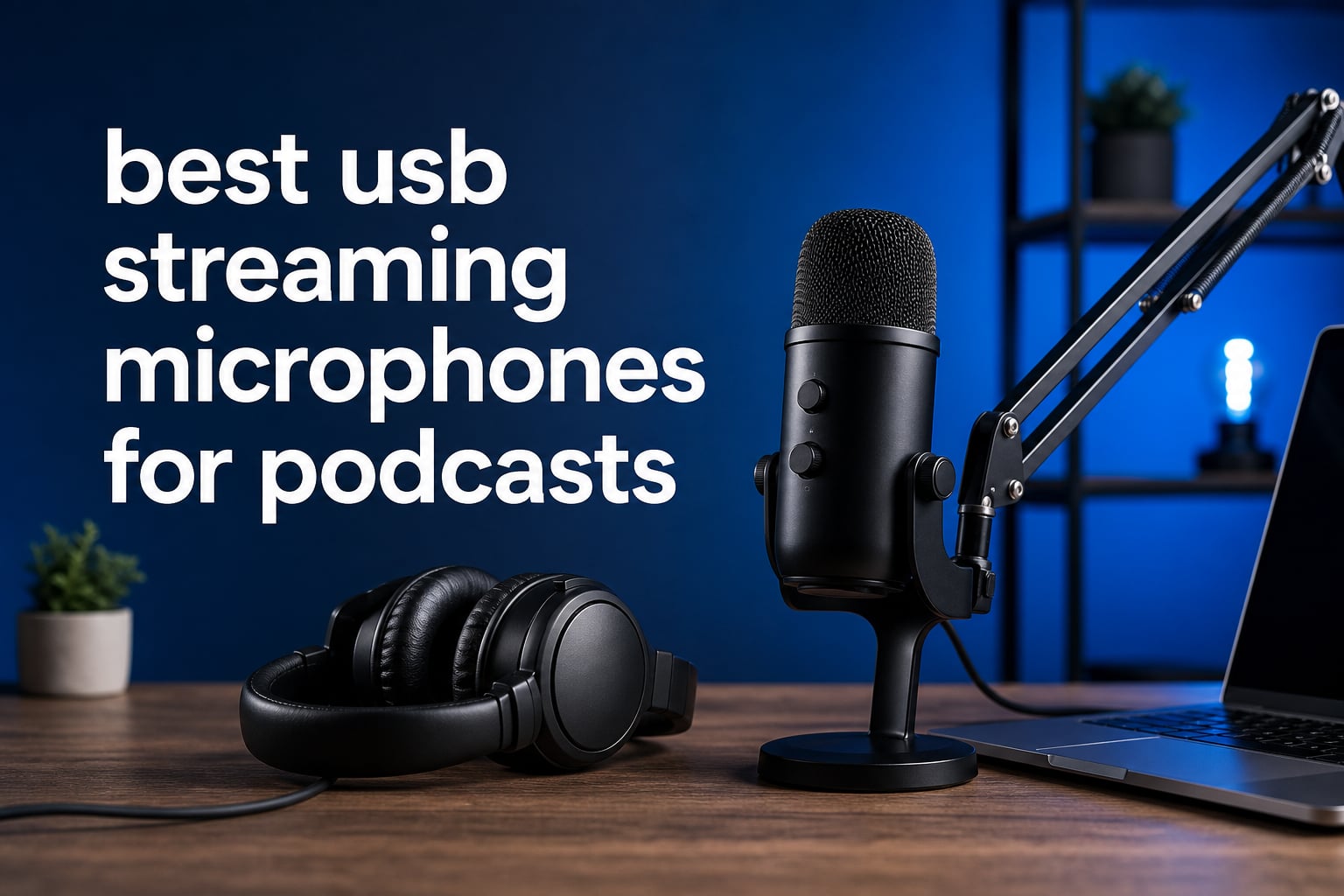
A USB streaming microphone is a plug-and-play microphone with its own preamp and analog-to-digital converter, so it connects directly to a computer without an audio interface. For most solo shows, that simple signal path is why the best USB streaming microphones for podcasts can produce a clean, repeatable voice track without turning a first setup into a technical project.
I approached this list around the details that affect a recording after the novelty wears off: focused pickup, direct headphone monitoring, gain control, connection options, included mounting hardware, and the limits a buyer should know beforehand. The eight models here range from compact USB condensers to dynamic microphones that also offer XLR for a later studio upgrade.
USB does not automatically mean “beginner only.” A dynamic USB microphone can be a sensible answer in a lively room because it generally favors a close voice, while a condenser can capture more detail when the room is quiet and the mic is placed carefully.
For a wider category comparison, see our guide to USB microphones for podcasters. If you know you want a more sensitive capsule for a treated room or voice-over work, our roundup of condenser microphones for podcasting is a useful companion.
Table of Contents
Top 3 Picks for 2026
The Shure MV7+ is my editor’s choice for a solo host who wants USB-C now and XLR later, plus automatic level management and real-time denoising. The FIFINE AM8 makes the most sense for a creator who wants a dual-output dynamic mic with headphone monitoring and physical controls.
The Razer Seiren V3 Mini is the compact pick when desk space is tight and a supercardioid condenser pattern fits the recording room. None of these choices cancels a loud room by itself, so placement still matters more than an LED feature list.
The best USB streaming microphones for podcasts in 2026 cover eight distinct recording needs
Use this overview to narrow the field before reading the full reviews. Dual USB/XLR models give you a direct computer route and a path to an interface or mixer; USB-only models favor a smaller, simpler desktop setup.
Ratings and review totals below come from the supplied product records. A card cannot tell you how your room sounds, which is why the review notes put extra weight on polar pattern, monitoring, and physical placement.
| Product | Specifications | Action |
|---|---|---|
 Shure MV7+ Shure MV7+ |
|
Check Latest Price |
 HyperX SoloCast 2 HyperX SoloCast 2 |
|
Check Latest Price |
 FIFINE AM8 FIFINE AM8 |
|
Check Latest Price |
 MAONO DGM20S MAONO DGM20S |
|
Check Latest Price |
 FIFINE K688 FIFINE K688 |
|
Check Latest Price |
 MAONO PD200XS MAONO PD200XS |
|
Check Latest Price |
 Shure MV6 Shure MV6 |
|
Check Latest Price |
 Razer Seiren V3 Mini Razer Seiren V3 Mini |
|
Check Latest Price |
1. Shure MV7+ is the most complete USB-C and XLR choice for a serious solo host
- USB-C and XLR outputs
- Auto Level Mode
- Real-time denoiser
- Headphone monitoring
- XLR needs separate equipment
- Digital tools need USB
The MV7+ is a dynamic, unidirectional microphone with USB Type-C and XLR connections, a combination that makes its role very clear. Start by plugging it into a computer, then keep the same microphone if a future setup gains an interface or mixer.
Its listed 50 Hz–16 kHz range is tuned around spoken voice rather than an exaggerated top end. The supplied data also lists Auto Level Mode, a real-time denoiser, a digital pop filter, and a 3.5 mm monitoring path, which together address the controls a solo speaker reaches for most often.
I like that Shure gives the host an LED touch panel with level monitoring rather than leaving status invisible. The built-in foam windscreen and USB-C to USB-C cable mean the basic computer connection has fewer missing pieces.
Forum discussions often mention background noise and concern around the older micro-USB MV7 connection. That is a different model: this MV7+ record lists USB Type-C, though it remains wise to avoid bending any cable sharply or putting strain on the connector.
The Shure MV7+ suits hosts who want one microphone through an XLR upgrade
Choose it if your show may grow from direct computer recording to a mixer or interface. The XLR output lets the microphone stay in the chain, while USB mode is where the onboard processing and customizable LED panel are available.
Its 4.7 rating across 994 reviews supports its standing as a highly regarded option, but the feature fit matters more than the badge. A close, consistent speaking position lets its voice-focused design do its job.
The Shure MV7+ needs a close voice and a computer-centered workflow
It is not the simplest pick for someone who only wants a tiny desk microphone with no settings to think about. The Auto Level feature can help with changing voice level, yet it does not replace good mic distance or a quieter recording spot.
Use USB when you want the digital controls, and add XLR only when the rest of the audio chain calls for it. That division is not a fault, but it should guide how you plan the setup.
2. HyperX SoloCast 2 is the straightforward compact condenser for close desktop work
- 24-bit 96kHz recording
- Built-in pop filter
- Internal shock mount
- Tap-to-mute
- Primarily plastic construction
- Laptop is listed as compatible
The HyperX SoloCast 2 is a USB-C cardioid condenser that keeps its hardware compact: a tiltable stand, foam pop filter, internal suspension, and mounting threads are all part of its listed design. That is a tidy package for a computer microphone that must live on a desk between recording sessions.
Its 24-bit/96 kHz recording specification is the standout technical figure here. For spoken podcast work, clean placement and reasonable gain are still more important than chasing large recording numbers, but the headroom is welcome for users who also make streamed video or voice-over clips.
The cardioid pattern is meant to focus on the voice in front of the capsule. I would place it slightly off to one side of the mouth rather than directly in the line of breath, letting the foam filter handle the remaining plosive control.
HyperX also lists a tap-to-mute control with an LED indicator and optional audio filters in NGENUITY. That gives a beginner a simple default path and a way to experiment later without needing a separate audio device.
The HyperX SoloCast 2 fits a small desk and a quiet-to-moderate room
It is a strong match for a person who wants a compact USB condenser with a built-in vibration-control feature and no separate shock mount to buy. The weighted, tiltable base is useful when the microphone must sit near a laptop or monitor.
Its 4.7 rating from 603 reviews is encouraging, and its one-piece layout helps reduce setup decisions. A condenser will still hear more of the room than many close-addressed dynamics, so soft furnishings and a sensible speaking distance count.
The HyperX SoloCast 2 is less suited to a loud room or an XLR plan
This is USB only, so it does not offer a direct move to an interface over XLR. The record also describes primarily plastic construction, which may matter to a creator who regularly transports equipment.
For a desk-bound stream or short-form podcast recording, those compromises may be perfectly reasonable. For a two-step studio upgrade, a dual-output model below is a better fit.
3. FIFINE AM8 is the feature-rich dynamic option for USB now and XLR later
- USB and XLR outputs
- Headphone monitoring
- Gain knob
- Tap-to-mute
- RGB is inactive over XLR
- Function keys are inactive over XLR
The FIFINE AmpliGame AM8 is a unidirectional dynamic microphone with both USB and XLR connections. Its 50 Hz–16 kHz response and directional pickup are intended for voice capture, an attractive combination when a podcast is recorded near a keyboard, fan, or another everyday source of room sound.
On USB, the AM8 provides a headphone jack, monitoring-volume control, a gain knob, LED-indicated tap-to-mute, and controllable RGB lighting. Those are useful hands-on controls because a host can check level and mute status without shifting attention to software.
The supplied package listing includes a 6.5-foot USB-C to USB-A cable, a windscreen, and a desktop stand. It also has 3/8-inch and 5/8-inch threads, which gives you a clear path to a different stand when the desktop base is not the right position.
The AM8 has a 4.6 rating from more than 11,000 reviews and ranks first in its listed multipurpose dynamic microphone category. Large review volume is not a substitute for matching the microphone to a room, but it does provide a broad pool of buyer feedback.
The FIFINE AM8 works best for an adjustable desktop podcast setup
Pick it if you want a physical gain knob, direct monitoring, and the choice between USB and XLR. Its dynamic capsule and unidirectional pattern make it especially worth considering for a solo host who can speak close to the windscreen.
I would treat the included stand as a starting point and use the threaded mount if keyboard taps travel through the desk. Moving the microphone nearer to the mouth allows lower gain and usually leaves less room in the recording for unwanted sound.
The FIFINE AM8 limits some features when you switch to XLR
The product record is explicit that RGB and function keys are inactive over XLR. That is normal for many dual-output microphones, yet it matters if you expect the USB-side button behavior to follow the microphone into an interface-based setup.
Consider XLR as a signal-path upgrade rather than a way to retain every onboard control. The core voice capture remains the reason to choose this model.
4. MAONO DGM20S is the all-in-one USB bundle for a creator who needs a boom arm
- One-click noise cancellation
- Boom arm included
- Zero-latency monitoring
- Pop filter and shock mount
- Not compatible with Xbox
- USB only
The MAONO GamerWave DGM20S is a USB condenser microphone built around a more complete desk package. Its listing includes a metal boom arm, shock mount, pop filter, USB cable, and a 50 Hz–20 kHz unidirectional capsule, so the microphone can be placed closer to the speaker without adding a separate arm first.
One-click noise cancellation is its headline function, supported by zero-latency monitoring, a mute button, and gain control. I see that as a useful tool for an imperfect home office, not a promise that a microphone can erase a television, bare walls, or a loud mechanical keyboard.
The DGM20S offers nine RGB lighting modes and lists compatibility with computer, PC, laptop, Mac OS, PS4, and PS5. Its supplied product data specifically excludes Xbox compatibility, a detail worth checking before it becomes a setup problem.
A 4.6 rating across 5,882 reviews gives this bundle substantial buyer feedback. The feature set favors someone who wants a controlled microphone position and a ready-made desktop recording station rather than a bare mic on a short stand.
The MAONO DGM20S is best when a boom-arm bundle solves your whole desk setup
Choose it for a single-host show, streamed conversation, or voice chat where an arm can bring the capsule toward the mouth and away from desk vibration. The included pop filter and shock mount also target two common beginner issues: plosives and physical knocks.
With a USB-only connection, the first session is uncomplicated. Connect it, set a moderate gain, listen through monitoring, and make a short test recording before a full episode.
The MAONO DGM20S needs realistic expectations about noise cancellation
Digital noise control can reduce distractions, but it cannot repair a poor room or a microphone placed too far away. Start with the microphone close and the gain low enough to favor your voice.
It also has no XLR output, so it is not the right route for a future interface-based chain. Its strength is the supplied USB recording package, not a modular upgrade path.
5. FIFINE K688 is the metal dynamic microphone for a simple studio-style signal path
- Metal enclosure
- USB and XLR outputs
- Headphone monitoring
- Gain control
- No arm is included
- Controls work through USB
The FIFINE AmpliTank K688 centers on a metal dynamic microphone body with USB and XLR outputs. It lists a 50 Hz–16 kHz range, 130 dB SPL handling, an 80 dB signal-to-noise ratio, a shock mount, and a windscreen, placing the emphasis on controlled voice recording rather than decorative extras.
USB mode supplies plug-and-play connection through the included 8.2-foot USB-C cable, front-panel tap-to-mute, a gain knob, and a 3.5 mm headphone jack for direct monitoring. The monitoring-volume adjustment is useful when you need to hear both your voice and the recording software without guessing.
When an interface or mixer becomes part of the system, the XLR output is intended to reduce circuit-noise interference. The product record says the arm stand, mic stand, and XLR cable are not included, so plan the mounting and XLR side separately.
This model has a 4.6 rating across 4,273 reviews. For the best USB streaming microphones for podcasts, the K688 is a practical example of how a dynamic capsule, close placement, and a windscreen can matter more to speech than a long features list.
The FIFINE K688 suits podcasters building toward a more permanent desktop station
Its metal enclosure and dual outputs make sense for a host who wants a microphone that can start at a laptop and later join an interface. The provided adapter supports 5/8-inch to 3/8-inch mounting, giving it flexibility when you select a stand or arm.
I would use the windscreen even for normal speech, then position the microphone a short distance from the mouth and a little off axis. That reduces hard plosive bursts before any software processing is needed.
The FIFINE K688 requires separate mounting hardware for an arm-based setup
Do not assume the microphone arrives as a boom-arm kit. Its record clearly identifies the missing arm, stand, and XLR cable, so the direct USB setup is the more complete out-of-box route.
Also remember that all function keys are available through USB connection only. Moving to XLR improves flexibility in the audio chain but changes how you access microphone controls.
6. MAONO PD200XS is the dual-output kit for a host who wants an included boom arm
- USB-C and XLR outputs
- Boom arm included
- Zero-latency monitoring
- Smart gain and volume knob
- No XLR cable included
- Software features need USB
The MAONO PD200XS is a dynamic cardioid microphone kit with USB Type-C and XLR connections, a 40 Hz–16 kHz response, and an included adjustable boom arm. That combination gives a solo host direct USB recording from day one while retaining the option to connect to an audio interface later.
Its 2-in-1 smart knob handles gain and volume, and the microphone includes a headphone jack for zero-latency monitoring. The listed MAONO Link software adds audio customization in USB mode, while the nine-color RGB lighting is there for creators who want visual feedback in a streaming setup.
Because the boom arm and shock mount are included, I would prioritize positioning before touching software settings. Place the dynamic capsule close enough for a full voice, angle it slightly away from the breath path, and lower gain until keyboard and room sound recede.
The PD200XS has a 4.6 rating from 2,028 reviews. Its product record lists laptop, Mac OS, personal computer, smartphone, and audio-interface compatibility, but a device should still be checked for its needed port or adapter before recording on the move.
The MAONO PD200XS is a strong fit for a USB beginner who expects to add XLR
This kit removes the separate boom-arm decision while keeping a genuine dual-connection route. That is especially helpful for a host who wants one consistent microphone position for episodes, streams, and voice-over practice.
Its dynamic cardioid design is also a sensible direction for rooms that are not acoustically treated. It will not make noise disappear, but close use gives the wanted voice a useful advantage.
The MAONO PD200XS keeps its software controls on the USB side
The XLR cable is not included, and the software-specific features are available only in USB mode. Treat that as a clear boundary between the direct-computer workflow and the external-interface workflow.
If software adjustment is central to how you record, stay on USB. If you want the audio interface to take over control duties, the XLR output is ready for that different approach.
7. Shure MV6 is the USB-only dynamic pick for voice isolation and automatic processing
- Voice Isolation Technology
- Auto Level Mode
- Real-time denoiser
- Zero-latency monitoring
- No XLR output
- No boom arm included
The Shure MV6 is a USB-C dynamic microphone with a unidirectional pickup pattern, a 50 Hz–15 kHz response, voice isolation technology, and built-in DSP controls. It is designed for direct computer recording rather than an XLR expansion, a simple distinction that makes its intended user easy to identify.
Shure lists Auto Level Mode, a real-time denoiser, a Digital Popper Stopper, tap-to-mute, and zero-latency headphone monitoring. These features focus on maintaining a usable spoken-voice signal when a host is managing recording, streaming, and conversation at once.
The MOTIV Mix desktop app provides a route to further adjustment, but the microphone can start as a USB-C plug-and-play device. I would use the automatic tools after taking a raw test recording, so you can tell whether the source placement is already doing most of the work.
Its 4.6 rating from 1,176 reviews and 82% five-star distribution in the supplied record support its appeal. The desktop stand is included, though no boom arm is listed, so a desk-bound position is the default arrangement.
The Shure MV6 fits a PC or Mac podcaster who values voice-focused DSP
Choose it for a simple USB-C setup where voice isolation, level management, and direct monitoring matter more than adding an interface later. It is a particularly clear choice for someone who wants Shure’s processing features without routing through a mixer.
The dynamic cardioid approach rewards a close voice position. Use the Digital Popper Stopper as assistance, not permission to speak directly into the capsule at very close range.
The Shure MV6 is not the right microphone for an XLR-centered upgrade
There is no listed XLR output, so it should be selected for its USB workflow rather than bought with an interface upgrade in mind. The provided compatibility information centers on personal computers and PC hardware.
A separate boom arm may also be needed if the included desktop stand leaves the capsule too low or too far away. Good microphone geometry remains one of the simplest improvements to any spoken recording.
8. Razer Seiren V3 Mini is the space-saving supercardioid condenser for focused voice capture
- Supercardioid pickup
- Built-in shock absorber
- Tap-to-mute
- Plug-and-play
- No boom arm included
- Compact size limits positioning
The Razer Seiren V3 Mini is a compact USB Type-A condenser with a 20 Hz–20 kHz response and a supercardioid pickup pattern. Razer describes the custom condenser capsule as high sensitivity, while the narrower pattern is intended to keep attention on the speaker in front of it.
Its built-in shock absorber helps dampen accidental knocks, and a tap-to-mute sensor with LED status makes it easy to check whether the microphone is live. The plug-and-play design works with Discord, OBS Studio, and XSplit, with additional adjustment available in Razer Synapse.
At 6.38 inches tall and 8.32 ounces, it is the smallest physical choice in this roundup. That can free up screen space, yet it makes positioning more important because a short desk stand may leave the capsule farther from the mouth than ideal.
The Seiren V3 Mini holds a 4.6 rating from 978 reviews. Its supercardioid pattern is an appealing middle ground for someone who wants more focused pickup than a broad desktop condenser, but a condenser still benefits from a controlled room.
The Razer Seiren V3 Mini suits a compact PC podcasting and streaming desk
Choose it if you need a tiny, direct USB microphone for a laptop or personal computer and want a clear mute indication. The detachable shock absorber can be used with a boom-arm setup later, even though an arm is not included.
I would keep it close, avoid pointing it toward a reflective wall, and make a thirty-second recording before a session. Those three actions reveal more about fit than a specification alone.
The Razer Seiren V3 Mini is less forgiving of distant placement in a noisy room
Its condenser capsule has high sensitivity, so putting it across the desk and raising gain can bring more of the room into the recording. The supercardioid pattern helps focus on the front, but it does not eliminate the need for thoughtful placement.
It also offers no XLR route. Pick this one for a compact, computer-first setup, not for a multi-device studio chain.
Choose a USB podcast microphone by matching its capsule, connection, and placement to your room
The shortest useful answer is this: choose a dynamic mic for close speech in an untreated or active room, and consider a condenser when your room is quiet and you want more detail. The microphone is only one part of the recording; distance, angle, gain, and monitoring control what actually reaches the listener.
A dynamic microphone usually favors close speech and a noisier room
The Shure MV7+, FIFINE AM8, FIFINE K688, MAONO PD200XS, and Shure MV6 are dynamic options in this list. Their directional patterns and close-speaking design make them a sensible first look when computer fans, traffic, or other people are part of the recording environment.
That does not mean a dynamic microphone is magic noise removal. Move the capsule closer to your mouth, keep the gain down, and point the rear or rejection area toward the biggest sound source where the microphone’s pattern allows.
A condenser microphone captures detail but asks more of the room
The HyperX SoloCast 2, MAONO DGM20S, and Razer Seiren V3 Mini are condensers. Their cardioid or supercardioid patterns focus forward, but their sensitivity means a bare room, desk reflections, and distant placement can become more obvious in the recording.
Start by turning off a nearby fan, closing a loud window, and placing soft material around the recording area where practical. Those basic changes often make more difference than trying to fix a noisy take afterward.
USB is the fast route while XLR is the route to an external audio chain
A USB podcast microphone includes the conversion needed to send sound directly to the computer. That is the right answer for a first solo show, remote interview recording, or creator who does not want an interface on the desk.
XLR sends an analog microphone signal to separate equipment such as an audio interface or mixer. The MV7+, AM8, K688, and PD200XS give you both choices, but their USB-specific controls or software features may not carry over when you use XLR.
Mobile podcasting needs an extra compatibility check. USB Type-C on a microphone does not by itself prove that every phone or tablet will recognize it, so check the device port, required adapter, power behavior, and recording app before relying on it away from a computer.
A cardioid pattern is a focused default, while supercardioid needs more deliberate aim
Cardioid and unidirectional descriptions generally indicate a microphone that favors sound from the front. Supercardioid is more focused, as on the Seiren V3 Mini, and can be useful on a small desk if you point it accurately at the speaker.
Do not confuse pickup pattern with complete background-noise cancellation. The right pattern helps, while the largest gains still come from close placement and reducing noise at its source.
Headphone monitoring and visible mute status prevent avoidable recording mistakes
A headphone jack with direct or zero-latency monitoring lets you hear the microphone signal without waiting for computer playback. The MV7+, AM8, DGM20S, K688, PD200XS, and MV6 list this kind of monitoring, making it easier to catch hum, distance problems, or an overdriven level before a long take.
Tap-to-mute is also more useful than it sounds during a live recording. An LED state indicator helps confirm whether you muted the microphone before a cough, note to a guest, or interruption reaches the track.
A boom arm can improve audio by improving microphone position
An arm is not only a desk accessory. It lets you set the microphone near the mouth and away from keyboard vibration, then return to the same position for each episode.
The DGM20S and PD200XS include boom arms, while the AM8, K688, SoloCast 2, and detachable Seiren V3 Mini shock absorber offer mounting paths. If you need help sorting options by desk clamp, reach, and use case, see our guide to microphone stands for home podcasters.
A pop filter and an off-axis angle make speech more listenable
Hard “p” and “b” sounds send bursts of air toward a microphone capsule. A foam windscreen or pop filter reduces those bursts, while a slight off-axis position keeps the strongest air stream out of the capsule’s direct path.
The MV7+ includes a foam windscreen; the SoloCast 2 has a foam pop filter; the DGM20S includes a pop filter; and the K688 includes a windscreen. For other setups and mounting styles, compare pop filters for podcast microphones.
A two-person show usually needs two microphones and two independent positions
One microphone in the center of a table often forces gain too high and records a changing room sound as each person moves. Separate microphones let each speaker stay close to a capsule and make level balancing much easier.
For layouts built around two voices, see our recommendations for microphones for two-person podcasts. A USB-only microphone can be excellent for one person, but recording two USB mics together calls for careful computer and software compatibility checks.
FAQs
What is the best USB microphone for podcasting for beginners?
The best beginner choice is one that connects directly to the computer, has a focused pickup pattern, and lets you monitor your voice. The HyperX SoloCast 2 is a compact USB condenser with a cardioid pattern, while the FIFINE AM8 is a dynamic USB/XLR option with a headphone jack, gain control, and direct monitoring.
How much does a good USB podcast microphone cost?
A good USB podcast microphone is best chosen by recording needs rather than a single spending category. Look first for a suitable capsule type, a focused pickup pattern, direct monitoring, reliable compatibility, and included mounting hardware; dual USB/XLR output adds a future interface path.
What USB microphone do most podcasters use?
Podcasters use both USB condensers and USB dynamics. A popular choice depends on the room and workflow: close-addressed dynamic models such as the Shure MV7+ and FIFINE AM8 suit voice-focused setups, while USB condensers suit quiet rooms and compact desktop use.
Is Blue Yeti or Shure MV7 better for podcasts?
The answer depends on the room and recording style. Forum discussions in the supplied research describe Blue Yeti as a popular beginner option that can pick up ambient noise, while they recommend the Shure MV7 for more focused voice capture; this roundup includes the newer USB-C and XLR Shure MV7+, which lists Auto Level Mode and real-time denoising.
Do I need a USB microphone for podcasting?
You do not need a USB microphone, but it is the simplest way to record a podcast directly to a computer because it contains its own preamp and analog-to-digital conversion. Choose a USB/XLR microphone if you want that easy start plus the option to use an interface or mixer later.
Conclusion
The Shure MV7+ is the strongest all-round choice for a host who wants USB-C simplicity, focused dynamic capture, and an XLR route for later. Choose the AM8 or PD200XS for a dual-output alternative with more physical setup hardware, the MV6 for USB-only voice processing, or the SoloCast 2 and Seiren V3 Mini for compact condenser use.
For the best USB streaming microphones for podcasts in 2026, start with your room and mic position, then select the connection and controls that remove friction from your own recording routine. Make one short test recording before publishing an episode; it is the fastest way to hear whether the fit is right.