
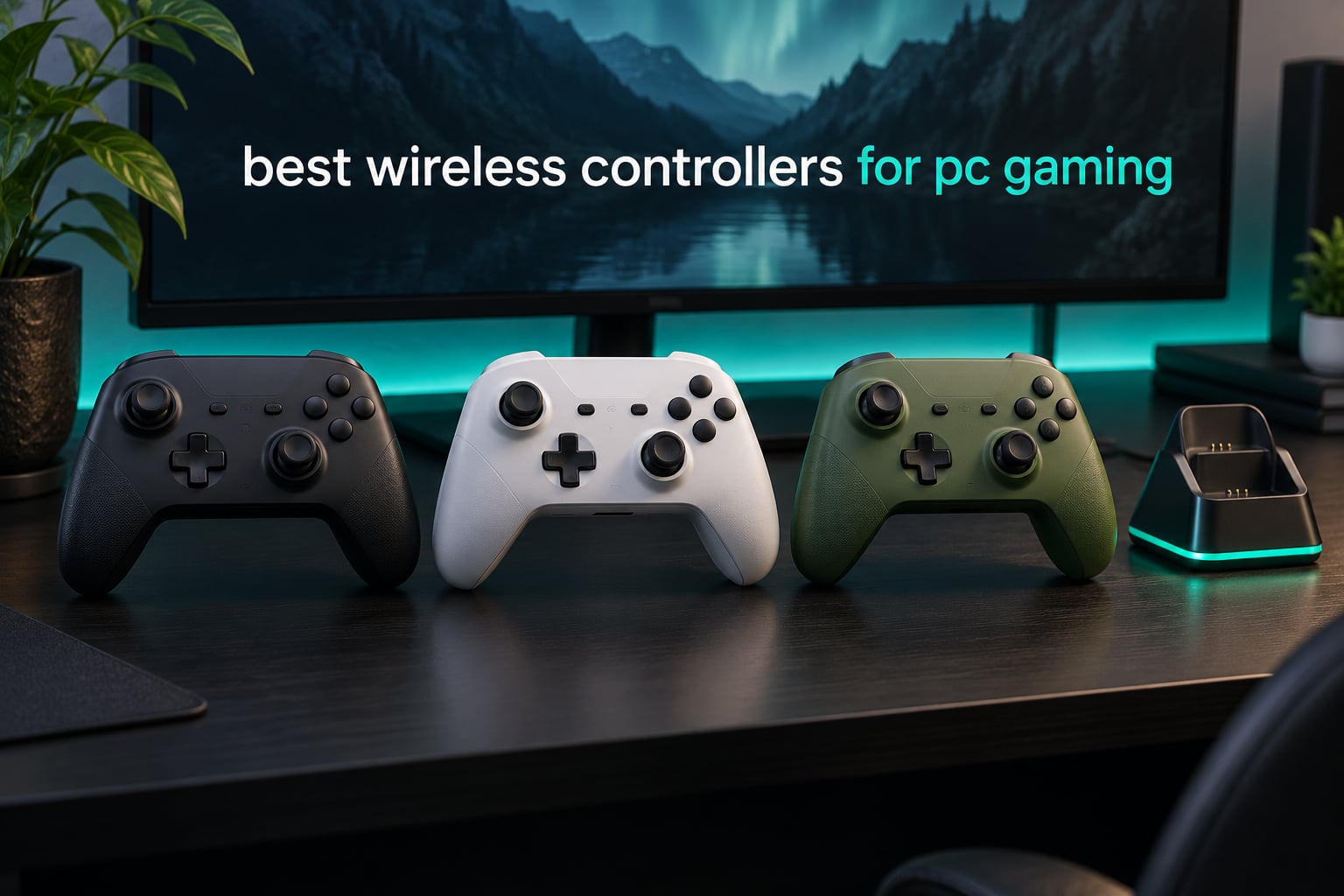
The Xbox Wireless Controller Elite Series 2 Core is the best wireless controller for PC gaming overall. It pairs instantly over Bluetooth, holds a refined shape for long sessions, and its adjustable thumbstick tension and three-stage hair trigger stops give you real control in shooters. Ten pads made our 2026 shortlist, and every one of them connects to Windows without a cable.
Most people shop for a PC controller because their old pad started drifting. A thumbstick that creeps upward in a menu or slowly walks your character across a room is the single complaint that shows up most often in owner reviews, and it is the reason anti-drift stick technology has become the first thing worth checking on any shortlist.
The second trigger is the wireless link. Bluetooth pads are convenient but add input lag, while a pad with a bundled 2.4GHz USB dongle talks to your PC over a dedicated receiver and feels noticeably tighter. Several picks below ship with that dongle, and a few do not, so the difference matters.
We spent weeks with these ten controllers across shooters, racing games, emulators and long RPG sessions, checking stick feel, D-pad click, trigger travel, battery behaviour and how much the companion software actually adds. If you want our wider PC controller coverage, we also maintain a roundup of the best PC gaming controllers and a separate guide to the best controllers for PC gaming covering every budget tier.
Table of Contents
Top 3 Best Wireless Controllers for PC Gaming in 2026
Three pads stand out immediately. The Elite Series 2 Core is the most complete package, the 8BitDo Ultimate 2 delivers pro features at a mid-tier price, and the 8BitDo Ultimate 2C proves Hall Effect sticks and a 1000Hz polling rate no longer require a big spend.

Xbox Elite Series 2 Core
- Adjustable stick tension
- Three-stage hair trigger stops
- Up to 40 hours battery


8BitDo Ultimate 2C
- Hall Effect sticks and triggers
- 1000Hz polling rate
- Remappable R4 and L4 bumpers
Best Wireless Controllers for PC Gaming in October
| Product | Specifications | Action |
|---|---|---|
| Xbox Elite Series 2 Core |
|
Check Latest Price |
 DualSense Wireless Controller DualSense Wireless Controller |
|
Check Latest Price |
| 8BitDo Ultimate 2C |
|
Check Latest Price |
 DualSense Edge DualSense Edge |
|
Check Latest Price |
| 8BitDo Ultimate 2 |
|
Check Latest Price |
 Logitech G F710 Logitech G F710 |
|
Check Latest Price |
 ECHTPower Wireless Controller ECHTPower Wireless Controller |
|
Check Latest Price |
 EasySMX X15 EasySMX X15 |
|
Check Latest Price |
 GameSir Nova Lite 2 GameSir Nova Lite 2 |
|
Check Latest Price |
 ManbaOne Interactive Screen ManbaOne Interactive Screen |
|
Check Latest Price |
1. Xbox Wireless Controller Elite Series 2 Core: The Best All-Rounder
- Adjustable-tension thumbsticks with three-stage hair trigger stops
- Excellent ergonomics with wrap-around rubberized grips
- Works across Xbox Series X|S Xbox One Windows and Android
- Up to three custom profiles remapped in the Xbox Accessories app
- Long 40-hour battery life charged over USB-C
- Rubberized grips can peel away after a few months
- Mushy rubber-dome face buttons at this price tier
- Paddle buttons sold separately in the component pack
This is the pad I recommend when someone asks for one wireless controller that covers everything. The shape is the reason. It sits well in the hands during a long campaign, the grips wrap around rather than press into your palms, and the sticks return to centre with a clean, consistent action that survives twitch aiming in shooters.
On PC it connects over Bluetooth straight from the Windows settings menu, and it also works over the bundled USB-C cable and the Xbox Wireless link. It registers as a standard XInput pad, so there is no mode switching and no driver to install. Games that read a controller simply find it.
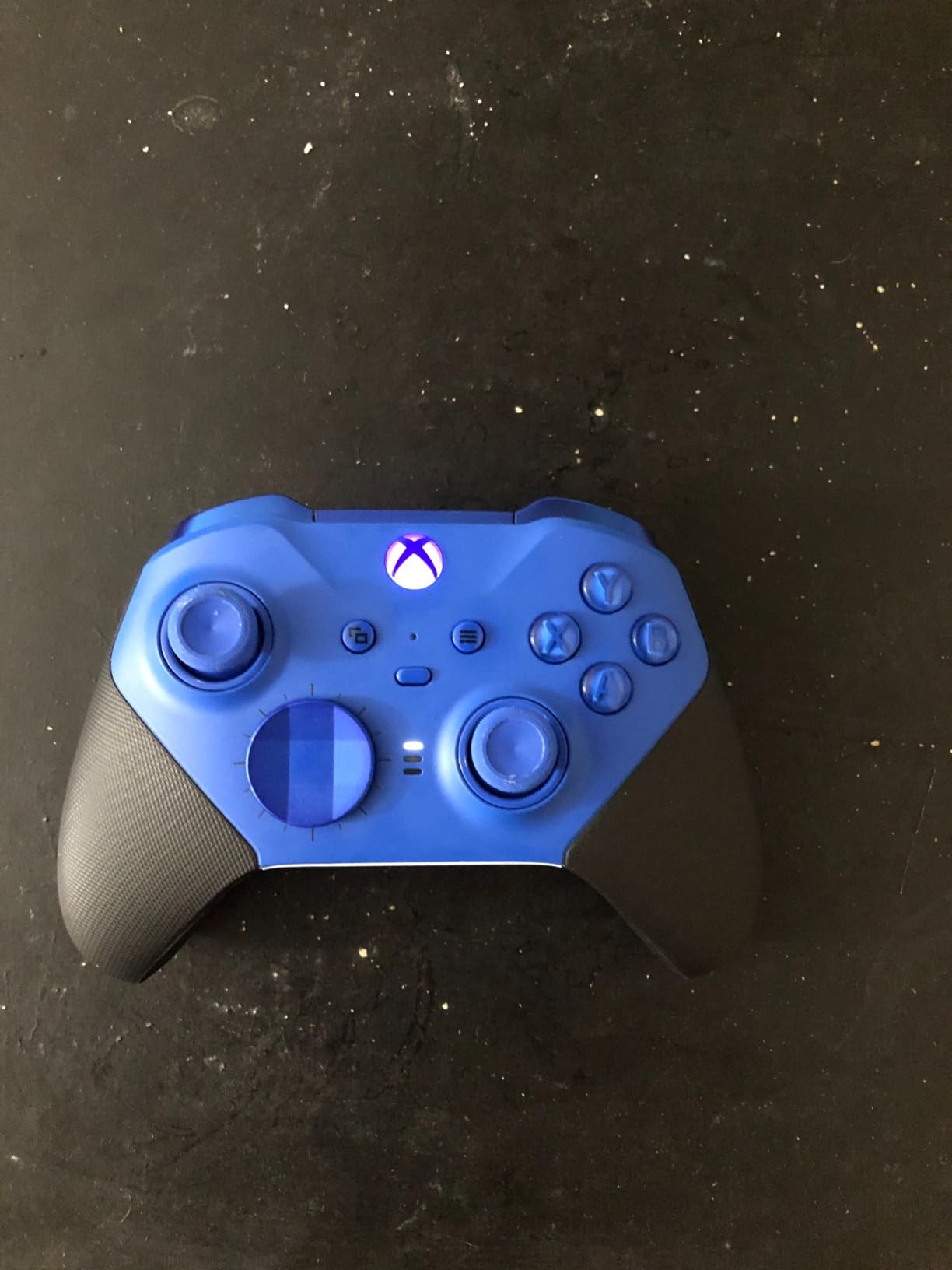
The tuning options are the reason it beats cheaper pads for competitive play. A small adjustment tool under the battery cover lets you change thumbstick tension, and the hair trigger stops give you three stages of travel. If you shoot a lot, the shortest stage cuts your trigger pull noticeably. The Xbox Accessories app handles button remapping and stores up to three profiles you can switch on the fly.
Battery life is the quiet star. Owners regularly report getting close to the advertised 40 hours, which means charging roughly once a fortnight rather than once a week. That figure drops when you use the controller constantly with vibration running.
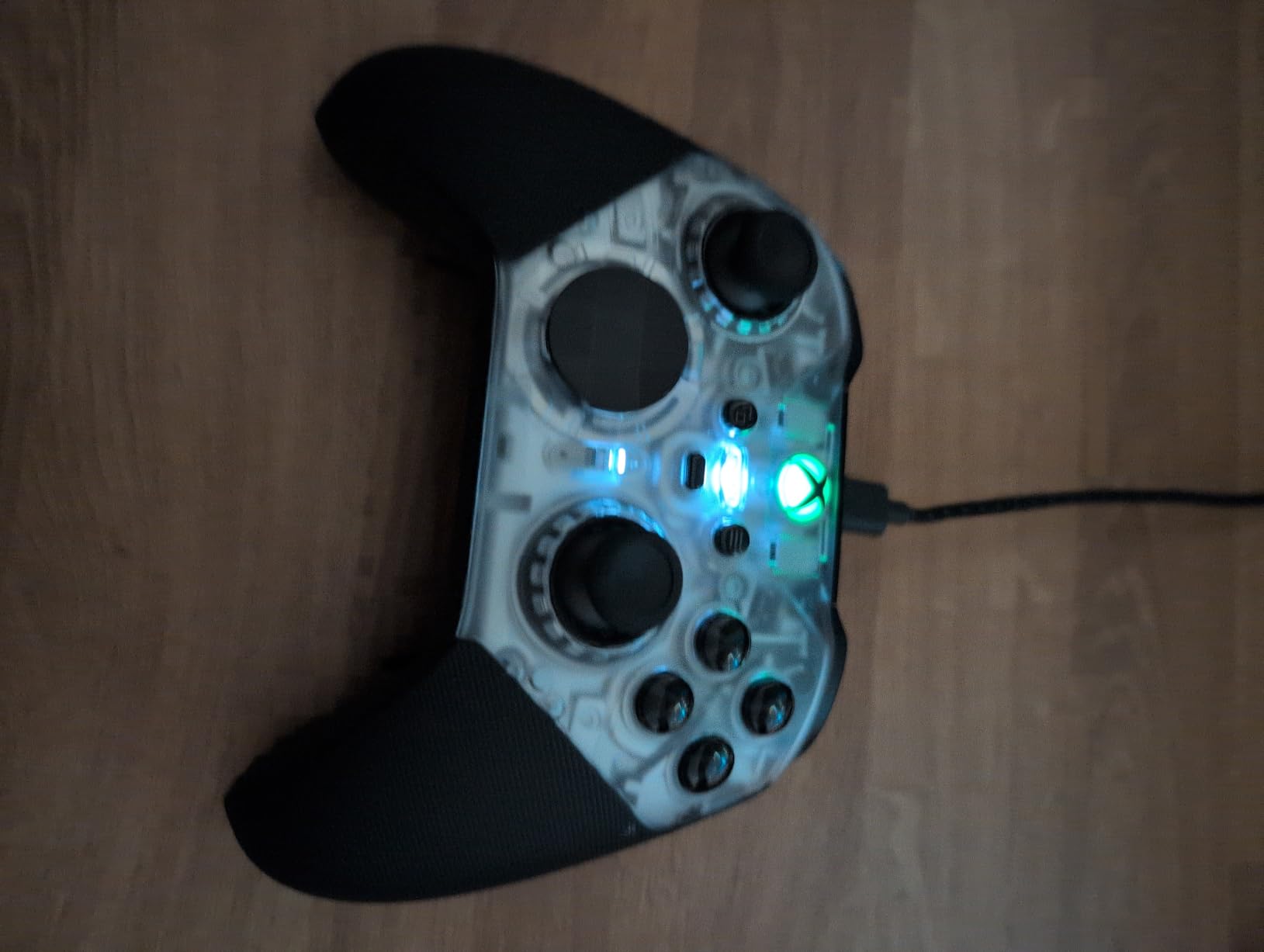
Who the Elite Series 2 Core suits best
This is the safest choice for a mixed library. Action games, racing titles, sports games and emulators all feel right on it, and the asymmetric stick layout matches what most PC ports expect. If you also own an Xbox console or play on a Steam Deck, it travels between devices without any fuss.
For competitive shooters specifically, it is still the most flexible mainstream pad because of the tension tool and trigger stops. Add the rear paddles from the component pack and you have a genuinely competitive setup without leaving the Xbox ecosystem.
Where it falls short
The face and bumper buttons use rubber-dome switches rather than mechanical ones, and buyers at this tier notice the softer, quieter feel. If you specifically want crisp mechanical clicks, one of the Hall Effect pads below delivers that instead.
Grip peeling is the most common long-term complaint, and the paddles are not included, so a competitive setup means buying the component pack separately. A few owners also report stick drift or an unresponsive RB button within the warranty year.
2. DualSense Wireless Controller: Best Feel, Fewest Options
- Adaptive triggers and haptic feedback translate well to supported PC titles
- Comfortable refined design with an iconic layout
- Connects over USB Type-C or Bluetooth to Windows PC and Mac
- Built-in speaker microphone and 3.5mm headset jack
- Works with the PS Remote Play app for streaming
- No adjustable trigger travel or stick tension
- No back buttons or remappable paddles
- Adaptive trigger and haptic features need supported games
The DualSense is the most refined-feeling controller in this roundup, and its 4.6 rating reflects that. It connects to a PC over USB-C or Bluetooth without any setup, and the symmetric stick layout immediately feels familiar if you have come from a PlayStation.
What makes it special on PC is the feedback layer. Adaptive triggers and the haptic system carry across to Windows in any game that supports the DualSense feature set. In supported titles you can feel the difference between a light weapon and a heavy one, and on a large display that feedback is genuinely engaging rather than decorative.
The layout is also excellent for single-player and story games. The touchpad and Create button add inputs that no Xbox-layout pad offers, and the built-in speaker plus 3.5mm jack cover audio without a headset on a wireless connection.
Where the DualSense earns its place
If your PC library leans towards story-driven action, adventure and racing games that support the full DualSense feature set, this pad rewards you. Comfort over a long session is another strong point, with a light 280 g body and grips that suit most hand sizes.
Emulators also benefit from the touchpad and the speaker. Older titles that expect a touch surface or extra buttons gain something they never had on a generic pad.
Where it holds you back
There is no stick tension adjustment, no trigger travel setting and no back buttons, so competitive shooters and fighting games get less than you might want. For a game like Tekken 8 the layout is lovely, but a pad with remappable inputs gives you more options.
Reviews also note that the adaptive trigger and haptic effects only work in supported games, and that some PlayStation titles still restrict the features on PC. Battery life is shorter than several rivals here, which matters if you play long sessions away from a cable.
3. 8BitDo Ultimate 2C: The Best Budget Wireless Pick
- Hall Effect joysticks and triggers resist drift with wear-resistant metal rings
- 1000Hz polling rate over 2.4G and wired for low input lag
- Extra R4 and L4 bumpers add two remappable inputs
- Onboard button mapping and turbo work without software
- Lightweight build with refined bumpers and D-pad
- No back paddles for competitive shooters
- 2.4G wireless only with no Bluetooth option listed
- Windows and Android only with no console support
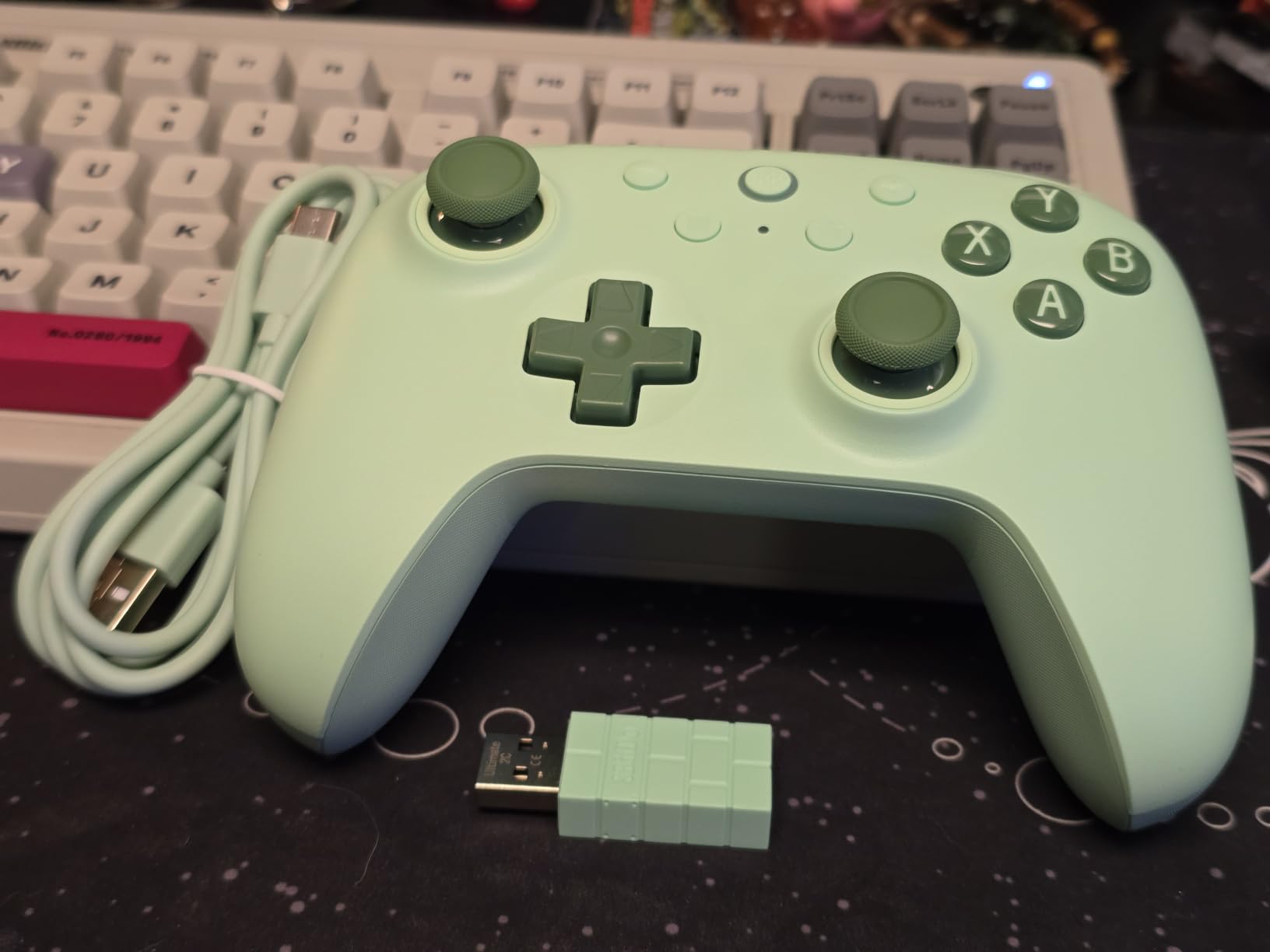
The most surprising pad here is the one that convinced us anti-drift sticks are no longer a luxury. The 8BitDo Ultimate 2C uses Hall Effect joysticks and Hall Effect triggers, which read stick position magnetically with no physical contact, so there is no potentiometer to wear out and no drift to calibrate away later.
The 1000Hz polling rate means the pad checks your input position a thousand times per second, so movement registers crisply in shooters and platformers. Two extra bumpers labelled R4 and L4 sit above the existing shoulder buttons, giving you four rear inputs in total without moving your thumbs, and they can be remapped from the pad itself.
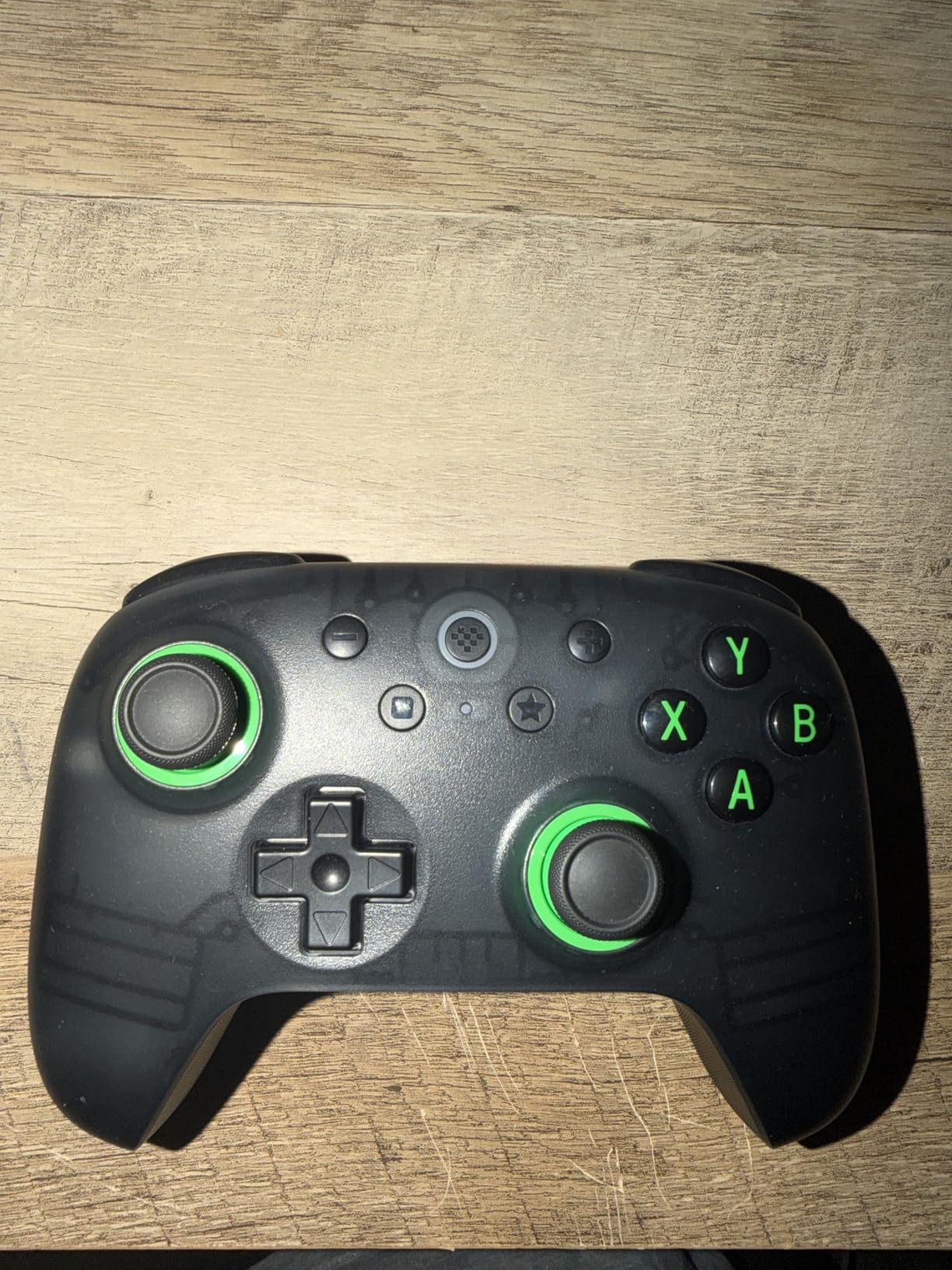
There is no software requirement at all. Turbo, button mapping and the rear-button assignments all work through onboard combinations, which is exactly what you want if you would rather not install anything. The turbo function in particular is a favourite for older arcade and retro titles.
It connects over 2.4GHz wireless with the bundled receiver and also works wired over USB, which makes it a safe pick for a desktop where you want the option of a cable. At 280 g it is light in the hand.
Why the Ultimate 2C punches above its tier
This is the pick for anyone who plays co-op games on a sofa or keeps losing sticks. The drift resistance means you can leave it plugged in for months without checking the calibration, and the wireless receiver keeps input lag low enough for action games.
It also suits sharing. The lightweight body and simple layout work for younger players, and the lack of a complicated setup means it starts working the moment you plug in the receiver.
What you give up
There are no back paddles, and the R4 and L4 bumpers are not the same thing. Competitive players who bind jumps or crouches to rear paddles will need a different pad.
Platform support is narrow. It is listed for Windows and Android only, with no PlayStation, Xbox or Switch support, and the listed connectivity is USB with 2.4G wireless rather than Bluetooth. Check the platform list carefully if you plan to use one pad everywhere.
4. DualSense Edge: The Most Adjustable PlayStation Pad
- Swappable stick modules with three stick cap types
- Two sets of swappable back buttons plus function buttons
- Manually adjustable trigger travel for shooting or throttle control
- Remappable inputs with adjustable sensitivity and saved profiles
- Full adaptive triggers haptics speaker and mic
- Back buttons only map to existing controller inputs
- Battery runs roughly 4 hours with haptics and adaptive triggers on
- Only two rear buttons compared with four on many pro controllers
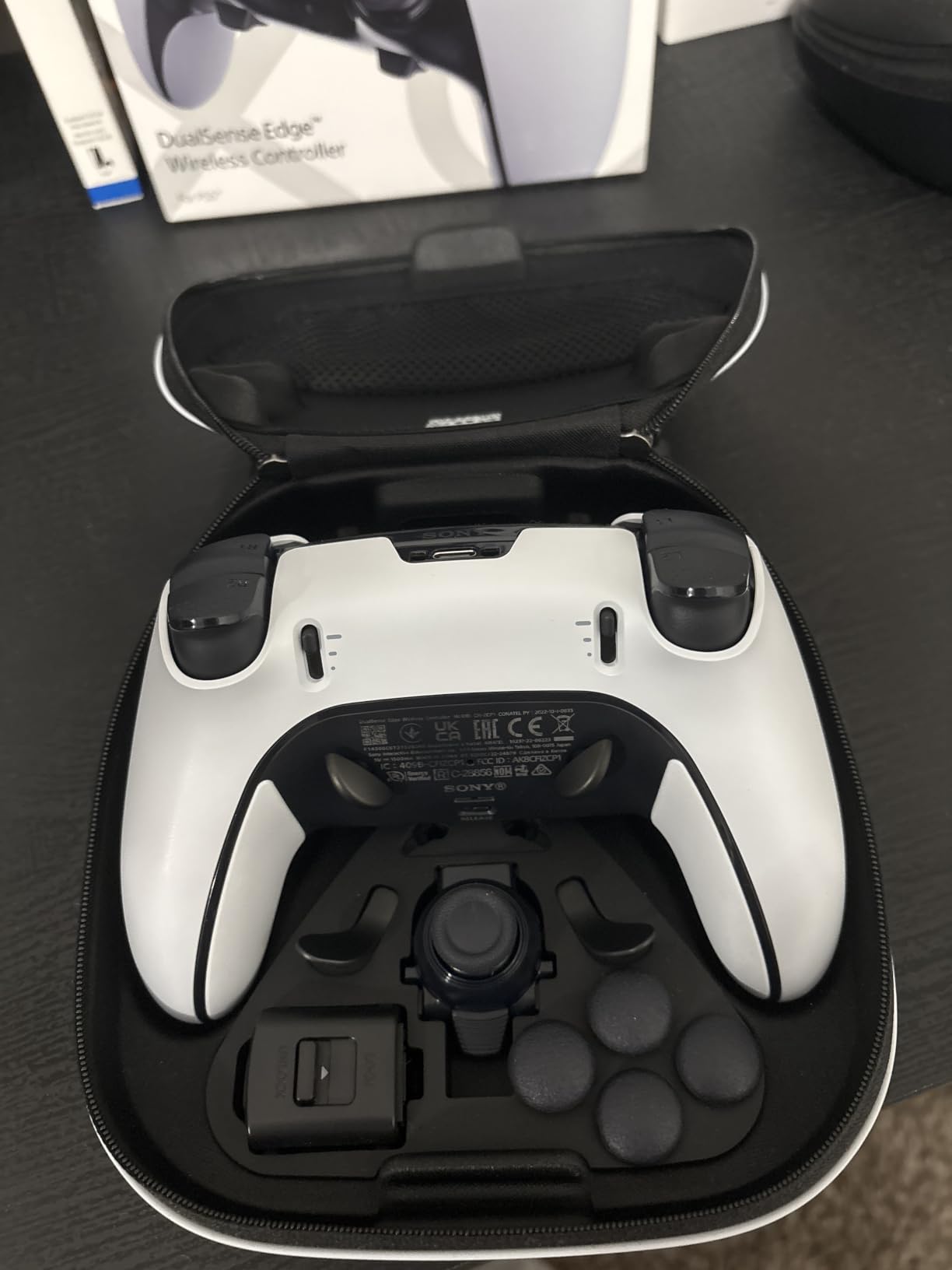
The DualSense Edge takes everything good about the standard DualSense and makes it adjustable. You can swap the stick modules between three different cap shapes, swap the rear buttons between two sets, and change trigger travel with a physical mechanism rather than a software slider.
That trigger adjustment is the standout feature for PC players. Shorten the pull and your shots register faster in competitive shooters; leave it long and it works as a fine analogue throttle in racing games. Few pads at any price let you change this by hand.
Saved control profiles let you keep a competitive configuration for shooters and a comfort configuration for RPGs, switching between them in a second. Over USB it is a straightforward PC pad, and the remappable inputs are the reason to pick it over the standard DualSense.
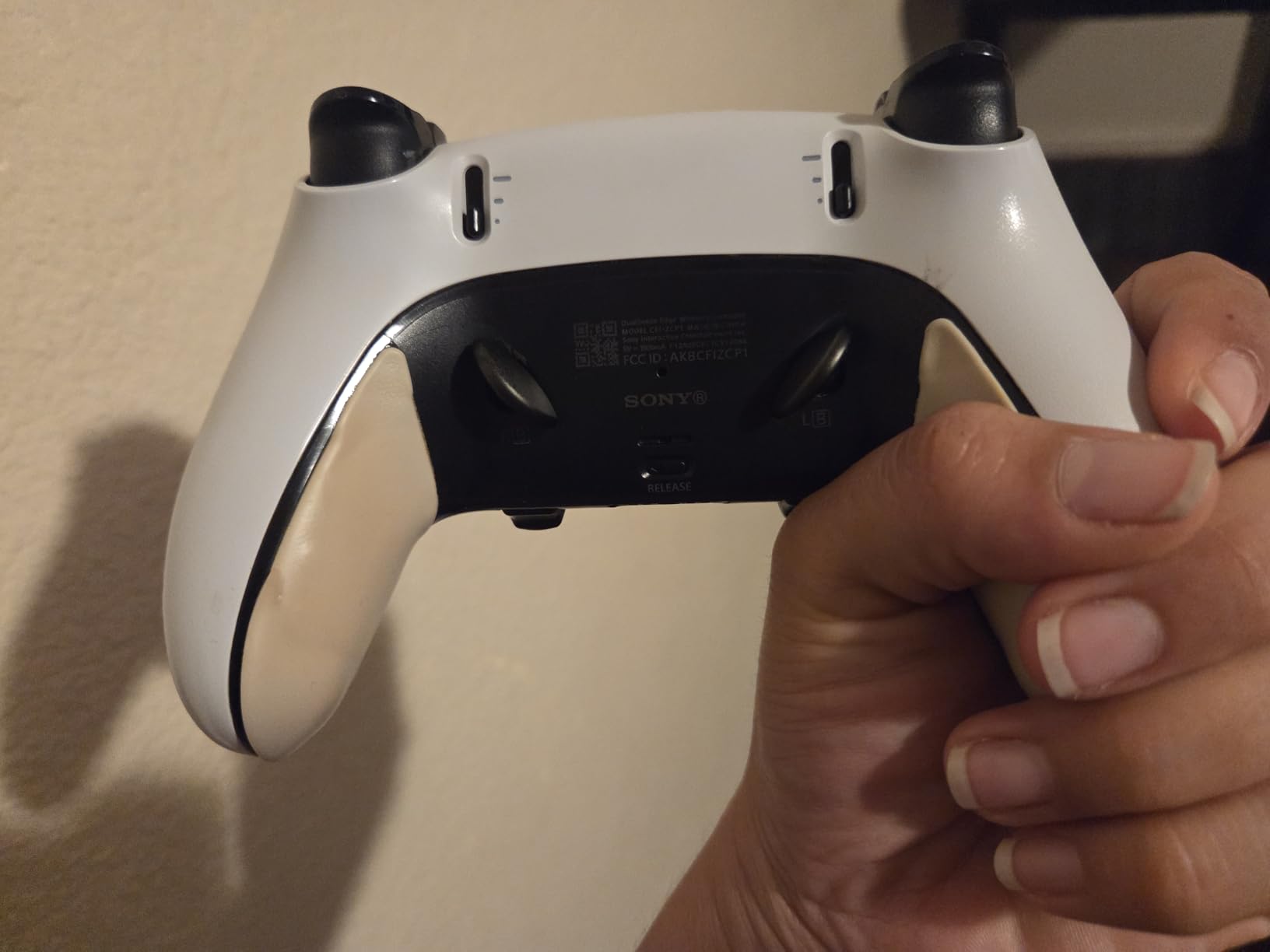
The trade-off is weight and battery. At 2.6 lb this is by far the heaviest pad we tested, which is fine for a desktop and tiring for couch play over several hours. Owners consistently report around four hours of play with haptics and adaptive triggers running, so a mid-session charge is likely.
The rear buttons are also restricted. They can be mapped to other controller inputs but not to arbitrary keyboard commands or macros, which limits their value in games where you want a keyboard shortcut on a rear button.
Who should buy the DualSense Edge
Competitive PlayStation fans and racing game players get the most out of it. Anyone who values adjustability over a light body and plays at a desk will find the trigger travel and swappable sticks genuinely useful.
It is also a strong choice if you split time between a PS5 and a PC, because it works as a first-party pad on both. Budget carefully for a full kit, since the paddles and extra caps are separate purchases.
Who should skip it
Couch players should look elsewhere. The weight and the short battery life combine badly with long wireless sessions away from a cable.
Anyone wanting four rear paddles, true macro support on back buttons, or a lighter body will find better options here. This is a refinement pad, not a value pad.
5. 8BitDo Ultimate 2: The Best Value Pro-Style Pad
8Bitdo Ultimate 2 Wireless Controller for PC, Apple, Steam & Android, Black
- TMR joysticks deliver high sensitivity and precision with strong durability
- 8Speed 2.4G wireless with sub-1ms latency and 10m range
- Trigger mode switch toggles linear Hall Effect and tactile triggers
- Two pro back paddles plus extra R4 and L4 bumpers
- Multifunctional charging dock doubles as a USB-C adapter
- No headphone port and no Xbox console compatibility
- Stick tension feels light to some players
- Battery is not user-replaceable
The 8BitDo Ultimate 2 is the most complete package outside the Xbox and PlayStation camps. It combines TMR joysticks, a 2.4GHz wireless link rated at sub-1ms latency, a 1000Hz polling rate, two pro back paddles, extra R4 and L4 bumpers and a charging dock, all in one box.
TMR, short for Tunnel Magnetoresistance, is the newer generation of non-contact stick sensor. Like Hall Effect it reads position magnetically with no rubbing contact, which removes the drift problem, but it delivers finer resolution at the centre of the stick. That difference is most obvious when you make small corrections in a shooter.
The trigger mode switch is a genuinely clever piece of design. One position gives you linear Hall Effect triggers with smooth, adjustable travel, and the other gives tactile triggers with a defined stop. You get both behaviours from one pad without opening any software.
The dock is more useful than it sounds. It charges the pad, doubles as a USB-C adapter for your PC, and stores the wireless receiver so it does not go missing. That solves the most common practical complaint on any wireless controller, which is a dongle that ends up loose in a drawer.
Customizable 6-axis motion control and an RGB fire ring round out the extras, and the software from 8BitDo Ultimate Software V2 handles firmware and button mapping on PC.

Where the Ultimate 2 wins
Competitive players get the strongest rear-button offering on this budget tier: two pro paddles for jump and crouch, plus two extra bumpers for binds. Racing game players get the switchable trigger modes, which is one of the few ways to get a proper progressive throttle feel.
Emulators and multi-device users also benefit. The pad works across PC, Apple devices, Steam and Android, and the sub-1ms 2.4G link keeps input tight in competitive titles.
Where it disappoints
There is no 3.5mm headphone port, so a wired headset or a USB-C adapter is needed. Xbox console support is not listed, so if you own an Xbox this pad does not cover it.
Some owners find the stick tension lighter than they prefer, which makes the sticks feel slightly loose before they reach centre. The battery is sealed, the body is wide and glossy, and iPad button mapping is unreliable on several inputs.
6. Logitech G F710: The Best for Retro Play and Long-Term Durability
Logitech G F710 Wireless Gamepad with USB Nano Receiver – Grey/Black
- Plug-and-forget 2.4GHz nano receiver with a stored dongle compartment
- Hardware switch between XInput and DirectInput for near-universal compatibility
- Replaceable AA batteries avoid sealed battery failures
- Sport mode toggles the D-pad and analog stick
- Dual vibration with a solid build and rubberized grips
- D-pad is hard and clicky with large dead zones
- Weak vibration compared with the wired F510 and first-party pads
- Logitech driver software can fail after Windows updates
The F710 is the oldest pad in this roundup and still the one we recommend for retro games and for anyone who refuses to replace batteries. It runs on two AA cells that you can swap yourself, which sidesteps the sealed-battery failure that ends most modern pads.
Its 2.4GHz nano receiver plugs into any USB port and connects immediately. The receiver stores in the controller’s battery compartment, so it never goes missing, and an included USB extender lets you move it to the top of your tower if the signal cuts out at range.
The hardware mode switch between XInput and DirectInput is old technology that still solves a real problem. Older emulators and retro titles often only understand DirectInput, and this pad flips between the two without software.
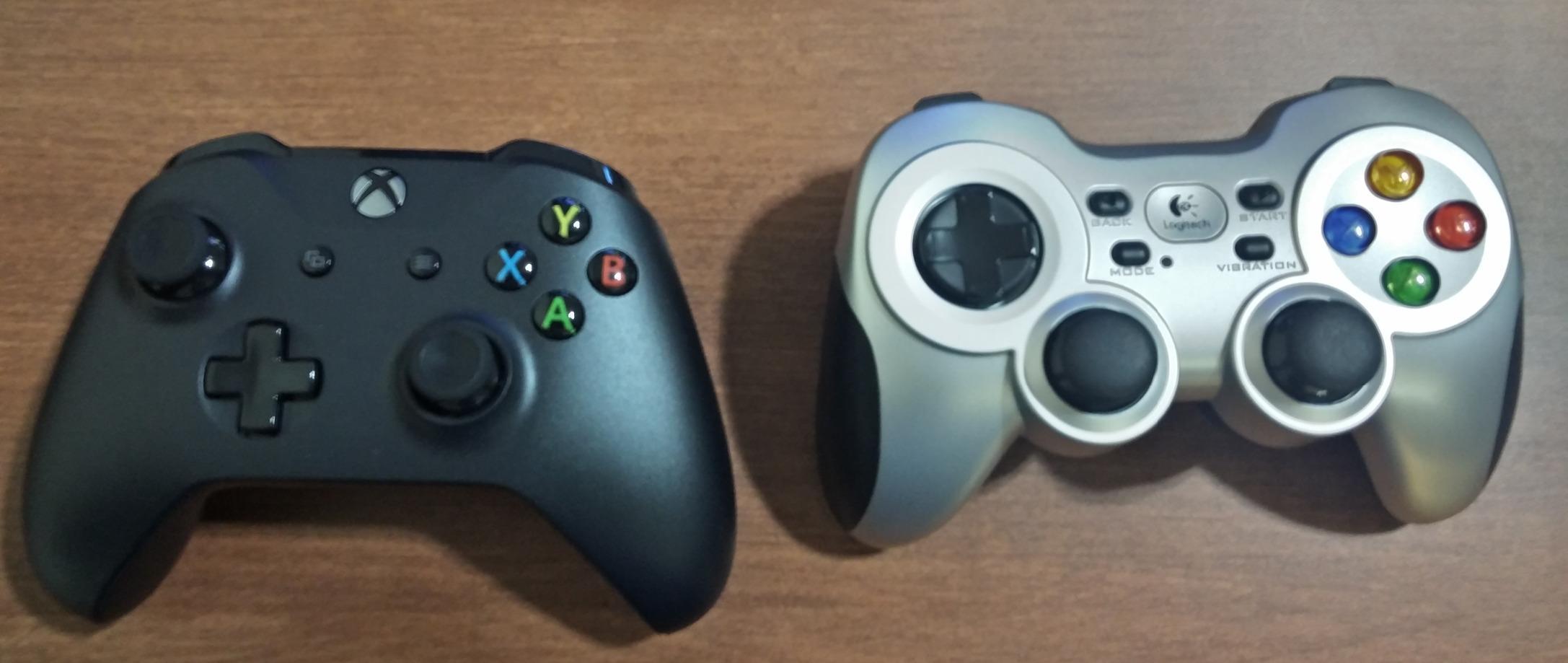
Sport mode swaps the D-pad and one analog stick so movement and aiming trade places, which works for the arcade and fighting titles that expect a different layout. Support is listed from Windows 7 through Windows 11 and ChromeOS.
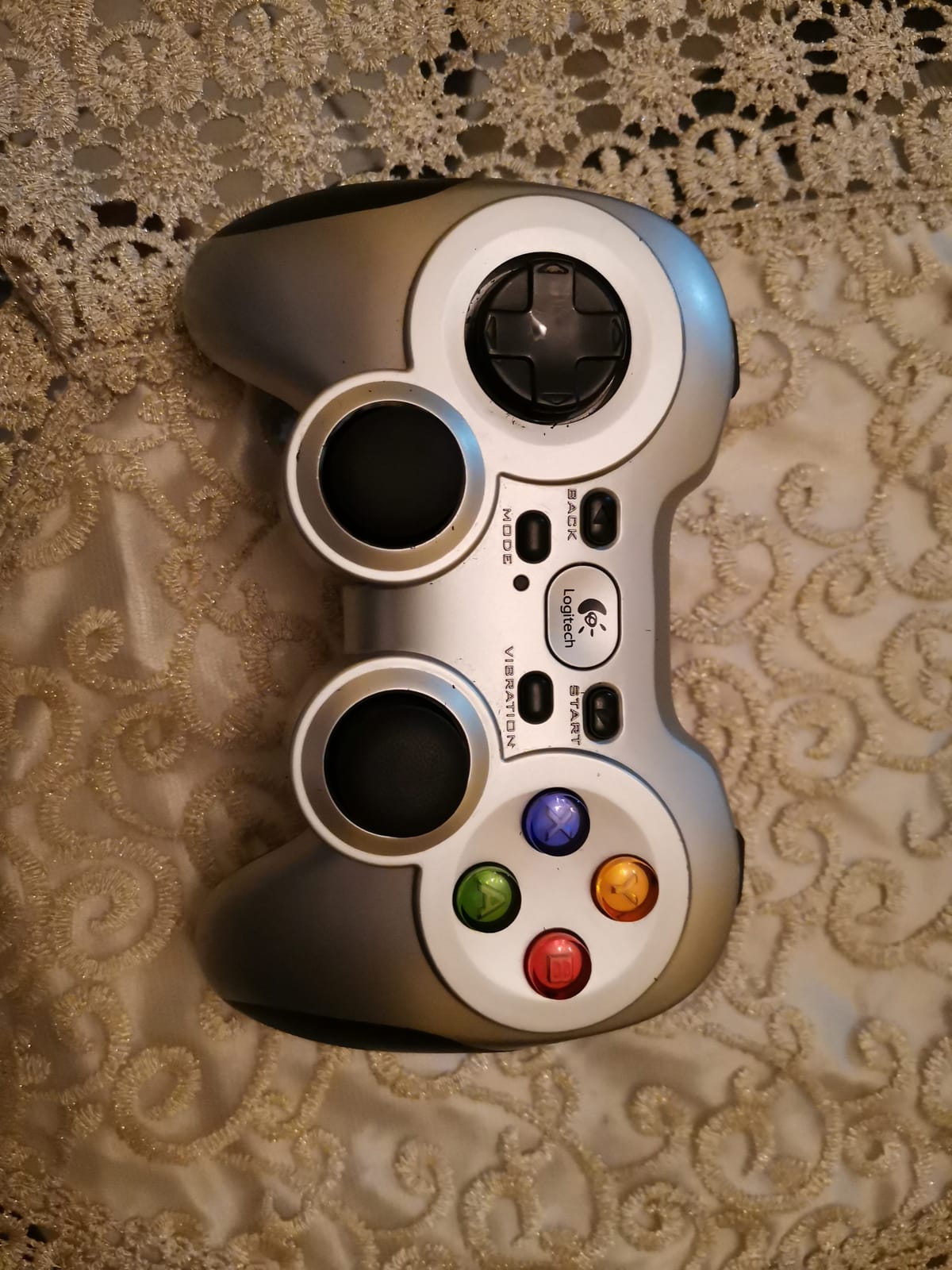
At 290 g with rubberized grips and textured stick tops, it feels solid rather than cheap, and it stays comfortable through a long evening.
Why the F710 still makes sense
Emulation is the strongest case. Anything released before the XInput standard, plus older arcade conversions and retro ports, runs correctly through the DirectInput mode with the sport toggle available.
It also never needs charging. Buy a pack of rechargeable AA cells and the running cost over years is effectively zero, which no other pad on this list can match.
Where it falls behind
The D-pad is the weakest part of the pad. It is hard and clicky, and the analog stick dead zones feel large with stiff springs, which hurts precision in shooters. Vibration is also noticeably weaker than the wired F510 or a first-party pad.
Logitech’s driver software is dated and can fail after Windows updates, which sometimes means manually assigning an Xbox 360 driver. And at range the signal drops unless you use the extender.
7. ECHTPower Wireless Controller: The Best Multi-Platform Budget Pick
- Hall Effect joysticks and 1000Hz polling for smooth low-latency input
- Magnetic faceplate swaps between Xbox and Nintendo Switch layouts
- Place-and-charge dock with a USB extension port keeps the receiver connected
- Turbo assignable to every button including triggers
- 800mAh battery rated for roughly 15 hours of play
- No PC software so onboard combinations must be learned from the manual
- Built-in battery cannot be replaced
- Some pads are not recognised as native XInput without Steam Input
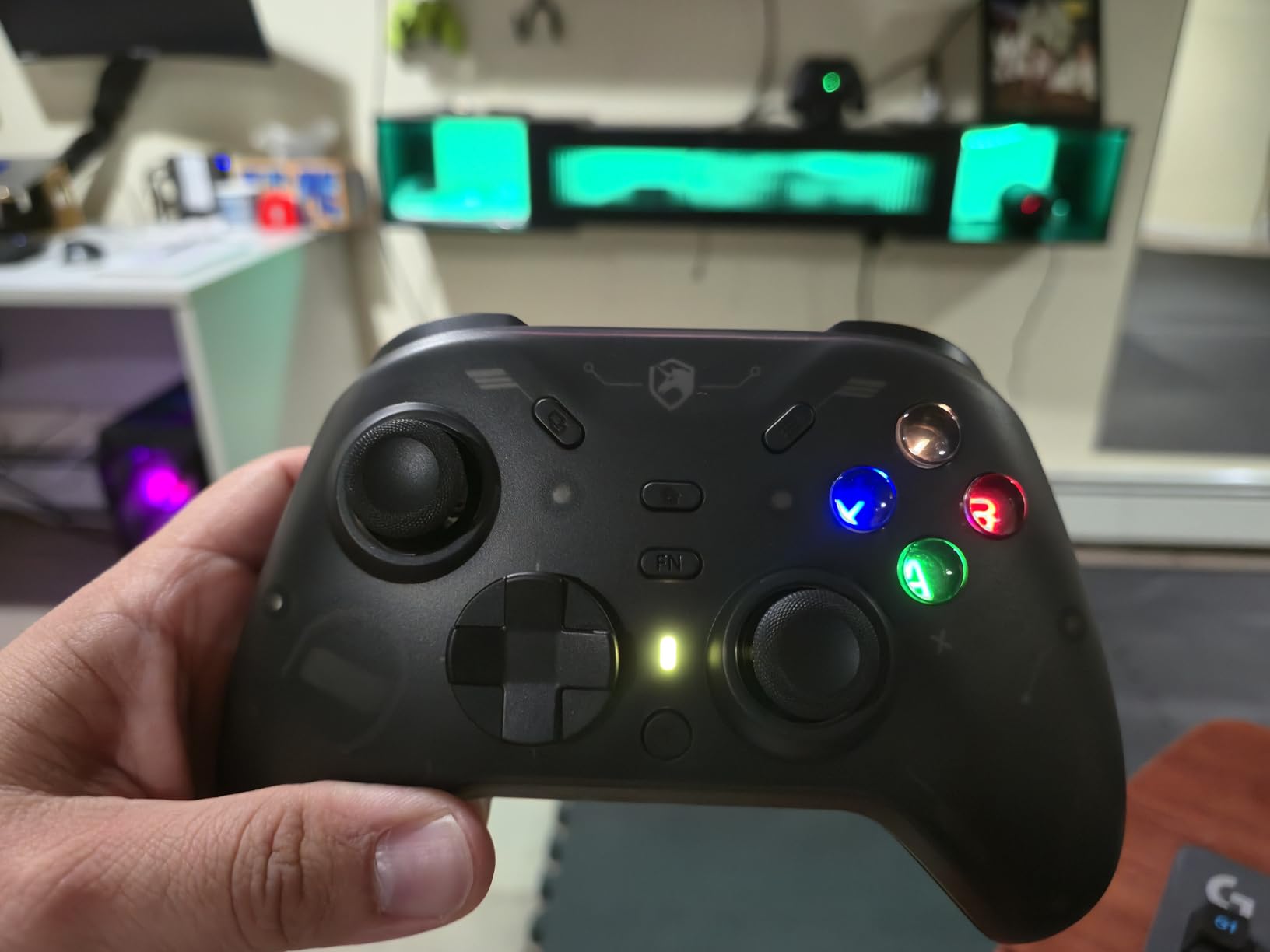
The ECHTPower is the pick if you game across more than one device. It lists support for PC, Nintendo Switch, iOS and Android, and the magnetic faceplate physically swaps between an Xbox button layout and a Switch layout with backlit labels.
Hall Effect joysticks handle the drift question, and a 1000Hz polling rate keeps input responsive on the 2.4GHz and wired connections. The place-and-charge dock has a USB extension port, so you can keep the receiver close to your PC while the pad charges.
Battery life is around 15 hours on the 800mAh cell, which is enough for a few evenings of play. Turbo can be assigned to every button including the triggers, and vibration offers four settings.
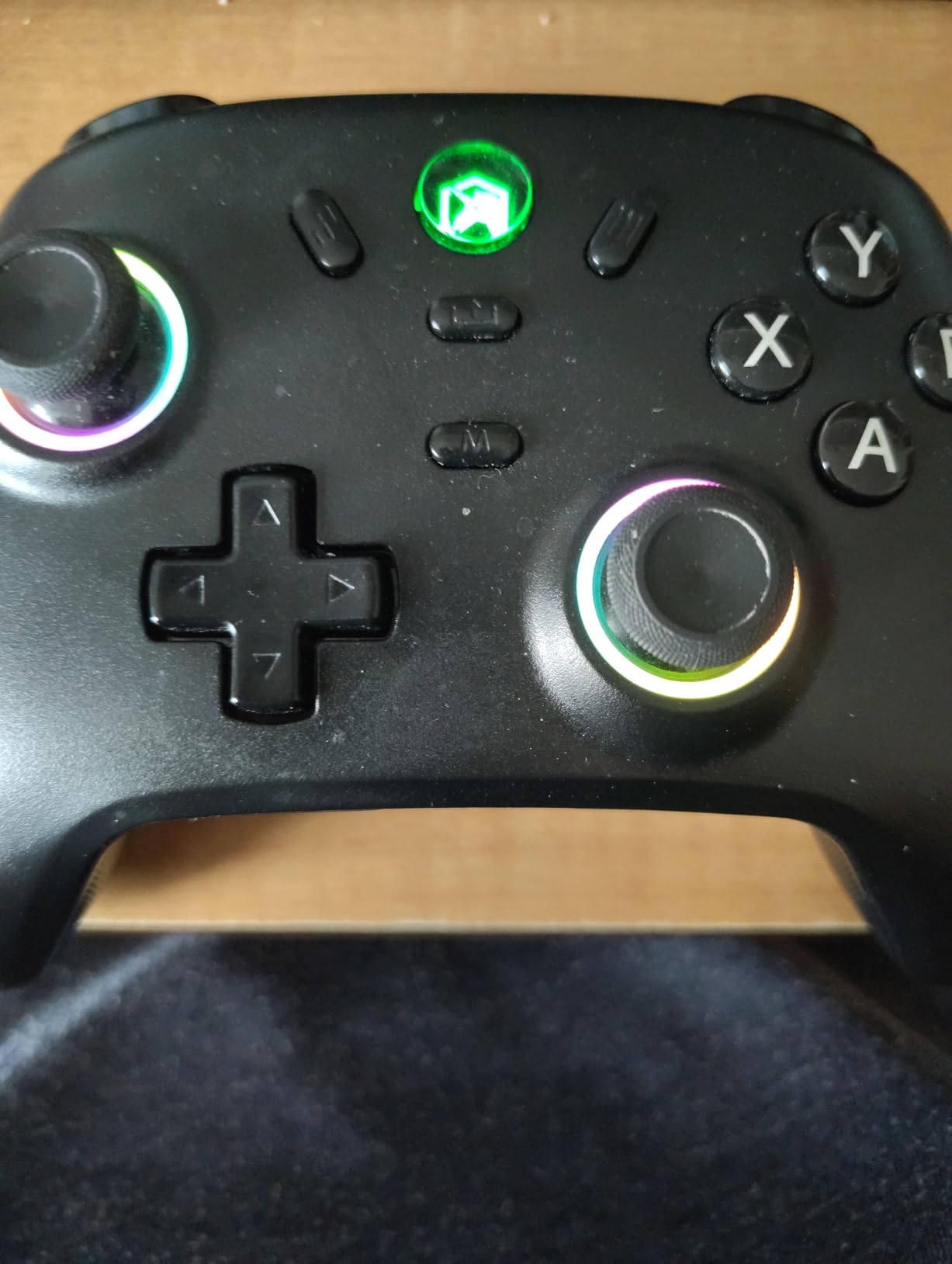
Everything is handled on the pad itself, which is a double-edged sword. There is no PC companion software at all, so the button combinations for turbo, lighting and layout switching have to be learned from the manual. Owners who like visual feedback and menus find this frustrating.
Two other quirks come up repeatedly. The gyro can be unreliable, and some pads are not recognised as a native XInput device on Windows unless Steam Input is running, which matters in non-Steam games.
Who the ECHTPower fits
Switch owners get the most from it, because the swappable faceplate and multi-platform support are unusual at this price. Anyone who plays a mix of PC games and Android or iOS titles will use the Bluetooth mode more than the dongle.
It is also a good choice for a second controller for co-op sessions, where the dock keeps two pads charged together with minimal desk clutter.
Where it falls short
The lack of companion software is the main limitation. Deep remapping and stick curve tuning simply are not available, and third-party tools are needed for anything beyond the onboard combinations.
The sealed battery cannot be replaced, the RGB lighting can be dimmed but never fully disabled, and the shared turbo and screenshot button combo catches people out regularly.
8. EasySMX X15: The Best for Three Ways to Connect
EasySMX X15 Wireless PC & Steam Gaming Controller, Hall Effect, Black
- Hall Effect joysticks and triggers with smooth low-friction action
- Three connection modes covering 2.4G Bluetooth and wired USB-C
- Two programmable back buttons for combos and shortcuts
- 1000mAh battery rated for up to 20 hours of playtime
- Asymmetric stick layout with textured grips and dual vibration
- No desktop remapping software so back buttons need mobile apps
- Back button customization is limited and trigger throw cannot be shortened
- Some owners report drift and dropped inputs
The X15 is one of the few pads in this roundup that gives you every connection type. You get a 2.4GHz receiver for low-latency wireless, Bluetooth for a cable-free connection to a laptop or phone, and wired USB-C for the lowest possible input delay when you sit at a desk.
Having all three matters more than it sounds. The dongle is what you use in competitive shooters, Bluetooth is what you use on the sofa, and the cable is what you use when the battery is low and you still want zero lag.
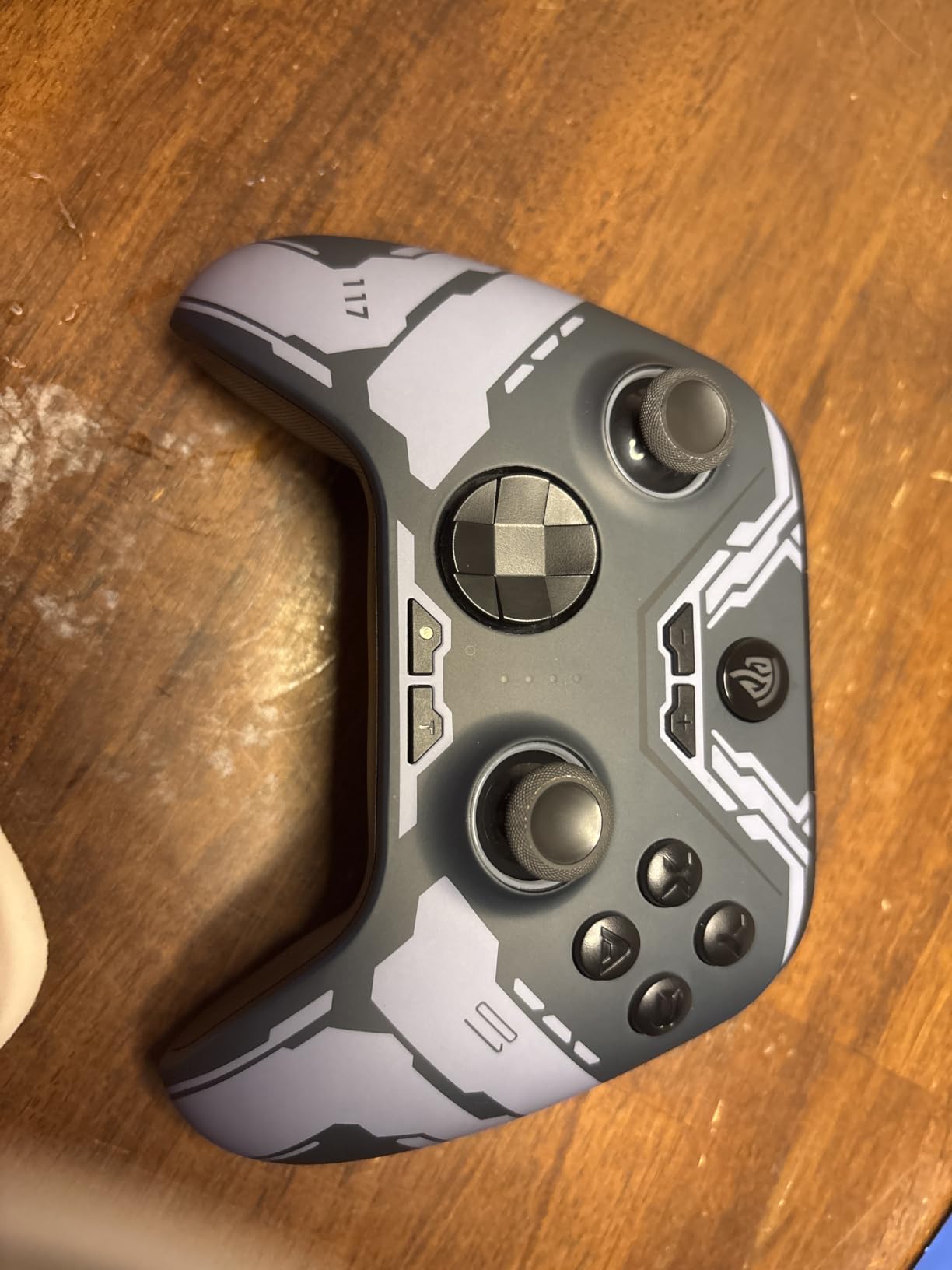
Hall Effect joysticks and triggers give smooth, low-friction movement, and the asymmetric layout is what PC ports expect. Two programmable back buttons add rear inputs for combos, and the 1000mAh battery is rated at up to 20 hours of playtime.
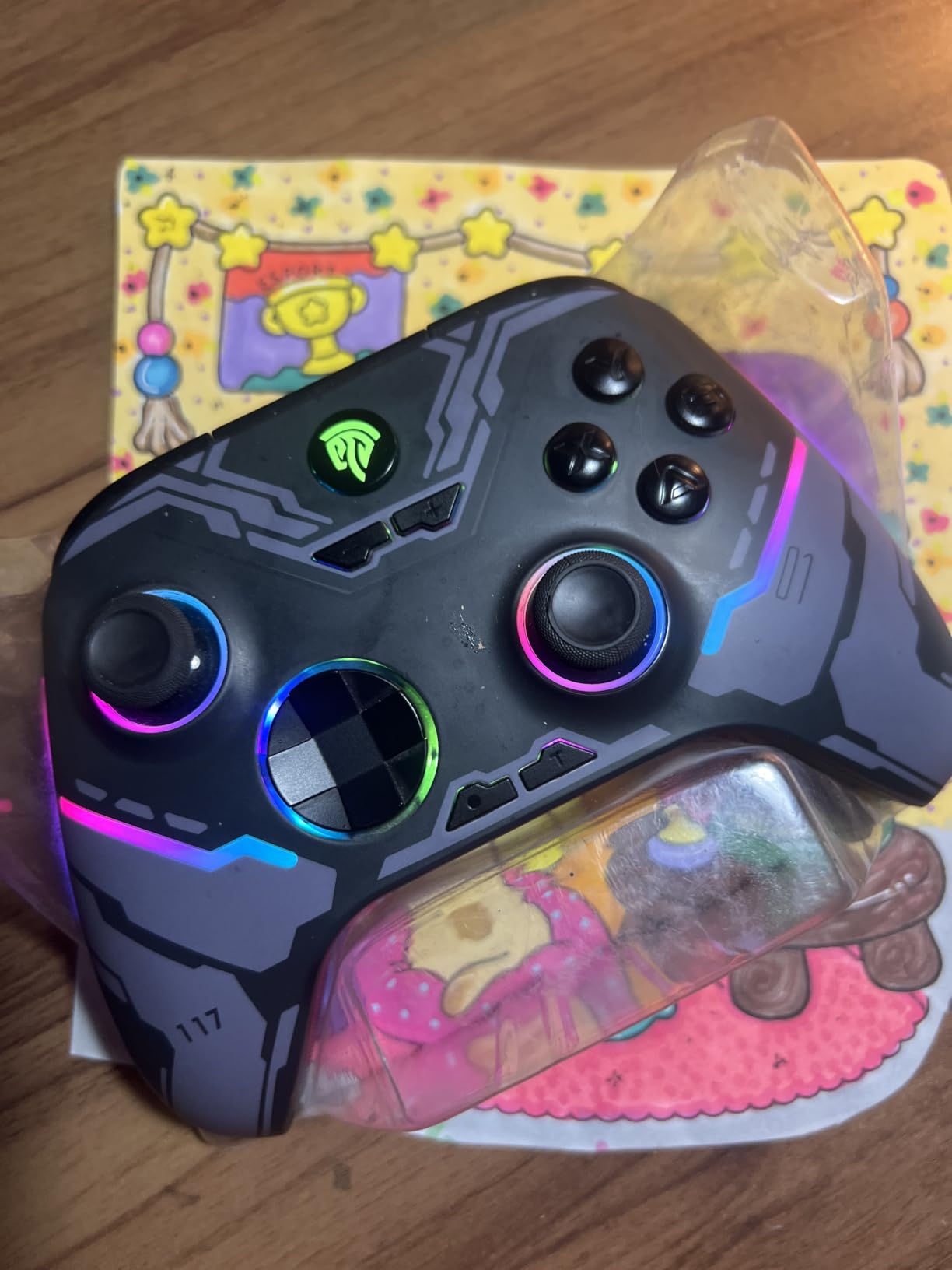
Native XInput and DirectInput support on PC means most games find it without extra software. You can also switch between PC and Switch ABXY layouts with a button combination, and the RGB lighting has a physical on and off switch, which not every budget pad offers.
The compromise is software. There is no desktop remapping application, so back button assignments depend on mobile apps, and the trigger throw cannot be shortened physically.
Where the X15 makes sense
It suits a laptop user who moves between a desk and a sofa, because the Bluetooth mode pairs once and stays connected. Anyone who plays both PC and Switch titles benefits from the layout switch.
The 20-hour rated battery also makes it a good travel pad, and the textured grips with dual vibration handle longer sessions comfortably.
Where it disappoints
Some owners report drift and dropped inputs despite the Hall Effect marketing, so it is not the safest pick if drift is your main complaint. Battery life also falls short of the 20-hour claim on some pads, and the bundled USB-C cable is short.
There is no microphone jack and no gyro sensor, which rules out motion-controlled games and any headset setup that relies on the pad for audio.
9. GameSir Nova Lite 2: The Best for a Mechanical D-Pad
GameSir Nova Lite 2 Wireless PC Controller Hall Effect Sticks
- Hall Effect joysticks with anti-friction rings for strong recentering
- 1000Hz polling rate over 2.4G and wired connections
- Two-way trigger lock plus a hair trigger mode
- Mechanical circular D-pad with responsive clicks
- Two back buttons with single mapping and macro recording
- 600mAh battery often gives only 4-6 hours and is not replaceable
- Bluetooth re-pairing to a new device is difficult
- Steam does not recognise back paddles as separate L4 and R4 inputs
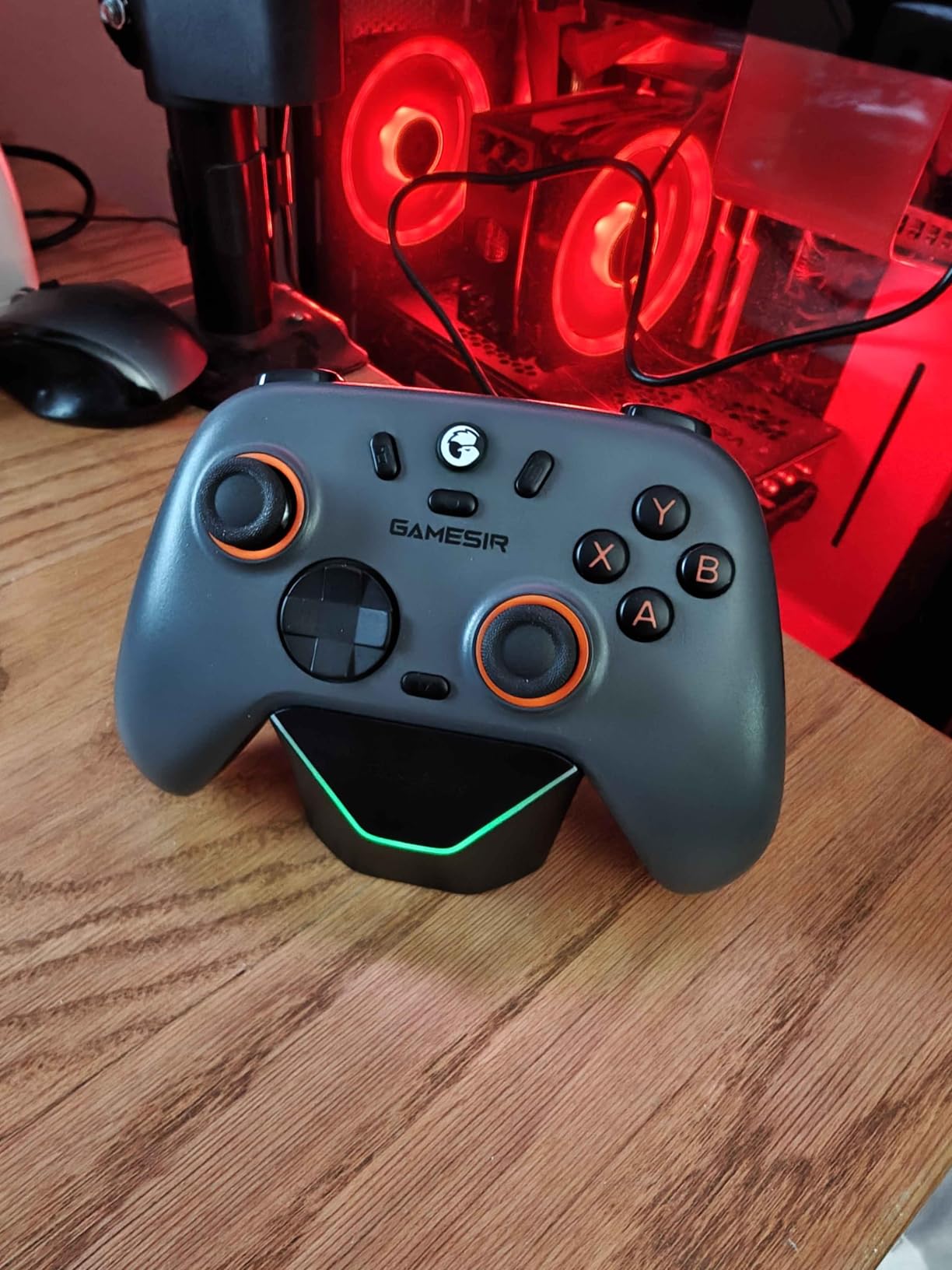
The Nova Lite 2 gets the two things many cheaper pads leave out. The sticks are Hall Effect with anti-friction rings for strong recentering, and the D-pad is a mechanical circular design with a satisfying, deliberate click rather than a soft membrane press.
For fighting games, platformers and anything with heavy diagonal or four-way movement, a mechanical D-pad is a real upgrade. You can tell immediately whether an input registered, which removes most of the mis-input frustration in a combo.
It is also among the lightest pads here at 240 g, which reduces fatigue in long sessions. The 1000Hz polling rate applies to both the 2.4GHz connection and wired use, and the two-way trigger lock plus a hair trigger mode let you shorten trigger travel without opening any software.
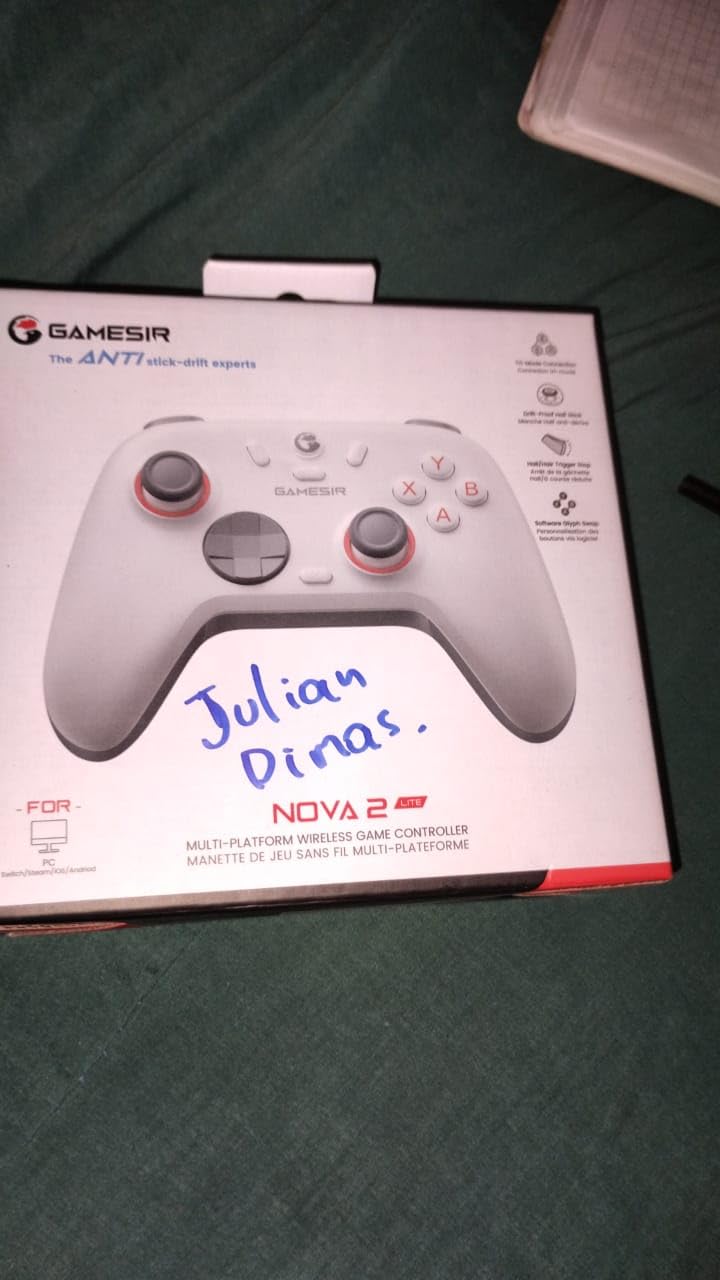
Where it really outshines its tier is software. GameSir Connect for PC handles firmware, dead zones, stick curves and vibration strength properly on a desktop, which is more than most pads at twice the price manage. Two back buttons support single-button mapping and macro recording.
Bluetooth, wired and 2.4G modes cover Switch, PC, Android and iOS, and the dual asymmetric motors deliver both strong and subtle vibration depending on the game.
Where the Nova Lite 2 shines
Fighting game players and retro emulator users get the biggest upgrade, because the mechanical D-pad is the feature everyone else skips. Lightweight pad users also benefit from the low weight and the Hall Effect sticks that will not drift.
Players who want real tuning without a subscription or a phone app will appreciate GameSir Connect more than any other feature on this pad.
Where it holds back
The 600mAh battery is small. Real-world playtime is often 4-6 hours, and the cell is not user-replaceable, so this is the pad we would recharge most often.
Bluetooth re-pairing to a new device is a known headache that can require clearing the pairing first. Steam also does not always recognise the back paddles as separate L4 and R4 inputs, which matters if you play through Steam Input, and the face buttons feel soft next to true micro-switch pads.
10. ManbaOne Interactive Screen: The Best for On-Device Setup
ManbaOne Interactive Screen Wireless Gaming Controller (Black)
- Built-in 2-inch interactive screen configures the pad without any app or key combos
- Four savable configurations plus macro support on four back keys
- Hall Effect joystick with four calibration modes and linear Hall Effect triggers
- Large 1800mAh battery with a smart charging station that stores the receiver
- Micro switch face buttons with ALPS bumpers and a 6-axis gyroscope
- Not compatible with Xbox PlayStation or GeForce Now
- Switch and Switch 2 work but without wake-up function
- Bluetooth connection to PC is unstable so the dongle is the recommended mode
The ManbaOne solves the problem most companion software creates. Instead of downloading an app, holding a button combination or reading a manual, you tap through settings on a 2-inch interactive screen built into the controller itself.
That matters for a pad you configure once and then forget. Dead zones, stick calibration modes, trigger behaviour, lighting and macro assignments are all reachable from the pad, and four configurations can be saved as onboard profiles you switch between instantly.
Underneath, the hardware is strong. The Hall Effect joystick offers four calibration modes, the triggers are linear Hall Effect, the face buttons are micro switches with ALPS bumpers, and a 6-axis gyroscope supports motion control.
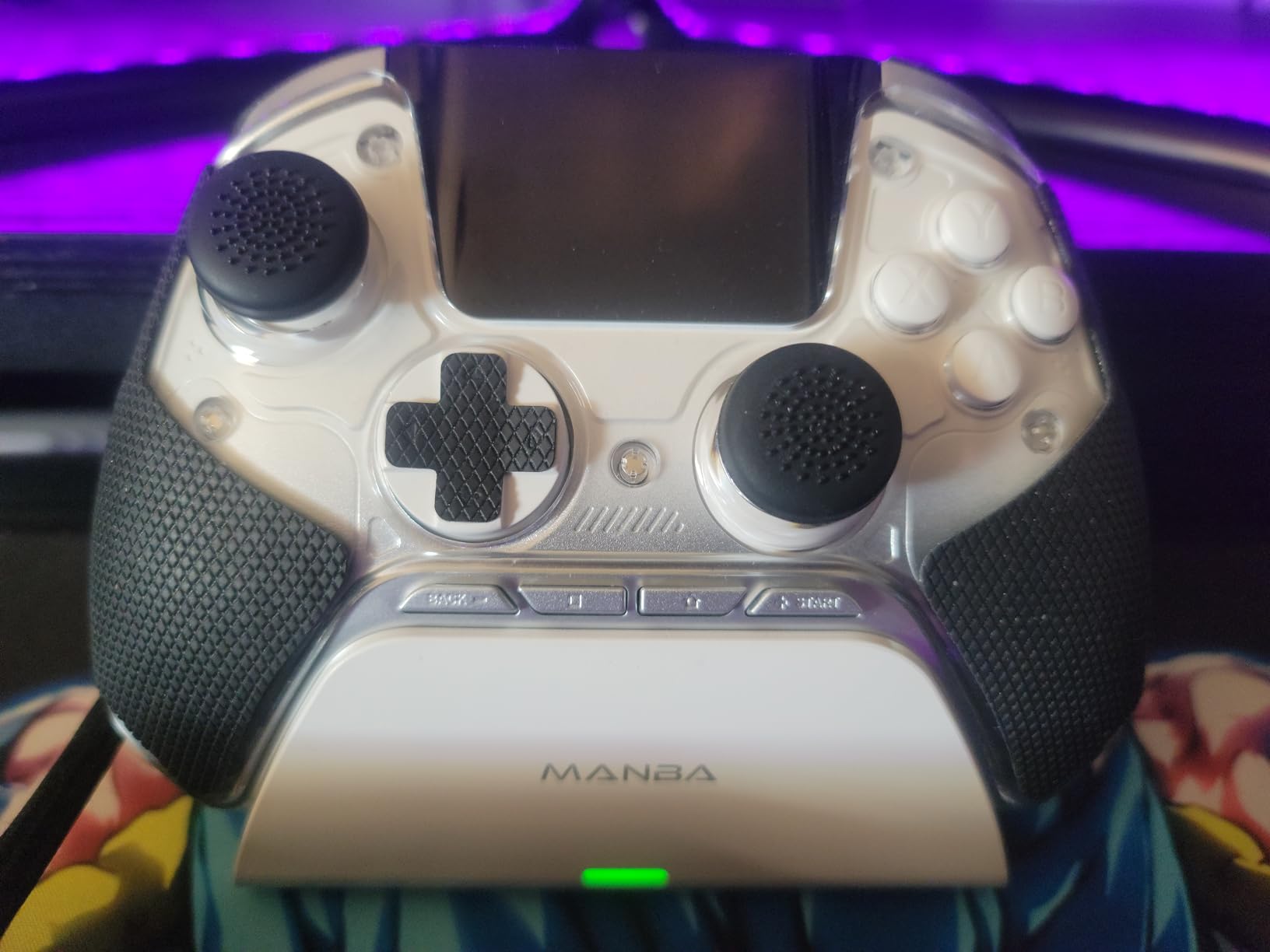
The 1800mAh battery is one of the larger cells in this roundup and pairs with a smart charging station that also stores the wireless receiver. High and low stick options plus swappable magnetic covers let you tune the stick height to your hands.
The four back keys support macro definition, which is a genuine advantage in games where you bind complicated sequences.
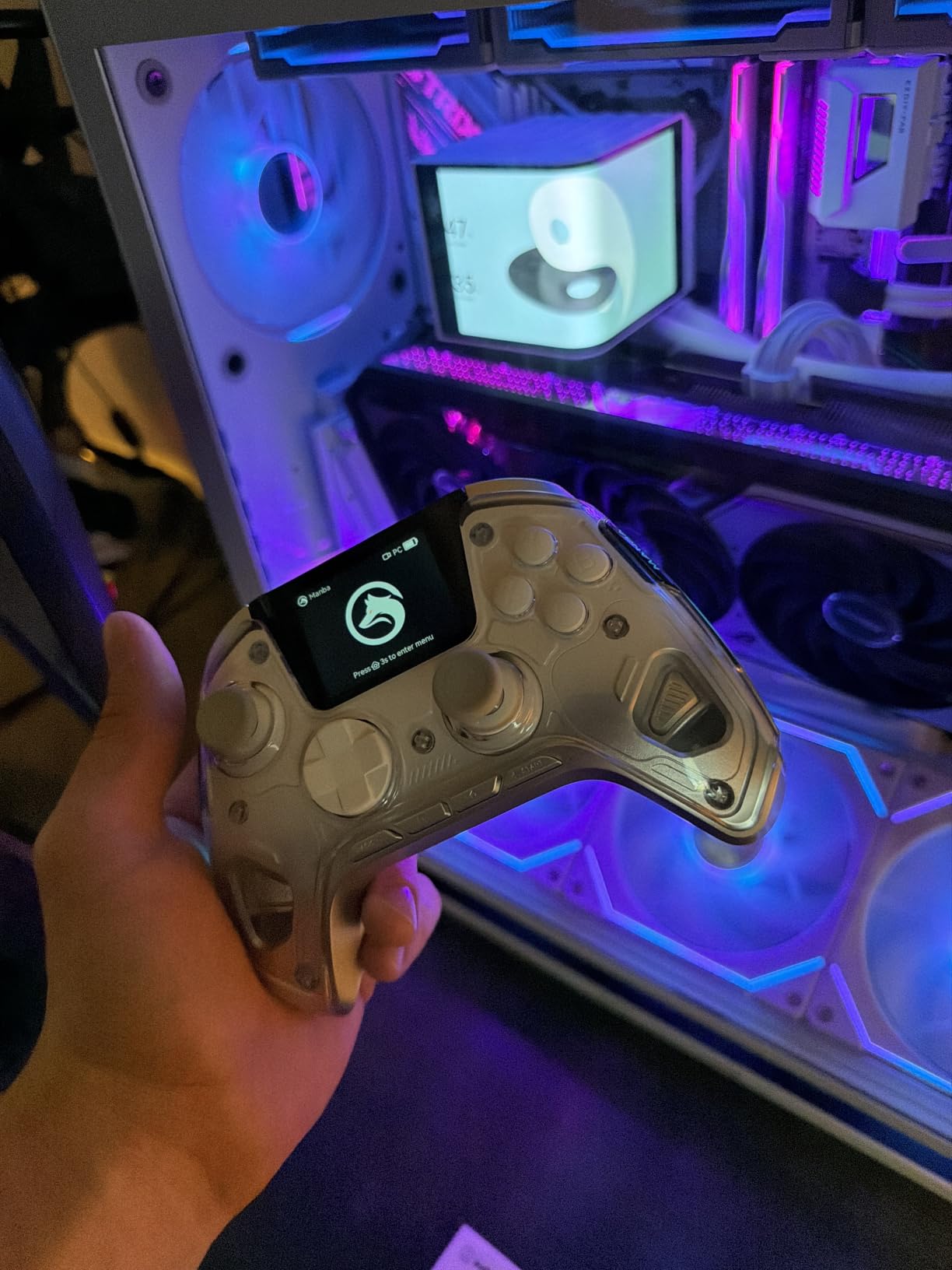
Who should buy the ManbaOne
Anyone who dislikes companion software should start here. The screen replaces the app entirely, so there is nothing to install, nothing to update and nothing that breaks after a Windows update.
Players with larger hands will like the swappable magnetic covers and the choice of stick heights, and macro users get four back keys with programmable definitions.
Who should skip it
Xbox and PlayStation owners are out of luck, because it is not compatible with either, nor with GeForce Now. Switch and Switch 2 work but without the wake-up function.
Bluetooth to PC is unstable, so you need to use the bundled wireless dongle instead. And this is the bulkiest body here at 0.67 kg, which is noticeable during long couch sessions.
How to Choose a Wireless PC Controller
Stick technology is the first filter because it decides how long the pad lasts. Traditional analog sticks use a potentiometer, a physical contact that wears with use and slowly drifts. Hall Effect and TMR sticks read position magnetically with no contact, so they do not drift no matter how long you play. Every Hall Effect and TMR pad in this roundup avoids the problem entirely.
Connectivity is the second filter, and it is the one buyers most often get wrong. A Bluetooth pad pairs once and never needs a dongle, but the wireless link shares airtime with your Wi-Fi and headphones, and players regularly report feeling more lag than with a dedicated receiver. A pad that ships with a 2.4GHz USB dongle gives you a private link and noticeably tighter input. If a listing does not mention a receiver, assume Bluetooth. If you want both, look for a tri-mode pad. The EasySMX X15 and the GameSir Nova Lite 2 both cover all three connection types.
Polling rate tells you how often the pad reports your input position each second. Most affordable pads, including the 8BitDo Ultimate 2C and the EasySMX X15, run at 1000Hz, which is more than enough for any game. Higher figures such as 2000Hz and 8000Hz appear on esports pads and only matter in competitive shooters where every millisecond counts. For single-player and RPG play, ignore this number entirely.
Layout is a matter of habit rather than performance. An Xbox layout has the asymmetric stick arrangement, and nearly every PC game assumes it by default. A PlayStation layout puts both sticks on a diagonal and adds face buttons above the pad for more varied input. Our general PC controller guide covers the layout question in more depth.
Size and weight deserve more attention than most guides give them. The pads here range from 240 g to more than 2 lb, and a heavy pad that feels solid at a desk becomes tiring on a sofa. Large-hand owners often find third-party pads too small, which is why the ManbaOne offers swappable magnetic covers and high stick options.
Purists will still argue that a cable wins. For competitive shooters, wired input removes every millisecond of wireless variance, and any of the pads here can be used with a cable when the battery runs low. But if you mostly play from a sofa or a distance, wireless is the more comfortable setup and the 2.4GHz models here keep input lag low enough that you will not notice it.
Battery life matters more if you play away from a cable. Sealed batteries cannot be replaced, so a worn cell ends the controller’s life. The Logitech G F710 runs on two replaceable AA batteries, which means a worn cell never ends it. Pads that include a charging dock are the most convenient, because you can play while the spare sits on the dock.
Finally, check platform support before buying. Several pads here list Windows only, or Windows and Android, and will not pair with a console at all. If you own more than one device, confirm every platform on the listing before you commit.
How to connect a wireless controller to a PC
For a 2.4GHz dongle, plug the receiver into a free USB port, press the pairing button on the controller if it has one, and Windows will detect it within seconds. Move the receiver to a USB port on the front of the tower or use the included extender if the connection cuts out at range.
For Bluetooth, turn the controller on, open Settings, choose Bluetooth and devices, select Add device, then put the pad into pairing mode. Hold the pairing combination listed in the manual until the controller appears in the device list.
For a wired connection, plug the USB-C cable into the controller and your PC. This gives the lowest input delay of the three and works while the battery charges on models that support pass-through charging.
Once connected, confirm the pad appears under Settings, Bluetooth and devices, game controllers. Windows shows the name of the pad there, which is the quickest way to tell whether the connection has worked before you launch a game.
What polling rate actually means
Polling rate is how often the controller asks its sensors where your thumbs are, and reports that position to the PC. A 1000Hz pad checks a thousand times per second, a 2000Hz pad twice that often, and an 8000Hz pad eight thousand times.
More frequent checks mean less time between your movement and the game responding to it. That difference is measurable in competitive shooters, and it is close to unmeasurable in a racing game or an RPG. If you are not playing at a high level in a ranked shooter, 1000Hz is genuinely enough and there is nothing to gain by paying more.
Which companion software is worth installing
Real desktop apps are worth it when they let you set dead zones, adjust stick curves and remap rear buttons without key combinations. GameSir Connect and 8BitDo Ultimate Software V2 both do this properly, and the Xbox Accessories app handles the Elite Series 2 Core.
Pads with no PC software force you to learn onboard combinations, which is exactly what the ECHTPower and the EasySMX X15 do. If you play games that need precise remapping, check for a desktop app before you buy.
Frequently Asked Questions
Which is better, GameSir G7 Pro or 8BitDo Ultimate 2?
Between the GameSir and 8BitDo options in this roundup, the 8BitDo Ultimate 2 is the more complete package with TMR joysticks, two pro back paddles, extra R4 and L4 bumpers and a charging dock. The GameSir Nova Lite 2 is the better choice for a mechanical circular D-pad, a lighter 240 g body and full desktop tuning through GameSir Connect. Owners on the ResetEra forum describe the GameSir G7 Pro as feeling like a toy, with a poor D-pad and mushy clicky buttons, which is worth weighing if you were considering that specific model.
Are GameSir controllers better than 8BitDo?
Neither brand wins outright. GameSir tends to lead on hardware feel and on having a proper PC tuning app, while 8BitDo tends to lead on how much hardware you get for the money, including TMR sticks, paddle buttons and a charging dock. Pick GameSir if you want a crisp mechanical D-pad and desktop software, and pick 8BitDo if you want more inputs and anti-drift sticks for less.
Which controller is better than the GameSir G7 Pro?
In this roundup the strongest alternatives are the 8BitDo Ultimate 2 for pro features and value, the Xbox Elite Series 2 Core for the most complete general-purpose package with adjustable stick tension and trigger stops, and the DualSense Edge for the widest range of manual adjustments. If your priority is a D-pad for fighting games, the GameSir Nova Lite 2 and the Logitech G F710 both give you a firmer directional input.
Will 8BitDo controllers work on PC?
Yes. The 8BitDo Ultimate 2 lists Windows, Apple devices, Steam and Android support, and the 8BitDo Ultimate 2C lists Windows and Android. Both connect over USB and support 2.4GHz wireless, so they work with PC games that support gamepads. Neither pad lists Xbox or PlayStation console support, so check the platform list if you plan to use one controller everywhere.
Should I buy an Xbox or PlayStation controller for PC?
Buy the Xbox layout unless you prefer PlayStation’s arrangement, because most PC ports default to the asymmetric stick position and place the face buttons where an Xbox pad user expects them. Both first-party options connect over USB-C or Bluetooth and register as standard XInput devices with no extra software. Choose the PlayStation shape if you are used to it or if the games you play support the full DualSense feature set with adaptive triggers.
Is a wired or wireless controller better for PC gaming?
Wired gives you the lowest input delay and never drops a connection, so it is the safe choice for competitive shooters at a desk. Wireless is far more comfortable for couch play and removes cable drag. If you want wireless without the lag, choose a pad that ships with a 2.4GHz USB dongle rather than one that relies on Bluetooth, since the dedicated receiver produces a tighter link.
Are Hall Effect or TMR thumbsticks worth it?
Yes, because both read stick position magnetically with no physical contact, which removes the wear that causes drift. Hall Effect sticks are now standard even on affordable pads such as the 8BitDo Ultimate 2C, so there is rarely a reason to buy a contact-based stick. TMR is the newer version of the same idea and delivers finer resolution at the centre of the stick, which shows up as small corrections in shooters.
Do all PC games support controllers?
Most do. Every major shooter, racing title, fighting game and sports game reads a standard XInput controller, and Windows treats a connected pad as a game controller automatically. Older or more unusual titles sometimes expect DirectInput instead, which is why some pads include a hardware mode switch. Emulators for pre-XInput games are the other common exception.
What is the best budget wireless controller for PC gaming?
The 8BitDo Ultimate 2C is the pick here because it combines Hall Effect sticks and Hall Effect triggers with a 1000Hz polling rate and two extra remappable bumpers, all without needing any software. It lacks back paddles and is listed for Windows and Android only, so competitive shooters or multi-platform players should look at the EasySMX X15 instead, which adds Bluetooth and two back buttons.
Which Wireless PC Controller Should You Buy?
The Xbox Wireless Controller Elite Series 2 Core is the best wireless controller for PC gaming overall, because it combines a 40-hour battery, adjustable stick tension and hair trigger stops with a shape that stays comfortable through a long session. If you want a firmer D-pad for fighting games and emulators, the GameSir Nova Lite 2 or the Logitech G F710 both work. Competitive players should look at the 8BitDo Ultimate 2 for paddles, extra bumpers and a dock, and anyone watching their budget should start at the 8BitDo Ultimate 2C.
Check the connection method before anything else. A pad bundled with a 2.4GHz receiver feels tighter than a Bluetooth-only pad, and a sealed battery is worth thinking about if you play on the sofa. Check the current details for each pick using the buttons below.