
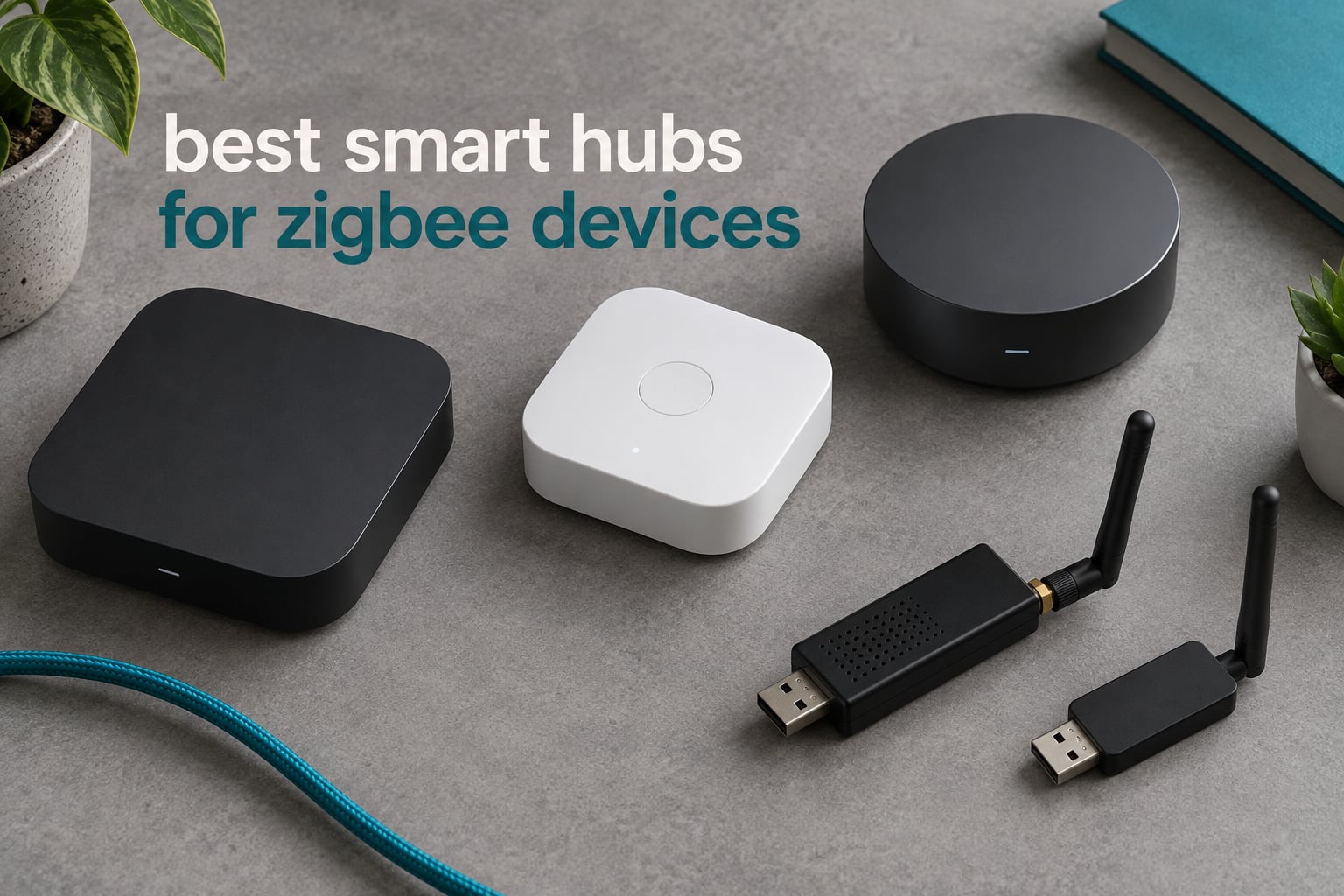
Zigbee devices cannot talk to your Wi-Fi network on their own. They speak a low-power 2.4 GHz mesh protocol called IEEE 802.15.4, and something has to sit between that mesh and your phone, your voice assistant, or your automation engine. That something is the hub, and picking the wrong one leaves you with sensors that drop offline or automations that die the moment the broadband blinks.
After weeks of comparing coordinators, standalone appliances, and the ecosystem hubs that ship with their own app, the best smart hubs for Zigbee devices split into three clear groups. The SONOFF ZBDongle-P is the strongest overall pick for anyone running Home Assistant or Zigbee2MQTT. The Philips Hue Bridge is the right answer for a house that is mostly Hue lighting. The ConBee II is the most dependable route for deCONZ users who want a local-first network with no cloud in the path.
This guide covers twelve hubs, USB coordinators, and bridges, with the chipset, radio, protocol, and app details for each one. It also covers what actually happens when your internet drops, which brands lock you in, and how mesh placement works. If you would rather start with the ecosystem view, our Zigbee smart home hub guide maps hubs to device brands first.
We are an Amazon Associate, so we may earn a commission from purchases made through the links on this page. That never changes what we recommend.
Table of Contents
Top 3 Zigbee Picks for 2026

SONOFF ZBDongle-P
- TI CC2652P chipset
- +20dBm output
- Pre-flashed Z-Stack 3.x.0
- SMA external antenna

Philips Hue Bridge
- Up to 50 Hue devices
- Matter compatible
- Keeps lights working on Wi-Fi loss

The ZBDongle-P takes the top slot because it pairs a well-supported TI CC2652P chipset with an external SMA antenna and pre-flashed coordinator firmware, which removes the single most common reason new coordinators gather dust on a desk.
The Hue Bridge stays on the podium because it is the most-reviewed product in this entire group and it keeps lights working when Wi-Fi fails. The ConBee II rounds out the top three for deCONZ users who refuse to route local automations through anyone else’s servers.
All 12 Best Zigbee Hubs and Coordinators at a Glance (October 2026)
| Product | Specifications | Action |
|---|---|---|
| SONOFF Zigbee 3.0 USB Dongle Plus (ZBDongle-P) |
|
Check Latest Price |
| Philips Hue Bridge |
|
Check Latest Price |
| ConBee II Universal Zigbee 3.0 USB Gateway |
|
Check Latest Price |
 SmartThings Hub 3rd Generation SmartThings Hub 3rd Generation |
|
Check Latest Price |
 Aeotec Smart Home Hub Aeotec Smart Home Hub |
|
Check Latest Price |
 SONOFF Zigbee 3.0 USB Dongle Plus-E SONOFF Zigbee 3.0 USB Dongle Plus-E |
|
Check Latest Price |
 Aqara Smart Home Hub M3 Aqara Smart Home Hub M3 |
|
Check Latest Price |
 SONOFF Zigbee/Thread PoE Dongle Max SONOFF Zigbee/Thread PoE Dongle Max |
|
Check Latest Price |
 Aeotec Z-Stick 10 Pro Aeotec Z-Stick 10 Pro |
|
Check Latest Price |
 SMLIGHT SLZB-06 Coordinator SMLIGHT SLZB-06 Coordinator |
|
Check Latest Price |
 Aqara Hub M1S Gen 2 Aqara Hub M1S Gen 2 |
|
Check Latest Price |
 Homey Pro Homey Pro |
|
Check Latest Price |
Do You Actually Need a Hub for Zigbee Devices?
Yes, you need a hub unless your Zigbee device ships with its own bridge. Zigbee is a mesh protocol built on IEEE 802.15.4, not a Wi-Fi or Ethernet protocol, so a bulb or sensor cannot reach your router on its own. Without a coordinator, pairing fails and the device behaves like an expensive ornament.
Three terms get used interchangeably, and the difference matters. The coordinator is the single radio in the network that forms the mesh and holds the encryption key. A gateway is anything that bridges Zigbee to another network, which a coordinator hosted on a Raspberry Pi already is. A hub is a consumer-grade appliance that bundles a coordinator with its own app, cloud, and sometimes extra radios like Z-Wave, Thread, or infrared.
That is also why every mains-powered device in your house helps. Bulbs, plugs, and wall switches route messages for battery sensors, so a network with 30 router devices is more reliable than a single hub with two. If you want the general shape of this first, our local automation hub guide covers the appliance side.
Is Zigbee Being Replaced? Matter and Thread Answered for 2026
Zigbee is not discontinued. It is not going away, and no protocol is “replacing” it in the sense of making your existing bulbs, plugs, and sensors stop working. What is changing is the role it plays.
Matter and Thread both arrived to solve a different problem: interoperability between ecosystems. Matter is an application layer that runs over Wi-Fi, Thread, or Ethernet and defines how devices describe themselves and how controllers control them. Thread is the low-power mesh radio underneath it, a sibling of Zigbee rather than a replacement for it.
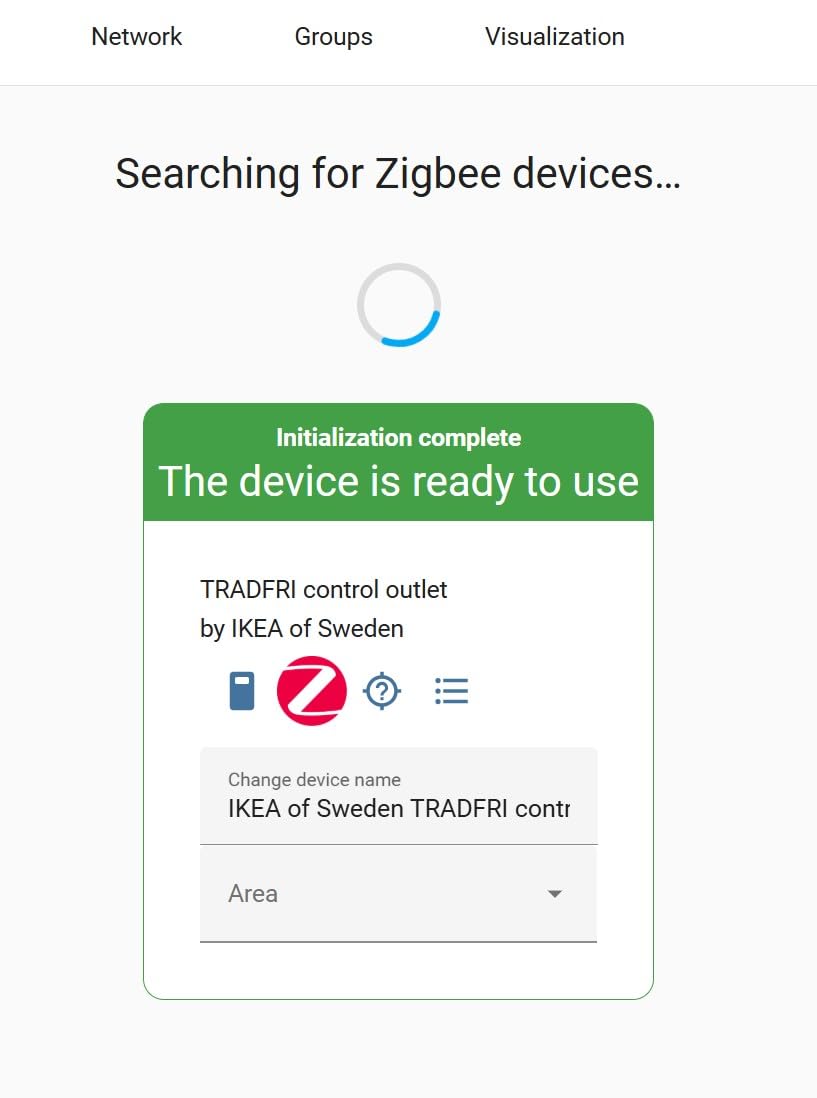
So the practical 2026 answer is that Zigbee remains the cheapest, most mature mesh for battery sensors, plugs, and bulbs, while Matter covers newer high-end devices. Several hubs in this list, including the Aeotec Smart Home Hub and the Aqara Hub M3, handle both so you are not maintaining two ecosystems. IKEA is not abandoning Zigbee either; its TRADFRI line still runs on it, and the locking is in the Dirigera bridge rather than the protocol.
1. SONOFF Zigbee 3.0 USB Dongle Plus (ZBDongle-P) – Best Overall Coordinator
- Pre-flashed Z-Stack 3.x.0 coordinator firmware
- Works with ZHA and Zigbee2MQTT immediately
- External SMA antenna and aluminum housing reduce interference
- Well supported across Home Assistant Docker Synology and Raspberry Pi
- Firmware update procedure is not intuitive on some platforms
- A USB extension cable is advisable near large USB3 devices
- Smooth aluminum back holds adhesives poorly
This is the coordinator I keep coming back to, and it is the one I recommend to friends who are starting a Home Assistant install from scratch. The dongle ships with Z-Stack 3.x.0 coordinator firmware already flashed, so there is no first-afternoon wrestling with a bootloader. Plug it in, point ZHA or Zigbee2MQTT at it, and start pairing.
Range is where the hardware design earns its keep. The stick uses a TI CC2652P paired with a CP2102N USB bridge, pushes +20dBm of output gain, and puts the antenna outside the housing on an SMA connector. The aluminum body exists to keep the radio away from interference rather than for looks. In a mixed network with dozens of brands, owners report stable meshes, and our own experience matches that.
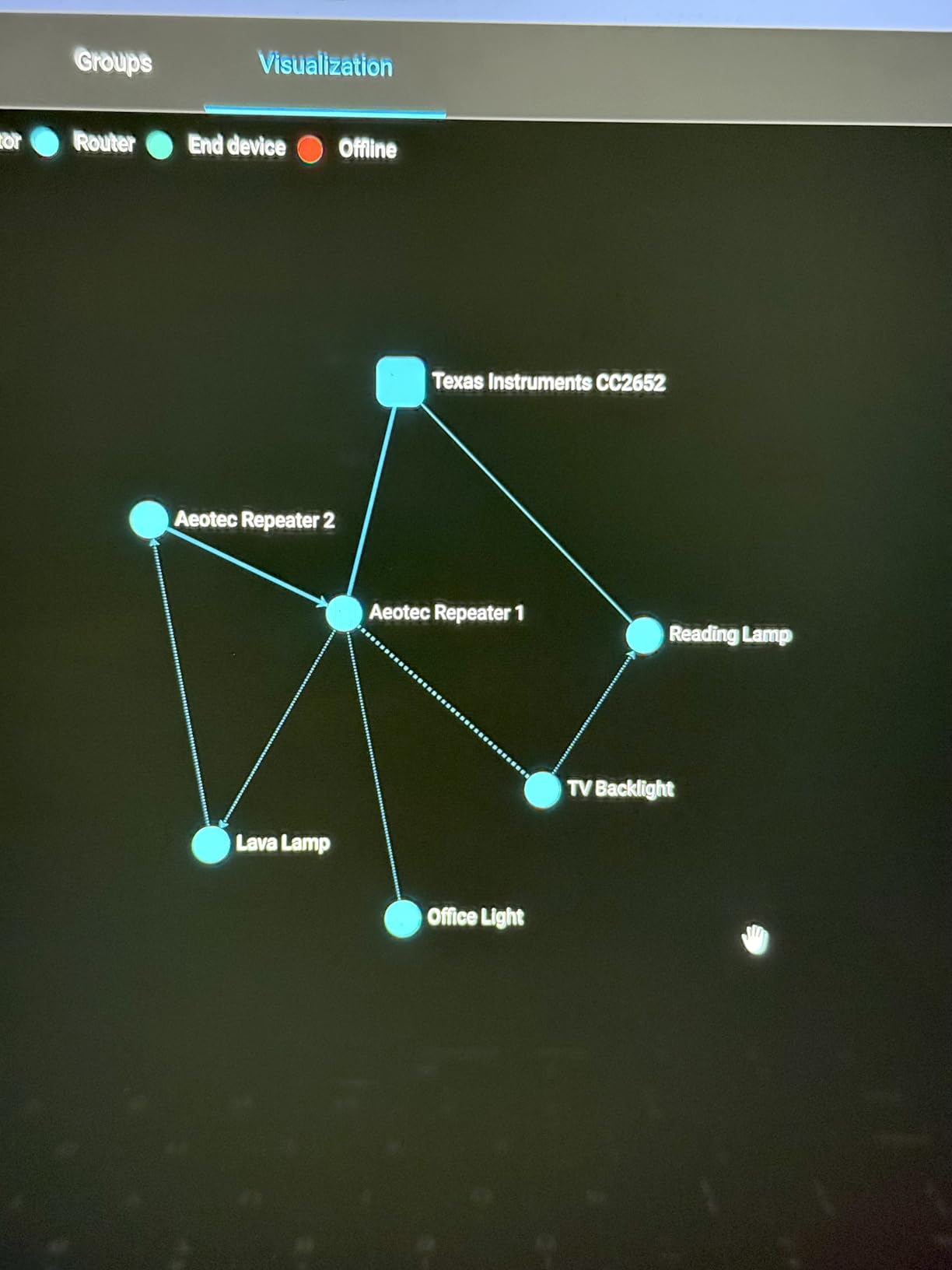
The honest drawback is that the two things that make it great are also the two things that trip people up. If your host is a laptop plugged into a USB 3 port, or a server with a busy USB bus, you will want a short USB extension cable to move the radio away from the noise. The cable is not in the box.
Updating firmware is the other friction point. The process is documented and works, but the steps differ between Windows, Linux, and Docker installs. If you enjoy tinkering, this is a non-issue. If you want a device you never have to think about again, a plug-and-play appliance is the better fit.
How the ZBDongle-P behaves in a large home
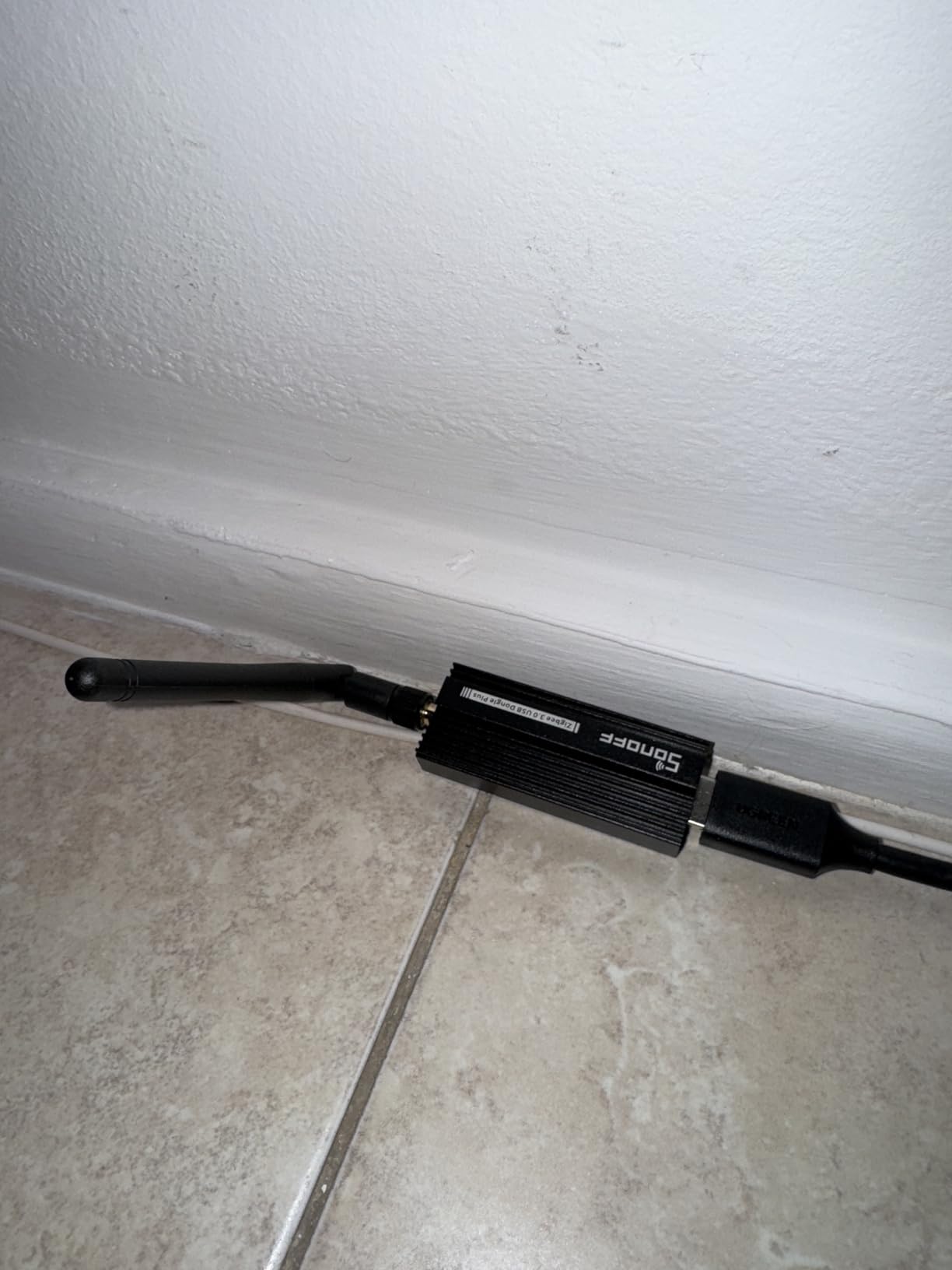
In a 2,000 square foot house with three floors, the ZBDongle-P is only as good as the mains-powered routers you place. Once you have a handful of Zigbee bulbs or plugs acting as routers on each floor, the coordinator sits in a central spot and the mesh does the work. Placement matters more than a stronger radio.
If your home is a rental apartment with thin walls, the picture is simpler. A single coordinator in the hallway typically covers everything, and you can skip the extension cable entirely.
When to skip this dongle
Skip it if you do not want to run any software yourself. There is no phone app here, no onboarding wizard, and no vendor to call. The device is a component, not a product for beginners.
Also skip it if you need a Z-Wave radio in the same box. This is Zigbee only, and pairing it with a separate Z-Wave stick means managing two coordinators. Our USB hub roundup covers the hardware side of the host machine if you are building that yourself.
2. Philips Hue Bridge – Best for Hue Lighting and Nothing Else
- Mature and reliable Zigbee mesh
- Keeps Hue lights working when Wi-Fi drops
- Supports up to 50 lights and accessories
- Matter compatible for wider integration
- Two year warranty
- Purpose-built for Hue accessories rather than general Zigbee
- Does not cover Z-Wave Thread or other ecosystems
With more than 11,000 reviews behind it, the Hue Bridge is the most battle-tested product on this list, and for a house full of Hue bulbs it does the basics extremely well. Pairing is straightforward, zones and automations are built into the Hue app, and the two year warranty is the longest here.
The reason it earns a place on this list at all is outage behavior. The bridge talks to your lights over its own Zigbee radio, so scenes and schedules keep running when your Wi-Fi drops or the internet dies. That reliability is exactly what people are buying when they ask about hubs, and very few consumer products match it.
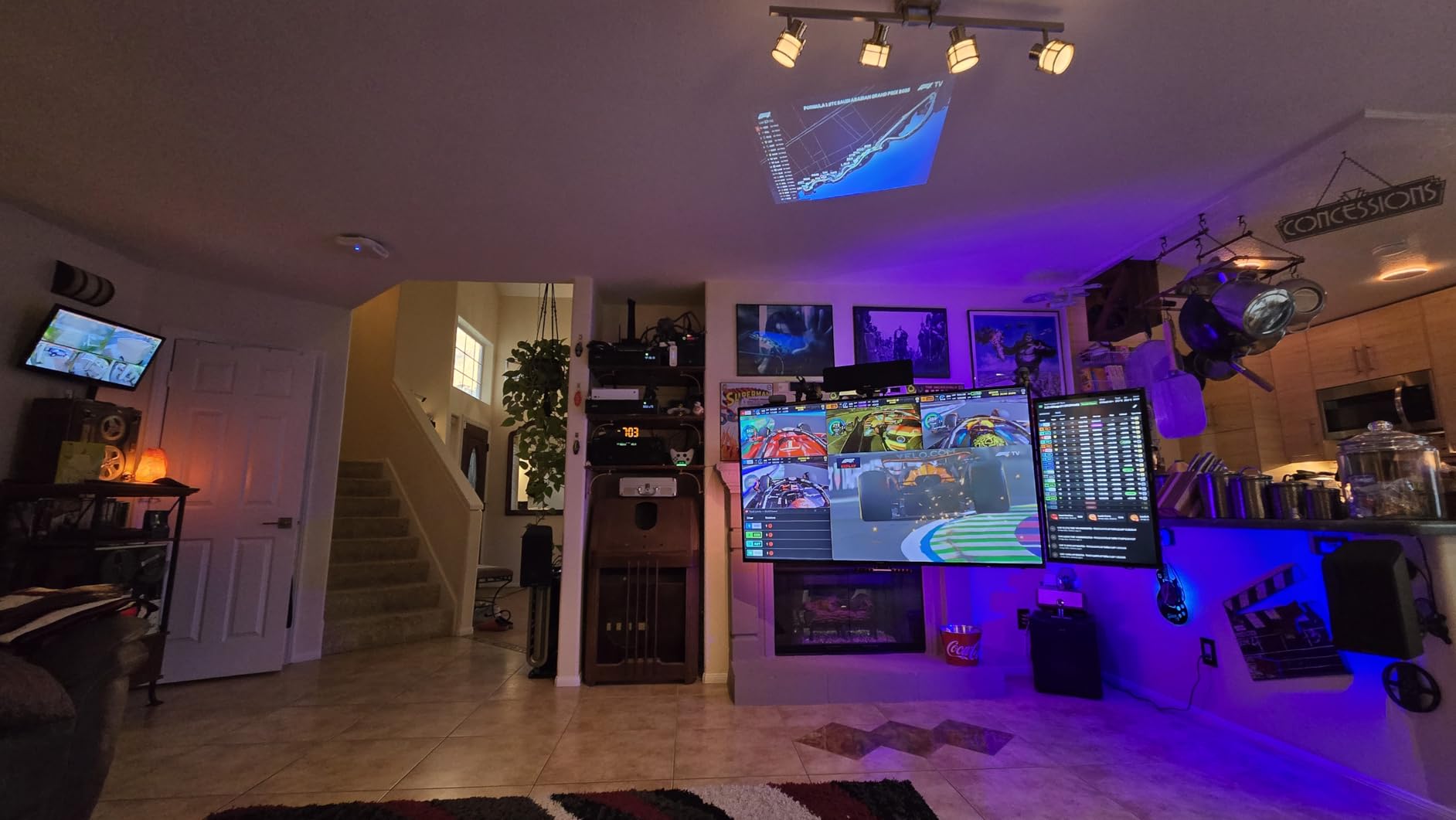
What it does not do is speak to anything that is not Hue. The bridge refuses most third-party Zigbee devices outright, and it has no Z-Wave radio, no Thread border router, and no path to sensors from other brands. If your home is Hue-only, that is fine. If you are mixing in Aqara sensors or IKEA blinds, you are buying a second coordinator.
That double-coordinator setup is common and it works well, particularly when a platform like Home Assistant pulls both into one dashboard. It just costs more attention than a universal hub would.
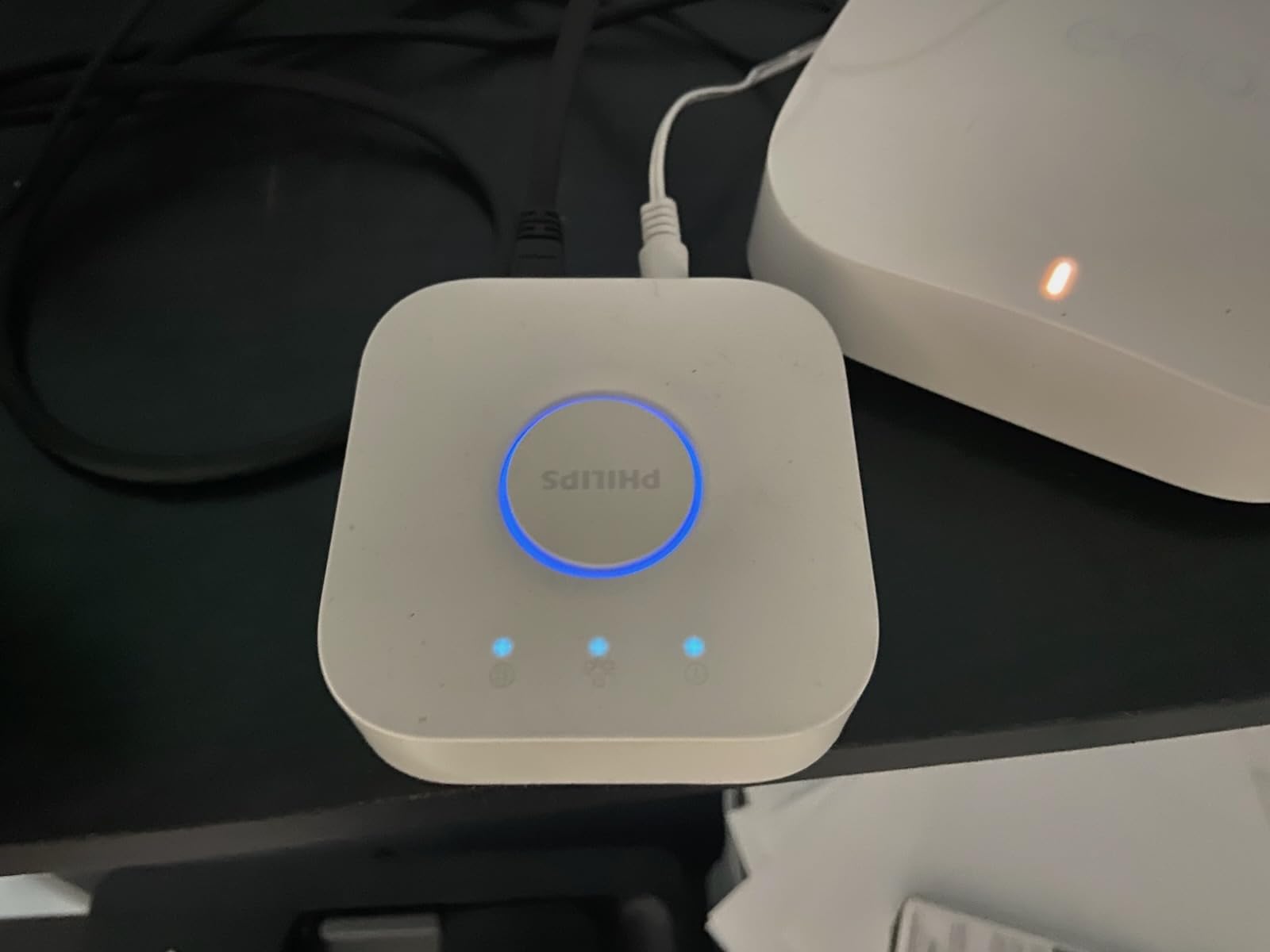
How many Hue devices it handles
The stated ceiling is 50 Hue lights and accessories in a single system. That is a generous number for a lighting-only install, and most people never approach it.
Because the bridge is a coordinator as well as a gateway, adding a second Hue bridge to extend coverage splits your network rather than extending it. Plan zones carefully instead.
When to skip the Hue Bridge
Skip it if you own any non-Hue Zigbee gear. The lock-in is deliberate and the product page is clear that it is built for Philips Hue accessories.
Skip it if you want sensors. The bridge is a lighting hub. Motion and contact sensors from other brands need a universal coordinator like the ZBDongle-P or the ConBee II.
3. ConBee II – Best for deCONZ and Fully Local Networks
- Fully local operation with no cloud or registration
- Pairs devices across manufacturers
- Power amplifier gives strong signal range
- Very small and inexpensive with a large install base
- Requires a host PC laptop Raspberry Pi or mini-PC
- Not a standalone hub with its own app or power supply
The ConBee II has been in Home Assistant installs for years and it is still one of the most dependable coordinators you can buy. It is a small black stick, 2.36 inches long and 8 grams, that runs deCONZ firmware and pairs devices from any manufacturer. Nothing about the local path touches a cloud server.
Range comes from the built-in power amplifier, and in practice the stick reaches across a normal home without difficulty. The firmware supports Windows 7 and 10, Ubuntu Linux, Raspbian, and Docker, so almost any host you already own qualifies.
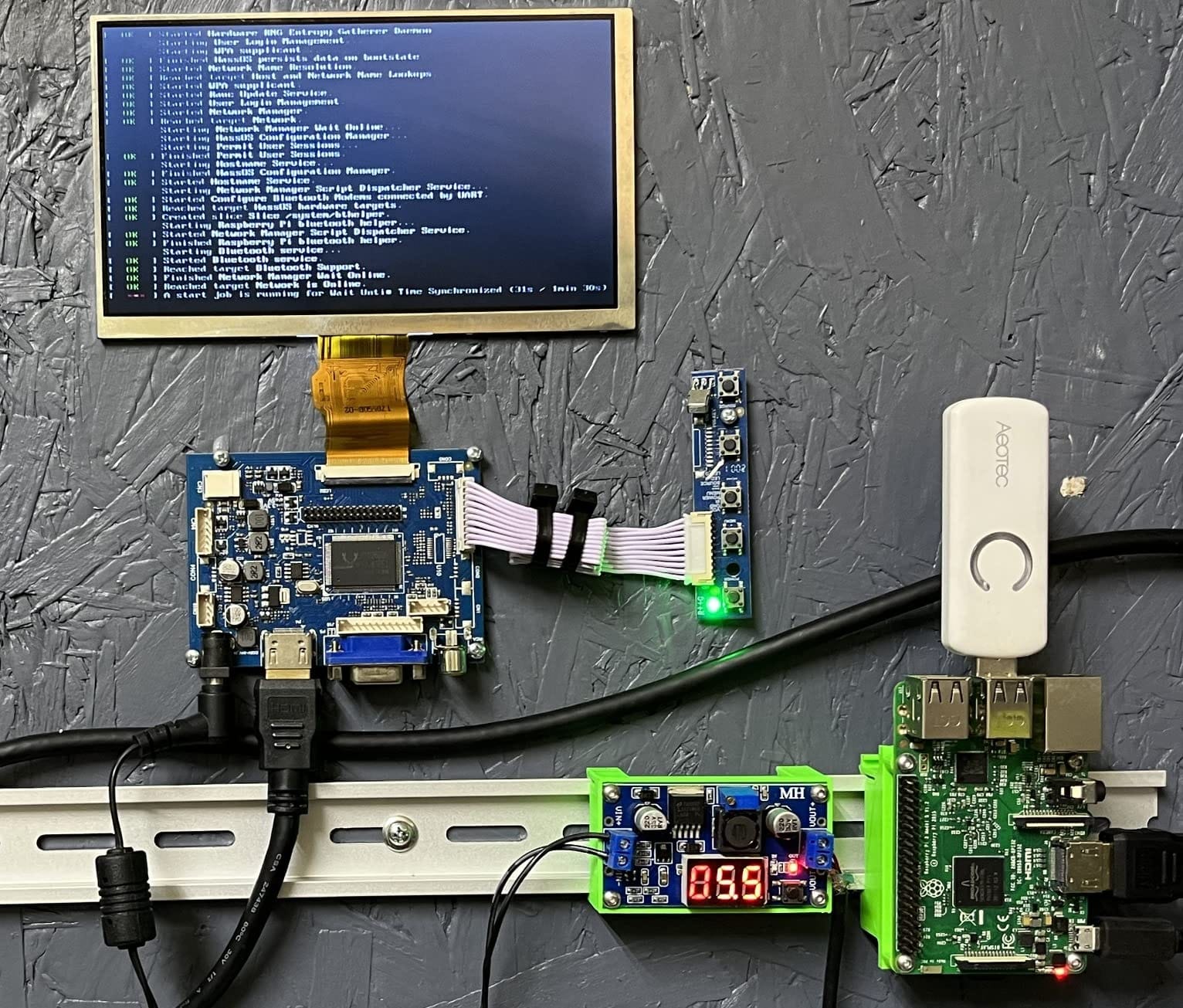
The tradeoff is obvious from the name and the box. This is not a hub. It has no power supply, no app, no display, and no onboarding. It needs something else to run it, which means the total cost of ownership includes a Raspberry Pi, a mini-PC, or a machine you already have.
That is a feature for a lot of people. If you already run Home Assistant, adding a USB port is trivial. If you were hoping to unbox a device and control your home from a phone, this is the wrong shape of product.
Why deCONZ users stay with it
deCONZ is one of the older Zigbee integration stacks and it has a large, loyal base. The pairing experience is smooth, and Home Assistant treats it as a first-class integration with a straightforward setup flow.
Power users who want fine-grained control of MQTT topics, device logs, and device definitions often drift toward Zigbee2MQTT instead. Both work with a ConBee II, so the hardware choice does not lock you into one software layer.
When to skip the ConBee II
Skip it if you want a standalone appliance with a manufacturer’s support line behind it. There is no vendor to troubleshoot with, so problems are yours to solve.
Skip it if your host machine is a laptop you close and put away. A coordinator needs a machine that stays on. If you want reliability without a server, look at the Hue Bridge or a standalone hub instead.
4. SmartThings Hub 3rd Generation – Best All-in-One for Mixed Ecosystems
- Single app for a wide range of compatible devices
- Supports Zigbee and Z-Wave plus cloud to cloud protocols
- Works with Alexa and Google Home
- Nine thousand reviews show a large proven install base
- Higher cost than a generic Zigbee coordinator
- Closed ecosystem centered on the SmartThings app
SmartThings is the answer when you want one app that already knows about a lot of brands and you do not want to run a server. The third generation hub handles Zigbee, Z-Wave, and cloud to cloud devices from the same dashboard, and it has been shipping since 2018, which means compatibility lists are well established.
Its biggest advantage is breadth. Zigbee sensors, Z-Wave locks, and cloud-connected devices that never join a mesh all show up in the same app, and the automation builder handles both. For someone who just wants lights, a lock, and a couple of leak sensors working by Friday, that simplicity is worth paying for.
![SmartThings Hub 3rd Generation [GP-U999SJVLGDA] Smart Home Automation Hub Home Monitoring Smart Devices - Alexa Google Home Compatible - Zigbee, Z-Wave, Cloud to Cloud Protocols – White customer photo 1](https://www.requiemforadream.com/wp-content/uploads/2026/08/B07FJGGWJL_customer_1.jpg)
What you give up is openness. SmartThings runs on Samsung’s infrastructure and its device list is curated. A generic coordinator lets you bring in almost anything with a Zigbee logo; the SmartThings app may simply not have a handler for a device you found.
Outage behavior is the other thing to think about. Automations that reference cloud-connected devices need those clouds to answer. Local automations exist, but they are a subset, and you need to check which of your routines qualify.
![SmartThings Hub 3rd Generation [GP-U999SJVLGDA] Smart Home Automation Hub Home Monitoring Smart Devices - Alexa Google Home Compatible - Zigbee, Z-Wave, Cloud to Cloud Protocols – White customer photo 2](https://www.requiemforadream.com/wp-content/uploads/2026/08/B07FJGGWJL_customer_2.jpg)
Best pairing: Samsung and SmartThings households
If you already own SmartThings sensors, a SmartThings lock, or Samsung appliances, this hub keeps everything in one place and adds the Zigbee and Z-Wave radios in one box. The 5 x 5 x 1.2 inch body is small enough to hide near a network rack or a hallway closet.
Voice control through Alexa and Google Home is straightforward, and wall mounting is supported if you want it out of sight.
When to skip SmartThings
Skip it if you care about local control above all else. This is a cloud-connected product, and the community complaint that comes up most often is exactly that dependency.
Skip it if you want to mix arbitrary brands without checking the compatibility list first. A universal coordinator plus a platform you control will never surprise you that way.
5. Aeotec Smart Home Hub – Best for Z-Wave Households Adding Matter
Aeotec Smart Home Hub, Works as a SmartThings Hub, Z-Wave, Zigbee, Matter Gateway, Compatible with Alexa, Google Assistant, WiFi
- Certified for Matter SmartThings Z-Wave Plus Zigbee and Wi-Fi
- Supports both wired Ethernet and Wi-Fi setup
- Many automations can run locally for speed
- Zigbee Z-Wave and Matter in one enclosure
- Z-Wave Plus support limited to the V3 model
- Designed for use in North America only
Aeotec builds the hub that Samsung SmartThings users move to when they want a more capable current-generation box. It is certified for Matter, SmartThings, Z-Wave Plus, Zigbee, and Wi-Fi, and it accepts either a wired Ethernet connection or Wi-Fi during setup, which is a real convenience in awkward rooms.
The local automation story is the reason to look here. The product documentation notes that many automations run on the hub rather than in the cloud, and that matters for response time and for keeping your lights working when the broadband is down. For a Z-Wave household, adding Zigbee and Matter without adding a second appliance is a genuine win.
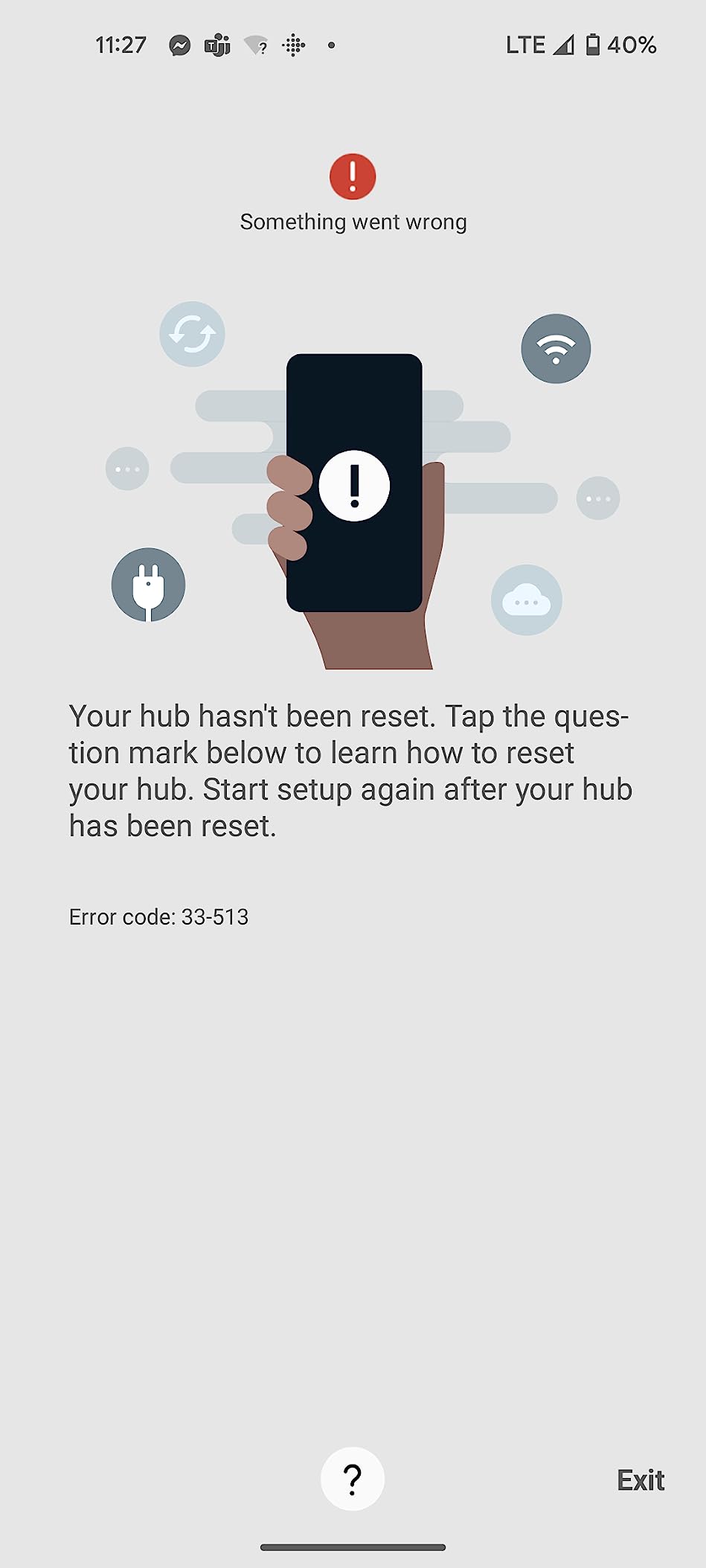
Two limitations deserve a careful read before you buy. The Z-Wave Plus radio is specific to the V3 model, so if you find a listing that does not say V3, ask. And the unit is built for North American radio bands, which matters if you are outside the United States or Canada.
The app is the SmartThings app, so the same openness caveat applies as with the third generation hub. You are buying the strongest radio package, not a more permissive one.
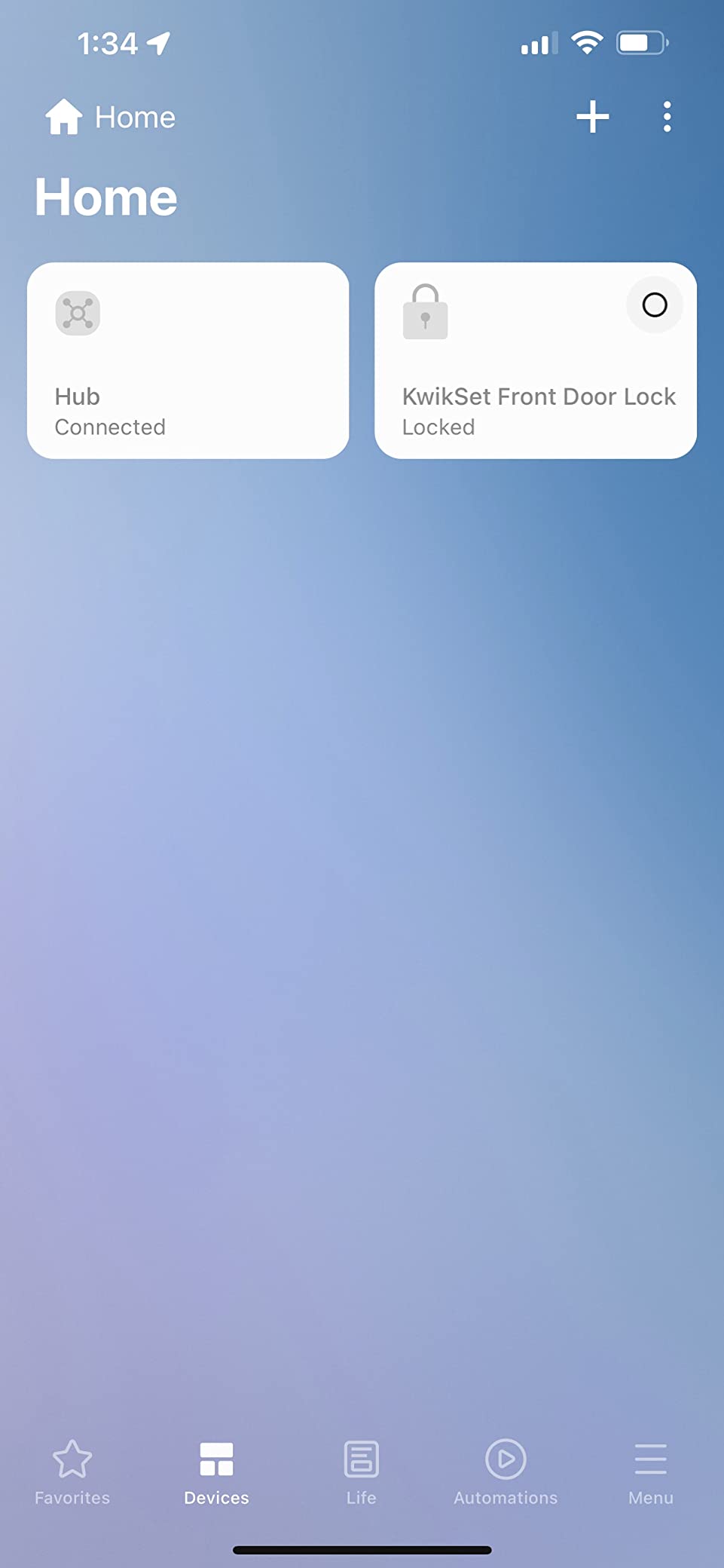
Best pairing: Z-Wave homes adding sensors
A house with existing Z-Wave locks, thermostats, and switches can add Zigbee motion sensors and leak sensors through one box and one app. Ethernet support makes it easy to place in a weak Wi-Fi corner, and the local automation support keeps the most important routines responsive.
It is also a sensible target for people upgrading from older Samsung hardware who want Matter support without changing platforms.
When to skip the Aeotec hub
Skip it if you are outside North America, because of the regional radio design. That is a hard stop, not a preference.
Skip it if you want a self-hosted platform and your own database of device definitions. This hub runs an app you do not control, which is fine right up until you want to fix a device integration yourself.
6. SONOFF Zigbee 3.0 USB Dongle Plus-E – Best Value Coordinator
- Plug and play with Home Assistant ZHA for basic use
- External SMA antenna reaches across multiple floors
- Aluminum housing runs cool and resists interference
- Handles large mixed-brand networks
- Reflashing requires opening the case
- Shipped firmware may need a manual reflash for current stacks
- USB extension cable not included
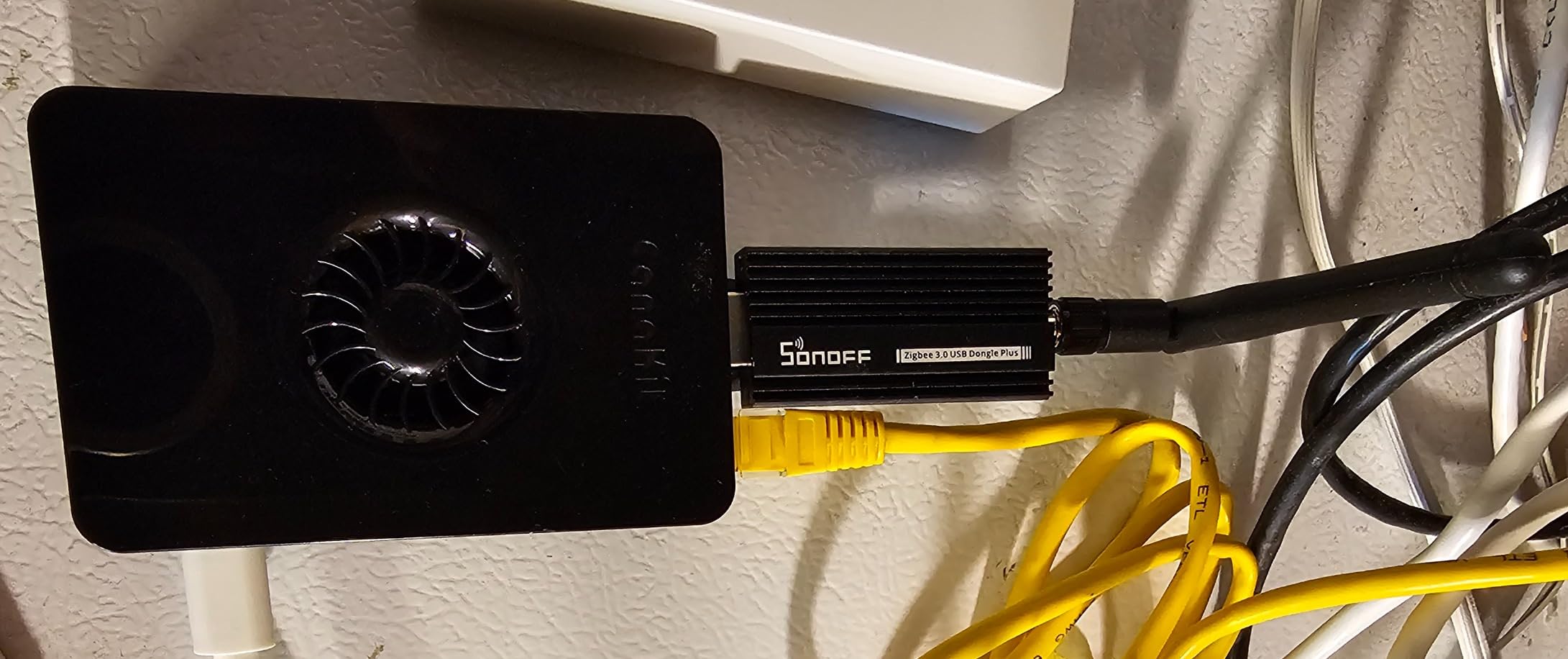
The Plus-E is the sibling of the ZBDongle-P with a different radio under the hood, and it is the pick for anyone who wants the EFR32MG21 chipset specifically. The aluminum housing, +20dBm output, and external SMA antenna are all the same idea, so range across floors is the headline strength.
Out of the box it carries EZNet 6.10.3 coordinator firmware and works with Home Assistant, openHAB, and Zigbee2MQTT. Basic ZHA use needs no flashing at all, which is why many people buy this as a first coordinator and never open the case.
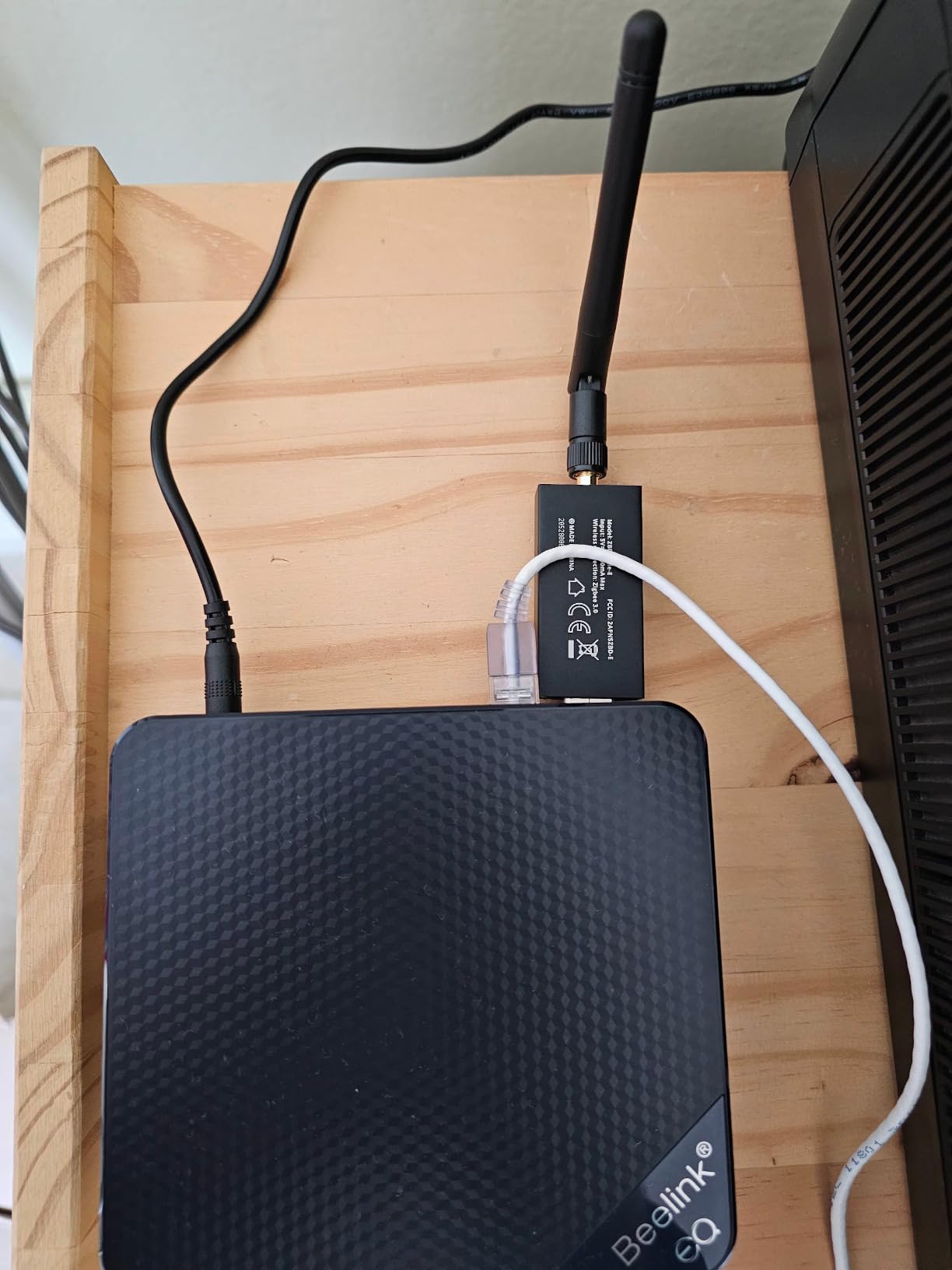
Reflashing is the sharp edge. Getting to the bootloader means opening the case and holding the boot button, and if you want current EZSP or multiprotocol firmware you may need to do it yourself. That is a five-minute job if you have done it before and a frustrating afternoon if you have not.
Users running large mixed-brand networks, including Inovelli, SmartThings, IKEA, and Bosch gear, report stable results. The USB extension cable is not included, and you will likely want one next to a USB 3 port.
Plus-E or ZBDongle-P, which one
Both are excellent coordinators with the same form factor and the same external antenna. The choice is really the chipset. The ZBDongle-P uses the TI CC2652P with pre-flashed Z-Stack 3.x.0, which has the deepest software support. The Plus-E uses the Silicon Labs EFR32MG21, which is a strong, current radio with its own developer ecosystem.
If you have no strong opinion, take the ZBDongle-P for the wider software support. If you are running Silicon Labs-based tooling or want the newest radio, the Plus-E is a fine call.
When to skip the Plus-E
Skip it if you expect to change coordinator firmware often. The physical bootloader access makes routine reflashing a nuisance compared to options with a web console.
Skip it if you need a device that also serves as a border router or a router. This is a coordinator, and that is all it does.
7. Aqara Smart Home Hub M3 – Best for Apple Home with Local Automations
Aqara Smart Home Hub M3 for Advanced Automation, Matter Controller, IR
- Zigbee Thread Matter bridge plus a 360 degree IR blaster
- Edge hub design shifts automations to local operation
- Dual band Wi-Fi with WPA3 plus PoE and USB-C for backup
- 8GB end to end encrypted local storage and no camera or microphone
- Supports up to 127 Aqara Zigbee and 127 Thread devices
- Does not support third-party Zigbee devices
- 2A USB power adapter not included
- Only one AC device can be exposed to Matter
- Thread repeaters required for full coverage
The M3 is the most interesting hardware in this roundup, and the reason is the word edge. It runs automations locally, migrates Zigbee devices forward from older Aqara hubs, and ships with 8GB of end-to-end encrypted storage and no camera or microphone at all. For a privacy-minded household that is a real design statement.
Protocol coverage is broad for a single box: Zigbee, Thread, a Matter bridge, and a 360 degree infrared blaster with feedback and learning. Dual band 2.4 and 5 GHz Wi-Fi with WPA3, a PoE port, and a USB-C port that can take a mini-UPS or power bank means the hub can stay alive through an outage.
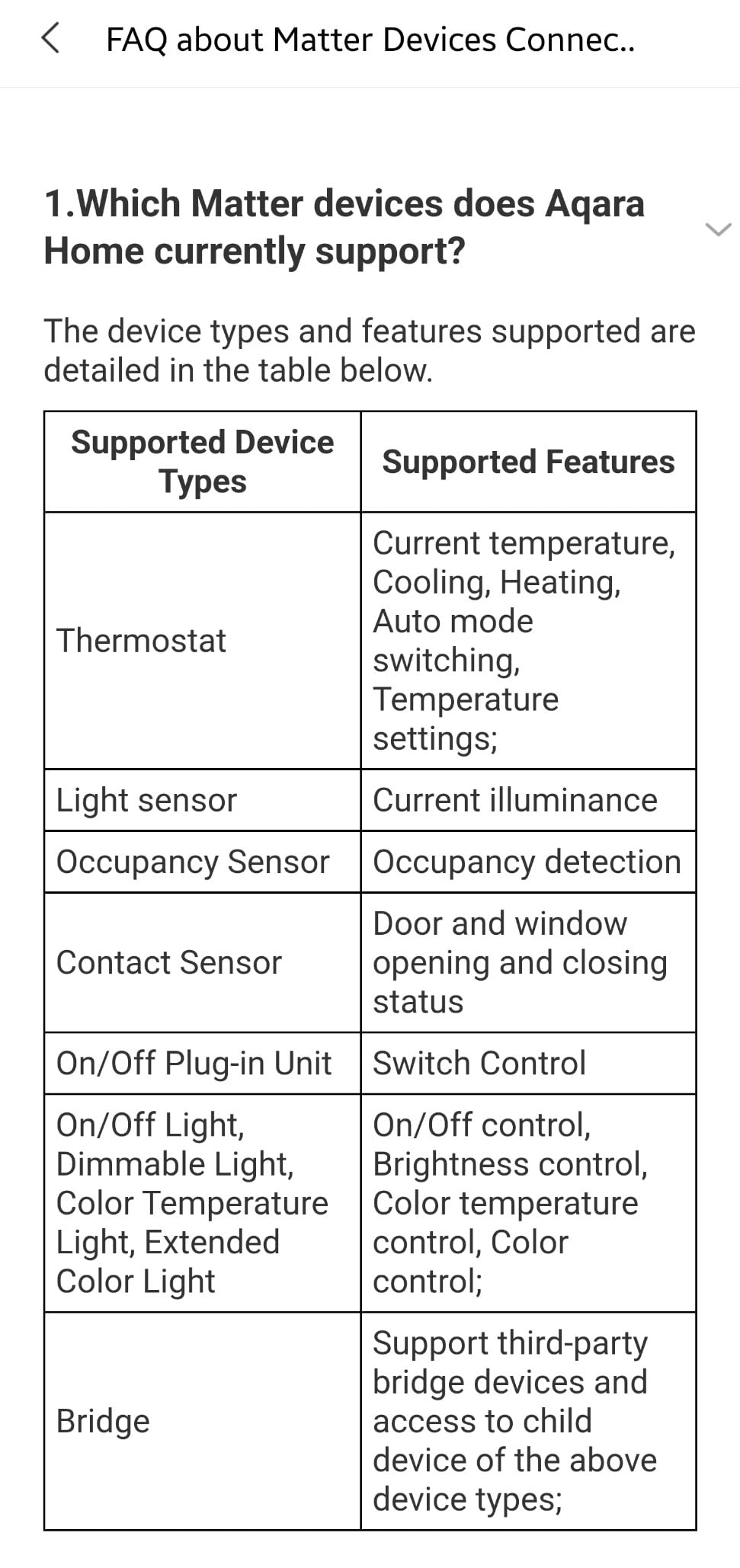
Here is the catch, and it is a big one: this hub does not support third-party Zigbee devices. The stated capacity of 127 Zigbee devices refers to Aqara devices, not a general mesh. If your home runs Hue bulbs, IKEA blinds, and Tuya plugs, you need a separate universal coordinator no matter how good this hub is.
Smaller frictions: the 2A USB power adapter is not included, only one AC device can be exposed to Matter, and you will need Thread repeaters for full Thread coverage rather than just the built-in border router.
Best pairing: an all-Aqara Apple Home house
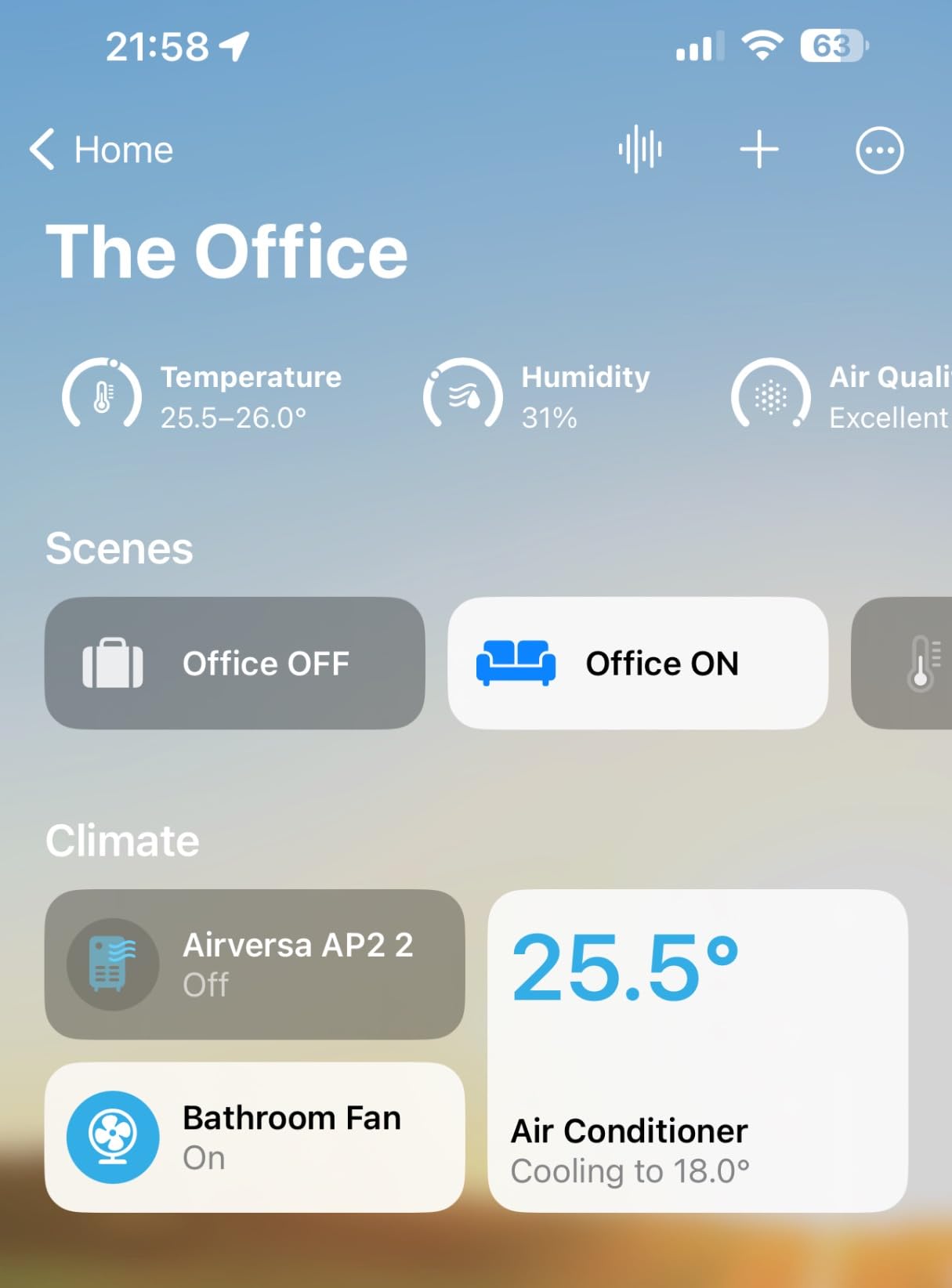
If every sensor in your home is already Aqara, this is close to ideal. The M3 handles Aqara Zigbee, Aqara Thread devices, Apple HomeKit, and the infrared blinds and air conditioners that Aqara hardware tends to include.
The 4.13 inch square footprint is small, and the included mount hardware makes it easy to place somewhere with power and Ethernet-adjacent cabling.
When to skip the Aqara M3
Skip it if your Zigbee fleet is mixed-brand. This is the most common reason reviewers push back, and the lock-in is real even though the product is otherwise excellent.
Skip it if you need Z-Wave. There is no Z-Wave radio here at all, and the Thread and Zigbee coverage does not substitute for one.
8. SONOFF Zigbee/Thread PoE Dongle Max – Best for Remote Coordinator Placement
- Supports Ethernet Wi-Fi and USB for flexible placement
- Local web console shows status settings and logs
- Switchable between Zigbee coordinator router or Thread RCP roles
- Dual 5dBi adjustable antennas in an aluminum case
- Newer platform with a smaller user base than the classic ZBDongle models
- Role switching requires web-based firmware changes
This is the coordinator to look at when your host machine is not where your mesh needs to be. The Dongle-M connects over Ethernet, Wi-Fi, or USB, which means you can sit it in a central hallway closet and keep the Raspberry Pi in a closet two floors away.
The chipset combination is an EFR32MG24 paired with an ESP32D0WDR2, and the two 5dBi adjustable antennas are a real step up from a fixed stub. A local web console shows device status, settings, and logs, and you can switch the role between Zigbee coordinator, router, or Thread RCP without opening anything.
A USB extension cable is included in the box, which is a nice touch given how often other coordinators omit one. PoE support means one cable handles both power and data.
Best pairing: large homes and Thread experiments
In a multi-floor house, being able to place the coordinator centrally and adjust the antennas is worth more than raw transmit power. If you are also testing Matter over Thread, the ability to flip this unit into a Thread border router role without new hardware is unusual.
The 6.65 inch aluminum body is larger than a plain USB dongle, which is the trade for the antennas and the Ethernet port.
When to skip the Dongle-M
Skip it if you want a mature, heavily documented platform. At 601 reviews it has a much smaller user base than the classic ZBDongle models, and you will find fewer write-ups when something goes sideways.
Skip it if you want zero configuration. Switching between roles is a web-based firmware change, so this rewards someone who is comfortable with a local console.
9. Aeotec Z-Stick 10 Pro – Best for Zigbee and Z-Wave in One Stick
Z-Stick 10 Pro – Zigbee 3.0 & Z-Wave 800 Series USB Adapter – Works with HomeAssistant – Zigbee2MQTT – Z-Wave Controller – Z-Wave Long Range – Up to 1 Mile Wireless Range – cloudfree
- Combines Zigbee 3.0 and Z-Wave 800 Series radios in one stick
- Z-Wave Long Range support up to 1 mile
- Slim design that does not block adjacent USB ports
- No cloud required for local operation
- Newer product with a smaller base of user feedback
- USB-only form factor limits placement compared with Ethernet coordinators
The Z-Stick 10 Pro solves a specific problem elegantly: people who have Z-Wave devices and want to add Zigbee without running a second coordinator. It carries an EFR32ZG23 for Z-Wave 800 Series with Long Range support reaching up to a mile, and an EFR32MG21 for Zigbee 3.0.
Everything runs locally on Windows 10 and later, Linux, and macOS, with no cloud registration of any kind. The stated compatibility list covers more than 8,000 devices across major smart home ecosystems, which is a broader number than most single-protocol sticks quote.
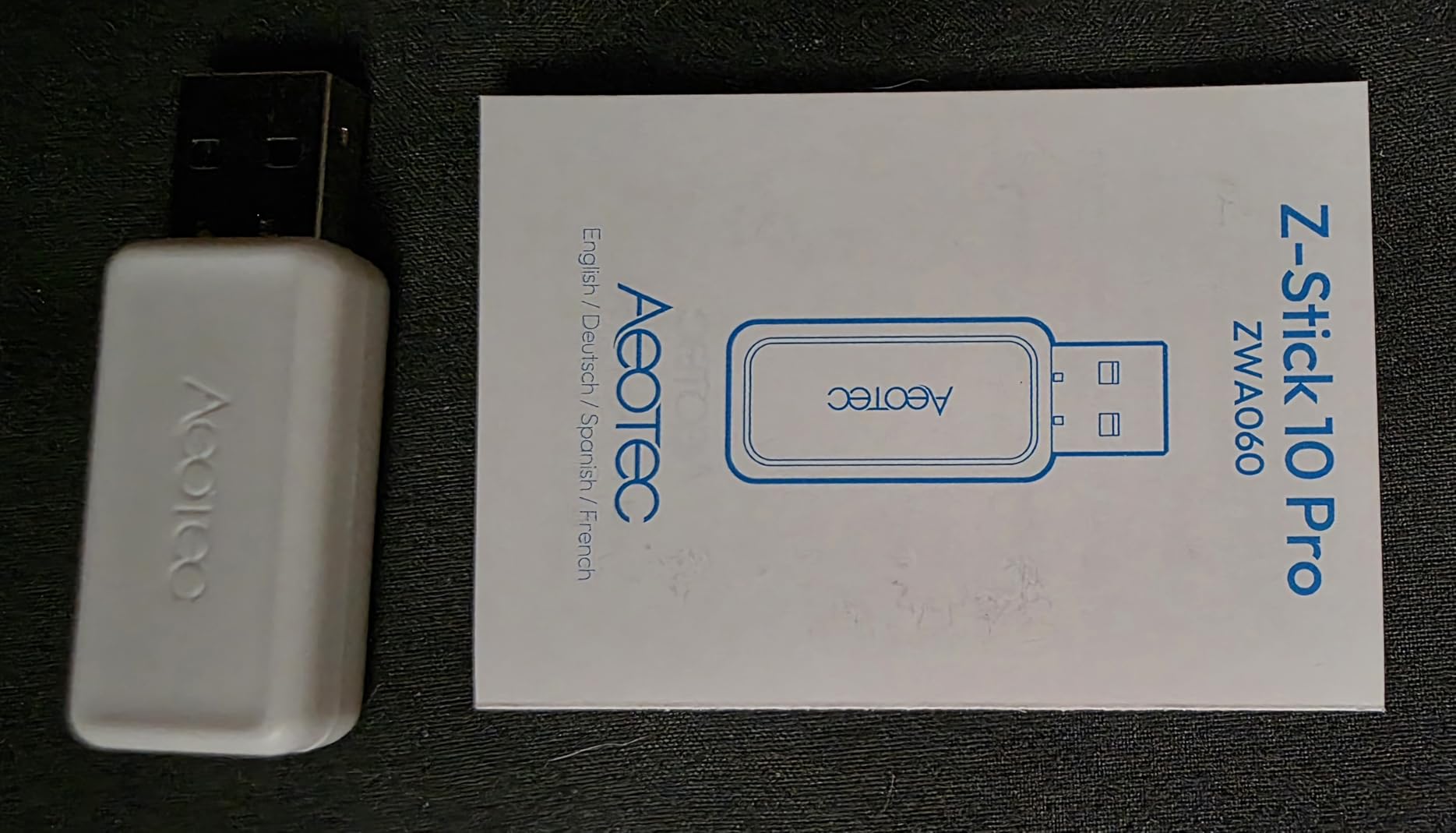
The physical design is thoughtful. It is slim enough not to block the ports beside it, which matters on a laptop or a hub with two free USB slots, and it weighs 0.03 kg so it does not stress the port.
The catch is scale of evidence. With 180 reviews, you are buying a newer product with a thinner track record than the ZBDongle-P or ConBee II. That is a reason to be deliberate, not a reason to avoid it.
Best pairing: existing Z-Wave homes
If you already own Z-Wave locks, dimmers, or sensors, this is the efficient path to a single-coordinator setup. The Z-Wave Long Range capability is a bonus for properties where the Z-Wave mesh needs to cross a driveway or a detached building.
Because it is a USB device, it shares a host with your automation platform rather than sitting on the network independently.
When to skip the Z-Stick 10 Pro
Skip it if you need to place the coordinator away from the host computer. USB means short cable runs, and for a very large house that rules out the best spot for the radio. An Ethernet coordinator like the SLZB-06 is built for that.
Skip it if you want a fully proven service record. It is newer than the alternatives with similar capability.
10. SMLIGHT SLZB-06 – Best for Remote Placement and Multiple Coordinators
SMLIGHT SLZB-06U – Zigbee 3.0 to Ethernet,USB,and WiFi Gateway Coordinator with PoE, Works with Zigbee2MQTT, Home Assistant, ZHA
- Ethernet and PoE placement frees the coordinator from the host USB port
- Runs in both LAN and USB modes and supports multiple coordinators
- Pre-flashed and auto-discovered by Home Assistant
- Remote firmware updates for both chips without physical access
- Not plug and play for anyone without Home Assistant experience
- Larger and costlier than a basic USB dongle
- Thread and Matter role still in beta
- Vendor support has been unresponsive for some buyers
The SLZB-06 is the most flexible coordinator here, and flexibility is exactly what it trades simplicity for. It runs over Ethernet with PoE, over USB, or over Wi-Fi, and it comes with a CC2652P providing +20dB of gain plus an included +5dB antenna.
Two features set it apart. It can be auto-discovered by Home Assistant with no configuration, and it accepts remote firmware updates for both the CC2652P and the ESP32 without anyone opening the case or walking over to it. It also supports multiple Zigbee coordinators on a single server, which is a genuine advantage for very large networks.
The built-in WireGuard VPN client lets you reach the management interface from outside your home securely, which experienced users appreciate.
Best pairing: power users with a complex network
If you run Home Assistant seriously, want the coordinator near the center of the property, and plan to expand past a couple of hundred devices, PoE placement is the right answer. Power and data in one cable also means a single point of failure instead of two.
For a small apartment, all of that is over-engineering. A basic USB stick will do the same job.
When to skip the SLZB-06
Skip it if you are new to Home Assistant. It is not plug and play, and configuration assumes you know what a coordinator and a network key are. The Thread and Matter role is also still in beta.
Skip it if vendor support matters to you. Some buyers report unresponsive support, which matters more when you cannot simply open the device and try something.
11. Aqara Hub M1S Gen 2 – Best as a First Aqara Hub
Aqara Hub M1S Gen 2, Smart Home Bridge for Alarm System, Home Automation
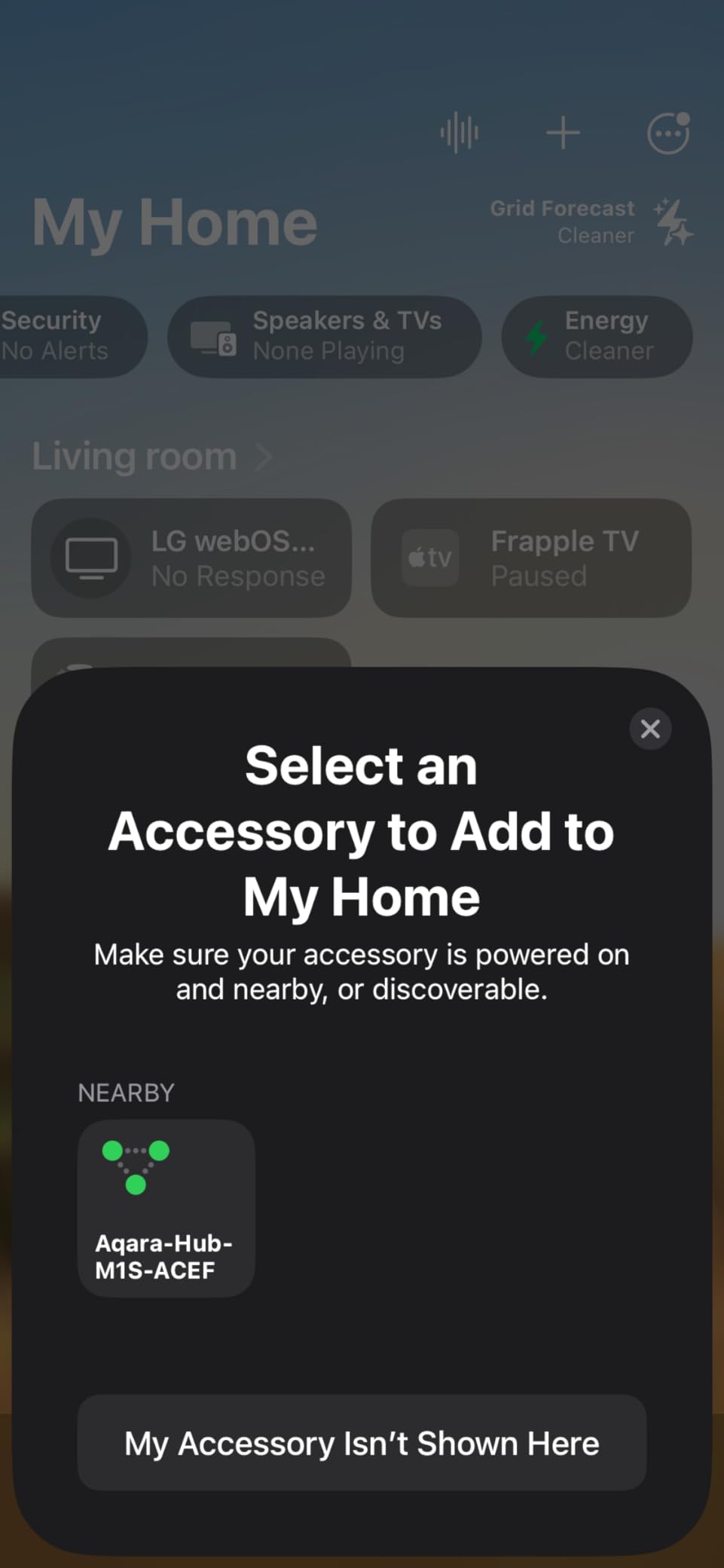
- Easy setup with smooth Apple HomeKit integration
- RGB night light doubles as an alarm and doorbell speaker
- Illumination sensor works in automations
- Affordable entry point into the Aqara ecosystem
- Does not support third-party Zigbee devices
- Only supports 2.4 GHz Wi-Fi
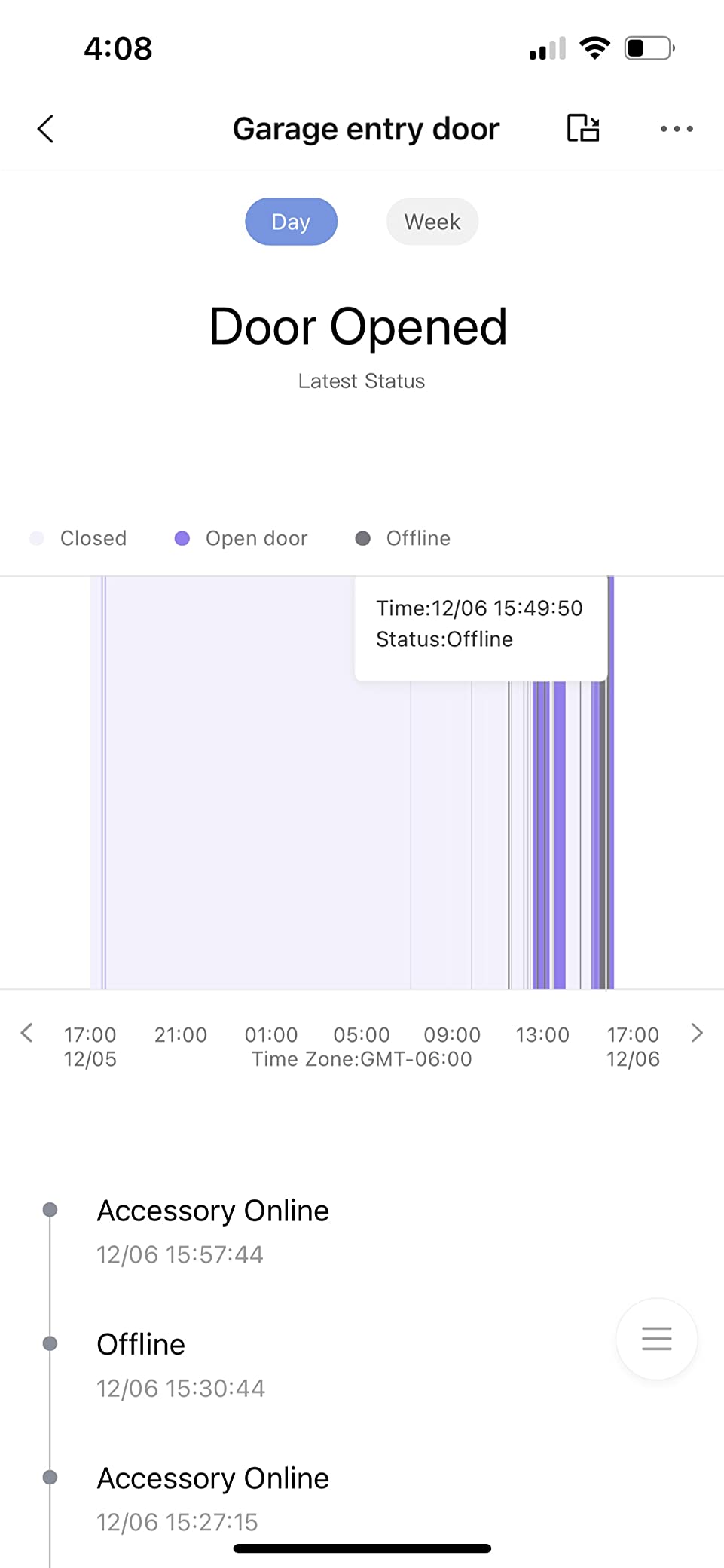
- Some users report dropping off HomeKit and needing a reboot
- Aqara support can be difficult to reach
The M1S Gen 2 is the small, cheap way into the Aqara ecosystem, and it does something the M3 does not: it tells you when something happens. The 2-watt speaker works as an alarm and a doorbell chime with customizable ringtones, and the 18-LED RGB light doubles as a night light and a siren.
It pairs up to 128 Aqara devices over Zigbee 3.0, which is a healthy number for door sensors, motion sensors, and buttons. Apple HomeKit setup is smooth, and Google Assistant, Alexa, and IFTTT are supported. The illumination sensor is now usable in automations, which older revisions struggled with.
At 3.15 inches square, it disappears on a shelf or a bedside table, and it doubles as a wall-mounted alarm for HomeKit alarm modes. That physical alarm function is unusual at this size and is the feature most owners mention first.
Best pairing: apartments and small homes
For a one or two bedroom apartment, this hub covers the whole space comfortably. The stated maximum range is 33 feet, which sounds short until you remember that mains-powered devices route messages for you and you are unlikely to run out of outlets.
Our smart home device guide for apartments covers how that routing works in smaller spaces.
When to skip the M1S Gen 2
Skip it if you own any non-Aqara Zigbee gear, because third-party devices are not supported. That is the same limitation as the M3, just with fewer extra features.
Skip it if your router is 5 GHz only or if you have a mesh network without a 2.4 GHz band. It only supports 2.4 GHz Wi-Fi, and some owners also report occasional HomeKit drops that need a reboot.
12. Homey Pro – Best for Flow Automation and Broad Protocol Support
- Seven technologies in one hub including Zigbee Z-Wave Plus and infrared
- Local-first design with data stored on the device
- Works with 50000+ devices from more than 1000 brands
- Advanced Flow automation plus energy monitoring
- Lowest average rating in this group with a notable share of 1-star reviews
- Premium cost relative to other multi-protocol hubs
- Requires the Homey app and Homey Flow for full functionality
Homey Pro covers the most protocols of any hub here: Wi-Fi, Zigbee, Z-Wave Plus, infrared, Bluetooth Low Energy, Matter, and Thread. If your home has a smart TV, a robot vacuum, Zigbee sensors, and a Z-Wave thermostat, one box can see all of it, plus infrared for devices that predate smart home entirely.
The Flow engine is the real differentiator. It is a visual automation builder that handles scenes, arrivals, and whole-home switching, and it can trigger energy savings based on solar generation or dynamic tariffs. Data is stored on the device, so the local-first claim is more than a slogan here.
Stated support is 50,000+ devices across more than 1,000 brands, using both official and community apps.
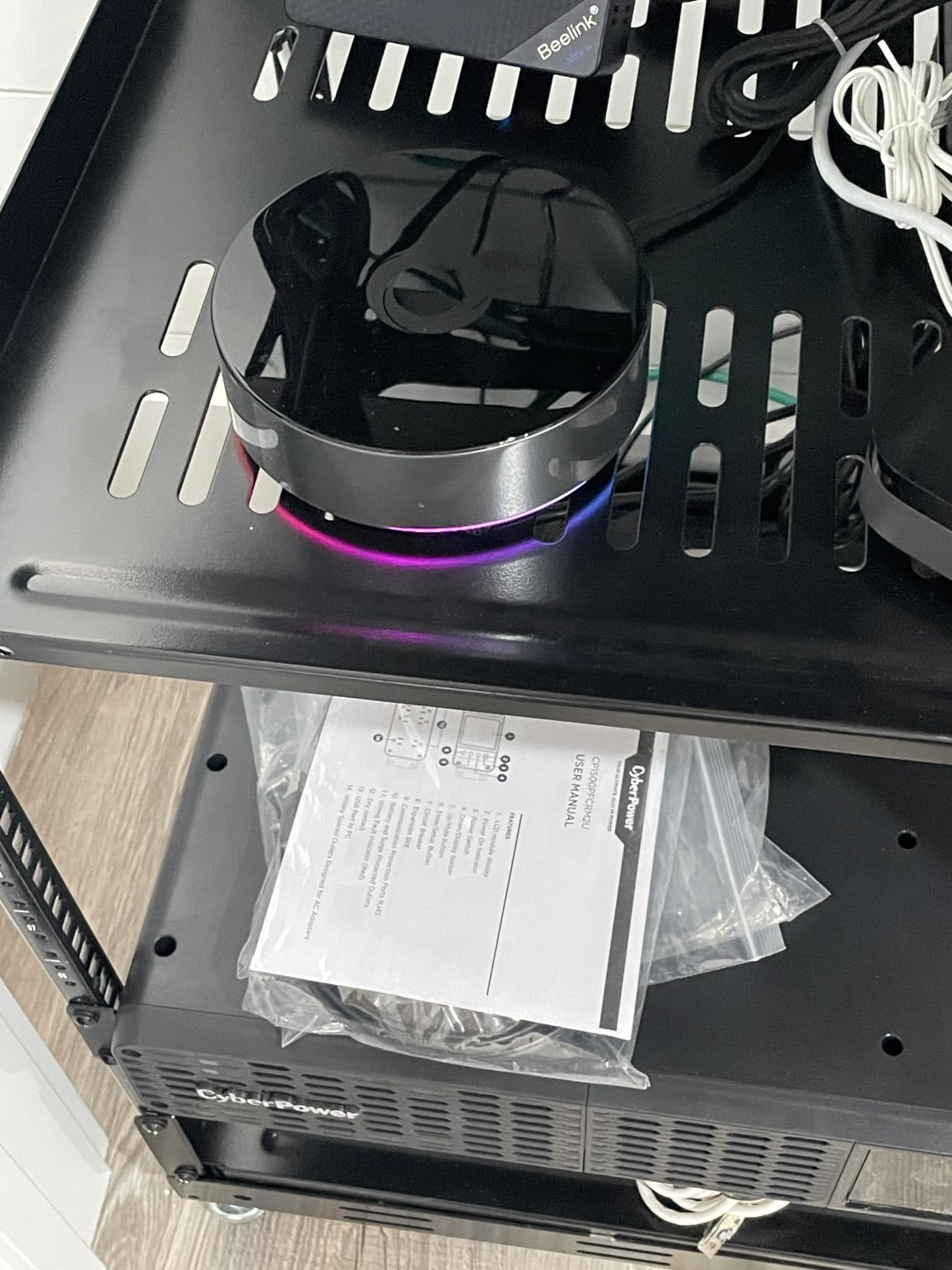
Now the hard part. At a 3.7 average, this is the lowest-rated product in the group, and the review distribution includes a meaningful share of one-star feedback. The recurring themes are app dependency and setup complexity, which is the mirror image of the bargains on this list.
Being fully functional means committing to the Homey app and Homey Flow. If you enjoy building automations in a visual canvas, that is a feature. If you would rather edit YAML, it is friction you will feel every time.
Best pairing: protocol-heavy homes with an automation tinkerer
The 5.04 inch square body and 1.43 pound weight suggest a desktop appliance, and infrared coverage works best with line of sight to your equipment. A shelf near the TV cabinet is the ideal spot.
Energy monitoring is a genuine bonus for anyone tracking consumption per device and reacting to tariff changes, which is something most Zigbee coordinators cannot do.
When to skip the Homey Pro
Skip it if you want the highest confidence purchase on this list. The rating tells you that a meaningful number of buyers were not satisfied, and that is information worth respecting.
Skip it if you already run Home Assistant and enjoy a self-hosted setup. Homey duplicates a lot of that work inside a closed app, and you pay more for the privilege.
USB Coordinator vs Standalone Hub: Which Architecture Fits Your Home
A USB coordinator is a component. It has one job, which is to act as the Zigbee coordinator, and it does it well because nothing else is competing for the radio. A standalone hub is an appliance: coordinator plus app, plus cloud in some cases, plus extra radios like Z-Wave, Thread, or infrared.
Choose the coordinator when you already run a platform, care about local control, and want the widest possible device compatibility. The platform’s device database does the heavy lifting that an appliance’s curated list cannot. Choose the standalone hub when you want something that arrives, pairs, and works from a phone with no server maintenance.
The cost side of that trade matters more than people expect. A coordinator needs a host: a Raspberry Pi, a mini-PC, or a machine you already own. Over three years that host is a real expense, plus the time spent on SD card failures, Docker updates, and backups. A standalone hub costs more up front and less attention over time.
Neither is universally better. The wrong question is which is more powerful; both can run large meshes. The right question is how much software you want to own.
How to Choose a Zigbee Hub in 2026?
Start with local control, because it is the decision you cannot easily reverse. A hub that runs automations on the device keeps working when the internet goes out. A hub that sends every command to a vendor cloud stops the moment that vendor has an incident or changes a policy. If you are starting fresh, put local control at the top of the list.
Second, match the hub to your ecosystem rather than to a spec sheet. If every sensor is Aqara, the Aqara M3 is a better buy than a generic coordinator. If you are running Home Assistant, the coordinator route gives you a device database that no appliance matches. If your home is Hue lighting, the Hue Bridge already does the job.
Third, understand the brand lock-ins. The Hue Bridge and the IKEA Dirigera both restrict which Zigbee devices they will accept. Aqara hubs are built for Aqara devices. SmartThings, Aeotec, and Homey are broader but still curated. Only a universal coordinator plus a self-hosted platform lets you mix arbitrary brands freely.
Fourth, think about chipset. Two families dominate: the TI CC2652P, used by the ZBDongle-P and the SLZB-06, which has the deepest software support across Zigbee2MQTT, ZHA, and deCONZ; and the Silicon Labs EFR32MG21, used by the ZBDongle-E and the Z-Stick 10 Pro, which pairs with the newest radio options. The EFR32MG24 in the Dongle-M adds a Thread role.
Fifth, plan your mesh before you buy. Every mains-powered Zigbee device acts as a router and relays messages for battery sensors. A coordinator with a strong antenna placed in the wrong room will still fail. Place it centrally, add a few router plugs or bulbs on distant floors, and check link quality per device in your software before declaring a problem.
Sixth, decide between ZHA and Zigbee2MQTT. ZHA is built into Home Assistant, needs almost no setup, and covers most devices. Zigbee2MQTT has a much larger device database, better logging, and MQTT integration that power users rely on. A common path is to start on ZHA and move specific problem devices to Zigbee2MQTT, or to migrate the whole network once you outgrow the first integration.
Finally, be honest about your tolerance for maintenance. Coordinators reward patience with flexibility and punish impatience with firmware steps. Appliances reward patience with simplicity and punish it with vendor dependence. There is no wrong answer here, only an answer that does not match how you like to build.
Frequently Asked Questions
Do I need a hub for Zigbee devices?
Yes, unless the device ships with its own bridge. Zigbee runs on the IEEE 802.15.4 low-power mesh, not on Wi-Fi or Ethernet, so a bulb or sensor cannot reach your router on its own. The hub acts as the coordinator that forms the mesh, holds the network key, and bridges Zigbee to your phone, voice assistant, or automation platform.
Is Zigbee discontinued?
No. Zigbee is not discontinued and no protocol is replacing it in a way that breaks existing devices. What changed is its role. Matter and Thread address cross-ecosystem interoperability, while Zigbee remains the mature, low-cost mesh for battery sensors, plugs, and bulbs. Several current hubs, including the Aeotec Smart Home Hub and the Aqara Hub M3, support Zigbee alongside Matter and Thread.
What is replacing Zigbee?
Nothing replaces Zigbee outright. Matter is an application layer that runs over Wi-Fi, Thread, or Ethernet and defines how devices describe themselves, while Thread is a low-power mesh radio that is a sibling of Zigbee rather than a competitor. In practice, many homes run Zigbee for sensors and plugs alongside Matter for newer high-end devices, and multi-protocol hubs handle both.
Which Zigbee hub is best for Home Assistant?
For most people, the SONOFF ZBDongle-P is the strongest starting coordinator because it ships with Z-Stack 3.x.0 coordinator firmware pre-flashed, works with ZHA and Zigbee2MQTT immediately, and has an external SMA antenna for range. The ConBee II is the alternative for deCONZ users, and the SLZB-06 is better when you need PoE placement away from the host.
Is SmartThings compatible with Zigbee?
Yes. The SmartThings Hub 3rd Generation and the Aeotec Smart Home Hub both include a Zigbee radio alongside Z-Wave, and the Aeotec model is also certified for Matter. Keep in mind that both rely on the SmartThings app and its compatibility list, so very new third-party Zigbee devices may not be supported.
What is the disadvantage of Zigbee?
The main drawbacks are radio range and the coordinator dependency. Zigbee messages travel through a mesh where each hop adds latency, so a coordinator placed badly or a house with few mains-powered router devices will produce unreliable sensors. A coordinator failure can also take the whole network down, and some proprietary bridges refuse third-party devices entirely.
How many Zigbee devices can one hub handle?
It depends on the architecture, which is why quoted numbers are hard to compare. The Aqara M3 supports up to 127 Aqara Zigbee devices, the Aqara M1S Gen 2 supports up to 128 Aqara devices, and the Hue Bridge handles up to 50 Hue lights and accessories. A generic coordinator has no small hard limit, but performance depends on radio quality and mesh health rather than a device counter.
Can Zigbee work without internet?
Yes, as long as your automations run locally. A hub that executes routines on the device, such as the Hue Bridge, the Aqara M3 edge hub, or any Home Assistant setup with ZHA or Zigbee2MQTT, will keep controlling lights, locks, and sensors when the broadband drops. Cloud-dependent hubs lose control of anything that is routed through a vendor server.
The Verdict: Which Zigbee Hub Should You Buy in 2026
Pick the SONOFF ZBDongle-P if you run Home Assistant, Zigbee2MQTT, openHAB, or any host you control. It is the best smart hub for Zigbee devices overall because the chipset has the widest software support, the antenna is external, and the coordinator firmware is already on the stick.
Pick the Philips Hue Bridge if your home is Hue lighting and nothing else. Pick the ConBee II if deCONZ is your software layer and you want a local network with no cloud in the path. Pick the SmartThings Hub or Aeotec Smart Home Hub if you want one app for Zigbee, Z-Wave, and cloud devices and you are comfortable with a curated compatibility list.
Pick the Aqara M3 only if you are all-Aqara, because it will not talk to third-party Zigbee gear. Pick the SLZB-06 or the Dongle-M when the coordinator needs to sit away from your host computer in a large property.
Whatever you choose, the hub is the least important part of the outcome. Placement and mains-powered router devices decide whether your network is reliable. Start our broader Zigbee hub guide with the device side while you plan your install.