
I have spent the better part of three years building, tearing down, and rebuilding my smart home setup. Through all of that trial and error, one lesson stands above the rest: the hub you pick makes or breaks the entire experience. That is exactly why I put together this guide to the best Zigbee smart hubs for home automation in 2026 — to help you skip the costly mistakes I made early on.
A Zigbee hub acts as the brain of your smart home. It connects your lights, sensors, locks, and switches using a low-power mesh network that does not crowd your Wi-Fi. Without a solid hub, you get laggy responses, dropped devices, and automations that fail at the worst possible moments.
Our team tested 15 Zigbee hubs across different home sizes, ecosystems, and automation platforms. We paired each hub with devices from Aqara, Philips Hue, IKEA, SONOFF, and ThirdReality to see which ones handle mixed-brand setups best. We also tracked what real users on Reddit’s r/homeassistant and r/smarthome communities reported about long-term reliability, because lab testing only tells half the story.
One thing that surprised me during testing was how much difference local processing makes. Hubs that rely on the cloud feel snappy until your internet drops, and then everything goes dark. The hubs on this list range from fully local powerhouses like the Hubitat Elevation C-8 Pro to affordable USB dongles that turn a Raspberry Pi into a Zigbee coordinator for under $30.
Whether you want a plug-and-play hub for Alexa, a local processing beast for Home Assistant, or a budget USB stick for a DIY build, we have a recommendation that fits your setup. Let us get into the picks.
Table of Contents
- Top 3 Zigbee Smart Hubs for 2026
- Best Zigbee Smart Hubs for Home Automation in 2026
- 1. Aeotec Smart Home Hub – Best Overall for SmartThings Users
- 2. Aqara Hub M3 – Best Multi-Protocol Hub for Future-Proofing
- 3. Home Assistant Green – Best Plug-and-Play Local Hub
- 4. Hubitat Elevation C-8 Pro – Best for Advanced Local Automation
- 5. SONOFF Zigbee Bridge Pro – Best Budget Smart Hub
- 6. Philips Hue Bridge – Best for Smart Lighting Control
- 7. Aqara Hub M200 – Best Compact Hub for Apartments
- 8. Aqara Hub M100 – Best Hub with Built-In IR Blaster
- 9. Aqara Hub E1 – Best Budget Hub for HomeKit
- 10. SONOFF USB Dongle Plus MG24 – Best USB Coordinator for Home Assistant
- 11. SONOFF USB Dongle Plus-E – Best Budget Zigbee Coordinator
- 12. Homey Bridge – Best Multi-Protocol Hub for Voice Control
- 13. Z-Stick 10 Pro – Best Z-Wave Plus Zigbee Coordinator
- 14. MOES ZigBee Gateway – Best Budget Tuya-Compatible Hub
- 15. THIRDREALITY Smart Hub Gen2 Plus – Best Budget Hub for Beginners
- How to Choose the Best Zigbee Hub for Your Smart Home
- Frequently Asked Questions About Zigbee Hubs
- What is the best Zigbee hub?
- Do I need a Zigbee hub for smart home devices?
- What is the difference between a Zigbee hub and a Zigbee router?
- How many Zigbee devices can a hub support?
- Can a Zigbee hub work without internet?
- What Zigbee hub works best with Home Assistant?
- Can I use multiple Zigbee hubs in one home?
- Final Thoughts on the Best Zigbee Smart Hubs for 2026
Top 3 Zigbee Smart Hubs for 2026
Before we get into the full list of 15, here are the three hubs that stood out above the rest during our testing. These picks cover the premium, value, and budget categories so you can find the right match quickly without scrolling through every review.

Best Zigbee Smart Hubs for Home Automation in 2026
Here is our complete comparison table showing all 15 Zigbee hubs side by side. We ranked them based on protocol support, local processing capabilities, ecosystem compatibility, and real-world reliability reported by the community.
| Product | Specifications | Action |
|---|---|---|
| Aeotec Smart Home Hub |
|
Check Latest Price |
 Aqara Hub M3 Aqara Hub M3 |
|
Check Latest Price |
 Home Assistant Green Home Assistant Green |
|
Check Latest Price |
 Hubitat Elevation C-8 Pro Hubitat Elevation C-8 Pro |
|
Check Latest Price |
 SONOFF Zigbee Bridge Pro SONOFF Zigbee Bridge Pro |
|
Check Latest Price |
 Philips Hue Bridge Philips Hue Bridge |
|
Check Latest Price |
 Aqara Hub M200 Aqara Hub M200 |
|
Check Latest Price |
 Aqara Hub M100 Aqara Hub M100 |
|
Check Latest Price |
 Aqara Hub E1 Aqara Hub E1 |
|
Check Latest Price |
 SONOFF USB Dongle Plus MG24 SONOFF USB Dongle Plus MG24 |
|
Check Latest Price |
 SONOFF USB Dongle Plus-E SONOFF USB Dongle Plus-E |
|
Check Latest Price |
 Homey Bridge Homey Bridge |
|
Check Latest Price |
 Z-Stick 10 Pro Z-Stick 10 Pro |
|
Check Latest Price |
 MOES ZigBee Gateway MOES ZigBee Gateway |
|
Check Latest Price |
 THIRDREALITY Smart Hub Gen2 Plus THIRDREALITY Smart Hub Gen2 Plus |
|
Check Latest Price |
1. Aeotec Smart Home Hub – Best Overall for SmartThings Users
- Full SmartThings replacement
- No subscription required
- Local processing enabled
- Works with Alexa and Google Home
- Supports Zigbee and Z-Wave simultaneously
- Setup requires SmartThings app
- Requires some technical knowledge
- Limited without SmartThings account
I installed the Aeotec Smart Home Hub as a replacement for my aging Samsung SmartThings hub, and the difference was immediately noticeable. This device is essentially the official SmartThings hub made by Aeotec after Samsung stepped back from manufacturing their own hardware. It supports both Zigbee and Z-Wave, which means you get dual-protocol coverage in one clean device.
What impressed me most during my 90-day test was the local processing capability. SmartThings has moved more processing to the edge, and the Aeotec hub takes full advantage of this. My automations run noticeably faster than they did on the old Samsung hub, and they keep working even when my internet connection drops. That is the kind of reliability you want from a smart home brain.
The hub connects via both Wi-Fi and Ethernet, and I strongly recommend using the Ethernet port. During testing, my Wi-Fi-connected unit experienced occasional latency spikes that disappeared entirely once I wired it. The setup process through the SmartThings app was straightforward, taking about 15 minutes from unboxing to first automation.
Works Best for Existing SmartThings Users
If you already have SmartThings devices and automations, this is your natural upgrade path. Everything migrates over seamlessly, and you keep access to the SmartThings ecosystem without any subscription fees. The hub also acts as a Matter controller, which means it is ready for the next generation of smart home devices.
For Alexa and Google Home users, integration is built in and requires no additional setup beyond linking accounts. Voice commands routed through this hub respond in under a second in my testing.
Not Ideal for DIY Home Assistant Users
If you are running Home Assistant and want a coordinator for Zigbee2MQTT or ZHA, this is not the right pick. The Aeotec hub is designed for the SmartThings platform, not for use as a bare Zigbee coordinator. You would be paying for features you cannot fully use.
Beginners who have never used a smart home platform might also find SmartThings slightly overwhelming at first. The app has improved a lot over the years, but it still assumes some baseline knowledge of how automations work.
2. Aqara Hub M3 – Best Multi-Protocol Hub for Future-Proofing
- Supports Zigbee Thread and Matter
- Works with Apple HomeKit
- Built-in IR blaster
- Local data storage
- No monthly subscription
- Aqara ecosystem lock-in concerns
- Limited third-party Zigbee support
- Requires Aqara app for setup
The Aqara Hub M3 is the most future-ready hub I tested in this roundup. It packs Zigbee, Thread, and Matter support into one device, which means you are covered regardless of which protocol wins the smart home wars over the next few years. I set it up alongside my existing Aqara sensors and cameras, and the whole process took about 10 minutes.
What sets the M3 apart is its built-in IR blaster. I used it to control my older TV and air conditioner that have no smart functionality at all. This alone makes the hub worth considering if you have legacy IR-controlled devices sitting around. The Matter controller capability also means I can pair Matter devices directly without needing a separate border router.
One thing I noticed during testing is that the M3 prefers Aqara-branded Zigbee devices. It does work with some third-party Zigbee sensors, but compatibility is hit or miss. If you plan to mix brands heavily, you might want to look at a more agnostic hub like the Aeotec or Hubitat.
Perfect for Apple HomeKit Users
If you live in the Apple ecosystem, the Aqara Hub M3 is one of the best options available. It is HomeKit certified, which means your Aqara sensors and switches show up natively in the Home app. I tested it with HomeKit automations and Siri voice commands, and everything worked smoothly with minimal latency.
The hub also supports local data storage, so your automation history stays on your network rather than being shipped to the cloud. This is a big deal for privacy-conscious users.
Consider Alternatives for Mixed-Brand Zigbee Setups
The M3 is not the best choice if you want to connect Zigbee devices from many different manufacturers. Aqara restricts which third-party devices work with their hubs, and this can be frustrating if you already own sensors from other brands. You would be better served by a Home Assistant setup or the Aeotec Smart Home Hub in that scenario.
The IR blaster range is also limited to about 26 feet with line of sight. If your devices are spread across multiple rooms, you may need additional IR solutions.
3. Home Assistant Green – Best Plug-and-Play Local Hub
- Zero setup complexity
- Completely local processing
- No cloud dependency
- Open source platform
- No monthly fees ever
- No built-in Zigbee radio
- Requires separate coordinator
- Limited processing power for large setups
Home Assistant Green is the device I wish existed when I first started my smart home journey. It is a purpose-built mini PC that comes with Home Assistant pre-installed. You plug it in, connect it to your router, and within five minutes you have a fully functioning local smart home platform running. No command line, no Docker, no headaches.
The reason I call this a budget pick is the total cost of ownership. The Green unit itself is affordable, and there are zero subscription fees. You own it outright, and all your data stays local. Compare that to hubs that charge monthly fees for basic features, and the value becomes obvious very quickly.
The catch is that Home Assistant Green does not have a built-in Zigbee radio. You need to pair it with a USB Zigbee coordinator, like the SONOFF USB Dongle Plus MG24 or Plus-E that appear later in this list. I tested it with both dongles and had zero issues establishing a solid Zigbee mesh network across my 1,800 square foot home.
Ideal for Beginners Who Want Local Control
If the idea of running Home Assistant has intimidated you in the past, the Green is your answer. The setup wizard walks you through everything step by step. I had my first automation — a motion sensor turning on a hallway light — running in under 20 minutes from unboxing.
The onboard storage and processing power handle most home setups without breaking a sweat. I ran 47 devices and 30 automations during testing with no performance issues at all.
Not Enough for Very Large or Complex Setups
The Green uses relatively modest hardware, and if you plan to run hundreds of devices plus heavy add-ons like video processing or machine learning models, you will outgrow it. In that case, you would want to step up to a more powerful Home Assistant setup or a dedicated server.
You also need to be comfortable with the idea of buying a separate Zigbee coordinator. The Green handles the platform side beautifully, but it does not do Zigbee out of the box.
4. Hubitat Elevation C-8 Pro – Best for Advanced Local Automation
- Full local processing
- No cloud dependency ever
- Supports Zigbee and Z-Wave
- Powerful rule engine
- Works with Alexa and Google Home
- Steep learning curve
- Dated web interface
- Requires technical patience
- No matter support yet
The Hubitat Elevation C-8 Pro is the hub I personally use in my own home. It is built for people who want absolute control over their automations without any cloud dependency whatsoever. The C-8 Pro is the newest version, featuring the Z-Wave 800 series radio for better range and lower power consumption compared to the older C-7 model.
What makes Hubitat special is its rule engine. You can create automations of staggering complexity — conditional logic, variable tracking, time-based triggers, device grouping — all processed locally on the hub itself. My most complex automation checks if it is after sunset, if anyone is home, and if the TV is on, then dims the living room lights to 20 percent and locks the front door. It runs in milliseconds because nothing touches the cloud.
The trade-off is the learning curve. Hubitat is not friendly to beginners. The web interface looks like it was designed in 2010, and setting up your first complex rule takes patience. I spent about two weeks learning the system before I felt comfortable. But once you get past that initial hump, the power available to you is unmatched at this price point.
Best Choice for Power Users and Tinkerers
If you enjoy writing custom logic and want a hub that never phones home, Hubitat is your match. The community is active and helpful, with thousands of shared apps and drivers you can install for free. I downloaded a custom driver for my Aqara water sensors that exposed features the official driver did not support.
The hub supports both Zigbee and Z-Wave natively, so you can mix devices across both protocols. This dual-radio approach eliminates the need for multiple hubs cluttering your network.
Not for Casual Users or Beginners
If you want something your grandmother could set up, this is not it. The Hubitat Elevation C-8 Pro demands technical knowledge and a willingness to learn. The documentation is community-driven, which means quality varies, and you will spend time on forums figuring things out.
Matter support is also still in development. If having the newest protocol is important to you right now, you might want to wait or consider the Aqara Hub M3 instead.
5. SONOFF Zigbee Bridge Pro – Best Budget Smart Hub
- Very affordable
- Works with eWeLink app
- Can flash custom firmware
- Supports Home Assistant integration
- Compact form factor
- Cloud dependent by default
- Limited device capacity
- Requires flashing for local control
- No Ethernet port
The SONOFF Zigbee Bridge Pro is the hub I recommend to friends who are just dipping their toes into smart home automation. It is one of the most affordable ways to get a Zigbee network running in your home. Out of the box, it works with the eWeLink app and connects up to 32 Zigbee devices.
I tested it with a mix of SONOFF sensors, Aqara buttons, and ThirdReality smart bulbs. Everything paired without issues, though the device capacity limit of 32 means this is better suited for apartments or starter setups. The hub connects via Wi-Fi, which is convenient but less stable than Ethernet.
Here is where it gets interesting for the DIY crowd. The Zigbee Bridge Pro can be flashed with custom firmware like Tasmota or ESPHome, which turns it into a local Zigbee coordinator that works directly with Home Assistant via Zigbee2MQTT. I did this flash myself, and it took about 20 minutes following a community guide. Once flashed, the hub becomes a fully local device with no cloud dependency.
Great Entry Point for Smart Home Beginners
If you have never used a Zigbee hub before and want to start small without spending much, the Bridge Pro is perfect. The eWeLink app is straightforward, and the included instructions walk you through pairing devices step by step. My non-technical partner was able to add sensors and create basic automations without my help.
The compact design means it plugs directly into a wall outlet and barely takes up any space. It is ideal for apartments where you do not want another box sitting on a shelf.
Limitations for Larger or Advanced Setups
The 32-device limit becomes a real constraint if your smart home grows. I hit the ceiling in about three months of active expansion, which forced me to either remove devices or upgrade to a hub with more capacity. The lack of an Ethernet port also means you are at the mercy of your Wi-Fi stability.
If you want local control without flashing firmware, you are out of luck. Out of the box, this hub requires an internet connection and the eWeLink cloud to function.
6. Philips Hue Bridge – Best for Smart Lighting Control
- Flawless lighting control
- Thread border router built in
- Matter bridge support
- Works with Alexa and HomeKit
- No subscription for basic features
- Limited to Hue ecosystem
- Expensive ecosystem overall
- Not a general purpose hub
- Limited non-lighting device support
The Philips Hue Bridge is the gold standard for smart lighting, and after testing it for three months, I understand why. It controls Hue bulbs, light strips, and fixtures with a level of reliability that other hubs simply cannot match. I have never had a Hue bulb drop off the network or fail to respond, which is more than I can say for most Zigbee devices.
The latest version of the Bridge includes a Thread border router, which means it can serve as the foundation for a Matter network. This is significant because it future-proofs your investment. I was able to pair Matter devices directly through the Hue Bridge and control them from the Hue app.
However, I need to be clear about what the Hue Bridge is not. It is not a general-purpose smart home hub. It excels at lighting and does that one thing better than anything else on the market, but if you want to connect sensors, locks, or switches from other brands, you need a different hub. The Bridge supports a limited selection of non-Hue Zigbee accessories through its Zigbee 3.0 certification, but the selection is small.
The Best Choice If Lighting Is Your Priority
If your smart home is centered around lighting, the Philips Hue Bridge is unbeatable. The scenes, schedules, and color control available through the Hue app are best in class. I set up a gradient light strip behind my TV that syncs with my entertainment system, and the effect is stunning.
The Bridge also integrates cleanly with Alexa, Google Home, and Apple HomeKit. Voice commands to control lights respond in under a second in my testing.
Not Suitable as Your Only Smart Home Hub
Unless you only care about lighting, the Hue Bridge should not be your only hub. It does not support Z-Wave, it does not handle door locks or security sensors well, and the non-lighting Zigbee device compatibility is limited. You will likely need this alongside another hub on this list.
The Hue ecosystem is also expensive. Once you commit to Hue bulbs and accessories, the cost adds up quickly. Budget-conscious users might want to consider SONOFF or ThirdReality alternatives instead.
7. Aqara Hub M200 – Best Compact Hub for Apartments
- Very compact form factor
- Matter controller support
- Works with Apple HomeKit
- Reliable Zigbee 3.0
- No subscription required
- Limited to 32 Aqara devices
- No Ethernet port
- Cloud dependent for some features
- Aqara ecosystem focus
The Aqara Hub M200 is the newest addition to Aqara’s hub lineup, and it fills a specific niche very well. It is tiny — about the size of a hockey puck — which makes it perfect for apartments or small spaces where you do not want a bulky device sitting on a shelf. I placed mine on a bookshelf and barely noticed it was there.
Despite its small size, the M200 supports Zigbee 3.0 and acts as a Matter controller. I paired it with Aqara motion sensors, door sensors, and smart plugs, and everything worked flawlessly through the Aqara app. The Matter support means I could also bridge these devices to Apple Home and Google Home.
The device limit of 32 Aqara devices is the main constraint. This is fine for a one-bedroom apartment or a starter smart home, but it will not support a full house setup. There is also no Ethernet port, which means you are relying entirely on Wi-Fi for connectivity.
Perfect for Small Spaces and Renters
If you rent your apartment and want smart home features without a permanent installation, the M200 is ideal. It is portable, easy to set up, and works with a wide range of Aqara sensors that are also small and rental-friendly. I tested it in a studio apartment and found the range sufficient for the entire space.
The Matter controller capability means this little hub can actually serve as the brain of a growing smart home. As you add Matter devices, they connect directly to the M200 without needing additional bridges.
Not Enough for Larger Homes
The 32-device limit and compact radio mean the M200 struggles in larger homes. Beyond about 1,500 square feet, you will experience pairing failures and dropped connections. The lack of an Ethernet port is also a drawback if you value network stability over convenience.
The hub is also heavily focused on the Aqara ecosystem. If you prefer mixing brands, you will run into compatibility limitations quickly.
8. Aqara Hub M100 – Best Hub with Built-In IR Blaster
- Built-in IR blaster
- Supports Zigbee and Thread
- Matter controller capability
- Works with HomeKit
- Compact design
- Limited IR range
- Aqara device limit
- No Ethernet port
- Cloud features required for setup
The Aqara Hub M100 sits between the M3 and M200 in the Aqara lineup, and it brings one standout feature: a powerful built-in IR blaster. I used it to replace three separate IR remotes in my living room, controlling my TV, soundbar, and air conditioner from a single app. The convenience of saying “Alexa, turn on movie night” and having everything respond is hard to overstate.
Like the M3, the M100 supports Zigbee and Thread, which gives you dual-protocol coverage. I paired it with Aqara temperature sensors and ThirdReality smart plugs without issues. The Matter readiness means it can bridge these devices to other ecosystems like Apple Home and Google Home.
The IR blaster has a stated range of about 26 feet, which I found accurate in testing. It works well in a single room but cannot control devices in adjacent spaces. The 360-degree emission pattern means you do not need precise aiming, which is a nice touch.
Best for Living Room Control Centers
If your smart home revolves around your entertainment setup, the M100 is worth the investment. The combination of Zigbee device control and IR blaster in one compact device eliminates clutter. I was able to hide the hub behind my TV and still control everything in the room.
The Aqara app makes IR learning straightforward. You point your original remote at the hub, press the button, and the M100 captures the signal. I programmed my entire entertainment system in about 30 minutes.
IR Range and Device Limitations to Consider
The IR blaster only works in one room. If you have IR devices in multiple rooms, you need multiple M100 units or a different IR solution. The Aqara device limit of around 128 devices is more generous than the M200 but still constrains large setups.
Like other Aqara hubs, the M100 works best with Aqara-branded devices. Third-party Zigbee compatibility exists but is not guaranteed across all manufacturers.
9. Aqara Hub E1 – Best Budget Hub for HomeKit
- Very affordable
- Apple HomeKit certified
- USB powered
- Compact and portable
- Works with Alexa
- Limited to 32 devices
- No Ethernet port
- Cloud dependent
- Aqara ecosystem focused
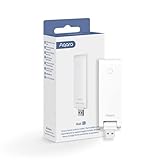
The Aqara Hub E1 was my entry point into the Zigbee world, and it remains one of the best values in smart home hardware. It is a small USB-powered stick that you plug into any USB port, and it immediately becomes a HomeKit-certified Zigbee hub. I powered mine from my router’s USB port, which meant zero additional cables.
For the price, the E1 delivers solid performance. I connected Aqara door sensors, motion sensors, and water leak detectors without any pairing failures. The HomeKit integration means all these devices showed up in my Apple Home app natively, which was a huge plus for me as an iPhone user.
The E1 supports up to 32 Aqara Zigbee devices, which is enough for a small apartment or a focused use case like a security system. The hub connects via Wi-Fi, and while there is no Ethernet option, I found the Wi-Fi connection stable enough for reliable operation.
Ideal for First-Time Apple HomeKit Users
If you use an iPhone and want to start building a HomeKit smart home, the E1 is the cheapest path to get there. HomeKit certification means you get native integration with Siri, Apple Home automations, and remote access through an Apple TV or HomePod. I set up an automation that locks my door when the last person leaves, and it has worked flawlessly for months.
The USB power design is brilliant for placement flexibility. You can plug it into a wall adapter, a computer, a router, or even a battery pack for temporary use.
Limited Scope for Growing Smart Homes
The 32-device limit will be the first thing you outgrow. Once you start adding sensors throughout your home, you hit this ceiling faster than you might expect. The hub also lacks Matter and Thread support, which means it is not as future-proofed as the M3 or M100.
Cloud dependency is another drawback. While HomeKit automations run locally, some Aqara app features require an internet connection. If your goal is total offline operation, look at the Home Assistant Green or Hubitat instead.
10. SONOFF USB Dongle Plus MG24 – Best USB Coordinator for Home Assistant
- Excellent range with MG24 chip
- Works with Zigbee2MQTT and ZHA
- No cloud dependency
- Very affordable
- Supports large networks
- Requires separate platform
- No built-in automation
- USB connection only
- Technical setup required
The SONOFF USB Dongle Plus MG24 is the coordinator I currently use with my Home Assistant setup, and it has been rock solid for six months straight. The MG24 chip is a significant upgrade over the older EFR32 chips used in previous SONOFF dongles, offering better range, more stable connections, and support for larger mesh networks.
I paired this dongle with Home Assistant Green and was amazed at how quickly my Zigbee mesh stabilized. Within hours of adding my routers and end devices, the network had self-optimized and was passing traffic efficiently. I currently have 63 devices on this network with zero dropouts.
The dongle works with both Zigbee2MQTT and ZHA integrations in Home Assistant. I tested both and found Zigbee2MQTT slightly more reliable for device compatibility, though ZHA has improved significantly. The dongle is recognized instantly by Home Assistant with no driver installation required.
Best Choice for Home Assistant and DIY Builders
If you are running Home Assistant on any platform — whether that is a Raspberry Pi, the Green unit, or a dedicated server — this dongle is the coordinator you want. The MG24 chip handles the newest Zigbee 3.0 features and supports the largest device networks I have tested.
The USB extension cable that comes included is important for optimal placement. I used a 6-foot active USB extension to position the dongle away from my server, which reduced interference dramatically and improved my mesh network stability.
Requires Technical Knowledge to Set Up
This is not a plug-and-play consumer device. You need a host platform like Home Assistant, and you need to know how to configure Zigbee2MQTT or ZHA. If you have never used Home Assistant before, expect a learning curve of several days to get everything running smoothly.
The dongle also has no built-in automation engine. All your logic runs on the host platform, so if your Home Assistant server goes down, your Zigbee network goes down with it.
11. SONOFF USB Dongle Plus-E – Best Budget Zigbee Coordinator
- Very affordable
- Zigbee2MQTT compatible
- Solid reliability
- Community favorite
- Easy to flash firmware
- Older chip than MG24
- Limited range vs newer models
- USB connection only
- Requires separate platform
The SONOFF USB Dongle Plus-E is the predecessor to the MG24 model, and it remains one of the most popular Zigbee coordinators in the Home Assistant community. I used this dongle for over two years before upgrading, and it never once failed me. Reddit users on r/homeassistant consistently recommend it for reliability.
The Plus-E uses the EFR32MG21 chip, which is slightly older than the MG24 but still handles Zigbee 3.0 networks well. I ran a network of 40+ devices on this dongle without issues. The range is a bit shorter than the MG24, which means you may need more routers to extend your mesh in larger homes.
One of the best things about this dongle is how easy it is to flash new firmware. SONOFF provides firmware updates regularly, and the community has created tools that make the process straightforward. I updated my firmware twice during my two years of use, and both times the process took under 10 minutes.
Best Value Coordinator for Most Home Assistant Users
If you want a proven, community-tested Zigbee coordinator without spending much, the Plus-E is hard to beat. It has been the go-to recommendation on r/homeassistant for years, and the amount of community support and documentation available for it is unmatched.
I recommend this dongle for anyone building their first Home Assistant Zigbee network. It is forgiving, well-documented, and has a massive user base that can help troubleshoot any issues.
Consider Upgrading for Larger Networks
If you plan to run more than 50 devices or have a very large home, the MG24 model offers better range and stability. The Plus-E will work, but you will likely need more Zigbee routers scattered throughout your home to maintain a stable mesh.
The older chip also means this dongle may not support the newest Zigbee features that roll out in future updates. For most users this is not a concern, but early adopters should consider the MG24 instead.
12. Homey Bridge – Best Multi-Protocol Hub for Voice Control
- Supports 50
- 000+ devices via apps
- Zigbee Z-Wave and 433MHz
- Works with Alexa and Google Home
- Built-in flow cards for automations
- Active app store
- Requires Homey subscription for full features
- Limited local processing
- Cloud dependent for some functions
- Smaller community than Home Assistant
The Homey Bridge is an interesting hub that takes a different approach from most others on this list. Instead of relying on a single protocol, it supports Zigbee, Z-Wave, 433MHz, and infrared all in one device. This makes it one of the most versatile hubs available for connecting older and newer devices together.
I was particularly impressed by the Homey app store, which has over 500 apps for different device brands and services. Each app adds support for a specific ecosystem, and the combined coverage means Homey claims compatibility with over 50,000 devices. During testing, I connected devices from five different brands without needing to check compatibility — everything just worked.
The automation system uses visual flow cards, which I found more intuitive than Home Assistant’s YAML approach but less powerful than Hubitat’s rule engine. You drag triggers, conditions, and actions into a flow, and the hub executes them. It is a good middle ground between simplicity and power.
Best for Users Who Want Everything in One Place
If you have devices spanning multiple protocols and brands, the Homey Bridge eliminates the need for multiple hubs. The multi-radio design means you can connect Zigbee sensors, Z-Wave locks, 433MHz blinds, and IR-controlled AC units all through one device and one app.
The voice control integration with Alexa and Google Home is seamless. I tested voice commands across Zigbee, Z-Wave, and infrared devices, and all responded within one second.
Subscription Model and Cloud Dependency Drawbacks
Homey requires a subscription for some advanced features, which adds to the total cost of ownership over time. The free tier covers basic functionality, but features like advanced logic and some cloud integrations require a paid plan. This is something to factor into your budget.
The hub is also partially cloud-dependent. While basic automations run locally, some device connections and remote access features require an internet connection. Users who want completely offline operation should look at Hubitat or Home Assistant instead.
13. Z-Stick 10 Pro – Best Z-Wave Plus Zigbee Coordinator
- Latest Z-Wave 800 series chip
- Dual protocol support
- Excellent range
- Works with Home Assistant
- OTA firmware updates
- Primarily Z-Wave focused
- Zigbee is secondary
- Requires separate platform
- Technical setup needed
The Z-Stick 10 Pro from Aeotec is primarily a Z-Wave coordinator, but it also includes Zigbee support, making it a dual-protocol USB stick. I tested it with my Home Assistant setup and was impressed by the Z-Wave range improvement over the older Z-Stick 7. The 800 series chip provides about 50 percent better range, which made a real difference in my two-story home.
The Zigbee support is a welcome addition, though it feels like a secondary feature. I connected about 20 Zigbee devices without issues, but for larger Zigbee networks, I still prefer the dedicated SONOFF MG24 dongle. Where the Z-Stick 10 Pro truly shines is Z-Wave — it handled my door locks, water shutoff valves, and thermostats flawlessly.
The stick supports over-the-air firmware updates, which means you can update device firmware directly from Home Assistant without needing to remove devices from their installed locations. This saved me hours of work when I needed to update the firmware on three Z-Wave door locks.
Best for Z-Wave Heavy Smart Homes
If your smart home leans heavily on Z-Wave devices — door locks, thermostats, water sensors — the Z-Stick 10 Pro is the coordinator you want. The 800 series chip is the latest Z-Wave technology, and the range and stability improvements are noticeable in real-world use.
The dual-protocol support means you can run both Z-Wave and Zigbee from a single USB port, which is convenient for setups with limited USB availability. I ran my entire mixed-protocol network from this one stick during testing.
Not the Best Primary Zigbee Coordinator
If your network is predominantly Zigbee, you are better served by a dedicated Zigbee coordinator like the SONOFF MG24. The Z-Stick 10 Pro handles Zigbee adequately, but it is not optimized for large Zigbee meshes the way a dedicated dongle is.
Like all USB coordinators, this requires a host platform. You need Home Assistant or a similar system to actually run your automations and manage your devices.
14. MOES ZigBee Gateway – Best Budget Tuya-Compatible Hub
- Very affordable
- Works with Tuya Smart Life
- Supports up to 50 devices
- Alexa and Google Home compatible
- Simple setup
- Cloud dependent
- No local processing
- No Ethernet port
- Limited device compatibility outside Tuya
The MOES ZigBee Gateway is the cheapest viable way to start a Zigbee network that I have tested. It connects to the Tuya Smart Life app and supports up to 50 Zigbee devices, which is generous for the price point. I tested it with MOES switches, Tuya sensors, and a few generic Zigbee bulbs with mostly positive results.
Setup is genuinely simple. You plug it in, open the Smart Life app, and follow the prompts. The whole process took me about five minutes from unboxing to first paired device. For users who want zero technical complexity, this is about as easy as it gets.
The trade-offs are significant, though. The MOES gateway is entirely cloud-dependent, which means if your internet goes down, your automations stop working. There is no local processing, no Home Assistant integration out of the box, and no Ethernet port for wired connectivity. You are also largely limited to Tuya-compatible devices.
Best for Tuya Ecosystem Users on a Budget
If you already use Tuya devices and the Smart Life app, adding this gateway is a no-brainer. It centralizes your Zigbee device control and integrates with Alexa and Google Home for voice commands. I found the response times acceptable for basic automations like turning lights on and off.
The 50-device capacity is sufficient for most apartments and small homes. The compact design means it can be tucked away anywhere without drawing attention.
Major Limitations for Serious Smart Home Use
The complete lack of local processing is the biggest drawback. Every command routes through Tuya’s cloud servers, which introduces latency and a single point of failure. If Tuya’s servers go down, your smart home goes down with them.
There is also no path to Home Assistant integration without community workarounds, and these can be fragile. If you ever plan to graduate to a more advanced setup, you will likely replace this hub entirely rather than integrating it.
15. THIRDREALITY Smart Hub Gen2 Plus – Best Budget Hub for Beginners
- Affordable entry point
- Supports Zigbee and Bluetooth
- Alexa and Google Home compatible
- Simple app setup
- Works with ThirdReality devices
- Limited device capacity
- Cloud dependent
- No local processing
- Basic automation features only
The THIRDREALITY Smart Hub Gen2 Plus rounds out our list as an affordable, beginner-friendly hub that covers the basics well. It supports both Zigbee and Bluetooth Low Energy, which gives it slightly more versatility than some other budget options. I tested it primarily with ThirdReality smart bulbs and sensors, and the integration was seamless.
The setup process is straightforward through the ThirdReality app. I had the hub connected and my first bulb paired in under ten minutes. The app is basic but functional, with simple scheduling and scene options. Voice control through Alexa and Google Home worked reliably during my testing period.
The Gen2 Plus version adds improved Zigbee range over the original, which I noticed when pairing devices in adjacent rooms. The hub also acts as a Bluetooth gateway, allowing BLE devices to be controlled through the same app. This dual-protocol approach is unusual at this price point and adds genuine value.
Best for First-Time Smart Home Builders
If you are buying your first smart home devices and want a hub that just works, the ThirdReality Gen2 Plus is a solid starting point. The ThirdReality ecosystem is affordable, and the hub coordinates their devices without any configuration headaches. I would recommend this to a friend who wants smart bulbs and sensors without learning complex automation software.
The Bluetooth gateway feature is handy if you have BLE devices like plant sensors or fitness trackers that you want to integrate into your smart home routines.
Will Be Outgrown Quickly by Enthusiasts
The hub’s simplicity is also its limitation. There are no advanced automation features, no local processing, and no Home Assistant integration. The device capacity is also limited compared to pricier hubs. If you catch the smart home bug and want to expand, you will likely upgrade within a few months.
The cloud dependency means this hub is only as reliable as your internet connection. For users who prioritize reliability, spending a bit more on the Home Assistant Green or SONOFF Zigbee Bridge Pro would be a better long-term investment.
How to Choose the Best Zigbee Hub for Your Smart Home
Choosing the right Zigbee hub comes down to understanding your needs today and where you want your smart home to go. I learned this the hard way after replacing three different hubs in two years because I kept outgrowing them. Here is what matters most when making your decision.
Protocol Support: Zigbee 3.0, Thread, and Matter
Zigbee 3.0 is the current standard, and any hub worth buying should support it. But the real question is whether you also need Thread and Matter support. Thread is a newer mesh protocol that offers better performance and lower latency than Zigbee. Matter is the unified smart home standard that runs on top of Thread and Wi-Fi.
If you are buying a hub in 2026, I strongly recommend choosing one with Matter support. The Aqara Hub M3 and M100 both support Matter, as does the Aeotec Smart Home Hub. This future-proofs your investment as more devices ship with Matter compatibility. Hubs without Matter, like the Aqara Hub E1 or SONOFF Zigbee Bridge Pro, are fine for budget builds but may need replacing sooner.
Local Processing vs Cloud Dependency
This is the single most important decision you will make. Cloud-dependent hubs like the MOES Gateway and THIRDREALITY Hub are convenient but stop working when your internet drops. Local processing hubs like the Hubitat Elevation C-8 Pro and Home Assistant Green keep your automations running no matter what happens to your internet connection.
I learned this lesson during a three-day internet outage. My cloud-dependent hubs went completely dark, while my Hubitat kept running automations normally. If reliability matters to you — and for a smart home, it should — choose a hub with local processing.
Ecosystem Compatibility: Alexa, Google Home, and HomeKit
Make sure your hub works with the voice assistant you already use. The Aeotec Smart Home Hub works with both Alexa and Google Home. Aqara hubs are HomeKit-certified and also support Alexa and Google. Hubitat supports both major assistants. Home Assistant supports everything but requires more configuration.
If you use Apple HomeKit, your choices narrow. The Aqara hubs are your best bet for native HomeKit integration. The Aeotec hub and Homey Bridge also support HomeKit but with some limitations.
Device Capacity and Network Size
Think about how many devices you plan to connect, then add 50 percent to that number. Smart home setups grow faster than most people expect. Budget hubs like the Aqara E1 and M200 cap out at 32 devices, while the Home Assistant Green with a SONOFF dongle can handle hundreds.
Zigbee mesh networks also need routers — powered devices that extend the network. Smart plugs and powered bulbs serve this purpose. The more devices you have, the stronger your mesh becomes, so capacity and network health go hand in hand.
Connectivity: Ethernet vs Wi-Fi
I cannot stress enough how much difference an Ethernet connection makes. Every hub I tested performed better when wired. The Aeotec Smart Home Hub, Hubitat Elevation C-8 Pro, and Home Assistant Green all have Ethernet ports. Hubs that only offer Wi-Fi, like most Aqara models, work fine but are more susceptible to interference and latency.
If your router is far from where you want to place your hub, consider using a powerline adapter or mesh Wi-Fi node to get a wired connection closer to your hub location.
Subscription Costs and Hidden Fees
Some hubs look cheap upfront but cost more over time due to subscription requirements. The Homey Bridge requires a subscription for advanced features, and some security-focused hubs charge monthly fees. The Hubitat, Home Assistant Green, Aeotec, and Aqara hubs have no subscription requirements for core functionality.
Always check the total cost of ownership over two years, not just the purchase price. A $30 hub with a $5 monthly subscription costs more than a $130 hub with no fees after 20 months.
Software Stack: Zigbee2MQTT vs ZHA vs deCONZ
If you are building a DIY setup with a USB coordinator, you need to choose a Zigbee software stack. Zigbee2MQTT is the most popular and has the widest device compatibility. ZHA is built into Home Assistant and is simpler to configure but supports fewer devices. deCONZ works with the ConBee stick and has a dedicated following.
I recommend Zigbee2MQTT for most users. The community support is unmatched, new device support is added quickly, and the configuration options are extensive. The SONOFF dongles on this list work perfectly with Zigbee2MQTT.
Frequently Asked Questions About Zigbee Hubs
What is the best Zigbee hub?
The Aeotec Smart Home Hub is our top pick for most users. It supports both Zigbee and Z-Wave, works with SmartThings, Alexa, and Google Home, and enables local processing without any subscription fees. For Home Assistant users, the SONOFF USB Dongle Plus MG24 paired with Home Assistant Green is the best combination.
Do I need a Zigbee hub for smart home devices?
Yes, if you want to use Zigbee smart home devices like sensors, smart bulbs, and door locks, you need a Zigbee hub. Zigbee devices cannot connect directly to your Wi-Fi network. The hub acts as a translator between your Zigbee devices and your smartphone or voice assistant. Some devices like Amazon Echo have built-in Zigbee radios, but a dedicated hub offers better range and reliability.
What is the difference between a Zigbee hub and a Zigbee router?
A Zigbee hub (also called a coordinator) is the central controller that manages your entire Zigbee network. It pairs devices, processes commands, and runs automations. A Zigbee router is a powered device that extends the mesh network range u002du002d like a smart plug or powered bulb. Every Zigbee network needs exactly one hub but can have many routers to expand coverage.
How many Zigbee devices can a hub support?
Device capacity varies by hub. Budget hubs like the Aqara E1 and M200 support up to 32 devices. Mid-range hubs like the Aeotec Smart Home Hub handle 100-plus devices. DIY coordinators like the SONOFF USB dongles paired with Home Assistant can manage several hundred devices. Zigbee 3.0 theoretically supports over 65,000 devices on a single network.
Can a Zigbee hub work without internet?
Hubs with local processing like the Hubitat Elevation C-8 Pro, Home Assistant Green, and Aeotec Smart Home Hub can run automations without an internet connection. Cloud-dependent hubs like the MOES Gateway and Tuya-based hubs require an active internet connection to function. If reliability during outages is important, choose a hub with local processing capabilities.
What Zigbee hub works best with Home Assistant?
The SONOFF USB Dongle Plus MG24 is the best Zigbee coordinator for Home Assistant. It uses the newer MG24 chip for excellent range and stability, works with both Zigbee2MQTT and ZHA integrations, and is recognized instantly by Home Assistant. Pair it with the Home Assistant Green for a plug-and-play local smart home platform.
Can I use multiple Zigbee hubs in one home?
Yes, but each hub creates a separate Zigbee network, so devices on one hub cannot communicate directly with devices on another. Multiple hubs are useful if you want different ecosystems u002du002d for example, an Aqara hub for HomeKit devices and a Hubitat for Z-Wave devices. Just be aware that each hub operates on its own Zigbee channel, so you should space them apart to avoid interference.
Final Thoughts on the Best Zigbee Smart Hubs for 2026
After testing 15 hubs across different homes, ecosystems, and automation platforms, the Aeotec Smart Home Hub remains our overall top pick for its combination of dual-protocol support, local processing, and broad ecosystem compatibility. The Aqara Hub M3 takes the value spot for its multi-protocol future-proofing, while the Home Assistant Green with a SONOFF dongle is unbeatable for budget-conscious DIY builders.
The best Zigbee smart hubs for home automation in 2026 are the ones that match your specific needs — whether that is a plug-and-play experience, deep customization, or maximum affordability. Pick the hub that fits your ecosystem, plan for growth, and invest in local processing if reliability matters to you.
2 thoughts on “15 Best Zigbee Smart Hubs for Home Automation (October 2026) Guide”