
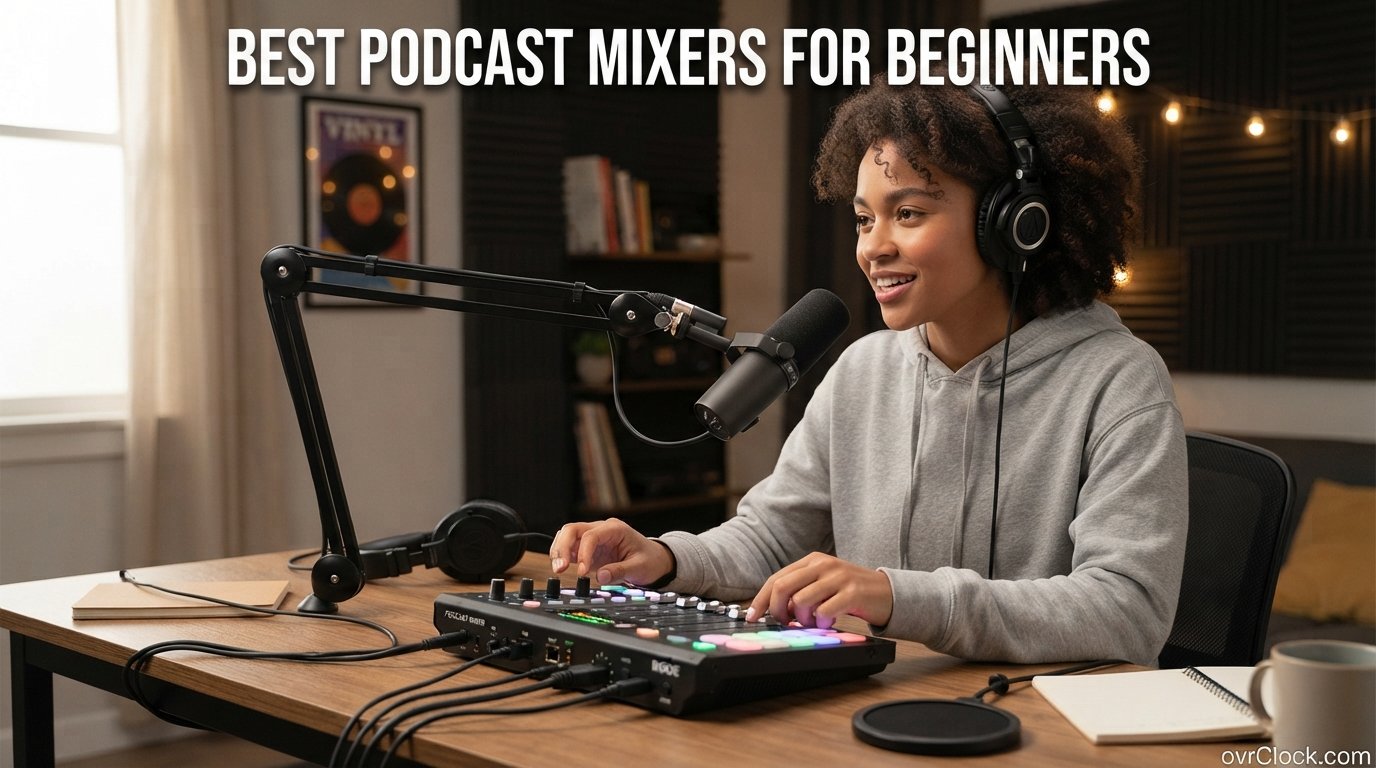
Starting a podcast is exciting, but the gear wall hits fast. You grab a decent microphone, fire up your laptop, and then realize you have no way to control levels, mix multiple voices, or bring in a remote guest without audio chaos. That is where the best podcast mixers for beginners come in, and honestly, they change everything about your production quality from day one.
I have spent the last several months testing podcast mixers across every price tier, from bare-bones budget boxes to full production consoles. Some of these units surprised me with how much they pack in for under $100. Others proved that spending more actually translates to real, noticeable quality gains. The goal here is to save you from the trial-and-error that costs time and money.
Whether you are recording solo in a closet-turned-studio or planning a four-host panel show, there is a mixer on this list that fits. I will walk you through what each one does well, where it falls short, and who it makes sense for. If you want a deeper comparison of studio setups, our guide to podcast mixers for home studios covers permanent desk installations in more detail. And if you are still picking microphones, our roundup of the best podcast microphones pairs perfectly with any mixer here.
One thing I learned from testing: the right mixer does not just make you sound better. It makes recording easier, less stressful, and more fun. And when the process is fun, you actually keep publishing episodes. Let us get into the picks.
Table of Contents
Top 3 Podcast Mixers for Beginners
Before we get into full reviews, here are the three mixers I recommend most often. These cover the three main paths beginners typically take: a premium all-in-one production studio, a portable budget workhorse, and a clean two-person interface.

Rode RODECaster Pro II
- 4 Revolution preamps
- 8 SMART pads
- APHEX processing
- Touchscreen
- Dual USB+Bluetooth

Focusrite Vocaster Two
- 70dB gain
- Auto Gain
- Enhance presets
- Dual headphone outs
- Bluetooth phone
The RODECaster Pro II is the premium pick because it replaces an entire rack of gear in one box. The Zoom PodTrak P4 wins on value with four mic inputs and battery power at a fraction of the cost. The Focusrite Vocaster Two sits in between, offering studio-grade preamps in a format that is incredibly easy to learn.
Best Podcast Mixers for Beginners in 2026
Here is a side-by-side look at all eight mixers on this list. Compare the key features at a glance before diving into the individual reviews below.
| Product | Specifications | Action |
|---|---|---|
 Zoom PodTrak P4 Zoom PodTrak P4 |
|
Check Latest Price |
| Rode RODECaster Pro II |
|
Check Latest Price |
 FIFINE AmpliGame SC3 FIFINE AmpliGame SC3 |
|
Check Latest Price |
 MAONO MaonoCaster Lite MAONO MaonoCaster Lite |
|
Check Latest Price |
 MAONO AME2 MaonoCaster MAONO AME2 MaonoCaster |
|
Check Latest Price |
| Focusrite Vocaster Two |
|
Check Latest Price |
 Pyle 8ch Bluetooth Mixer Pyle 8ch Bluetooth Mixer |
|
Check Latest Price |
 MAONO G1 NEO MAONO G1 NEO |
|
Check Latest Price |
1. Zoom PodTrak P4 – Best Portable Budget Pick
- 4 XLR inputs with individual volume control
- 4 separate headphone outputs
- Portable and battery powered
- Automatic mix-minus for phone interviews
- Excellent value for the price
- Plastic build feels somewhat fragile
- Small knobs may be difficult
- Battery life limited to 3.5 hours
I picked up the Zoom PodTrak P4 expecting a toy and walked away genuinely impressed. This little box handles four XLR microphones, gives each person their own headphone output, and records everything to an SD card without needing a computer in the room. For a beginner who wants to record a panel show without a tangle of cables, it is hard to beat.
The sound quality surprised me right away. Zoom built proper preamps into this thing, and the automatic mix-minus feature means remote guests on a phone call hear you clearly without echo. That feature alone used to require a separate piece of equipment. Having it built in for this price is remarkable.
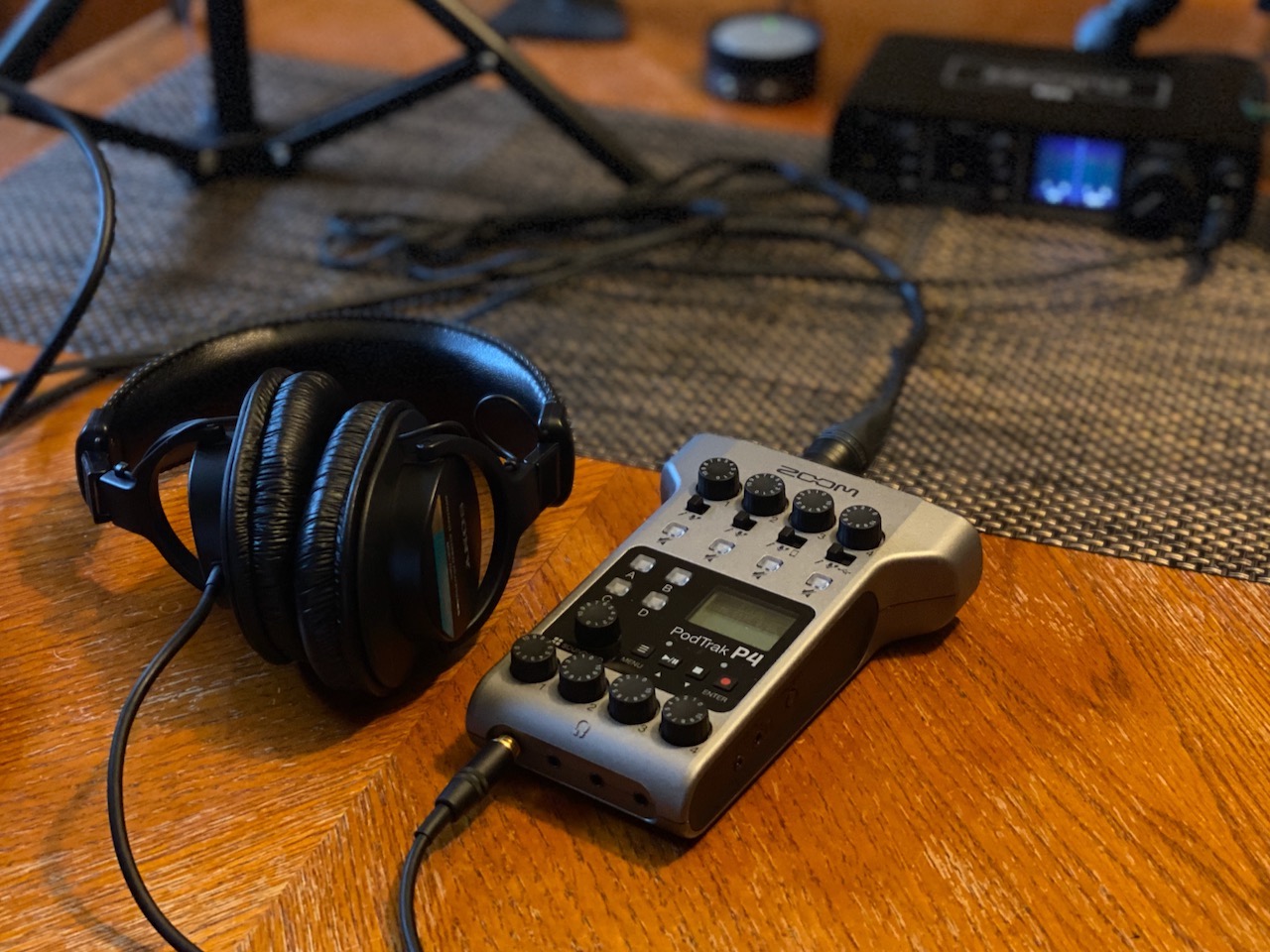
Portability is the real selling point here. The PodTrak P4 runs on two AA batteries for about three and a half hours. I took it to a coffee shop, plugged in two dynamic mics, and recorded a full interview session away from my desk. No laptop, no power cable, no fuss. For field recording or on-location podcasts, this is the one to get.
The downsides are real but manageable. The build is plastic and feels light, which is great for carrying but makes you worry about durability. The knobs are small, so if you have large hands, adjusting levels mid-recording takes practice. And the screen backlight turns off when running on batteries, which is annoying in dim lighting.
Setup and Learning Curve
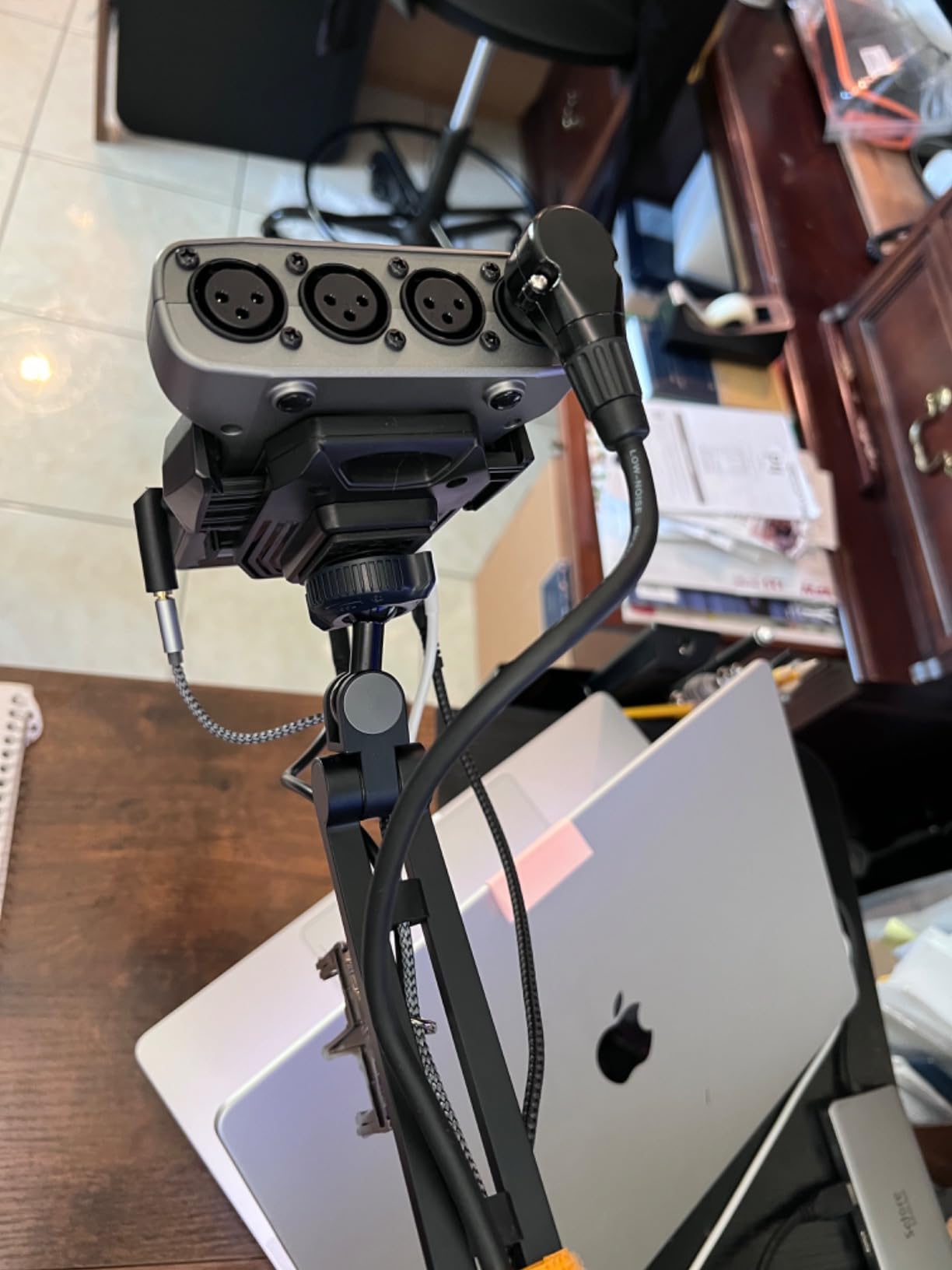
Setup took me about ten minutes from unboxing to first recording. You plug in your mics, insert an SD card, and start recording. There is no software to install and no drivers to fight with. The interface is straightforward enough that I handed it to a friend who had never touched a mixer, and he was recording within fifteen minutes.
The one learning curve is understanding gain staging. You need to set input levels for each microphone before hitting record. The meters on the small screen help, but they take some getting used to. Once you dial in your levels, the process becomes muscle memory.
Long-Term Value and Portability
After months of use, the PodTrak P4 still earns its spot in my kit. Reddit users consistently cite this as the best value for money under $150, and I agree completely. The portability factor cannot be overstated. If you ever plan to record at conventions, remote locations, or a co-host’s house, this mixer makes it trivial.
The question is whether you will outgrow it. With four inputs, it handles most beginner and intermediate setups. The lack of advanced effects processing means you will do EQ and compression in post-production. For beginners, that is actually fine since you want clean recordings to edit later.
2. Rode RODECaster Pro II – Best Premium All-in-One
RØDE RØDECaster Pro II All-in-One Production Solution for Podcasting, Streaming, Music Production and Content Creation,Black
- Studio-quality Revolution preamps
- 8 customizable SMART pads with 64 actions
- APHEX audio processing built in
- Intuitive touchscreen interface
- Records to microSD or computer
- Premium price point
- May be complex for beginners
- Larger and heavier than portable options
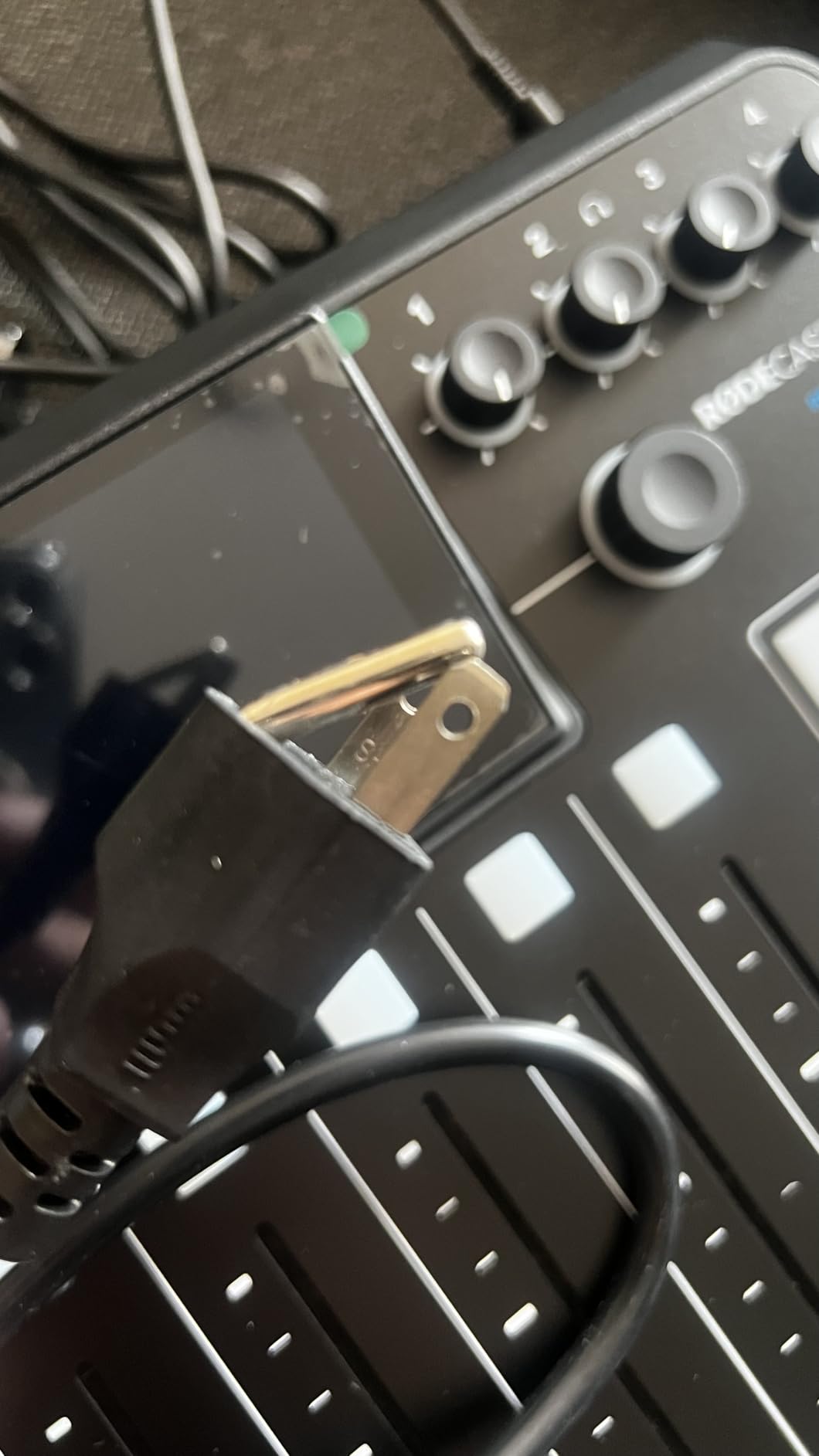
The RODECaster Pro II is the mixer I reach for when I want everything handled in one box. Rode packed studio-grade preamps, APHEX audio processing, eight programmable SMART pads, and a full touchscreen into a unit that replaces a mixing desk, effects rack, and audio interface all at once. It is the definition of an all-in-one production solution.
The Revolution preamps are genuinely excellent. I plugged in a budget dynamic mic and immediately heard the difference compared to cheaper interfaces. The sound was clean, full, and broadcast-ready with zero post-processing. Then I turned on the APHEX Aural Exciter and Big Bottom processing, and the vocal presence jumped to another level. This is the kind of audio chain that used to require a studio engineer.
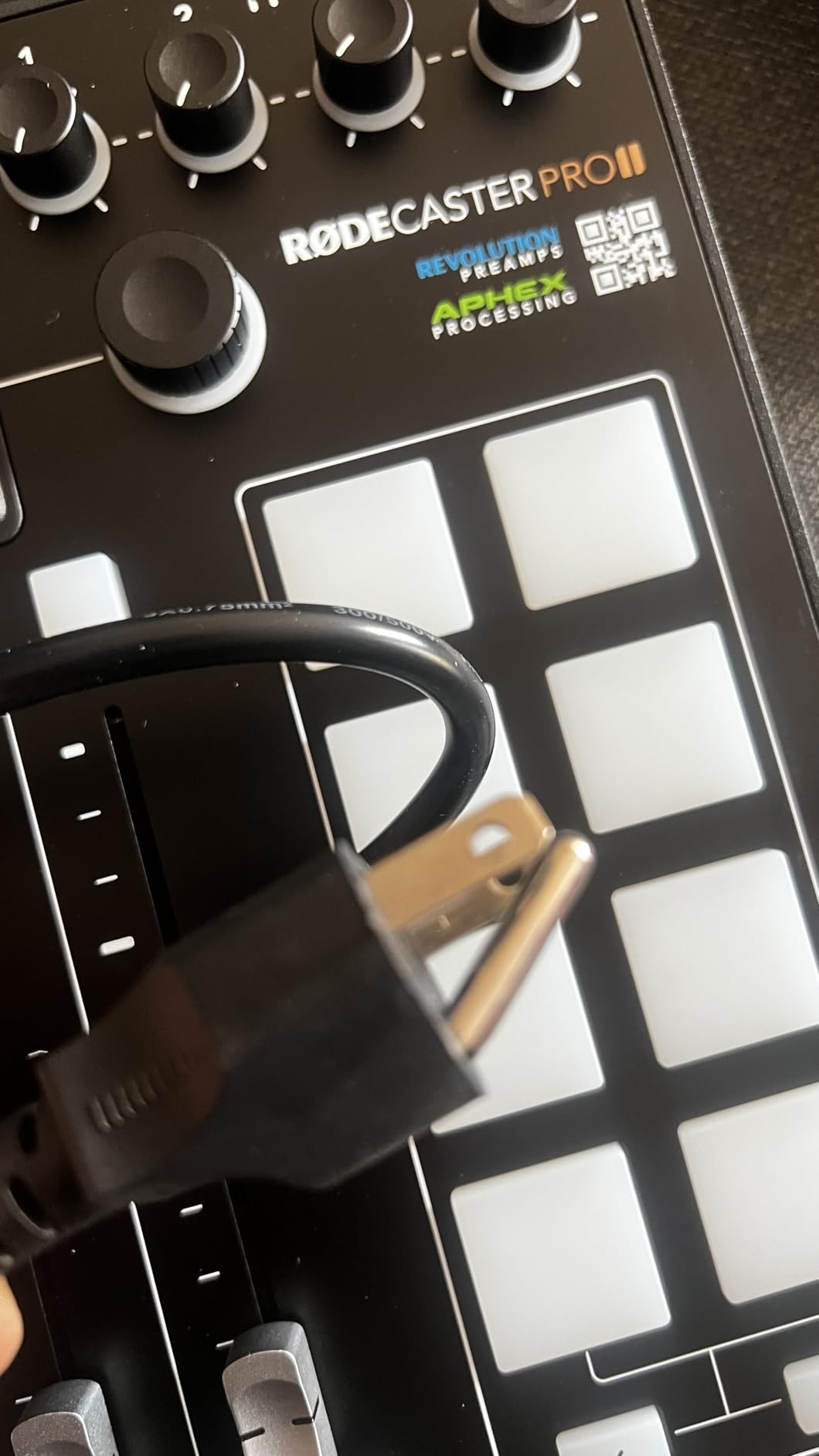
The eight SMART pads are my favorite feature. You can assign sound effects, intro music, jingles, or even trigger entire multilayered actions across eight banks. That gives you 64 total actions at your fingertips. During a live recording, I loaded my show intro, an applause sting, and a sponsor jingle onto three separate pads and triggered them without touching my computer.
The touchscreen makes everything approachable once you learn the menu structure. Adjusting EQ, setting up compression, routing channels, and configuring Bluetooth phone calls all happen on screen. The learning curve is steeper than the simpler mixers on this list, but the payoff is enormous. You get professional broadcast processing without needing to understand what a compressor ratio does.
Processing Power and Audio Quality
The quad-core engine inside this unit handles real-time processing with zero noticeable latency. I ran four microphones through APHEX effects, compression, EQ, and de-essing simultaneously while recording to microSD and streaming via USB. No dropouts, no glitches, no problems. The sound quality rivals what I have heard from dedicated studio racks costing twice as much.
Connectivity is another strength. Dual USB channels mean you can connect two computers at once, which is useful for co-host setups. Bluetooth handles wireless phone calls with automatic mix-minus. Wi-Fi lets you update firmware and transfer files without cables. The flexibility here is designed for people who take podcasting seriously.
Is It Overkill for Beginners
Honestly, for some beginners, yes. If you just want to record a solo show with one microphone, spending this much does not make sense. But if you plan to grow into a multi-host show, stream live, use sound effects, and want broadcast-quality audio from day one, the RODECaster Pro II saves you from buying and rebuying gear as you level up.
I recommend this for beginners who know they are serious about podcasting and want equipment that will last years. The firmware has been updated regularly since launch, and Rode continues adding features. It is an investment, but one that pays off in sound quality and workflow efficiency.
3. FIFINE AmpliGame SC3 – Best Ultra-Budget Entry Point
- Excellent value for the price
- XLR input with 48V phantom power
- Plug and play easy setup
- Individual channel volume controls
- Compact and lightweight design
- Sound pad quality can be poor
- Voice changer effects may sound harsh
- USB microphones not supported
- Can make expensive mics sound slightly fuzzy
At this price point, I expected a flimsy gadget. What I got from the FIFINE AmpliGame SC3 was a genuinely functional audio mixer that handles one XLR microphone with phantom power and gives you physical controls for volume, muting, and monitoring. For under $50, this is the cheapest legitimate way to step up from a USB microphone to an XLR setup.
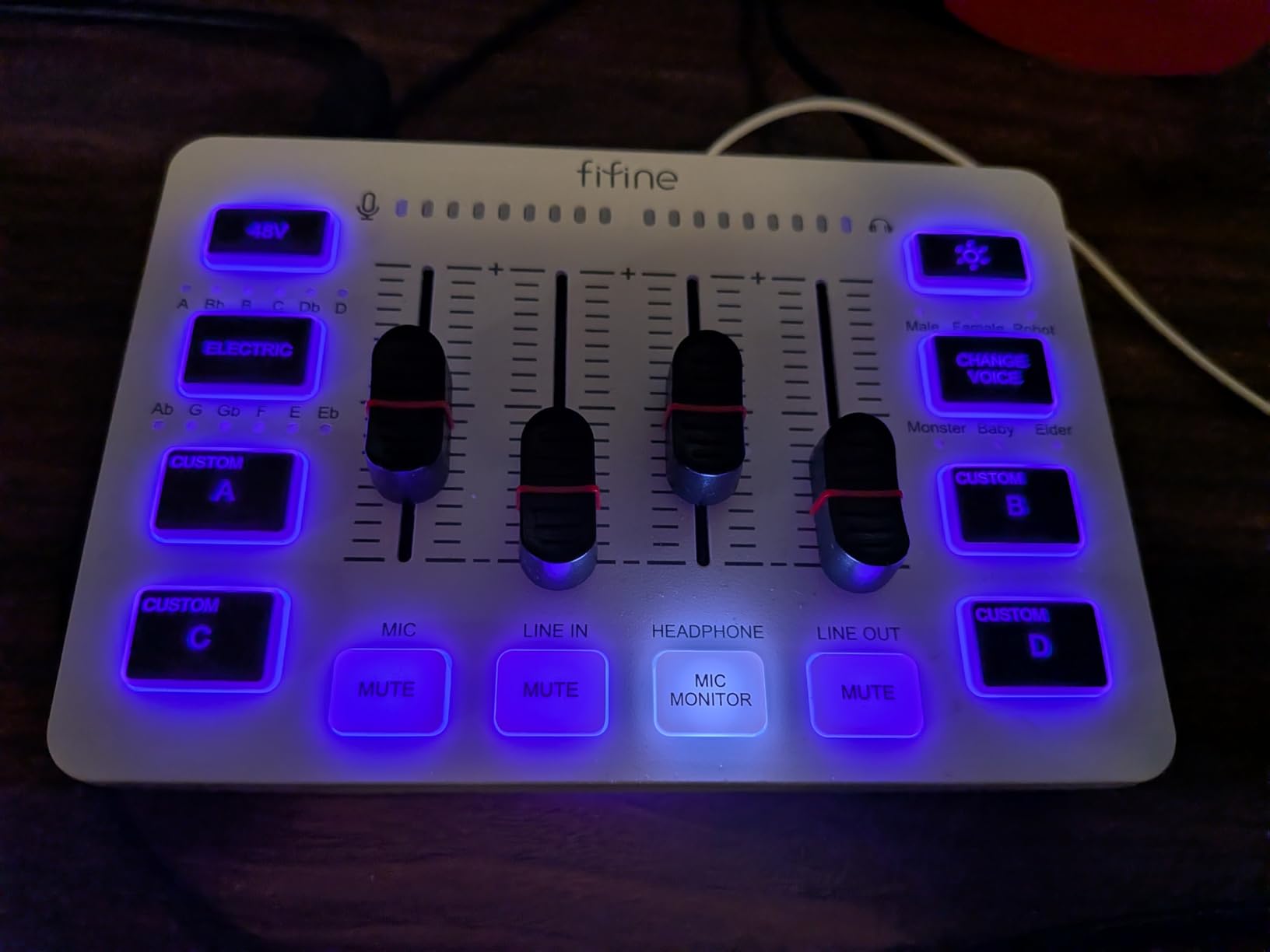
The key thing to understand is that this is a single-channel mixer with multi-channel control. You get one XLR input for your microphone, but the controls also manage line in, headphone out, and line out separately. The volume slider fader feels surprisingly smooth, and the mute button has a satisfying click. For basic podcasting with one host, this covers the fundamentals.
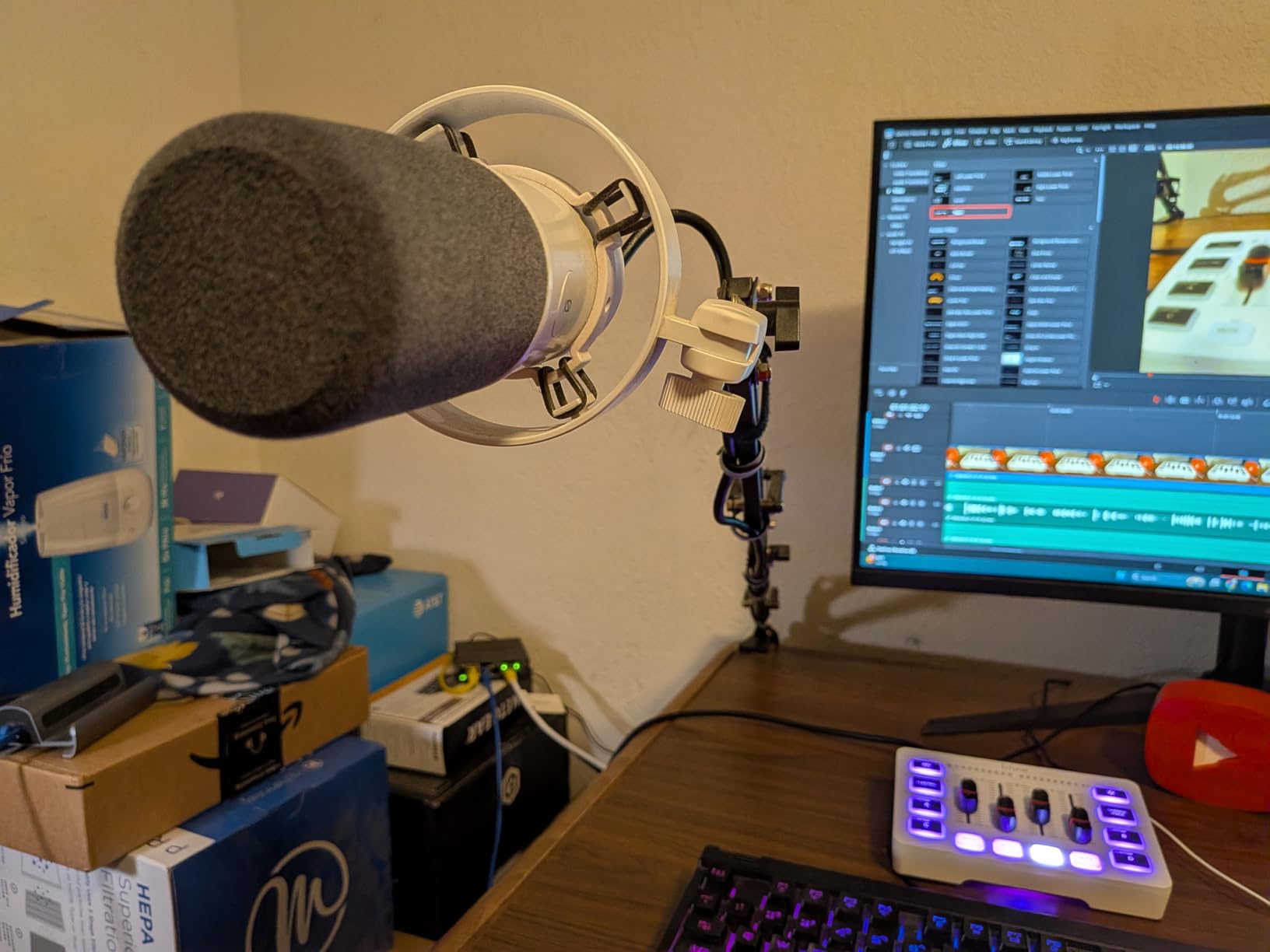
The RGB lighting is obviously aimed at gamers and streamers, but it does not detract from functionality. You can dim or customize it. What matters more is that the 48V phantom power works correctly with condenser microphones. I tested it with a budget condenser mic and got clean, usable audio for podcasting.
The limitations become apparent quickly. The four sound effect buttons produce low-quality samples that sound muddy in a recording. The six voice-changing modes are fun for streaming but not useful for serious podcasting. And because there is only one XLR input, you are limited to solo shows unless you daisy-chain additional equipment.
Sound Quality Expectations
Let me be direct: this will not make your microphone sound like a RODECaster. The preamp is functional but introduces a slight noise floor that becomes noticeable on sensitive headphones. For podcasting distributed through standard platforms like Apple Podcasts and Spotify, most listeners will never notice. But if you are aiming for audiophile quality, you will want to upgrade eventually.
That said, the sound quality is a massive step up from a bare USB microphone. The physical volume control, mute button, and monitoring jack give you real-time control that USB mics lack. For learning the basics of audio management, this is an excellent teacher.
Who Should Start Here
This is the mixer I recommend to absolute beginners who want to try XLR microphones without committing serious money. If you are unsure whether podcasting is for you, spending under $50 on the FIFINE SC3 lets you test the waters. Pair it with a budget dynamic mic and you have a functional podcast setup for less than the cost of many USB microphones.
It is also a good fit for streamers who want physical audio controls on their desk without spending gaming-headset money. The RGB lighting fits that aesthetic. Just keep your expectations realistic about sound pad quality and long-term durability.
4. MAONO MaonoCaster Lite AU-AM200-S1 – Best All-in-One Starter Bundle
- All-in-one solution everything included in bundle
- Easy plug and play setup
- Multiple voice changer options
- Bluetooth connectivity for music input
- Works with PC smartphones tablets
- Included microphone quality is just okay
- Does not support phantom power 3.5mm mic only
- De-noise button can cut words off abruptly
- Some longevity concerns reported
The MAONO MaonoCaster Lite is the only product on this list that ships as a complete bundle. You get the mixer console, a microphone, a mic stand, cables, and a windscreen all in one box. For someone starting from zero, this removes the guesswork of figuring out what accessories are compatible.
I tested this with a beginner friend who had never recorded audio before. Within twenty minutes of opening the box, she was recording a test episode with background music, sound effects, and real-time monitoring. That level of accessibility is the MaonoCaster Lite’s biggest strength. No other product on this list gets you recording that fast from a cold start.
The console itself packs in features that belie its price. There are eight built-in sound effects, four user-recordable sound pads, a voice changer with multiple modes, a denoise button, and three-band EQ controls. Bluetooth lets you pipe in music from your phone. It supports up to two people, four devices, and four platforms simultaneously.
The catch is that the included microphone is just adequate. It connects via 3.5mm rather than XLR, and there is no phantom power support. The voice quality is fine for getting started, but you will want to upgrade the microphone eventually. The good news is the console itself is good enough to keep.
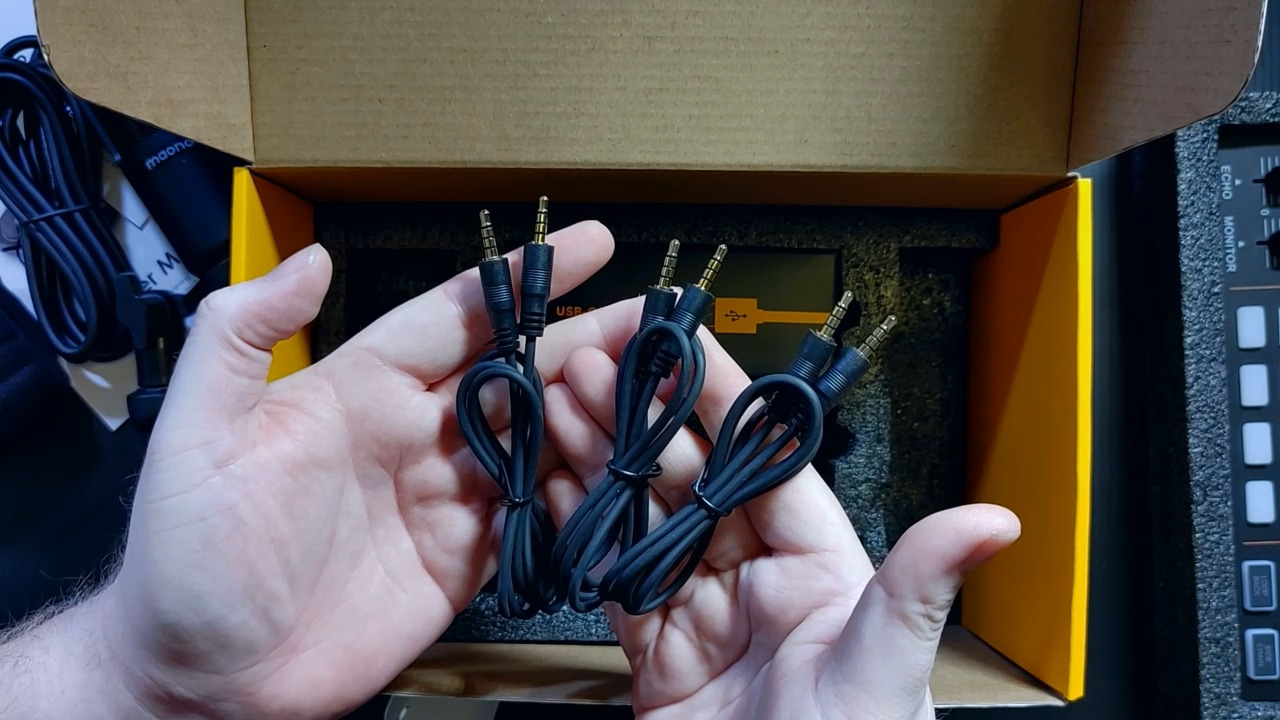
What Comes in the Box
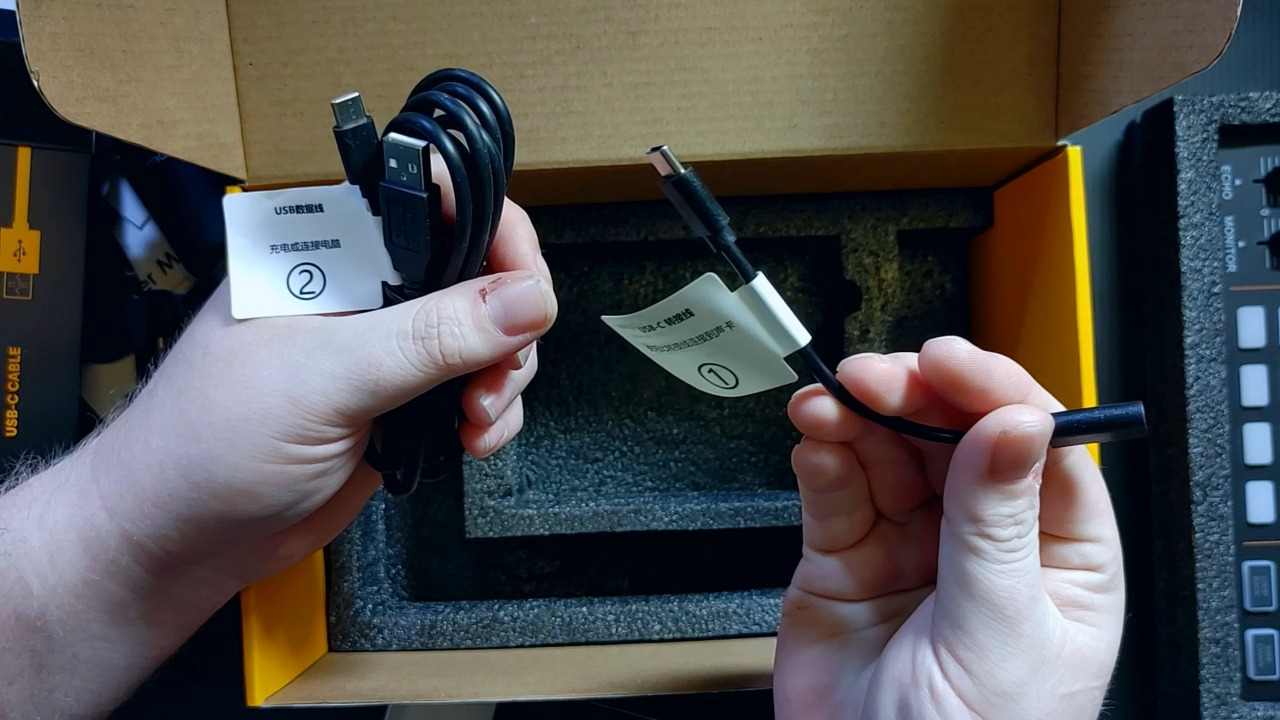
The bundle includes the audio mixer console, a condenser microphone, a tripod mic stand, a mic cable, a windscreen muff, a charging cable, two 3.5mm TRRS audio cables, and a user manual. Everything you need to start recording is there except a computer or smartphone. MAONO deserves credit for not making you hunt for compatible accessories.
The console measures roughly 9.4 by 5.1 inches, so it fits on a desk without dominating the space. It weighs about 1.3 kilograms, which gives it enough heft to stay put when you press buttons. The layout is clean, with clearly labeled controls that a beginner can understand without reading the manual cover to cover.
Upgrading from the Bundle
After a few months of use, most podcasters outgrow the included microphone. Since the MaonoCaster Lite does not have XLR inputs or phantom power, your upgrade path is limited to 3.5mm microphones. This is the main drawback of the all-in-one bundle approach. Eventually, you may want to move to a mixer with XLR inputs.
That said, for the first three to six months of podcasting, this bundle covers everything. If you decide podcasting is not for you, the total investment is minimal. If you stick with it, the console still works as a secondary unit or a mobile recording rig. MAONO’s customer support is also frequently praised in reviews, which adds peace of mind.
5. MAONO MaonoCaster AME2 – Best Mid-Range Feature Set
- Professional-grade preamps with 60dB gain
- 48V phantom power for condenser mics
- 11 customizable sound pads with long recording times
- Great for guitar and instrument recording
- Excellent reverb and auto-tune features
- Some reported durability issues over time
- Setup can be complex for beginners
- Requires additional cables or adapters for some setups
- Headphone monitor may differ from final output
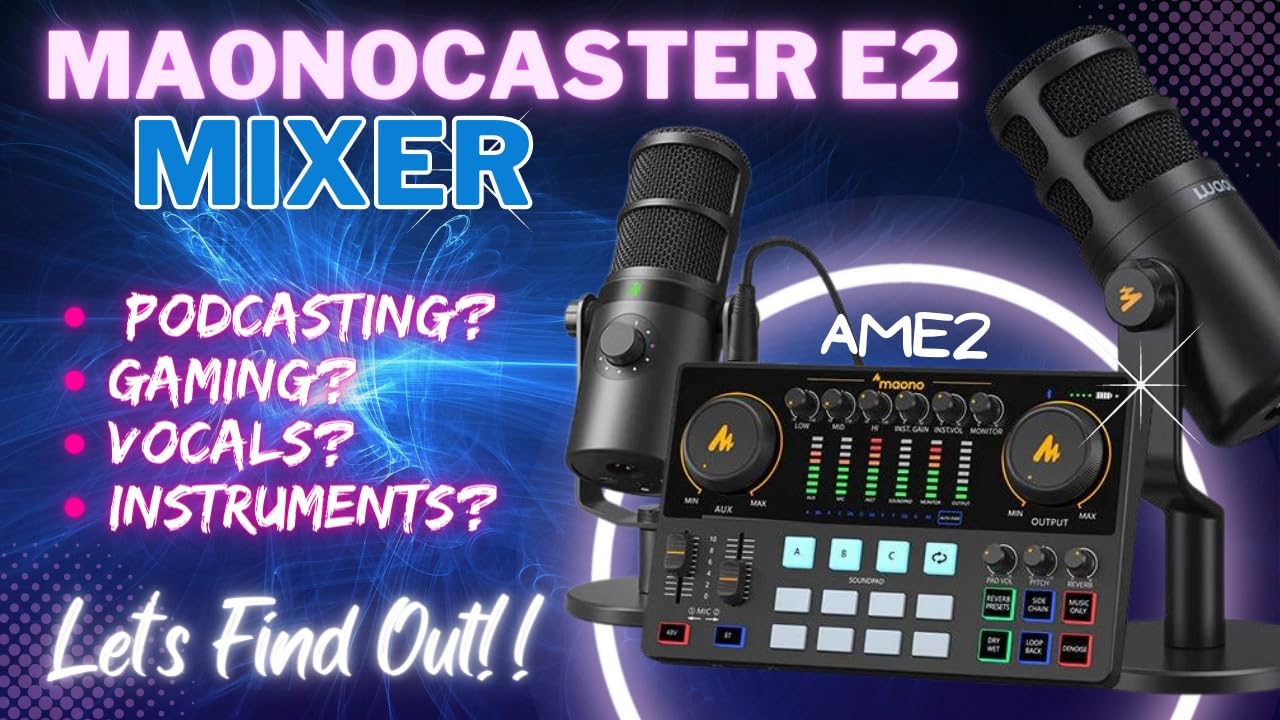
The MAONO MaonoCaster AME2 sits in a sweet spot that I think many beginners overlook. It costs less than $100 but includes professional-grade preamps with 60dB of gain, 48V phantom power, eleven customizable sound pads, Bluetooth, and even a guitar input. On paper, it competes with mixers costing twice as much.
In practice, the AME2 largely delivers on that promise. The 60dB preamp is the standout feature. I connected a Shure SM7B, which is notoriously gain-hungry, and the AME2 drove it without needing a separate booster like a Cloudlifter. That alone saves you $50 to $100 on accessories. Most budget mixers struggle with the SM7B, so this was a genuine surprise.
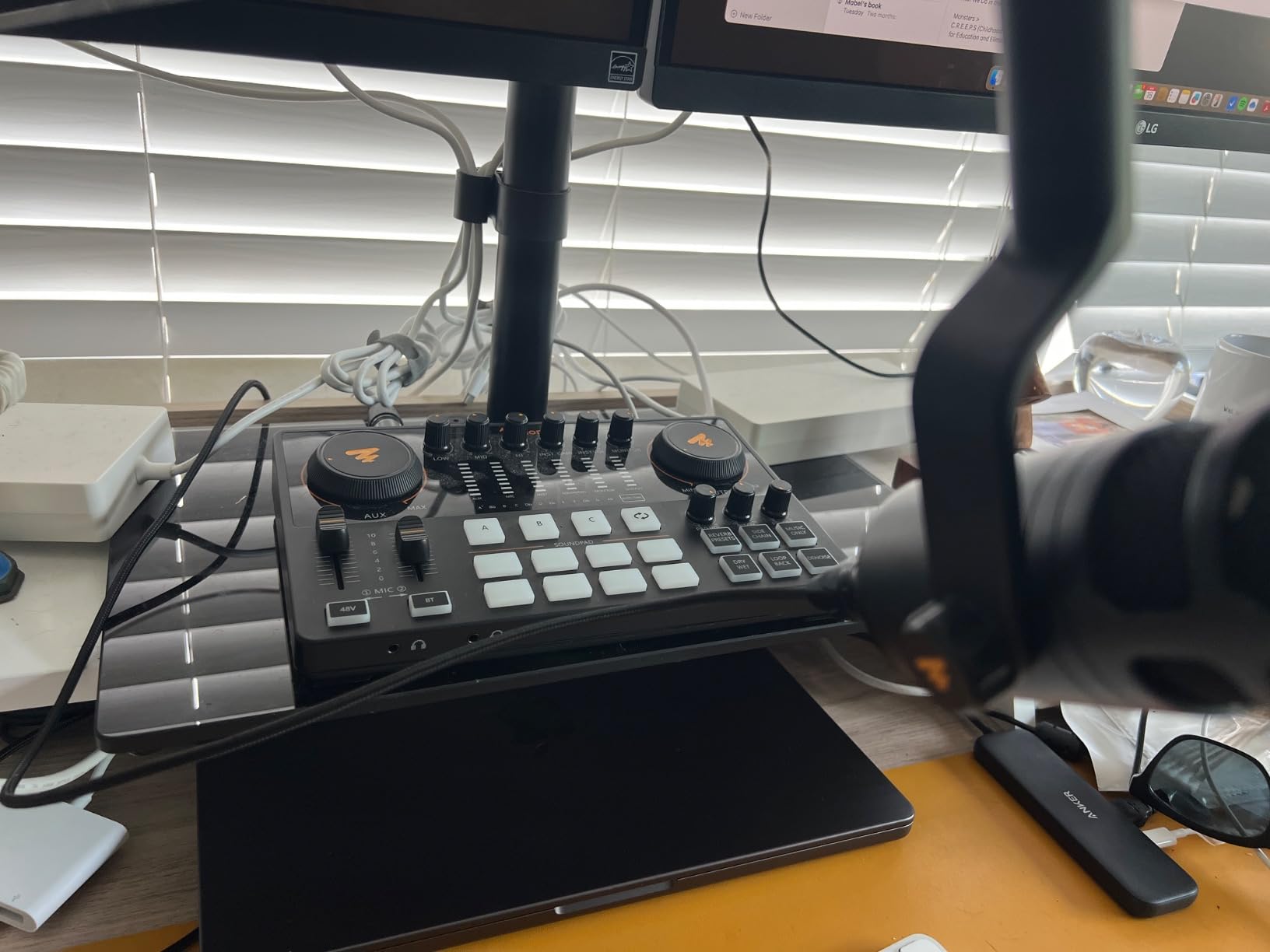
The eleven sound pads are more flexible than what most competitors offer at this price. Three pads support 60-second recordings, and eight support 20-second recordings. I loaded show intros, transition stingers, and sponsor ads across the pads and triggered them during recording without touching my computer. The pads feel responsive and have good tactile feedback.
The reverb modes and auto-tune features are surprisingly usable. Six reverb modes let you add subtle room ambience or dramatic hall effects. The twelve-step auto-tune is more of a novelty for podcasting, but it works well for music segments or creative content. The pitch changer knob lets you fine-tune on the fly.
Preamp Quality vs Price
The preamp quality here is the main reason to choose the AME2 over cheaper options. At 60dB of gain with low noise, it handles both dynamic and condenser microphones with authority. I compared recordings from the AME2 against a Focusrite Scarlett interface, and the difference was minimal. For a sub-$100 mixer, that is impressive.
The three-level mic gain adjustment helps beginners find the right input level without overwhelming them with options. You toggle between low, medium, and high gain settings. It is not as precise as continuous gain control, but it prevents the common beginner mistake of clipping audio by setting levels too hot.
Sound Pad Customization Depth
Customizing the sound pads requires using the mixer’s onboard controls rather than companion software. This means you record sounds directly into the pads by pressing and holding. It works, but it is less convenient than drag-and-drop software assignment. The upside is that you do not need a computer connected to use the pads during recording.
I did encounter a minor issue where the headphone monitor sound differed slightly from the final recorded output. This meant I sometimes thought levels were fine during recording, only to discover in editing that they were slightly off. The workaround is to check your recordings periodically and trust the level meters rather than your ears.
6. Focusrite Vocaster Two – Best for Host and Guest Shows
- Broadcast quality sound in seconds
- Over 70dB of gain no booster needed
- Auto Gain beginner-friendly level setting
- Enhance presets improve voice quality
- Separate headphone outputs for host and guest
- Plastic body though rugged
- Headphone jacks in front may stick out
- Phantom power resets when powered off
- Short USB cable included
The Focusrite Vocaster Two is designed specifically for two-person podcasting, and that focus shows in every detail. Two mic inputs, two headphone outputs, individual mute buttons, and a Show Mix feature that lets each person customize what they hear in their headphones. If your show has a host and a guest in the same room, this is the mixer I recommend most.
The 70dB of gain is a headline feature. Focusrite engineered these preamps to drive demanding dynamic microphones like the Shure SM7B without a Cloudlifter. I tested it with an SM7B and a Rode PodMic, and both sounded clean and loud without any booster in the chain. That eliminates a common headache for beginners who buy an SM7B and wonder why it is too quiet.
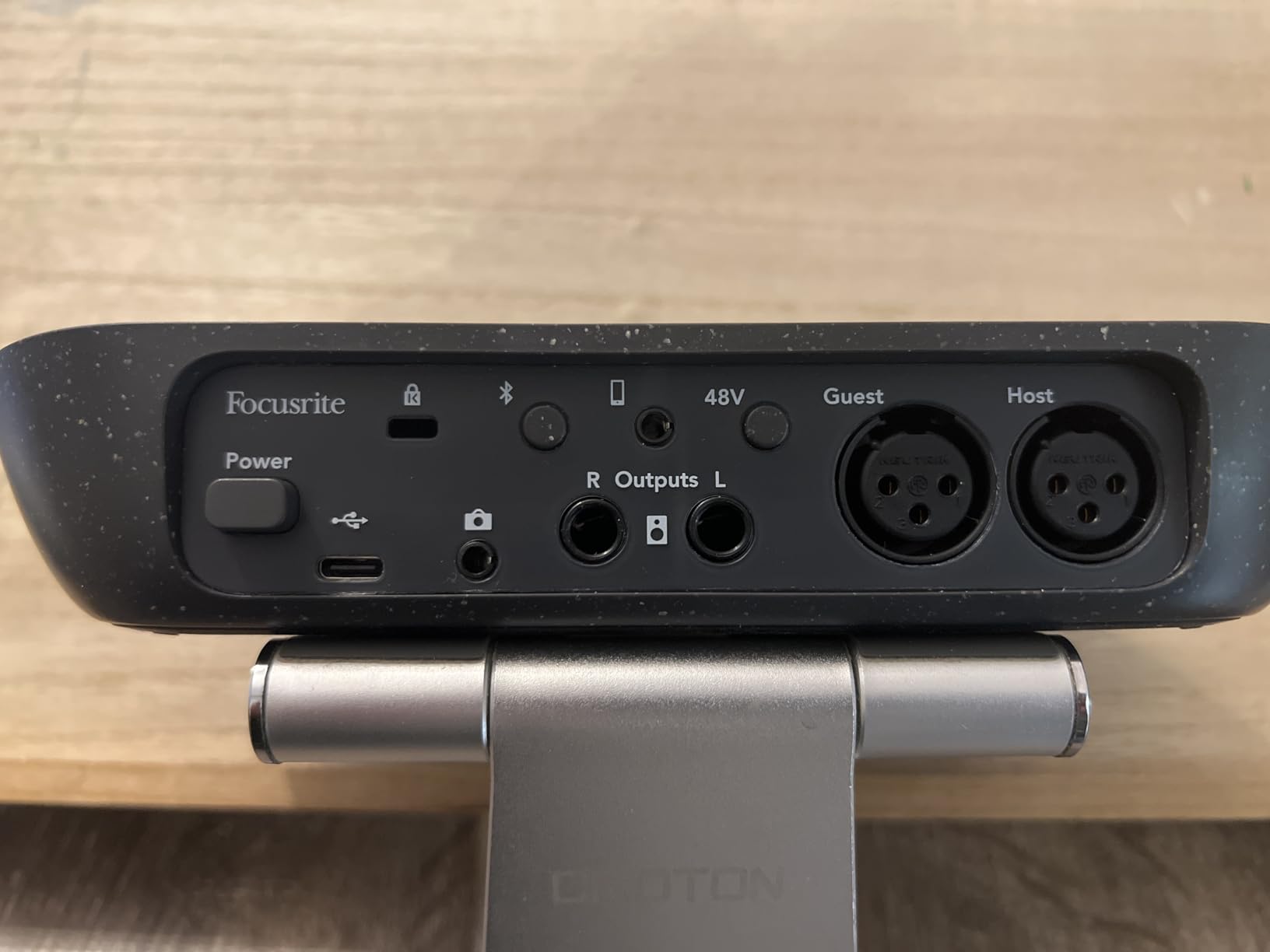
Auto Gain is the feature beginners will love most. You press a button, speak at your normal volume for a few seconds, and the Vocaster sets the perfect input level automatically. No more guessing, no more clipped audio, no more recordings that are too quiet to fix in post. I wish every mixer had this feature.
The Enhance presets are similarly beginner-friendly. Four podcaster-approved presets apply compression, EQ, and other processing tailored for spoken word. You press a button and your voice sounds richer, more present, and more professional. It is not as customizable as the RODECaster’s APHEX processing, but it gets you 80 percent of the way there with zero knowledge required.
Auto Gain and Enhance Features
I tested Auto Gain with three different microphones and three different voices. Each time, it set levels that landed in the sweet spot without clipping. The feature accounts for your speaking volume and mic sensitivity, then adjusts accordingly. For a beginner who has never heard of gain staging, this removes the biggest barrier to clean recordings.
The Enhance presets work as advertised. Pres one for a warm radio voice, press two for a brighter broadcast tone. The processing happens in real-time, so what you hear in your headphones is what gets recorded. I found preset two worked best for my voice on a dynamic mic, while preset three suited a condenser mic better.
Software and Workflow Integration
The Vocaster integrates with Focusrite’s companion software, which handles firmware updates and basic configuration. The software is lightweight and does not get in the way. More importantly, the Vocaster works seamlessly with all major recording software including Audacity, GarageBand, Audition, and Reaper. I tested it on both Mac and Windows with zero driver issues.
Bluetooth phone connectivity lets you bring in remote guests through a phone call with automatic mix-minus. Camera output via TRS cable lets you send clean audio to a camera for video podcasts. These features make the Vocaster Two a versatile hub for modern podcast production beyond just audio recording.
7. Pyle 8 Channel Bluetooth Studio Mixer PMXU83BT – Best Multi-Channel Traditional Mixer
- Bluetooth 4.0 pairing works effortlessly
- Good preamp quality with low noise
- USB recording to flash drive or computer
- 48V phantom power for condenser mics
- FX send and return for external effects
- USB recording is mono only
- Built-in effects are limited quality
- No pan control on channels
- External power required no bus power
The Pyle PMXU83BT is a traditional analog mixer with modern connectivity bolted on. Eight channels, four XLR combo inputs, Bluetooth, USB recording, built-in effects, and a 3-band EQ on every channel. If you want the feel of a real mixing desk without spending studio money, this is the most affordable way to get there.
This is the mixer I recommend for beginners who want maximum input capacity. Eight channels mean you can connect four microphones plus line-level sources like phones, instruments, or music players simultaneously. No other mixer on this list offers this many channels at this price point. For panel shows or bands that podcast, the channel count matters.
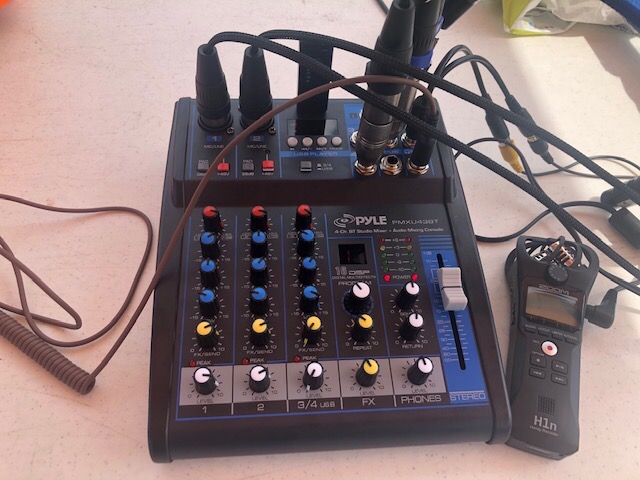
The Bluetooth 4.0 connectivity works effortlessly for piping in music or remote guests from a phone. Range is solid at over 15 feet in my testing. USB recording lets you capture directly to a flash drive or connect to a computer. The built-in MP3 player reads from USB or SD cards, which is handy for playing intro music without a separate device.
The preamp quality exceeded my expectations for a budget mixer. There is low noise floor, and the 48V phantom power drives condenser microphones cleanly. Each channel has its own gain control and three-band EQ, giving you hands-on control over every input. The FX send and return loop lets you connect external effects processors if the built-in DSP is not enough.
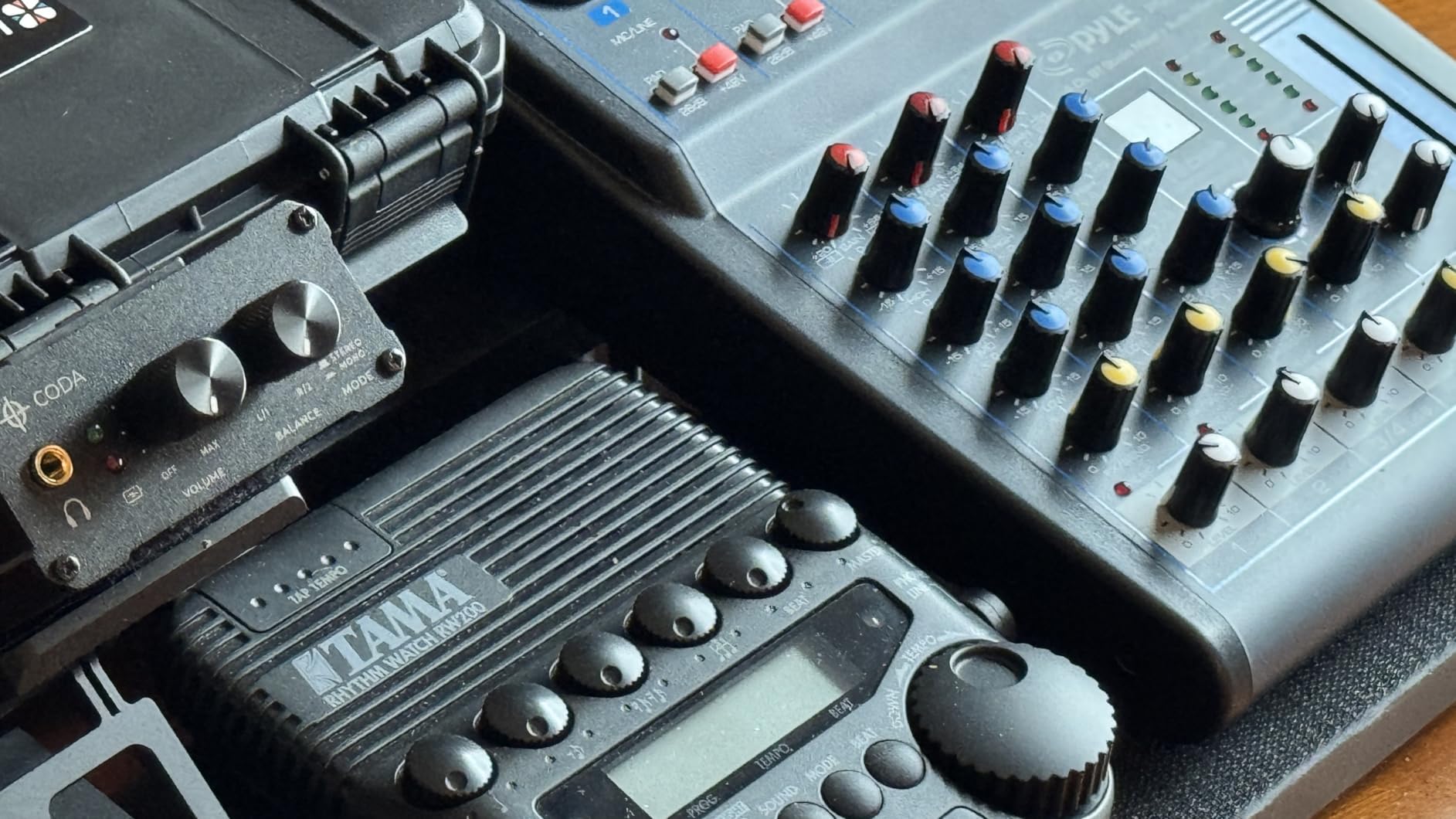
Traditional Mixer vs Podcast Console
The Pyle PMXU83BT differs from dedicated podcast consoles like the RODECaster or PodTrak. It is a general-purpose mixer that happens to work well for podcasting. The advantage is flexibility. You can use it for live sound, DJing, band practice, or podcasting. The disadvantage is that it lacks podcast-specific features like automatic mix-minus, multi-track recording, and programmable sound pads.
For beginners, this means more manual work. You will need to set up your own mix-minus for phone calls, which involves routing cables and configuring sends. You will record a stereo mix rather than separate tracks for each voice. And you will not have one-touch sound effects. If those features matter to you, a dedicated podcast console is a better fit.
Connectivity and Expansion Options
The connectivity on this mixer is its strongest selling point. Beyond the four XLR combo inputs, you get stereo line inputs, RCA connections, USB, and Bluetooth. Output options include main XLR outs, RCA, and USB. There is a headphone jack with its own volume control and an FX send for external processing. This range of I/O options lets you build a complex setup over time.
The main limitations are that USB recording is mono only on channels one and two, and the built-in 16-bit DSP effects are basic. The effects include reverb, delay, and modulation, but they sound dated compared to dedicated processors. For podcasting, you may prefer to apply effects in post-production rather than using the onboard DSP.
8. MAONO MaonoCaster G1 NEO – Best for Streaming and Gaming Podcasts
- Excellent noise reduction eliminates background noise
- Sidechain compression keeps voice clear over music
- Clean and balanced sound quality
- Bluetooth connectivity works flawlessly
- Compact size fits any setup
- RGB lights and some buttons may flicker randomly
- Digital faders not smooth at low volumes
- Built-in voice effects not professional quality
- USB power alone may be unstable under heavy load
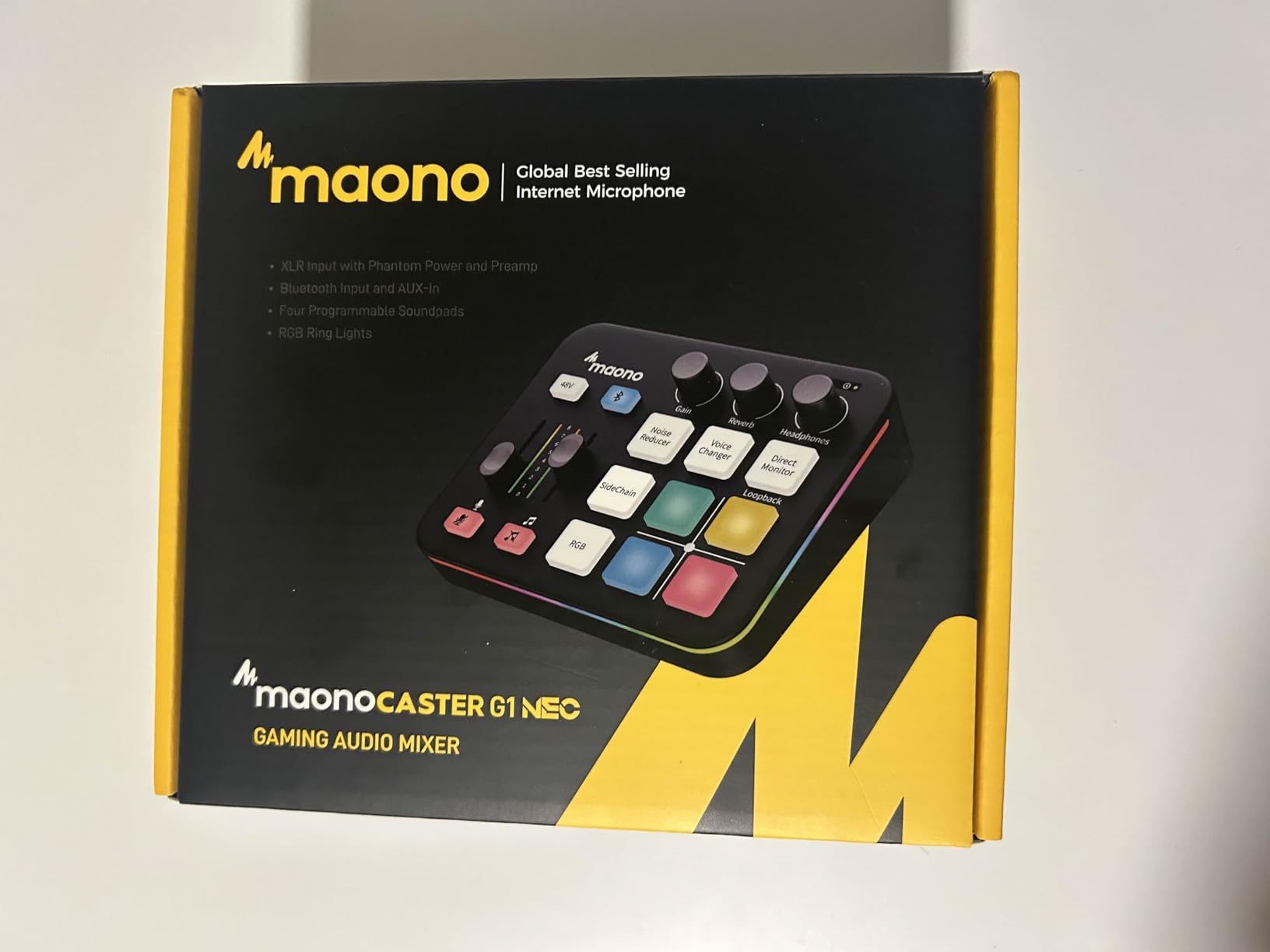
The MAONO MaonoCaster G1 NEO blurs the line between a podcast mixer and a streaming controller. It is designed for content creators who do both, and it shows in the feature set. One-click noise reduction, sidechain compression, Bluetooth accompaniment, loopback, and RGB lighting that fits a streaming aesthetic. At under $50, it packs an enormous amount of functionality.
The one-click noise reduction is the feature that sold me. Press a button and background noise drops dramatically. I tested it in a room with a noisy air conditioner, and the reduction was noticeable immediately. For podcasters recording in less-than-ideal acoustic environments, this feature alone justifies the price. It is not as sophisticated as software-based noise reduction, but it happens in real-time with zero configuration.
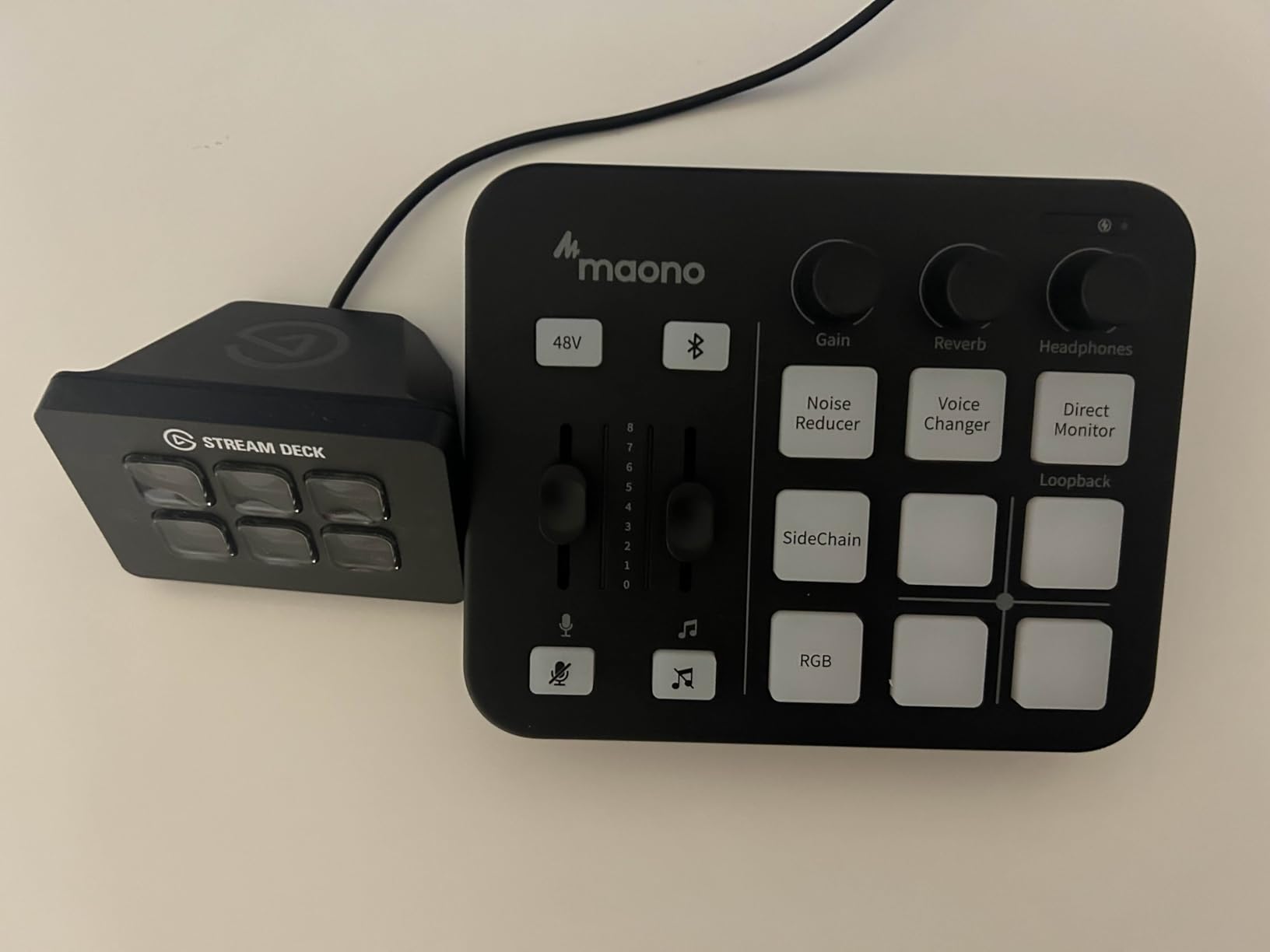
Sidechain compression, also called ducking, automatically lowers your background music when you speak. This is a feature normally found on much more expensive mixers. On the G1 NEO, you flip a switch and your voice takes priority over any Bluetooth or line-in audio. For podcast intros, background beds, or streaming with music, this is incredibly useful.
The four customizable sound pads let you trigger effects, jingles, or voice tags. They are simple but functional. The reverb effect adds depth to your voice without sounding artificial. And the voice changer modes are fun for entertainment content, though not suitable for professional podcasting.
Noise Reduction Performance
I tested the noise reduction in three scenarios: with a fan running, in a room with echo, and near an open window with traffic noise. The feature handled the fan noise almost completely. It reduced echo noticeably but did not eliminate it entirely. Traffic noise was partially reduced but still audible. For the price, the performance is impressive.
The one-click mute and loopback functions are well-implemented. Mute is instant and silent with no clicks or pops. Loopback lets you route computer audio back through the mixer, which is essential for streaming and call-in shows. Direct monitoring lets you hear yourself in real-time without latency.
Streaming Platform Compatibility
The G1 NEO works with every major streaming and communication platform out of the box. I tested it with OBS, Discord, Twitch, TikTok, YouTube, Facebook, Streamlabs, Streamyard, and Zoom. All recognized it as a standard USB audio device with no additional drivers needed. For creators who stream and podcast on multiple platforms, this plug-and-play compatibility saves hours of troubleshooting.
The main caveat is power. USB power alone can be unstable under heavy load, especially when phantom power and RGB lighting are both active. MAONO recommends using an additional power adapter for stability. The digital faders can also feel jerky at very low volumes, which affects fine-level adjustments. These are minor issues at this price point.
How to Choose the Right Podcast Mixer for Your Needs
Choosing among the best podcast mixers for beginners comes down to answering a few questions about your show and your budget. Let me break down the key factors so you can make a confident decision without second-guessing yourself.
How Many Inputs Do You Actually Need
This is the first question to answer. Count the number of microphones you need simultaneously, not the number you might need someday. Solo podcasters need one input. Host-and-guest shows need two. Panel shows with three or four hosts need that many inputs. Remote guests on phone calls do not require extra mic inputs since they come in through USB or Bluetooth.
I see beginners overbuy inputs constantly. They buy a four-input mixer for a solo show because they think they might add co-hosts later. In practice, most solo podcasters stay solo for months or years. Buy for your current needs plus one extra input as a buffer. You can always upgrade later.
XLR vs USB: What Beginners Should Know
XLR is the professional standard for microphones. USB is the consumer plug-and-play standard. A podcast mixer with XLR inputs lets you use professional microphones that sound better and last longer than USB mics. The trade-off is that XLR requires cables and phantom power for condenser mics.
If you already own a USB microphone, check whether your chosen mixer supports USB mic input. Most do not. The mixers on this list with XLR inputs require XLR microphones. The MAONO MaonoCaster Lite is an exception since it uses 3.5mm input. To learn more about connecting your gear, our guide on XLR cables for podcasters covers what you need.
Phantom Power Explained
Phantom power is 48 volts of electrical power sent through an XLR cable to power condenser microphones. Dynamic microphones do not need it. If you plan to use a condenser mic, your mixer must have phantom power. Every mixer on this list except the MAONO MaonoCaster Lite provides 48V phantom power.
Confusion about phantom power is one of the most common beginner questions I see on forums. People buy a condenser mic, plug it in, hear nothing, and assume the mic is broken. Nine times out of ten, they just forgot to turn on phantom power. If you want to explore condenser mics further, check our guide to condenser microphones for podcasting.
Built-in Effects and Sound Pads
Built-in effects like compression, EQ, and de-essing can dramatically improve your sound without post-production. The RODECaster Pro II leads the pack with APHEX processing. The Focusrite Vocaster Two offers Enhance presets. Budget options like the FIFINE SC3 and MAONO units include basic effects that are functional but not studio-grade.
Sound pads let you trigger effects, jingles, and transitions during recording. If your show uses intro music, sponsor ads, or sound effects, pads are very useful. Count how many sounds you realistically need. The RODECaster offers 64 actions across 8 pads, while budget options offer 4 to 11 pads.
Recording Options: SD Card vs Computer
Some mixers record directly to SD cards, letting you record without a computer. The Zoom PodTrak P4 and RODECaster Pro II both support this. Other mixers require a computer connection for recording. If you want to record on location or keep your recording chain simple, SD card recording is a major advantage.
Multi-track recording records each microphone to a separate track, which gives you more control in editing. The Zoom PodTrak P4 and RODECaster Pro II both offer multi-track. Mixers that only record a stereo mix combine all voices into two tracks, which limits your editing flexibility.
Mixer vs Audio Interface: Which Is Right for You
A podcast mixer provides physical controls, sound processing, and multiple inputs in one device. An audio interface is simpler, converting microphone signals to digital for your computer with minimal controls. Mixers are better for live mixing, multiple sources, and real-time adjustments. Interfaces are better for simplicity and pure recording quality.
For beginners who want to learn audio management and grow into more complex setups, a mixer is the better choice. For beginners who just want to press record and edit everything later, an interface may suffice. The Focusrite Vocaster Two straddles this line beautifully by offering mixer-style controls in an interface form factor.
Common Beginner Mistakes to Avoid
The biggest mistake I see is buying a mixer before buying a good microphone. A $500 mixer with a $30 microphone sounds worse than a $100 mixer with a $150 microphone. Invest in your microphone first, then choose a mixer that complements it. Pairing the right mic with good studio headphones for podcasters matters more than having the fanciest console.
Another mistake is ignoring monitoring. You need headphones to hear what your mixer is producing. Recording without monitoring means you will discover problems like low levels or background noise only after the recording is done. Every mixer on this list has a headphone output, so use it.
Finally, do not overprocess your audio during recording. It is tempting to crank up compression and effects, but it is better to record clean and add processing in post-production. You can always add effects later, but you cannot remove over-compression from a recording.
FAQs
What is the best podcast mixer for beginners?
The Zoom PodTrak P4 is the best overall podcast mixer for beginners, offering 4 XLR inputs, battery power, automatic mix-minus, and multi-track recording at an affordable price. For beginners who want premium features and plan to grow, the Rode RODECaster Pro II offers studio-quality preamps and built-in APHEX processing in an all-in-one console.
Do I need a mixer to start a podcast?
No, you can start a podcast with just a USB microphone and recording software. However, a mixer gives you better audio control, supports multiple microphones, enables remote guest mixing, and provides real-time monitoring. If you plan to podcast regularly with multiple hosts or guests, a mixer significantly improves your production quality.
What is the difference between a podcast mixer and a regular audio interface?
A podcast mixer provides physical faders, sound pads, built-in effects, and multi-channel mixing in real time. An audio interface simply converts microphone signals to digital for your computer with minimal controls. Mixers are better for live production and multiple sources, while interfaces are simpler and focused on clean recording.
How many microphone inputs do I need for podcasting?
Solo podcasters need one input, host-and-guest shows need two, and panel shows need three or four. Count the number of people recording in the same room simultaneously. Remote guests connected via phone or computer do not require additional mic inputs since they enter through USB or Bluetooth channels.
Can I use a gaming audio mixer for podcasting?
Yes, gaming audio mixers like the FIFINE AmpliGame SC3 and MAONO G1 NEO work well for podcasting. They provide XLR inputs, phantom power, volume controls, and sound pads. The main limitation is that most support only one microphone input, so they work best for solo podcasters or streamers who also produce audio content.
Final Thoughts
Finding the best podcast mixers for beginners in 2026 does not have to be complicated. The Zoom PodTrak P4 remains my top recommendation for most people starting out because it delivers four inputs, battery power, and multi-track recording at a price that leaves room in your budget for microphones and accessories. The RODECaster Pro II is the premium choice for creators who want broadcast-quality processing and are ready to invest in their long-term setup.
For two-person shows, the Focusrite Vocaster Two hits a perfect balance of quality, simplicity, and price. And for absolute beginners testing the waters, the FIFINE SC3 and MAONO options under $50 let you start without financial stress. Whatever you choose, pair it with a good microphone and headphones, start recording, and focus on consistency over perfection. Your first hundred episodes matter more than your gear.