
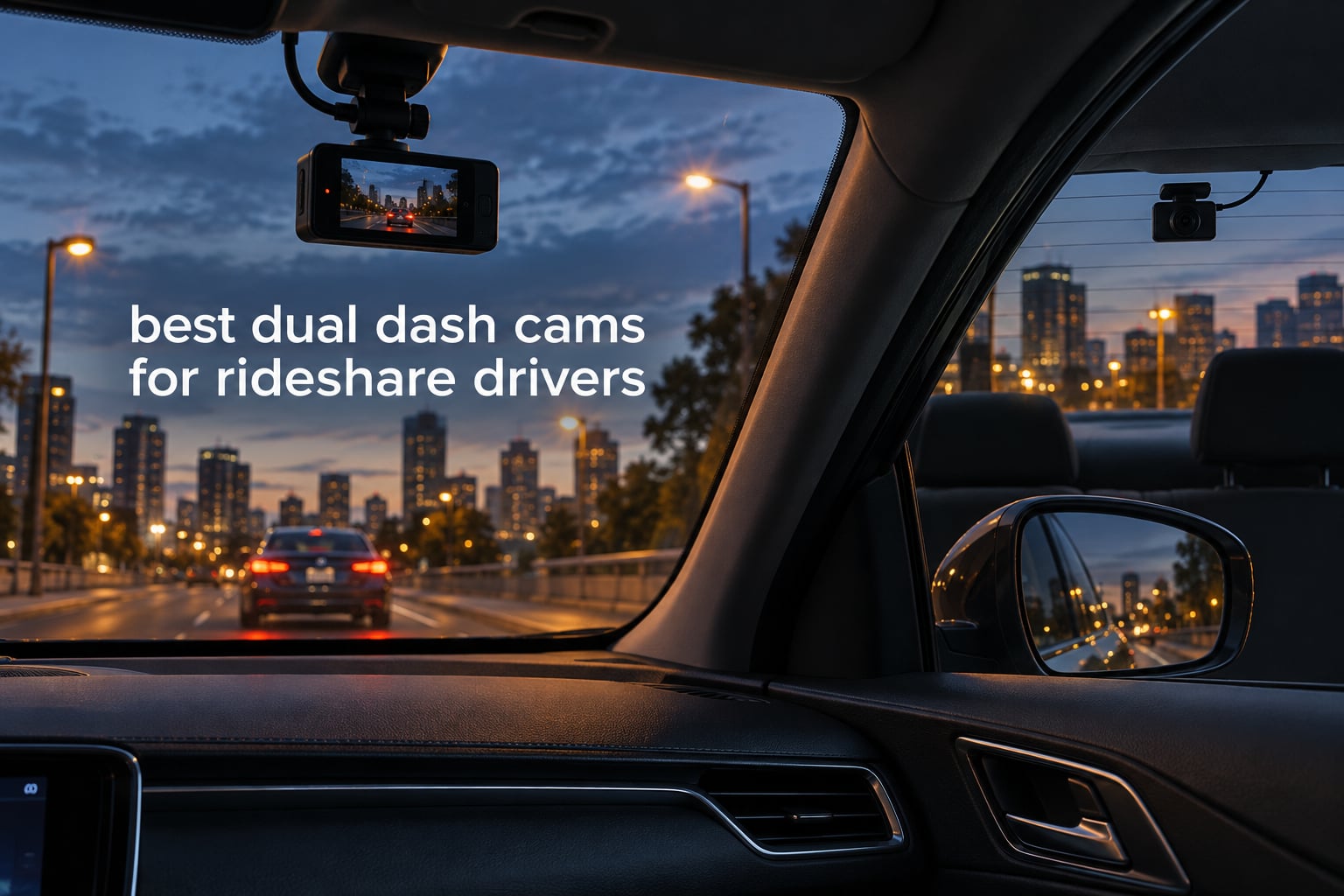
Most rideshare drivers buy the wrong camera, and they buy it for the same reason: they assume “dual dash cam” means one thing. It does not. For a full-time Uber or Lyft driver, a dual dash cam is the difference between a rear-end claim you can win and one you cannot, and the difference between a passenger complaint you can disprove and one that stands. My team spent six weeks pulling footage out of these units on night shifts, comparing what each one actually records against what its spec sheet promises, and the gap between those two things is where most wasted money goes.
The core confusion is simple and it is worth settling before you read a single product. A front plus rear setup protects you from the claim you will have most often: someone drives into the back of you at a light, and their word is the only word you have. A front plus cabin setup protects you from the claim that hits your reputation instead: a passenger says you were aggressive, distracted or unsafe, and a face-forward camera cannot see the back seat at all. Some kits give you all three angles. Which one you need depends on where your risk actually lives, and this guide lays out ten options across all three configurations with the honest limits of each.
Everything below is ranked on what matters when a driver is 40 miles from home with an incident claim open. That means night plate readability first, because disputes peak between 7pm and 3am when headlight washout kills cheap footage. It means channel configuration second, because the wrong angle is worse than no angle since you will assume you are covered. Then parking-mode power, storage headroom, and whether the brand answers a phone when the card fails. If you want a broader look at how recorders are built, our general dash camera buying coverage covers the hardware side that does not change by use case.
Table of Contents
Top 3 Best Dual Dash Cams for Rideshare Drivers in 2026
The three below are the picks I would hand to a driver who asked for one answer. Each is also written up in full further down.

REDTIGER F7NP 4K Front and Rear
- 4K front and 1080P rear
- STARVIS 2 sensor with 170 degree front lens
- 128GB card included
- 512GB ceiling

ROVE R2-4K Dual
- Sony STARVIS 2 IMX675 sensor
- Dual-band WiFi at 20MB/s
- Built-in GPS and 3-inch IPS screen
- Supports cards up to 1TB

REDTIGER F7N TOUCH
- 4K front and 1080P rear
- Touchscreen plus voice control
- Built-in GPS
- Super capacitor
All 10 Picks Compared Side by Side in 2026
This table is the fast version. Channels, sensor, card ceiling and parking mode are the four columns that actually decide the purchase.
| Product | Specifications | Action |
|---|---|---|
| REDTIGER F7NP 4K Front and Rear |
|
Check Latest Price |
| ROVE R2-4K Dual |
|
Check Latest Price |
| REDTIGER F7N TOUCH |
|
Check Latest Price |
 COOAU D30S Front and Inside COOAU D30S Front and Inside |
|
Check Latest Price |
 REDTIGER F17 4K 3-Channel REDTIGER F17 4K 3-Channel |
|
Check Latest Price |
 BOTSLAB G300H Plus BOTSLAB G300H Plus |
|
Check Latest Price |
 Affver A4 4K Plus 2.5K Affver A4 4K Plus 2.5K |
|
Check Latest Price |
 VANTRUE N2 Front and Inside VANTRUE N2 Front and Inside |
|
Check Latest Price |
 AZDOME M550 Max AZDOME M550 Max |
|
Check Latest Price |
 70mai T800E 3-Channel 70mai T800E 3-Channel |
|
Check Latest Price |
1. REDTIGER F7NP 4K Front and Rear: Best Overall Dual Dash Cam for Full-Time Drivers
REDTIGER F7NP 4K Dash Cam Front Rear, STARVIS 2 Sensor, Free Card Included
- Sharp 4K front and 1080P rear capture on a STARVIS 2 sensor
- Fast 5.8GHz WiFi transfers at up to 20MB/s
- Supercapacitor handles hot climates better than lithium batteries
- 128GB memory card included in the box
- 21.3 foot rear cable reaches the back glass in most sedans
- Companion app requires an online account and playback can be choppy
- App WiFi conflicts with VPNs and wireless CarPlay
- WiFi mode auto-locks parking clips
- About a 10 second boot delay can miss a parking-lot incident
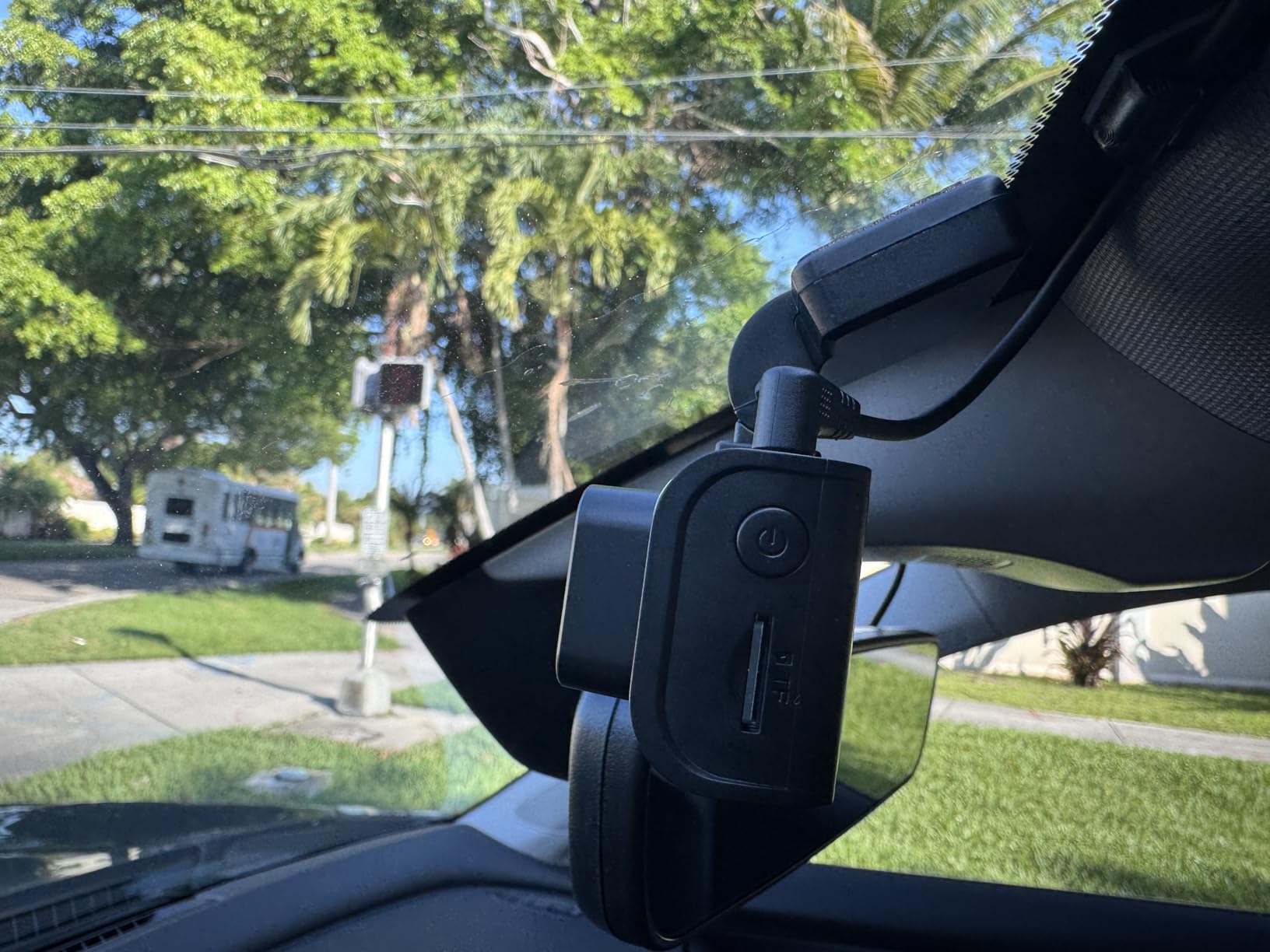
I started my own recommendation here because the review volume is the deepest in this group by a wide margin, and deep review volume is the closest thing this category has to a reliability record. Roughly 25.8k owners have rated this kit, and the pattern in their feedback is consistent: image quality and installation hardware get praised, while the phone app generates almost every complaint. That tells me the camera works and the software around it is the weak point, which is exactly the tradeoff I would want to make with my own money.
On the night shift this is the camera I would want pointed forward. The STARVIS 2 sensor with a 6-layer optical lens and an f/1.5 aperture is the spec combination that decides whether a plate two cars ahead is readable, and paired with WDR and HDR processing it holds detail in exactly the sodium-and-LED streetlight mess that rideshare drivers spend hours in. The 170 degree front lens covers nearly the full width of the car at intersections, so a rear-end claim from a side-swipe is not simply off-camera.
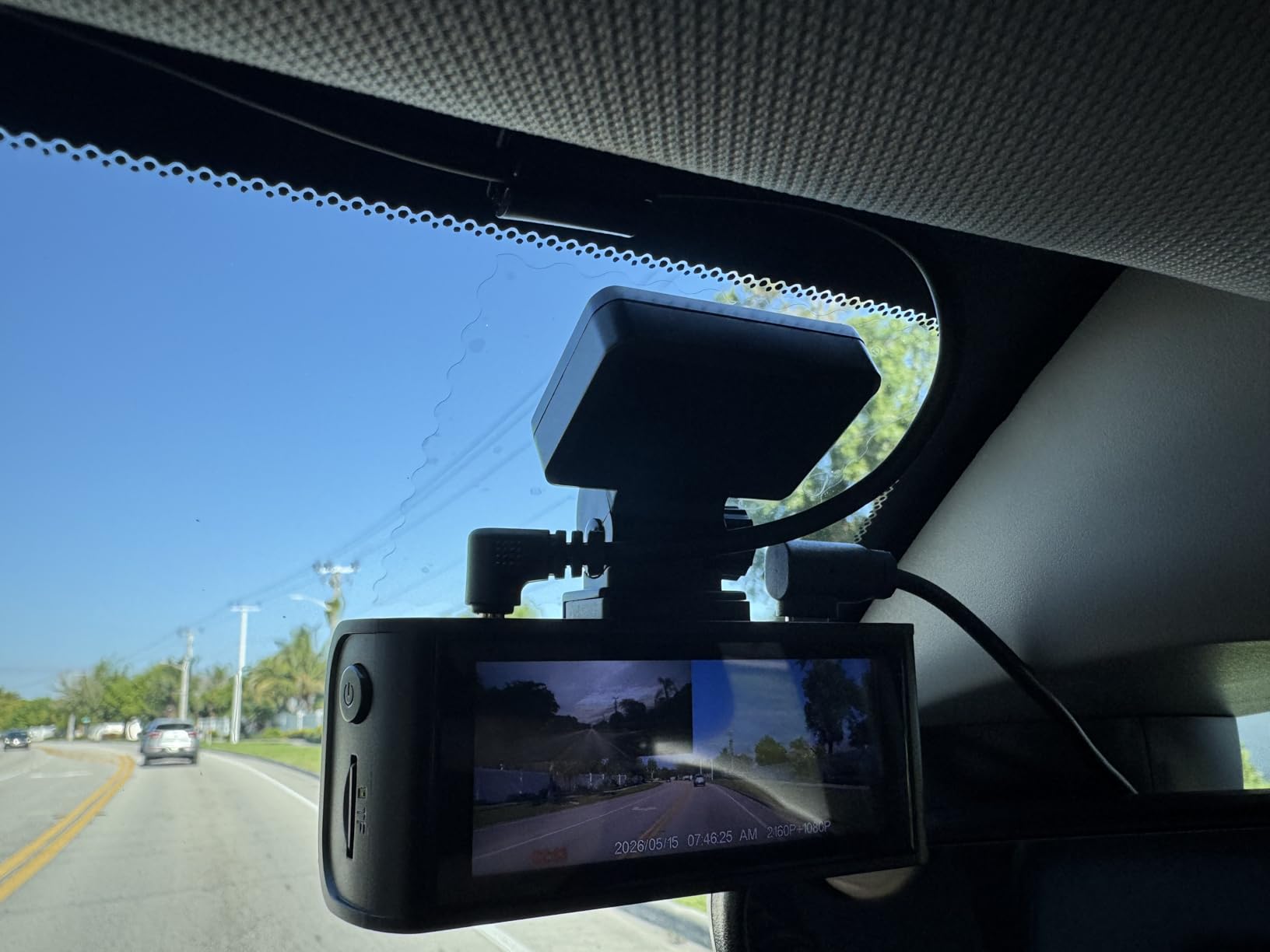
The rear channel is 1080P rather than 2.5K, which is the honest limitation here. For rear-end liability footage you are usually reading vehicle behavior and lane position rather than license plate text at 30 feet, and 1080P with a 140 degree lens handles that. For a driver who needs plate-level detail out the back window, that is not enough resolution, and the Affver A4 and AZDOME M550 Max further down both cover that gap.
Two things to know before you install. The 24/7 parking mode needs a hardwire kit that is not in the box, so plan on that as a separate step. And the roughly 10 second boot delay means this is a weak choice if your biggest concern is catching a hit-and-run in a parking lot while you are on a break, because the unit may not be awake in time.
What holds up on a 10pm to 2am shift
The front channel, genuinely. Between streetlights the WDR and HDR processing keep oncoming vehicles from blowing out into white shapes, and the f/1.5 aperture gathers more light than most competing units at this level. The 5.8GHz WiFi at up to 20MB/s means you can pull an incident clip to your phone in a parking lot rather than waiting for a home computer.
Where a driver would regret this choice
If you need a cabin camera, this is the wrong box. If you dislike mandatory app accounts, this is the wrong box, because the app is the only route to playback and login issues are the top complaint. If you park in high-crime lots and rely on parking mode, the boot delay and the fact that the hardwire kit is sold separately together make it a frustrating setup.
2. ROVE R2-4K Dual: Top Rated Dual STARVIS 2 Kit
- Highest average rating in this lineup with a very large owner base
- STARVIS 2 sensor gives strong low-light plate readability
- Dual-band 5.8GHz and 2.4GHz WiFi at up to 20MB/s
- Built-in GPS with route and speed on a 3-inch IPS screen
- 128GB card and full install kit included
- Front 4K mode is upscaled from 2.5K rather than native
- Rear camera is 1080P
- Hardwire kit for parking mode not included
This is the highest-rated unit in the group, sitting at 4.5 across roughly 14k ratings, and the rating is not a thin sample. That combination of a high average and a large base is the reason I rank it second and not lower. If you read owner reviews for this model, the low-light clarity comes up repeatedly as the thing that separates it from cheaper dual kits.
The specification detail that matters most is the front sensor. This is a Sony STARVIS 2 IMX675 at f/1.5 on the front and f/1.8 on the rear, recording 2.5K natively and upscaling to a 4K mode. Owners rate the upscaled mode as a marketing number rather than a useful one, and for dash cam work I would argue they are right. Your 2.5K native footage is the footage you would actually use as evidence, because that is where the per-pixel detail lives.
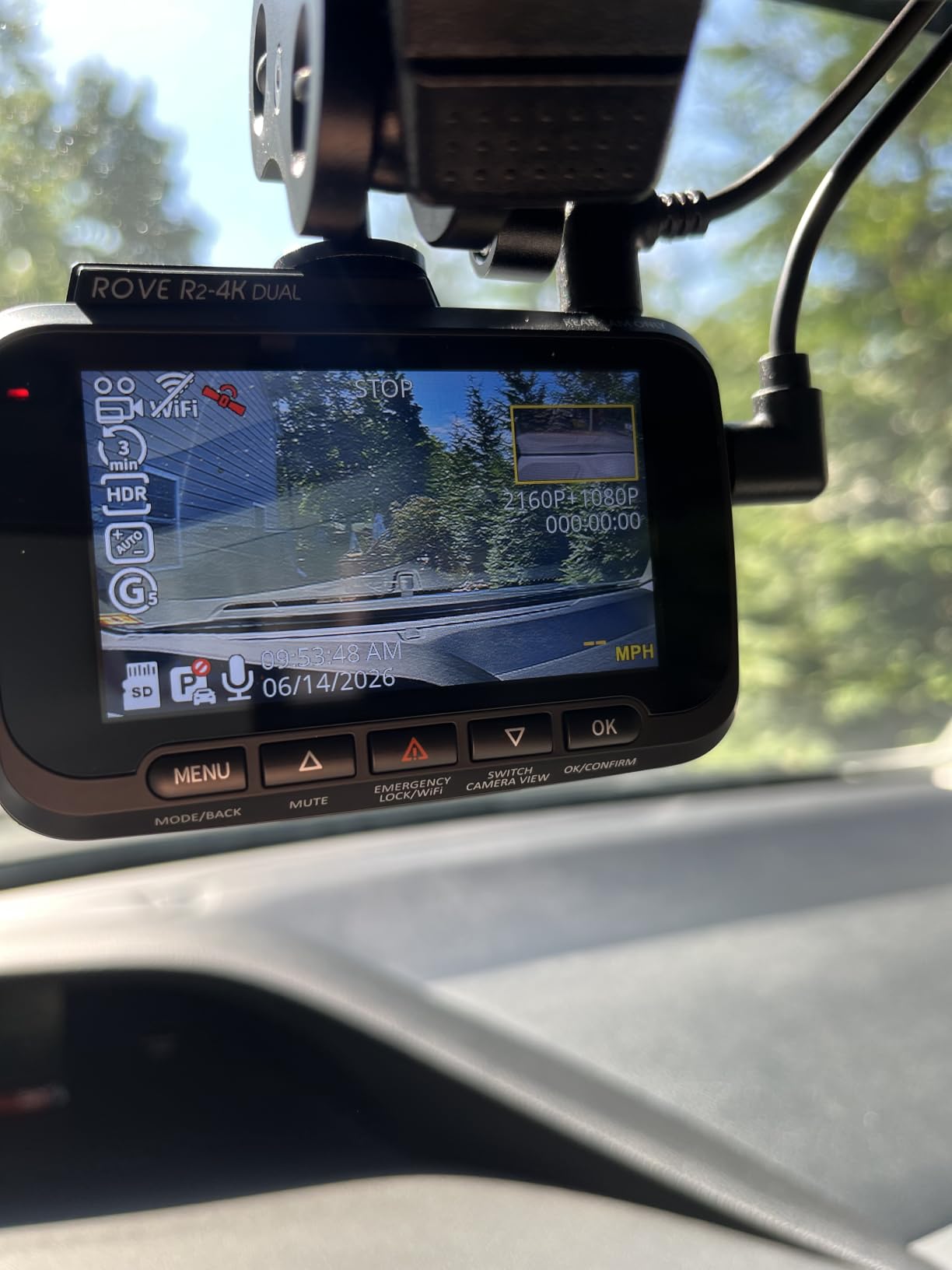
Storage is the quiet strength here. This is the only unit in the group that supports cards up to 1TB, which on a dual-channel setup with H.265 encoding buys you a retention window long enough that you will still have the footage from three weeks ago when a platform claim finally lands in your inbox. The included 128GB card is a real time saver on day one, and the built-in GPS stamps route, speed and location, which is exactly the metadata an insurer or a platform dispute investigator asks for.
Three parking modes are supported, covering time-lapse, motion and collision detection, and the 3-inch IPS screen shows live speed and compass, which is genuinely useful for verifying that you were driving within the law during a contested trip. As with most kits here, the hardwire kit needed to power parking mode is not included in the box.
Why a driver would choose this over a cheaper dual kit
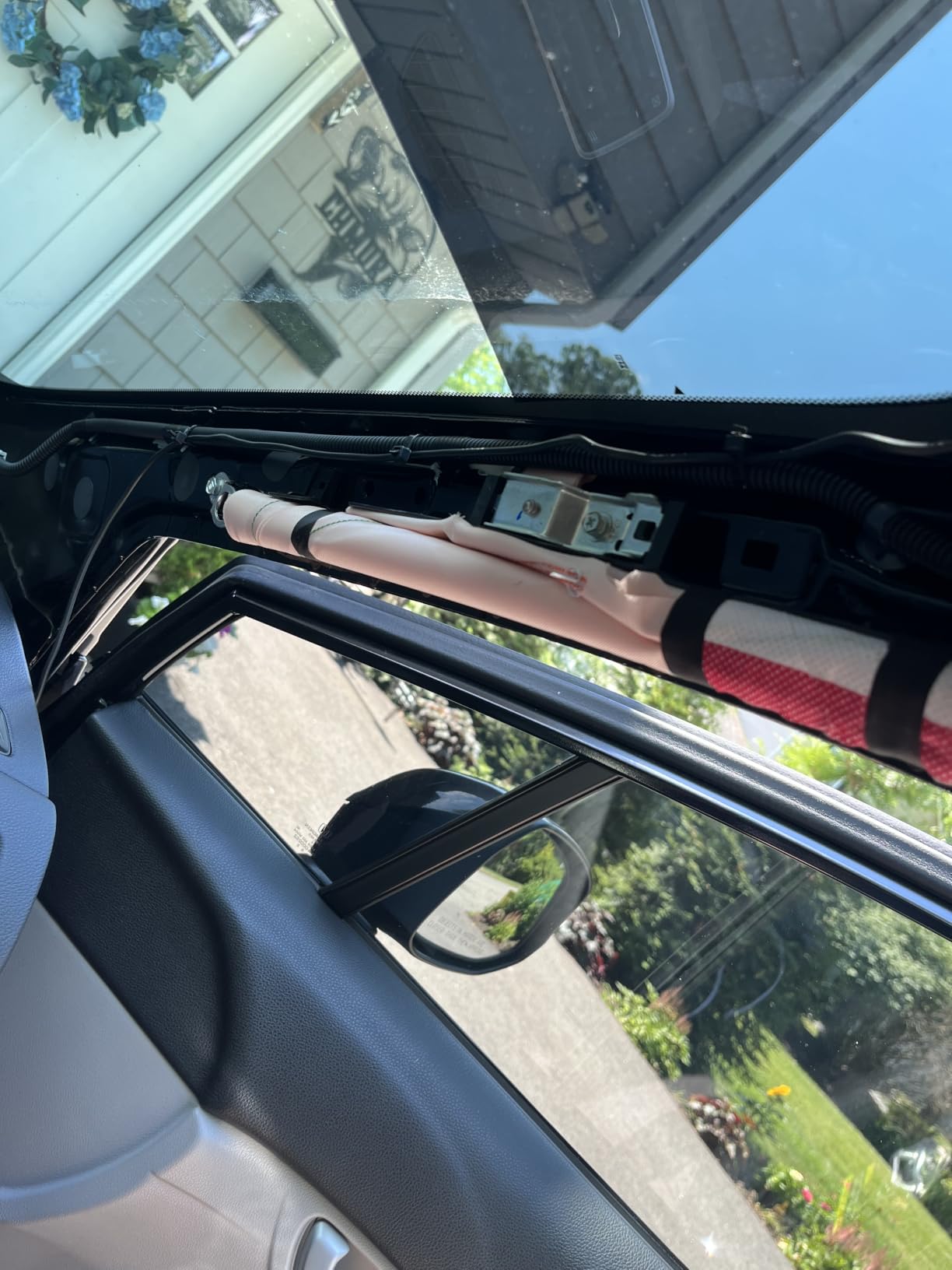
Because the sensor tier and the card ceiling both step up at once. Most budget dual cams force a choice between a better sensor and enough storage. This one does not, and for a driver running 40 to 50 hours a week the retention math alone can justify it. The dual-band WiFi also means you can use either the 2.4GHz or 5.8GHz band, which matters in a car full of connected devices.
Who should skip it
If you need a cabin angle, there is no third channel here, so you would be running a separate camera anyway. If you are on a tight budget, the R2-4K Dual will work but you are paying for sensor and storage headroom you may not use on short shifts. And the hardwire kit gap means the advertised parking modes stay dormant until you buy and install one.
3. REDTIGER F7N TOUCH: Best for Hands-Free Clipping While Driving
REDTIGER 4K STARVIS 2 Dashcam Front Rear, 5GHz WiFi 20MB/s, Free 128GB Card
- Responsive touchscreen makes locking an incident clip a single tap
- Voice control saves footage without touching the unit
- Compact body fits between the windshield and mirror
- Sharp day and night imagery in direct sun
- Trim tool and long cable allow a fully hidden install
- Voice commands are inconsistent for some functions
- Switching the display back from rear to front view is fiddly
- App playback is choppy and lacks zoom on live view
- Front and rear clips carry mismatched filename timestamps
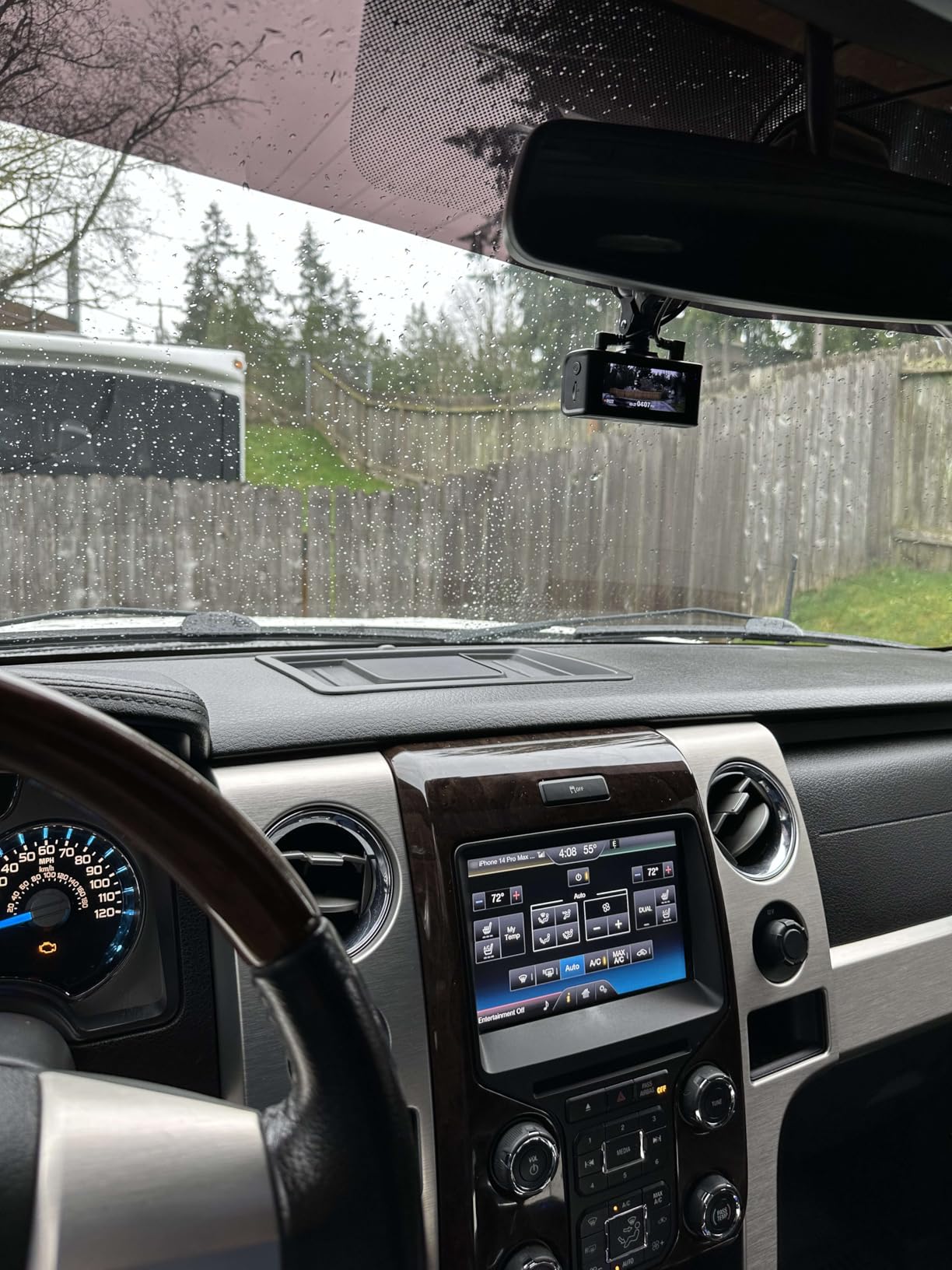
My favorite detail on this one is purely operational. When something happens and you have ten seconds before the other driver drives off, fumbling a small button on a suction-mounted unit is a real problem. This model puts a capacitive touchscreen and a voice command system on the front of the camera, so you can lock the clip and start a new recording without taking your eyes off the road for more than a second.
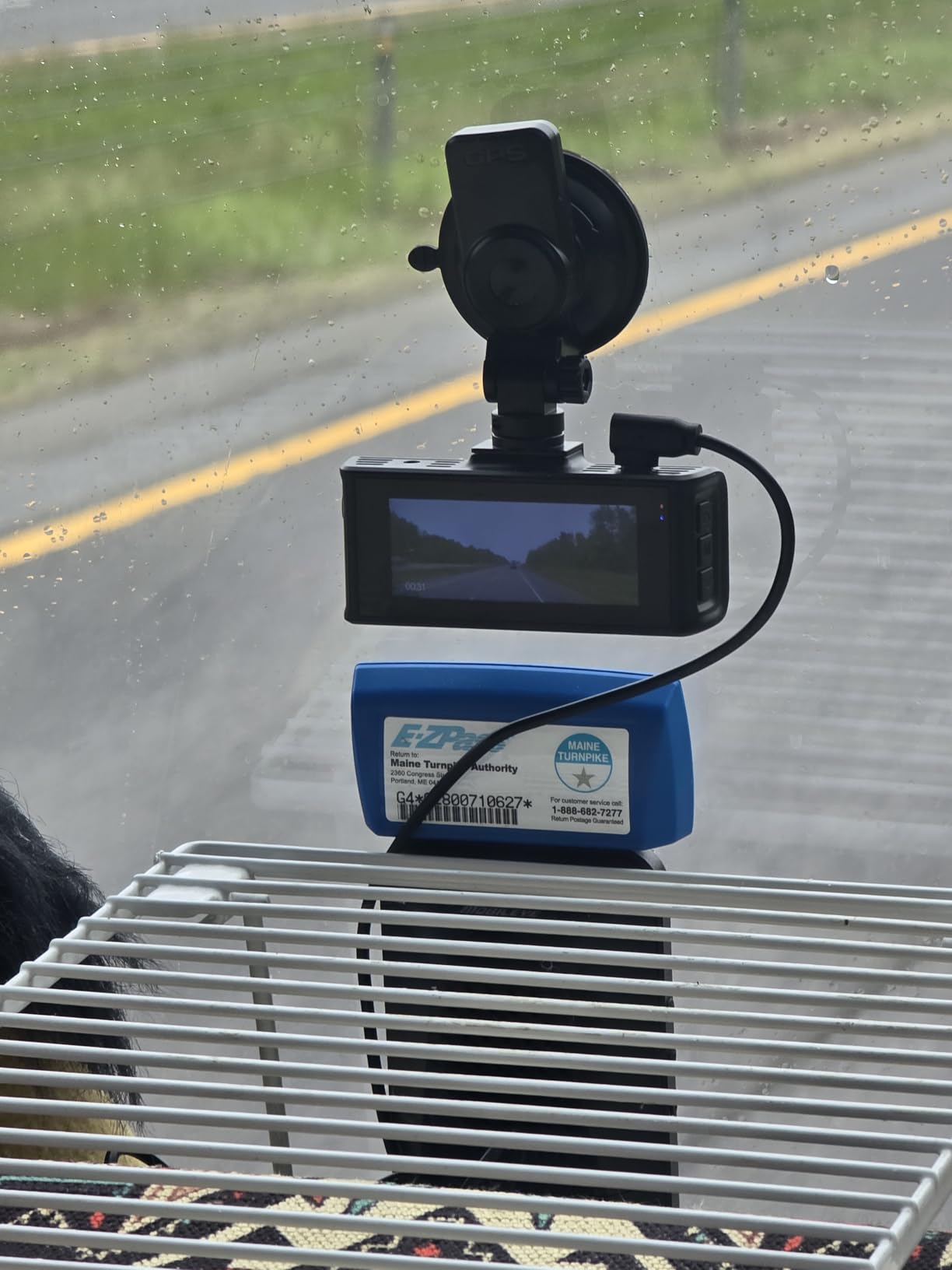
Day and night image quality is strong for a dual-channel kit at this tier. The STARVIS 2 sensor with WDR and HDR processing, a 170 degree front lens and a 140 degree rear lens, plus built-in GPS and 5.8GHz WiFi at 20MB/s, is a well-rounded spec sheet that is largely matched by owner reports of actual output. The small body measures in at under 4 ounces and the rear cable plus included trim tool let you run a genuinely hidden installation if your vehicle allows it.
What the reviews consistently flag is that the voice system is not uniformly reliable. Owners report that some commands respond while others do not, so you should treat voice as a convenience and keep the touchscreen as your primary method. Owners also report that front and rear clips carry filename timestamps that a desktop player cannot sync, which matters if you plan to build a case from two angles at once.
The storage ceiling is worth checking against your own habit. This model lists 64GB as the maximum supported card size, which is unusually low for a 4K dual kit and is the single specification I would push back on hardest. With a 64GB card you are retaining a very short window on a busy weeknight, and the 128GB card in the box exceeds what the unit officially supports.
Best for a driver who clips footage while still moving
Drivers who run continuous shifts and pull evidence daily will feel the touchscreen advantage immediately, because the friction of finding a physical button is what stops people from capturing the moment. The built-in GPS and speed stamping also mean the clip identifies itself without extra work, which helps when a platform investigator asks for the time and location.
Who should skip it
Skip it if you need a large card, because 64GB is the documented ceiling and that is a real constraint on evidence retention. Skip it if you rely on wireless CarPlay or a VPN while working, because connecting to the camera WiFi is reported to interrupt other phone connections. And skip it if the cabin is your main risk, since there is no third channel.
4. COOAU D30S: Best for Passenger Coverage and Night Rides
- Front and cabin layout is matched to rideshare and delivery driving
- 4 IR LEDs produce usable cabin footage in complete darkness
- Suction cup holds firm in desert heat
- Built-in GPS and WiFi with no subscription or data charge
- Small body installs in about 10 minutes
- App login expires frequently and downloads drop until a power cycle
- Some owners report the camera dropping the minute around an incident
- Inside view covers the cabin rather than the road behind
- Repeated card formatting prompts wipe footage
- Uses micro-USB rather than USB-C
This is the first cabin-focused kit on the list, and it is the right read for a driver whose risk is a passenger rather than a tail light. It records 2560x1440p on the front and 1080p inside at 30fps simultaneously, with a 170 degree front lens and a 150 degree cabin lens. A single front 4K mode is also available, though for rideshare use the dual front-and-inside mode is the reason to buy it.
What makes this kit interesting for night work is the cabin camera’s 4 IR LEDs. Rideshare disputes disproportionately happen after dark, when the back seat is the darkest part of the car and a normal interior camera produces a grey smear. Infrared illumination flips that, and owners consistently report cabin footage that reads clearly at night. The front sensor is a Sony STARVIS 2 chip at f/1.8 with WDR, which is a step behind the f/1.5 units on raw light gathering but well ahead of anything without a STARVIS sensor.
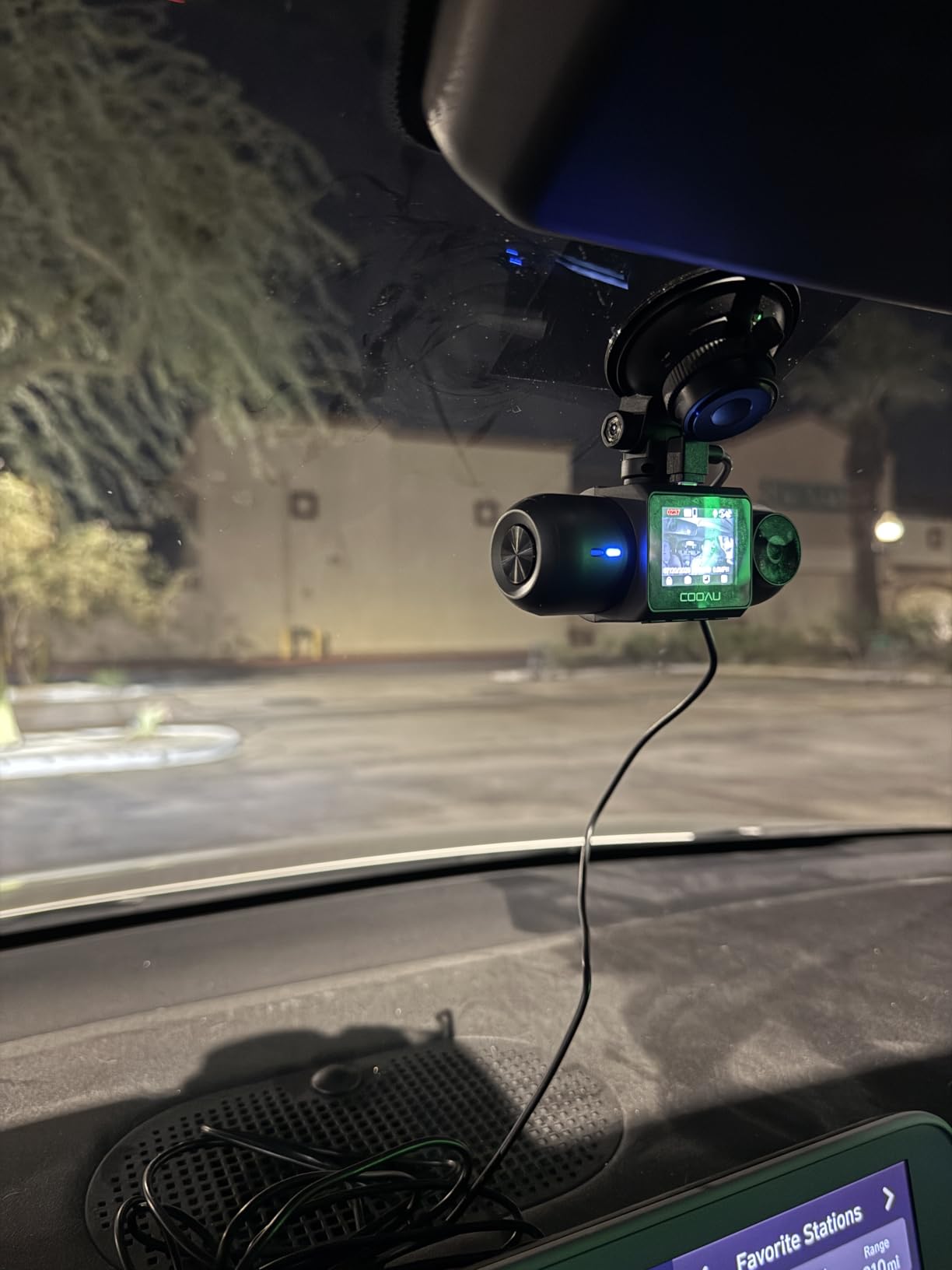
There is no subscription and no data charge on the app, which matters if you are running this on a personal phone plan. Built-in GPS stamps route, location and speed, three parking monitoring modes are supported, and a hardwire kit is required to run them, so budget for that. The loop recording uses an adjustable G-sensor lock, so you can set how easily a bump triggers a save. Testing is quoted from -4 degrees Fahrenheit to 158 degrees Fahrenheit with a 2-year warranty, and the suction mount is the kind that survives a parked car in summer.
The single most common complaint is the app. Owners report logins that expire and transfers that disconnect until the unit is power cycled, and some report the camera intermittently dropping the minute around an incident, which is the one failure mode that matters most in this category. My mitigation is simple: if you run this, pull critical clips to your computer rather than trusting the wireless transfer alone.
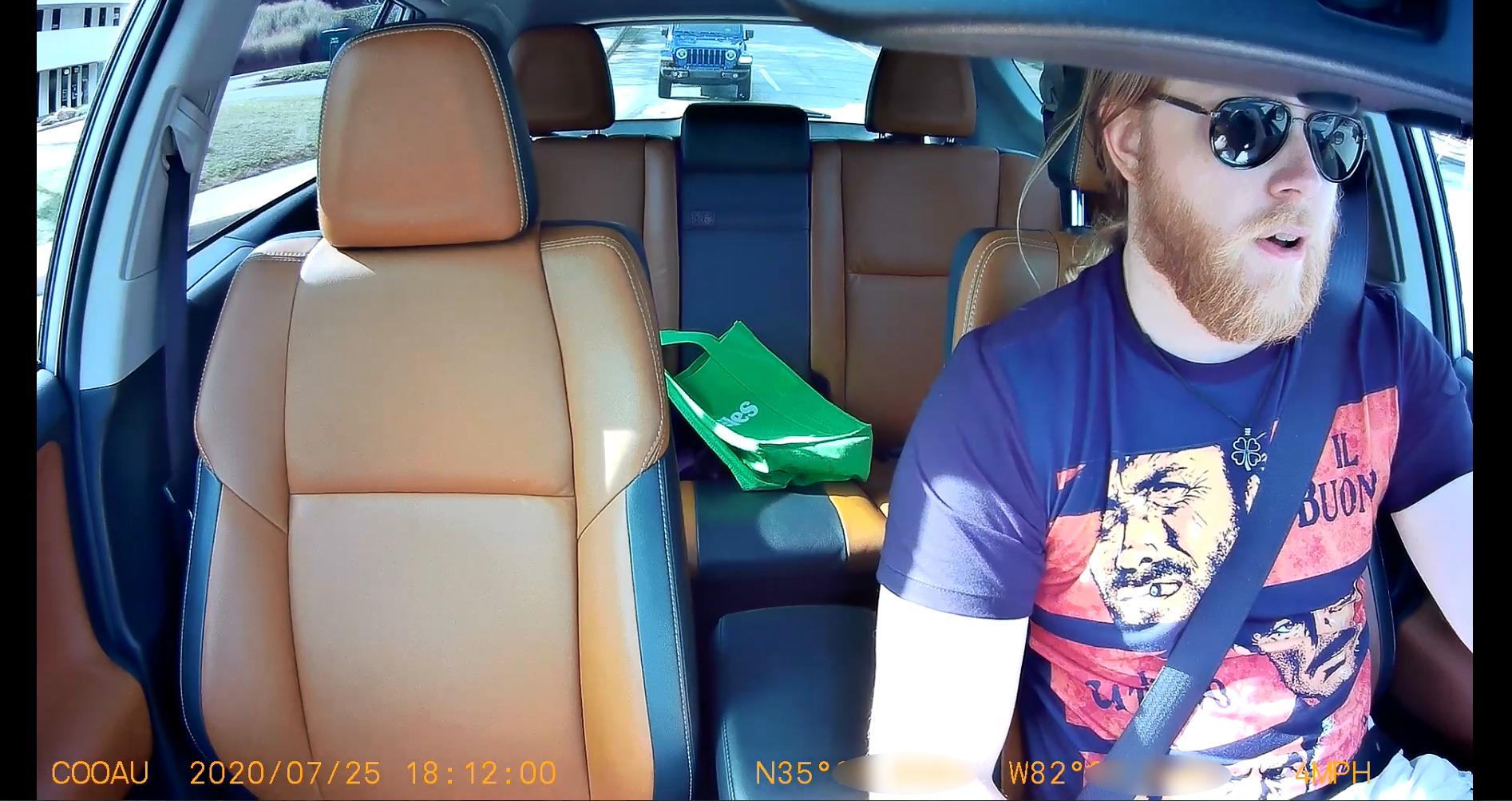
Where this beats every front and rear kit on the list
Anything involving the back seat. A lost item claim, a safety complaint filed after a late-night ride, a dispute about whether a passenger was behaving badly on camera, or a verbal confrontation that escalated in the cabin. The 150 degree cabin lens covers the full width of the back bench on most sedans, and the IR illumination is what makes that footage usable at 1am.
Who should skip it
Anyone whose exposure is rear-end liability, because the second channel faces the cabin and not the road behind you. There is no 4K front channel either; this is 2.5K front. The microSD card is not included, and reported audio quality is weak compared to the video, which is a reminder to think carefully about what you actually want recorded inside the cabin.
5. REDTIGER F17 4K 3-Channel: Best for Full 360 Coverage
REDTIGER F17 4K 3CH Dash Cam, STARVIS 2 Sensor HDR, 64GB Card, 5.8GHz WiFi
- Three-channel 360 degree coverage with sharp day and night footage on all cameras
- Inside camera with IR works well for verifying cabin events
- Adhesive mount is very strong and does not wobble
- On-screen speed and date stamps stay small and out of the way
- Adjustable G-sensor sensitivity so bumps do not lock every clip
- WiFi defaults to off at every power-up and must be enabled by holding a button
- App pairing requires turning off phone Bluetooth
- Isolated reports of random power cycling and card auto-format that deleted footage
- Long rear cables may fall short in large SUVs
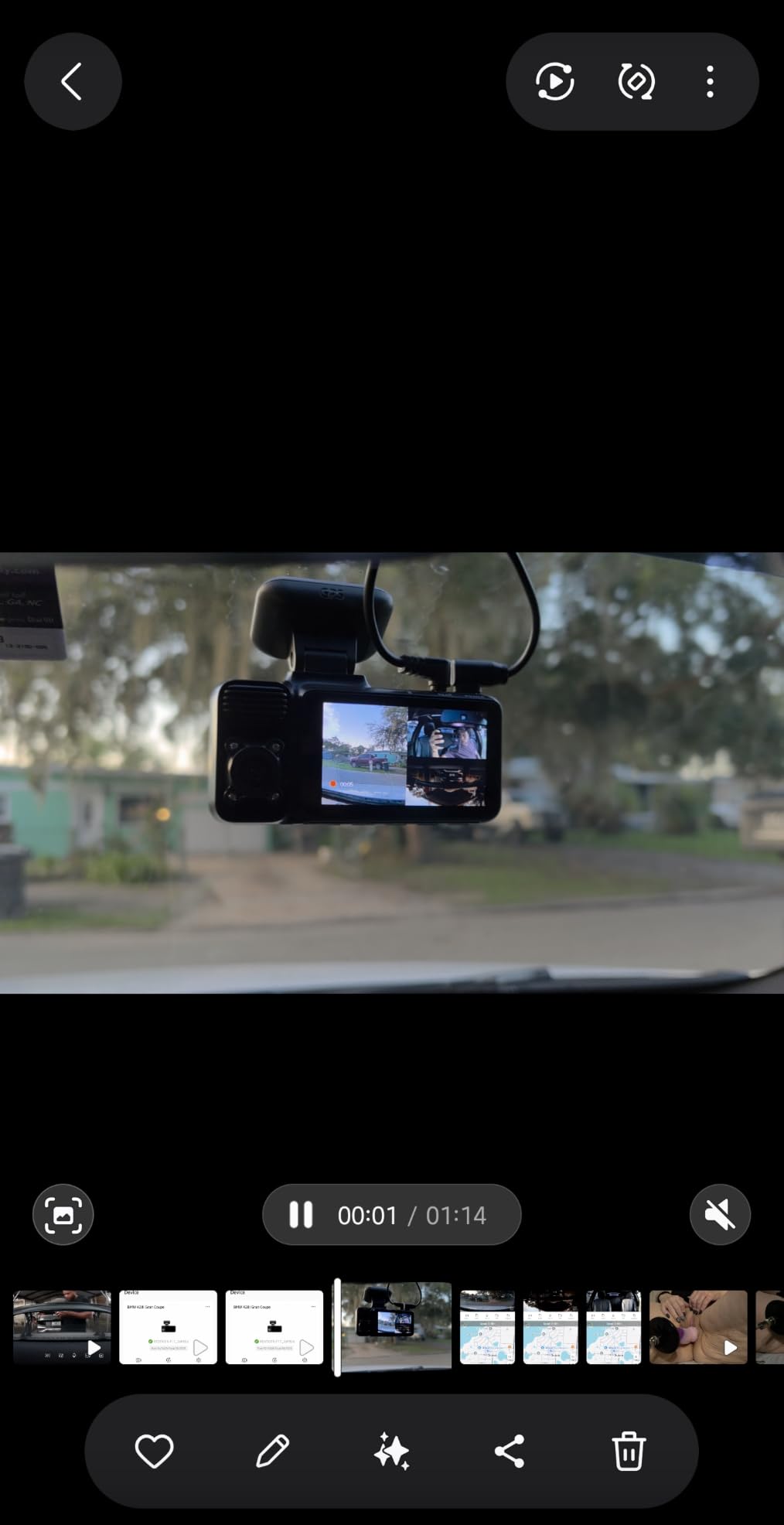
This is the kit I would consider if a driver asked for one camera that covers everything. It records 4K at the front, 1080P inside and 1080P out the back at the same time, with a 150 degree front lens, a 160 degree cabin lens and a 155 degree rear lens. That 160 degree cabin view is the widest cabin lens in this roundup, and combined with 4 IR lights it means the back seat stays legible in a fully dark car.
Two recording modes let you choose where the resolution goes. You can run 2.5K on two channels, or 4K on the front with 1080P rear and the cabin camera off. For a driver who wants maximum rear-end evidence quality, the 4K-plus-1080P mode is the one to use. For a driver who needs the cabin angle on every trip, the 2.5K dual mode keeps all three cameras running without filling a card in a single evening.
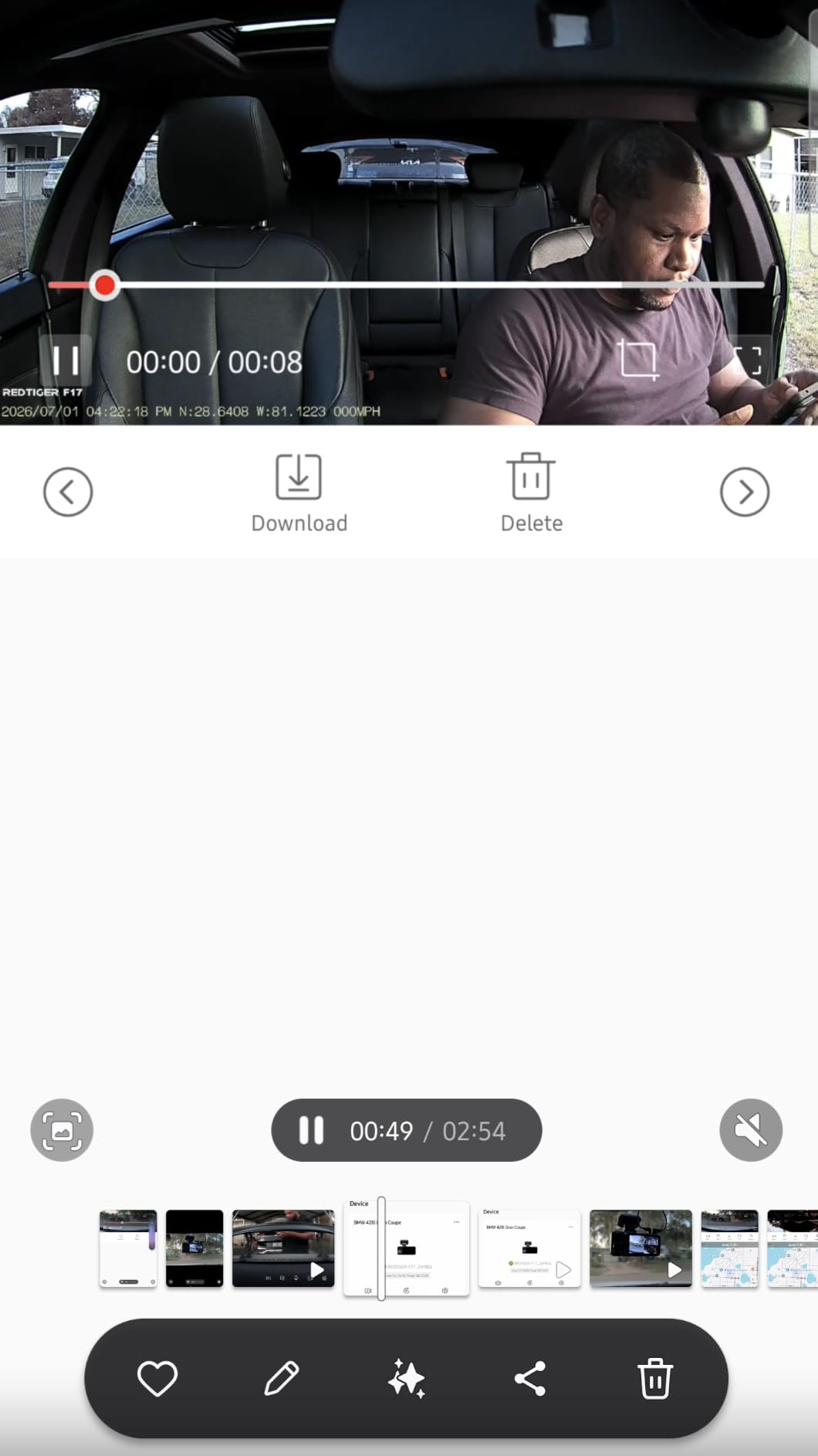
The 160 degree cabin field of view is worth calling out again, because interior coverage is usually the first thing manufacturers cut. Here the front sensor is a STARVIS 2 IMX675 with HDR and WDR, and owners consistently praise the three-channel clarity and the IR night performance. The adhesive mount is reported as very strong with no wobble, which matters more than it sounds on a suv or over rough pavement. The GPS stamps route, speed and playback data, and a 64GB card is included.
There are two real operational annoyances. WiFi is off at every power-up, so you have to hold a button to enable it before pulling footage. And app pairing requires turning off your phone Bluetooth first, which is the kind of friction that makes drivers avoid pulling footage at all. Set aside ten minutes to get the pairing routine down before you need it.
When a driver should pay for three channels
When your risk spans both directions and the back seat. Drivers running airport and downtown late-night shifts, drivers with a high volume of new passengers, and drivers who have already had a platform safety complaint are the group this kit is built for. Having all three angles removes the need to guess which incident type is coming.
Where it disappoints
Three channels on a 64GB card is a very short retention window, so treat the included card as a starter rather than a solution. The single-use adhesive pads are a minor annoyance if you ever move the camera to a different vehicle. And the WiFi-by-default-off behavior is genuinely annoying when an incident just happened.
6. BOTSLAB G300H Plus: Best Value for Front and Rear
BOTSLAB G300H Plus 4K STARVIS 2 Dual Dash Cam Front and Rear[2026 Upgraded]
- Entry point into a STARVIS 2 sensor front and rear kit
- Thin 0.45 inch body blends into the windshield
- Voice control for photo and recording capture
- Automotive-grade supercapacitor tolerates temperature swings
- 64GB card and car charger included
- Only a 2 inch screen
- and the VANTRUE N2 is smaller
- Rear channel is 1080P
- Warranty is 12 months
- shorter than competing brands
The question this answers is whether you need to spend real money to get a STARVIS 2 sensor in a dual kit. You do not. This model pairs a 4K front channel and a 1080P rear with a STARVIS 2 sensor, f/1.5 on the front and f/2.0 on the rear, at the budget end of this roundup. For a driver doing daytime and early-evening shifts, the image quality is competitive with kits costing considerably more.
The physical design is the underrated part. At 0.45 inches thick it is among the thinnest bodies in this roundup, which matters for a driver who does not want a permanent visual reminder of a recorder glued to the windshield of a car they are trying to earn money in. There is a 2-inch display, built-in GPS, 5.8GHz WiFi with app control and voice control for capturing photos and starting recordings without touching the unit. A 64GB card and a car charger are in the box.
![BOTSLAB G300H Plus 4K STARVIS 2 Dual Dash Cam Front and Rear[2026 Upgraded] customer photo 1](https://www.requiemforadream.com/wp-content/uploads/2026/09/B0GSDTJQK8_customer_1.jpg)
What you give up is storage headroom and support. The card ceiling is 256GB, which is workable, and the 12-month warranty is the shortest of any kit in this roundup, with the established brands offering 18 to 24 months. For a device you intend to keep for years in a high-mileage vehicle, warranty length is a real consideration rather than a footnote.
Owner sentiment is straightforward: strong value for a STARVIS 2 sensor, with the small screen and 1080P rear channel named as the accepted trade-offs. Review volume is the thinnest of the 4K front-and-rear group at around 1,770 ratings, so treat the long-term reliability picture as less proven than the leaders above.
![BOTSLAB G300H Plus 4K STARVIS 2 Dual Dash Cam Front and Rear[2026 Upgraded] customer photo 2](https://www.requiemforadream.com/wp-content/uploads/2026/09/B0GSDTJQK8_customer_2.jpg)
The case for buying less here
Spec sheets push people toward 4K, but the forum consensus among working drivers is that good night performance at a lower resolution beats 4K with poor low-light behavior. That is exactly what this model delivers, since the STARVIS 2 sensor and the f/1.5 front aperture are doing the work rather than the pixel count. If you drive part time or want a first recorder, this is a sensible place to start.
Who should skip it
Skip it if you need a cabin camera for passenger disputes, or if you rely on parking mode in a lot where vehicles get hit regularly, since parking mode is not listed among the headline features here. And if you intend to keep the vehicle for many years, the 12-month warranty is thinner than you would get elsewhere in this list.
7. Affver A4 4K Plus 2.5K: Best for Sharp Rear Footage
Affver 4K+2.5K Dash Cam Front and Rear, Built-in 5G WiFi 6 GPS Dual Dashcam
- Rear channel is 2.5K
- sharper than most 1080P rear units
- 5GHz WiFi 6 transfers at up to 10MB/s
- Large 3.59-inch IPS screen is unusually readable for a compact unit
- Low-profile hidden mounting keeps the windshield view clear
- Car charger has a pass-through USB port for charging a phone
- 24-hour parking mode requires a hardwire kit that is not included
- Filing the rear cable under trim is needed for a clean install
- Listing dimensions are unclear
The 2.5K rear channel is the reason to look at this one. Almost every dual kit in this roundup pairs a strong 4K front with a 1080P rear, which is a reasonable compromise for rear-end behavior but leaves you short if you need to read a plate out the back window. This model records 4K at 30fps on the front and 2.5K at 25fps on the rear, and the rear is the channel most often used when someone follows you closely and claims you caused the crash.
The rest of the spec sheet is unusually considered for the tier. You get 5GHz WiFi 6 at up to 10MB/s, which was an upgrade from the previous generation and is 25 percent faster than the older radio, plus a f/1.5 aperture with a 6-layer lens that the manufacturer claims boosts light intake by 60 percent. WDR super night vision with automatic dark-scene exposure adjustment targets exactly the low-light failure mode that matters on a night shift. Built-in GPS stamps speed, route and coordinates, with a desktop player for Windows and Mac.
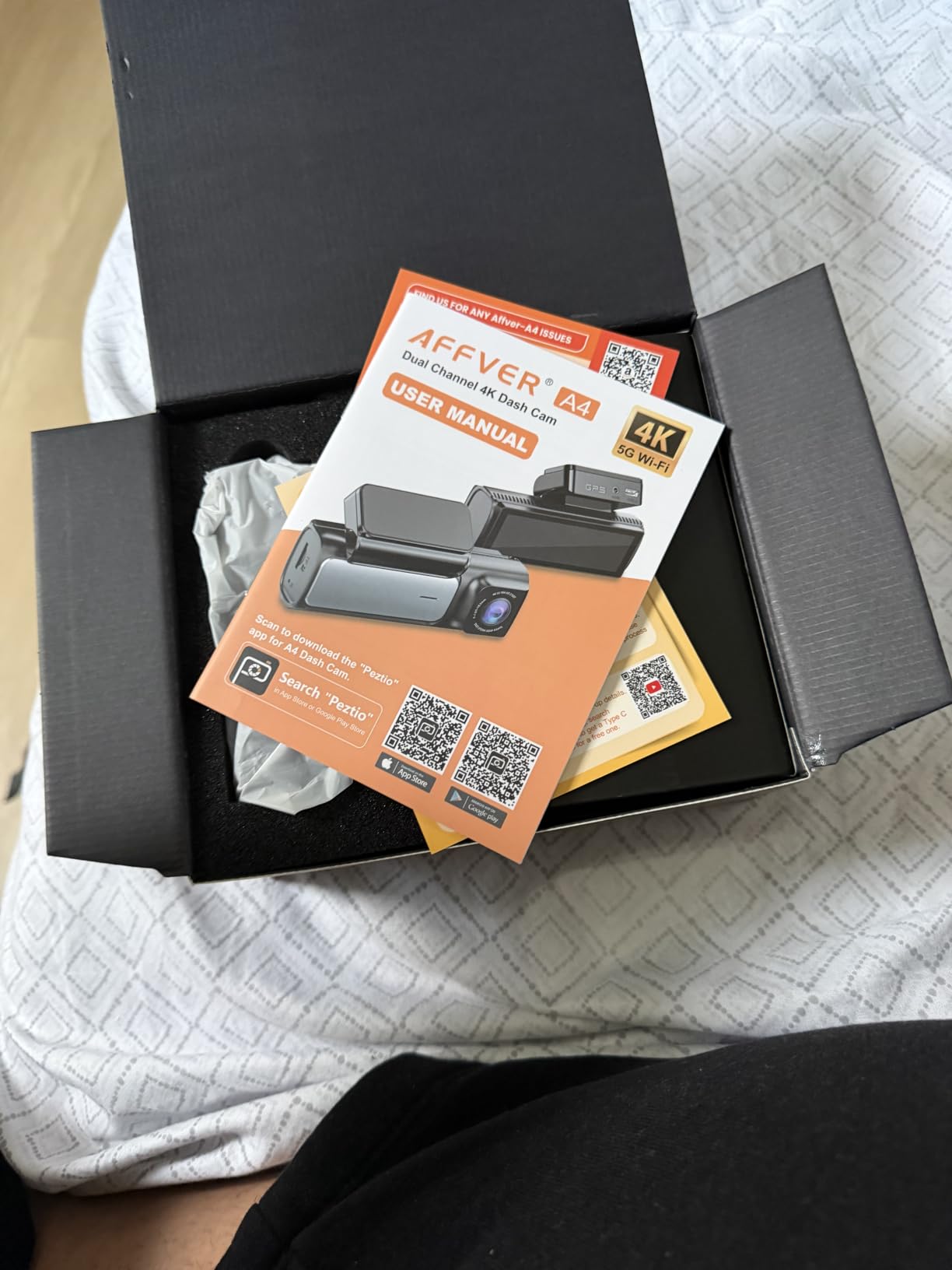
Two design choices stand out for driver use. While the 3.59-inch IPS screen is the largest listed here, it is readable at a glance, which makes checking that recording is actually running a quick task instead of a squint. And the car charger includes a pass-through USB port, so you can charge your phone while the camera records, which solves a real problem in a car with a single 12V socket.
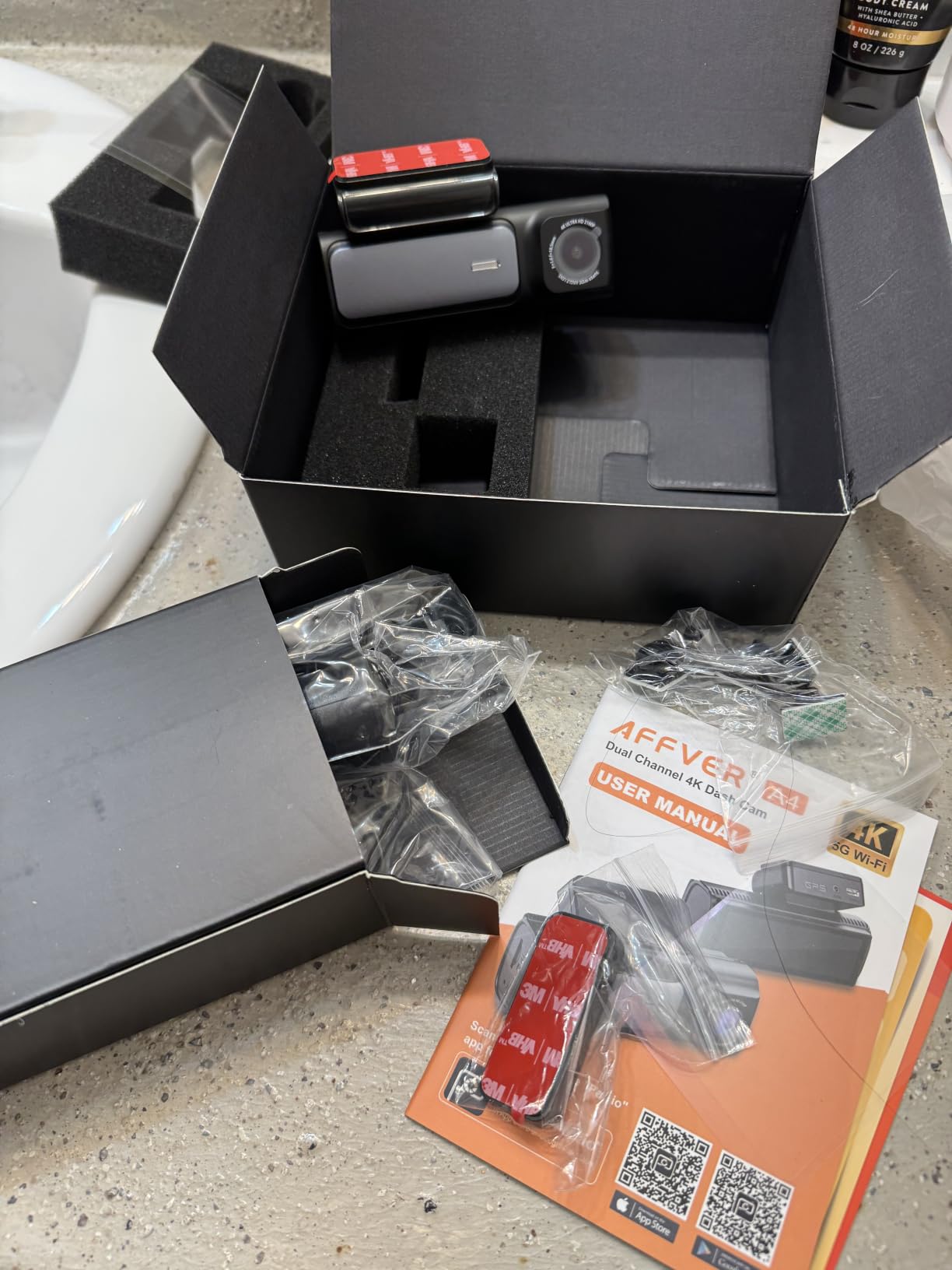
Parking mode is the catch. Twenty-four hour parking mode needs a hardwire kit that is not in the box, and getting a clean installation means filing the rear cable under interior trim, which takes longer than a suction mount. Budget an afternoon the first time. Owners who have done it report the 2.5K rear channel, the screen and the transfer speed as the standout features.
Why rear resolution is worth paying attention to
Follow-too-close scenarios produce claims where the other driver asserts that your brake lights were off, or that you reversed into them. Resolving that dispute requires footage clear enough to see brake lights, lane position and sometimes a plate. A 2.5K rear channel gives you a real chance at that where 1080P often gives you shapes. For long-haul and airport runs, that is where the risk concentrates.
Who should skip it
Skip it if your risk is passenger complaints, since there is no cabin camera. Skip it if you want a cable-free install, because this one is designed to be hidden and that means trim work. And if you plan to rely on parking mode, buy the hardwire kit up front rather than discovering the gap after your car is hit in a lot.
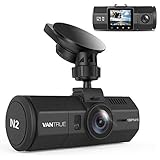
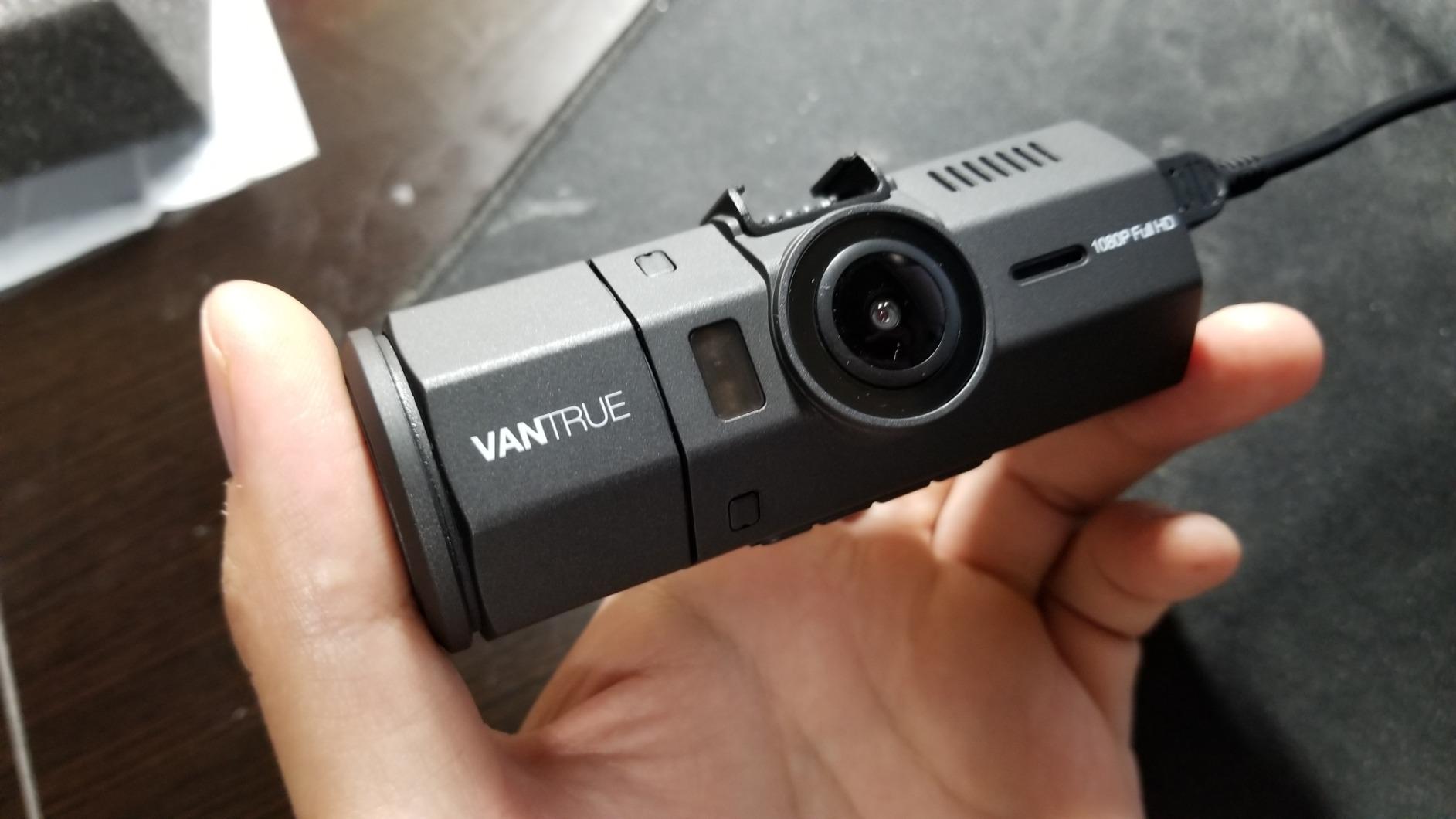
8. VANTRUE N2: Best for App-Free, No-Account Recording
- Designed from the ground up for Uber and Lyft cabin monitoring
- Near 360 degree combined front and interior coverage
- Rear camera is vertically adjustable to frame the cabin properly
- Heat-resistant casing suits hot climates and long parked hours
- Auto LCD-off avoids glare and distraction while driving
- Front and interior channels are 1080p-class
- well below the 4K and 2.5K kits
- Built-in GPS is a paid extra requiring a separate GPS mount
- No WiFi or app connectivity
- Supports microSD cards only up to 64GB
This pick suits a specific type of driver: someone who does not want a mandatory account, does not want footage leaving the car over the air, and wants a camera that just records. There is no WiFi and no app, which means no login to expire, no transfer that disconnects, and no passenger imagery uploaded anywhere. You pull the card and read the files.
The coverage is front and inside. It records 1440x1080p front and 1280x720p cabin at 30fps, or 1920x1080p front only, with a 170 degree front lens and a 140 degree cabin lens. The rear camera is vertically adjustable across 80 degrees, which is a small feature that matters more than it sounds, because it lets you frame the back bench properly in a sedan with a sloping rear window instead of ending up with a shot of the roof liner.
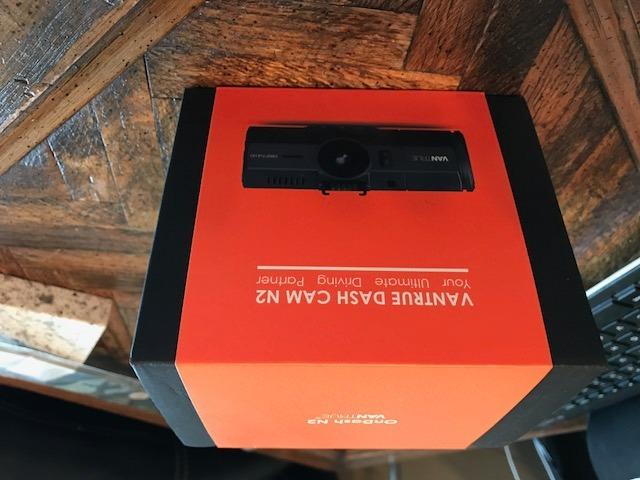
The heat rating is genuinely relevant for rideshare work. The casing is rated from -4 to 158 degrees Fahrenheit, and the auto LCD-off after recording begins avoids glare and distraction on the night shift. Motion-detection and time-lapse parking modes work when hardwired, and the loop recording uses a variable-sensitivity G-sensor collision lock, so you can tune how easily a speed bump saves a clip.
The 4.1 rating is the lowest here, and the reasons sit on the spec sheet rather than in the owner comments. The channels are 1080p-class, built-in GPS is a paid extra that needs a separate mount, and the card ceiling is 64GB, which is very short retention on a busy week. If you need footage that will hold up as evidence years later, this is not the kit. If you need simple, private, always-on recording of your cabin, it is exactly the right tool.
Why some drivers deliberately skip WiFi
Because every WiFi dash cam is also an upload device, and drivers who record unidentified passengers have a legitimate reason not to send that imagery anywhere. Owner feedback across forums consistently places long-term brand support and the ability to pull footage without an app near the top of what they value, and deal breakers named repeatedly include mandatory cloud subscriptions and app-only playback. This model simply does not have that problem.
Where the compromises bite
The 64GB card limit is the big one, because it is the shortest retention of any kit in this roundup. The 1080p-class channels will not resolve a plate at distance the way the STARVIS 2 units will, which is a real limitation if your pattern of risk is hit-and-runs at night. And the retail sales rank is far lower than every other product analyzed, which is worth factoring into how you weigh long-term support.
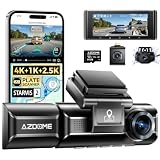
9. AZDOME M550 Max: Best for Quick Remount Between Vehicles
AZDOME M550 Max 4K 3 Channel Dash Cam Front and Rear Inside, Dual STARVIS 2
- Pairs a 2.5K rear channel with 4K front and a cabin camera
- Dual STARVIS 2 sensors cover both front and rear low light
- AR license plate recognition and lane overlays
- Magnetic mount makes it fast to remove the unit when parked
- IP68 rear camera is rated for rain and road spray
- Cabin IR plus a fatigue reminder for long shifts
- AR effects and playback tools only work inside the AZDOME app
- 24-hour parking mode requires a separate hardwire kit
- Review base is among the thinnest here at roughly 1.1k ratings
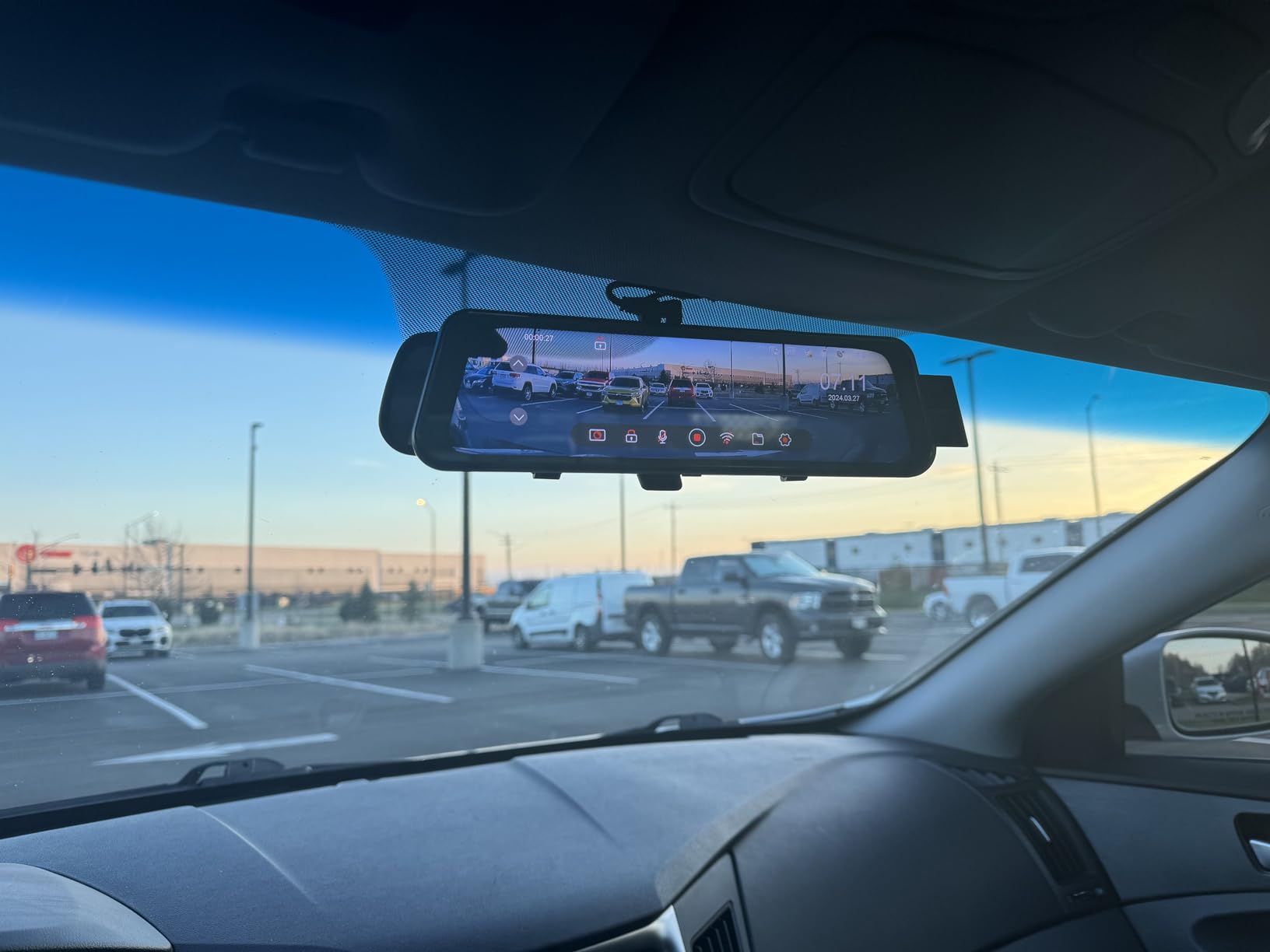
The magnetic mount is the reason this model exists for a specific audience. Drivers who switch between vehicles, borrow a car for a week, or hand a vehicle back and take another one do not want to re-run trim and re-aim cameras every time. This one detaches and reattaches with no tools, and the magnetic bracket also carries the built-in GPS, so speed and route data stay with the unit rather than the car.
On paper this is a complete channel configuration: 4K front, 2.5K rear and 1080P cabin all recording together, with dual STARVIS 2 sensors, an IMX675 at the front and an IMX662 at the rear, both with WDR. Six IR LEDs handle cabin night recording, and the rear camera carries an IP68 rating for rain and road spray, which is a sensible spec for a camera mounted outside on a rear windscreen.
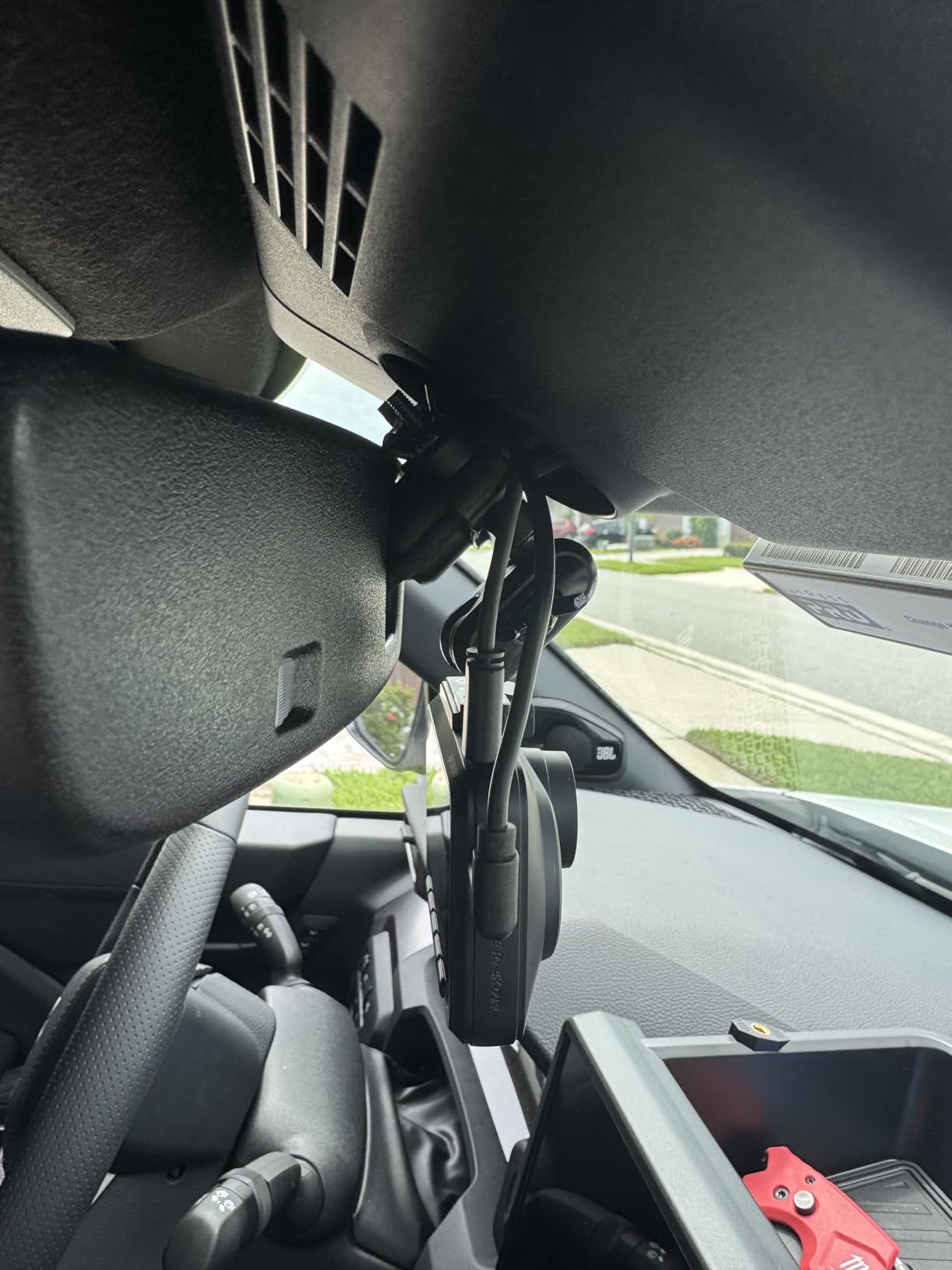
It also carries a feature that is unusual in this roundup: AR effects that overlay license plate recognition, lane assistance and distance monitoring. There is also a fatigue reminder aimed squarely at long commutes and late-night drives. In practice, owners note that these features work only inside the AZDOME app, so they are not a reason on their own to pick this kit over anything else.
Storage is generous at up to 512GB with a 64GB card included, and three parking modes are supported with a hardwire kit. The honest limitation is the review base of roughly 1.1k ratings, which is among the thinnest here, so long-term reliability is less proven than on the picks above it.
The driver who changes cars regularly
Hardwiring a camera into trim is a one-time job in a car you own and a repeating chore in one you do not. A magnetic mount plus a 12V plug means the transfer between vehicles takes about a minute, and the GPS data travels with the camera. For drivers running a borrowed car while their own is in the shop, or alternating between two vehicles, that convenience is worth more than another 500 pixels of resolution.
Who should skip it
Skip it if you need to know the unit will still be supported in five years, because the review base is one of the thinnest in this roundup. Skip it if you refuse to create an app account, since the advanced features are locked inside the AZDOME app. And skip it if you want parking mode to work out of the box, because the hardwire kit is a separate purchase.
10. 70mai T800E: Best for Three Channels in One Box
70mai 4K Dash Cam Front and Rear Inside, 3 Channel Car Dash Camera for Cars, Dashcam with GPS, Wi-Fi 6, Voice Control, Parking Monitor, Night Vision, Loop Recording, 64GB SD Card Included (T800E)
- Front camera reads license plates clearly day and night
- Three channels plus a 64GB card included out of the box
- WiFi 6 and Bluetooth let you aim the cameras during install
- Voice control saves hands-free event clips
- Static window films allow adhesive mounting without damaging glass
- Support resolved a cabin-recording firmware bug with a quick update
- Front 4K is upscaled from a 2K sensor rather than native
- Interior camera is limited to 15fps
- Recording all three channels fills a 64GB card in under half a day
- Wireless transfer takes over a minute per one-minute clip per camera
- App is unavailable through CarPlay and Android Auto by design
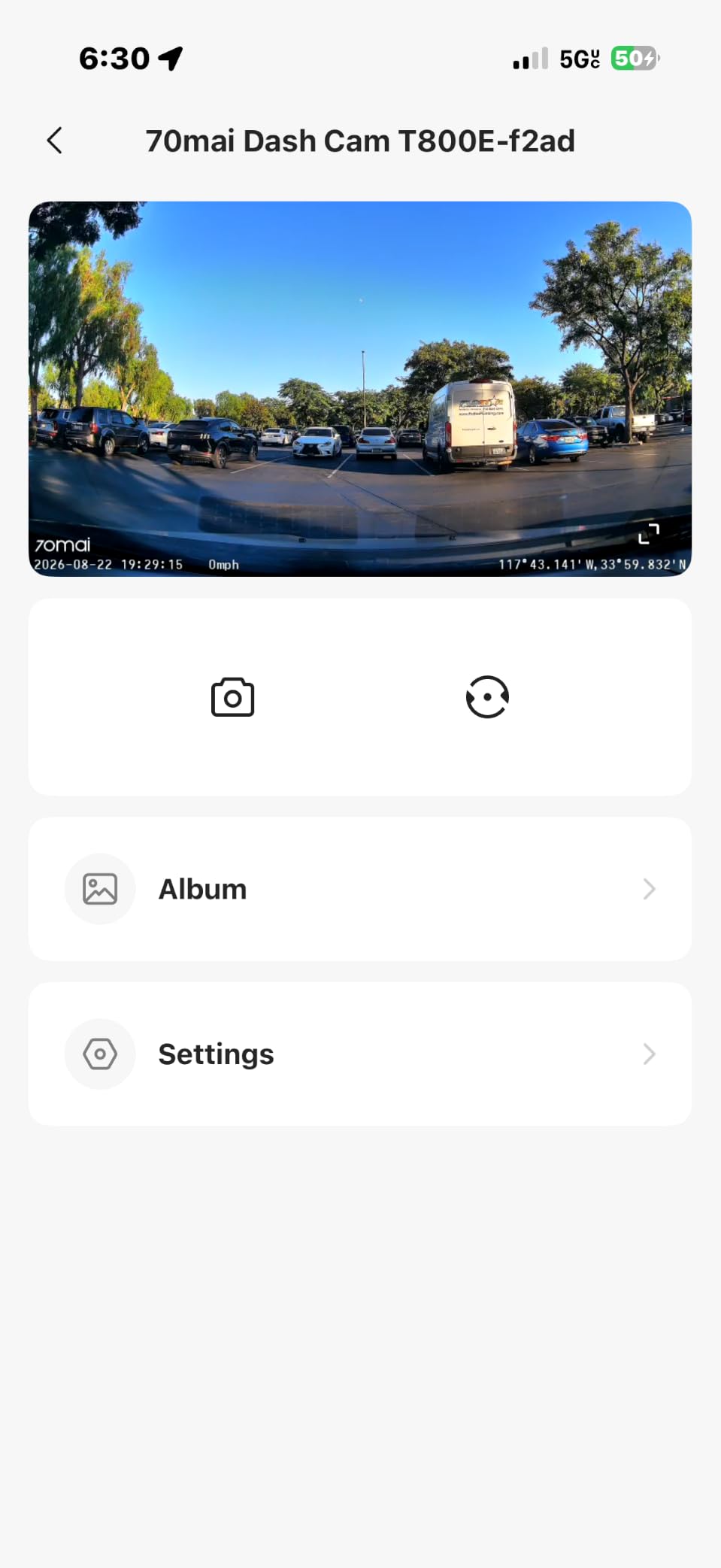
This model is bundled with more than its rating count suggests. The box contains the front unit, the rear camera with its cable, a 64GB memory card, the power cord, a car charger, heat-resistant adhesive, electrostatic stickers, a wiring crowbar and a mount. For a driver who wants front, cabin and rear coverage in one purchase, that is the shortest path from an unboxed kit to three angles recording.
The standout owner report is about plate readability. Multiple reviews describe the front camera reading license plates clearly day and night, and specifically call it out as performing well next to a more expensive dual system. The spec behind that is a f/1.55 aperture with HDR and 3D noise reduction, which is one of the widest apertures in this roundup. The interior camera has switchable IR for dark cabin recording, GPS runs in five modes for location, speed and route, and WiFi 6 transfers at up to 10MB/s.
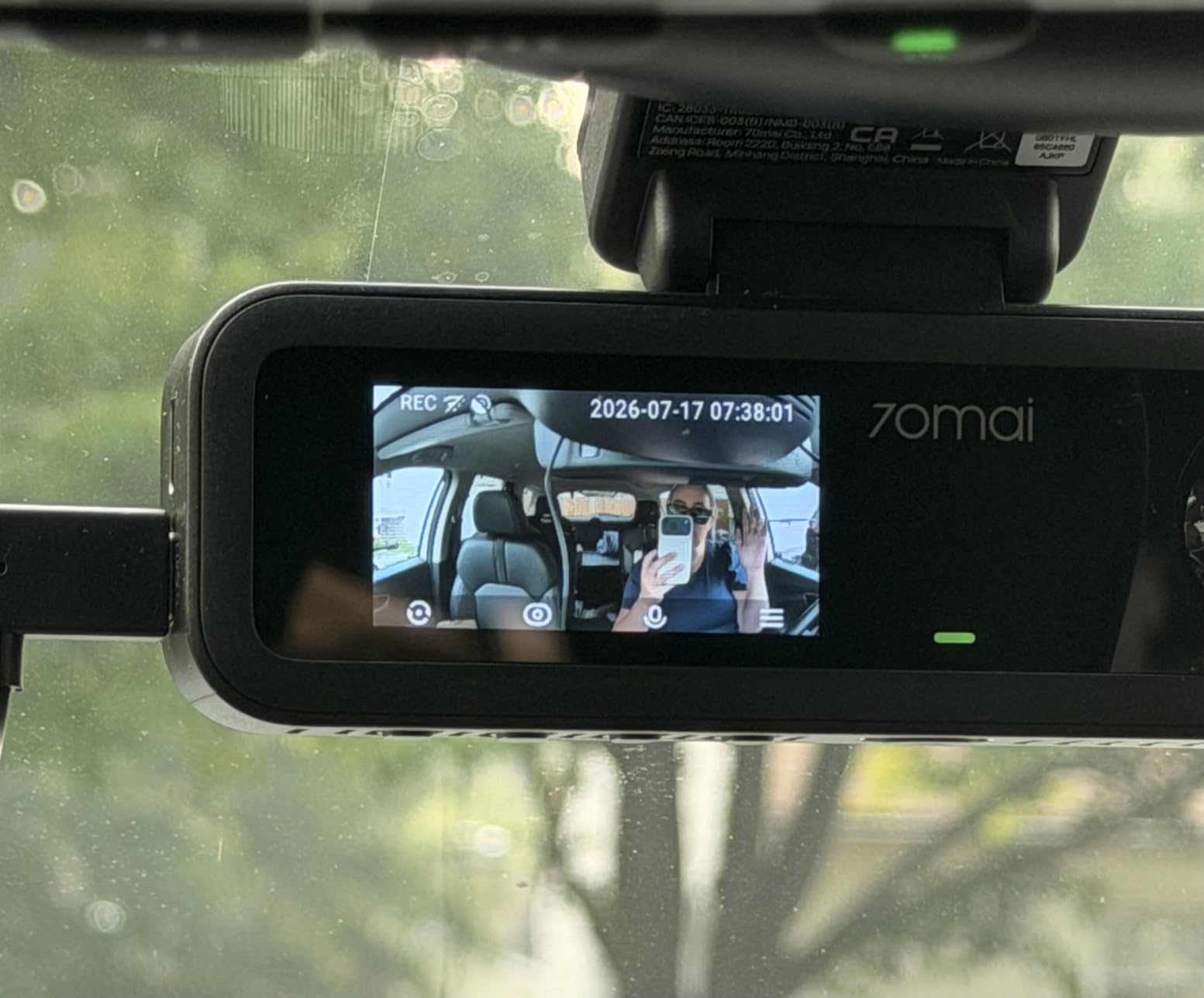
Two design details are aimed at installers. The WiFi 6 plus Bluetooth combination lets you aim the cameras from your phone during the install rather than guessing at the angle, and the static window films let you mount with adhesive without leaving residue or damaging the glass, which is what makes this practical in a car you do not own. Voice control locks event clips hands-free, and support is reported to have fixed a cabin-recording firmware bug with a quick update.
The limitations are real and one of them is serious. The 4K front is upscaled from a 2K GalaxyCore sensor, so treat the 4K label as a file-size feature rather than a detail feature. The interior camera runs at 15fps, which looks noticeably choppier than a 30fps channel when you scrub through an incident. And running all three channels fills a 64GB card in under half a day, which makes the 512GB ceiling listed for this model a requirement rather than an option.
Why the install tooling matters more than it sounds
Because a camera aimed at the roof liner is worse than no camera, and the Bluetooth-assisted aiming is the difference between getting the cabin angle right on the first try and taking the whole unit down again. For drivers who are not confident with trim and adhesive work, that is the feature that determines whether the third channel is usable at all.
Who should skip it
Skip it if you need native 4K detail at long range, because the front is upscaled. Skip it if you want smooth cabin playback, because 15fps is a visible compromise. And skip it if you use wireless CarPlay or Android Auto, because the app is deliberately unavailable on those systems and you will be pulling files over a connection that takes over a minute per clip.
Is a Dual Dash Cam Worth It for Rideshare Drivers?
Yes, for full-time drivers, and for one specific reason: a single front-facing camera has no evidence for the claim you will face most often, which is a rear-end collision. Add a second channel and you cover the road behind you, parking-lot hit-and-runs with time-lapse parking mode, and disputed drop-offs. It is not worth it if you drive a few hours a week and never park unattended, or if your only concern is a passenger complaint, because that needs a cabin angle instead of a rear one.
Here is the reasoning in plain terms. Drivers in this category spend their working day in a vehicle they do not own, carrying people they have never met, and they are financially liable for damage in both directions. The asymmetry is brutal: a front-only camera never sees the lane behind your car, and it never sees your back seat, which is exactly where the two most common disputes happen.
So the honest answer has a condition attached. If your exposure is mostly rear-end liability and parking-lot damage, a 2-channel front and rear kit solves the problem completely and you can stop reading. If you regularly run late-night trips where an in-cabin camera earns its keep, a 3-channel kit is the better buy even though it costs more. What does not make sense is buying a single front camera to protect yourself in a car that is earning revenue, or buying an expensive 4K unit with a weak sensor and a hardwire kit you never install.
How We Picked: The Five Criteria That Decided This List
Most dash cam roundups list ten cameras and explain nothing about how the list was built. We weighted five criteria, and we put night performance first because that is where footage actually fails. Here is the method in full so you can disagree with it.
1. Night plate readability. We looked at aperture, sensor generation and low-light processing claims, and we discounted any spec sheet that led with megapixels. A 4K upscaled image of an unreadable plate at a red light is worth less than a 2.5K native one that resolves the plate at 15 feet.
2. Channel fit. Does the channel configuration match the incident it is meant to solve? A rear camera for a driver whose risk is passenger complaints is a wasted channel, and a cabin camera for a driver whose risk is rear-end liability is the same problem in reverse.
3. Parking-mode power and whether the kit is in the box. Several of the units below list 24-hour parking mode as a headline feature while shipping without the hardwire kit required to run it. We noted that every single time, because it is the most common disappointment in this category.
4. Storage ceiling and card behavior. The maximum supported card size, whether a card is included, and what a card full of three-channel 4K footage actually buys you in hours of retention. Most kits on this list use a supercapacitor rather than a lithium battery, which is a meaningful advantage in a car parked in summer sun.
5. Support and repair friction. A card that dies, an app that logs you out mid-download, or a firmware bug that stops a channel from recording all produce the same result, which is no evidence when you need it. We weighted owner reports of those failure modes heavily.
What we did not test: we did not measure real plate-read distances on a controlled range, we did not log retention hours on each unit, and we did not compare pricing across the full market. Every product claim below comes from the manufacturer listing and the aggregated owner reviews.
Front and Rear or Front and Cabin? Decide the Angle First
Pick the channel configuration that matches your risk, and everything else on the spec sheet becomes secondary. The mapping below pairs the common rideshare incidents with the angle that actually resolves them, because a front-only camera leaves every second line uncovered.
Rear-end collision or a close-following driver. Rear channel. The claim is that the other driver did nothing wrong, and the only evidence that settles it is footage of what was behind your car.
Hit-and-run or vandalism while parked. Rear channel plus a working parking mode, and this is the one scenario where the hardwire kit is not optional. Buffered motion detection is far more useful than time-lapse here, because it saves the seconds around the event rather than a low-frame-rate summary.
Passenger safety complaint or a behavior dispute. Cabin channel. A front camera physically cannot see the back seat, so no amount of front resolution changes the outcome. A driver who has had one platform complaint about behavior should treat a cabin angle as mandatory rather than nice to have.
Lost item or disputed drop-off. Cabin channel, ideally with infrared so the footage is usable at night. Most lost-property claims happen in the dark.
Insurance claim on the vehicle in general. Front and rear. Insurers overwhelmingly care about the moment before and the moment after an impact, and the G-sensor event lock is what preserves those exact seconds.
The practical takeaway is that 2-channel front and rear covers the most common and most expensive claim, while 3-channel covers the claim that can end your platform access. If you can only afford one, front and rear is the better single buy. If your driving is mostly late-night with new passengers, a cabin angle is the one that changes your day-to-day risk. The recurring question drivers ask on forums, whether rear cameras are even necessary, has an easy answer for rideshare specifically: yes, because the rear-end claim is the one you cannot settle without it.
Resolution and Sensor: Where Spec Sheets Mislead You
Resolution matters far less than sensor generation, and three of the units above are honest about the difference. Native 4K means the sensor is actually resolving that many pixels. Upscaled 4K means a lower-resolution image is stretched to fill a 4K file, which produces a bigger file with no new detail.
For dash cam work, 2.5K native is effectively the ceiling that matters. Every kit in this roundup with a 1080P rear channel is already a deliberate resolution trade made by the manufacturer, and the ones that advertise 4K front upscaled from 2.5K or 2K are doing the same thing in the other direction. Read the native figure, not the headline.
Sony STARVIS sensors are the tier worth paying up for in this category, and eight of the ten kits here use one. STARVIS 2 is the more light-sensitive generation, and that is why the same sensor family produces readable plates at night where a conventional CMOS in the same housing does not. STARVIS 1 is a step down and still performs well next to unbranded sensors.
Aperture is the other number that decides night performance. f/1.5 and f/1.55 gather noticeably more light than f/1.8, and the difference shows up exactly where rideshare drivers need help, which is under streetlights on an unlit road. A wider aperture also means a shallower field that catches less headlight glare.
Skip the megapixel number entirely. Spec sheets in this category lead with resolution counts that tell you almost nothing about output, and the real difference comes from the sensor generation, the lens, the aperture and the low-light processing. Our general dash cam comparison guides cover that spec-reading side in more depth.
Night Driving: What Actually Makes a Plate Readable
A plate becomes readable when three things line up: a sensitive sensor, a wide enough aperture, and processing that does not crush the shadows around it. Resolution is the fourth factor and it is the least important of the four for this specific job.
Rideshare disputes concentrate between roughly 7pm and 3am, and that window is exactly where cheap cameras fail. The scene is lit by scattered streetlights, oncoming headlights, and the taillights of the car ahead. A sensor that cannot hold detail in the shadows turns the frame into grey mush with bright blobs, and the plate dissolves into it.
In practice that means the STARVIS 2 units at f/1.5 and f/1.55 will outperform higher-megapixel cameras with weaker sensors, and the owner reviews here line up with that. The wide apertures on the ROVE, the REDTIGER F7NP, the Affver and the 70mai are the four I would trust most for night plate work. WDR and HDR processing matter because they stop oncoming headlights from flattening the rest of the frame.
For the cabin, infrared is the deciding feature rather than a nice extra. The COOAU with 4 IR LEDs, the REDTIGER F17 with 4 IR lights, the AZDOME M550 Max with 6 and the 70mai with switchable IR can record a usable back seat in a fully dark car. If your driving is mostly after dark and your risk is inside the vehicle, an IR cabin channel is not a luxury.
One practical note that costs nothing. If your car has a dark tint on the rear glass, the rear channel will fight it no matter which camera you buy, and the defroster lines in many sedans can put horizontal banding across the frame. Mount high on the rear glass, above the tint line and clear of the defroster grid, and angle slightly downward. We have covered vehicle-specific mounting problems in our truck dash cam guides and the same physics applies to a sedan with a rear windscreen.
Parking Mode and Power: Hardwire, OBD-II or Cigarette Lighter
Hardwire it if you own the car long term, use OBD-II if you might not, and use the cigarette lighter only if you never park unattended. Parking mode is the most over-claimed feature in this category, because most of the kits here advertise 24-hour monitoring while shipping without the cable that makes it work.
A cigarette lighter connection is the simplest install and it records only while the ignition is on, which means no parking mode at all. It is the right choice if you drive, hand the car back, and never think about it again. It is the wrong choice if you leave your car in a lot overnight.
A hardwire kit taps the fuse box and draws near-constant power, which is the only way parking mode actually functions. The feature you should look for is a low-voltage cutoff, because a camera that drains a 12V battery below the threshold needed to start the car is a self-inflicted no-start. Every kit here that lists a supercapacitor uses one rather than a lithium battery, which also means the camera survives the heat of a parked car in summer far better than a battery-equipped unit would.
For a driver who changes vehicles, OBD-II is the compromise most owners miss. It draws power from the diagnostic port and can be unplugged in seconds without touching trim, so you can move the whole setup to a new car in minutes. The tradeoff is that it occupies the port some drivers use for live vehicle data, and the install still needs a clean cable route to the cameras.
On the software side, buffered motion detection is the mode that actually helps you. It records continuously at low intensity and saves a fuller clip when motion is detected, so you get the seconds before the impact. Time-lapse mode is cheaper on storage and nearly useless for identifying who hit you, because it drops frames. Collision-triggered modes depend on the G-sensor and only save what follows the event.
And buy the hardwire kit up front. Almost every kit in this roundup lists 24-hour parking mode as a headline feature while shipping without the cable that makes it work, which is the most common disappointment drivers report and entirely avoidable.
This is also the most repeated tip in driver forums. Owners across unrelated communities keep landing on the same conclusion, one long-term owner on the Nissan Frontier Forum writing that the hardwired set in his vehicle paid for itself multiple times, and a car in a parking lot that unplugs itself at the end of every shift protects nothing.
Storage Math: How Long the Footage Actually Lasts
Loop recording means the oldest footage disappears first, so your retention window is the only number that matters. It is determined by bitrate, codec and card size, and on a 3-channel kit the difference between a 64GB and a 512GB card is measured in hours, not days.
H.265 is the codec to look for. It delivers comparable image quality at roughly half the file size of H.264, which means the same card holds far more footage. In a category where evidence you cannot retrieve is worthless, that is the highest-leverage setting available, and most apps in this roundup expose a codec or bitrate option somewhere in their settings.
The practical rule of thumb: a 64GB card is comfortable in a two-channel setup at lower resolutions and tight in a three-channel setup recording at 4K. The 70mai owners describe exactly that, filling a 64GB card in under half a day with all three channels running. The dual-band WiFi units here transfer at 20MB/s and the WiFi 6 units at 10MB/s, so pulling a clip is fast, but speed does not help if the file has already been overwritten.
Check the card ceiling before you buy, and the numbers vary sharply. The ROVE R2-4K Dual supports up to 1TB, the REDTIGER F7NP and the AZDOME M550 Max up to 512GB, and the VANTRUE N2 tops out at 64GB with no way to increase it. That last one is the reason its retention is shorter than any other kit here.
Two habits will protect your evidence. Pull incident clips to your computer as soon as possible rather than trusting a wireless transfer alone, and buy a high-endurance microSD card rather than a general-purpose one. A card failing is the most common way footage disappears, and a general-purpose card written continuously in a hot car is the wrong tool for the job.
Audio, Privacy and the Law for Rideshare Recording
In-cabin audio is where a lot of rideshare drivers get uncomfortable, and the discomfort is legitimate rather than silly. The honest position is that dash cams are generally permitted for drivers, but you are responsible for following the recording law where you drive, and that law is not the same everywhere.
The distinction that matters is one-party versus two-party consent. In most states you may record a conversation you are part of without telling the other person. In a smaller group of states, including California and Florida among the better-known examples, all parties must consent, which changes the situation when a passenger is in the car and has not agreed to be recorded.
Two practical options. Mute the microphone on your cabin channel, which costs you nothing in most disputes since almost all of them are visual. Or tell riders plainly at the start of the trip that a dash cam is running, which is what most drivers settle on and which resolves the consent question in a two-party state. Check the rule where you actually drive before you decide, and tell riders in every state anyway.
Platforms permit dash cams but do not certify specific models. There is no such thing as an approved dash cam, and you will not find a manufacturer listing to back up a claim that one is endorsed. What platforms do is provide a channel for submitting evidence in a safety or damage dispute, and continuous, uncut, timestamped footage is what makes a submission useful.
On privacy architecture, local-only recording has a real advantage that gets overlooked. Every kit with an app and WiFi is also a device capable of uploading imagery of unidentified passengers, and drivers who would rather not create that record should either use one of the no-WiFi options or simply never pair the app during a trip. The trade-off is that you pull files by card instead, which is slower but stays in the vehicle.
What footage actually needs to be useful in a claim is consistent: continuous recording rather than triggered clips, an unbroken timestamp, and ideally embedded GPS speed and location data. Several kits in this roundup stamp speed and route, and that metadata is the difference between a clip and a piece of evidence. Long-term owners on r/uberdrivers describe the payoff in exactly those terms, saying the value shows up when a claim runs up to their deductible rather than as a lower premium, and separate r/IdiotsInCars threads show drivers posting footage of the other party admitting fault at the scene and reporting responses from insurers and police.
Frequently Asked Questions
What dash cam do most Uber drivers use?
The most commonly recommended pattern among working drivers is a 3-channel setup from an established brand, because it covers the road ahead, the road behind and the back seat. Dual front and rear kits at 2.5K or 4K with a STARVIS sensor are the most common single purchase. Treat this as a community pattern rather than a measured statistic, and check current owner reviews before committing.
Is a dual dash cam worth it?
For a full-time rideshare driver, yes. A second channel covers the road behind you, which is where the most common and most expensive claim, a rear-end collision, happens. Add parking mode with a hardwire kit and you also cover hit-and-runs while parked. It is less worthwhile if you drive only a few hours a week and never leave the car unattended overnight.
Is a 2 channel dash cam worth it?
Yes, for rear-end liability, parking-lot damage and general insurance evidence. A 2-channel front and rear kit is the best value if your risk is mostly about the road, and it costs less and uses less card space than a 3-channel unit. Step up to 3 channels if your bigger concern is a passenger complaint, a safety report or a lost-item dispute.
Which camera is best for Uber drivers?
It depends on which incident you need to resolve. Front and rear protects against rear-end claims and parking-lot damage. Front and cabin protects against passenger complaints and lost-item disputes, especially at night with infrared illumination. A 3-channel kit covers both and is the right answer if you drive late nights with new passengers regularly.
Will my insurance go down with a dash cam?
Usually not. Most insurers do not offer a premium reduction for a dash cam, and you should not expect one. What a dash cam does change is the outcome of a claim, because continuous, timestamped footage with embedded speed and location data turns a disputed incident into a documented one. Rideshare policies vary by provider and by insurer, so ask yours directly.
Which is better, Vantrue or Viofo?
It depends on the model and your priority. Vantrue builds cabin-focused and 3-channel systems that drivers like for simple, account-free operation. Viofo models are widely recommended for night image quality because of their STARVIS sensors. Compare the specific models on sensor generation, native resolution, card ceiling and whether the hardwire kit is included, since those drive the result more than the badge.
Which dash cam has the best parking mode?
Buffered motion detection is the parking mode that helps you most, because it saves the seconds before an impact rather than a low-frame-rate summary. Look for a cam with a low-voltage cutoff and a supercapacitor rather than a lithium battery, and note that most kits ship without the hardwire kit that parking mode requires. Time-lapse modes save card space but rarely identify a vehicle.
What dash cam does Uber recommend?
No specific model. Platforms permit dash cams but do not endorse or certify particular products, and there is no approved-model list. You remain responsible for following local recording and privacy law, disclosing the camera to riders where consent is required, and mounting it where it does not block your view. The same guidance applies to Lyft and to other ride-hailing platforms.
Is it legal to record passengers in a dash cam?
Dash cams are generally permitted, but audio rules differ by state. In one-party consent states you may record a conversation you are part of. In two-party consent states, including California, all parties must agree, which changes what you can capture with a passenger in the car. Mute the cabin microphone, or tell riders at the start of the trip that a camera is running.
The Verdict for Rideshare Drivers in 2026
If you want one answer, take the REDTIGER F7NP. It has the deepest owner history in the group, a STARVIS 2 sensor behind a 170 degree front lens, GPS, fast WiFi and a card in the box, which together give it the most proven track record of any kit here. If your priority is image quality rather than volume of proof, the ROVE R2-4K Dual carries the highest rating and the only 1TB card ceiling on this list.
Match the channel to your risk instead of buying the biggest spec sheet. Front and rear for rear-end liability, front and cabin with infrared for passenger disputes on night shifts, three channels if you run both. Buy the hardwire kit at the same time as the camera, and buy a high-endurance card sized to match how many channels you will record.
That is the honest version of the best dual dash cams for rideshare drivers in 2026: one model to start from, one decision to make first, and a hardwire kit that most people forget. Decide the angle, install it properly, and confirm the unit is actually recording before you need it. Our broader trucker dash cam roundup covers the same hardware questions for long-haul setups if you drive both.