
If you want the short version: the KidsConnect Secure Phone 4G GPS Tracker is the best GPS tracker for elderly parents overall, the PAJ 4G GPS Tracker suits parents who walk daily and want five days between charges, the SecuLife Medical Alert Pendant is the strongest choice for fall risk, and the EGLANCLIFM Find My band is one of only two here with no monthly fee at all. All four report live location to a caregiver phone app.
Why this matters enough to write a guide: roughly six in ten people living with dementia will wander at some point, and the risk climbs sharply in the first few hours after they leave. A tracker does not prevent a fall or a lost afternoon, but it can turn an afternoon-long search into a ten-minute one, and it can tell you at 3pm that a parent who normally returns at 2pm is still on the far side of the park.
I have spent the last several weeks reading owner reviews, spec sheets and caregiver forum threads for eight devices so I could tell you which ones actually work when a parent forgets to charge them, objects to wearing a necklace, or walks out of the house at dusk. No product on this list is ours. We are a lifestyle and buying-guides site, not a device manufacturer, and every claim here traces back to a published specification or to the review record for that product.
One safety note before we start, because it is the thing most roundups skip. A tracker is a recovery layer, not a substitute for supervision. It does not stop a fall, it does not keep a person warm, and locating a confused adult does not mean that adult will get in the car with you. Caregivers on AgingCare make this point repeatedly, and they are right: the tracker is one layer in a safety plan alongside door alarms, identification cards and a neighbour who knows to call you.
That said, it is the layer most families do not have, and it is the layer that turns a catastrophe into a bad afternoon. Here is what is available in 2026.
Table of Contents
Top 3 GPS Tracker Picks for Elderly Parents in 2026

Secure Phone 4G GPS Tracker
- Real-time tracking on 4G GPS
- Calls and texts limited to 15 numbers
- Large red SOS button sends location

PAJ 4G GPS Tracker
- 41 g pocket-sized body
- About 5 days of battery life
- Geofence alarms and 365 days of track memory

SecuLife Medical Alert Pendant
- Alerts go straight to family with no call centre
- Adjustable fall detection
- Two-way calling and IP67 waterproofing
Our shortlist came down to this trio, and the reasoning is simple. The KidsConnect phone wins overall because it is the only device here that a person with moderate cognitive impairment can genuinely operate on their own, and it carries the highest owner rating of the eight at 4.2 stars across 334 reviews. The PAJ tracker takes the value slot as the most-reviewed product in the group by some distance, at 603 reviews, with a battery life that changes the daily routine for the better. The SecuLife pendant takes the safety slot for a parent whose main risk is falling rather than walking out of the door.
All 8 GPS Trackers at a Glance in 2026
| Product | Specifications | Action |
|---|---|---|
| Secure Phone 4G GPS Tracker |
|
Check Latest Price |
| PAJ 4G GPS Tracker |
|
Check Latest Price |
| SecuLife Medical Alert Pendant |
|
Check Latest Price |
 Medical Guardian MGMini Medical Guardian MGMini |
|
Check Latest Price |
 Smart Med Alert Cellular Necklace Smart Med Alert Cellular Necklace |
|
Check Latest Price |
 EGLANCLIFM Find My Tracker Band EGLANCLIFM Find My Tracker Band |
|
Check Latest Price |
 SkyAngel911FD SkyAngel911FD |
|
Check Latest Price |
 SecuLife Medical Alert Smartband S16 SecuLife Medical Alert Smartband S16 |
|
Check Latest Price |
Read that table with one idea in mind: these eight products are not the same category. Two of them are location-only locators, five are emergency alert devices that happen to report location, and one is a phone. The single biggest buying mistake I see families make is comparing them as though the update interval and the alerting model were interchangeable, when in practice one device can tell you where your mother is and another can call her an ambulance.
What Kind of Tracker Does Your Parent Actually Need
Before choosing a model, it helps to know that “GPS tracker” covers five genuinely different things, and the right one depends on which risk you are actually trying to cover.
Dedicated GPS trackers are small cellular devices that do one job: report location to an app and trigger a geofence alert when your parent crosses a boundary. They usually have no screen, no speaker and no button. They are the cheapest to carry and the most discreet, and they are the right answer for a parent who takes long walks and does not always come back on schedule.
Medical alert pendants and watches are the same idea with a panic button, two-way voice and fall detection bolted on. They are the right answer for a parent at risk of falling, or who might need emergency services before anyone realises something is wrong. Five of the eight products here are in this group.
Bluetooth tags like AirTags and Tile are not GPS trackers at all. They piggyback on other people’s phones and nearby beacons, and I explain why below. Phone apps do the opposite job: they need a charged phone, but they cost nothing and cover a parent who already carries one reliably.
Two practical questions decide most of this. Does your parent fall, or do they wander? And will they wear something on their body without complaint? Everything else in this guide is downstream of those two answers.
Will They Actually Keep It On? The Decisive Question
This is the question that decides whether a tracker is useful or decorative, and it is the loudest objection in every caregiver thread I read. A person with memory loss will not reliably put a device on, will remove it without remembering they did, and will not recall where they put it. Retention is not a feature of the product; it is a negotiation with a person who may not be able to hold the negotiation.
Here is what the review data says actually predicts retention. Form factor matters enormously. A wristband that looks like a fitness watch is frequently tolerated longer than a pendant that looks like a medical device, because the pendant announces a diagnosis to the world in a way people notice. Physical attachment matters more than software. Anything clipped in a pocket can be lost; anything on a lanyard can be pulled over; only a fastened strap or a hidden insole survives a determined removal attempt.
Then there is charging, and this is where honest spec sheets matter more than marketing. A tracker that dies after 24 hours is not a safety device, it is a nightly chore, and the same is true of one that needs charging every day. The five-day figures on the PAJ tracker and the one-day figures on the SecuLife smartband are the difference between a habit that sticks and a habit that quietly stops in week three.
Two habits from caregiver forums are worth repeating. First, set a low-battery alert before the first alert, not after, because a dead device that says nothing is the worst outcome in this category. Second, agree on what happens if the device is found and removed: some families turn it into a neutral object by putting it in a coat pocket or a handbag, so that when it reappears it reads as a forgotten belonging rather than a defeat.
1. KidsConnect Secure Phone 4G GPS Tracker – Best Overall for Elderly Parents
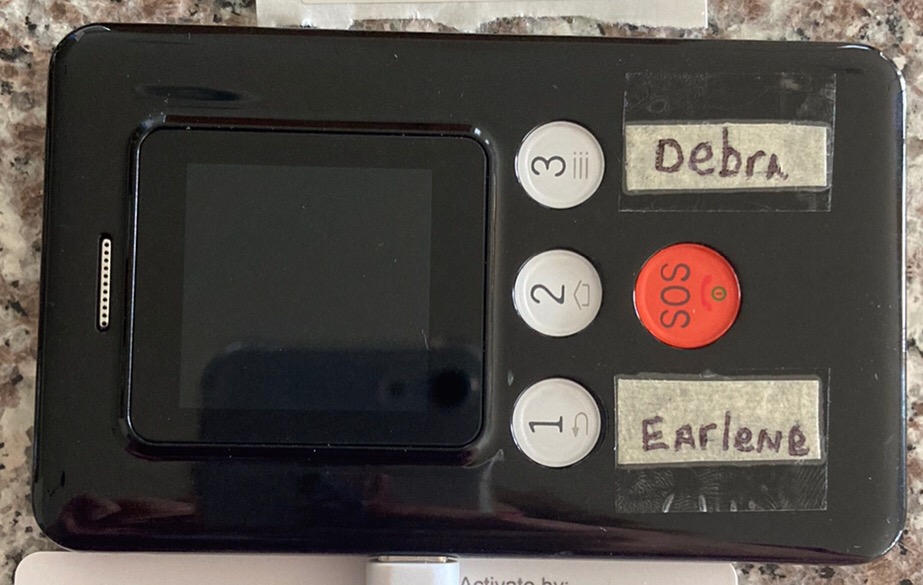
- Three-button interface operable by relatives with dementia or Parkinson's
- Large red SOS button that texts a GPS location link
- Calls and texts only to numbers you program which blocks scammers
- Owners report GPS accuracy within about 10 feet
- Owner-operated customer support with patient one-to-one help
- Battery lasts only about 24 hours so it needs charging nightly
- Activation runs through the manufacturer's cellular plan rather than a standard SIM
- Plastic body and screen are not drop-resistant
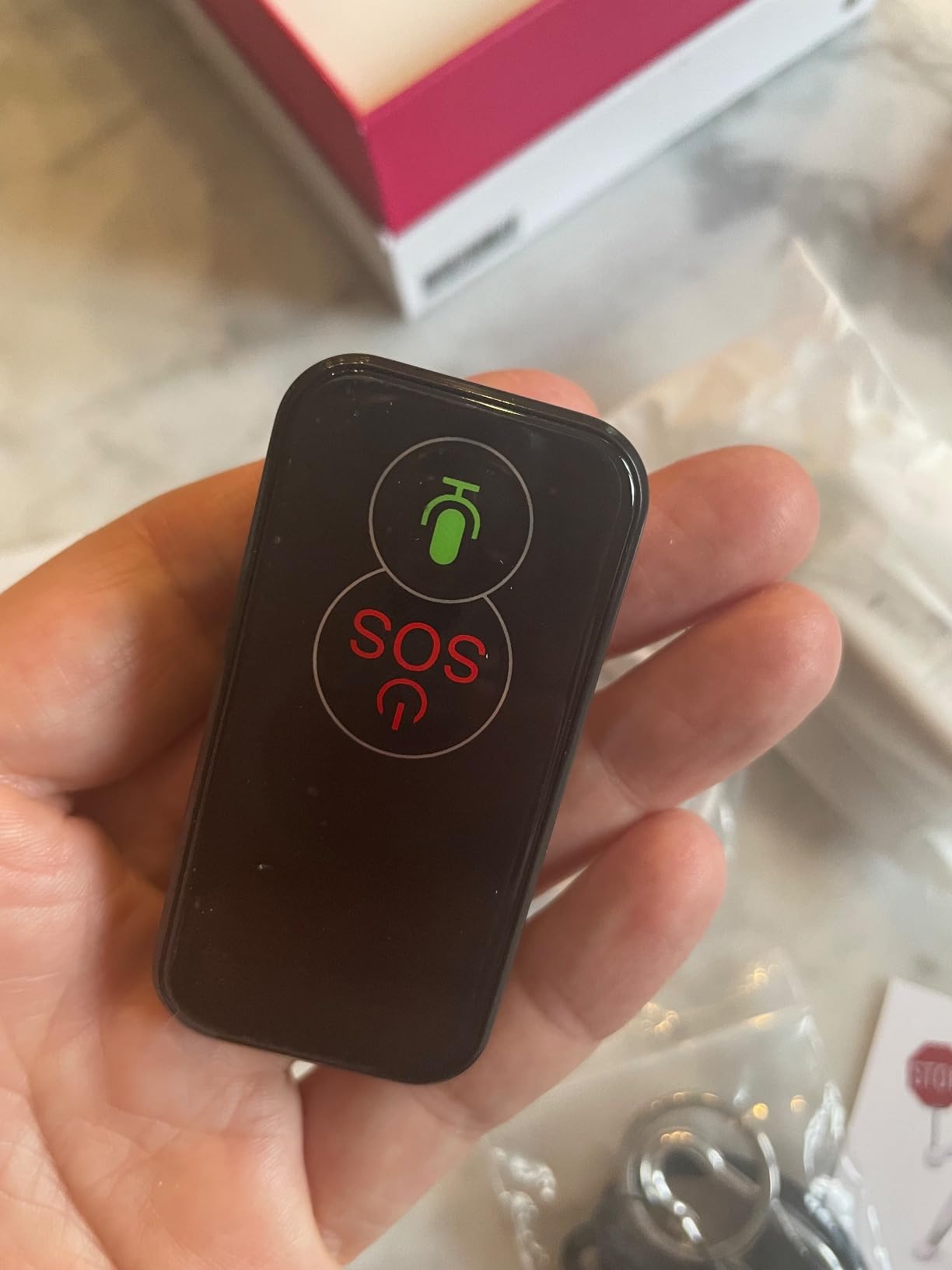
The most striking thing about this device is that it is not trying to be a phone. It is a safety phone, stripped of apps, internet, games and spam, and every design choice follows from that decision. The result is the only device in this roundup that a parent with moderate memory loss can plausibly use without help, which is why it takes the top slot.
Owner reviews describe the interface as genuinely simple: a small screen, a numeric keypad and three physical buttons. Calling is restricted to up to 15 numbers you program yourself, which means your mother cannot be persuaded by a scammer to send money, and cannot call a number at three in the morning that will not be answered. The large red SOS button sends an automatic text containing a GPS location link, so the person who receives it does not even need the app.
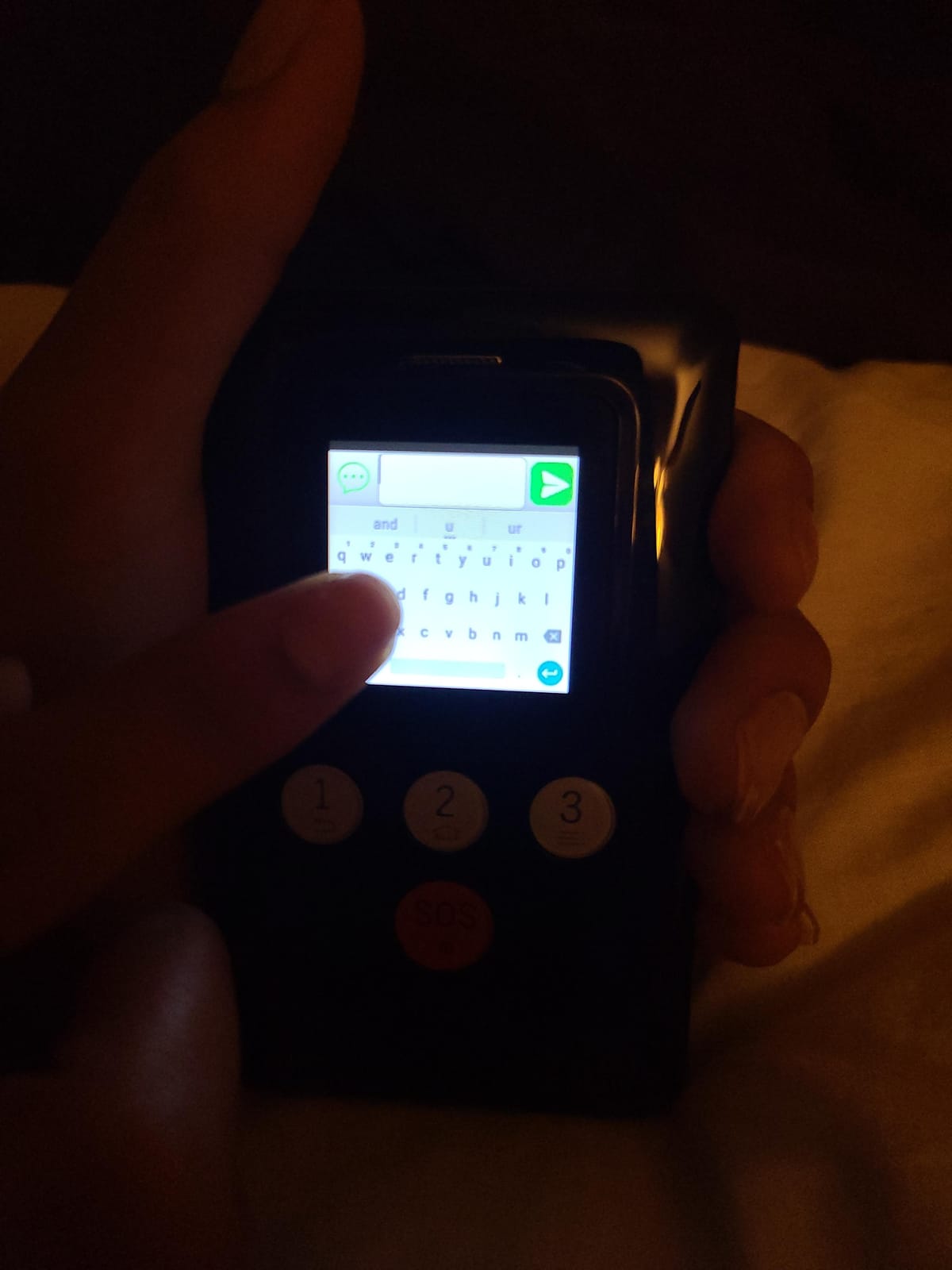
Accuracy is the other headline. Multiple owners report location fixes within roughly 10 feet, and support is unusually good, with reviewers specifically mentioning that they spoke to the people who run the company. There is also a rear ID card slot for a name and phone number, which sounds small and is genuinely useful if a device ends up somewhere it should not.
I want to be honest about what you trade away. The battery lasts about 24 hours, so this is a nightly charge, and if your parent forgets chargers as often as they forget keys, that becomes the failure point. Activation is tied to the manufacturer’s own cellular plan, so you cannot slot in a SIM from a carrier you already pay. Texting is limited to canned comments on a tiny touchscreen, so treat it as an alert device with a phone attached rather than a communicator.
What the nightly charge really means in practice
The 24-hour battery is a scheduling decision, not a defect. If the device lives on a bedside table and goes onto a charger with the phone at the same time every night, it works. The design supports this: a lanyard and a rear ID slot make it something that stays in one place rather than something that roams.
The reviews also raise a durability point worth weighing for a parent with tremor or poor grip. The plastic shell and screen are not drop-resistant, and at least one owner reports a cracked screen after a drop with no repair path. A lanyard worn around the neck is much safer than a phone in a loose pocket.
Who should skip this one
If you are in a household that is already paying for a data plan and want to avoid a second monthly commitment, the closed cellular model is friction you do not need. If your parent is not able to charge anything reliably, a device that dies every night is the wrong foundation for a safety plan.
Most importantly, this is not a wandering-proof device. It is a phone-shaped object on a strap, and a determined person with both hands can remove it. If you need something that resists removal, keep reading.
2. PAJ 4G GPS Tracker – Top Rated, Five Days Between Charges
- Small and light at 41 g so it fits a pocket or a small bag
- About 5 days of battery life cuts charging to roughly once a week
- Geofence safe zone alarms configurable in the free app
- 365 days of track memory for reviewing past movement
- Works on Android and iOS with multiple family members sharing access
- A paid subscription is required for the tracking service
- Battery alarm and periodic recharging are unavoidable on a 5 day cycle
- No SOS button or voice calling so it covers location only
This is the most-reviewed product in the roundup by a wide margin, with 603 reviews, and that volume of owner feedback is itself useful. The consistent picture is a small, unobtrusive locator that does one job well and asks you to accept a subscription for the privilege. For a parent who walks, gardens and has a predictable route, that is exactly the right bargain.
At 41 grams and just over 2 inches across, it is small enough to live in a coat pocket, a handbag or a jacket sling without a wearer noticing it is there. The 1500 mAh cell gives roughly five days between charges according to the manufacturer, and owners confirm that the number is realistic. A low-battery alarm is built in, which matters more here than anywhere else, because a silent dead tracker is a tracker you are relying on and do not have.
The software side is the reason this keeps scoring well. Safe zone geofences are set in the free companion app, multiple family members can share access to the same view, and there is 365 days of track memory, so you can answer the question that actually comes up in families: is this walk a change from normal, or just a different Tuesday. The app works on both Android and iOS, which removes one of the most annoying family compatibility problems.
Be clear about the trade-off. This is a locator, not a communicator. There is no SOS button, no two-way voice and no fall detection, so in an emergency it does nothing except show you a dot on a map. It is also useless without its subscription, and the manufacturer offers plans on monthly through bi-yearly terms, so a long term is where the cost per month settles down.
Why five days of battery is the real feature
The battery figure is the reason this tracker suits a parent whose memory is the problem. A charge cycle measured in days becomes part of a routine that survives; a charge cycle measured in hours becomes a thing to remember, and remembering is exactly what is deteriorating.
The trade is that five-day life assumes a more forgiving reporting interval than a pendant running continuous updates. That is the right priority for a walking parent, and the wrong priority for a fall-risk parent. Match the device to the risk rather than the reverse.
Who should skip this one
Skip it if you need to talk to your parent in an emergency, or if you need a fall alarm. A 41 gram object with no speaker and no button cannot summon help, and its small size also means it is easy to leave behind in a coat and never find again.
Also weigh the subscription honestly. This is a long-term commitment for a device that covers location only, and families who expect to use it for two or three years should factor the plan into the decision rather than the hardware.
3. SecuLife Medical Alert Pendant – Best for Fall Risk
- Alerts go directly to up to 3 family members with no call centre in the loop
- Works over 4G LTE with no home internet connection needed
- Fall detection sensitivity is adjustable with a 10 second cancel window
- Two-way calling plus hands-free auto-answer and remote listen-in
- IP67 waterproof so it can be worn in the shower
- Magnetic charging clasp is easy for an older wearer
- Fall detection is very sensitive even at the lowest setting and causes false alerts
- Some devices stopped sending fall notifications after several months
- A one year service commitment means paying on after the device is retired
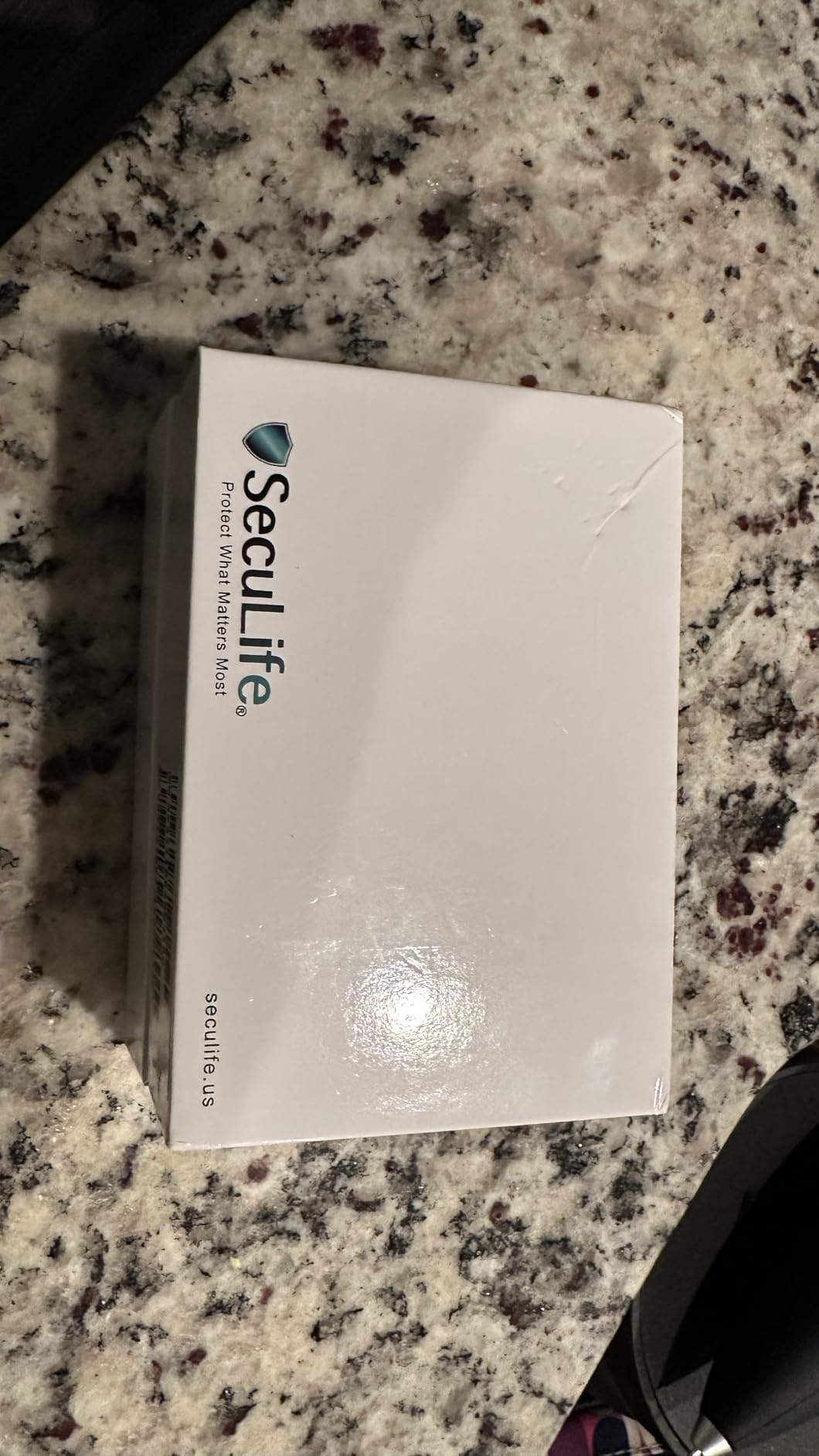
The defining feature of this pendant is what it does not do: it does not route alerts through a monitoring call centre. When something happens, the notification goes straight to up to three family contacts that you choose, and you talk to your mother through the device itself. For families who want an intermediate step between a silent device and a full monitoring service, that is a meaningful design choice.
The feature set is wide. There is automatic fall detection with an adjustable sensitivity and a ten-second window to cancel a false alarm, a one-touch SOS button, two-way cellular calling with hands-free auto-answer, and a remote listen-in mode. Location updates are real time, geofence safe zones are customisable, and the app keeps a year of location history. The pendant itself is 3 by 1 by 1 inches, rated IP67 so it survives the shower, and it charges on a magnetic clasp that an older wearer can manage one-handed.
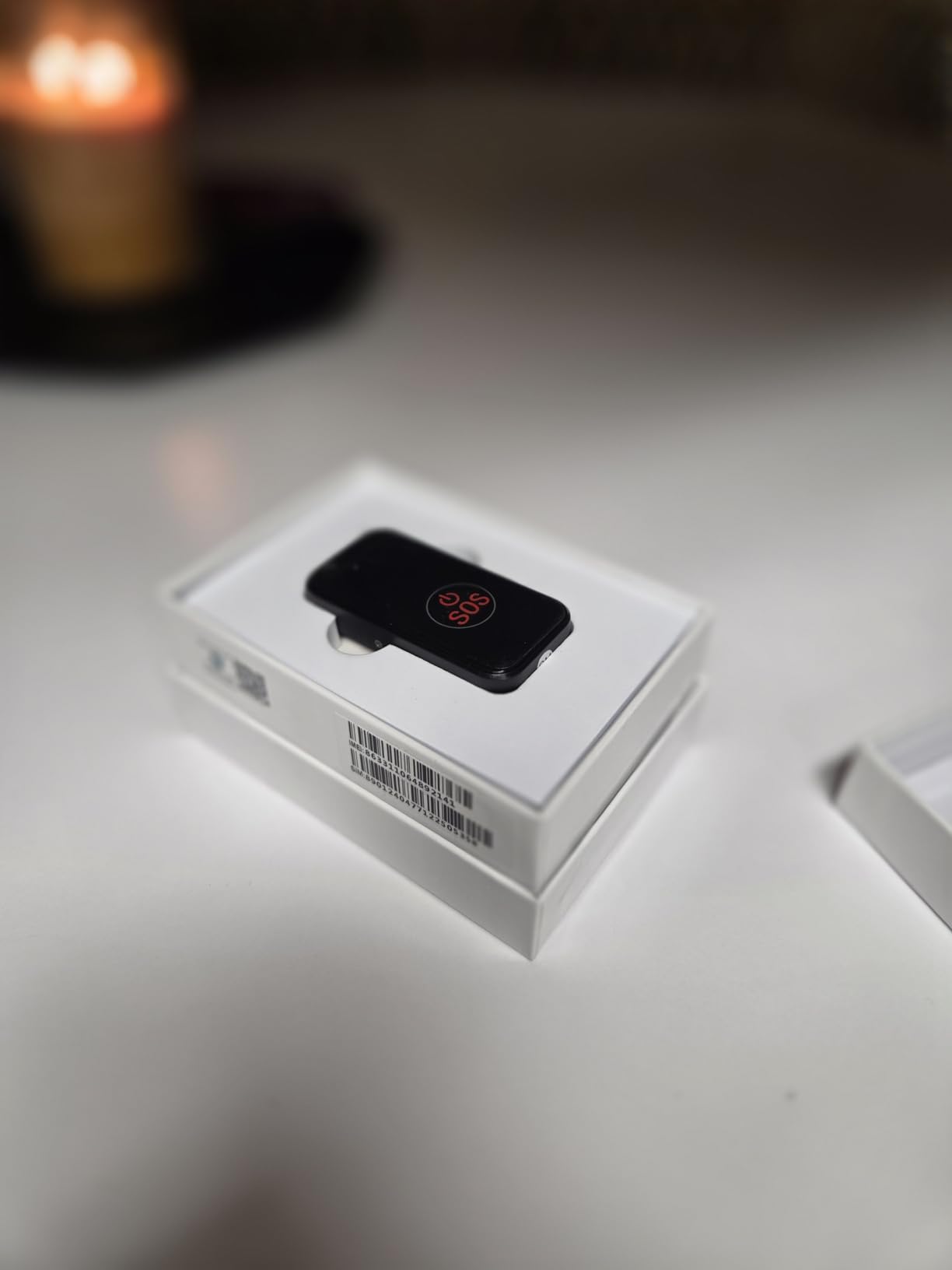
Owners consistently report getting a parent comfortable with it quickly, and several describe setup as a matter of minutes. The 1000 mAh battery is listed at about five days of average life, and the manufacturer claims up to six days when tracking is set to a 24-hour interval, which is a fair thing to do in a home where a geofence is doing the heavy lifting.
The reviews are equally consistent about the fall detection. It is very sensitive even at its lowest setting, so ordinary actions like setting the pendant down hard can fire an alert, and the ten-second cancel window is the mitigation. More seriously, a number of long-term reviewers report that fall notifications stopped arriving after several months. If falls are the reason you are buying, test the button deliberately after a month and then again after six, rather than trusting the purchase.
Getting the fall sensitivity right
Start at the lowest setting and only raise it if real falls are being missed. The alert carries a location with it, so even a cancellation costs you little, while a worn-out sensor or a family member who learns to ignore the alert costs you a great deal.
The battery figure deserves a caveat too. Six days assumes 24-hour reporting, not continuous updates. If you want live location during a wander, expect a shorter cycle and a more frequent charge.
Who should skip this one
Skip it if you want a third party to take the first call. There is no monitoring centre here, which is the point, but it also means every alert lands on a person who has to be awake, reachable and willing to act.
Read the service commitment carefully before you buy, because a year of payments that continue after the pendant has been retired is a real and commonly reported frustration.
4. Medical Guardian MGMini – Best for a Real 24/7 Monitoring Centre
Medical Guardian MGMini Medical Alert Device for Seniors | Subscription Required | SOS Button, Emergency Location Assistance, 24/7 Monitoring | Silver
- The only device in this roundup with a staffed 24/7 monitoring team
- Two-way speaker connects the wearer directly to an operator who can dispatch EMS
- Discreet small pendant worn as a necklace or with the belt clip
- Three days of battery per charge with a four hour fast recharge
- App or portal shows hourly location updates and step counts
- Location relies on Wi-Fi and Bluetooth triangulation rather than a true GPS fix
- Reviewers report readings that pin the wearer to the home or a neighbour's address
- Highest one-star share in this roundup at 22 percent
Everything else in this roundup alerts family. This one alerts a staffed monitoring centre that answers on a two-way speaker, and can dispatch emergency services or contact your named family and friends depending on what they hear. If the difference between an alert landing on your phone at 2am and an alert landing on a trained operator is meaningful to your family, that is the whole argument for this device.
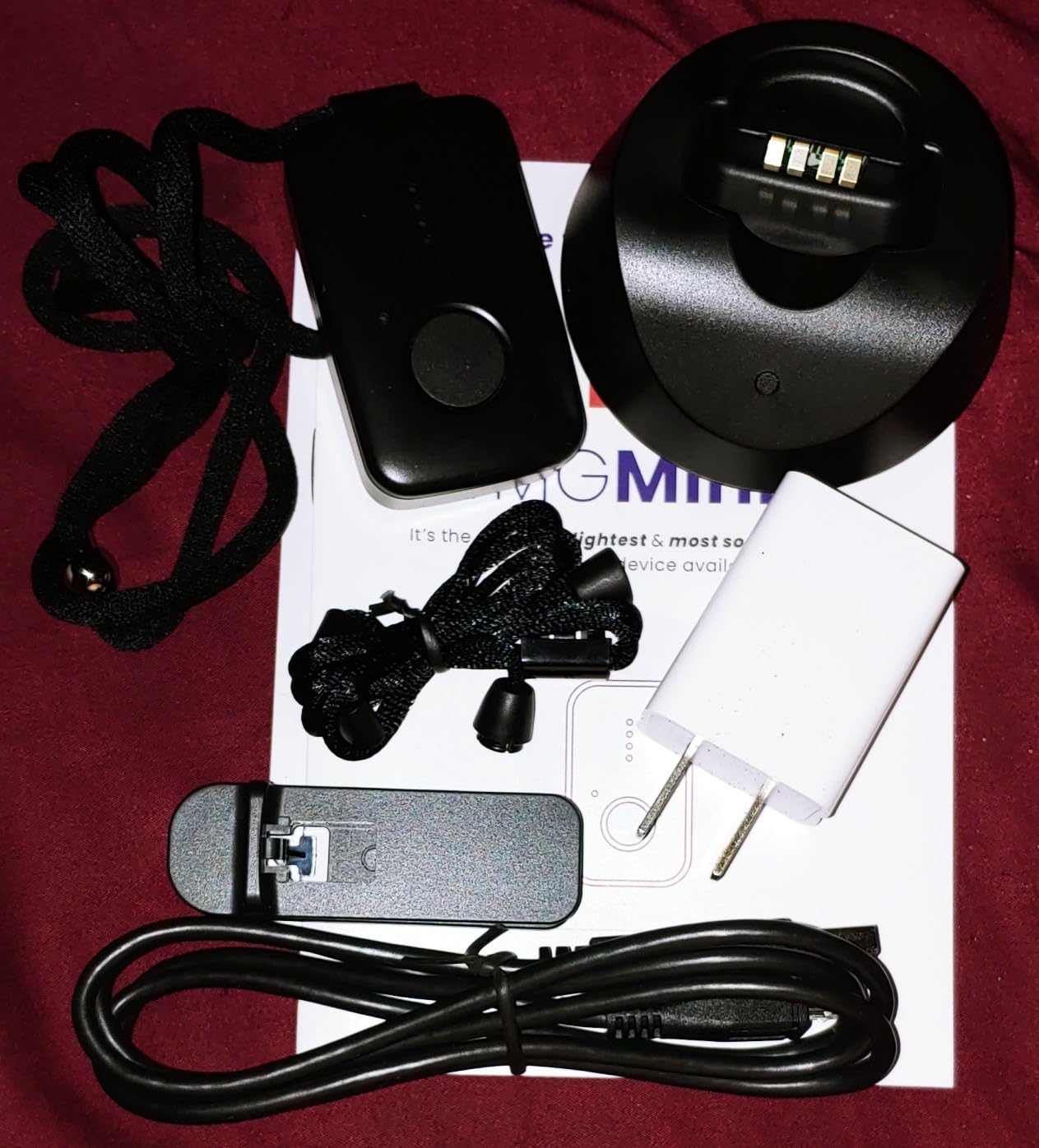
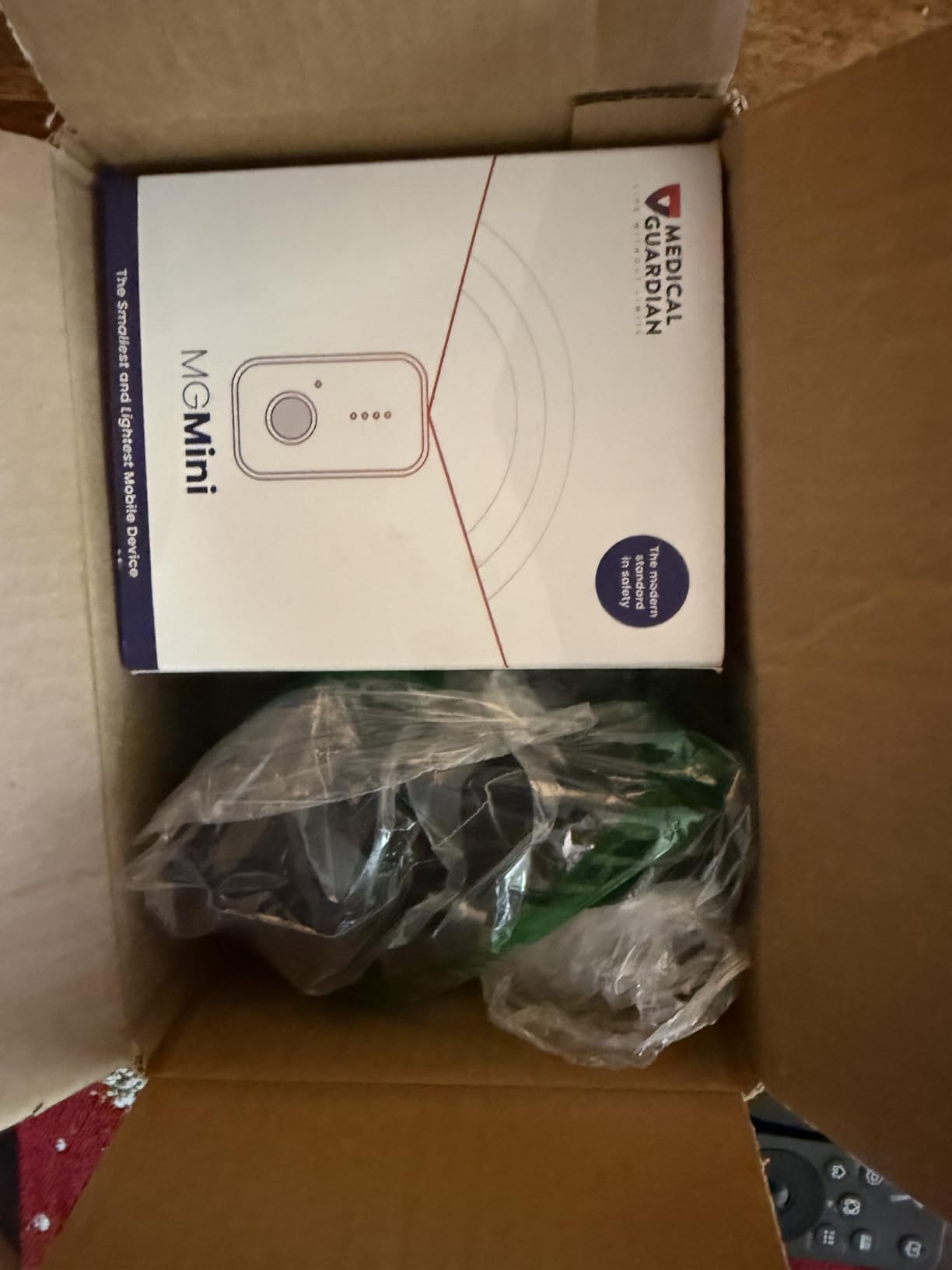
Physically it is the most discreet option here. The MGMini is a small pendant worn on a lanyard or with the included belt clip, and the box includes a charging cradle, the clip and lanyard, and an EMT card. It runs on cellular with Wi-Fi as a back-up, needs no home internet connection, and lasts three days per charge with a four-hour fast recharge, which is forgiving if you forget a cycle.
Owners who are happy tend to talk about the same things: the peace of mind of a monitored response, quick setup, a wearable form factor small enough to be forgotten, and hands-free two-way talk. Several mention the free first month of monitoring as the reason they started, with the option to cancel afterwards.
The complaint pattern is just as consistent, and it centres on location rather than on the alarm. Because the device leans on Wi-Fi and Bluetooth triangulation rather than a continuous GPS fix, the app can show the wrong address, and reviewers report the wearer being pinned to the home or a neighbour’s house. This is the 1-star share of 22 percent, the highest in the roundup. The other recurring friction points are the monthly monitoring cost, which is the highest of the devices here, multi-user family app access, and a cancellation process that reviewers describe as needing repeated calls during business hours.
What a monitoring centre actually gives you
A staffed centre means someone answers while the person wearing the device is still talking. That covers the case where your father is on the floor, unable to reach a phone, and nobody else is in the house, which is precisely the case a family-only alert cannot handle.
The cost is money you keep paying and a location readout you should not treat as reliable evidence. Use it for the alarm, and use a dedicated GPS device if you need to know where someone is.
Who should skip this one
Skip it if you are buying to track wandering. Wi-Fi and Bluetooth triangulation is good enough to confirm that someone is home and not good enough to find them on a street. It also carries a 1-star share that signals genuine setup and support friction.
Families with two carers who both need app access should confirm that before buying, because multi-user setup is a documented weak point.
5. Smart Med Alert Cellular Necklace – The Simple Budget Pendant
- Press and hold SOS reaches a live monitoring professional in about 3 to 5 seconds
- Two-way voice works through the pendant with no smartphone needed
- Automatic fall detection alerts the centre with device location and no button press
- Optional app shows location and battery percentage along with GPS accuracy
- One app account can monitor up to three compatible devices
- Water resistant only
- not waterproof
- and it should not be submerged
- An active monitoring subscription and cellular coverage are required to function
- Fall detection may not catch every fall
This is the most no-nonsense device in the roundup. There is no screen to navigate, no app to teach and no menu: hold the button for three to five seconds and you are talking to a monitoring professional through the pendant’s own speaker and microphone, with no nearby smartphone required. For a parent who will not learn a new interface, that simplicity is the product.
Automatic fall detection is included and sends an alert to the monitoring centre carrying the device location, without anyone pressing anything. There is an optional family app that shows location, battery percentage and GPS accuracy, with Find Me and Refresh Location functions, and one app account can cover up to three compatible devices, which is useful when you are caring for more than one parent. The box includes an adjustable woven lanyard and a magnetic charging cable, and the build is water resistant.
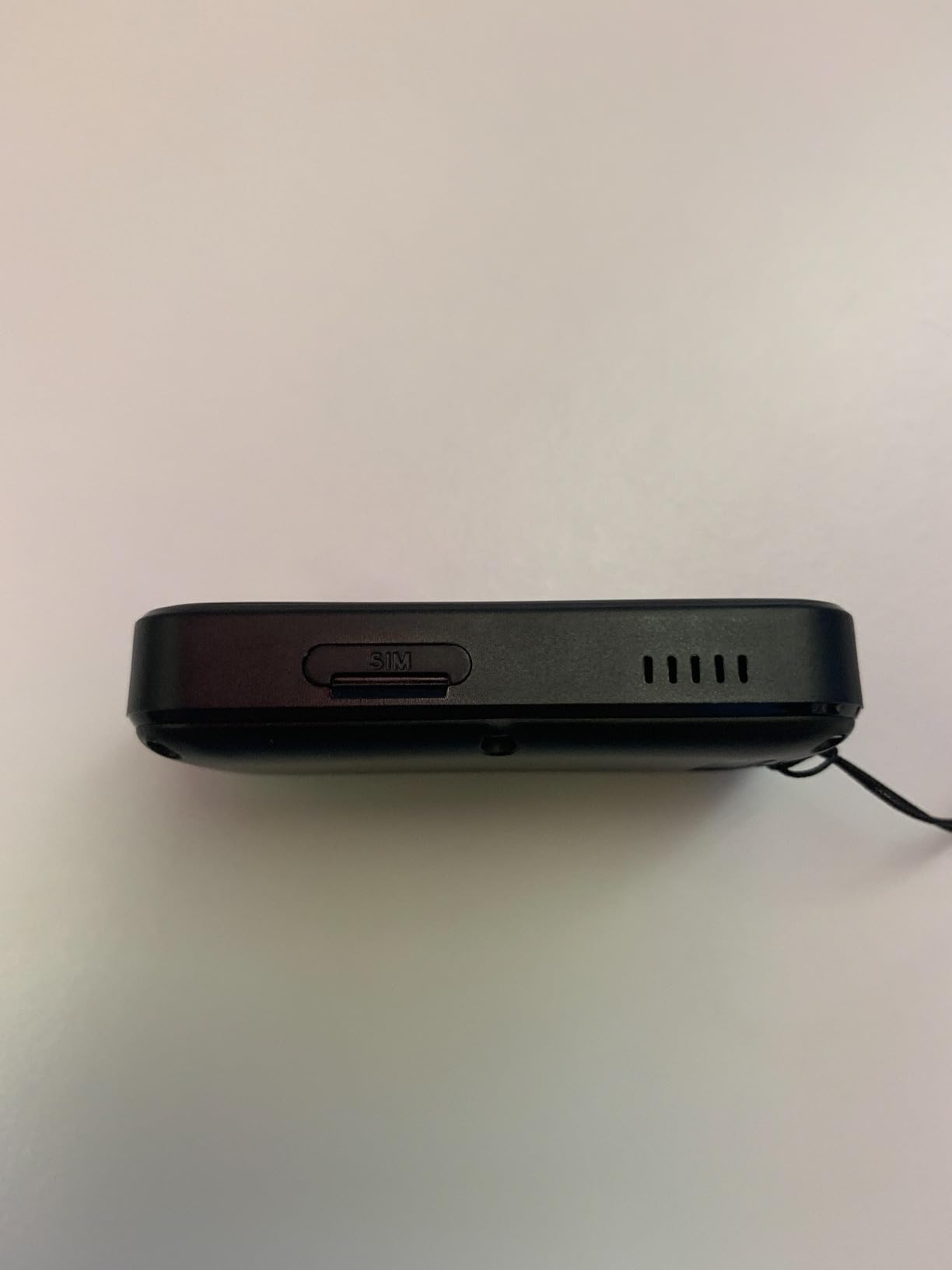
Where the 3.7 rating comes from is mostly the subscription and the weather. The monitoring plan is required and must be activated after purchase, and cellular coverage is a hard requirement, so the device is inert without both. Water resistant is not the same as waterproof, and the manufacturer is clear that it should not be submerged, which rules out shower wearing.
The honest accounting is that fall detection may not catch every fall, that the app is optional rather than bundled, and that location accuracy varies with signal and indoor surroundings. The review record also notes the device is not intended to be a primary daily tracker but a responder.
What the 3.7 rating is telling you
It is a competent basic device rather than a disappointment. The short press-and-hold path to a live human, the fall alerts that carry location, and the magnetic charger are all things buyers praise. The lower score is about the price of entry and the water rating, not about the device failing at its job.
The optional app deserves a note. Because monitoring works without it, some families never set it up, and then lose the ability to see location and battery at a glance, which is the feature they bought it for.
Who should skip this one
Skip it for a parent who showers or bathes often, given the water resistant rating. It is also the weakest choice for wandering, because the value here is the voice channel rather than the location picture.
Confirm the monitoring plan terms before you commit, since the service is what makes the hardware work and the terms are not as flexible as the hardware terms.
6. EGLANCLIFM Find My Tracker Band – The No-Monthly-Fee Option
- No monthly fee unlike cellular subscription trackers
- Works inside the free Apple Find My app with no separate account
- Real-time location updates on a waterproof wristband
- Long battery life that reduces how often you charge it
- Only works with Apple devices and the Find My network
- Depends on the Find My crowdsourced network rather than a dedicated cellular module
- No SOS button
- no fall detection and no two-way calling
- Highest one-star share here at 26 percent
This band exists because the subscription line is the single most common objection to this category, and for an Apple household this is the cleanest way to avoid it. There is no monthly fee, no separate app to install and no second account to manage, because the device appears inside the Apple Find My app that millions of people already have open.
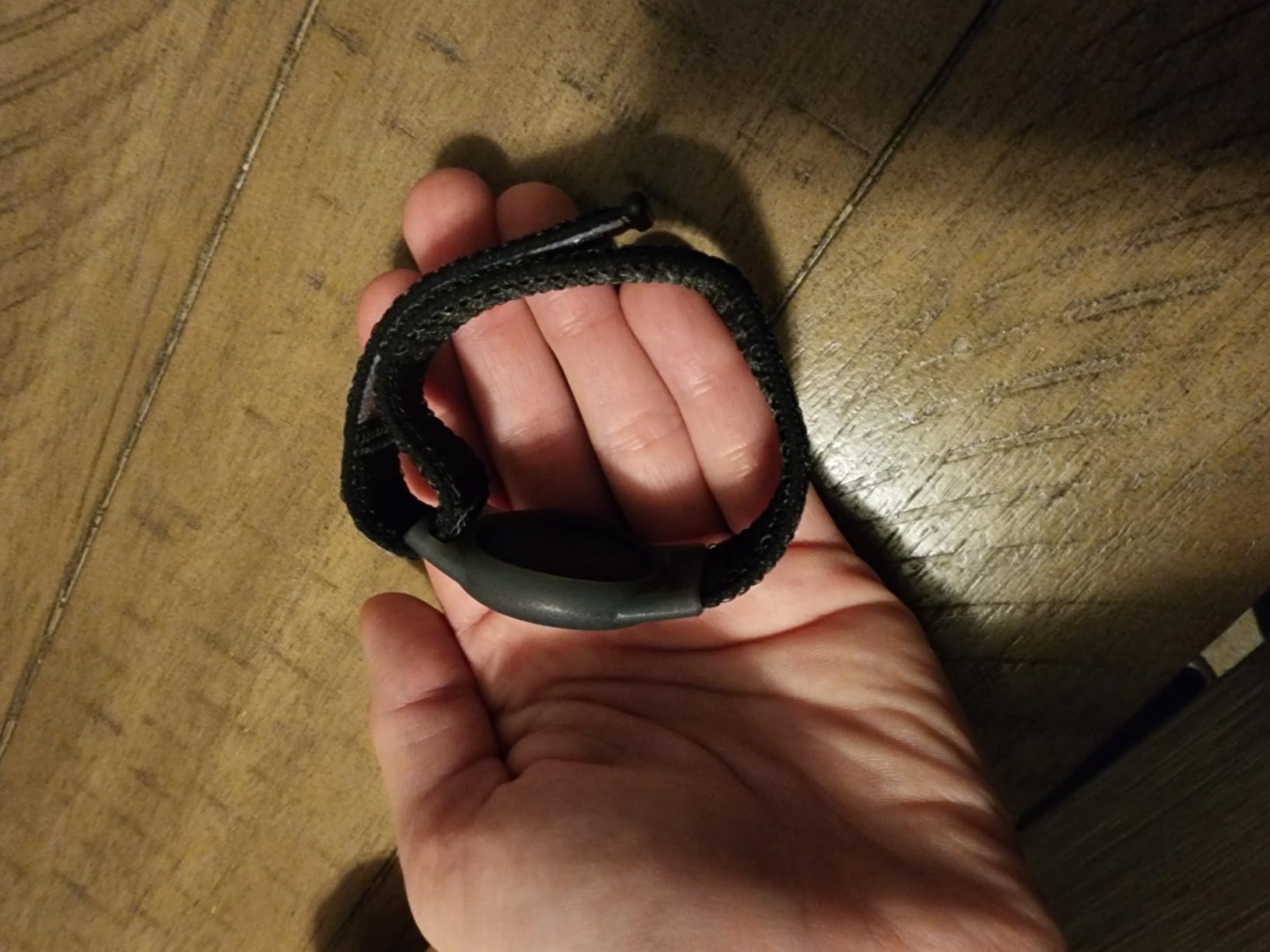
It is a waterproof wristband with real-time location updates and a long battery life, which is exactly the shape of a backup layer rather than a primary safety device. The economic argument is strong: families who are already paying for a monitoring service elsewhere can use this as a second, silent tracker that never dies and never generates a bill.
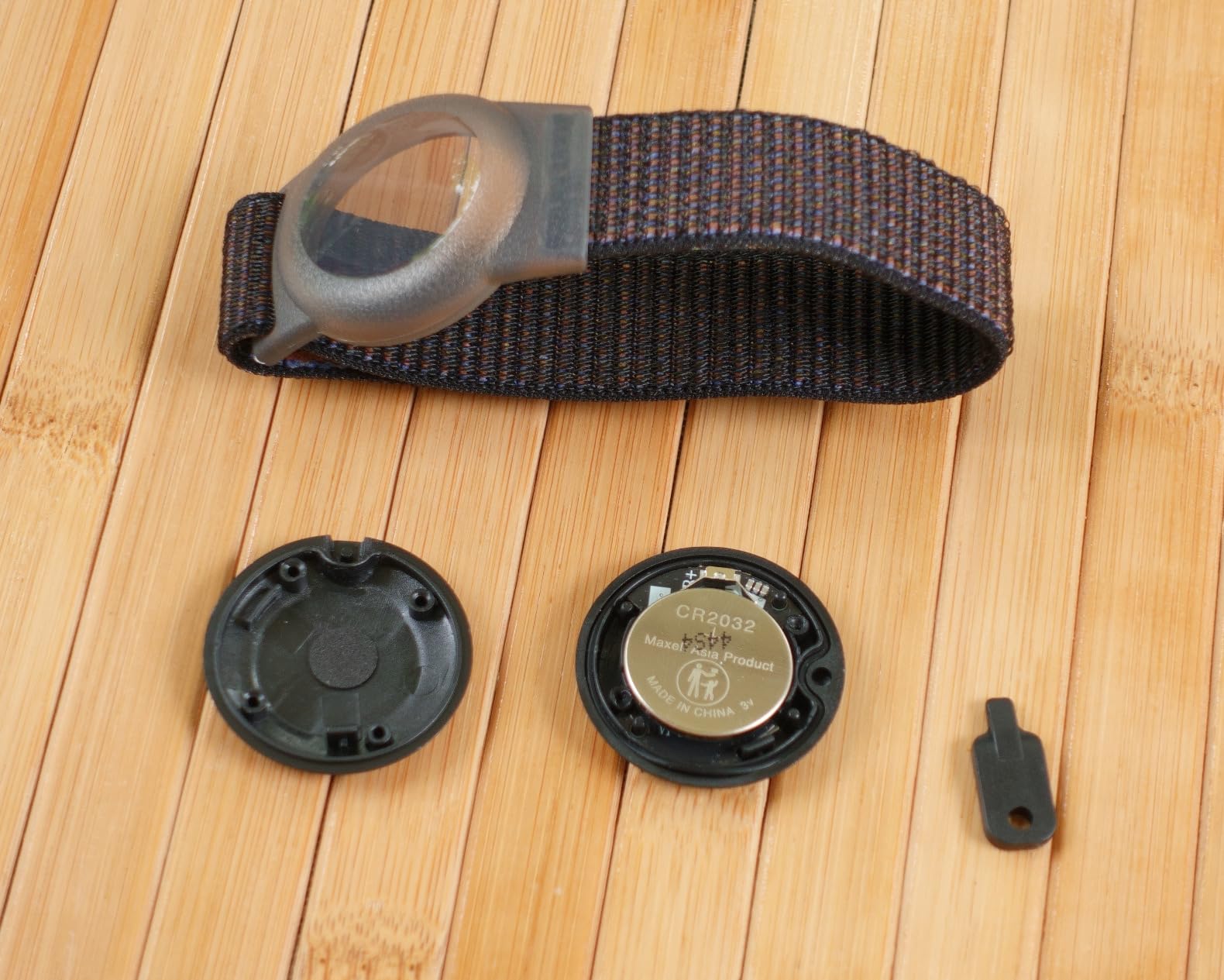
What you give up is everything that makes the other devices safety products. There is no SOS button, no fall detection and no two-way calling, and because it rides on the Find My network rather than a dedicated cellular module, its accuracy and update cadence depend on how many Apple devices are in the area. It is a tracker, full stop.
The 3.6 rating and the 26 percent one-star share, the highest in the roundup, come from the same place: setup friction and inconsistent location quality. The Apple-only limitation is the most common complaint, since an Android-only household simply cannot use it at all.
Where this device genuinely earns its place
As a second layer, this is hard to beat. It has no subscription to lapse, no battery anxiety beyond normal charging, and it can be placed in a coat, a bag or a drawer without anyone objecting to wearing a medical device. For a parent who will not wear a pendant, an object in a pocket can be more reliable than a refusal.
It is also the device most worth having before you go shopping, because it can show you the normal shape of a day. Once you can see the pattern, a deviation becomes obvious.
Who should skip this one
Skip it if anyone in the household is on Android, and skip it as a sole device for a parent at real wandering risk. The one-star share is a fair signal that this is not a product to bet a safety plan on alone.
It is also a wrist-only form factor, which makes it unsuitable for anyone who removes watches or has a wrist that swells or shrinks with medication changes.
7. SkyAngel911FD – Best for Calling 911 Directly
SkyAngel911FD – 4G -Mobile Cellular – NO Monthly FEE – 911-2-Way Voice
- Connects directly to 911 with a single button press
- No monthly fees and no cellular contract
- Automatic fall detection calls 911 on its own after a drop
- Always in two-way speakerphone mode so an operator can be heard
- Waterproof for about 10 minutes underwater and 30 minutes in the shower
- Small enough for a lanyard or a keychain
- No GPS
- so location is only triangulated to a general area
- Contacts 911 only with no way to call a family member first
- The SOS button is sensitive enough to be triggered by brushing against clothing
This device takes a deliberately old-fashioned view of an emergency: call 911. One button press connects the wearer directly to an emergency operator, with no monitoring company in between, and automatic fall detection will dial 911 on its own after a drop. It runs on 4G cellular with no monthly fee and no cellular contract, which is genuinely rare in this category and the reason it earns a place on the list.
The design is built for longevity rather than features. It is waterproof for about ten minutes underwater and rated for around 30 minutes in the shower, it is small enough for a lanyard or a keychain, and reviewers describe multiple years of daily use. The battery is rechargeable and lasts roughly six days, with green and red signal and charge indicator lights, and it comes in four colours.
Owners report real emergencies handled well, with 911 and paramedics responding after a single press, and they consistently value that the call goes to an operator rather than through a call centre. The 4.1 rating across 177 reviews reflects a device that simply does one thing for a long time.
Now the hard part, which you must weigh honestly. There is no GPS, so the location given is a triangulated general area rather than an address, which slows a response in a rural setting. It contacts 911 and only 911, so you cannot call yourself first, and the SOS button is so sensitive that it can be triggered by brushing against clothing, which risks a train of false dispatches that makes the device less useful in an emergency.
Why the direct-911 model appeals to some families
It removes the monthly cost and removes a third party, which is exactly what some parents want. There is no call centre to misunderstand a condition, no contract to read, and no data contract either. Caregivers on Reddit have described older adults still behind the wheel as a core use case for tracking, and for a driving parent who will not discuss monitoring, a device that only ever calls for help is far less objectionable.
It is also the only device here rated above 4 stars that charges nothing recurring.
Who should skip this one
Skip it if you need to know where your parent is. General-area triangulation will not help you find someone who has walked off in a park, and it is not a substitute for a geofence alert.
Also skip it if a false dispatch would cause serious distress in your household, and expect a chunky device that some reviewers find bulky under clothing, with blinking LEDs that are visible day and night.
8. SecuLife Medical Alert Smartband S16 – Best for Heart Rate Tracking
- Wrist form factor is more discreet than a pendant and adds heart rate monitoring
- Alerts go direct to pre-selected family contacts with no call centre
- Fall detection or a three-second press of the heart button triggers an emergency call
- Hands-free auto-answer for pre-approved contacts
- Secupro app lets multiple family members monitor location and health status
- IP67 water resistant in White or Black
- Battery life is listed at about one day so charging is daily
- Monthly subscription is higher than the pendant version from the same maker
- A 2-inch square touchscreen is harder to read and operate than physical buttons
- 21 percent one-star reviews reflect reliability and setup friction
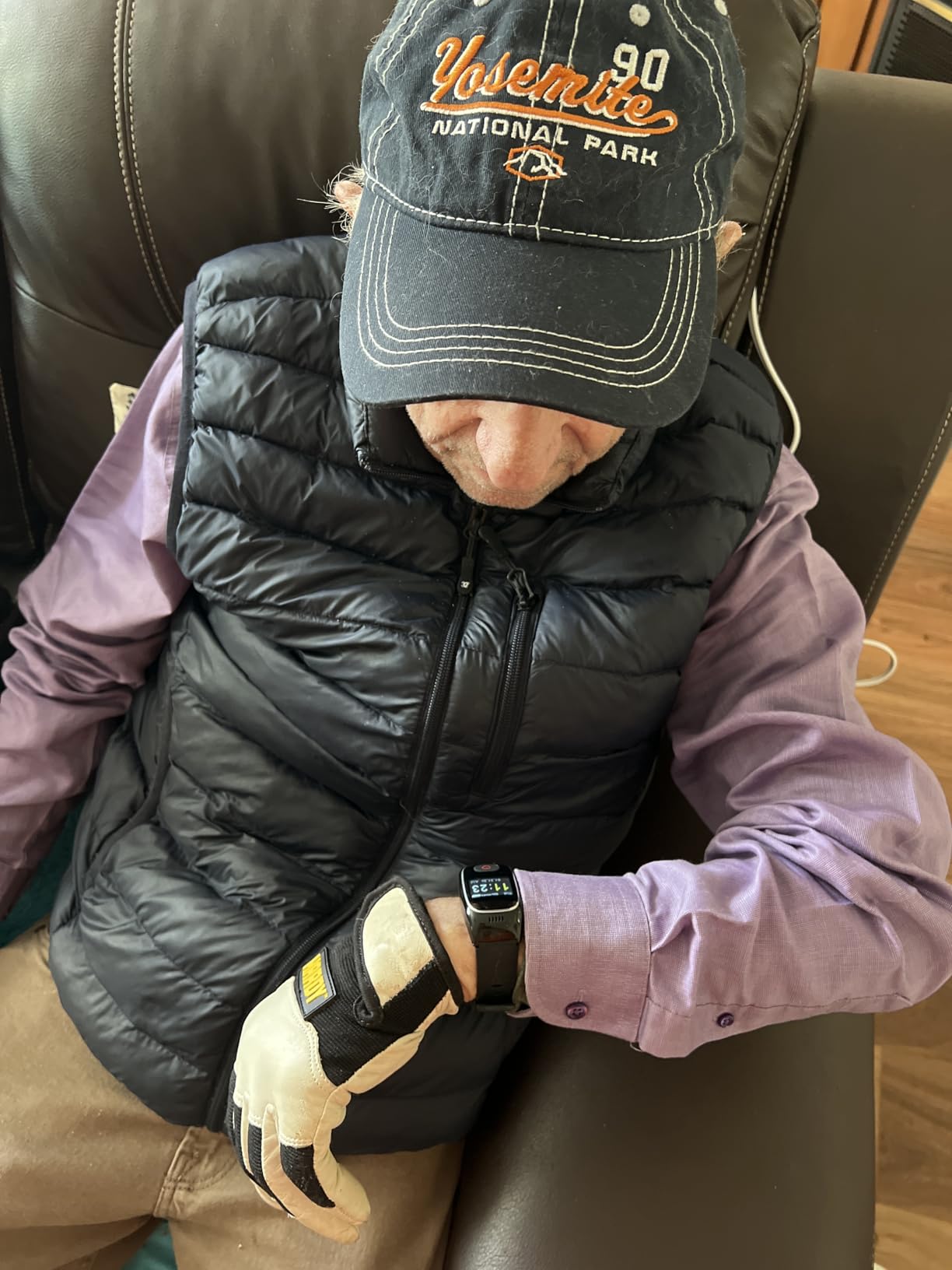
The reason to choose a watch over a pendant is social, and it is a strong one. A pendant announces a condition; a watch is a normal object, and parents who refuse to wear one are often happy to wear the other. This model is the wrist version of the SecuLife pendant, and it adds heart rate monitoring and a 2-inch square touchscreen, which turns a safety device into something closer to a fitness tracker.
Underneath, the safety features are the same family: automatic fall detection, a three-second press of the heart button to trigger an emergency call, hands-free auto-answer for pre-approved contacts, real-time GPS with geofence zones, and one year of location history. Alerts go directly to pre-selected family contacts with no call centre involved, and the Secupro app lets several family members watch location, battery and health status at once. It is IP67 water resistant and comes in White or Black.
The compromises are specific and worth weighing. The 680 mAh lithium polymer cell is listed at about one day of battery life, so this is a daily charge, not a weekly one. The monthly subscription starts higher than the pendant from the same manufacturer, and the 2-inch square touchscreen is a real usability question for anyone with reduced vision or limited dexterity, because a physical SOS button does not require reading or aiming.
The 3.8 rating and 21 percent one-star share reflect reliability and setup friction rather than a fundamental flaw. If heart rate data is part of what you want, there is no other device on this list that provides it.
Who a watch format actually works for
It works for a parent in early-stage memory loss who still has the habits of a regular routine, and for anyone whose doctor wants heart rate trend data alongside location. It works less well for a parent in moderate to late-stage dementia, where a daily charge and a touchscreen are two things that stand between the device and a working alarm.
Get it accepted first, then configure the zones. A watch nobody willingly wears is a dark screen on a wrist.
Who should skip this one
Skip it for daily charging, because that is the failure mode caregivers describe most often, and skip it if physical buttons matter to you. The higher subscription compared with the pendant is also a straightforward reason to choose the other model.
Given the one-star share, test the fall alert and the auto-answer in the first week rather than assuming they work.
Why AirTags and Find My Tags Are Not GPS Trackers
AirTags and Tiles are not GPS trackers, and using one as the primary tool for a parent who wanders produces false confidence. A GPS tracker talks to satellites and a cellular network to work out where it is. A Bluetooth tag does not. It broadcasts a small signal and relies on other people’s phones and nearby Apple or Tile hardware to pass a sighting back to a server. If nobody nearby has a phone out, the tag tells you very little.
A Facebook dementia-care group post specifically warns against relying on AirTags for exactly this reason, and the warning is technically correct rather than a matter of opinion. The precision depends on the density of nearby devices, so it can look excellent in a city and fail completely in a rural area or a large building, which is the moment you most need it to work.
They are also trivially removable and they are designed to be polite: they make a noise when they move so you do not secretly track another person’s belongings. That politeness is a safety feature for ordinary objects and a liability for a wandering parent.
That said, I do not think they are useless. As a cheap backup layer in a coat pocket or a handbag, an AirTag costs almost nothing, runs for a long time, and can give you a rough fix on the trail at the edge of a Find My network. Used alongside a real tracker, on a different object, they are a reasonable second signal. Used alone, they are not a safety plan, and I would not recommend that to a family in that situation.
Free and Low-Cost Alternatives Caregivers Miss
Before anyone spends money, it is worth knowing that help exists that does not involve a subscription. Several users on Reddit report that their local police department provides GPS trackers at no cost, and caregivers repeatedly recommend Project Lifesaver, a bracelet-style program run through local police departments. These are genuinely valuable and almost no roundup mentions them.
The other angle is coverage rather than hardware. If your parent qualifies, a Medicare Advantage plan or a Medicaid programme may contribute toward a medical alert device or a monitoring service, depending on your state and plan. Ask the plan directly, and ask what documentation they require, because the answer varies and the answer usually lives in a benefits booklet rather than on a website.
Two more practical layers cost nothing. Identification cards and a MedicAlert-style bracelet are recognised by first responders and cost a fraction of a tracker. Door alarms and a routine-deviation check-in, a phone call at a fixed time each evening, add up to more protection than most devices in this roundup. And as a caregiver on AgingCare put it plainly, a tracker device cannot keep a person safe on its own. It narrows the search. The rest of the plan is what actually keeps them well.
How to Choose a GPS Tracker for an Elderly Parent?
Start with the risk, not the feature list
Write down the specific thing that frightens you. Falls, wandering, getting lost on a familiar route, or simply not answering the phone. The answer determines the device type: falls point to a pendant or watch with monitoring, wandering points to a discreet cellular locator with geofencing, and long solo drives point to something small, silent and worn out of sight.
You may need two devices rather than one, which is why the no-fee band on this list is worth considering alongside a primary unit rather than instead of one.
Geofencing is the feature that does the work for you
A geofence, or safe zone, is a boundary you draw on a map around the home, the garden or the school run. When your parent crosses it, you get an alert. This is the feature that turns location tracking into supervision without supervision, because it means you do not have to be watching the map to know that something has changed.
Set more than one zone and set them tight. A radius of a few hundred metres is a warning; the street outside the house is a real answer. Most of the devices here support custom zones, and the free companion apps on the tracker models make drawing them a two-minute job.
Understand the update interval trap
Long battery claims usually mean battery-save mode, which means a handful of pings a day rather than live tracking. That is fine for a route to the shops and useless during an active wandering episode, when you want a moving dot. Ask what the interval actually is in the mode you intend to use, and remember that a stated battery life is always measured in the most flattering setting the manufacturer offers.
For pendant and watch devices, note where battery-save mode is explicitly tied to longer intervals, as the SecuLife pendant’s six-day figure is. That is a real trade, not a flaw, but you should be choosing it deliberately.
Do the three-year sum before you buy
The subscription objection is legitimate, so treat any device with a plan as a multi-year financial commitment rather than a one-off purchase. The honest comparison is the device plus the plan over the period you realistically need it, which for dementia risk is often two to three years, not one.
Longer plan terms reduce the per-month figure, so the same device can look cheap or expensive depending on the term you pick. And the two devices in this roundup with no recurring fee, the SkyAngel911FD and the EGLANCLIFM band, are worth weighting heavily if the budget is fixed.
Set it up in the first thirty minutes
Unbox it with your parent watching, not with them in another room. Register the account together, so the first alert arrives to an app they have seen. Charge it fully, then draw the geofence, then deliberately walk outside the zone with the app in your hand so you both watch the alert arrive.
Then set two alerts before you need them: a low-battery alert and a missed check-in reminder. Write your parent’s full name, your number and an address on whatever the device offers for that purpose, and keep a spare charged device somewhere obvious. Related reading that sits well alongside this one includes our picks for the best power lift chairs and our guide to the best bed wedges for elderly, both of which reduce the fall and comfort problems that a tracker can only report on. If your parent is low on vision or dexterity, the same reasoning applies to the best forehead thermometers for elderly parents: a non-contact reading beats a fiddly device every time. Families already comparing trackers for a pet can see the same hardware from another angle in our guide to the best GPS dog trackers, and anyone helping with toileting comfort will find our best bidet toilet seats for elderly review useful for the same in-home safety planning.
Frequently Asked Questions
What is the best GPS tracker for elderly parents?
The KidsConnect Secure Phone 4G GPS Tracker is the best overall, at 4.2 stars across 334 reviews, because a person with memory loss can operate its three-button interface. Choose the PAJ 4G GPS Tracker for a parent who walks and wants five days between charges, the SecuLife Medical Alert Pendant for fall risk, and the EGLANCLIFM Find My band if you want no monthly fee.
What is the easiest GPS tracker to use for seniors?
The easiest device is the KidsConnect Secure Phone, which has a small screen, a numeric keypad and three physical buttons, no apps and no internet. The Smart Med Alert cellular necklace is the simplest of the monitored devices, because a three to five second press of the SOS button connects the wearer directly to a monitoring professional with no smartphone needed.
Are AirTags good for tracking someone with dementia?
No, not as a primary device. AirTags and Tiles are Bluetooth beacons that rely on nearby phones and network hardware rather than GPS or a cellular module, so accuracy depends on device density and they fail in rural areas and large buildings. They also make a noise when moved and are easily removed. As a cheap second layer in a coat pocket they are reasonable, but not as a safety plan.
Is there a GPS tracker that doesn’t require a monthly subscription?
Yes. The SkyAngel911FD runs on 4G cellular with no monthly fees and no cellular contract, and calls 911 directly from one button press or from automatic fall detection. The EGLANCLIFM Find My tracker band has no monthly fee either, but it only works with Apple devices inside the Find My network and has no SOS, fall detection or calling.
Do GPS trackers work indoors?
Partly. GPS satellites are weak indoors, so trackers fall back to Wi-Fi positioning and cellular triangulation, which is usually accurate enough to confirm that someone is still at home but not to identify a room. The Medical Guardian MGMini leans on Wi-Fi and Bluetooth triangulation, and reviewers report it pinning wearers to the home or a neighbouring address, so treat indoor readings as a confirmation, not a search tool.
Is it legal to track my elderly parent?
In most places, yes, if the person agrees or you have the legal authority to act for them. Where a parent still has capacity, consent is the right route and is also what makes the device acceptable to wear. Where they no longer have capacity, authority usually rests with a legal guardian or a person holding power of attorney for health and welfare, which is a family legal question rather than a technical one.
What happens if my elderly parent takes the tracker off?
Nothing detects it automatically unless the device leaves a geofence or loses signal, so the real protection is attachment and alerts. Wristbands and fastened straps survive better than pocket clips, and setting a low-battery alert plus a missed check-in reminder gives you a second way to notice. Caregivers also report hiding a device in a coat or bag so that when it reappears it reads as a forgotten belonging.
The Verdict: Which Tracker Matches Your Parent
If you take one recommendation from this guide, take the KidsConnect Secure Phone 4G GPS Tracker. It has the highest owner rating of the eight, at 4.2 stars across 334 reviews, and it is the only one whose interface a person with memory loss can genuinely use. Pair it with geofences and a low-battery alert, and you have covered the two failure modes caregivers actually worry about.
If your parent walks every day and a pendant would be refused, choose the PAJ 4G GPS Tracker, where five days of battery turns tracking into a habit rather than a chore. If falls are the fear, choose the SecuLife Medical Alert Pendant and set its sensitivity as low as it will go. If you want a voice on the other end at two in the morning, choose the Medical Guardian MGMini and accept that its location readout is approximate.
If cost is the binding constraint, the SkyAngel911FD calls 911 with no monthly fee, and your local police department or a Project Lifesaver programme may provide a tracker at no cost at all. The best GPS trackers for elderly parents in 2026 are the ones that get worn, get charged and get checked, and the second-best thing you can buy is the door alarm and the identification card that nobody thinks about. Set the tracker up, set the alerts, and keep the rest of the plan intact.